On this page
Outlook inboxes grow without asking. Newsletters, follow-ups and old threads pile up until finding one message takes minutes and replying to the important ones takes hours. The right tool either cleans the pile or replaces the inbox with something faster. We compared eight tools on published price, Outlook support and how they handle a real inbox. Clean Email is our first pick, the cheapest cleaner here at under thirty dollars a year.
How we researched this
We started with management tools that publish a real price and work with Outlook, not just Gmail. We read each price on the vendor site on November 27, 2026, and used the annual-billed figure where the vendor lists one. We judged them for an Outlook user buried in newsletters, follow-ups and old mail, and we checked the July 2026 Microsoft price rise so the Business Basic figure is current.
Compare the tools
| Name | Best for | Starting price | Free plan | |
|---|---|---|---|---|
| Clean Email | Outlook users buried in newsletters and old mail | $29.99/year | Free plan available (first 1,000 emails free) | Visit |
| SaneBox | Outlook users who want automatic inbox sorting | $59/year | No free plan; 14-day free trial | Visit |
| Boomerang | Outlook users who send mail at the right time | $14.98/month | Free plan available (10 message credits a month) | Visit |
| Mailbird | Outlook users who want mail, calendar and apps in one window | $5.75/user/month | Free plan available (1 account) | Visit |
| eM Client | Outlook users who want a desktop client with calendar and chat | $59.95/device/year | Free plan available (home use, 2 accounts) | Visit |
 Spike | Outlook users who want chat, mail and docs in one place | $4/member/month | Free plan available (up to 3 members) | Visit |
 Superhuman | Outlook users who want the fastest inbox possible | $25/user/month | No free plan; 7-day free trial | Visit |
 Microsoft 365 Business Basic | Outlook users who want mail, apps and storage in one plan | $7/user/month | No free plan | Visit |
The email management software for Outlook, compared
1. Clean Email
Best for: Outlook users buried in newsletters and old mail
Paid tool Starting price: $29.99/year · Twenty-nine dollars and ninety-nine cents a year for one account billed annually; nine dollars and ninety-nine cents a month on monthly billing; five accounts cost forty-nine dollars and ninety-nine cents a year
Free plan: Free plan available (first 1,000 emails free)
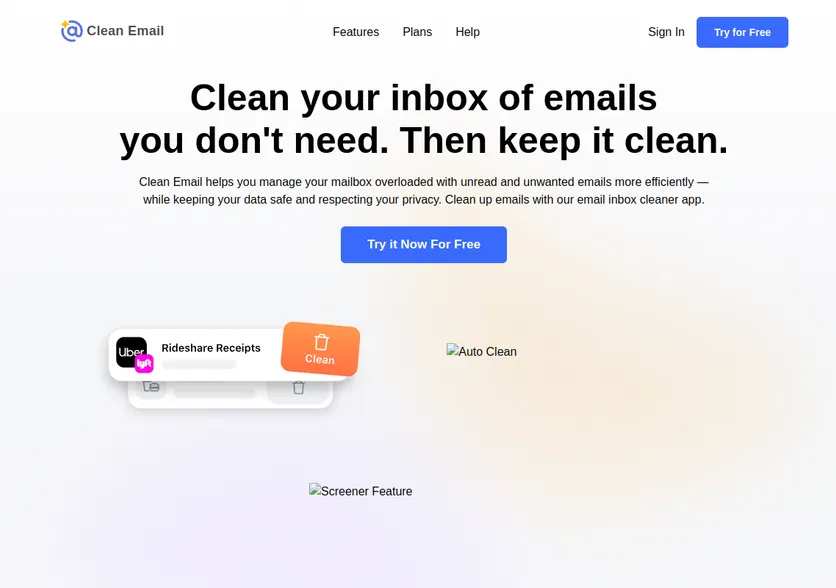
This Clean Email plan costs twenty-nine dollars and ninety-nine cents a year for one account, or two dollars and fifty cents a month equivalent. Clean Email groups newsletters, social alerts and old mail so you can delete thousands of messages in one go, and it works with Outlook as well as Gmail. The first one thousand emails are free, and five accounts cost forty-nine dollars and ninety-nine cents a year.
What we like
- Groups newsletters and old mail for one-click cleanup
- Works with Outlook as well as Gmail
- First one thousand emails are free
Watch out for
- Priced per account, so several mailboxes cost more
- Bulk delete needs care the first time you use it
How to try it
- Open the Clean Email site and connect your Outlook account
- Group your newsletters and delete them in one batch
- Set up one auto-clean rule for new mail
2. SaneBox
Best for: Outlook users who want automatic inbox sorting
Paid tool Starting price: $59/year · Fifty-nine dollars a year for the Snack plan on annual billing; seven dollars a month on monthly billing; the Lunch plan costs ninety-nine dollars a year and Dinner costs two hundred and ninety-nine dollars a year
Free plan: No free plan; 14-day free trial
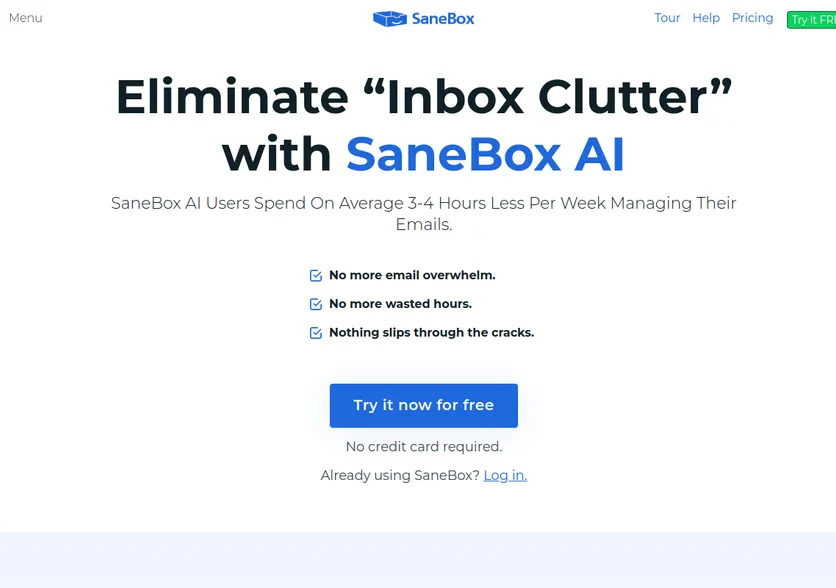
This SaneBox plan costs fifty-nine dollars a year for Snack on annual billing, or seven dollars a month. SaneBox learns which mail matters and moves the rest to a SaneLater folder, so the inbox shows only the messages that need you. It works with Outlook and Gmail, and there is a fourteen-day free trial with no card required.
What we like
- Learns which mail matters and sorts the rest away
- Works with Outlook and Gmail alike
- Fourteen-day trial with no card required
Watch out for
- Sorting needs a week to learn your habits
- No free plan, only a fourteen-day trial
How to try it
- Open the SaneBox pricing page and check the Snack tier
- Connect your Outlook account and let it learn for one week
- Check the SaneLater folder daily until the sorting settles
3. Boomerang
Best for: Outlook users who send mail at the right time
Paid tool Starting price: $14.98/month · Fourteen dollars and ninety-eight cents a month billed annually for the Pro plan, one hundred and seventy-nine dollars and seventy-six cents a year; month-to-month Pro costs nineteen dollars and ninety-eight cents; the Premium plan costs forty-nine dollars and ninety-eight cents a month
Free plan: Free plan available (10 message credits a month)
This Boomerang plan costs fourteen dollars and ninety-eight cents a month billed annually for Pro, or one hundred and seventy-nine dollars and seventy-six cents a year. Boomerang adds send later, reminders and read receipts to your inbox, and the Outlook version costs the same as the Gmail version. The free Basic plan gives ten message credits a month, and the Personal plan at four dollars and ninety-eight cents is Gmail-only.
What we like
- Send later and reminders built into the inbox
- Read receipts show when a message was opened
- Outlook version costs the same as the Gmail version
Watch out for
- Cheapest Personal plan is Gmail-only, not Outlook
- Month-to-month billing costs a third more
How to try it
- Open the Boomerang subscriptions page and check the Pro tier
- Install Boomerang for Outlook on one computer
- Schedule one message for tomorrow morning to test it
4. Mailbird
Best for: Outlook users who want mail, calendar and apps in one window
Paid tool Starting price: $5.75/user/month · Five dollars and seventy-five cents per user a month billed annually for the Premium Yearly plan, sixty-nine dollars a year at list price; the vendor site shows promo prices, and a Pay Once licence lists at three hundred and ninety-nine dollars
Free plan: Free plan available (1 account)
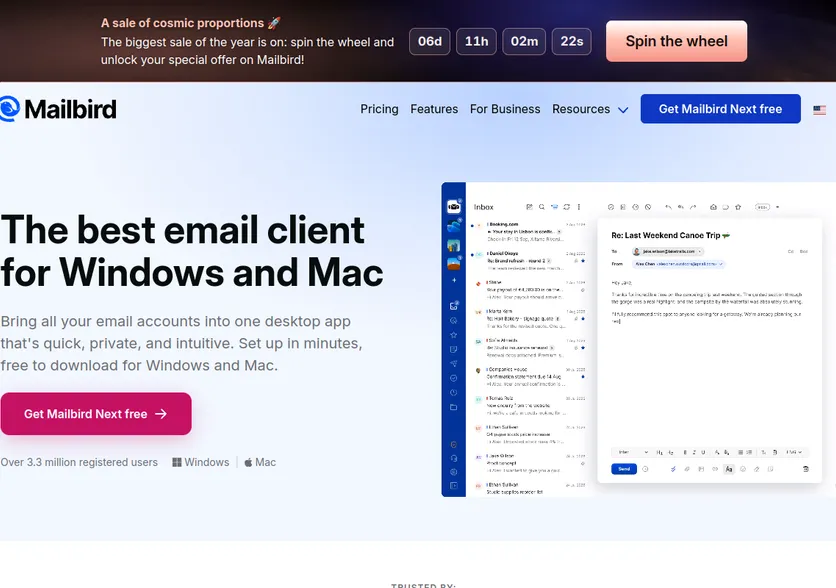
As a Windows and Mac desktop client, this Mailbird plan is Premium Yearly at five dollars and seventy-five cents per user a month billed annually, or sixty-nine dollars a year. Mailbird is a Windows and Mac desktop client that unifies mail, calendar and apps such as WhatsApp and Slack in one window. The vendor site shows promo prices, so use the sixty-nine dollar list price as the honest figure.
What we like
- Mail, calendar and apps in one desktop window
- Free plan covers one account
- Works on Windows and Mac
Watch out for
- Vendor site shows promo prices below the list price
- Premium Yearly is per user, so a big team adds up fast
How to try it
- Open the Mailbird site and check the Premium Yearly price
- Install Mailbird on one computer and add your Outlook mailbox
- Connect one extra app, such as WhatsApp, before you pay
5. eM Client
Best for: Outlook users who want a desktop client with calendar and chat
Paid tool Starting price: $59.95/device/year · Fifty-nine dollars and ninety-five cents per device a year for the Business plan; the Personal plan costs forty-nine dollars and ninety-five cents a year, and a one-time Business licence costs eighty-nine dollars and ninety-five cents per device
Free plan: Free plan available (home use, 2 accounts)
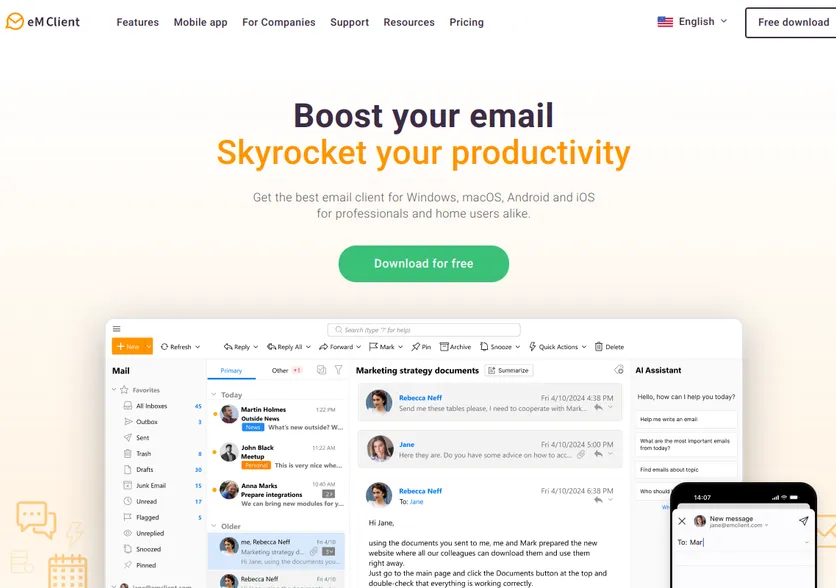
For Outlook users who want mail, calendar and chat in one desktop app, this eM Client plan is the Business tier at fifty-nine dollars and ninety-five cents per device a year, the yearly plan that includes the AI add-on. The Business licence covers mail, calendar, tasks and chat in one desktop app, and a one-time licence costs eighty-nine dollars and ninety-five cents per device. The free plan covers home use with two accounts on one device.
What we like
- Mail, calendar, tasks and chat in one desktop app
- One-time licence available alongside the yearly plan
- Free plan for home use with two accounts
Watch out for
- Priced per device, so a phone and a laptop cost twice
- Yearly price rose with the version eleven release
How to try it
- Open the eM Client pricing page and check the Business tier
- Install the trial on one computer and add your mailbox
- Test the calendar and chat before you buy licences
6. Spike
Best for: Outlook users who want chat, mail and docs in one place
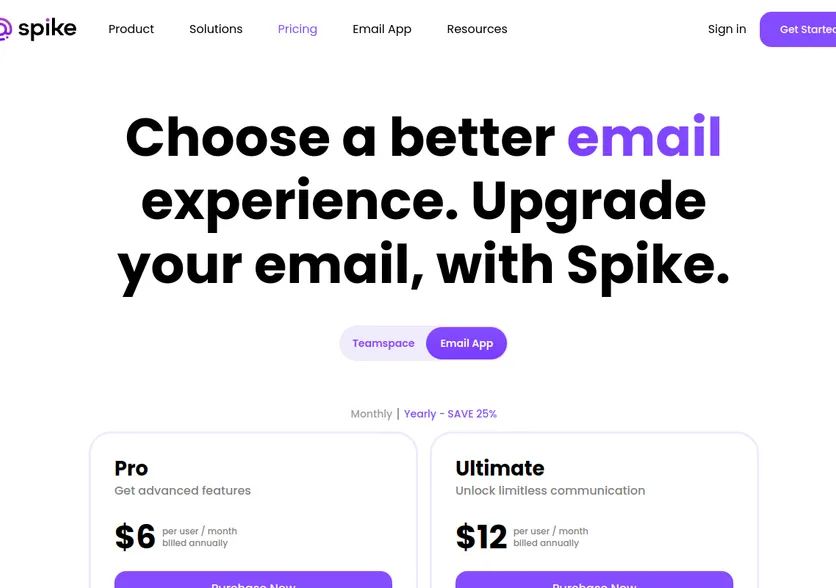
Paid tool Starting price: $4/member/month · Four dollars per member a month billed annually for the Teamspace Team plan, forty-eight dollars a year; five dollars a month on monthly billing; the price changed on November 1, 2026 and older directory figures are stale
Free plan: Free plan available (up to 3 members)
For Outlook users who would rather chat than thread, this Spike plan is Teamspace Team at four dollars per member a month billed annually, or forty-eight dollars a year. Spike turns email threads into chat conversations, so a team can reply in the same place the message arrived. The price changed on November 1, 2026, and the old five dollar figure in directories is now stale.
What we like
- Email threads become chat conversations in one place
- Cheapest team plan in this comparison
- Free Starter plan for up to three members
Watch out for
- Team chat model does not suit everyone
- Business tier costs twice the Team price
How to try it
- Open the Spike pricing page and check the Team tier
- Invite two team members to the free Starter plan
- Move one shared thread into a team chat before you pay
7. Superhuman
Best for: Outlook users who want the fastest inbox possible
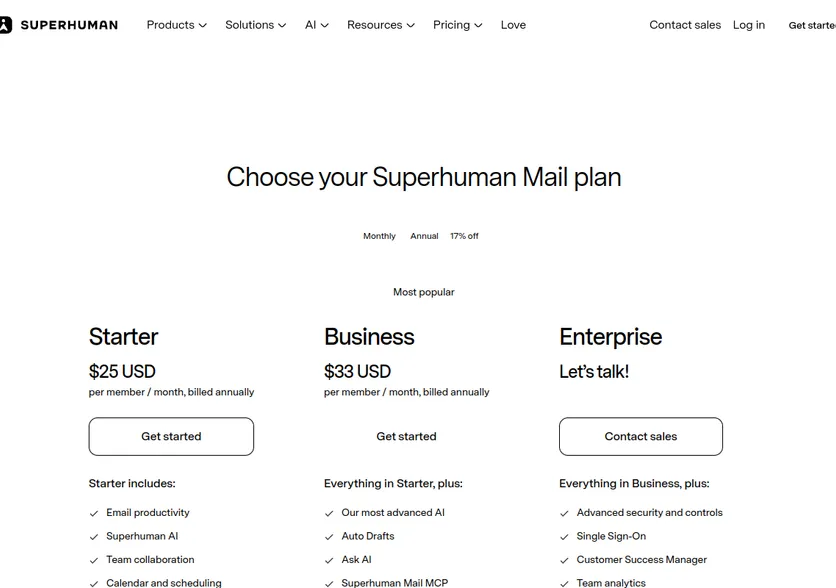
Paid tool Starting price: $25/user/month · Twenty-five dollars per user a month billed annually for the Starter plan, three hundred dollars a year; thirty dollars a month on monthly billing; the Business plan costs thirty-three dollars per user a month billed annually
Free plan: No free plan; 7-day free trial
For Outlook users who want the fastest inbox possible, this Superhuman plan is Starter at twenty-five dollars per user a month billed annually, or three hundred dollars a year. Superhuman is built for speed: keyboard shortcuts, split inbox and AI triage clear mail in half the time of a normal client. Grammarly bought Superhuman in 2025, and the new pricing adds a Business tier at thirty-three dollars a month billed annually with Auto Drafts and CRM integrations.
What we like
- Fastest inbox here, with keyboard shortcuts and AI triage
- Split inbox keeps the important mail in view
- Business tier adds Auto Drafts and CRM integrations
Watch out for
- Most expensive client in this comparison
- No free plan, only a seven-day trial
How to try it
- Open the Superhuman plans page and check the Starter tier
- Take the seven-day trial with your real inbox
- Learn the keyboard shortcuts before you judge the speed
8. Microsoft 365 Business Basic
Best for: Outlook users who want mail, apps and storage in one plan
Paid tool Starting price: $7/user/month · Seven dollars per user a month on an annual commitment; the price rose from six dollars on July 1, 2026 and older pages still show the old figure; monthly billing adds about twenty percent and a no-Teams version costs five dollars and forty cents
Free plan: No free plan
This Microsoft 365 Business Basic plan costs seven dollars per user a month on an annual commitment. The price rose from six dollars on July 1, 2026, and many older pages still show the old figure, so check the current page before you budget. Business Basic includes Outlook on the web, Teams and one terabyte of OneDrive storage, though the desktop Office apps wait for a higher tier.
What we like
- Outlook, Teams and OneDrive in one plan
- One terabyte of cloud storage per user
- No-Teams version available for five dollars and forty cents
Watch out for
- Price rose in July 2026, so older guides show six dollars
- Desktop Office apps wait for a higher tier
How to try it
- Open the Microsoft 365 business page and check the Basic tier
- Confirm the seven dollar price, since older pages show six
- Test Outlook on the web with your real mailbox for one week
Prices above were checked on each vendor’s own website on Nov 27, 2026 and can change — the vendor’s page is the final word. Vendor links are editorial: nobody paid to be listed or ranked here. Vendors who want a featured listing can see how it works on our Get listed page.
How an Outlook user should tame a busy inbox
Clean before you switch. A new client will not fix an inbox full of newsletters and old mail, so run a cleaner first and delete the pile in one go. Set up one auto-clean rule for new newsletters, so the inbox stays clear after the first cleanup. Check the SaneLater folder or its equivalent daily for the first week, until the sorting has learned which mail matters to you.
Test the tool on your real inbox, not a test account, because only real mail shows whether the sorting is right. Watch whether the trial needs a card before it starts, and check the renewal price before the trial converts. If the tool reads your mail on its own servers, read the privacy policy first and revoke access the moment you stop using it.
Before you buy
- Check whether the tool works with Outlook, not just Gmail
- Test the unsubscribe tool on your real newsletter pile
- Confirm the price covers all your accounts or one only
- Check whether the trial needs a card before it starts
- Ask whether the tool reads your mail on its own servers
Official websites
Official websites of the products reviewed above. Features and prices were checked against these sites when this guide was written, and they can change, so confirm on the vendor site before you buy.
Frequently asked questions
What is the best way to tame an overflowing Outlook inbox?
Start with a cleaner, because most Outlook inboxes are full of newsletters and old mail that a client cannot fix on its own. Clean Email deletes thousands of messages in one go, and SaneBox sorts the rest so only the important mail reaches the inbox. Once the pile is gone, a fast client such as Superhuman or Spike keeps it that way, but a fast client alone will not clear years of backlog.
How much does email management software for Outlook cost?
Inbox tools in this comparison run from thirty dollars to about three hundred dollars a year. Clean Email costs twenty-nine dollars and ninety-nine cents a year for one account, and SaneBox costs fifty-nine dollars a year. A full client costs more: Spike costs four dollars per member a month, Superhuman costs twenty-five dollars per user a month, and Microsoft 365 Business Basic costs seven dollars per user a month with apps and storage included.
Can I manage my Outlook inbox for free?
Yes, and the free tiers here are genuinely useful. Clean Email lets you clean the first one thousand emails free, Boomerang gives ten message credits a month free, and Spike has a free Starter plan for up to three members. eM Client is free for home use with two accounts, and Mailbird is free for one account. Start free with your real inbox, and pay only when the limits start to bite.
Is an inbox cleaner or a new email client better?
A cleaner such as Clean Email or SaneBox works on top of Outlook and organises the mail you already have, while a client such as Superhuman or Spike replaces Outlook with a new inbox. A cleaner is cheaper and keeps your existing setup, while a client changes how you read and reply to mail. Many Outlook users start with a cleaner, then move to a new client only if the inbox still feels slow.
Is it safe to connect a tool to my Outlook account?
Check whether the tool reads your mail on its own servers or only inside your browser, and read the privacy policy before you connect an account. A cleaner has to see your messages to sort them, so pick one with a clear record on data handling. Never connect a tool that asks for your password directly instead of using the official sign-in, and revoke access from your account settings the moment you stop using it.
Compare the eight tools above, then trial the cleaner on your real inbox before you pay for a year.
Browse Productivity Tools tools