On this page
Software companies run on subscriptions, and the finance system is no exception: the team needs one place for billing, projects, inventory and reporting, without a sales cycle to learn the price. Most mid-market ERPs hide their prices behind a quote form. We compared eight systems with published prices, from open-source tools to Microsoft's cloud ERP. Odoo is our first pick — one flat per-user price for the whole suite, from accounting to manufacturing.
How we researched this
We started with the ERP systems a software company can actually buy without a sales cycle, then read each price on the vendor site on November 27, 2026 and noted the trial each plan carries. We judged them for a team that writes code, ships products and needs finance, projects and inventory in one system. We dropped quote-only platforms such as NetSuite, SAP Business One and Sage Intacct, because a small software firm needs a published price it can budget around.
Compare the tools
| Name | Best for | Starting price | Free plan | |
|---|---|---|---|---|
 Odoo | Software teams that want accounting, CRM, inventory and projects for one flat price | $31.10/user/month | One App Free with one app and unlimited users; Community edition free to self-host | Visit |
 ERPNext | Developer-led teams that want open-source ERP with no per-user fees | $5/month | Free self-hosted Community edition; 14-day Frappe Cloud trial | Visit |
| Microsoft Dynamics 365 Business Central | Software companies already running Microsoft 365 | $80/user/month | No free plan; 30-day free trial | Visit |
| QuickBooks Enterprise | Software firms that need desktop accounting with advanced reporting | $2,210/year | No free plan; demo available through sales | Visit |
 Katana | Software companies that also make and ship a physical product | $299/month | Free plan for 30 SKUs and three locations on Shopify | Visit |
 MRPeasy | Small software teams that need real manufacturing planning at a per-user price | $49/user/month | No free plan; 15-day free trial, extendable by 15 days | Visit |
 Cin7 Core | Software companies selling across several channels with one stock count | $349/month | No free plan; 14-day free trial | Visit |
 Fishbowl | Software companies that run their books in QuickBooks and need warehouse stock | $229/month | No free plan; demo available | Visit |
The ERP software for software developers, compared
1. Odoo
Best for: Software teams that want accounting, CRM, inventory and projects for one flat price
Paid tool Starting price: $31.10/user/month · Thirty-one dollars and ten cents per user a month billed annually for Standard, covering all apps on Odoo Online; the first twelve months cost twenty-four dollars and ninety cents per user a month, and monthly billing runs thirty-eight dollars and ninety cents
Free plan: One App Free with one app and unlimited users; Community edition free to self-host
This Odoo Standard plan gives a software company the whole suite for one flat per-user price: accounting, CRM, sales, inventory, projects and manufacturing all sit in the same system. Standard costs thirty-one dollars and ten cents per user a month billed annually, and a ten-person team pays three hundred and eleven dollars a month for software that would cost several subscriptions elsewhere. The open-source Community edition is free for teams that self-host and only need the core modules.
What we like
- One flat price buys accounting, CRM, inventory and projects together
- Open-source Community edition is free for self-hosting teams
- Light Users at eight dollars and ninety cents a month cover part-time staff
Watch out for
- The first-year discount ends after twelve months, then the price rises
- Studio, the external API and multi-company support need the Custom plan
How to try it
- Open the Odoo pricing page and start with the free One App plan
- Turn on the CRM and Projects apps and import one real client project
- Add the Accounting app and run one month of invoices before you pay
2. ERPNext
Best for: Developer-led teams that want open-source ERP with no per-user fees
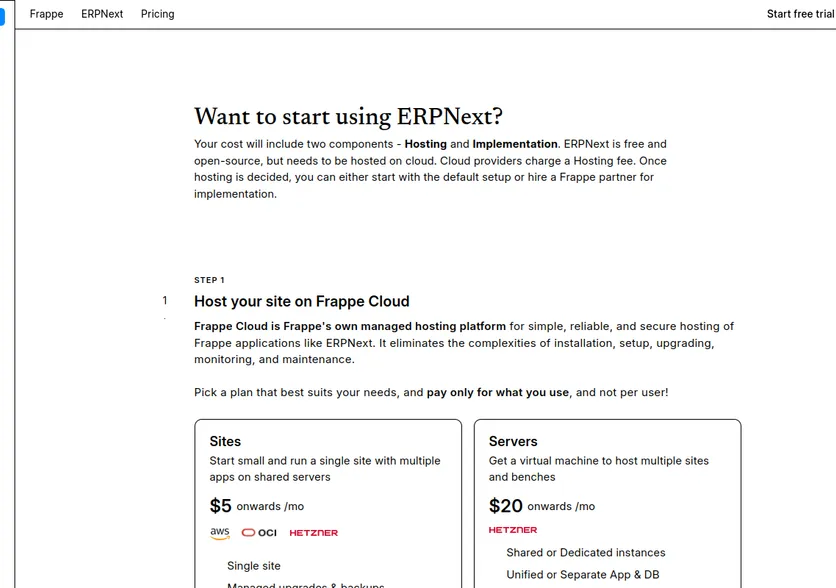
Paid tool Starting price: $5/month · Five dollars a month for the smallest Frappe Cloud shared site plan, with site plans from five to fifty dollars a month priced by compute, not by headcount; the ERPNext software itself is free under the GPLv3 licence
Free plan: Free self-hosted Community edition; 14-day Frappe Cloud trial
This ERPNext system is the only ERP here with no per-user licence fee at all, because the software itself is free under the GPLv3 licence. A development team pays only for hosting on Frappe Cloud, where site plans start at five dollars a month and carry no user limit, so adding engineers never moves the bill. Every module is included, from accounting and inventory to manufacturing, CRM and HR, and a team with DevOps skills can self-host it on its own servers for free.
What we like
- No per-user licence fees, so headcount growth never moves the bill
- Fully open source under the GPLv3 licence with every module included
- Frappe Cloud hosting starts at five dollars a month with no user limit
Watch out for
- Implementation and customization effort is the real cost, not the licence
- The five-dollar plan suits a small team, not a hundred heavy users
How to try it
- Open the Frappe Cloud pricing page and pick the five-dollar site plan
- Install ERPNext on the site and import your chart of accounts
- Connect your Git workflow so code changes are tracked beside the ERP
3. Microsoft Dynamics 365 Business Central
Best for: Software companies already running Microsoft 365
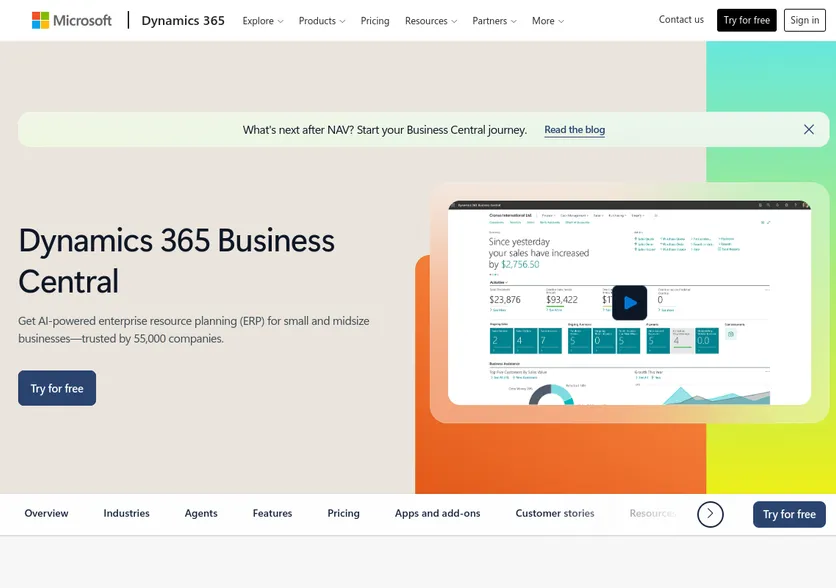
Paid tool Starting price: $80/user/month · Eighty dollars per user a month paid yearly for Essentials, covering finance, sales, purchasing, inventory, projects and warehousing; Premium costs one hundred and ten dollars and adds manufacturing and service management, and Team Members cost eight dollars
Free plan: No free plan; 30-day free trial
This Microsoft Dynamics 365 Business Central Essentials plan is the ERP for a software company that already lives in Microsoft 365, with finance, sales, purchasing, inventory and projects in one system. Essentials costs eighty dollars per user a month paid yearly, with Microsoft Copilot included and a thirty-day trial to test it. It connects natively to Outlook, Excel and Teams, so developers and finance staff stop copying figures between tools.
What we like
- Published per-user price, unlike NetSuite and most mid-market ERPs
- Native Microsoft 365 integration with Outlook, Excel and Teams
- Copilot included in the Essentials plan at no extra cost
Watch out for
- Implementation is partner-led and usually costs far more than the licence
- Manufacturing and service management wait for the Premium plan
How to try it
- Open the Business Central pricing page and start the thirty-day trial
- Connect your Microsoft 365 tenant and import your customer list
- Run one sprint's project billing through the system before you buy
4. QuickBooks Enterprise
Best for: Software firms that need desktop accounting with advanced reporting
Paid tool Starting price: $2,210/year · Two thousand two hundred and ten dollars a year for Gold with one user, the lowest tier Intuit lists on its pricing page; Platinum starts at two thousand seven hundred and seventeen dollars a year and Diamond at five thousand three hundred and sixty-three dollars a year, with prices rising per added user
Free plan: No free plan; demo available through sales
This QuickBooks Enterprise Gold plan is the desktop accounting backbone for a software company that outgrew QuickBooks Online and wants two hundred built-in reports. Gold costs two thousand two hundred and ten dollars a year for one user, with multi-company management, custom user permissions and Priority Circle support included. It runs on Windows desktops for up to thirty users, which suits a firm that wants its ledger on its own machines rather than in a browser.
What we like
- Two hundred built-in customizable reports with no add-on needed
- Multi-company management and custom user permissions included
- Priority Circle support with training access for the whole team
Watch out for
- Desktop-only, so remote teams need paid cloud hosting on top
- Payroll costs extra, up to three dollars per employee a month on Gold
How to try it
- Open the QuickBooks Enterprise pricing page and compare Gold and Platinum
- Call sales and ask for a demo with your own chart of accounts
- Test the advanced reporting on one quarter of real project data
5. Katana
Best for: Software companies that also make and ship a physical product
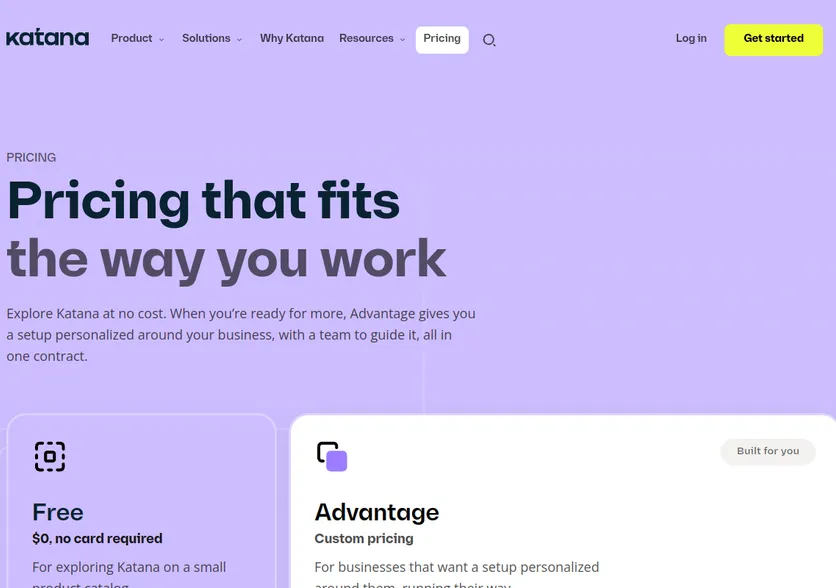
Paid tool Starting price: $299/month · Two hundred and ninety-nine dollars a month for Core, billed monthly, with unlimited users and integrations; lot tracking costs two hundred and forty-nine dollars a month and production routings one hundred and ninety-nine dollars a month as add-ons
Free plan: Free plan for 30 SKUs and three locations on Shopify
This Katana Core plan ties production to sales for a software company that also builds hardware, with multi-level bills of materials and manufacturing orders beside real-time stock. Core costs two hundred and ninety-nine dollars a month with unlimited users and integrations, so the whole team can check stock without another seat charge. A free plan covers thirty SKUs and three locations for Shopify sellers, which is enough to test the system on a real product line.
What we like
- Unlimited users and integrations on the Core plan
- Free plan covers thirty SKUs, enough to test on a real product
- Multi-level bills of materials with live stock across sales channels
Watch out for
- Manufacturing management is a one-hundred-and-ninety-nine-dollar add-on
- Sales-order volume and extra locations add usage charges
How to try it
- Open the Katana pricing page and start the free plan
- Import one product with its bill of materials and a live sales channel
- Upgrade to Core when the free plan's thirty-SKU limit runs out
6. MRPeasy
Best for: Small software teams that need real manufacturing planning at a per-user price
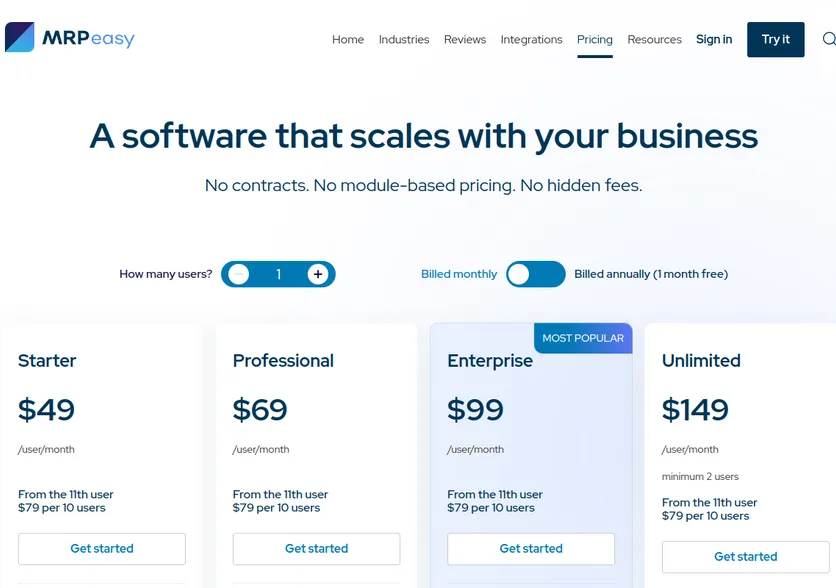
Paid tool Starting price: $49/user/month · Forty-nine dollars per user a month for the Starter plan, or five hundred and eighty-eight dollars a year per user; the top Unlimited plan costs one hundred and forty-nine dollars per user a month with a two-user minimum
Free plan: No free plan; 15-day free trial, extendable by 15 days
This MRPeasy Starter plan is the cheapest route to genuine manufacturing planning here, at forty-nine dollars per user a month. It covers bills of materials, purchasing, production orders and stock tracking, with a fifteen-day trial that extends by another fifteen days. A ten-person team pays four hundred and ninety dollars a month, which changes the maths against flat-rate tools, but the per-user model keeps the entry cost low for a small shop.
What we like
- Full MRP with work orders and routings at a per-user price
- Self-service setup with no implementation package required
- Barcodes and serial tracking available on higher plans
Watch out for
- Per-user pricing climbs fast as the team grows
- Barcodes start on the Enterprise plan, not Starter
How to try it
- Open the MRPeasy pricing page and start the fifteen-day trial
- Build one bill of materials and schedule a real production order
- Compare the per-user cost at your actual headcount before you pay
7. Cin7 Core
Best for: Software companies selling across several channels with one stock count
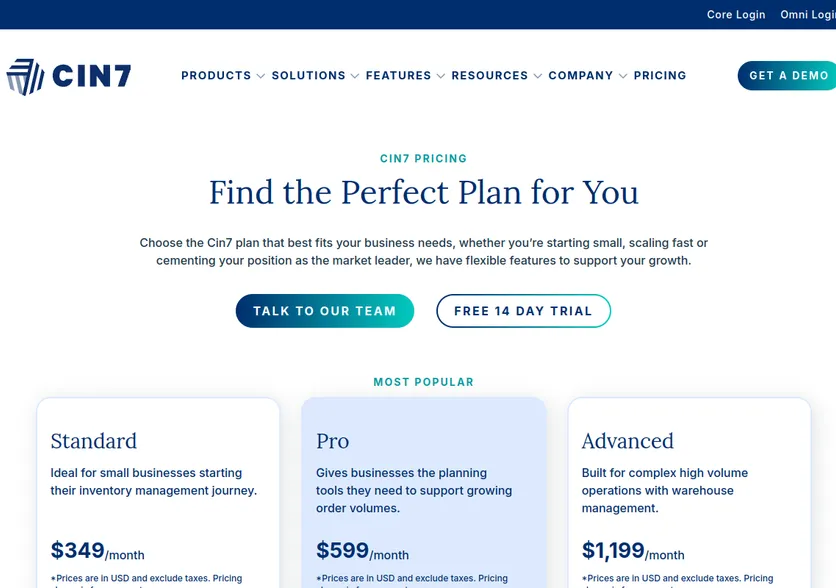
Paid tool Starting price: $349/month · Three hundred and forty-nine dollars a month for Standard, covering five users and six thousand sale orders a year; Pro costs five hundred and ninety-nine dollars a month and adds material requirements planning, and Advanced costs one thousand one hundred and ninety-nine dollars
Free plan: No free plan; 14-day free trial
This Cin7 Core Standard plan is the multichannel pick, syncing stock, orders and purchasing across Shopify, Amazon and wholesale from one system. Standard costs three hundred and forty-nine dollars a month for five users and six thousand sale orders a year, with over seven hundred integrations. Pro adds material requirements planning for teams that assemble or make what they sell, which makes Core the natural step up from a single-channel shop.
What we like
- One stock count across Shopify, Amazon and wholesale channels
- A rare published price list: Standard, Pro and Advanced all listed
- Seven hundred plus integrations with no per-integration charge
Watch out for
- Standard covers only five users, two integrations and six thousand orders a year
- Larger sellers move to the quote-only Cin7 Omni platform
How to try it
- Open the Cin7 Core pricing page and check the Standard plan limits
- Connect your busiest sales channel and sync one week of orders
- Upgrade to Pro when you need material requirements planning
8. Fishbowl
Best for: Software companies that run their books in QuickBooks and need warehouse stock
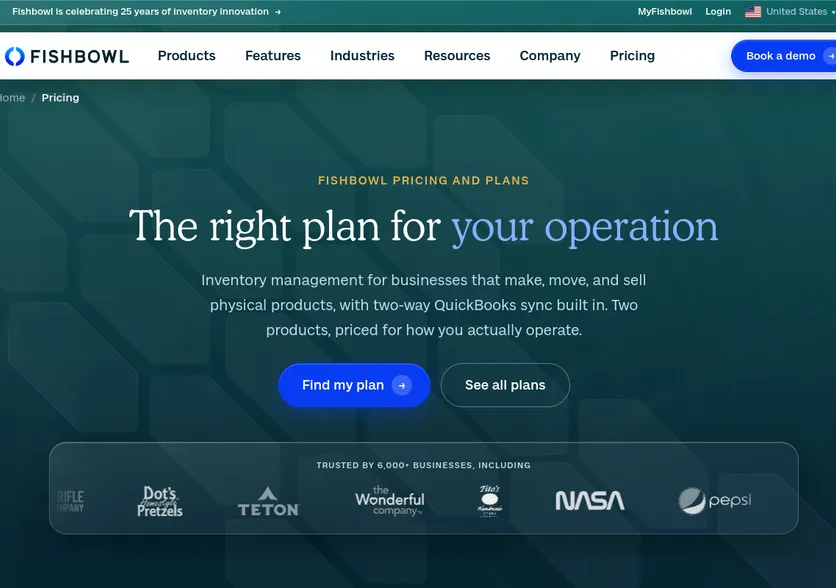
Paid tool Starting price: $229/month · Two hundred and twenty-nine dollars a month billed annually for Essentials, or two thousand seven hundred and forty-eight dollars a year, covering two users; Growth costs four hundred and twenty-nine dollars a month for five users and Scale seven hundred and twenty-nine dollars for ten
Free plan: No free plan; demo available
This Fishbowl Essentials plan is built for a software company whose books already live in QuickBooks, with inventory, warehouse and manufacturing tools that sync both ways. Essentials costs two hundred and twenty-nine dollars a month billed annually for two users, with mobile barcode scanning and reorder points included. It is the warehouse-grade choice in this list, and the required implementation package means budgeting for setup as well as the subscription.
What we like
- Deepest QuickBooks and Xero sync in this comparison
- Mobile barcode scanning and reorder points included
- Warehouse tools with pick, receive and ship workflows
Watch out for
- An implementation package is required on top of the subscription
- Manufacturing plans start at six hundred and seventy-five dollars a month
How to try it
- Open the Fishbowl pricing page and check the Essentials plan
- Connect your QuickBooks company file and sync one warehouse location
- Ask sales for the implementation package price before you sign
Prices above were checked on each vendor’s own website on Nov 27, 2026 and can change — the vendor’s page is the final word. Vendor links are editorial: nobody paid to be listed or ranked here. Vendors who want a featured listing can see how it works on our Get listed page.
How a software company should pick an ERP
Start with the modules your team actually uses, not the full catalogue. A software company that bills by the hour needs projects and time tracking wired into finance, while a team that ships hardware needs inventory and bills of materials. Count every seat before you price a plan, because per-user pricing turns a ten-person team into a very different bill than a fifty-person one. Open-source tools look cheap on the licence and expensive on implementation, so ask for the setup quote the same week you read the price.
Trial the system on one real project before you commit the company: import a real client, run one month of invoices and check whether the reports your finance team needs come out without a consultant. If the trial needs a partner to configure, that tells you what the first year will really cost.
Before you buy
- Count every developer, tester and project manager who needs a seat before you price a plan
- Check whether the price covers all modules or charges extra for manufacturing and warehousing
- Ask how much implementation and data migration will cost on top of the licence
- Confirm the API and webhooks cover the tools your developers already use
- Make sure the system can run the reports your finance team needs without a consultant
Official websites
Official websites of the products reviewed above. Features and prices were checked against these sites when this guide was written, and they can change, so confirm on the vendor site before you buy.
Frequently asked questions
What is the cheapest ERP software for a software company?
Odoo Standard costs thirty-one dollars and ten cents per user a month billed annually. ERPNext charges nothing for the software itself, with Frappe Cloud hosting from five dollars a month and no per-user fees. Microsoft Dynamics 365 Business Central Essentials costs eighty dollars per user a month. A ten-person team pays three hundred and eleven dollars a month on Odoo or eight hundred dollars on Business Central.
Why are NetSuite and SAP Business One not in this comparison?
NetSuite, SAP Business One, Sage Intacct, Acumatica and Infor CloudSuite all sell by quote, with no published price. That makes them hard to budget for, because the price only appears after a sales cycle. The tools here all publish a list price you can read before a demo, which is why they made the list.
Is there a free ERP option for software developers?
Yes, Odoo and ERPNext are both open source, and both offer a free route. Odoo Community is free to self-host, and its One App Free plan puts one app on Odoo cloud hosting with unlimited users. ERPNext is free under the GPLv3 licence with every module included, and you pay only for hosting. The trade-off is implementation effort.
Do these ERP systems have APIs for developers?
Yes, all eight tools here publish an API, but the depth varies. Odoo and ERPNext give full API access to the whole system, and ERPNext has no per-user fees for API users. Business Central connects natively to the Microsoft stack and Power Platform. Check the API limits on the plan you buy, because some vendors gate access behind a higher tier.
How much does ERP implementation cost on top of the licence?
Implementation is usually the largest cost, often twenty-five thousand to one hundred and fifty thousand dollars for a mid-size deployment, and it is billed separately from the licence. Odoo sells Success Packs, Fishbowl requires an implementation package, and Business Central is sold through partners who quote the work. Budget for migration, training and configuration, not just the subscription.
Compare the eight systems above, then trial Odoo and ERPNext on one real project before you commit the whole team.
Browse Business Tools tools