On this page
Remote teams submit receipts from kitchen tables, coworking desks and airport lounges, and the finance person who approves them may be three time zones away. The software has to capture a receipt in seconds, convert the currency without a spreadsheet, and push approved spending into the accounting system the same day. We compared seven expense tools on published price, receipt capture and multi-currency support for distributed teams. Expensify is our first pick — its SmartScan reads receipts fast, and the Collect plan starts at five dollars per user a month.
How we researched this
We started with expense tools that publish a US dollar price and handle receipts in more than one currency, then read each price on the vendor site on November 27, 2026. We judged them for a remote team that submits expenses from phones, approves from different time zones, and reimburses in local currency. We dropped quote-only platforms and mileage-only apps because a remote team needs full expense capture, approval and accounting sync in one place.
Compare the tools
| Name | Best for | Starting price | Free plan | |
|---|---|---|---|---|
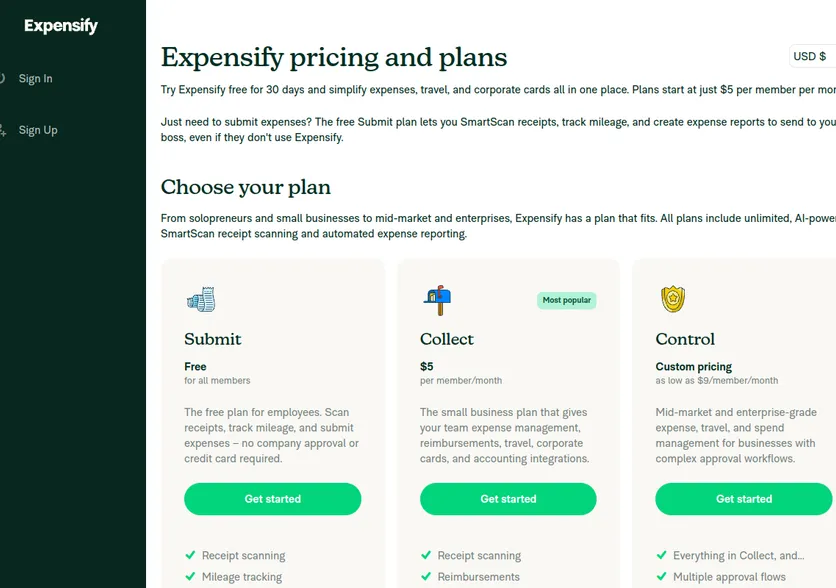
 Expensify | Remote teams that want the fastest receipt scanning at a low starting price | $5/user/month | Free plan for submitting expenses; paid plans start at $5 per user a month | Visit |
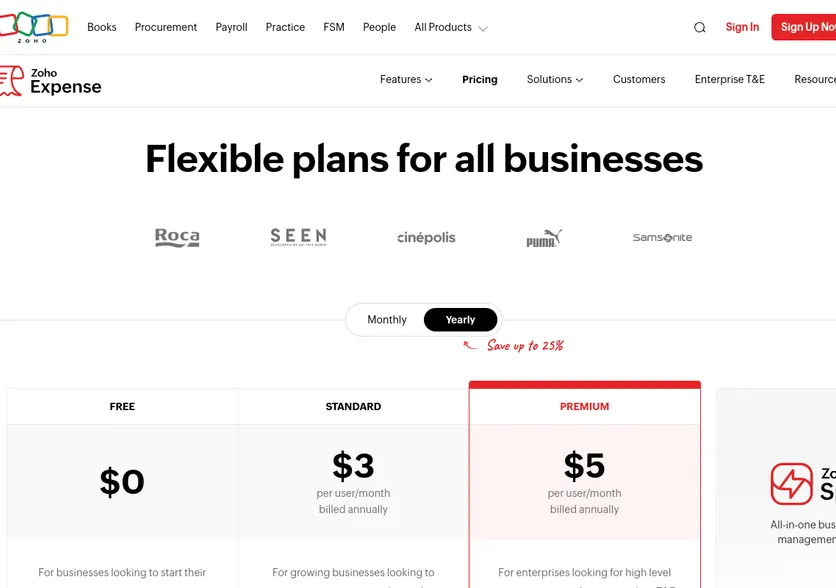
 Zoho Expense | Small remote teams that want the lowest paid price with multi-currency support | $3/user/month | Free plan for up to 3 users | Visit |
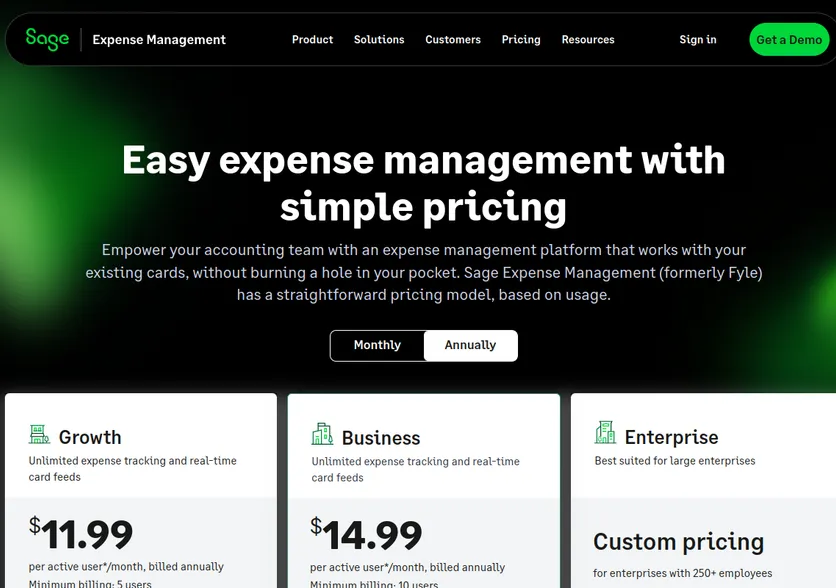
 Fyle | Remote teams that file expenses from email and chat instead of an app | $11.99/active user/month | No free plan; demo available | Visit |
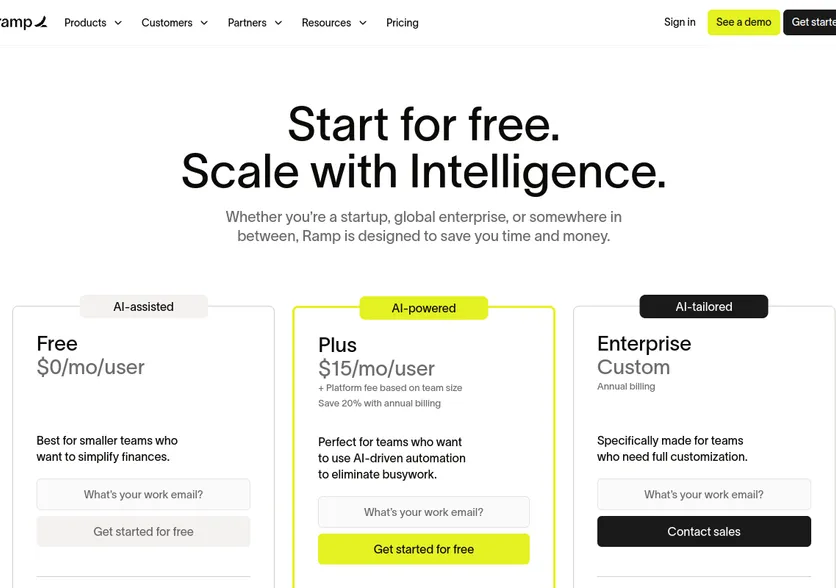
 Ramp | Remote teams that want cards, bill pay and expenses free to start | $15/user/month | Free plan at $0 per user a month | Visit |
 Rydoo | Remote teams that travel and claim per diems in several currencies | $9/user/month | No free plan; 14-day free trial | Visit |
 Brex | Remote teams that want free corporate cards with expense controls built in | $12/user/month | Free Essentials plan at $0 per user a month | Visit |
 Dext | Remote teams whose bookkeeper drowns in supplier invoices and receipts | $25.21/month | No free plan; 14-day free trial | Visit |
The expense management software for remote teams, compared
1. Expensify
Best for: Remote teams that want the fastest receipt scanning at a low starting price
Paid tool Starting price: $5/user/month · Collect costs five dollars per user a month; Control costs nine dollars per active member a month billed annually when at least half of spending goes through the Expensify Card, eighteen dollars without the card, and thirty-six dollars pay-per-use
Free plan: Free plan for submitting expenses; paid plans start at $5 per user a month
This Expensify plan pairs SmartScan receipt capture with automatic coding, so a remote employee photographs a receipt and the expense lands in the right category without typing. Corporate card feeds sync daily, and approvals move through the app wherever the approver happens to be. The Collect plan covers unlimited receipt scanning at five dollars per user a month, which keeps the bill predictable as a distributed team grows.
What we like
- SmartScan reads receipts fast with very little manual correction
- Corporate card feeds sync daily with no manual import
- Approvals work from the phone wherever the approver is
Watch out for
- Control pricing depends on how much spend runs through the Expensify Card
- Advanced approval rules wait for the higher Control tier
How to try it
- Open the Expensify pricing page and start the Collect trial
- Connect your corporate cards so transactions sync automatically
- Set one approver for routine claims before you invite the team
2. Zoho Expense
Best for: Small remote teams that want the lowest paid price with multi-currency support
Paid tool Starting price: $3/user/month · Standard costs three dollars per user a month billed annually, or four dollars monthly; Premium costs five dollars billed annually, or six dollars monthly; free for up to three users
Free plan: Free plan for up to 3 users
For a team spread across time zones, this Zoho Expense plan is the cheapest paid option here, with the Standard tier at three dollars per user a month on annual billing and a free plan for teams of up to three people. Receipts can be scanned from the phone, auto-categorised and routed to the right approver, while multi-currency support converts spending into the company home currency. It plugs straight into Zoho Books and QuickBooks Online, so approved expenses reach the ledger without retyping.
What we like
- Cheapest paid plan in this comparison at three dollars a user
- Free plan genuinely works for a team of up to three people
- Multi-currency conversion is included on the Standard plan
Watch out for
- Advanced analytics and custom approval flows need Premium
- Per diem and mileage rules are thinner than on specialist tools
How to try it
- Open the Zoho Expense pricing page and start with the free plan
- Set the company home currency and the currencies your team spends in
- Connect Zoho Books or QuickBooks Online before the first expense run
3. Fyle
Best for: Remote teams that file expenses from email and chat instead of an app
Paid tool Starting price: $11.99/active user/month · Growth costs eleven dollars and ninety-nine cents per active user a month billed annually, or fourteen dollars and ninety-nine cents monthly, with a five-user minimum; Business costs fourteen dollars and ninety-nine cents billed annually, or seventeen dollars and ninety-nine cents monthly, with a ten-user minimum; Enterprise is custom
Free plan: No free plan; demo available
Remote staff file spending from wherever they work, and this Fyle tool, now Sage Expense Management after Sage acquired it in July 2025, reads receipts from email, Slack and messaging apps, so nobody opens a separate app to file spending. Real-time card feeds reconcile the moment a purchase clears, and the approval chain follows company policy automatically. The Growth plan starts at eleven dollars and ninety-nine cents per active user a month on annual billing, with a five-user minimum.
What we like
- Receipts arrive from email and Slack with no separate app to open
- Real-time card feeds reconcile purchases as they clear
- You only pay for users who actually file expenses that month
Watch out for
- Five-user minimum on Growth before a small team can start
- The Sage rebrand means older reviews describe the pre-acquisition product
How to try it
- Open the Fyle pricing page and book a demo of the Growth plan
- Connect your card feeds and the email address for receipt forwarding
- Set the approval policy once, then let claims route themselves
4. Ramp
Best for: Remote teams that want cards, bill pay and expenses free to start
Paid tool Starting price: $15/user/month · Free plan at zero dollars; Plus costs fifteen dollars per user a month, or twelve dollars on annual billing, plus an unpublished platform fee based on team size; Enterprise is custom; thirty-day free trial
Free plan: Free plan at $0 per user a month
A distributed team needs cards, bill pay and expenses in one place, and this Ramp platform starts free, which is rare for a tool that combines all three. Receipts are matched to card transactions automatically, and spending controls block out-of-policy purchases before the money leaves the account. The Plus plan adds deeper controls and integrations at fifteen dollars per user a month, or twelve on annual billing, plus a platform fee that depends on team size.
What we like
- A genuinely free plan that covers cards and expenses
- Spending controls block out-of-policy purchases before payment
- Receipts match to card transactions with no manual pairing
Watch out for
- Plus carries an unpublished platform fee on top of the per-user price
- US-focused banking features suit US companies best
How to try it
- Open the Ramp pricing page and start on the free plan
- Issue virtual cards with a spending limit for each remote employee
- Turn on the accounting sync before the first month-end close
5. Rydoo
Best for: Remote teams that travel and claim per diems in several currencies
Paid tool Starting price: $9/user/month · Essentials costs nine dollars per user a month billed annually, or twelve dollars monthly, with a five-user minimum; Pro costs eleven dollars billed annually, or fourteen dollars monthly; Business and Enterprise are custom
Free plan: No free plan; 14-day free trial
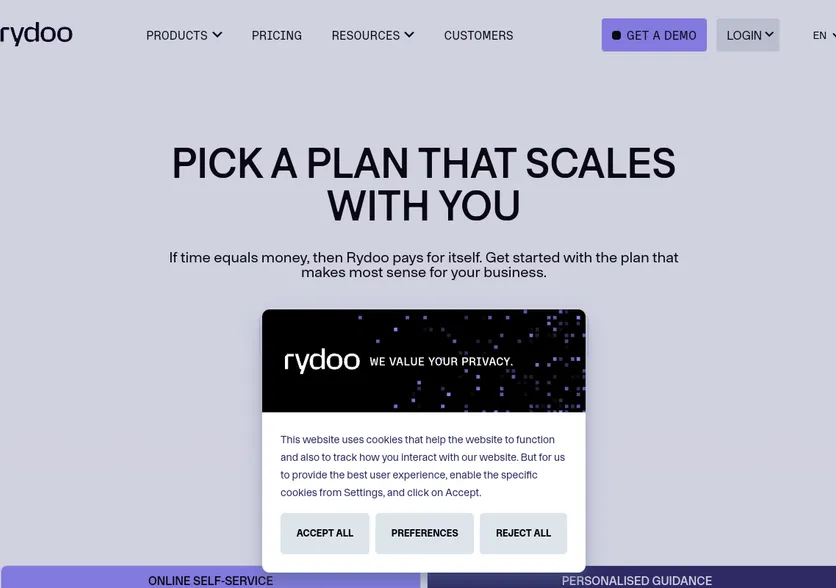
This Rydoo app is built for teams that travel and spend across borders, with per diem rules, mileage and multi-currency expenses in the same flow. Employees scan receipts on the phone and the approver sees the claim in their own currency, which removes the conversion maths from the approval step. The Essentials plan costs nine dollars per user a month on annual billing, with a five-user minimum.
What we like
- Per diem, mileage and expenses share one workflow
- Approvers see claims converted to their own currency
- Receipt scanning is quick enough for expenses filed on the move
Watch out for
- Five-user minimum on Essentials before a tiny team can start
- The accounting integration list is shorter than Expensify or Ramp
How to try it
- Open the Rydoo pricing page and start the fourteen-day trial
- Set the per diem rates and currencies for each country your team visits
- Invite five users and file a test claim from a phone photo
6. Brex
Best for: Remote teams that want free corporate cards with expense controls built in
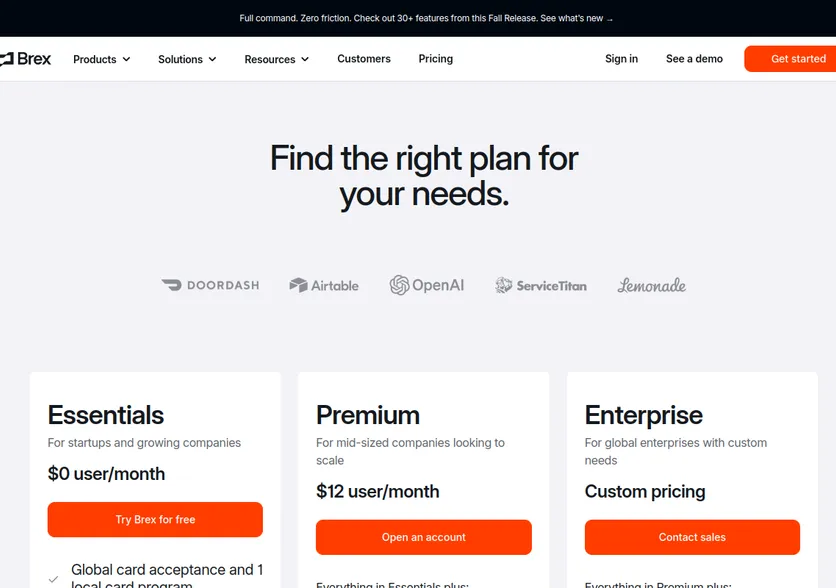
Paid tool Starting price: $12/user/month · Essentials is free at zero dollars per user a month; Premium costs twelve dollars per user a month; Enterprise is custom
Free plan: Free Essentials plan at $0 per user a month
This Brex platform combines corporate cards with expense management, so a remote team spends on cards and the receipt, policy check and accounting entry follow automatically. The Essentials plan is free, which makes it the cheapest way to give a distributed team cards with built-in controls. The Premium plan adds advanced approvals, budgeting and integrations at twelve dollars per user a month.
What we like
- Free Essentials plan includes cards with spending controls
- Receipts, policy checks and accounting entries follow the card spend
- Budgeting and advanced approvals unlock on Premium without re-platforming
Watch out for
- Premium is the only tier with the deeper approval workflows
- Card eligibility depends on company profile and cash balance
How to try it
- Open the Brex pricing page and apply for the free Essentials plan
- Set a card limit and a policy for each remote employee
- Connect your accounting system so approved spend syncs automatically
7. Dext
Best for: Remote teams whose bookkeeper drowns in supplier invoices and receipts
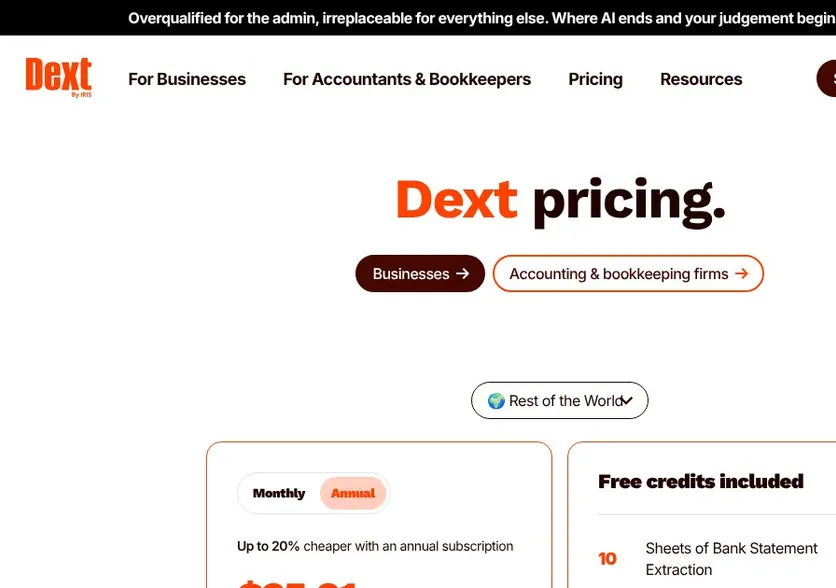
Paid tool Starting price: $25.21/month · Twenty-five dollars and twenty-one cents a month billed annually, or thirty-one dollars and fifty cents monthly, for two hundred and fifty documents and five users; line-item extraction add-on from twenty dollars and fifty cents a month
Free plan: No free plan; 14-day free trial
This Dext tool is the receipt-capture specialist here: it pulls receipts and invoices from email, phone photos and supplier portals, then extracts the line items for the bookkeeper. A remote team can forward supplier invoices straight to Dext and have them coded before anyone opens the accounting system. The plan starts at twenty-five dollars and twenty-one cents a month on annual billing for two hundred and fifty documents and five users.
What we like
- Pulls receipts from email, photos and supplier portals in one inbox
- Line-item extraction saves the bookkeeper hours of manual coding
- Flat monthly price covers the whole team instead of per-user billing
Watch out for
- The two hundred and fifty document cap is easy to hit at month end
- Line-item extraction is a paid add-on, not in the base price
How to try it
- Open the Dext pricing page and start the fourteen-day trial
- Forward a week of supplier invoices to your Dext inbox
- Check the extracted line items against the accounting system before go-live
Prices above were checked on each vendor’s own website on Nov 27, 2026 and can change — the vendor’s page is the final word. Vendor links are editorial: nobody paid to be listed or ranked here. Vendors who want a featured listing can see how it works on our Get listed page.
How a remote team should run expenses without chasing receipts
Set one rule first: every receipt goes into the app the day the money is spent, photographed at the table rather than saved for the end of the month. A receipt that waits two weeks is a receipt that gets lost, and a lost receipt is an expense the company either pays twice or never reimburses. Pick a tool with automatic capture, so the employee only checks the amount and category instead of typing both by hand.
Agree the approval chain before you roll the tool out, and keep it short: one approver for routine spending, two only above a set amount. A claim that waits on three people in three time zones takes a week to clear, which is how remote teams end up with a backlog at month end. Turn on the accounting sync from day one, so approved expenses land in the ledger without anyone retyping them.
Before you buy
- Check the receipt capture works from a phone photo in poor light
- Confirm multi-currency conversion uses the rate on the transaction date
- Count every approver when you check per-user minimums and seat prices
- Make sure approved expenses sync to your accounting system automatically
- Check whether the renewal price is higher than the first-year price
Official websites
Official websites of the products reviewed above. Features and prices were checked against these sites when this guide was written, and they can change, so confirm on the vendor site before you buy.
Frequently asked questions
What is the cheapest expense software for a remote team?
Ramp is the cheapest way in, because its Essentials plan is free and covers corporate cards, bill pay and expense management. Zoho Expense is the cheapest paid plan at three dollars per user a month billed annually on Standard, and it is free for teams of up to three people. Expensify Collect costs five dollars per user a month and is the best value if receipt scanning speed matters more than the lowest bill.
How do remote teams handle expenses in different currencies?
Pick a tool with built-in multi-currency support, such as Expensify, Zoho Expense or Rydoo, so the employee submits in the currency they spent and the approver sees it converted to the company currency. The conversion should use the rate on the transaction date, not the approval date, or the totals will drift. Check the reimbursement currency too, because some tools convert for reporting but still reimburse in the home currency only.
Do remote employees need a separate app to submit expenses?
No, every tool here works from a phone app, and the best ones also accept receipts by email or messaging app. Fyle reads receipts from email and Slack, so staff can file spending without opening another app. The key test is the photo capture: it should read the amount, date and vendor from a crumpled receipt in poor light, because that is how most remote receipts arrive.
How fast can a remote team get reimbursed?
Same-day reimbursement is realistic once the approval chain is short and the accounting sync is on. The employee photographs the receipt, the approver clears it from their phone, and the payment run picks it up the same day. The delay in most remote teams is not the software but the approval chain, so keep routine spending to one approver and reserve a second approver for claims above a set amount.
Is a free expense plan enough for a small remote team?
Often yes for the first few months, especially with Ramp free or Zoho Expense free for up to three users. The limits that push teams to a paid plan are usually the number of users, the need for multi-level approvals, or an accounting integration that only ships on paid tiers. Start free, track how many claims you file a month, and upgrade when the approval rules or the user count outgrow the free plan.
Compare the seven tools above, then run a free trial with two remote employees before you move the whole team across.
Browse Business Tools tools