On this page
Field service technicians spend their day driving between job sites, buying parts and eating on the road, and their expenses arrive as fuel receipts, parts invoices and mileage logs needing approval. The software has to capture a receipt in seconds, log every drive without a second device, and push approved spending into the accounting system the same day. We compared expense tools on published price, receipt capture and mileage tracking for technicians. Expensify is our first pick — its SmartScan reads receipts fast, and the Collect plan starts at five dollars per user a month.
How we researched this
We started with expense tools that publish a US dollar price and handle the spending a field service technician actually files: fuel, parts, meals and mileage between jobs. We read each price on the vendor site on November 27, 2026 and judged them for technicians who submit from job sites and dispatchers who approve from a phone. We dropped quote-only platforms and general accounting suites because a field crew needs expense capture, mileage logging and accounting sync in one place.
Compare the tools
| Name | Best for | Starting price | Free plan | |
|---|---|---|---|---|
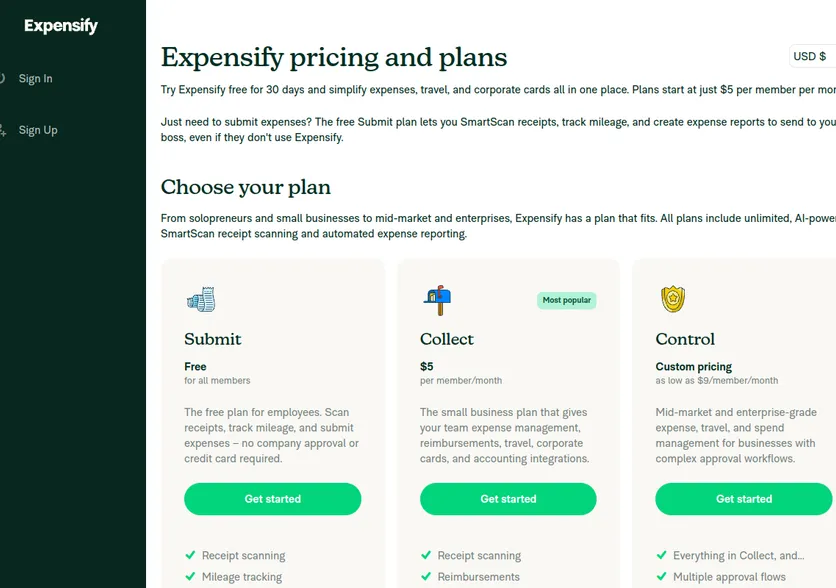
 Expensify | Field service teams that want the fastest receipt scanning at a low starting price | $5/user/month | Free plan for submitting expenses; paid plans start at $5 per user a month | Visit |
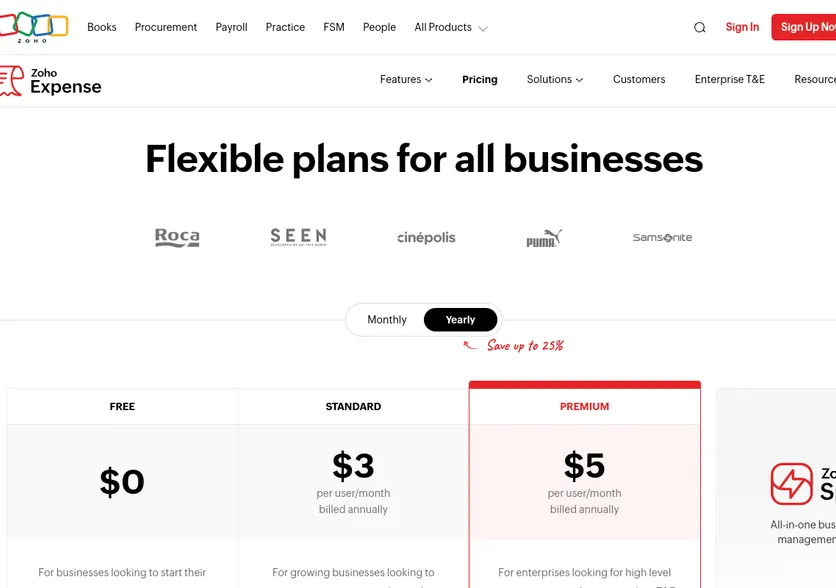
 Zoho Expense | Small field service teams that want the lowest paid price | $3/user/month | Free plan for up to 3 users | Visit |
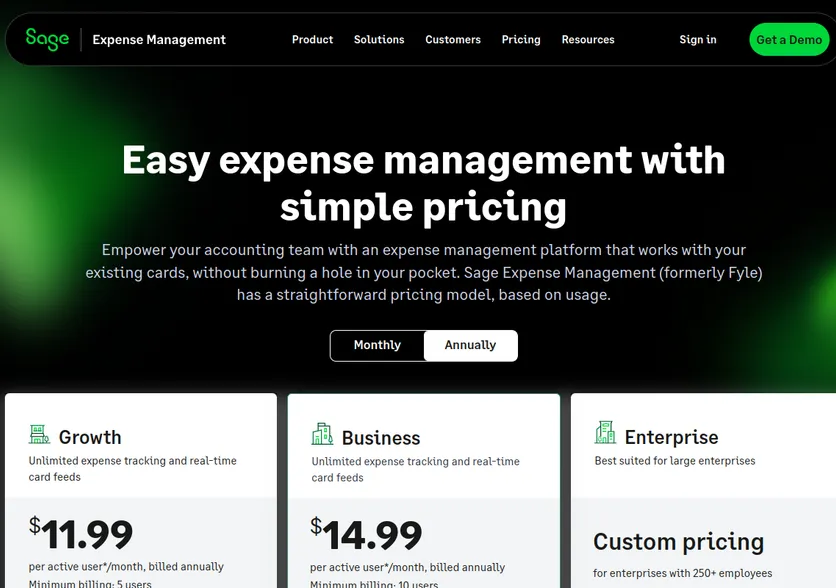
 Fyle | Technicians who file expenses from email and chat between jobs | $11.99/active user/month | No free plan; demo available | Visit |
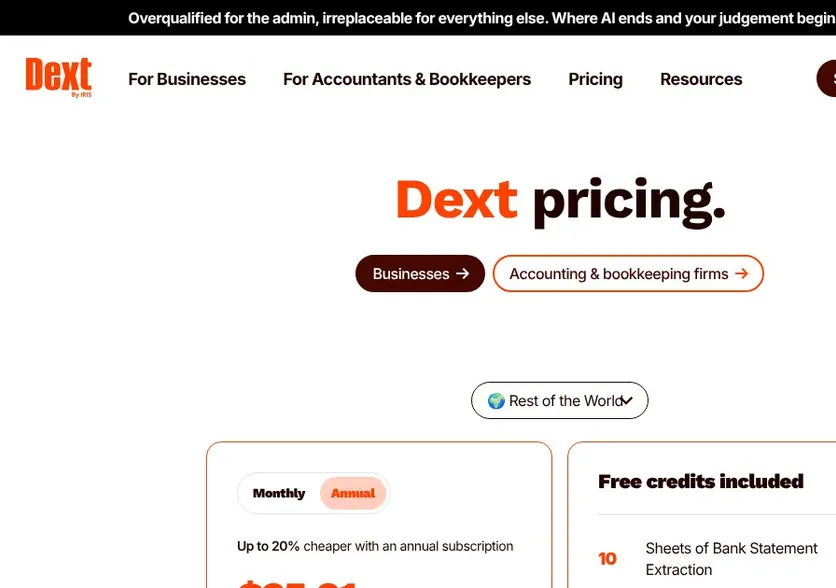
 Dext | Field service teams whose office drowns in supplier invoices and receipts | $25.21/month | No free plan; 14-day free trial | Visit |
 Shoeboxed | Technicians who still get paper receipts from parts counters | $9/month | No free plan; 30-day refundable trial | Visit |
| MileIQ | Technicians who drive between jobs all day and need automatic mileage logs | $8/user/month | Free plan for 40 drives a month | Visit |
| TripLog | Technicians who want unlimited automatic mileage tracking free | $4.99/month | Free Basic plan with unlimited automatic GPS tracking | Visit |
The expense software for field service technicians, compared
1. Expensify
Best for: Field service teams that want the fastest receipt scanning at a low starting price
Paid tool Starting price: $5/user/month · Collect costs five dollars per user a month; Control costs nine dollars per active member a month billed annually when at least half of spending goes through the Expensify Card, eighteen dollars without the card, and thirty-six dollars pay-per-use
Free plan: Free plan for submitting expenses; paid plans start at $5 per user a month
This Expensify plan pairs SmartScan receipt capture with automatic coding, so a technician photographs a parts or fuel receipt at the job site and the expense lands in the right category without typing. Corporate card feeds sync daily, mileage is tracked from the phone, and approvals move through the app wherever the dispatcher happens to be. The Collect plan covers unlimited receipt scanning at five dollars per user a month, which keeps the bill predictable as the crew grows.
What we like
- SmartScan reads parts and fuel receipts fast with little correction
- Mileage tracking runs from the phone with no extra device
- Approvals work from the phone wherever the dispatcher is
Watch out for
- Control pricing depends on how much spend runs through the Expensify Card
- Advanced approval rules wait for the higher Control tier
How to try it
- Open the Expensify pricing page and start the Collect trial
- Turn on mileage tracking and connect your corporate cards
- Set one approver for routine claims before you invite the technicians
2. Zoho Expense
Best for: Small field service teams that want the lowest paid price
Paid tool Starting price: $3/user/month · Standard costs three dollars per user a month billed annually, or four dollars monthly; Premium costs five dollars billed annually, or six dollars monthly; free for up to three users
Free plan: Free plan for up to 3 users
For a crew that files expenses from job sites, this Zoho Expense plan is the cheapest paid option here, with the Standard tier at three dollars per user a month on annual billing and a free plan for teams of up to three people. Technicians scan receipts from the phone, log mileage per job, and route claims to the right approver, while per diem rules cover overnight callouts. It plugs straight into Zoho Books and QuickBooks Online, so approved expenses reach the ledger without retyping.
What we like
- Cheapest paid plan in this comparison at three dollars a user
- Free plan genuinely works for a field team of up to three people
- Mileage and per diem expenses share one workflow
Watch out for
- Advanced analytics and custom approval flows need Premium
- Receipt scanning is slower than Expensify on crumpled paper receipts
How to try it
- Open the Zoho Expense pricing page and start with the free plan
- Set the mileage rate your technicians claim per mile
- Connect Zoho Books or QuickBooks Online before the first expense run
3. Fyle
Best for: Technicians who file expenses from email and chat between jobs
Paid tool Starting price: $11.99/active user/month · Growth costs eleven dollars and ninety-nine cents per active user a month billed annually, or fourteen dollars and ninety-nine cents monthly, with a five-user minimum; Business costs fourteen dollars and ninety-nine cents billed annually, or seventeen dollars and ninety-nine cents monthly, with a ten-user minimum; Enterprise is custom
Free plan: No free plan; demo available
Between callouts there is no time to open another app, and this Fyle tool, now Sage Expense Management after Sage acquired it in July 2025, reads receipts from email, Slack and messaging apps, so technicians never open a separate app to file spending. Real-time card feeds reconcile the moment a purchase clears, and the approval chain follows company policy automatically. The Growth plan starts at eleven dollars and ninety-nine cents per active user a month on annual billing, with a five-user minimum.
What we like
- Receipts arrive from email and Slack with no separate app to open
- Real-time card feeds reconcile purchases as they clear
- You only pay for technicians who actually file expenses that month
Watch out for
- Five-user minimum on Growth before a small crew can start
- The Sage rebrand means older reviews describe the pre-acquisition product
How to try it
- Open the Fyle pricing page and book a demo of the Growth plan
- Connect your card feeds and the email address for receipt forwarding
- Set the approval policy once, then let claims route themselves
4. Dext
Best for: Field service teams whose office drowns in supplier invoices and receipts
Paid tool Starting price: $25.21/month · Twenty-five dollars and twenty-one cents a month billed annually, or thirty-one dollars and fifty cents monthly, for two hundred and fifty documents and five users; line-item extraction add-on from twenty dollars and fifty cents a month
Free plan: No free plan; 14-day free trial
Parts invoices pile up in a field service office, and this Dext tool is the receipt-capture specialist here: it pulls receipts and invoices from email, phone photos and supplier portals, then extracts the line items for the bookkeeper. A technician can forward a parts supplier invoice straight to Dext and have it coded before anyone opens the accounting system. The plan starts at twenty-five dollars and twenty-one cents a month on annual billing for two hundred and fifty documents and five users.
What we like
- Pulls receipts from email, photos and supplier portals in one inbox
- Line-item extraction saves the bookkeeper hours of manual coding
- Flat monthly price covers the whole crew instead of per-user billing
Watch out for
- The two hundred and fifty document cap is easy to hit at month end
- Line-item extraction is a paid add-on, not in the base price
How to try it
- Open the Dext pricing page and start the fourteen-day trial
- Forward a week of supplier invoices to your Dext inbox
- Check the extracted line items against the accounting system before go-live
5. Shoeboxed
Best for: Technicians who still get paper receipts from parts counters
Paid tool Starting price: $9/month · Starter costs nine dollars a month, or ninety-seven dollars a year; Pro costs twenty-nine dollars a month, or two hundred and ninety-seven dollars a year; Plus costs seventy-nine dollars a month, or seven hundred and ninety-seven dollars a year; Paper Plus costs one hundred and seventy-nine dollars a month, or one thousand nine hundred and ninety-seven dollars a year
Free plan: No free plan; 30-day refundable trial
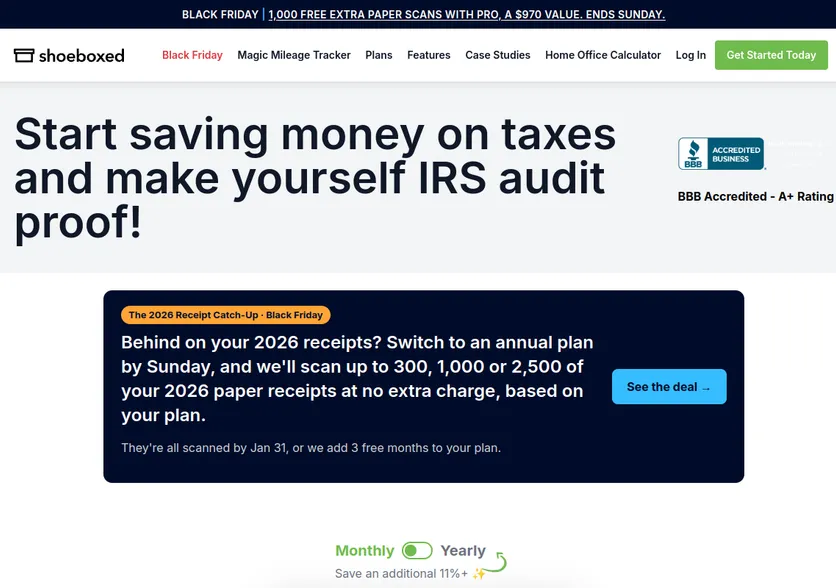
This Shoeboxed service is the only one here that handles paper: technicians drop receipts in a prepaid envelope, Shoeboxed scans them, and the data lands in your account ready to expense. The phone app also scans receipts on the spot, and the data exports to QuickBooks Online, Xero and Expensify. The Starter plan costs nine dollars a month, or ninety-seven dollars a year, with higher tiers for teams that file more receipts.
What we like
- Paper receipts are scanned for you with prepaid envelopes
- Phone scanning works for receipts filed on the spot
- Exports cleanly to QuickBooks Online, Xero and Expensify
Watch out for
- No free plan, so even a one-person crew pays from day one
- Paper scanning adds days before the receipt appears in your account
How to try it
- Open the Shoeboxed pricing page and pick the Starter plan
- Order the prepaid envelopes for technicians who prefer paper
- Connect QuickBooks Online or Xero so scanned receipts sync automatically
6. MileIQ
Best for: Technicians who drive between jobs all day and need automatic mileage logs
Paid tool Starting price: $8/user/month · Teams Lite costs eight dollars per user a month, Teams nine dollars, Teams Pro ten dollars, or eighty to one hundred dollars a year; individual Unlimited costs eleven dollars and sixty-six cents a month billed annually, or thirteen dollars and ninety-nine cents monthly; free for forty drives a month
Free plan: Free plan for 40 drives a month
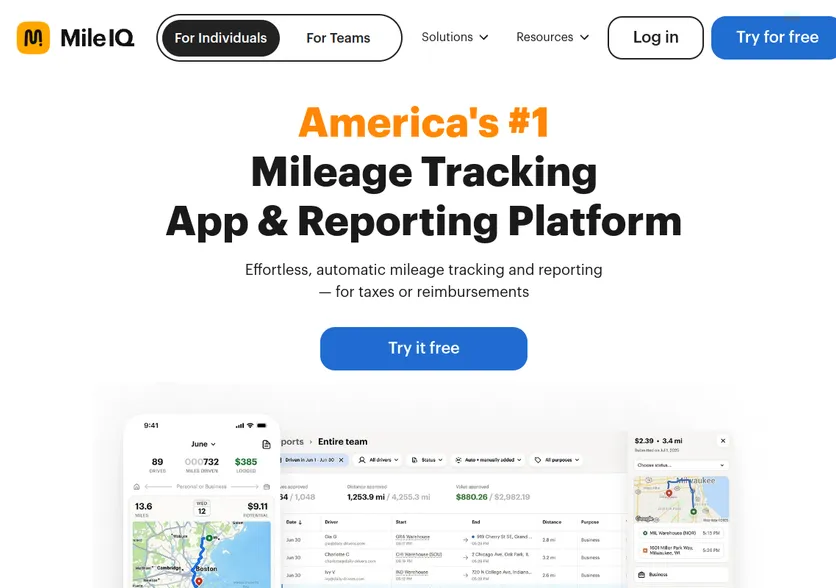
This MileIQ app is the mileage specialist here: it detects every drive automatically, lets the technician swipe it business or personal, and produces a tax-ready mileage log at year end. The Teams plans are built for crews, with Lite at eight dollars per user a month, and the free plan covers forty drives a month for a technician testing it out. It does one job, mileage, and does it with less fuss than any expense suite here.
What we like
- Automatic drive detection with a simple business or personal swipe
- Tax-ready mileage reports with no manual log to keep
- Teams plans are priced per user from eight dollars a month
Watch out for
- Mileage only, so receipts and expenses need a second tool
- The free plan caps at forty drives a month, which a busy technician can hit in days
How to try it
- Open the MileIQ pricing page and start the free plan
- Let the app detect drives for a week before you classify them
- Upgrade to Teams Lite once the crew outgrows forty drives a month
7. TripLog
Best for: Technicians who want unlimited automatic mileage tracking free
Paid tool Starting price: $4.99/month · Basic is free with unlimited automatic GPS tracking; Premium costs fifty-nine dollars and ninety-nine cents a year, shown as four dollars and ninety-nine cents a month billed annually; TripLog Drive device seventy-nine dollars and ninety-nine cents, Beacon nineteen dollars and ninety-nine cents
Free plan: Free Basic plan with unlimited automatic GPS tracking
This TripLog app is the value pick for mileage: the free Basic plan includes unlimited automatic GPS tracking, which no other tool here offers without paying. Technicians get trip classification and basic expense tracking free, and Premium unlocks full reporting all year for fifty-nine dollars and ninety-nine cents a year, shown as four dollars and ninety-nine cents a month billed annually. It is the cheapest way to give a whole crew automatic mileage logs.
What we like
- Unlimited automatic GPS tracking on the free Basic plan
- Premium reporting costs under five dollars a month billed annually
- Receipt OCR is available on Premium for expenses filed with mileage
Watch out for
- Full reports need Premium or the one seven-day pass each year
- Multi-user pricing is not published on the pricing page
How to try it
- Open the TripLog site and install the free Basic plan
- Let the app track drives automatically for a week
- Upgrade to Premium for fifty-nine dollars and ninety-nine cents a year when you need full reports
Prices above were checked on each vendor’s own website on Nov 27, 2026 and can change — the vendor’s page is the final word. Vendor links are editorial: nobody paid to be listed or ranked here. Vendors who want a featured listing can see how it works on our Get listed page.
How a field service team should run expenses without chasing receipts
Set one rule first: every receipt goes into the app the day the money is spent, photographed at the job site or the parts counter rather than saved for the end of the week. A receipt that waits is a receipt that gets lost in the van, and a lost receipt is an expense the company either pays twice or never reimburses. Turn on automatic mileage logging on day one, so nobody has to reconstruct a week of drives from memory on a Friday afternoon.
Agree the approval chain before you roll the tool out, and keep it short: one approver for routine spending, two only above a set amount. A claim that waits on three people takes a week to clear, which is how field teams end up with a backlog at month end. Turn on the accounting sync from day one, so approved expenses land in the ledger without anyone retyping them.
Before you buy
- Check the mileage tracker logs drives automatically without manual start and stop
- Confirm receipt scanning reads fuel and parts receipts in poor light
- Count every technician when you check per-user minimums and seat prices
- Make sure approved expenses sync to your accounting system automatically
- Check whether the renewal price is higher than the first-year price
Official websites
Official websites of the products reviewed above. Features and prices were checked against these sites when this guide was written, and they can change, so confirm on the vendor site before you buy.
Frequently asked questions
How should field service technicians track mileage?
Mileage is the biggest expense line for most field service teams, so the tool has to log drives automatically from the phone. MileIQ detects every drive and produces a tax-ready log, while TripLog offers unlimited automatic GPS tracking on its free Basic plan. A tool that only handles receipts will leave the largest claims on paper, so pair a mileage app with an expense suite if one tool does not cover both.
What is the cheapest expense software for field service technicians?
Zoho Expense is the cheapest paid plan at three dollars per user a month billed annually on Standard, and it is free for teams of up to three people. TripLog is free for unlimited automatic mileage tracking, and MileIQ Teams Lite starts at eight dollars per user a month. Expensify Collect costs five dollars per user a month and is the best value if receipt scanning speed matters more than the lowest bill.
Do technicians need a separate mileage app?
Yes, and it should be automatic: the app should log each drive from the phone without the technician pressing start and stop, because a tech driving between six jobs a day will not remember to start a tracker. The IRS rate changes, so the log should price each trip at the rate on its own date. MileIQ and TripLog both do this, and Expensify, Zoho Expense and Rydoo include mileage in their expense plans.
How fast can a field service team get reimbursed?
Same-day reimbursement is realistic once the approval chain is short and the accounting sync is on. The technician photographs the parts receipt at the job site, the dispatcher clears it from their phone, and the payment run picks it up the same day. The delay in most field teams is not the software but the approval chain, so keep routine spending to one approver and reserve a second approver for claims above a set amount.
What if our technicians still get paper receipts?
Pick a tool that accepts paper as well as photos. Shoeboxed scans paper receipts you mail in with prepaid envelopes, which suits technicians who get paper receipts from parts counters. Expensify and Dext both scan phone photos well, and Dext also pulls invoices from email and supplier portals. The test that matters is a crumpled, faded receipt in poor light, because that is how most job-site receipts arrive.
Compare the seven tools above, then trial the top two with your highest-mileage technicians before you roll one out to the whole crew.
Browse Business Tools tools