On this page
Food sellers lose money two ways: stock that goes out of date on the shelf, and a recall they cannot trace back to the batch. The software has to track expiry dates per batch, warn you before stock expires, and trace a finished product back to its ingredients. We compared seven inventory and food-safety tools on published price, batch tracking and expiry alerts for food sellers. FoodDocs is our first pick — it builds your HACCP plan and tracks batches with expiry dates, starting at sixty-nine dollars per location a month.
How we researched this
We started with inventory and food-safety tools that publish a US dollar price and track batch or lot expiry dates for food sellers, and read each price on the vendor site on November 27, 2026. We dropped quote-only inventory platforms and the tools that only count stock without expiry dates, because a food seller needs to know when each batch goes out of date, not just how many units are left. Katana was dropped after its pricing page showed only a free plan and a custom annual contract with no published price.
Compare the tools
| Name | Best for | Starting price | Free plan | |
|---|---|---|---|---|
| FoodDocs | Food sellers who need food safety plans plus expiry tracking in one tool | $69/location/month | Free HACCP plan for creating and downloading food safety plans | Visit |
 Sortly | Small food sellers who want expiry alerts at the lowest price | $49/month | Free plan for 1 user and 100 items | Visit |
 inFlow Inventory | Food sellers who need lot tracking and order management in one system | $99/month | No free plan; 14-day free trial | Visit |
 Zoho Inventory | Small food sellers who want batch tracking at the lowest paid price | $29/organization/month | Free plan for 50 orders a month, 1 user, 2 locations | Visit |
 MRPeasy | Food makers who need lot traceability from raw materials to finished goods | $49/user/month | No free plan; 15-day free trial | Visit |
 Cin7 Core | Multichannel food sellers who need batch and expiry tracking at scale | $349/month | No free plan; 14-day free trial | Visit |
 Odoo | Food sellers who want inventory, accounting and expiry tracking in one suite | $31.10/user/month | One App Free plan with unlimited users | Visit |
The expiry date tracking software for food sellers, compared
1. FoodDocs
Best for: Food sellers who need food safety plans plus expiry tracking in one tool
Paid tool Starting price: $69/location/month · Standard costs sixty-nine dollars per location per month. FoodDocs restructured its pricing page in late November 2026: Lite ($99) and Professional ($299) were removed and Standard dropped from $199 to $69; a free HACCP plan creates and downloads plans at no cost; Enterprise is custom; prices exclude VAT
Free plan: Free HACCP plan for creating and downloading food safety plans
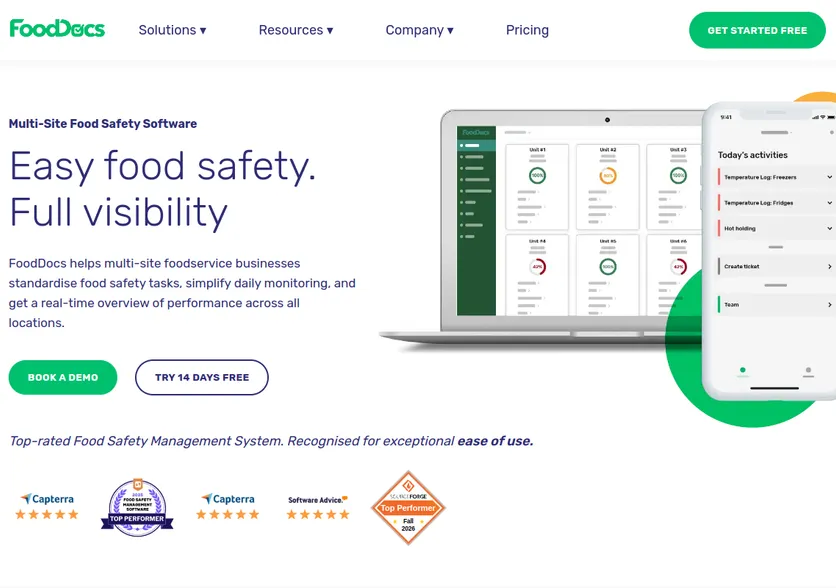
This FoodDocs platform is the food-safety specialist here: it builds your HACCP plan, runs daily monitoring tasks, and tracks batches through production to the shelf. Expiry dates sit inside the traceability record, so a recall starts from the batch, not from a spreadsheet search. Standard costs sixty-nine dollars per location a month, with a free HACCP plan for creating and downloading food safety plans at no cost.
What we like
- Builds your HACCP plan instead of just storing it
- Traceability links every batch to its expiry date
- Unlimited users on every paid plan
Watch out for
- Onboarding fees of $999 or $1,249 are listed separately on the pricing page
- The pricing page changed in late November 2026, so confirm the plan before buying
How to try it
- Open the FoodDocs pricing page and start the fourteen-day trial
- Build your HACCP plan and set the monitoring tasks for one product
- Turn on traceability so batches carry their expiry dates
2. Sortly
Best for: Small food sellers who want expiry alerts at the lowest price
Paid tool Starting price: $49/month · Advanced costs forty-nine dollars a month, Ultra one hundred and forty-nine dollars, Premium two hundred and ninety-nine dollars on monthly billing. Annual billing shows twenty-four, seventy-four and one hundred and forty-nine dollars a month in the first year only, a first-year promotion; from year two, yearly plans renew at twenty percent off the monthly rate
Free plan: Free plan for 1 user and 100 items
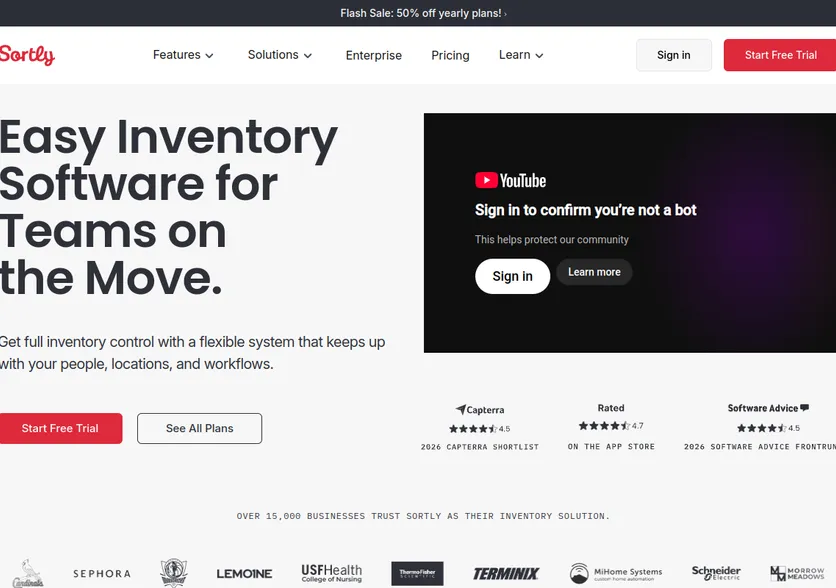
This Sortly app is the cheapest way to stop throwing stock away: it tracks items with expiry dates, sends low-stock and expiry alerts, and prints QR and barcode labels for the shelf. A small seller can photograph stock in, set the expiry date, and get warned before anything goes out of date. Advanced costs forty-nine dollars a month on monthly billing, with a free plan for one user and one hundred items.
What we like
- Expiry alerts warn you before stock goes out of date
- QR and barcode labels print straight from the app
- Free plan genuinely works for a seller with under one hundred items
Watch out for
- Annual prices are first-year promotions, not the renewal rate
- Item and user caps force a tier jump as the catalogue grows
How to try it
- Open the Sortly pricing page and start with the free plan
- Photograph your stock in and set the expiry date on each item
- Turn on expiry alerts so nothing goes out of date unnoticed
3. inFlow Inventory
Best for: Food sellers who need lot tracking and order management in one system
Paid tool Starting price: $99/month · Lite costs ninety-nine dollars a month billed annually, or one hundred and twenty-nine dollars monthly, for two team members and one location; Core two hundred and ninety-nine dollars; Pro four hundred and ninety-nine dollars; Max six hundred and ninety-nine dollars; a one-time $499 onboarding package is required on most plans; serial and lot tracking are $39-a-month add-ons
Free plan: No free plan; 14-day free trial
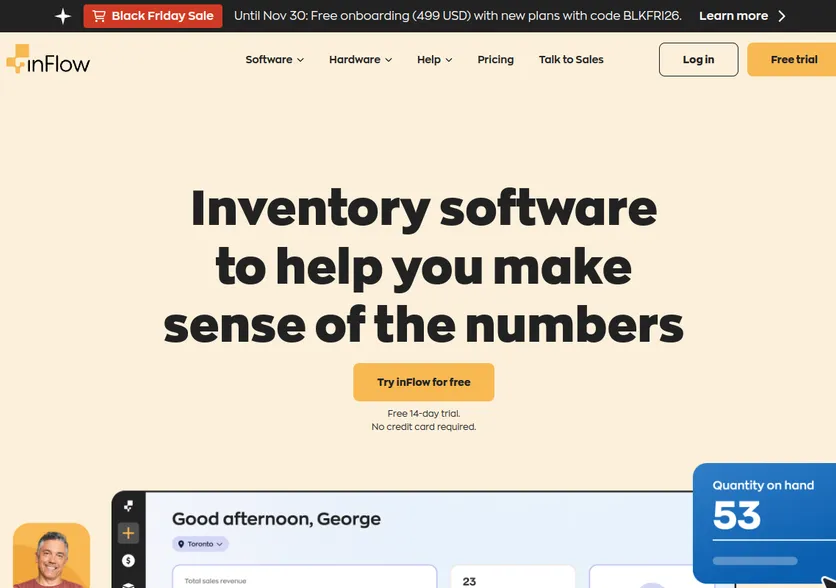
This inFlow Inventory platform tracks stock across locations with purchase orders, picking, packing and shipping in one place. Lot and serial tracking is available as an add-on, so batches carry their expiry dates through the warehouse to the customer. Lite costs ninety-nine dollars a month billed annually, or one hundred and twenty-nine dollars monthly, for two team members and one location.
What we like
- Stock, orders, picking and shipping share one system
- Lot tracking add-on carries expiry dates through the warehouse
- Flat monthly price covers the team instead of per-user billing
Watch out for
- Lot and serial tracking cost extra as add-ons
- A $499 onboarding package is required on most plans
How to try it
- Open the inFlow pricing page and start the fourteen-day trial
- Turn on the lot tracking add-on for your perishable lines
- Set the expiry dates when stock arrives and check the alerts weekly
4. Zoho Inventory
Best for: Small food sellers who want batch tracking at the lowest paid price
Paid tool Starting price: $29/organization/month · Standard costs twenty-nine dollars per organisation a month billed annually, or thirty-nine dollars monthly; Professional seventy-nine dollars, or ninety-nine dollars monthly; Premium one hundred and twenty-nine dollars; Enterprise two hundred and forty-nine dollars; batch tracking arrives on Professional
Free plan: Free plan for 50 orders a month, 1 user, 2 locations
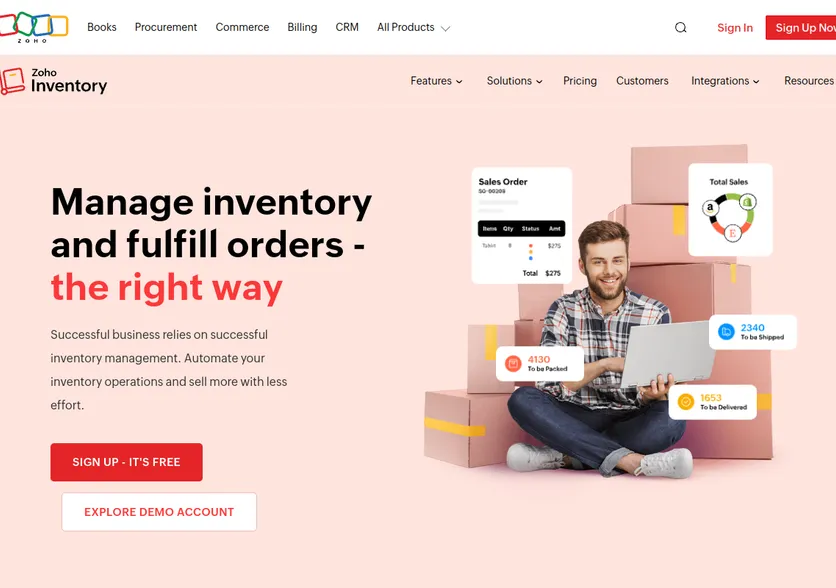
This Zoho Inventory plan is the cheapest paid option here, with Standard at twenty-nine dollars per organisation a month on annual billing and a free plan for fifty orders a month. Batch tracking with expiry dates arrives on the Professional plan, and the system plugs straight into Zoho Books and your store. It is priced per organisation, not per user, so adding staff costs nothing extra.
What we like
- Cheapest paid plan here at twenty-nine dollars a month
- Priced per organisation, so adding staff costs nothing extra
- Batch tracking with expiry dates is included on Professional
Watch out for
- Batch tracking waits for the Professional plan at seventy-nine dollars
- Order caps per tier mean growing sellers must watch monthly volume
How to try it
- Open the Zoho Inventory pricing page and start with the free plan
- Move to Professional when you need batch tracking with expiry dates
- Connect your store and Zoho Books before the first stock take
5. MRPeasy
Best for: Food makers who need lot traceability from raw materials to finished goods
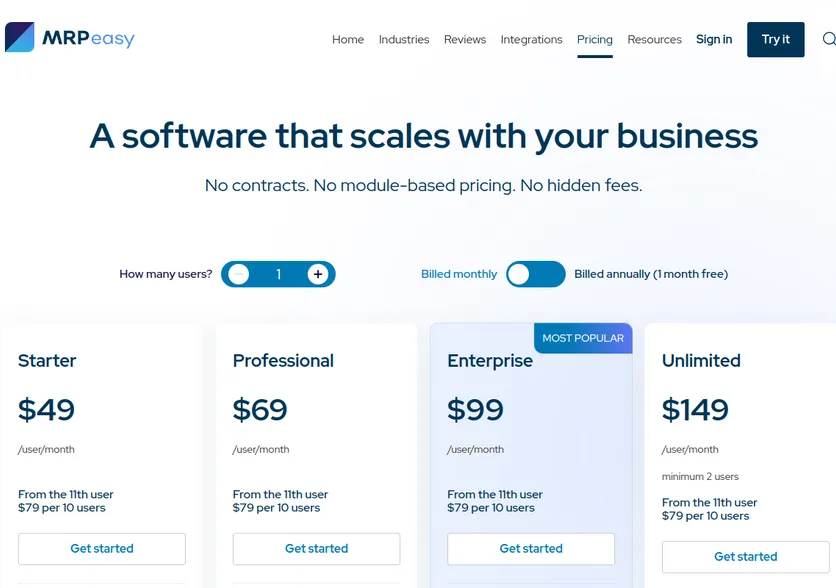
Paid tool Starting price: $49/user/month · Starter costs forty-nine dollars per user a month billed annually, or fifty-nine dollars monthly; Professional sixty-nine dollars; Enterprise ninety-nine dollars; Unlimited one hundred and forty-nine dollars with a two-user minimum; one month free on annual billing; lot traceability is included on Starter
Free plan: No free plan; 15-day free trial
This MRPeasy system is built for makers: it plans production, tracks lots from raw materials to finished goods, and manages purchasing and stock in one place. Lot traceability is included on the Starter plan, so a batch of jam or sauce can be traced back to the fruit that went into it. Starter costs forty-nine dollars per user a month billed annually, or fifty-nine dollars monthly, with a two-user minimum.
What we like
- Lot traceability is included on the Starter plan
- Production planning and stock share one system
- Bills of materials track ingredients into finished goods
Watch out for
- Per-user pricing adds up fast past ten users
- The master production schedule waits for the Enterprise tier
How to try it
- Open the MRPeasy pricing page and start the fifteen-day trial
- Set up one bill of materials with its lots and expiry dates
- Run one production order through the system before go-live
6. Cin7 Core
Best for: Multichannel food sellers who need batch and expiry tracking at scale
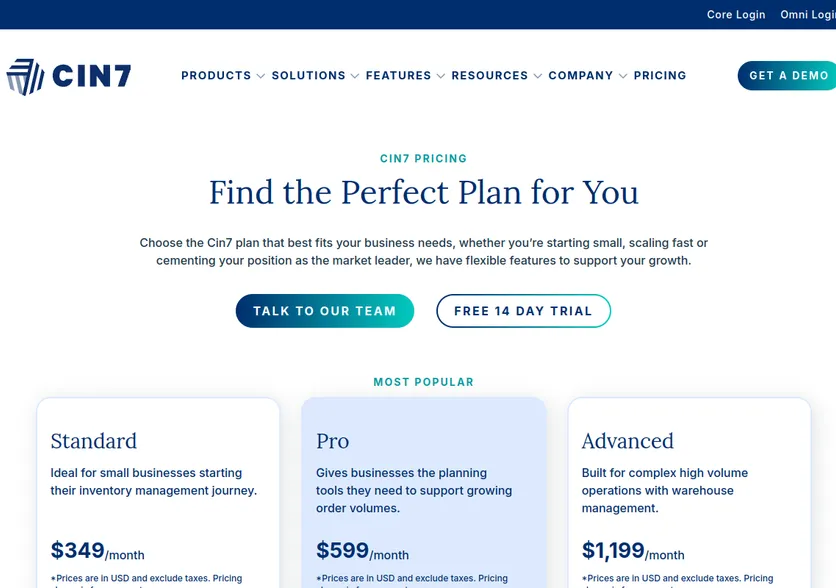
Paid tool Starting price: $349/month · Core Standard costs three hundred and forty-nine dollars a month flat for five users, two integrations and six thousand sale orders a year; Pro five hundred and ninety-nine dollars; Advanced one thousand one hundred and ninety-nine dollars; prices in USD excluding tax for new customers; batch and expiry tracking is included on Standard
Free plan: No free plan; 14-day free trial
This Cin7 Core platform is the multichannel pick here: it syncs stock across Shopify, Amazon and wholesale in one record, with batch and expiry tracking included on the Standard plan. A food seller with several channels can see every batch, its expiry date and its location without checking three systems. Standard costs three hundred and forty-nine dollars a month flat for five users, two integrations and six thousand sale orders a year.
What we like
- Batch and expiry tracking is included on Standard
- Stock syncs across Shopify, Amazon and wholesale in one record
- Flat monthly price with no per-user maths on the entry tier
Watch out for
- The six thousand order cap pushes growing sellers to Pro at $599
- B2B portal, POS and forecasting are paid add-ons on every plan
How to try it
- Open the Cin7 pricing page and start the fourteen-day trial
- Connect your main sales channel and check the stock sync
- Set the batch and expiry tracking on your perishable lines
7. Odoo
Best for: Food sellers who want inventory, accounting and expiry tracking in one suite
Paid tool Starting price: $31.10/user/month · Standard costs thirty-one dollars and ten cents per user a month billed annually; new customers pay twenty-four dollars and ninety cents for the first twelve months, then thirty-one dollars and ten cents; monthly billing is thirty-eight dollars and ninety cents after year one; Custom costs sixty-one dollars a month billed annually
Free plan: One App Free plan with unlimited users
This Odoo suite is the all-in-one option here: one flat per-user price buys every app, including Inventory with lot and serial tracking, expiry dates, accounting, sales and purchasing. A food seller can track a batch from the supplier to the customer and see the margin on the same screen. Standard costs thirty-one dollars and ten cents per user a month billed annually, with new customers paying twenty-four dollars and ninety cents for the first twelve months.
What we like
- One flat price buys every app, including inventory and accounting
- Lot and serial tracking with expiry dates is built into Inventory
- Free plan covers one app with unlimited users
Watch out for
- The twenty-four dollar price is a first-year discount, not the list price
- Setup takes real configuration effort before stock tracks cleanly
How to try it
- Open the Odoo pricing page and start with One App Free
- Turn on the Inventory app and set lot tracking with expiry dates
- Add the Accounting app once stock is tracking cleanly
Prices above were checked on each vendor’s own website on Nov 27, 2026 and can change — the vendor’s page is the final word. Vendor links are editorial: nobody paid to be listed or ranked here. Vendors who want a featured listing can see how it works on our Get listed page.
How a food seller should track expiry dates without throwing stock away
Record the expiry date when stock arrives, not when you get around to it: a batch with no date in the system is a batch that will be found out of date on the shelf. Set the alert window to match your sales cycle, so a batch with thirty days left gets flagged while you can still sell it, not the morning it expires. Use first-expiry-first-out picking, so the warehouse ships the batch that expires soonest instead of the one on top of the pile.
Run a mock recall once a quarter: pick one batch, trace it back to the supplier and forward to every customer who bought it, and time how long it takes. If the trace takes an afternoon, the system is working; if it takes a week, the batch records need fixing before a real recall arrives. Keep the batch record in the same system as the stock count, because a recall that starts in a spreadsheet will not finish in time.
Before you buy
- Check the plan covers batch and lot tracking with expiry dates, not just stock counts
- Confirm expiry alerts reach the right person before stock goes out of date
- Count every location when you check plan limits and seat prices
- Make sure batch records sync to your accounting system automatically
- Check whether the renewal price is higher than the first-year price
Official websites
Official websites of the products reviewed above. Features and prices were checked against these sites when this guide was written, and they can change, so confirm on the vendor site before you buy.
Frequently asked questions
Which tool is best for tracking expiry dates on food products?
FoodDocs is the most food-specific tool here: it builds your HACCP plan, runs daily monitoring tasks and tracks batches with expiry dates through production. Sortly is the cheapest route to expiry alerts at forty-nine dollars a month, and Zoho Inventory adds batch tracking with expiry dates on its seventy-nine dollar Professional plan. Cin7 Core includes batch and expiry tracking on its three hundred and forty-nine dollar Standard plan for sellers on several channels.
What is the cheapest expiry date tracking software for food sellers?
Sortly is the cheapest paid plan at forty-nine dollars a month on monthly billing, with a free plan for one user and one hundred items. Zoho Inventory Standard costs twenty-nine dollars per organisation a month on annual billing, but batch tracking with expiry dates waits for Professional at seventy-nine dollars. Odoo Standard costs thirty-one dollars and ten cents per user a month and includes lot tracking with expiry dates in the Inventory app.
Can expiry tracking software warn me before stock goes out of date?
Yes, and it should be automatic: the system should warn you days before a batch expires, not on the day it does. Sortly sends expiry alerts, FoodDocs ties expiry dates into its traceability record, and Zoho Inventory tracks batch expiry on Professional. Set the alert window to match your sales cycle, so a batch with thirty days left gets flagged while you can still sell it.
How does expiry tracking help with a food recall?
A recall starts from the batch, so the tool must trace a finished product back to its ingredients and forward to every customer who bought it. FoodDocs, MRPeasy, Cin7 Core and Odoo all do this with lot or batch tracking. The test that matters is a mock recall: pick one batch, trace it back to the supplier and forward to the customers, and time how long it takes.
Is a free plan enough for a small food seller?
Often yes for the first few months, especially with Sortly free for one user and one hundred items, or Zoho Inventory free for fifty orders a month. The limits that push sellers to a paid plan are usually the item count, the need for batch tracking, or the number of sales channels. Start free, track how many items and orders you process a month, and upgrade when the catalogue or the channel count outgrows the free plan.
Compare the seven tools above, then trial the top two with one product line before you move the whole catalogue across.
Browse Business Tools tools