
On this page
Designing a first font feels technical until the right tool turns drawing into typing, and the tools on this list are built for that first step. Fontself is the pick that makes the leap shortest, turning lettering drawn in Illustrator into a working font for $49 once. This guide compares seven font design tools for beginners, from $10 a month to a $499 professional editor, with live 2026 prices and free plans, so the choice comes down to how the beginner likes to draw.
How we researched this
We checked the pricing page of every vendor on this list on November 26, 2026, and kept only tools that publish a real dollar price for making fonts. Each tool had to let a beginner draw, scan or write letters and turn them into a working font file, and we compared entry prices, trial length and whether the tool designs, converts or organizes fonts.
Compare the tools
| Name | Best for | Starting price | Free plan | |
|---|---|---|---|---|
 Fontself | Beginners who already draw letters in Illustrator or Photoshop | $49 one-time | No free plan listed | Visit |
| Calligraphr | Beginners who want their own handwriting as a font by tonight | $10/month | Free plan, 75 characters | Visit |
| FontCreator | Beginners who want a complete desktop font editor on Windows or Mac | $49 one-time | 30-day free trial | Visit |
| Scanahand | Beginners who write by hand and want a personal font without drawing vectors | $59 one-time | 30-day free trial | Visit |
| FontLab | Beginners who are sure type design is the career, not a weekend project | $499 one-time | 10-day free trial | Visit |
| MainType | Windows beginners whose font folder is already a mess | $49 one-time | Free plan, 2,500 fonts | Visit |
 RightFont | Mac beginners who test fonts inside real layouts | $59 one-time | Free for 15 days | Visit |
The font design tools, compared
1. Fontself
Best for: Beginners who already draw letters in Illustrator or Photoshop
Paid tool Starting price: $49 one-time · Fontself Maker, $49 one-time, per the vendor homepage product data; the iPad standalone app is sold separately
Free plan: No free plan listed
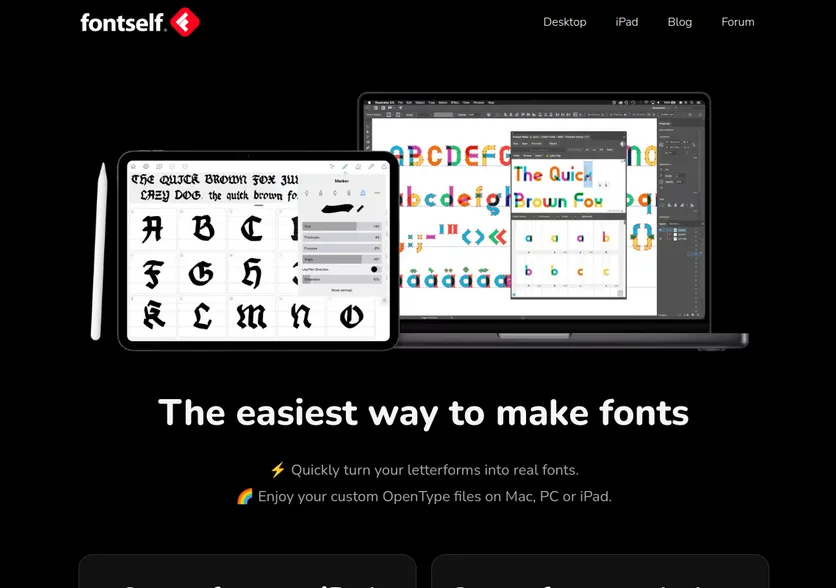
Fontself turns lettering drawn in Illustrator or Photoshop into a working font, which is the shortest path from sketch to installable typeface. This Fontself Maker costs $49 once and converts drawn letters into OpenType fonts without leaving the design app. It is the pick for a beginner who already draws letters and wants them typed, not traced by hand.
What we like
- Works inside the apps designers already use
- Fastest route from sketch to font
- One-time price with no subscription
Watch out for
- No free plan is listed on the site
- Needs Illustrator or Photoshop to work
How to try it
- Open Fontself and draw the letters in Illustrator or Photoshop
- Turn the artwork into glyphs with the Fontself panel
- Export the OpenType font and install it on the computer
2. Calligraphr
Best for: Beginners who want their own handwriting as a font by tonight
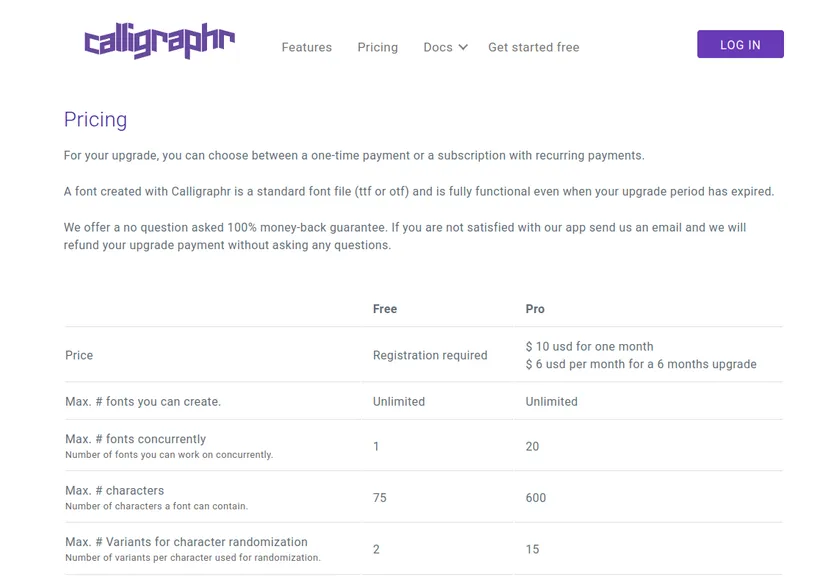
Paid tool Starting price: $10/month · Pro plan, $10 USD for one month, or $6 a month on a 6-month upgrade; the free plan caps fonts at 75 characters
Free plan: Free plan, 75 characters
Calligraphr is the friendliest start on this list, because it turns handwriting on a printed template into a real font file. This Calligraphr Pro plan costs $10 for one month and raises the limits to 600 characters, 20 fonts at once and full ligature support. It is the pick for a beginner who wants their own handwriting as a font by tonight.
What we like
- Print, write and scan is all it takes
- Free plan covers a first handwriting font
- Ligatures and letter spacing on Pro
Watch out for
- The free plan caps fonts at 75 characters
- No vector drawing tools included
How to try it
- Open Calligraphr and print the letter template
- Write the letters by hand and scan the sheet
- Build the font and download the font file
3. FontCreator
Best for: Beginners who want a complete desktop font editor on Windows or Mac
Paid tool Starting price: $49 one-time · FontCreator 16 Essentials, $49 one-time with a perpetual license; Professional is $199 one-time
Free plan: 30-day free trial
FontCreator is the most complete Windows font editor a beginner can buy, with guided tools for drawing, spacing and testing glyphs. This FontCreator Essentials edition costs $49 once and covers TrueType and OpenType editing, color fonts and variable fonts with one axis. It is the pick when the beginner wants a real desktop editor and a 30-day trial before paying.
What we like
- Guided tools suit first-time designers
- Variable fonts included in Essentials
- Perpetual license with no subscription
Watch out for
- Professional features need the $199 edition
- Windows-first, with a newer Mac version
How to try it
- Open the FontCreator buy page and start the 30-day trial
- Draw a first glyph and set its spacing
- Export the font and test it in a document
4. Scanahand
Best for: Beginners who write by hand and want a personal font without drawing vectors
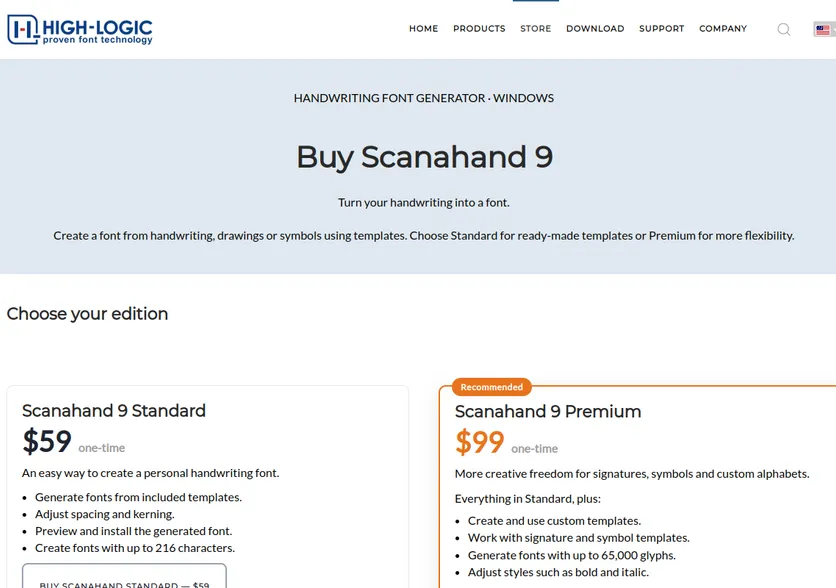
Paid tool Starting price: $59 one-time · Scanahand 9 Standard, $59 one-time; Premium is $99 one-time with custom templates and up to 65,000 glyphs
Free plan: 30-day free trial
Scanahand is the simplest way to turn handwriting into a font, using printed templates and a scanner instead of drawing tools. This Scanahand Standard edition costs $59 once and generates fonts from included templates with adjustable spacing and kerning. It is the pick for a beginner who writes by hand and wants a personal font without learning vector drawing.
What we like
- No drawing skills needed at all
- Templates make setup instant
- Signature and symbol templates on Premium
Watch out for
- Windows only, no Mac version
- Custom templates need the Premium edition
How to try it
- Open the Scanahand buy page and start the 30-day trial
- Print a template and fill it in by hand
- Scan the sheet and generate the font
5. FontLab
Best for: Beginners who are sure type design is the career, not a weekend project
Paid tool Starting price: $499 one-time · New license $499, per the vendor TypeTool page; FontLab 9 lifetime is also listed at $499 on the vendor blog
Free plan: 10-day free trial
FontLab is the professional editor that most working type designers use, and it is the priciest pick here by a wide margin. This FontLab license costs $499 once and covers OpenType, variable and color fonts with fractional drawing precision and Python scripting. It is the pick for a beginner who is sure type design is the career, not a weekend project.
What we like
- The industry standard for professional type design
- Variable and color fonts fully covered
- Python scripting for power users
Watch out for
- Ten times the price of the cheapest pick here
- Steep learning curve for a first font
How to try it
- Open the FontLab page and start the 10-day trial
- Draw a first glyph with the Rapid tool
- Export the font and test it across apps
6. MainType
Best for: Windows beginners whose font folder is already a mess
Paid tool Starting price: $49 one-time · MainType 13 Standard, $49 one-time; Professional is $79 one-time for unlimited libraries
Free plan: Free plan, 2,500 fonts
MainType does not design fonts, and it earns its place here because a beginner who makes fonts still needs to organize them. This MainType Standard edition costs $49 once and manages libraries of up to 10,000 fonts with groups, tags and previews. It is the pick for a Windows beginner whose font folder is already a mess.
What we like
- Groups, tags and previews keep fonts tidy
- Handles up to 10,000 fonts on Standard
- Free plan covers 2,500 fonts
Watch out for
- A manager, not a font designer
- Windows only, no Mac version
How to try it
- Open the MainType buy page and pick the Standard edition
- Add the folders where fonts already live
- Group the fonts by client or mood and preview them
7. RightFont
Best for: Mac beginners who test fonts inside real layouts
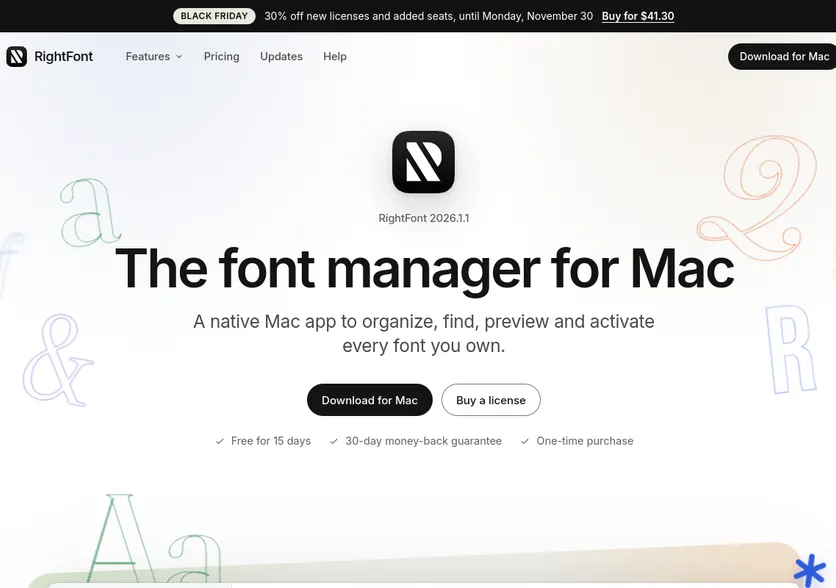
Paid tool Starting price: $59 one-time · RightFont license, $59 one-time list price per Mac; the page shows a $41.30 Black Friday promo, not used here
Free plan: Free for 15 days
RightFont is the Mac companion to the editors on this list, keeping every font organized, previewed and activated in the design apps. This RightFont license costs $59 once for one Mac and adds AI classification, duplicate cleanup and auto-activation in Photoshop and Illustrator. It is the pick for a Mac beginner who tests fonts inside real layouts instead of a font menu.
What we like
- Preview fonts inside the actual design
- Auto-activation in the Adobe apps
- AI classification files fonts by style
Watch out for
- Mac only, no Windows version
- The page headline is a Black Friday promo
How to try it
- Open the RightFont site and start the 15-day free period
- Add the folders where fonts already live
- Preview a font inside a real design and activate it
Prices above were checked on each vendor’s own website on Nov 26, 2026 and can change — the vendor’s page is the final word. Vendor links are editorial: nobody paid to be listed or ranked here. Vendors who want a featured listing can see how it works on our Get listed page.
How to read the price before you commit
Prices here run from $10 a month to $499 once, and the gap is really about ambition, not quality. A $10 subscription or a $49 one-time editor is enough to make a first font, while the $499 professional editor pays off only when type design becomes regular work. One-time licenses look expensive until the monthly math is done: a $49 editor costs less than five months of a $10 subscription. Trials matter more than features here, because drawing glyphs is a feel thing, so use the full trial before paying. Finally, check what the export covers, since a tool that only makes desktop fonts will not help when the goal is a web font.
Before you buy
- Decide whether you draw letters, write by hand or trace scans before picking an editor.
- Confirm the trial covers full export, not just drawing, so the first font can actually ship.
- Check the export formats: desktop fonts, web fonts and variable fonts are not the same thing.
- Compare one-time licenses with subscriptions over a full year, not just the first month.
- Ask whether the tool designs fonts or only organizes them, since both appear on this list.
Official websites
Official websites of the products reviewed above. Features and prices were checked against these sites when this guide was written, and they can change, so confirm on the vendor site before you buy.
Frequently asked questions
What is the best font design software for beginners?
Fontself is the best pick for a beginner who already draws in Illustrator or Photoshop, since it turns finished lettering into a font for $49 once. Calligraphr is the best pick for a beginner who writes by hand, with a free plan and a $10 Pro upgrade. FontCreator is the best pick for a beginner who wants a full desktop editor, with a $49 Essentials edition and a 30-day trial.
Can I make a font for free?
Yes, Calligraphr has a free plan that covers one font of up to 75 characters, which is enough for a first handwriting font. FontCreator, Scanahand and RightFont all offer free trials of 15 to 30 days with full features. The free editors Birdfont and FontForge exist too, but they publish no price and need more patience from a beginner.
Do I need to know how to draw to design a font?
No, and that is the point of the beginner tools on this list. Calligraphr and Scanahand need only handwriting on a printed template, while Fontself needs lettering drawn in a design app, not glyph drawing. FontCreator and FontLab teach drawing as the beginner goes, with guided tools, snapping and live measurements that keep early glyphs clean.
What is the cheapest way to turn handwriting into a font?
Calligraphr Pro at $10 for one month is the cheapest route, since it turns a printed handwriting template into a font file with ligatures and spacing. Scanahand Standard at $59 once is the better buy for a signature or a symbol font, with more templates and kerning control. Both beat hiring a designer for a personal handwriting font.
Is FontLab worth $499 for a beginner?
For most beginners, no. FontLab is the professional standard with variable fonts, color fonts and scripting, but a first font does not need any of that. The $49 editors on this list make the same first font for a tenth of the price. Buy FontLab only when the beginner is selling fonts or working in type design every week.
Made your first font? Try free font and text tools on Toolsvine right in your browser.
Browse Font Tools tools


