On this page
Photoshop's subscription adds up every month, and for many photographers and designers the bill is hard to justify when the work is occasional. The eight tools below cover the same ground — layers, RAW editing, retouching, AI cleanup — for a one-time payment or a much smaller monthly fee, and every price was checked on the vendor site on November 26, 2026. Each one offers a free plan or a free trial, so you can edit a real project before paying. Pixelmator Pro is our first pick — a full Mac editor for one $49.99 payment.
How we researched this
We started with the photo editors photographers actually buy as Photoshop replacements, then read each price on the vendor pricing page on November 26, 2026 and noted the free plan or trial each one carries. We judged them for someone who edits photos every week and needs layers, RAW support and retouching without a monthly subscription. We kept the list to tools with a published price, and we dropped any tool whose price we could not verify.
Compare the tools
| Name | Best for | Starting price | Free plan | |
|---|---|---|---|---|
 Pixelmator Pro | Mac owners who want a full pro editor for one payment | $49.99 one-time | Free trial available; no free plan | Visit |
 Luminar Neo | Photographers who want AI to handle skies, light and portraits | $417 one-time | Free trial available; no free plan | Visit |
 Capture One | Studio photographers who shoot tethered and grade color all day | $18/month | Free trial available; no free plan | Visit |
 DxO PhotoLab | Photographers who judge an editor on pure image quality | $159.99 one-time | 30-day free trial; no free plan | Visit |
 ON1 Photo RAW | Hobbyists who want organizing, editing and effects in one app | $99.99 one-time | 30-day free trial; no free plan | Visit |
 Topaz Photo | Anyone rescuing noisy, soft or low-resolution shots | $25/month | Free trial available; no free plan | Visit |
 Canva Pro | Designers who need finished graphics fast, not pixel-level edits | $12/month | Free plan (Canva Free) | Visit |
 Pixlr Premium | Quick edits on any computer with nothing to install | $7.99/month | Free plan (Pixlr Free) | Visit |
The free Photoshop alternatives, compared
1. Pixelmator Pro
Best for: Mac owners who want a full pro editor for one payment
Paid tool Starting price: $49.99 one-time · One-time purchase, $49.99; no subscription; Mac only
Free plan: Free trial available; no free plan
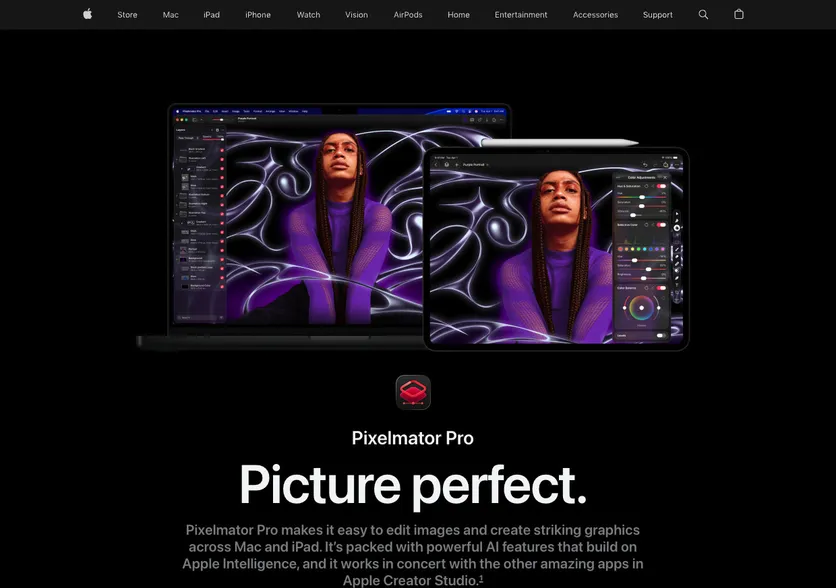
Pixelmator Pro is the closest thing to a Photoshop replacement a Mac owner can buy outright, because one payment covers the whole editor with no subscription attached. This Pixelmator Pro plan covers layers, RAW editing, machine-learning retouching and vector tools, so a photographer can finish a full edit without opening another app. The interface stays out of the way, which is why Mac users who switch rarely look back.
What we like
- One payment, no subscription ever
- Fast machine-learning retouching tools
- Clean interface that stays out of the way
Watch out for
- Mac only, no Windows version
- One-time price covers the current version
How to try it
- Open the Pixelmator Pro page on the Mac App Store
- Download the app and start the free trial
- Import a photo and try layers, RAW editing and retouching
2. Luminar Neo
Best for: Photographers who want AI to handle skies, light and portraits
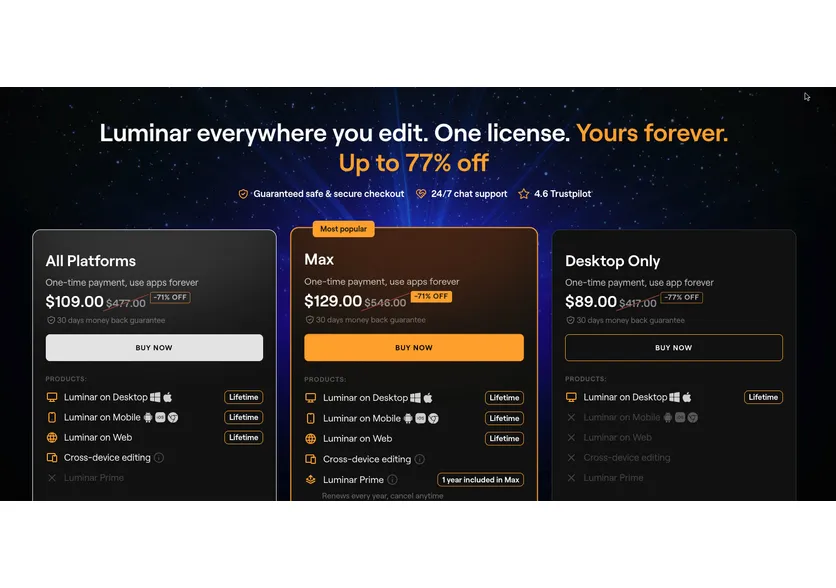
Paid tool Starting price: $417 one-time · Desktop Only plan, $417 one-time list price; All Platforms is $477; Black Friday promo pricing is lower
Free plan: Free trial available; no free plan
Luminar Neo is the pick for photographers who want AI to do the heavy lifting, because sky replacement, relighting and portrait retouching happen in one click. This Luminar Neo Desktop Only plan covers the full editor with AI tools, extensions and RAW support, so a wedding set that took a weekend now takes an evening. The catalog keeps thousands of shots organized without a subscription.
What we like
- One-click sky replacement and relighting
- Strong portrait retouching tools
- Catalog keeps large shoots organized
Watch out for
- Desktop Only plan costs $417 one-time
- Some AI tools need newer hardware
How to try it
- Open the Luminar page and start the free trial
- Import a photo set into the catalog
- Try sky replacement and portrait retouching on one image
3. Capture One
Best for: Studio photographers who shoot tethered and grade color all day
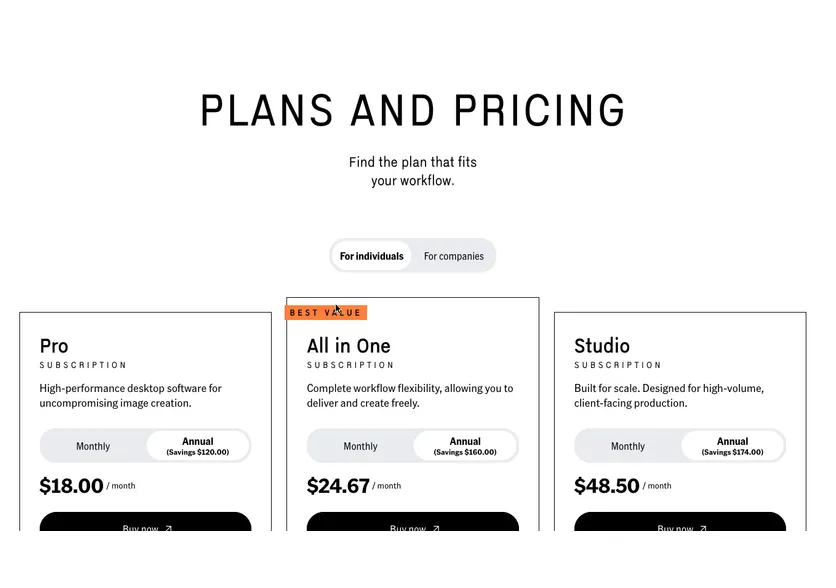
Paid tool Starting price: $18/month · Pro plan, $18 a month billed annually; $28 a month billed monthly; perpetual license $349
Free plan: Free trial available; no free plan
Capture One is the professional choice for tethered shooting and color work, because its RAW engine and color tools are the standard in studios. This Capture One Pro plan covers tethered capture, advanced color grading and session workflows, so a commercial shoot moves from camera to client proof without a detour. The learning curve is real, but the color control is worth it.
What we like
- Best-in-class tethered shooting support
- Precise color grading tools
- Session workflows suit commercial shoots
Watch out for
- Pro costs $18 a month billed annually
- Steeper learning curve than rivals
How to try it
- Open the Capture One pricing page and start the trial
- Connect your camera for a tethered test shoot
- Grade color with the advanced color editor
4. DxO PhotoLab
Best for: Photographers who judge an editor on pure image quality
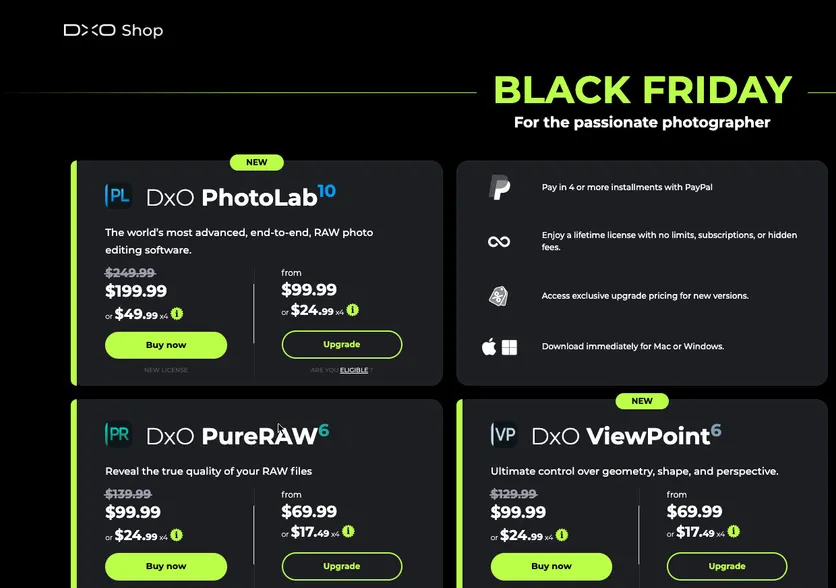
Paid tool Starting price: $159.99 one-time · Essential edition, $159.99 one-time list price; Elite is $249.99; sale pricing is lower
Free plan: 30-day free trial; no free plan
DxO PhotoLab is the quiet achiever on this list, because its lens corrections and noise reduction are built from lab measurements of real camera bodies. This DxO PhotoLab Essential edition covers DeepPRIME noise reduction, optical corrections and local adjustments, so high-ISO shots clean up without the plastic look. It is the editor photographers buy when image quality matters more than fashion.
What we like
- Lab-measured lens corrections included
- DeepPRIME noise reduction is excellent
- Local adjustments are precise and fast
Watch out for
- Essential edition costs $159.99 one-time
- No built-in photo catalog
How to try it
- Open the DxO PhotoLab page and start the 30-day trial
- Import a high-ISO shot and apply DeepPRIME
- Compare the result against your current editor
5. ON1 Photo RAW
Best for: Hobbyists who want organizing, editing and effects in one app
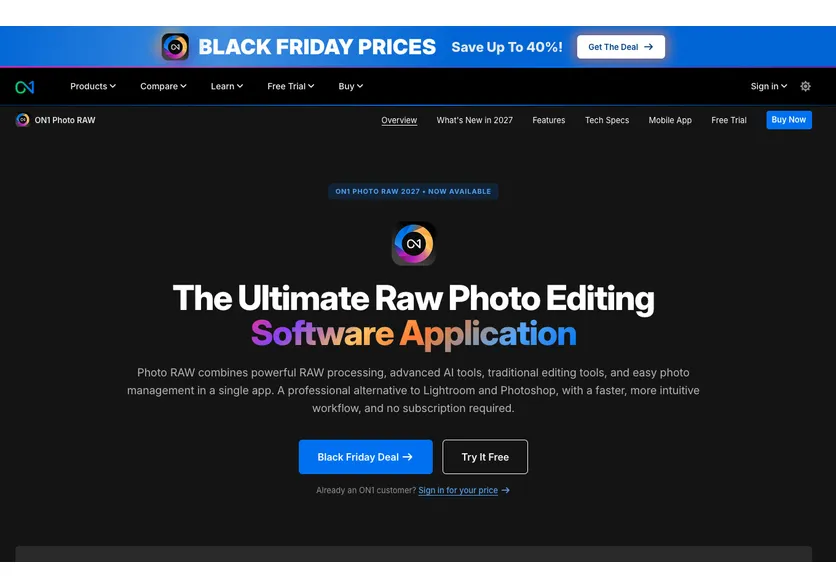
Paid tool Starting price: $99.99 one-time · Photo RAW 2026, $99.99 one-time list price; MAX edition $169.99; subscription $7.99 a month
Free plan: 30-day free trial; no free plan
ON1 Photo RAW is the all-rounder for photographers who want one app for organizing, editing and effects. This ON1 Photo RAW plan covers browsing, RAW editing, layers, masking and AI tools, so a whole shoot can be culled and finished in the same window. The one-time price makes it easy to recommend to hobbyists.
What we like
- Browsing, editing and effects in one app
- Layers and masking without a subscription
- Good value for hobbyist photographers
Watch out for
- One-time price is $99.99
- Interface feels busy at first
How to try it
- Open the ON1 Photo RAW page and start the 30-day trial
- Browse and cull a full shoot in the app
- Edit one photo with layers and AI masking
6. Topaz Photo
Best for: Anyone rescuing noisy, soft or low-resolution shots
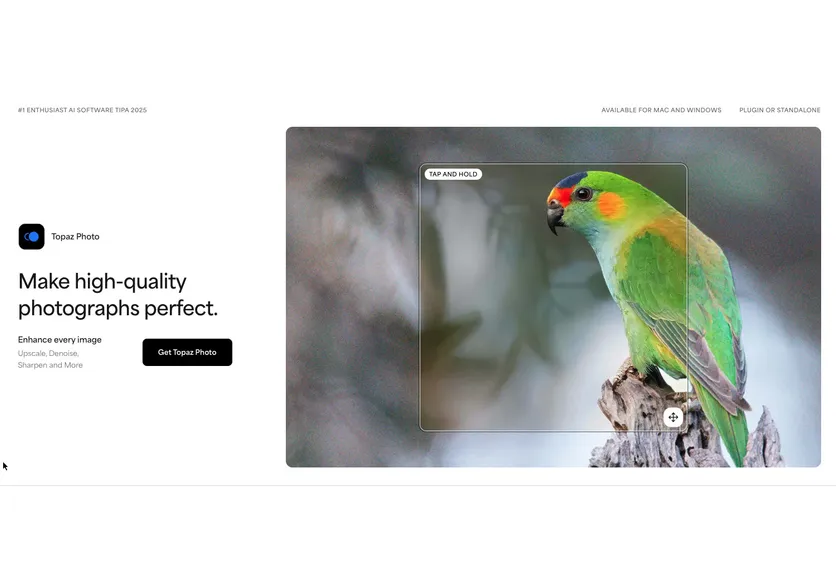
Paid tool Starting price: $25/month · Photo AI, $25 a month billed monthly; $199 a year billed annually; subscription only, no one-time license
Free plan: Free trial available; no free plan
Topaz Photo is the specialist for rescuing imperfect shots, because its AI sharpening, denoising and upscaling fix images nothing else can save. This Topaz Photo plan covers AI sharpening, noise removal and face recovery, so an old family photo or a shaky concert shot comes back looking sharp. It works as a standalone editor or as a plugin inside the tools you already own.
What we like
- AI sharpening rescues soft images
- Noise removal keeps fine detail
- Works standalone or as a plugin
Watch out for
- Subscription only, $25 a month
- Needs a strong graphics card
How to try it
- Open the Topaz Photo page and start the free trial
- Load a noisy or soft photo into the app
- Run AI sharpening and compare before and after
7. Canva Pro
Best for: Designers who need finished graphics fast, not pixel-level edits
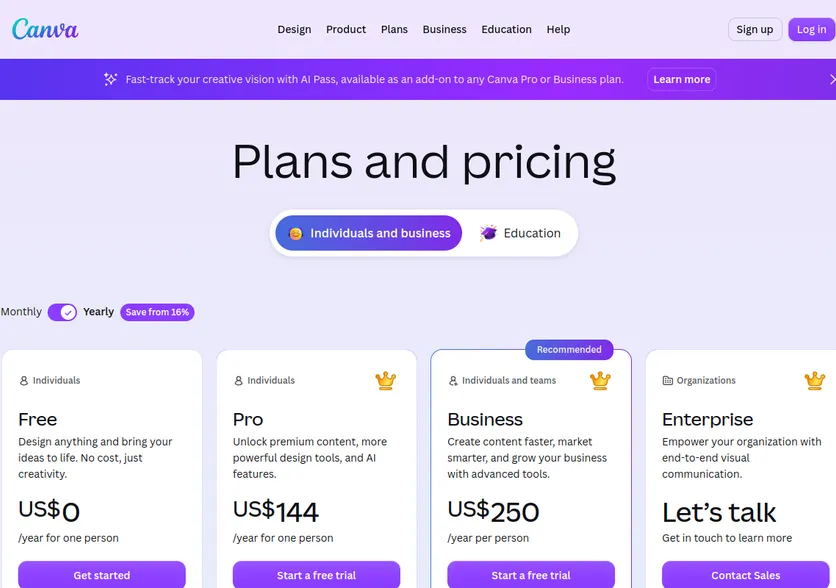
Paid tool Starting price: $12/month · Pro plan, $12 a month billed annually ($144 a year) or $18 a month billed monthly
Free plan: Free plan (Canva Free)
Canva Pro is the pick for designers who need finished graphics fast rather than pixel-perfect photo edits. This Canva Pro plan covers a huge template library, background removal, brand kits and resizing, so a social post, a flyer and a presentation all come from one login. The free plan is generous enough that many users never need to upgrade.
What we like
- Huge template library for every format
- Background removal in one click
- Brand kits keep designs consistent
Watch out for
- Pro costs $12 a month billed annually, or $18 a month billed monthly
- Not a full photo editor
How to try it
- Open the Canva pricing page and start the free plan
- Pick a template and remove a photo background
- Save the design to your brand kit
8. Pixlr Premium
Best for: Quick edits on any computer with nothing to install
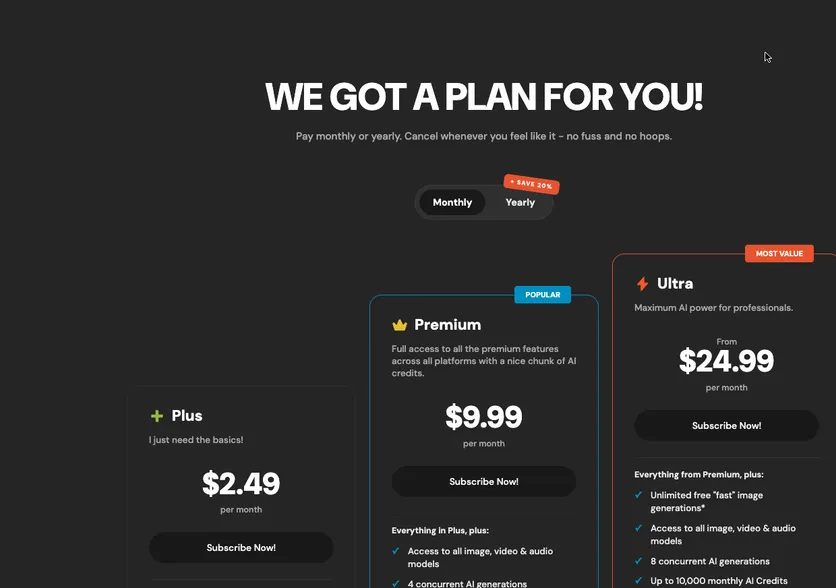
Paid tool Starting price: $7.99/month · Premium plan, $7.99 a month billed annually; $9.99 a month billed monthly; Plus is $1.99 a month
Free plan: Free plan (Pixlr Free)
Pixlr Premium is the browser-based option for quick edits on any computer, because nothing needs installing and the tools feel familiar from the first minute. This Pixlr Premium plan covers AI background removal, batch editing and an ad-free workspace, so a Chromebook or a borrowed laptop becomes a capable editor. It is the lightest way onto this list.
What we like
- Runs in the browser, nothing to install
- AI background removal included
- Batch editing saves time on sets
Watch out for
- Premium costs $7.99 a month billed annually
- Browser editing needs a good connection
How to try it
- Open the Pixlr pricing page and start the free plan
- Upload a photo in the browser editor
- Remove the background with the AI tool
Prices above were checked on each vendor’s own website on Nov 26, 2026 and can change — the vendor’s page is the final word. Vendor links are editorial: nobody paid to be listed or ranked here. Vendors who want a featured listing can see how it works on our Get listed page.
What free Photoshop alternatives cost in 2026
Photoshop costs about $23 a month on its photography plan, so the savings on this list are real but uneven. A one-time editor like Pixelmator Pro at $49.99 or ON1 Photo RAW at $99.99 pays for itself in two to five months, while a subscription tool like Topaz Photo at $25 a month only wins if you use its AI rescue tools every week. The table below uses the headline plan each vendor shows on its own pricing page, checked on November 26, 2026.
Start with the free plan or trial on two tools and edit the same photo set through both. Compare the results at full size and the hours each one saves, then pick the editor you will actually open every day. A $50 tool that fits your workflow beats a $15 monthly plan you forget to use.
Before you buy
- Count how many photos you edit each month, because a one-time editor pays for itself fast while a subscription only wins for daily pro work.
- Check RAW support for your camera body before you buy, because not every editor reads every new RAW format on launch day.
- Test the free plan or trial on a real shoot first, because interface feel matters more than a feature list when you edit for hours.
- Ask whether you need Photoshop files to open cleanly, because layer compatibility varies and some editors flatten complex files.
- Add up the total cost over two years, because a cheap monthly fee can pass a one-time price before the second year ends.
Official websites
Official websites of the products reviewed above. Features and prices were checked against these sites when this guide was written, and they can change, so confirm on the vendor site before you buy.
Frequently asked questions
Which free alternative to Photoshop is best overall?
Pixelmator Pro is the best overall pick for most people, because one $49.99 payment buys a full pro editor with layers, RAW support and machine-learning retouching, and there is no subscription to keep paying. Mac owners get the most value here. Windows users should start with DxO PhotoLab for image quality or ON1 Photo RAW for an all-rounder.
What is the cheapest free alternative to Photoshop?
Pixlr Premium is the cheapest paid plan here at $7.99 a month billed annually, and its free plan covers basic edits at no cost. Canva Pro at $12 a month billed annually is the cheapest option for design work rather than photo editing. For a one-time purchase, ON1 Photo RAW at $99.99 is the lowest entry price among the full editors.
Which Photoshop alternative is best for RAW photos?
Capture One is the strongest RAW editor on this list, with a professional RAW engine, tethered shooting and precise color grading built for studio work. DxO PhotoLab is close behind, with lab-measured lens corrections and DeepPRIME noise reduction that cleans high-ISO files beautifully. Both offer free trials, so test them on your own RAW files.
Can I try these Photoshop alternatives for free?
Yes, most of them do. DxO PhotoLab and ON1 Photo RAW both offer 30-day free trials, while Pixelmator Pro, Luminar Neo, Capture One and Topaz Photo offer free trials of varying length. Canva and Pixlr go further with genuinely free plans. Always test with a real project, not a sample image, before paying.
Do these tools open Photoshop PSD files?
Most of them handle Photoshop files reasonably well, but none is perfect. Pixelmator Pro opens layered PSD files cleanly on Mac, and ON1 Photo RAW keeps layers intact for its own workflow. Complex Photoshop files with smart objects or advanced blending may flatten or lose effects. Export a test file from Photoshop first and check the layers survive.
Need everyday image help too? Try Toolsvine's free image tools for resizing, converting and compressing right in your browser.
Browse Image Tools tools