On this page
A construction firm runs on its schedule: trades overlap, deliveries slip and one late inspection pushes the whole build. The wrong tool means a plan that dies in the site office, while the right one keeps every crew, crane and concrete pour on the same timeline. Fieldwire leads this list at thirty-nine dollars a user a month billed annually for its Pro plan, and the other seven tools are ranked on what matters to a builder: honest pricing, field usability and a Gantt chart the whole team actually reads.
How we researched this
We checked every price on the vendor pricing page on November 27, 2026, and only included tools with a published US dollar list price. We ranked each tool on what a construction firm actually pays per user or per month, including Gantt features, field tools and project limits. Tools with quote-only pricing were left out, so every price below can be verified on the vendor site.
Compare the tools
| Name | Best for | Starting price | Free plan | |
|---|---|---|---|---|
 Fieldwire | Firms that need Gantt charts plus field plans on site | $39/user/mo | Free Basic plan for up to 5 users | Visit |
 Buildertrend | Established builders that want scheduling plus sales and finances | $499/mo | No free plan or free trial | Visit |
 Smartsheet | Firms that want Gantt charts in a spreadsheet they already understand | $9/member/mo | Thirty-day free trial, no free plan | Visit |
 TeamGantt | Firms that want the simplest Gantt chart in this list | $59/mo | Fourteen-day free trial; no free plan listed on the current pricing page | Visit |
 Microsoft Project | Firms already on Microsoft 365 that want classic Gantt power | $10/user/mo | Thirty-day free trial, no free plan | Visit |
| ProjectManager | Firms that want Gantt, kanban and dashboards in one view | $15/user/mo | Thirty-day free trial, no free plan | Visit |
 monday.com | Firms that want colourful boards the whole team will use | $12/seat/mo | Free plan for up to 2 seats | Visit |
 ProofHub | Firms that want flat pricing with unlimited users | $45/mo | Fourteen-day free trial, no free plan | Visit |
The gantt chart software for construction firms, compared
1. Fieldwire
Best for: Firms that need Gantt charts plus field plans on site
Paid tool Starting price: $39/user/mo · Thirty-nine dollars a month per user billed annually on the Pro plan, or fifty-four dollars a month billed monthly; Business is sixty-four dollars a month and Business Plus is eighty-nine dollars a month, with a free Basic plan for five users
Free plan: Free Basic plan for up to 5 users
For a firm whose crew works from drawings, Fieldwire Pro costs thirty-nine dollars a month per user billed annually and pairs Gantt scheduling with plan viewing on site. Foremen check the schedule against the latest drawings from a phone, which suits a builder whose plan changes weekly. The free Basic plan covers five users and three projects, so a small firm can run a live job before paying.

What we like
- Plans and schedule in one app
- Built for field crews on mobile
- Free Basic plan for five users
Watch out for
- Pro is fifty-four dollars a month billed monthly
- Business tiers climb to eighty-nine dollars a user
How to try it
- Build the Gantt schedule with task dependencies
- Upload plans and link them to tasks
- Share the schedule with the crew on mobile
2. Buildertrend
Best for: Established builders that want scheduling plus sales and finances
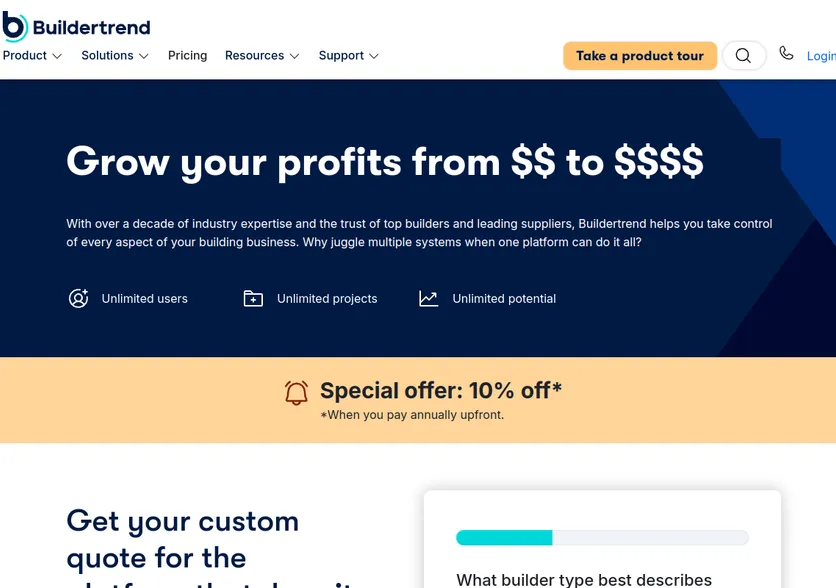
Paid tool Starting price: $499/mo · Four hundred ninety-nine dollars a month on the Essential plan list price, with Advanced at seven hundred ninety-nine dollars a month and Complete at one thousand ninety-nine dollars a month, per multiple November 2026 third-party reads; the vendor pricing page publishes no prices and offers a custom quote, with ten percent off annual subscriptions
Free plan: No free plan or free trial
For an established builder that wants everything in one place, Buildertrend Essential lists at four hundred ninety-nine dollars a month and covers scheduling, sales, clients and finances. The platform is built for firms running five or more projects a year, which suits a builder whose office work has outgrown a spreadsheet. The vendor publishes no prices on its own page, so the figure comes from third-party reads and should be confirmed with a quote.
What we like
- Scheduling plus sales and finances together
- Unlimited users on every plan
- Built for established builders
Watch out for
- No prices published on the vendor page
- Four hundred ninety-nine dollars a month is steep
How to try it
- Set up the project schedule with dependencies
- Add the client portal and change orders
- Track budgets and invoices in the same system
3. Smartsheet
Best for: Firms that want Gantt charts in a spreadsheet they already understand
Paid tool Starting price: $9/member/mo · Nine dollars a month per member billed annually on the Pro plan, or twelve dollars a month billed monthly; Business is nineteen dollars a month billed annually and Pro is limited to new customers with ten members, with a thirty-day free trial and no free plan
Free plan: Thirty-day free trial, no free plan
For a firm that thinks in spreadsheets, Smartsheet Pro costs nine dollars a month per member billed annually and turns rows into Gantt bars. The team plans the build in a familiar grid, then switches to the timeline view for the site meeting, which suits a firm whose office staff already live in sheets. The Pro plan is capped at ten members for new customers, so a bigger firm needs the Business tier.

What we like
- Nine dollars a member is the cheapest here
- Spreadsheet view the office already knows
- Thirty-day free trial
Watch out for
- Pro is capped at ten members
- Monthly billing is twelve dollars a member
How to try it
- Build the project plan in the grid view
- Switch to Gantt and set the dependencies
- Share the timeline with the site team
4. TeamGantt
Best for: Firms that want the simplest Gantt chart in this list
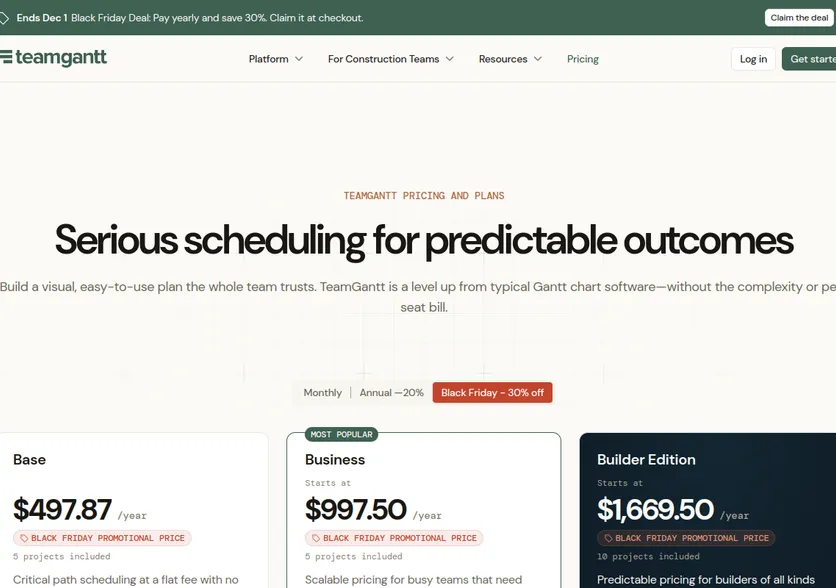
Paid tool Starting price: $59/mo · Fifty-nine dollars a month flat per account on the Base plan with five projects, one manager and ten collaborators, or forty-nine dollars and seventeen cents a month on annual billing; Business starts at one hundred twenty dollars a month and Builder Edition at one hundred ninety-nine dollars a month, with a fourteen-day free trial and no free plan on the current pricing page
Free plan: Fourteen-day free trial; no free plan listed on the current pricing page
For a firm that wants a Gantt chart without a learning curve, TeamGantt Base costs fifty-nine dollars a month flat per account and covers five projects with one manager and ten collaborators. The drag-and-drop timeline is the whole product, which suits a small builder whose scheduler is also the project manager. The flat price means the cost never rises with headcount, though the five-project cap will push a busy firm to the Business tier.
What we like
- Flat fifty-nine dollars a month per account
- Simplest Gantt chart in this list
- No per-user fees at all
Watch out for
- Base covers only five projects
- No free plan on the current pricing page
How to try it
- Create the project and add the tasks
- Drag the bars to set dates and dependencies
- Invite collaborators to view the timeline
5. Microsoft Project
Best for: Firms already on Microsoft 365 that want classic Gantt power
Paid tool Starting price: $10/user/mo · Ten dollars a month per user billed annually on Plan 1; Plan 3 is thirty dollars a month and Plan 5 is fifty-five dollars a month, with a thirty-day free trial and no free plan, and Plan 1 is browser-only while the desktop client needs Plan 3
Free plan: Thirty-day free trial, no free plan
For a firm already paying for Microsoft 365, Microsoft Project Plan 1 costs ten dollars a month per user billed annually and brings the classic Gantt engine to the browser. The tool handles baselines, critical paths and resource levelling, which suits a firm whose schedulers trained on Project years ago. Plan 1 is browser-only, so the desktop client that many schedulers expect needs Plan 3 at thirty dollars a month.
What we like
- Ten dollars a user is cheap for Project
- Classic Gantt with baselines and critical path
- Works inside Microsoft 365
Watch out for
- Plan 1 is browser-only, no desktop client
- The pricing page shows no prices in its text
How to try it
- Create the project and list the tasks
- Set dependencies and the critical path
- Baseline the plan and track progress
6. ProjectManager
Best for: Firms that want Gantt, kanban and dashboards in one view
Paid tool Starting price: $15/user/mo · Fifteen dollars a month per user billed annually on the Team plan for up to ten users and twenty projects; Business is twenty-eight dollars a month per user, with a thirty-day free trial and no free plan
Free plan: Thirty-day free trial, no free plan
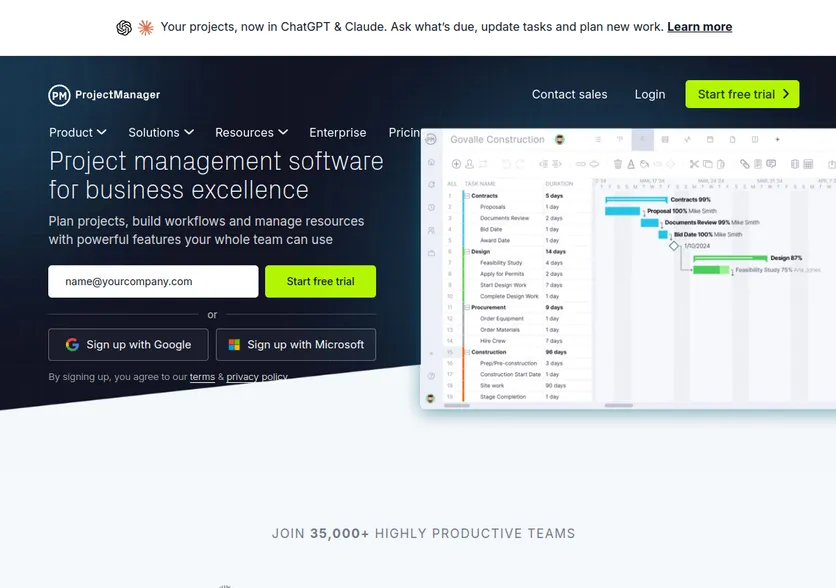
For a firm that wants the schedule plus live dashboards, ProjectManager Team costs fifteen dollars a month per user billed annually and pairs Gantt charts with kanban boards and workload views. The scheduler builds the timeline while the site manager watches progress on a dashboard, which suits a firm with an office team and a field team. The Team plan caps at ten users and twenty projects, so a larger firm needs the Business tier.
What we like
- Gantt, kanban and dashboards together
- Fifteen dollars a user is affordable
- Thirty-day free trial
Watch out for
- Team plan caps at ten users
- No free plan, only a trial
How to try it
- Build the Gantt chart with dependencies
- Track progress on the live dashboard
- Manage workload across crews
7. monday.com
Best for: Firms that want colourful boards the whole team will use
Paid tool Starting price: $12/seat/mo · Twelve dollars a month per seat billed annually on the Standard plan, or fourteen dollars a month billed monthly; the Gantt view sits on Standard, not the nine dollar Basic plan, Pro is nineteen dollars a month per seat and the free plan covers up to two seats with a three-seat minimum on paid plans
Free plan: Free plan for up to 2 seats
For a firm that needs the whole team on the plan, monday.com Standard costs twelve dollars a month per seat billed annually and puts the Gantt view on a board everyone can read. The colourful boards track tasks, owners and deadlines, which suits a firm whose site staff ignore grey spreadsheets. The Gantt view is not on the nine dollar Basic plan, so the headline price for this list is twelve dollars, not nine.

What we like
- Boards the whole team actually reads
- Gantt plus automations in one place
- Free plan for up to two seats
Watch out for
- Gantt needs the twelve dollar Standard plan
- Seats are sold in buckets with a three-seat minimum
How to try it
- Build the project board with tasks and owners
- Switch to the Gantt view and set dependencies
- Share the timeline with the site crew
8. ProofHub
Best for: Firms that want flat pricing with unlimited users
Paid tool Starting price: $45/mo · Forty-five dollars a month flat billed annually on the Essential plan, or fifty dollars a month billed monthly, with unlimited users, forty projects and fifteen gigabytes of storage; Ultimate Control is one hundred thirty-five dollars a month billed annually, with a fourteen-day free trial and no free plan
Free plan: Fourteen-day free trial, no free plan
For a firm that hates per-user billing, ProofHub Essential costs forty-five dollars a month flat billed annually and covers unlimited users with forty projects. The Gantt chart sits beside discussions, files and time tracking, which suits a small firm whose whole team needs access without a seat count. The flat price never rises with headcount, though the forty-project cap will push a busy firm to the Ultimate Control tier.
What we like
- Flat forty-five dollars a month, unlimited users
- Gantt plus discussions and files together
- Fourteen-day free trial
Watch out for
- Essential caps at forty projects
- Ultimate Control is one hundred thirty-five dollars a month
How to try it
- Create the project and add the Gantt chart
- Assign tasks and track time on each one
- Share files and updates with the team
Prices above were checked on each vendor’s own website on Nov 27, 2026 and can change — the vendor’s page is the final word. Vendor links are editorial: nobody paid to be listed or ranked here. Vendors who want a featured listing can see how it works on our Get listed page.
How a construction firm should pick a gantt chart tool
Start with who reads the schedule. A plan that only the office understands fails on site, so the tool must work on a phone in the dust as well as on a desk. Count the real monthly cost per user, not the headline, because a ten dollar plan for one scheduler becomes a hundred dollars when the whole crew needs access. Check whether the Gantt chart is included on the plan you would actually buy, since some tools hide it behind a higher tier. Test the schedule with a real project, not a template, because dependencies and delays behave differently on a live build. Finally, confirm the field tools, since a Gantt chart without plan viewing and site updates is only half a system.
Before you buy
- Confirm the Gantt chart is included on the plan you would actually buy
- Count the monthly cost per user for the whole crew, not one scheduler
- Test the schedule on a phone, since the site team reads it in the field
- Check whether plans, files and time tracking are included or cost extra
- Trial with a real project, not a template, before the next build starts
Official websites
Official websites of the products reviewed above. Features and prices were checked against these sites when this guide was written, and they can change, so confirm on the vendor site before you buy.
Frequently asked questions
What is the cheapest gantt chart software for construction firms?
Smartsheet Pro is the cheapest per-user plan at nine dollars a month per member billed annually, though it is capped at ten members for new customers. Microsoft Project Plan 1 is ten dollars a month per user billed annually, while monday.com Standard is twelve dollars a month per seat. TeamGantt and ProofHub charge flat monthly prices instead, at fifty-nine and forty-five dollars a month, which can be cheaper once the whole crew needs access.
Do construction firms need field tools as well as a Gantt chart?
A Gantt chart alone plans the build, but the crew still needs drawings, updates and proof of work from the site. Fieldwire pairs its Gantt chart with plan viewing and field reporting, while Buildertrend adds client portals and change orders. A firm that only plans in the office can use Smartsheet or TeamGantt, while a firm with crews on site should pick a tool with field features built in.
Is Buildertrend worth four hundred ninety-nine dollars a month?
Buildertrend is worth the price for an established builder running five or more projects a year, since scheduling, sales, clients and finances live in one system with unlimited users. A small firm with two or three projects will find Fieldwire or Smartsheet far cheaper for the same Gantt chart. The vendor publishes no prices on its own page, so confirm the four hundred ninety-nine dollar figure with a quote before budgeting.
Is there a free gantt chart tool for construction firms?
Fieldwire Basic is free for up to five users and three projects, and monday.com has a free plan for up to two seats, though the Gantt view needs the paid Standard plan. Smartsheet, Microsoft Project and ProjectManager offer thirty-day free trials instead of free plans. The free plans fit a tiny firm, while a firm with several active projects will need a paid tier within a season.
How much should a construction firm budget for gantt chart software?
Budget nine to fifteen dollars a month per user for Smartsheet, Microsoft Project or ProjectManager, or forty-five to fifty-nine dollars a month flat for ProofHub or TeamGantt. A firm that wants field tools should budget thirty-nine dollars a month per user for Fieldwire, while Buildertrend starts at four hundred ninety-nine dollars a month. The honest budget is the per-user price times the crew that actually needs access.
Compare the eight tools above, then trial the one that fits your firm with a real project before the next build starts.
Browse Business Tools tools