
On this page
Freelance projects live or die by the timeline, and a list of tasks with no dates is a wish. Project management tools with Gantt charts put every task on a timeline, so you can see the order of the work, the dependencies and the deadline in one view. The nine tools below cover both styles: full project platforms with Gantt built in, and dedicated Gantt tools that plug into the apps you use. Asana is our first pick — a project platform whose timeline view turns a task list into a plan for about eleven dollars a user a month.
How we researched this
We started with the project tools freelancers and small teams actually use to plan work on a timeline, then read each price on the vendor pricing page on November 26, 2026 and noted which plan includes the Gantt view. We judged them for a freelancer who needs to see the order of the work, move dates when a client is late, and share a plan without a spreadsheet. We kept only tools with a published price, and we dropped any tool whose price we could not verify; TeamGantt now charges per project instead of per user, and GanttPRO now starts at seven dollars a user a month, so both figures here are the newest ones.
Compare the tools
| Name | Best for | Starting price | Free plan | |
|---|---|---|---|---|
 Asana | Freelancers who want a task list that becomes a timeline | $10.99/user/month | Free plan for individuals and small teams | Visit |
 Monday | Visual freelancers who plan on boards and timelines | $9/user/month | Free plan for up to 2 seats | Visit |
 ClickUp | Freelancers who want tasks, docs and Gantt in one tool | $9/user/month | Free Forever plan | Visit |
 Smartsheet | Spreadsheet-loving freelancers who want Gantt charts | $9/user/month | 30-day free trial; no free plan | Visit |
 Wrike | Freelancers working with small teams on client projects | $10/user/month | Free plan for small teams | Visit |
 TeamGantt | Freelancers who want a simple dedicated Gantt chart | $10/project/month | Free plan for 1 project, 40 tasks | Visit |
 GanttPRO | Freelancers who need a client-ready timeline fast | $7/user/month | 14-day free trial; no free plan | Visit |
 Microsoft Planner | Freelancers already working in Microsoft 365 | $10/user/month | Planner Basic included in Microsoft 365; 30-day trial for Plan 1 | Visit |
 Instagantt | Asana users who need a real Gantt chart | $10/month | Free for Asana users up to 3 projects | Visit |
The PM tools with Gantt, compared
1. Asana
Best for: Freelancers who want a task list that becomes a timeline
Paid tool Starting price: $10.99/user/month · Starter plan, $10.99 a user a month billed annually or $13.49 a user a month billed monthly; includes Timeline, the Gantt view
Free plan: Free plan for individuals and small teams
Asana is the project platform freelancers use when a task list needs to become a plan with dates and owners. This Asana Starter plan covers the Timeline Gantt view, list and board views, workflow rules and unlimited projects for about eleven dollars a user a month. A freelancer can lay out a client project on a timeline, spot the deadline crunch early, and share the plan with the client.

What we like
- Timeline Gantt view included on Starter
- List, board and timeline views in one place
- Free plan covers the basics for one person
Watch out for
- Starter costs about eleven dollars a user a month
- Portfolios and goals need higher plans
How to try it
- Open the Asana pricing page and create a free account
- Add your project tasks and set a due date for each one
- Switch to the Timeline view and drag tasks into place
2. Monday
Best for: Visual freelancers who plan on boards and timelines
Paid tool Starting price: $9/user/month · Basic plan, $9 a user a month billed annually or $12 a user a month billed monthly; Gantt view is included on Basic
Free plan: Free plan for up to 2 seats
Monday is the visual work platform that turns project planning into colourful boards and timelines. This Monday Basic plan covers unlimited items, five gigabytes of storage and the Gantt chart view for nine dollars a user a month. A freelancer who thinks in boards and colours can plan a project visually, move dates by dragging, and keep every client in one workspace.

What we like
- Gantt chart included on the Basic plan
- Visual boards that clients understand at a glance
- Free plan for two seats to try it
Watch out for
- Basic costs nine dollars a user a month billed annually
- Minimum of three seats on paid plans
How to try it
- Open the Monday pricing page and create a free account
- Build a board for your project and add the tasks
- Open the Gantt view and set the timeline
3. ClickUp
Best for: Freelancers who want tasks, docs and Gantt in one tool
Paid tool Starting price: $9/user/month · Core plan, $9 a user a month billed annually or $12 a user a month billed monthly; Gantt view is included on Core
Free plan: Free Forever plan
ClickUp is the all-in-one workspace that packs tasks, docs, goals and Gantt charts into one cheap plan. This ClickUp Core plan covers unlimited storage, the Gantt chart view, custom fields and integrations for nine dollars a user a month. A freelancer who wants one tool for everything can plan a project on a Gantt chart, write the brief in a doc, and track the goal in the same place.

What we like
- Gantt chart included for nine dollars a user a month
- Docs, goals and chat in the same workspace
- Free Forever plan to start
Watch out for
- Core costs nine dollars a user a month billed annually
- So many features it can feel cluttered at first
How to try it
- Open the ClickUp pricing page and create a free account
- Create a project and add your tasks
- Switch to the Gantt view and set dependencies
4. Smartsheet
Best for: Spreadsheet-loving freelancers who want Gantt charts
Paid tool Starting price: $9/user/month · Pro plan, $9 a user a month billed annually or $12 a user a month billed monthly; Gantt view is included on Pro
Free plan: 30-day free trial; no free plan
Smartsheet is the spreadsheet-style project tool for freelancers who plan in rows and columns and want Gantt charts on top. This Smartsheet Pro plan covers unlimited sheets, the Gantt view, dashboards and automations for nine dollars a user a month. A freelancer comfortable with spreadsheets can build a project plan in a grid, flip to Gantt to see the timeline, and share it with a client.

What we like
- Spreadsheet grid with a Gantt view on top
- Dashboards and automations on Pro
- Familiar layout for spreadsheet fans
Watch out for
- Pro costs nine dollars a user a month billed annually
- No free plan, only a thirty-day trial
How to try it
- Open the Smartsheet pricing page and start the 30-day trial
- Create a sheet for your project and add the tasks
- Switch to the Gantt view and set the start dates
5. Wrike
Best for: Freelancers working with small teams on client projects
Paid tool Starting price: $10/user/month · Team plan, $10 a user a month billed annually or $12.80 a user a month billed monthly; Gantt charts are included on Team
Free plan: Free plan for small teams
Wrike is the work management platform that gives small teams a Gantt chart, a dashboard and approval flows in one place. This Wrike Team plan covers the Gantt chart view, unlimited projects, custom fields and integrations for ten dollars a user a month. A freelancer working with a small team can plan on a timeline, hand off tasks for approval, and keep every project visible.

What we like
- Gantt chart included on the Team plan
- Approval flows for client work
- Free plan to start
Watch out for
- Team costs ten dollars a user a month billed annually
- Paid plans start at two users
How to try it
- Open the Wrike pricing page and create a free account
- Create a project and add the tasks with dates
- Open the Gantt chart and arrange the timeline
6. TeamGantt
Best for: Freelancers who want a simple dedicated Gantt chart
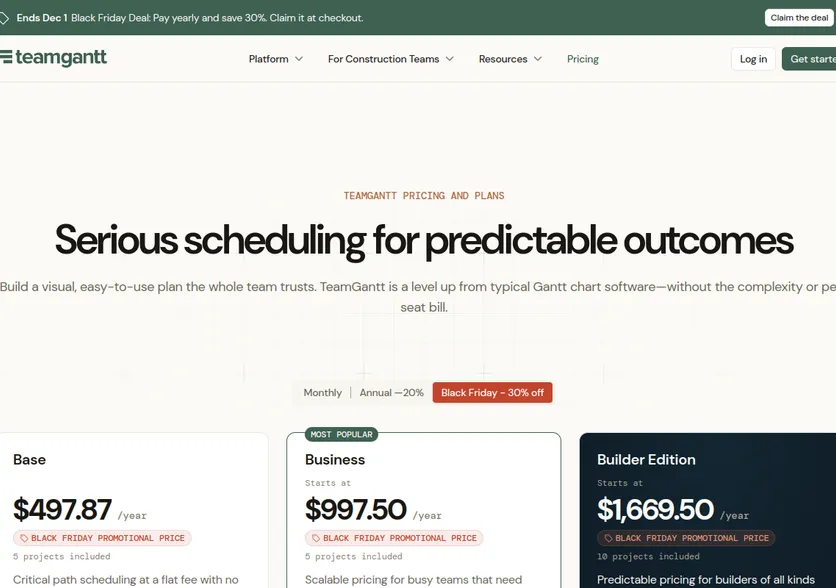
Paid tool Starting price: $10/project/month · Basic plan, $10 a project a month billed annually; TeamGantt now charges per project, not per user
Free plan: Free plan for 1 project, 40 tasks
TeamGantt is the dedicated Gantt tool for freelancers who want a beautiful timeline without a full project platform. This TeamGantt Basic plan covers two to five projects, dependencies, guest access and time tracking for ten dollars a project a month. A freelancer can build a timeline in minutes, share it with a client through a link, and keep the plan simple.
What we like
- Beautiful Gantt charts with no learning curve
- Now charged per project, not per user
- Free plan for one project
Watch out for
- Basic costs ten dollars a project a month
- No task docs or chat built in
How to try it
- Open the TeamGantt pricing page and create a free account
- Create a project and add your tasks
- Drag tasks on the timeline and set dependencies
7. GanttPRO
Best for: Freelancers who need a client-ready timeline fast
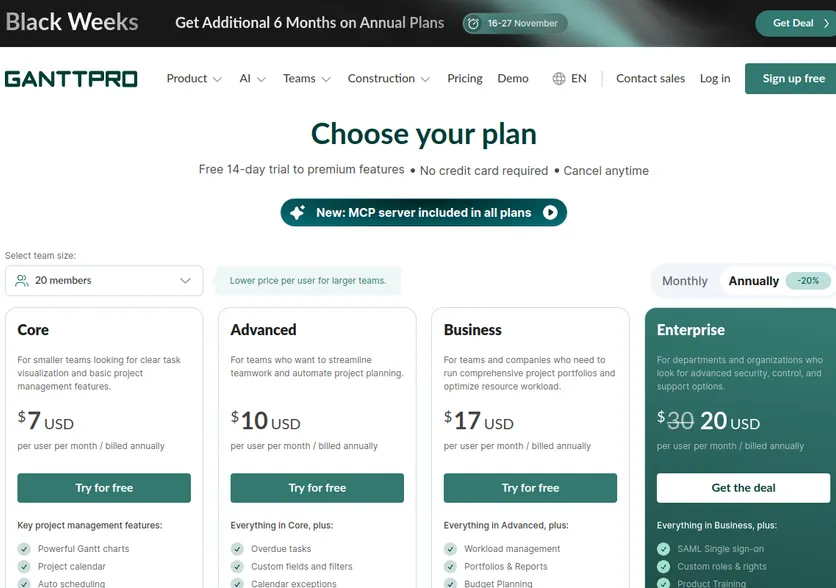
Paid tool Starting price: $7/user/month · Core plan, $7 a user a month billed annually; Team plan is $10.90 a user a month
Free plan: 14-day free trial; no free plan
GanttPRO is the online Gantt chart maker that turns a task list into a shareable timeline in minutes. This GanttPRO Core plan covers Gantt charts, dependencies, milestones, export and team collaboration for seven dollars a user a month. A freelancer who needs a client-ready timeline fast can import tasks, set the dates, and export the chart as a PDF.
What we like
- Fast Gantt charts with PDF export
- Milestones and dependencies included
- Clean interface with a short learning curve
Watch out for
- Core costs seven dollars a user a month billed annually
- No free plan, only a fourteen-day trial
How to try it
- Open the GanttPRO pricing page and start the 14-day trial
- Create a project and add your tasks
- Set dependencies and export the timeline
8. Microsoft Planner
Best for: Freelancers already working in Microsoft 365
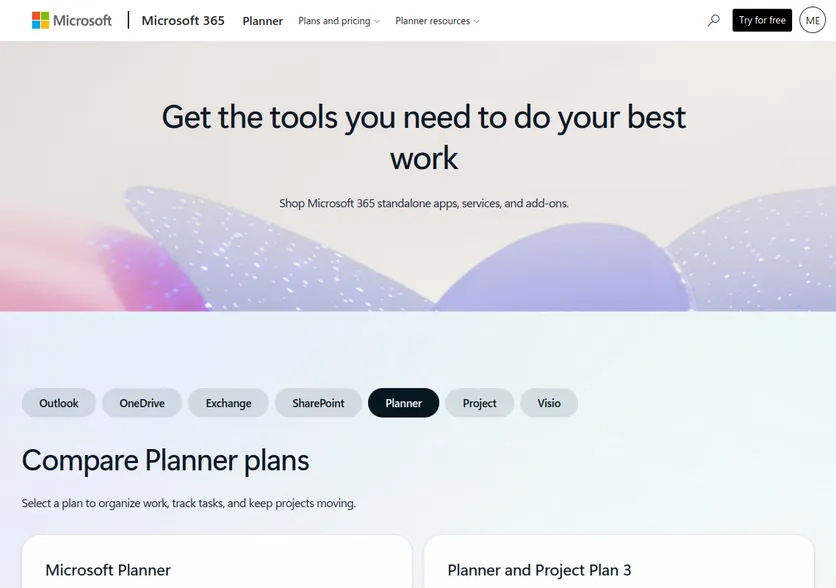
Paid tool Starting price: $10/user/month · Planner Plan 1, $10 a user a month billed annually; formerly Project Plan 1
Free plan: Planner Basic included in Microsoft 365; 30-day trial for Plan 1
Microsoft Planner is the plan-and-schedule tool inside Microsoft 365, with Gantt views for teams already on Microsoft. This Microsoft Planner Plan 1 covers Gantt charts, dependencies, task management and Teams integration for ten dollars a user a month. A freelancer inside the Microsoft ecosystem can plan projects in the same account as their email and files.
What we like
- Gantt charts inside Microsoft 365
- Teams integration built in
- Familiar for Microsoft shops
Watch out for
- Plan 1 costs ten dollars a user a month
- Best suited to teams already on Microsoft
How to try it
- Open the Microsoft Planner page and sign in with your Microsoft account
- Create a plan and add your tasks
- Open the Gantt view and set the timeline
9. Instagantt
Best for: Asana users who need a real Gantt chart
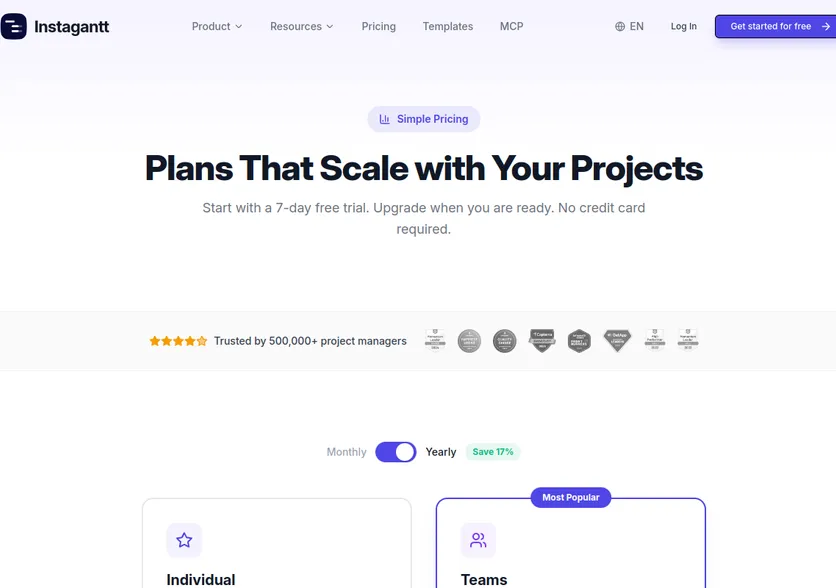
Paid tool Starting price: $10/month · Individual plan, $10 a month billed annually or $12 a month billed monthly; free for Asana users with up to 3 projects
Free plan: Free for Asana users up to 3 projects
Instagantt is the Gantt chart add-on that turns Asana projects into timelines with workloads and dependencies. This Instagantt Individual plan covers Gantt charts, workload view, dependencies and exports for ten dollars a month. A freelancer who already runs projects in Asana can add a proper timeline without moving anything.
What we like
- Turns Asana projects into Gantt charts
- Workload view shows who is overloaded
- Free for Asana users with three projects
Watch out for
- Individual costs ten dollars a month billed annually
- Needs Asana to work at all
How to try it
- Open the Instagantt pricing page and connect your Asana account
- Pick a project to turn into a Gantt chart
- Set dependencies and share the timeline
Prices above were checked on each vendor’s own website on Nov 26, 2026 and can change — the vendor’s page is the final word. Vendor links are editorial: nobody paid to be listed or ranked here. Vendors who want a featured listing can see how it works on our Get listed page.
What PM tools with Gantt cost in 2026
Gantt charts cost less than most freelancers expect, and the cheapest full platform is ClickUp Core at nine dollars a user a month with Gantt included. Asana Starter is about eleven, Monday Basic nine, Smartsheet Pro nine and Wrike Team ten, so the full platforms cluster between seven and eleven dollars a user a month. Dedicated Gantt tools charge differently: TeamGantt is ten dollars a project a month, GanttPRO seven dollars a user, and Instagantt ten dollars a month on top of Asana.
Start with the free plan on Asana, ClickUp or Monday, and only pay for a dedicated Gantt tool when the timeline is the whole job.
Before you buy
- Check the Gantt view is included on the plan you buy, because some tools gate it behind a higher tier.
- Count seats carefully, because Monday and Wrike set minimums on paid plans.
- Test dependencies, because a Gantt chart without them is just a bar chart.
- Ask about sharing, because a timeline you cannot send to a client is half a tool.
- Try the free plan first, because Asana, ClickUp and Monday all cover the basics at no cost.
Official websites
Official websites of the products reviewed above. Features and prices were checked against these sites when this guide was written, and they can change, so confirm on the vendor site before you buy.
Frequently asked questions
What is the best PM tool with a Gantt chart in 2026?
Asana Starter, at about eleven dollars a user a month billed annually, is the best default because its Timeline view is a real Gantt chart with dependencies and a free plan to try first. ClickUp Core is the cheapest full platform at nine dollars a user a month, and TeamGantt is the best dedicated Gantt tool at ten dollars a project a month.
How much does a PM tool with Gantt cost?
Full project platforms with Gantt cost seven to eleven dollars a user a month: ClickUp seven, Monday and Smartsheet nine, Wrike ten, Asana about eleven. Dedicated Gantt tools charge differently, with TeamGantt at ten dollars a project a month and GanttPRO at seven dollars a user a month. Most of them have a free plan or a trial.
Can I use a Gantt chart for free?
Yes, in three ways. Asana, ClickUp, Monday and Wrike all have free plans with a Gantt view for small teams. TeamGantt is free for one project with forty tasks, and Instagantt is free for Asana users with up to three projects. Start free and pay only when the timeline needs more projects or seats.
What is the difference between Asana Timeline and a Gantt chart?
They are the same thing in practice: Asana calls its Gantt view Timeline, and it shows tasks as bars on a calendar with dependencies and milestones. The difference is only the name, so if you buy Asana Starter you already have a Gantt chart. Other tools on this list, like Monday and ClickUp, call the same view a Gantt chart.
Do I need a dedicated Gantt tool or a full PM platform?
A full platform wins when you need tasks, files, comments and a timeline in one place, and Asana or ClickUp covers that for seven to eleven dollars a user a month. A dedicated tool wins when the timeline is the whole job and you already manage tasks elsewhere, which is where TeamGantt and GanttPRO shine. Pick the platform first if you are starting from scratch.
Plan more projects? Explore Toolsvine's free productivity tools right in your browser.
Browse Productivity Tools tools


