On this page
Enterprise CAD is a long-term decision, because the files, the training and the license model all outlive any single project. A tool that is cheap per seat but cannot open a supplier's model, or that locks drawings behind a quote-only contract, costs far more than the sticker price. This comparison ranks eight general-purpose CAD tools on what a large team actually needs: drafting, modeling, collaboration and honest pricing. AutoCAD leads the list as the drafting standard every other tool must work with, and the rest are judged on the same test: can they design, share and revise at enterprise scale?
How we researched this
We checked every price on the vendor pricing page on November 27, 2026, and only included tools with a published US dollar list price. We ranked each tool on drafting and modeling depth, file compatibility, collaboration for large teams, and whether the license is a clear subscription or a quote. Tools with quote-only pricing were left out, so every price below can be verified on the vendor site.
Compare the tools
| Name | Best for | Starting price | Free plan | |
|---|---|---|---|---|
 AutoCAD | Enterprise teams that need the drafting standard | $2,095/yr | 30-day free trial, no free plan | Visit |
| Autodesk Inventor | Mechanical teams that model parts and assemblies in 3D | $2,585/yr | 30-day free trial, no free plan | Visit |
 Autodesk Fusion | Teams that want CAD, CAM and simulation in one cloud tool | $680/yr | Free personal-use plan for non-commercial use | Visit |
 Onshape | Distributed teams that design together in the browser | $1,500/user/yr | Free plan for public non-commercial documents | Visit |
 BricsCAD | Teams that want AutoCAD compatibility at a lower price | $345/yr | 30-day free trial, no free plan | Visit |
 Rhino | Design teams that model freeform shapes and buy once | $995 one-time | 90-day free evaluation, no free plan | Visit |
| DraftSight | Teams that need low-cost 2D drafting with DWG files | $299/yr | 30-day free trial, no free plan | Visit |
 SOLIDWORKS | Engineering teams that design products in 3D every day | $2,820/yr | No free plan, trial through a reseller | Visit |
The general purpose cad software for enterprise, compared
1. AutoCAD
Best for: Enterprise teams that need the drafting standard
Paid tool Starting price: $2,095/yr · Annual subscription at two thousand ninety-five dollars a year, or two hundred sixty dollars a month; a thirty-day trial is available
Free plan: 30-day free trial, no free plan
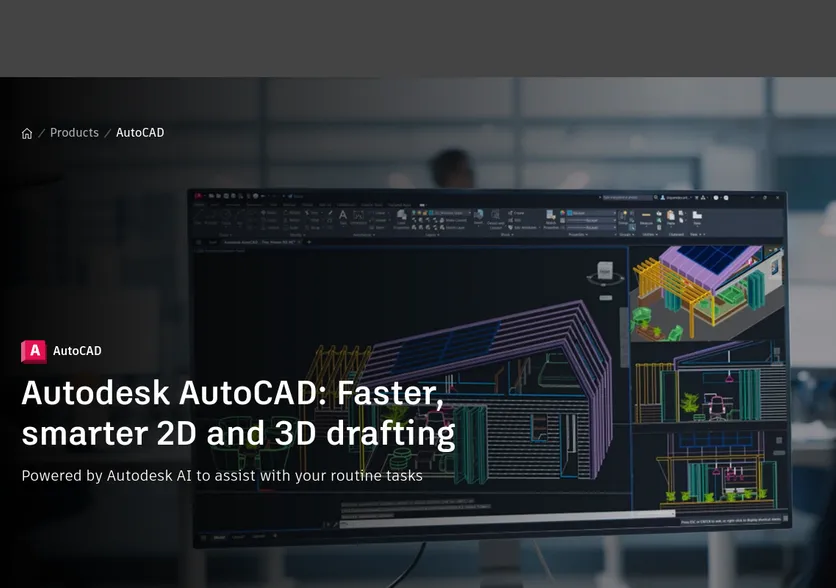
This AutoCAD subscription costs two thousand ninety-five dollars a year, and it remains the drafting standard that suppliers, contractors and clients all expect to receive. The 2D drafting tools are unmatched, the DWG format is the common language of the industry, and the specialized toolsets cover architecture, mechanical and electrical work. It is the safe enterprise pick, because every other tool in this list must prove it can read and write AutoCAD files.
What we like
- The drafting standard every partner can open
- Specialized toolsets for architecture and mechanical work
- Deepest 2D drafting feature set in this list
Watch out for
- Highest per-seat price for pure 2D work
- 3D modeling is weaker than dedicated modelers
How to try it
- Open the project and set up the drawing standards and layers
- Draft in 2D with the specialized toolset for your discipline
- Share the DWG files with suppliers and mark up revisions
2. Autodesk Inventor
Best for: Mechanical teams that model parts and assemblies in 3D
Paid tool Starting price: $2,585/yr · Annual subscription at two thousand five hundred eighty-five dollars a year, or three hundred twenty dollars a month; a thirty-day trial is available
Free plan: 30-day free trial, no free plan
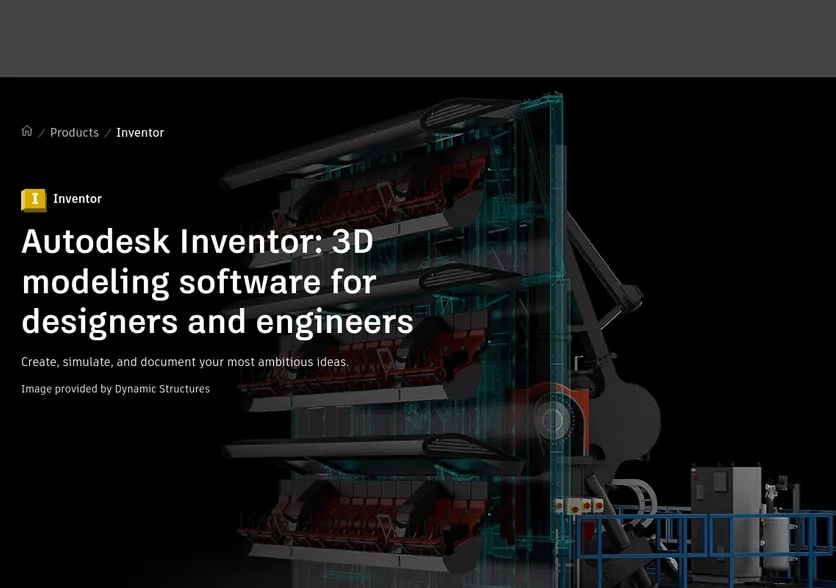
This Autodesk Inventor subscription costs two thousand five hundred eighty-five dollars a year, and it is the mechanical design companion to AutoCAD for teams that build products from parts and assemblies. Parametric modeling, sheet metal tools and simulation sit beside the drafting workflow, so a design can move from sketch to tested assembly in one suite. It suits manufacturing teams that already run AutoCAD, because the two share files, standards and licensing.
What we like
- Strong parametric modeling for mechanical parts
- Shares files and licensing with AutoCAD
- Simulation and sheet metal tools included
Watch out for
- No free plan and a high per-seat price
- Best suited to manufacturing, not architecture
How to try it
- Sketch the part profile and build the 3D model
- Assemble parts and check fits and clearances
- Generate the 2D drawings and run simulation checks
3. Autodesk Fusion
Best for: Teams that want CAD, CAM and simulation in one cloud tool
Paid tool Starting price: $680/yr · Annual subscription at six hundred eighty dollars a year, or eighty-five dollars a month; a free personal-use plan covers non-commercial work
Free plan: Free personal-use plan for non-commercial use
This Autodesk Fusion subscription costs six hundred eighty dollars a year, and it packs modeling, manufacturing and simulation into one cloud platform at a quarter of the price of the bigger Autodesk tools. Designs live in the cloud, so a team can open the same model from the office or the shop floor, and the built-in CAM tools send parts straight to the machine. It is the best value in this list for product teams that design and make things.
What we like
- CAD, CAM and simulation in one subscription
- Cloud files open anywhere the team works
- Lowest Autodesk price in this comparison
Watch out for
- Cloud-only workflow needs a reliable connection
- Large assemblies can run slower than desktop tools
How to try it
- Model the part in the cloud workspace
- Set up the CAM toolpaths for machining
- Share the design link with the team for review
4. Onshape
Best for: Distributed teams that design together in the browser
Paid tool Starting price: $1,500/user/yr · Standard plan at one thousand five hundred dollars a user a year; a free plan covers public non-commercial documents
Free plan: Free plan for public non-commercial documents
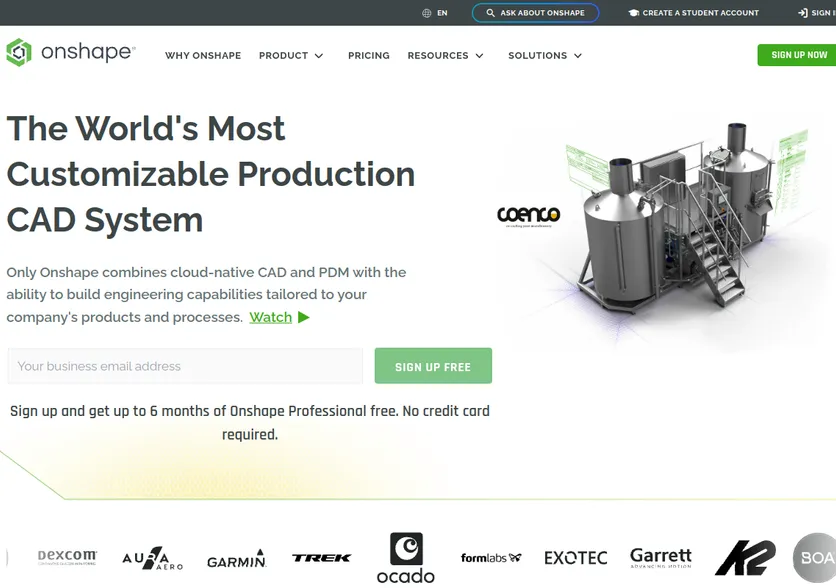
This Onshape Standard plan costs one thousand five hundred dollars a user a year, and it runs entirely in the browser with real-time collaboration built in. Several engineers can work on the same assembly at once, every change is versioned automatically, and there is nothing to install or update. It suits distributed teams best, because the cloud model removes the file-sharing and version-control headaches that slow down desktop CAD.
What we like
- Real-time collaboration with no installs
- Automatic versioning on every change
- Runs on any machine with a browser
Watch out for
- Needs a steady internet connection to work
- Smaller ecosystem than the Autodesk suite
How to try it
- Open the project in the browser and invite the team
- Model parts and assemblies with live collaboration
- Use version history to branch and merge design changes
5. BricsCAD
Best for: Teams that want AutoCAD compatibility at a lower price
Paid tool Starting price: $345/yr · Lite plan at three hundred forty-five dollars a year; Pro is about seven hundred eighty dollars a year, and a perpetual Lite license starts from about seven hundred eighty dollars once
Free plan: 30-day free trial, no free plan
This BricsCAD Lite plan costs three hundred forty-five dollars a year, and it reads and writes DWG files natively, so it slots into an AutoCAD workflow without file conversion. The interface will feel familiar to AutoCAD users, the Pro plan adds 3D modeling and sheet metal, and a perpetual license is still available for teams that prefer to own rather than rent. It is the budget route to a DWG-compatible enterprise setup.
What we like
- Native DWG compatibility at a low price
- Perpetual license option still available
- Familiar interface for AutoCAD users
Watch out for
- Smaller community and fewer third-party add-ons
- Advanced 3D tools need the Pro plan
How to try it
- Open existing DWG files directly with no conversion
- Draft in 2D with the familiar command workflow
- Upgrade to Pro for 3D modeling and sheet metal work
6. Rhino
Best for: Design teams that model freeform shapes and buy once
Paid tool Starting price: $995 one-time · One-time perpetual license at nine hundred ninety-five dollars for a single user on Windows and Mac, with no maintenance fees; a ninety-day free evaluation is available
Free plan: 90-day free evaluation, no free plan
This Rhino license costs nine hundred ninety-five dollars once, and it is the only perpetual license in this list, with no subscription and no maintenance fees. Its freeform NURBS modeling handles curves and organic shapes that box-based modelers struggle with, which is why architects and industrial designers keep it beside their main CAD tool. It suits teams that want to own their software outright and pay nothing again until they choose to upgrade.

What we like
- One-time price with no subscription
- Best freeform surface modeling in this list
- Runs on Windows and Mac from one license
Watch out for
- No built-in parametric history like other modelers
- Drafting tools are lighter than AutoCAD
How to try it
- Install Rhino and open the project files
- Model freeform surfaces with NURBS curves
- Export the model to the format your partners need
7. DraftSight
Best for: Teams that need low-cost 2D drafting with DWG files
Paid tool Starting price: $299/yr · Professional plan at two hundred ninety-nine dollars a year; Premium is five hundred ninety-nine dollars a year, and billing is annual only
Free plan: 30-day free trial, no free plan
This DraftSight Professional plan costs two hundred ninety-nine dollars a year, and it is the cheapest full 2D drafting tool in this list that works natively with DWG files. The interface mirrors the classic drafting workflow, so an AutoCAD-trained team needs almost no retraining, and the Premium plan adds 3D modeling and API access. It suits enterprise teams that draft far more than they model and want the lowest per-seat cost.
What we like
- Lowest price for full 2D drafting
- Native DWG support with no conversion
- Familiar workflow for AutoCAD-trained teams
Watch out for
- 3D modeling needs the Premium plan
- Annual billing only, no monthly option
How to try it
- Open the DWG drawing and set the layer standards
- Draft and annotate in 2D with the familiar commands
- Export the finished drawings for review and approval
8. SOLIDWORKS
Best for: Engineering teams that design products in 3D every day
Paid tool Starting price: $2,820/yr · Standard plan at two thousand eight hundred twenty dollars a year, or two hundred thirty-five dollars a month billed annually; Professional is three thousand four hundred fifty-six dollars and Premium is four thousand seven hundred sixteen dollars
Free plan: No free plan, trial through a reseller
This SOLIDWORKS Standard plan costs two thousand eight hundred twenty dollars a year, and it is the 3D mechanical design standard for product engineering teams. Parametric modeling, large assembly handling and drawing generation are built for daily production work, and the ecosystem of add-ons covers simulation, electrical and data management. It is the most expensive tool in this list, and it earns that price on teams that model complex products all day.
What we like
- The 3D mechanical design standard
- Handles large assemblies well
- Huge add-on ecosystem for simulation and data
Watch out for
- Highest price in this comparison
- No self-serve trial or free plan
How to try it
- Model the parts with parametric sketches and features
- Build the assembly and check motion and clearances
- Generate drawings and a bill of materials from the model
Prices above were checked on each vendor’s own website on Nov 27, 2026 and can change — the vendor’s page is the final word. Vendor links are editorial: nobody paid to be listed or ranked here. Vendors who want a featured listing can see how it works on our Get listed page.
How an enterprise team should pick CAD software
Start with the files your partners send, not the feature list. If suppliers and clients send DWG files every day, the tool must read and write them natively, which puts AutoCAD, BricsCAD and DraftSight ahead. Count the real per-seat cost over three years, because a one-time Rhino license and a three-year subscription tell very different stories. Check whether the license is a subscription or a perpetual buy, and whether the price you verified is the list price or a first-year discount. Test the tool on a real project file during the trial, because a demo model hides the slowdowns that appear in a large assembly. Finally, confirm the collaboration model: cloud tools like Onshape and Fusion suit distributed teams, while desktop tools suit teams that work offline or behind strict firewalls.
Before you buy
- Confirm the tool reads and writes the file formats your suppliers and clients actually send
- Compare the three-year cost, not the first-year price, because subscriptions and one-time licenses differ sharply
- Check whether the quoted price is the list price or a first-year discount that rises on renewal
- Test the tool on a real large project file during the trial, not on the small demo model
- Look at the collaboration model, since cloud tools suit distributed teams and desktop tools suit offline work
Official websites
Official websites of the products reviewed above. Features and prices were checked against these sites when this guide was written, and they can change, so confirm on the vendor site before you buy.
Frequently asked questions
What is the best CAD software for enterprise teams?
AutoCAD is the safest enterprise pick, because it is the drafting standard and every partner can open its DWG files. SOLIDWORKS is the best choice for product engineering teams that model in 3D every day, while Onshape suits distributed teams that need real-time collaboration in the browser. Fusion is the best value at six hundred eighty dollars a year. The right answer depends on whether the team drafts, models, or does both.
How much does enterprise CAD software cost?
Annual subscriptions in this comparison run from two hundred ninety-nine dollars a year for DraftSight Professional to two thousand eight hundred twenty dollars a year for SOLIDWORKS Standard. AutoCAD costs two thousand ninety-five dollars a year, Inventor costs two thousand five hundred eighty-five dollars, and Fusion costs six hundred eighty dollars. Rhino is the exception: a one-time nine hundred ninety-five dollar license with no subscription.
Is there a perpetual CAD license instead of a subscription?
Rhino sells a perpetual license for nine hundred ninety-five dollars once, with no maintenance fees, and BricsCAD offers a perpetual Lite license from about seven hundred eighty dollars once. Every other tool in this list is subscription-only, with annual billing and a monthly option on some plans. A perpetual license costs more up front but nothing again until the team chooses to upgrade, which can save money over three to five years.
Can these CAD tools open AutoCAD DWG files?
Yes, all eight tools can work with DWG files, but the depth differs. AutoCAD, BricsCAD and DraftSight handle DWG natively with no conversion, which is why they fit teams that exchange drawings daily. Fusion, Onshape, Inventor and SOLIDWORKS import and export DWG, but they store their own native formats for modeling. If DWG exchange is daily work, pick a native DWG tool; if it is occasional, any tool in this list will do.
Which CAD tool is best for 3D modeling?
SOLIDWORKS is the strongest 3D modeler for product engineering, with parametric modeling and large assembly handling built for daily use. Inventor is the best companion for AutoCAD shops that model mechanical parts, and Fusion packs modeling, CAM and simulation into one low-priced cloud tool. Rhino is the pick for freeform and organic shapes that box-based modelers handle poorly. Choose SOLIDWORKS for products, Inventor for AutoCAD shops, and Rhino for curves.
Compare the eight tools above, then start with a free trial on the tool that matches your design work before you pay for a full year.
Browse Science & Engineering tools