On this page
How we researched this
We compared eight project management tools that integrate with Google Workspace, using each vendor's published list price from November 2026 and checking free plans, ease of use and how well each tool grows with a startup. Tools that publish no price were left out, so every price below is one you can verify on the vendor's own site.
Compare the tools
| Name | Best for | Starting price | Free plan | |
|---|---|---|---|---|
 Asana | Startups that need structure without hiring a project manager | $10.99/user/month | Free Personal plan for up to two users | Visit |
 Trello | Startups that want the cheapest, fastest board to get moving | $5/user/month | Free plan with unlimited cards | Visit |
 ClickUp | Startups that want docs, goals and chat in one cheap workspace | $9/user/month | Free Forever plan for personal use | Visit |
 Monday.com | Startups that want a visual board the whole team will actually open | $9/seat/month | Free plan for up to two seats | Visit |
 Notion | Startups that want docs, wikis and tasks in a single workspace | $10/member/month | Free plan for individuals | Visit |
 Zoho Projects | Startups on a tight budget that still want Gantt charts and timesheets | $4/user/month | Free plan for up to three users and two projects | Visit |
 Todoist | Startups that want the lightest possible task system | $4/user/month | Free plan with up to five projects | Visit |
 Basecamp | Startups that want one calm place for messages, to-dos and files | $29/month | Free plan with one project and twenty users | Visit |
The google workspace project management software for startups, compared
1. Asana
Best for: Startups that need structure without hiring a project manager
Paid tool Starting price: $10.99/user/month · Starter at ten dollars ninety-nine cents a user a month on annual billing, thirteen dollars forty-nine cents on monthly billing; Advanced at twenty-four dollars ninety-nine cents a user a month on annual billing
Free plan: Free Personal plan for up to two users
A startup that is adding its first ten hires needs structure before chaos sets in, and Asana delivers it with lists, boards and timelines that map straight onto a founder's plan. Rules automate the repetitive handoffs, approvals keep quality up without meetings, and the free plan covers a two-person founding team until revenue arrives. Google Drive and Calendar integrations mean the tool fits the workspace a startup already uses, with no migration project.

What we like
- Clean structure that scales with hiring
- Free plan covers the founding team
- Reliable Google Workspace integrations
Watch out for
- Starter tier limits advanced reporting
- Can feel formal for a two-person team
How to try it
- Start with one project per company goal
- Add rules for recurring handoffs
- Use timelines for launch planning
2. Trello
Best for: Startups that want the cheapest, fastest board to get moving
Paid tool Starting price: $5/user/month · Standard at five dollars a user a month on annual billing, six dollars on monthly billing; Premium at ten dollars; Enterprise at seventeen dollars fifty cents
Free plan: Free plan with unlimited cards
The fastest way for a startup to stop tracking work in chat messages is Trello, where a board, a few lists and a stack of cards are enough to run a launch. Cards hold checklists, due dates, attachments and comments, Butler automations handle the routine moves, and the free plan is generous enough for a small founding team. Google Drive attachments and Calendar sync keep the board connected to the rest of the workspace.

What we like
- Lowest starting price in this comparison
- Learned in an afternoon by anyone
- Generous free plan for small teams
Watch out for
- Thin reporting for growing teams
- No native time tracking
How to try it
- Make a board for each workstream
- Put due dates on every card
- Turn on Butler for routine card moves
3. ClickUp
Best for: Startups that want docs, goals and chat in one cheap workspace
Paid tool Starting price: $9/user/month · Core plan, $9 a user a month billed annually ($12 billed monthly); Business $17 a user a month billed annually
Free plan: Free Forever plan for personal use
A startup paying for separate docs, chat and task tools bleeds cash, so ClickUp is attractive because it bundles tasks, docs, whiteboards, goals and chat into one workspace from nine dollars a user a month billed annually. Fifteen-plus views let the founder see a Gantt while the team works from a simple list, and automations replace the admin a startup cannot afford to hire. Google Drive and Calendar integrations keep files and meetings attached to the work.

What we like
- Lowest paid tier with the most features
- Docs, goals and chat included
- Many views for different working styles
Watch out for
- Too many features can distract a small team
- Setup takes longer than a simple board
How to try it
- Use docs for specs and tasks for delivery
- Set quarterly goals inside the workspace
- Automate recurring task creation
4. Monday.com
Best for: Startups that want a visual board the whole team will actually open
Paid tool Starting price: $9/seat/month · Basic at nine dollars a seat a month on annual billing, twelve dollars on monthly billing; Standard at twelve dollars; Pro at nineteen dollars; paid plans require a three-seat minimum
Free plan: Free plan for up to two seats
Startups live or die by adoption, and Monday.com wins adoption because its color-coded boards and status columns make progress visible without a training session. Automations move work forward on their own, dashboards give the founder a live view of every workstream, and the free plan covers two seats while the team is tiny. Drive and Calendar integrations keep the board synced to the workspace the startup already runs on.

What we like
- Boards that teams adopt without training
- Visual progress anyone can read
- Good dashboard views for founders
Watch out for
- Three-seat minimum on paid plans
- Costs rise fast as the team grows
How to try it
- Build a board for your launch pipeline
- Add status automations for handoffs
- Create a founder dashboard for all boards
5. Notion
Best for: Startups that want docs, wikis and tasks in a single workspace
Paid tool Starting price: $10/member/month · Plus at ten dollars a member a month on annual billing, twelve dollars on monthly billing; Business at twenty dollars a member a month on annual billing
Free plan: Free plan for individuals
Many startups run their whole company out of Notion, because the same workspace holds the company wiki, the product roadmap, meeting notes and the task board, all linked together. Databases turn pages into kanban boards, calendars and tables, templates cover launches and hiring, and the Plus plan adds unlimited file uploads and longer version history. It pairs with Google Workspace through Drive embeds and Calendar sync, so documents stay findable.

What we like
- Docs, wiki and tasks in one place
- Flexible databases for any workflow
- Strong template library
Watch out for
- Needs discipline to stay organized
- Reporting is weaker than dedicated PM tools
How to try it
- Build a company wiki first
- Turn databases into task boards
- Use templates for launches and hiring
6. Zoho Projects
Best for: Startups on a tight budget that still want Gantt charts and timesheets
Paid tool Starting price: $4/user/month · Premium at four dollars a user a month on annual billing, five dollars on monthly billing; Enterprise at nine dollars a user a month on annual billing
Free plan: Free plan for up to three users and two projects
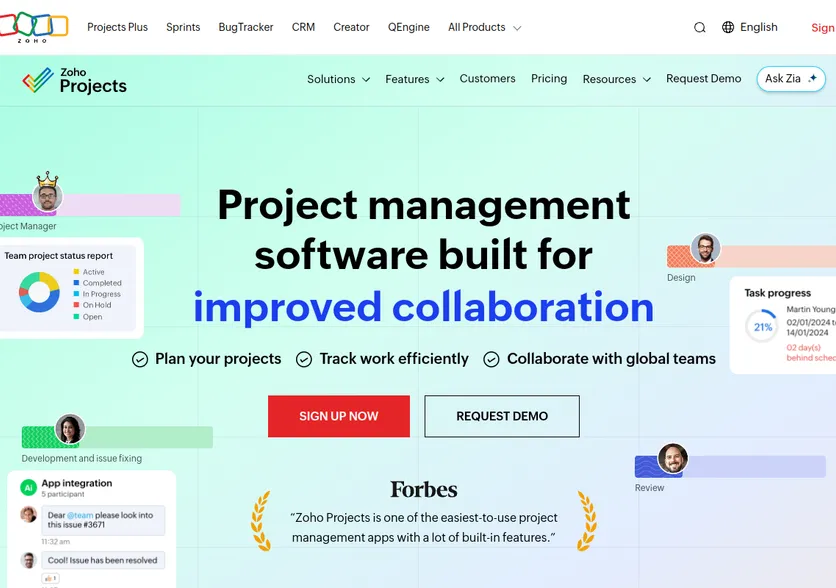
For a startup watching every dollar, Zoho Projects is the cheapest full-featured option here, with Gantt charts, task lists, milestones, timesheets and issue tracking from four dollars a user a month. It connects natively to the rest of Zoho, and its Google Workspace integrations pull in Drive files and Calendar events. The free plan covers three users and two projects, which is enough to prove the tool before spending anything.
What we like
- Cheapest full-featured plan in this list
- Gantt charts and timesheets included
- Free plan covers a three-person team
Watch out for
- Interface feels dated next to rivals
- Best value inside the Zoho ecosystem
How to try it
- Set up milestones for your launch
- Track time on client work from day one
- Use Gantt view for investor updates
7. Todoist
Best for: Startups that want the lightest possible task system
Paid tool Starting price: $4/user/month · Pro at four dollars a user a month on annual billing, five dollars on monthly billing; Business at six dollars a user a month on annual billing
Free plan: Free plan with up to five projects
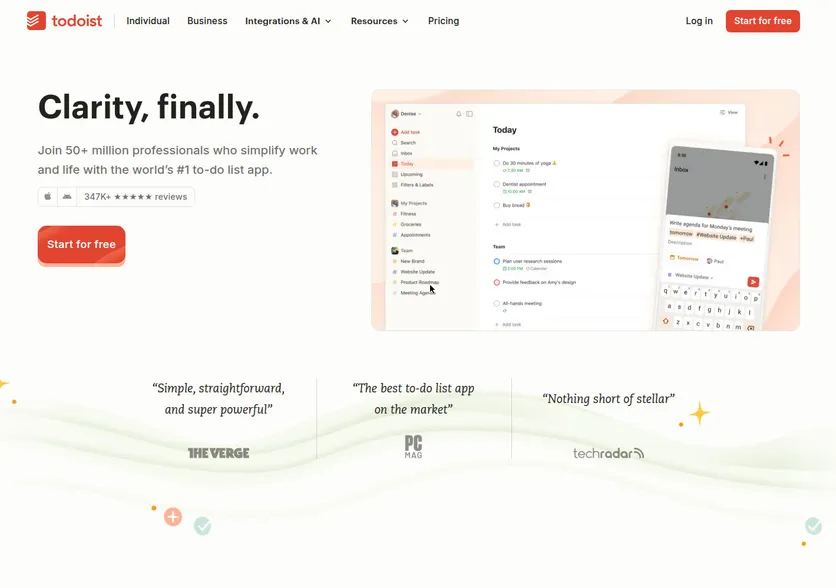
When a startup just needs tasks done on time, Todoist stays out of the way with a clean list, natural-language due dates, priorities and reminders that work on every device. Projects, labels and filters organize work without a learning curve, and the Business plan adds team inboxes and an admin role. It connects to Google Calendar and Gmail, so tasks created from email land in the right project automatically.
What we like
- Fastest task entry in this comparison
- Works well on every device
- Cheap Business plan for small teams
Watch out for
- No Gantt or timeline views
- Too light for complex programs
How to try it
- Create one project per workstream
- Set priorities and due dates on every task
- Use filters for a daily focus list
8. Basecamp
Best for: Startups that want one calm place for messages, to-dos and files
Paid tool Starting price: $29/month · Freelancer at twenty-nine dollars a month flat; Pro $79; Pro Plus $99; Pro Unlimited at one hundred ninety-nine dollars a month flat on annual billing, three hundred twenty-nine dollars on monthly billing
Free plan: Free plan with one project and twenty users
A startup drowning in chat threads will find Basecamp calming, because it replaces scattered messages with message boards, to-dos, schedules, docs and file storage in one quiet place per project. There is no per-seat pricing trap on the flat plan: Pro Unlimited covers the whole company for one flat fee as the team grows. Google Drive files attach to any project, and the interface is deliberately simple so clients can join without training.

What we like
- Flat-rate plan removes per-seat costs
- Calm, simple interface for clients
- Messages, to-dos and files in one place
Watch out for
- No Gantt charts or workload views
- Fewer integrations than rivals
How to try it
- Give every project its own Basecamp
- Move decisions from chat to message boards
- Use the schedule for launch dates
Prices above were checked on each vendor’s own website on Nov 27, 2026 and can change — the vendor’s page is the final word. Vendor links are editorial: nobody paid to be listed or ranked here. Vendors who want a featured listing can see how it works on our Get listed page.
How a startup should pick its first project tool
Start with the free plan and a single board, not a company-wide system. A startup changes direction too fast for heavy process, so the tool should track the work you actually do today, not the work you imagine next year. Add structure only when the pain appears: rules when handoffs get missed, timelines when launches slip, dashboards when the founder loses the overview.
Pick a tool the whole team will open without being told, because adoption beats features at this stage. Connect Google Drive and Calendar from the start, so files and dates stay attached to the work. Revisit the choice at ten hires, when the free plan runs out and the tool that felt simple may start to feel small.
Before you buy
- Confirm the free plan covers your founding team before you pay for anything
- Check the per-user price at ten and twenty seats, since costs climb fast
- Make sure the tool connects to Google Drive and Calendar on the free plan
- Ask whether your data exports cleanly if you outgrow the tool
- Test the tool on one real launch before rolling it out to everyone
Official websites
Official websites of the products reviewed above. Features and prices were checked against these sites when this guide was written, and they can change, so confirm on the vendor site before you buy.
Frequently asked questions
What is the cheapest project management software for a startup on Google Workspace?
Zoho Projects and Todoist tie as the cheapest paid options at four dollars a user a month on annual billing, and Trello follows at five dollars. ClickUp costs nine dollars a user a month but includes docs, goals and chat, so it can replace other subscriptions. All four have free plans, so a startup can test before spending anything.
Which project tool is best for a two-person startup?
Trello is the best fit for a two-person startup because its free plan has unlimited cards and the board takes an afternoon to learn. Asana's free plan also covers two users with more structure, while Todoist's free plan covers up to five projects. Start with Trello or Asana free, and pay only when the team grows past the free limits.
Should a startup pay annually or monthly for project software?
Monthly billing costs more per user but lets a startup cancel any time, which matters when cash is tight and headcount changes monthly. Annual billing saves roughly ten to twenty percent, so it is worth switching once the team size is stable. Start monthly, prove the tool for a quarter, then switch to annual billing for the discount.
Do these tools work with Google Workspace?
Yes, all eight tools integrate with Google Workspace. Asana, Monday.com, ClickUp and Notion connect to Google Drive, Gmail and Calendar, while Trello attaches Drive files through its Power-Up and Zoho Projects syncs Drive and Calendar. The integrations are strongest on Asana and Notion, but every tool here keeps files and dates linked to the work.
When should a startup switch project management tools?
Switch when the tool starts slowing the team down: reports take manual work, permissions cannot separate clients from staff, or the price jumps past what the budget allows. Most startups switch between ten and twenty hires, when free plans run out and reporting matters. Export your data first, test the new tool with one team, and move the rest only when the trial proves itself.
Compare the eight tools above, then start free on one real launch before you pay for the project tool your startup will grow into.
Browse Business Tools tools