On this page
Resource leveling is where a pretty Gantt chart meets reality. The moment two jobs need the same crew on the same day, the schedule slips unless the software spots the clash and fixes it. This comparison ranks eight Gantt tools on how well they balance workloads, not just how nice their timelines look. Microsoft Project leads the list because its leveling engine is the deepest of the group, and every other tool below is judged on the same test: can it show who is overloaded, and can it move work without breaking the plan?
How we researched this
We checked every price on the vendor pricing page on November 27, 2026, and only included tools with a published US dollar list price. We ranked each tool on resource leveling depth, overload warnings, and how easily a manager can shift work between people without rebuilding the whole plan. Tools with quote-only pricing were left out, so every price below can be verified on the vendor site.
Compare the tools
| Name | Best for | Starting price | Free plan | |
|---|---|---|---|---|
 Microsoft Project | Teams that need the deepest leveling engine available | $10/user/mo | 30-day free trial, no free plan | Visit |
 Smartsheet | Teams that want leveling inside a familiar spreadsheet grid | $9/member/mo | 30-day free trial, no free plan | Visit |
 Asana | Teams that want workload balance inside everyday task work | $10.99/user/mo | Free Personal plan | Visit |
 Jira | Software teams that level sprint work across a backlog | $8.15/user/mo | Free plan for up to 10 users | Visit |
 Wrike | Small teams that want workload charts beside the Gantt | $10/user/mo | Free plan available | Visit |
 ClickUp | Budget teams that want workload views at the lowest price | $9/user/mo | Free Forever plan | Visit |
 TeamGantt | Teams that want a simple Gantt with clear availability bars | $19.90/user/mo | Free plan for 1 project and 3 users | Visit |
 GanttPRO | Teams that want a dedicated Gantt tool with resource load charts | $8/user/mo | 14-day free trial, no free plan | Visit |
The gantt software for resource leveling, compared
1. Microsoft Project
Best for: Teams that need the deepest leveling engine available
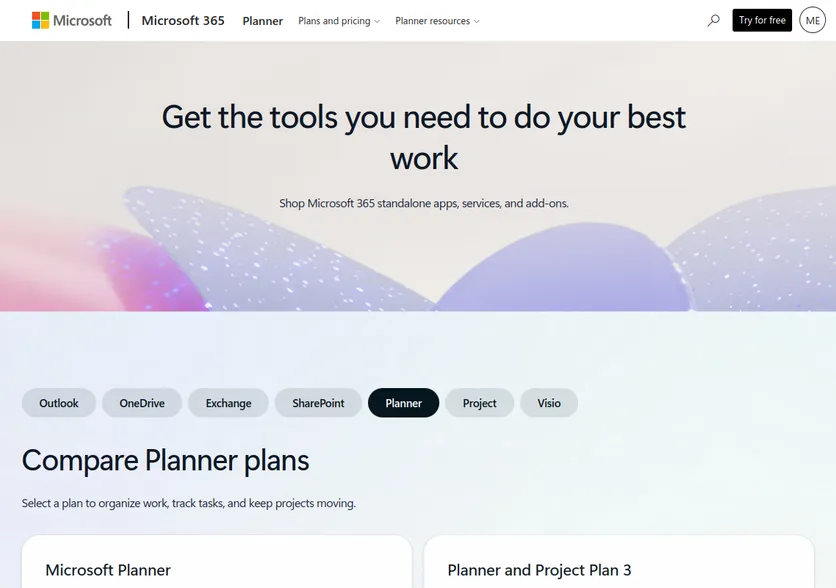
Paid tool Starting price: $10/user/mo · Plan 1 at ten dollars a user a month billed annually; Plan 3 is thirty dollars and Plan 5 was fifty-five dollars before it was withdrawn from sale on May 1, 2026, and a thirty-day trial is available
Free plan: 30-day free trial, no free plan
This Microsoft Project Plan 1 costs ten dollars a user a month billed annually, and its leveling engine can delay or split tasks until no one is overbooked. Baselines, critical path and the full leveling controls sit on the higher plans, so Plan 1 suits web-based planning while Plan 3 and Plan 5 carry the heavy scheduling work. It is the benchmark the rest of this list is measured against, and it integrates with the wider Microsoft 365 suite.
What we like
- The deepest leveling engine in this comparison
- Overload warnings appear directly on the timeline
- Strong integration with Microsoft 365 apps
Watch out for
- Full leveling controls need the higher-priced plans
- Plan 1 is web-only and lacks baselines and critical path
How to try it
- Create the project schedule and assign every task to a named person
- Open the resource views to find the people marked as overallocated
- Run leveling to delay or split tasks until the overload clears
2. Smartsheet
Best for: Teams that want leveling inside a familiar spreadsheet grid
Paid tool Starting price: $9/member/mo · Pro plan at nine dollars a member a month billed annually, or twelve dollars billed monthly; Business is nineteen dollars billed annually, and Pro caps at ten members
Free plan: 30-day free trial, no free plan
This Smartsheet Pro plan costs nine dollars a member a month billed annually, and its resource views show who is booked across every sheet at once. Overallocated people are flagged in red, and a manager can drag work to another person or another week straight from the grid. It suits teams that already plan in spreadsheets, because the learning curve is short and the Gantt view is built from the same rows.

What we like
- Resource views span every project at once
- Spreadsheet layout feels familiar to most teams
- Gantt, card and calendar views share the same data
Watch out for
- Pro plan caps at ten members
- Leveling is manual dragging rather than automatic
How to try it
- Build the schedule as rows with owners and dates
- Switch to the resource view to see total hours per person
- Drag overallocated work to another person or a later week
3. Asana
Best for: Teams that want workload balance inside everyday task work
Paid tool Starting price: $10.99/user/mo · Starter plan at ten dollars ninety-nine a user a month billed annually, or thirteen forty-nine billed monthly; Advanced is twenty-four ninety-nine billed annually
Free plan: Free Personal plan
This Asana Starter plan costs about eleven dollars a user a month billed annually, and its Workload view shows each person's task load across all projects in one place. A manager can see who is buried, reassign tasks with a drag, and keep due dates honest without opening a separate scheduling tool. It works best for teams whose real work already lives in Asana, because leveling happens where the tasks are.

What we like
- Workload view covers every project at once
- Reassigning work takes one drag
- Free Personal plan suits very small teams
Watch out for
- True leveling controls need the Advanced plan
- No automatic leveling engine on Starter
How to try it
- Add every task with an owner and a due date
- Open Workload to see capacity across the whole team
- Drag tasks from overloaded people to those with room
4. Jira
Best for: Software teams that level sprint work across a backlog
Paid tool Starting price: $8.15/user/mo · Standard plan at eight dollars fifteen a user a month billed annually; Premium is about sixteen dollars, and a free plan covers up to ten users
Free plan: Free plan for up to 10 users
This Jira Standard plan costs about eight dollars a user a month billed annually, and its timeline and capacity views show whether a sprint asks too much of one developer. Team capacity can be set per person, so the plan flags overload before the sprint starts instead of halfway through it. It fits software teams best, because leveling here means balancing story points and sprint capacity rather than shifting construction crews.

What we like
- Capacity planning is built into sprint planning
- Free plan covers teams up to ten users
- Timeline view links issues to dates and owners
Watch out for
- Leveling is sprint-based, not a true Gantt engine
- Setup takes longer than simpler Gantt tools
How to try it
- Set each team member's capacity for the sprint
- Open the timeline to see work stacked against capacity
- Move issues between sprints until no one is over capacity
5. Wrike
Best for: Small teams that want workload charts beside the Gantt
Paid tool Starting price: $10/user/mo · Team plan at ten dollars a user a month billed annually for two to fifteen users; Business is twenty-five dollars, and a free plan is available
Free plan: Free plan available
This Wrike Team plan costs ten dollars a user a month billed annually, and its workload view shows hours per person next to the Gantt chart. When one person is overbooked, the chart makes it obvious and the work can be reassigned without leaving the project. It suits teams of two to fifteen people who want leveling and task management in one place, though larger teams need the Business plan for the deeper controls.

What we like
- Workload chart sits beside the Gantt
- Entry price is low for small teams
- Free plan lets a team try the basics
Watch out for
- Team plan caps at fifteen users
- Deeper leveling controls need the Business plan
How to try it
- Build tasks on the Gantt with owners and effort hours
- Open the workload view to spot overbooked people
- Reassign tasks to balance hours across the team
6. ClickUp
Best for: Budget teams that want workload views at the lowest price
Paid tool Starting price: $9/user/mo · Core plan, $9 a user a month billed annually ($12 billed monthly); Business $17 a user a month billed annually
Free plan: Free Forever plan
This ClickUp Unlimited plan costs nine dollars a user a month billed annually billed annually, and its Workload view shows capacity per person across every list and folder. Overloaded team members stand out at a glance, and tasks can be dragged to someone with spare hours. It is the cheapest paid entry in this list, and it suits teams that want Gantt charts, docs and workload tracking in a single workspace.

What we like
- Lowest paid entry price in this comparison
- Workload view covers every project at once
- Free Forever plan suits tiny teams
Watch out for
- Newer AI plan lineup can confuse the pricing page
- Workload accuracy depends on good time estimates
How to try it
- Create tasks with owners, dates and time estimates
- Open the Workload view to see capacity per person
- Drag work from overloaded members to those with spare hours
7. TeamGantt
Best for: Teams that want a simple Gantt with clear availability bars
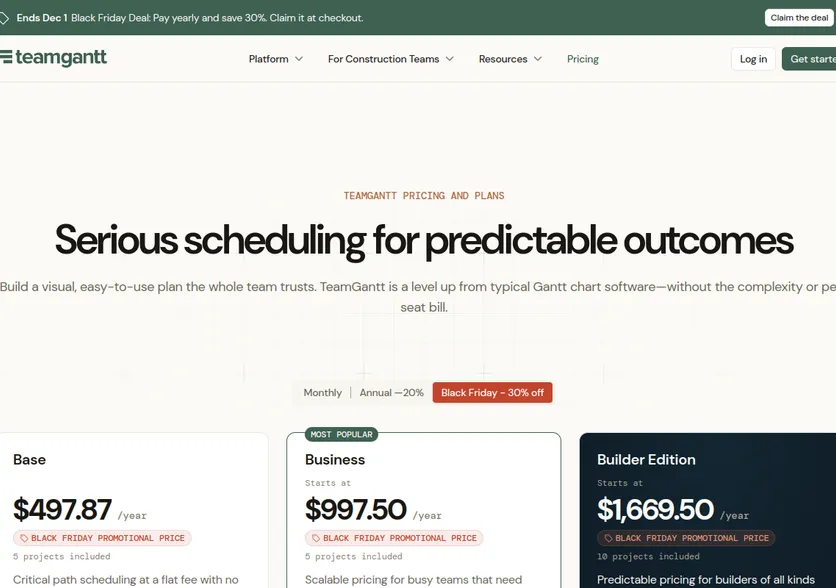
Paid tool Starting price: $19.90/user/mo · Standard plan at about twenty dollars a user a month billed annually, or about twenty-five dollars billed monthly; the per-user cost falls as the team grows, and the free plan covers one project for three users
Free plan: Free plan for 1 project and 3 users
This TeamGantt Standard plan costs about twenty dollars a user a month billed annually, and its availability view shows how many hours each person has free in a week. A manager can see the overload, drag the task to a lighter week, and watch the bar turn green. It is the simplest tool in this list, which is its strength for small teams and its limit for complex portfolios.
What we like
- Availability bars make overload instantly visible
- The simplest Gantt interface in this list
- Free plan covers a small team trial
Watch out for
- Sliding-scale pricing makes the real bill harder to predict
- Few controls for large multi-project portfolios
How to try it
- Build the Gantt with tasks assigned to named people
- Open availability to see free hours per person per week
- Drag tasks to lighter weeks until the bars turn green
8. GanttPRO
Best for: Teams that want a dedicated Gantt tool with resource load charts
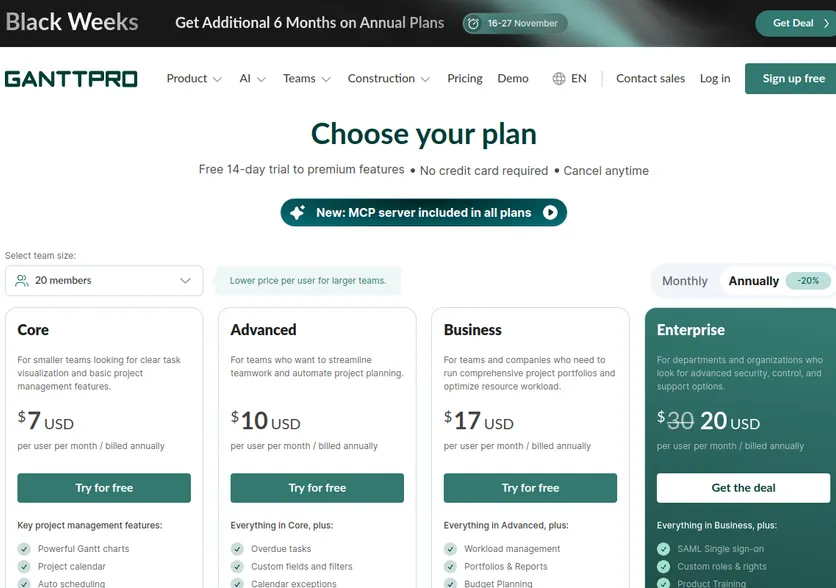
Paid tool Starting price: $8/user/mo · Core plan at eight dollars a user a month billed annually for one to fifteen users, or seven dollars for twenty or more; Advanced is twelve dollars and Business is nineteen dollars, and monthly billing is nine dollars
Free plan: 14-day free trial, no free plan
This GanttPRO Core plan costs eight dollars a user a month billed annually for a team of up to fifteen people, and its resource load chart shows exactly how many hours each person carries. Overload is highlighted, and tasks can be moved to another person or shifted in time with a drag. It is a focused Gantt tool rather than an all-in-one workspace, which keeps the interface fast and the learning curve short.
What we like
- Resource load chart is clear and focused
- Low entry price for a dedicated Gantt tool
- Per-user price drops for larger teams
Watch out for
- No free plan, only a fourteen-day trial
- Fewer integrations than the bigger platforms
How to try it
- Add tasks to the Gantt with owners and durations
- Open the resource load chart to see hours per person
- Drag tasks to rebalance the load across the team
Prices above were checked on each vendor’s own website on Nov 27, 2026 and can change — the vendor’s page is the final word. Vendor links are editorial: nobody paid to be listed or ranked here. Vendors who want a featured listing can see how it works on our Get listed page.
How to pick a Gantt tool for resource leveling
Start with the size of the team, not the feature list. A team of five can level by eye in TeamGantt or Wrike, while a team of fifty needs the automatic engine in Microsoft Project or the cross-project views in Smartsheet. Count the real cost per person, because a low headline price on a plan capped at ten members turns expensive when the eleventh person joins. Check whether leveling is automatic or manual: automatic engines delay and split tasks for you, while manual tools only show the overload and leave the fix to you. Test the workload view with real data during the trial, because a chart that looks good empty can hide overload once every project is loaded. Finally, confirm the plan you would actually buy includes the resource views, since several tools gate them behind a higher tier.
Before you buy
- Count the people who will actually be leveled, because per-user pricing and member caps change the real monthly bill
- Check whether leveling runs automatically or only shows the overload and leaves the fix to the manager
- Confirm the resource and workload views are on the plan you would buy, not only on the top tier
- Test the workload view with real project data during the trial, not with the empty sample project
- Look at how the tool handles part-time people and holidays, since capacity is wrong without them
Official websites
Official websites of the products reviewed above. Features and prices were checked against these sites when this guide was written, and they can change, so confirm on the vendor site before you buy.
Frequently asked questions
What is resource leveling in a Gantt chart?
Resource leveling means adjusting a schedule so no person is assigned more work than they can do in a given period. When two tasks need the same person at the same time, the software delays one task, splits it, or moves it to someone with spare capacity. The goal is a realistic plan: dates that hold, people who are busy but not burned out, and no surprise overtime at the end of the project.
Which Gantt tool is best for leveling a small team?
TeamGantt is the easiest starting point for a team under ten people, because its availability bars show overload at a glance and the fix is one drag. ClickUp is the cheapest paid option with workload views across every project, at nine dollars a user a month. Wrike suits teams of two to fifteen that want workload charts beside the Gantt. Pick TeamGantt for simplicity, ClickUp for price, and Wrike when the team also needs stronger task management.
Do I need the most expensive plan to level resources?
Usually not, but check carefully, because several tools gate resource views behind higher tiers. Microsoft Project keeps baselines and full leveling controls on Plan 3 and Plan 5, while Plan 1 covers web-based planning. Asana puts its deeper workload controls on Advanced, and Smartsheet caps the Pro plan at ten members. Read the plan comparison page for the exact tier that includes the views you need before you pay.
Can a Gantt tool level resources automatically?
Some can and some cannot, and the difference matters. Microsoft Project has a real leveling engine that delays or splits tasks until overload clears. Most other tools in this list show the overload clearly but leave the fix to the manager, who drags work to another person or a later week. Automatic leveling saves time on large schedules, while manual leveling gives more control on small ones where the manager knows the team.
What is the cheapest Gantt software for resource leveling?
ClickUp is the cheapest paid entry at nine dollars a user a month billed annually on the Core plan, with workload views included. GanttPRO follows at eight dollars a user a month for small teams, and Jira Standard is about eight dollars fifteen. Asana, Jira and ClickUp all have free plans, but the free tiers limit the workload views, so a team that levels seriously should expect to pay for a plan.
Compare the eight tools above, then start with a free trial on the tool that matches your team size before you pay for a full year.
Browse Productivity Tools tools