
On this page
A freelance designer lives or dies by turnaround time, so the right design software has to open fast, export clean files and handle client revisions without a fight. The seven tools below run from about eight dollars a month to a professional suite, and every price was checked on the vendor site on November 26, 2026. Most offer a free plan or a free trial, so you can test-drive the workflow on a real client job before paying. Canva Pro is our first pick — the fastest way for a freelancer to ship polished work from twelve dollars a month.
How we researched this
We started with the design tools freelancers actually bill hours on, then read each price on the vendor pricing page on November 26, 2026 and noted the free plan or trial each one carries. We judged them for a solo designer who needs print and social work, client-ready exports and a price that fits a variable income. We kept only tools with a published price and dropped any tool whose price we could not verify on the vendor site.
Compare the tools
| Name | Best for | Starting price | Free plan | |
|---|---|---|---|---|
 Canva Pro | Freelancers who need fast social and print design from templates | $12/month | Free plan with templates and basic design tools | Visit |
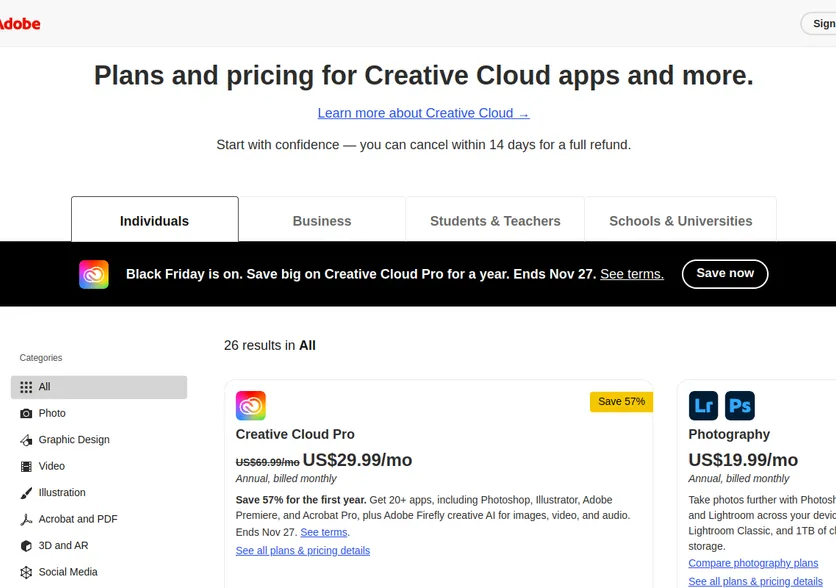
 Adobe Creative Cloud Pro | Freelancers who work across print, web and video every week | $69.99/month | No free tier published on the pricing page; seven-day free trial | Visit |
 Figma | Freelancers who design interfaces and share live work with clients | $16/month | Free Starter plan with three design files | Visit |
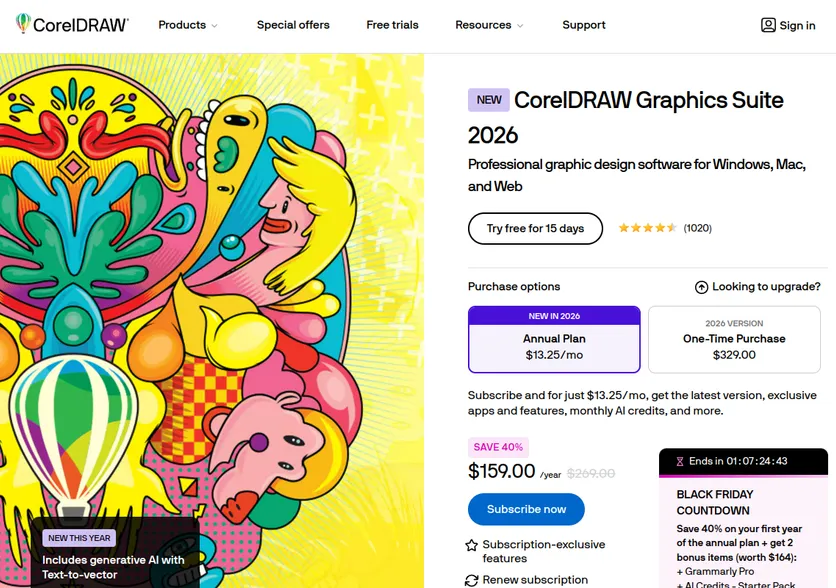
 CorelDRAW Graphics Suite | Freelancers who design for print, signage and packaging | $269/year | No free tier published on the pricing page; fifteen-day free trial | Visit |
 Sketch | Mac-based freelancers who design apps and websites | $12/month | No free tier published on the pricing page; free trial available | Visit |
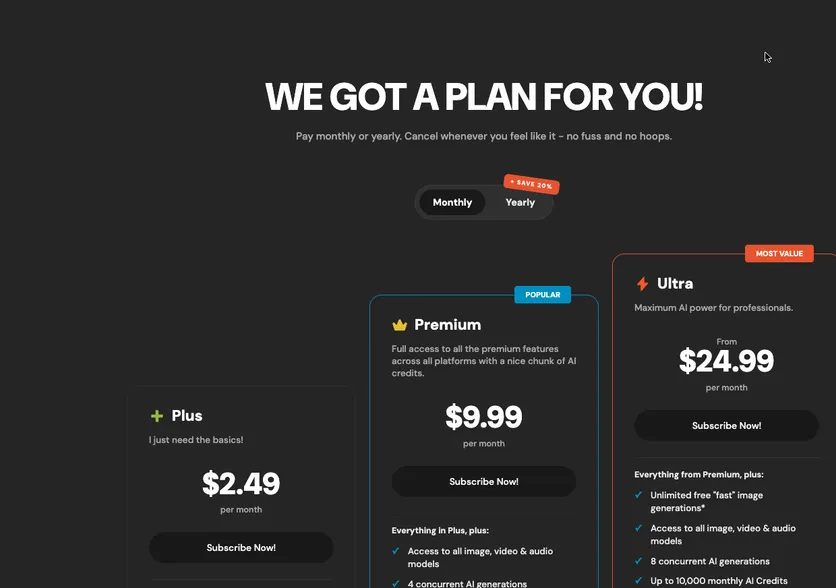
 Pixlr Premium | Freelancers who need quick photo edits in the browser | $7.99/month | Free plan with basic editing tools and ads | Visit |
 Adobe Illustrator | Freelancers who sell logos and brand identity work | $22.99/month | No free tier published on the pricing page; seven-day free trial | Visit |
The graphic design software for freelancers, compared
1. Canva Pro
Best for: Freelancers who need fast social and print design from templates
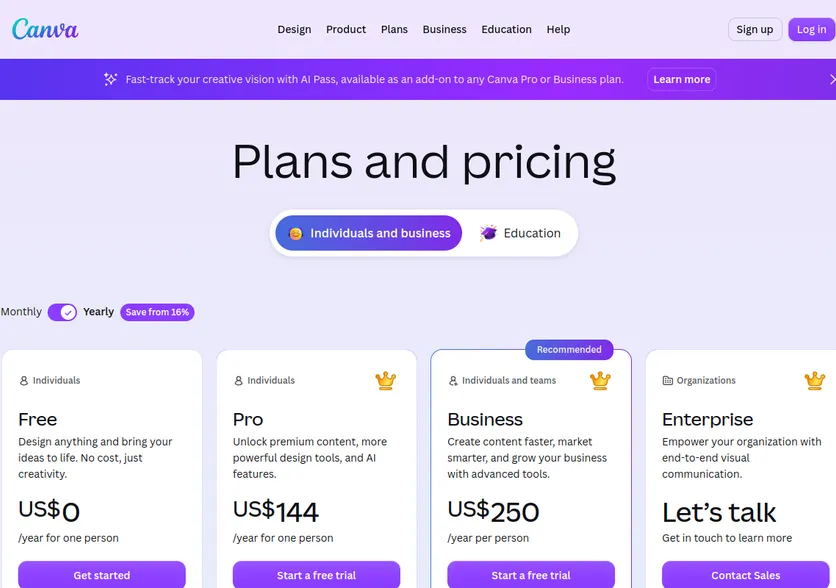
Paid tool Starting price: $12/month · Pro plan, $12 a month billed annually ($144 a year) or $18 a month billed monthly; one person only
Free plan: Free plan with templates and basic design tools
Canva Pro is the speed tool of this list, turning a blank page into a client-ready social post, flyer or brand kit in minutes rather than hours. This Canva Pro plan unlocks the full template library, Brand Kit, background removal and Magic Resize, so one design becomes every size a client asks for. A freelancer can take a brief in the morning and deliver a full set of social graphics by lunch without opening a heavier desktop app.
What we like
- Thousands of templates for social, print and brand work
- Magic Resize turns one design into every size
- Free plan lets you test the editor before paying
Watch out for
- Pro costs twelve dollars a month billed annually
- One-person licence, so teams need the Business plan
How to try it
- Open the Canva pricing page and start the thirty-day free trial
- Set up a Brand Kit with the client colours, fonts and logo
- Build one design and resize it for every platform the client needs
2. Adobe Creative Cloud Pro
Best for: Freelancers who work across print, web and video every week
Paid tool Starting price: $69.99/month · Creative Cloud Pro (formerly All Apps), $69.99 a month on an annual plan billed monthly; Standard is $54.99 a month
Free plan: No free tier published on the pricing page; seven-day free trial
Adobe Creative Cloud Pro is the full professional bench, more than twenty desktop apps that cover layout, photo, video and illustration in one subscription. This Adobe Creative Cloud Pro plan gives a freelancer Photoshop, Illustrator, InDesign and Premiere Pro together, so no client brief ever needs a second subscription. A designer who moves between print, web and video work will use something from the suite every single day.
What we like
- More than twenty professional apps in one subscription
- Industry-standard files clients expect
- Shared libraries keep brand assets in sync
Watch out for
- Pro costs about seventy dollars a month on an annual plan
- Big subscription for a freelancer who uses one app
How to try it
- Open the Adobe plans page and start the seven-day free trial
- Install the three apps you use most and sign in once
- Set up shared libraries so client assets follow you everywhere
3. Figma
Best for: Freelancers who design interfaces and share live work with clients
Paid tool Starting price: $16/month · Professional plan, $16 a Full seat a month billed annually or $20 billed monthly; Dev seats $12 and Collab seats $3
Free plan: Free Starter plan with three design files
Figma is where freelance design work meets the client, because the file lives in the browser and feedback lands right on the canvas. This Figma Professional plan adds unlimited files, team libraries and advanced prototyping on top of the free Starter plan. A freelancer can share a live link instead of exporting screenshots, and the client can comment on the exact frame that needs work.

What we like
- Live links replace screenshot round-trips with clients
- Shared libraries keep every project on brand
- Viewers and commenters are free on every plan
Watch out for
- Full seats cost sixteen dollars a month billed annually
- Vector drawing is lighter than a dedicated illustration app
How to try it
- Open the Figma pricing page and upgrade a project to Professional
- Build a shared library of buttons, colours and type styles
- Send the client a live link and collect comments on the canvas
4. CorelDRAW Graphics Suite
Best for: Freelancers who design for print, signage and packaging
Paid tool Starting price: $269/year · Annual plan, $269 a year; one-time purchase $549; sale prices sometimes lower
Free plan: No free tier published on the pricing page; fifteen-day free trial
CorelDRAW Graphics Suite is the print-shop veteran of this list, pairing vector drawing with page layout and photo editing in one package. This CorelDRAW Graphics Suite annual plan covers illustration, multi-page layout and bitmap tracing, so signage and packaging jobs stay inside a single tool. A freelancer who produces brochures, vehicle wraps or large-format prints will feel at home within the first week.
What we like
- Vector, layout and photo editing in one suite
- One-time purchase option at five hundred forty-nine dollars
- Strong colour management for print work
Watch out for
- Annual plan costs two hundred sixty-nine dollars a year
- Smaller template library than the web-first tools
How to try it
- Open the CorelDRAW product page and start the fifteen-day trial
- Trace a client logo with PowerTRACE and clean up the curves
- Set up a multi-page document for the print job
5. Sketch
Best for: Mac-based freelancers who design apps and websites
Paid tool Starting price: $12/month · Standard plan, $12 an editor a month billed annually or $14 billed monthly
Free plan: No free tier published on the pricing page; free trial available
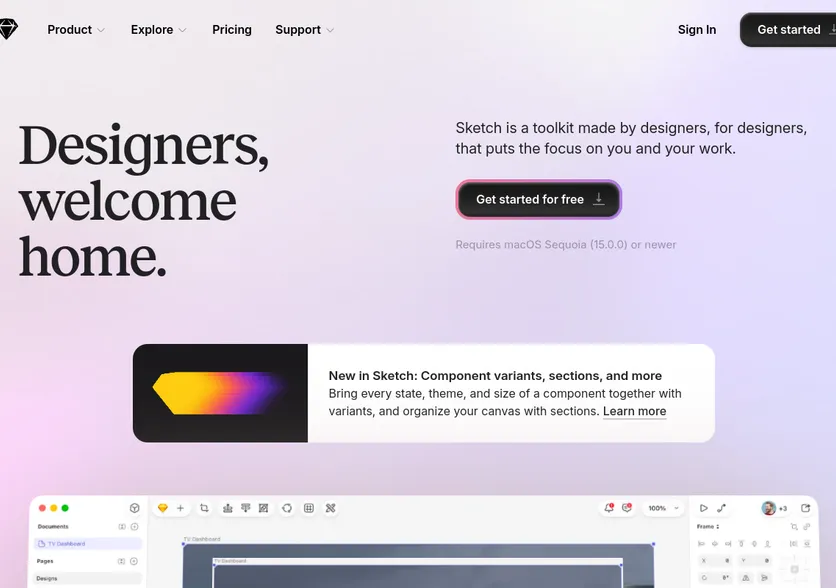
Sketch is the quiet specialist here, a Mac app built for interface design that stays out of the way while you work. This Sketch Standard plan adds shared libraries, unlimited projects and team workspaces for a small design practice. A freelancer who designs apps and websites on a Mac can move from wireframe to handoff without leaving the app.
What we like
- Fast native Mac app for interface design
- Symbols and libraries keep projects consistent
- Cheaper per editor than most cloud rivals
Watch out for
- Standard costs twelve dollars an editor a month billed annually
- Mac only, so Windows clients cannot open the native file
How to try it
- Open the Sketch pricing page and start a trial
- Create a library of symbols for buttons and navigation
- Hand off specs to the developer from the same file
6. Pixlr Premium
Best for: Freelancers who need quick photo edits in the browser
Paid tool Starting price: $7.99/month · Premium plan, $7.99 a month
Free plan: Free plan with basic editing tools and ads
Pixlr Premium is the browser-based photo editor a freelancer reaches for when a client sends a photo that needs fixing right now. This Pixlr Premium plan removes ads, unlocks the full template and asset library and adds AI tools for background removal and image cleanup. A designer can retouch a headshot, cut out a product and export a web-ready image without installing anything.
What we like
- Runs fully in the browser with nothing to install
- AI background removal and cleanup built in
- Cheapest paid plan on this list
Watch out for
- Premium costs about eight dollars a month
- Lighter than Photoshop for deep retouching work
How to try it
- Open the Pixlr pricing page and start a trial
- Upload a client photo and remove the background in one click
- Export the finished image at the size the client asked for
7. Adobe Illustrator
Best for: Freelancers who sell logos and brand identity work
Paid tool Starting price: $22.99/month · Single app plan, $22.99 a month on an annual plan billed monthly
Free plan: No free tier published on the pricing page; seven-day free trial
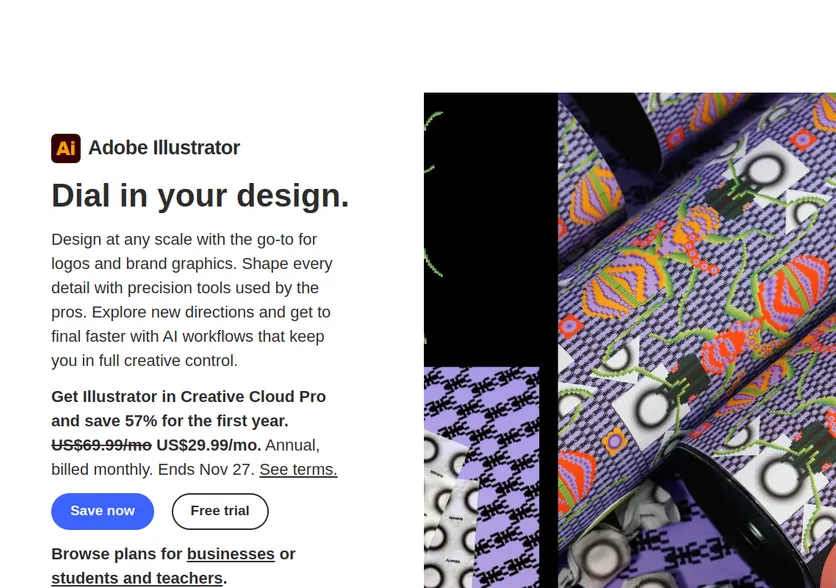
Adobe Illustrator is the vector standard that logo and brand work still runs on, from a first sketch to a billboard-size export. This Adobe Illustrator single-app plan gives a freelancer the full drawing toolkit, type controls and asset export without paying for the whole Creative Cloud suite. A designer who sells logos and brand marks will use it on nearly every project.
What we like
- Industry-standard vector drawing and type tools
- Scales from business card to billboard without quality loss
- Cheaper than the full Creative Cloud suite
Watch out for
- Single app costs about twenty-three dollars a month
- No photo or layout app included at this price
How to try it
- Open the Illustrator product page and start the seven-day trial
- Draw the logo with the pen tool and refine the curves
- Export the mark as SVG, PDF and PNG for the client
Prices above were checked on each vendor’s own website on Nov 26, 2026 and can change — the vendor’s page is the final word. Vendor links are editorial: nobody paid to be listed or ranked here. Vendors who want a featured listing can see how it works on our Get listed page.
What graphic design software costs a freelancer in 2026
A freelancer pays for one seat, so the monthly price is the whole budget and the cheapest plan is not always the cheapest deal. This list runs from about eight dollars a month for a browser editor to about seventy dollars a month for the full Adobe suite, and the annual plan usually cuts ten to thirty percent off the monthly rate. The headline plan each vendor shows on its own pricing page is the number in the table above, checked on November 26, 2026.
Start with the free plan or trial on two tools and run the same client job through both. Compare the export quality and the hours saved, then pick the tool you will actually open every day. A twelve-dollar tool that ships work on time beats a seventy-dollar suite that sits unused.
Before you buy
- Count the seats first, because most plans here charge per editor and a freelancer feels every extra seat.
- Check the export formats on the plan you like, because a cheap plan that cannot export print-ready files costs more later.
- Test the tool on a real client job first, because a demo template never shows how it handles your messy brand files.
- Ask whether the tool fits your work: Canva ships templates fast, Illustrator draws logos, and Figma shares live files.
- Add up the hours saved, because a twelve-dollar tool that finishes a job in an afternoon buys a freelancer a billable day.
Official websites
Official websites of the products reviewed above. Features and prices were checked against these sites when this guide was written, and they can change, so confirm on the vendor site before you buy.
Frequently asked questions
Which graphic design software is best for freelancers in 2026?
Canva Pro, at twelve dollars a month billed annually, is the safest default because templates, Brand Kit and Magic Resize cover most client work without a learning curve. Adobe Creative Cloud Pro is better when your work spans print, web and video, since it bundles more than twenty professional apps. Figma wins when clients need to comment on live files instead of emailed screenshots.
What is the cheapest graphic design software for a freelancer?
Pixlr Premium, at about eight dollars a month, is the cheapest paid plan here and covers browser photo editing with AI background removal. Canva Pro, at twelve dollars a month billed annually, is the cheapest full design tool for templates and brand work. Sketch Standard, also at twelve dollars an editor a month billed annually, is the cheapest dedicated interface design app.
Can I use graphic design software for free as a freelancer?
Yes, several tools on this list have free plans. Canva Free and Figma Starter both cover real client work, and Pixlr has a free tier with basic editing tools. Adobe tools and CorelDRAW offer free trials instead, usually seven to fifteen days, so you can test them on a live job before the first payment.
Do I need Adobe Creative Cloud as a freelance designer?
Only if your work spans several disciplines. A logo and brand designer can work happily in Illustrator alone at about twenty-three dollars a month, and a social designer can live in Canva Pro. The full suite earns its seventy-dollar price when you open Photoshop, Illustrator and InDesign in the same week, which many print and brand freelancers do.
Which design tool is best for client collaboration?
Figma is the strongest pick, because clients open a live link in the browser and comment on the exact frame that needs work, with no files to email back and forth. Canva Pro also shares well through brand templates and shared folders. Illustrator and CorelDRAW are stronger for finished files than for live feedback, so pair them with a review link.
Need free design help too? Try Toolsvine's free image tools for quick edits right in your browser.
Browse Image Tools tools


