On this page
A multi-trade handyman business juggles plumbers, electricians, carpenters and painters on one board, and a missed slot or a double-booked tech costs real money. The right scheduling tool keeps quotes, jobs, dispatch and invoices in one place so the office knows where every tech is. Jobber leads this list with the cleanest quote-to-invoice path at twenty-nine dollars a month, and the other six tools are ranked on scheduling fit, honest pricing and how they handle mixed trades.
How we researched this
We checked every price on the vendor pricing page on November 27, 2026, and only included tools with a published US dollar list price and a free trial or demo. We ranked each tool on multi-trade scheduling fit, including dispatch boards, quoting, job costing and invoicing, plus how the bill grows with users, jobs or routes. Tools with quote-only pricing, including Workiz, FieldPulse and ServiceTitan, were left out, so every price below can be verified on the vendor site.
Compare the tools
| Name | Best for | Starting price | Free plan | |
|---|---|---|---|---|
 Jobber | Trades crews under fifteen techs that want the cleanest quote-to-invoice path | $29/mo | 14-day free trial, no card, no free plan | Visit |
 Housecall Pro | Home-service teams that want marketing and financing built in | $59/mo | 14-day free trial, no card, no free plan | Visit |
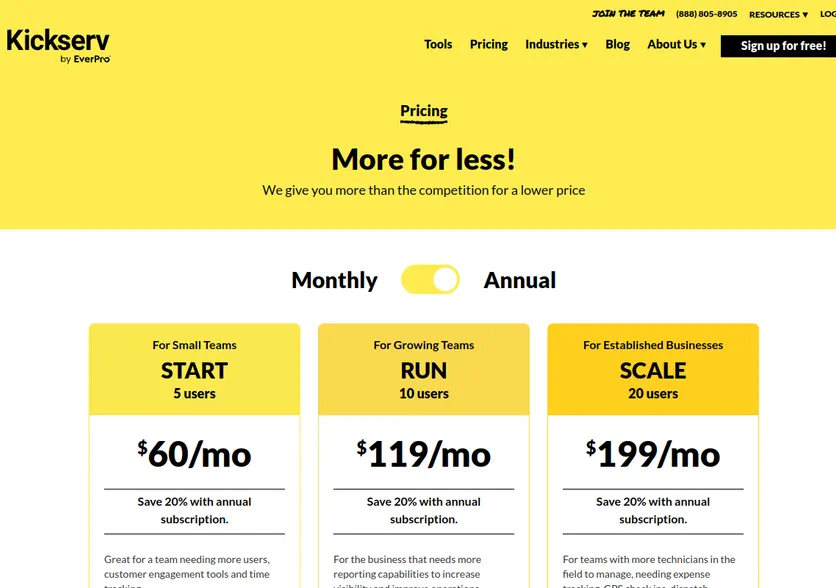
 Kickserv | Small crews that want five seats included in the entry price | $60/mo | 30-day free trial, no free plan | Visit |
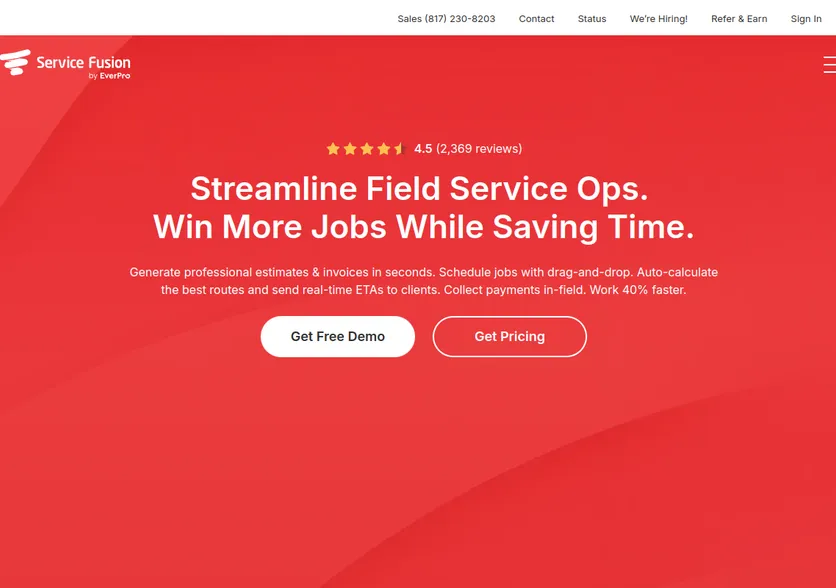
 Service Fusion | Larger crews that want unlimited users on every plan | $208/mo | Demo only, no free plan published | Visit |
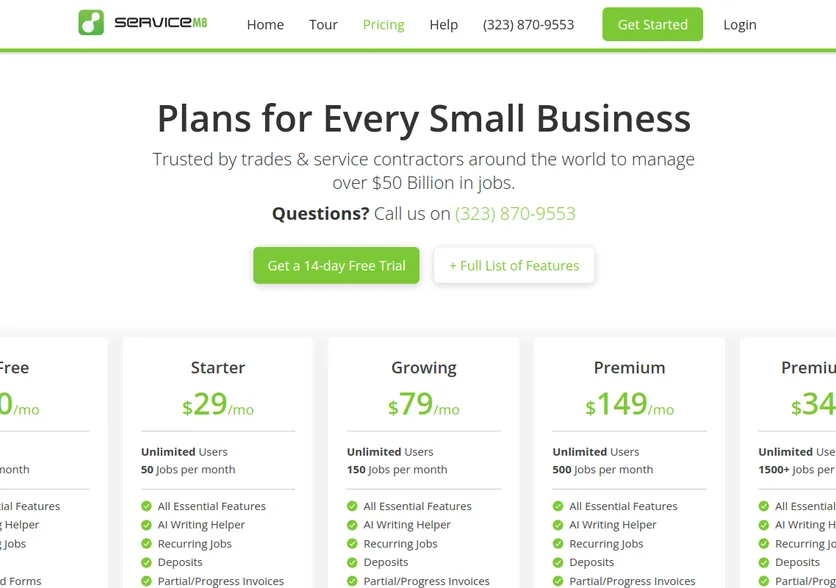
 ServiceM8 | Solo operators and iPhone crews that want pricing by jobs, not seats | $29/mo | Free plan with 30 jobs a month; 14-day trial | Visit |
 GorillaDesk | Route-based trades such as lawn care, pest control and pool service | $49/mo | 14-day free trial, no free plan | Visit |
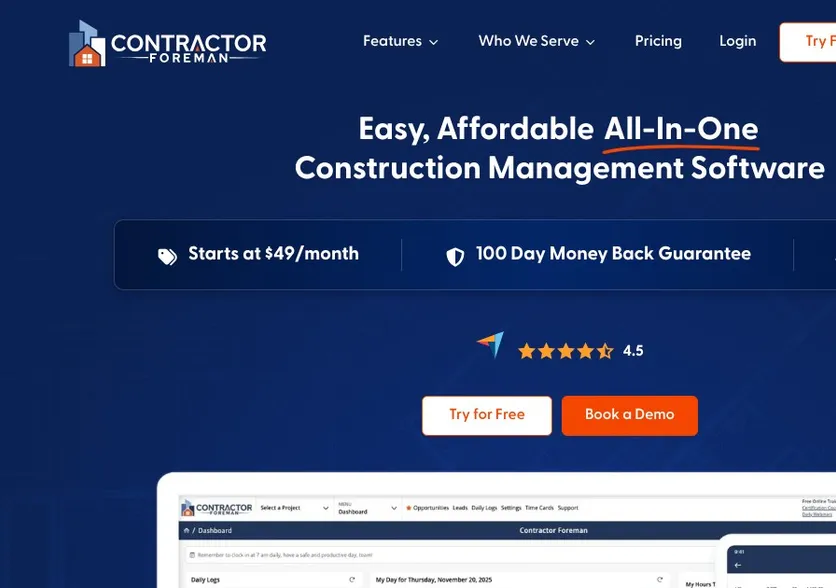
 Contractor Foreman | Project businesses with subcontractors across several trades | $49/mo | 30-day free trial, no free plan | Visit |
The handyman scheduling software for multi-trade businesses, compared
1. Jobber
Best for: Trades crews under fifteen techs that want the cleanest quote-to-invoice path
Paid tool Starting price: $29/mo · Twenty-nine dollars a month on annual billing for Core with one user; forty-nine dollars a month on monthly billing; Connect is ninety-nine dollars a month; Grow is one hundred forty-nine dollars a month; extra users cost twenty-nine dollars a month
Free plan: 14-day free trial, no card, no free plan
Jobber is the safest pick for a typical small trades crew, with the cleanest path from quote to scheduled job to invoice in the category. Core costs twenty-nine dollars a month on annual billing for one user, and Connect at ninety-nine dollars adds QuickBooks Online sync for growing crews. A tech builds the quote on site, the customer approves it from a text link, and the invoice goes out the moment the work is done.

What we like
- Cleanest quote-to-invoice path in the category
- Published prices with no sales call needed
- Fourteen-day trial with full Grow access
Watch out for
- Core covers only one user, so crews pay per extra seat
- No free plan, only a trial
How to try it
- Create the quote on site and send it to the customer by text
- Schedule the approved job on the dispatch board
- Invoice and collect payment when the work is finished
2. Housecall Pro
Best for: Home-service teams that want marketing and financing built in
Paid tool Starting price: $59/mo · Fifty-nine dollars a month on annual billing for Basic with one user; seventy-nine dollars a month on monthly billing; Essentials is one hundred forty-nine dollars a month for five users; MAX is two hundred ninety-nine dollars a month for eight users
Free plan: 14-day free trial, no card, no free plan
Housecall Pro pairs scheduling and dispatch with marketing, review requests and consumer financing, so a handyman business can win repeat work from the same tool. Basic costs fifty-nine dollars a month on annual billing for one user and already includes a price book and job costing. Essentials at one hundred forty-nine dollars adds flat-rate pricing, routes and QuickBooks Online sync for a five-person crew.

What we like
- Marketing, reviews and financing in one tool
- Price book and job costing on the entry plan
- Strong mobile app for techs in the field
Watch out for
- Cheaper rivals cover scheduling for less
- Extra users past eight cost more on MAX
How to try it
- Book the job and assign it on the dispatch board
- Send the tech with the price book and job details
- Request a review and offer financing from the invoice
3. Kickserv
Best for: Small crews that want five seats included in the entry price
Paid tool Starting price: $60/mo · Sixty dollars a month on annual billing for Start with five users; higher tiers add users and features; a thirty-day free trial is available
Free plan: 30-day free trial, no free plan
Kickserv is a straightforward field service tool with scheduling, dispatch, invoicing and QuickBooks sync, priced by seat bundle rather than per user. Start costs sixty dollars a month on annual billing and covers five users, which suits a small multi-trade crew that outgrew a single-user plan. Its thirty-day free trial is the longest in this list, giving a crew a full month to test the dispatch board on real jobs.
What we like
- Five users included in the entry price
- Longest free trial in this list at thirty days
- Simple dispatch board without enterprise bloat
Watch out for
- Smaller feature set than Jobber or Housecall Pro
- Higher tiers are less clearly published
How to try it
- Add the crew and set up the service price list
- Schedule jobs on the board and dispatch techs by trade
- Invoice from the job and sync the books to QuickBooks
4. Service Fusion
Best for: Larger crews that want unlimited users on every plan
Paid tool Starting price: $208/mo · Two hundred eight dollars a month on annual billing for Starter, read from the vendor page code; the range runs to five hundred thirty-three dollars a month on higher tiers; prices vary by test and are hidden behind a plan quiz on load
Free plan: Demo only, no free plan published
Service Fusion charges by plan rather than by seat, with unlimited users on every tier, so a growing multi-trade crew never pays per tech. Starter costs two hundred eight dollars a month on annual billing according to the price listed in the vendor page code, with higher tiers running to five hundred thirty-three dollars. Its dispatch, GPS tracking and customer notifications suit crews that run many vans across several trades each day.
What we like
- Unlimited users on every plan
- GPS tracking and customer notifications included
- Scales without per-seat charges
Watch out for
- Price is hidden behind a quiz on the vendor site
- Dearest entry price in this list
How to try it
- Set up the trades, techs and service areas
- Dispatch jobs from the board with GPS tracking
- Notify customers and invoice when each job closes
5. ServiceM8
Best for: Solo operators and iPhone crews that want pricing by jobs, not seats
Paid tool Starting price: $29/mo · Twenty-nine dollars a month for Starter with fifty new jobs a month and unlimited users; the free tier covers thirty jobs a month; Growing is seventy-nine dollars a month; higher tiers run to three hundred forty-nine dollars a month
Free plan: Free plan with 30 jobs a month; 14-day trial
ServiceM8 prices by monthly job volume instead of seats, so a crew of any size pays the same while the job count stays under the cap. Starter costs twenty-nine dollars a month for fifty new jobs with unlimited users, and the free tier covers thirty jobs a month for a solo operator. Its iPhone-first mobile app, job cards and add-ons for phone and SMS suit crews that run the business from the van.
What we like
- Unlimited users at every paid tier
- Free tier is a real plan, not a trial
- iPhone-first app built for the field
Watch out for
- Job caps can force an upgrade in a busy month
- Best experience needs Apple devices
How to try it
- Create the job card with the customer and trade details
- Dispatch the tech and track the job from the phone
- Invoice on completion and sync to the accounts package
6. GorillaDesk
Best for: Route-based trades such as lawn care, pest control and pool service
Paid tool Starting price: $49/mo · Forty-nine dollars a month for Basic with one route; Pro is ninety-nine dollars a month; Growth is one hundred forty-nine dollars a month; extra routes add fifty dollars each on Basic
Free plan: 14-day free trial, no free plan
GorillaDesk prices by route instead of by user, so one van route with many techs costs the same as a route with one. Basic costs forty-nine dollars a month for one route with routing to twenty-five stops, and office logins are free. Its scheduling, routing and SMS tools suit handyman businesses that run the same weekly routes across several trades.

What we like
- Route pricing suits multi-tech vans
- Office logins cost nothing extra
- Fourteen-day trial with no card needed
Watch out for
- Route model fits poorly for one-off jobs
- SMS credits cost extra on top
How to try it
- Set up the weekly route with its stops and techs
- Schedule the jobs along the route in order
- Dispatch the van and invoice each completed stop
7. Contractor Foreman
Best for: Project businesses with subcontractors across several trades
Paid tool Starting price: $49/mo · Forty-nine dollars a month on annual billing for the entry plan, charged per company rather than per user; Standard is one hundred five dollars a month on annual billing; unlimited-user tiers run to three hundred thirty-two dollars a month
Free plan: 30-day free trial, no free plan
Contractor Foreman charges the company rather than the user, which fits a project business with subcontractors across several trades on one site. The entry plan costs forty-nine dollars a month on annual billing and covers estimating, project management, scheduling, time tracking and invoicing in one system. Its thirty-day trial is long enough to run a real project through the tool before paying.
What we like
- Per-company pricing suits subcontractor-heavy jobs
- Estimating plus scheduling in one system
- Thirty-day trial covers a real project
Watch out for
- Entry price varies across published listings
- Heavier than pure scheduling tools
How to try it
- Set up the project with its trades and subcontractors
- Schedule the work and track time against each task
- Invoice the client from the completed project
Prices above were checked on each vendor’s own website on Nov 27, 2026 and can change — the vendor’s page is the final word. Vendor links are editorial: nobody paid to be listed or ranked here. Vendors who want a featured listing can see how it works on our Get listed page.
How to pick handyman scheduling software for a multi-trade business
Start with how you bill, not how you schedule: per-user pricing punishes a growing crew, per-job pricing punishes a busy month, and per-route pricing punishes one-off work. Count your real crew size, monthly jobs and routes, then price each tool at those numbers instead of the headline rate. Check that the dispatch board shows every trade at once, since a tool that hides electricians from plumbers creates double bookings. Confirm quoting and invoicing live in the same tool, because retyping job details between apps is where errors creep in. Finally, trial the mobile app with a real tech on a real day, since the office view always looks better than the field view.
Before you buy
- Price each tool at your real crew size, monthly jobs and route count
- Check the dispatch board shows all trades together to avoid double bookings
- Confirm quoting, scheduling and invoicing live in the same tool
- Test the tech mobile app on a real job day, not just the office dashboard
- Ask whether QuickBooks sync is included or locked behind a higher tier
Official websites
Official websites of the products reviewed above. Features and prices were checked against these sites when this guide was written, and they can change, so confirm on the vendor site before you buy.
Frequently asked questions
What is the best handyman scheduling software for multi-trade businesses?
Jobber is the best overall choice, with the cleanest quote-to-invoice path and published prices from twenty-nine dollars a month for one user. Housecall Pro is the best all-in-one at fifty-nine dollars a month, adding marketing, review requests and consumer financing to scheduling. ServiceM8 suits small crews best, with unlimited users and pricing by job volume from twenty-nine dollars a month, plus a free tier for thirty jobs.
What is the cheapest handyman scheduling software?
Jobber Core and ServiceM8 Starter both cost twenty-nine dollars a month, though they bill differently: Jobber charges per user while ServiceM8 charges by monthly job volume with unlimited users. ServiceM8 also offers a free tier covering thirty jobs a month for a solo operator. GorillaDesk Basic costs forty-nine dollars a month for one route, which suits a van crew better than per-user pricing.
Do Workiz, FieldPulse and ServiceTitan publish prices?
No, Workiz, FieldPulse and ServiceTitan all require a demo or sales call to get a price, so they were left out of this comparison. Workiz last listed plans around two hundred twenty-five dollars a month for three users, while FieldPulse estimates run about sixty-five dollars per user a month. If you need a published price before a sales call, Jobber, Housecall Pro, Kickserv, ServiceM8, GorillaDesk and Contractor Foreman all list theirs.
Should a multi-trade business pay per user, per job or per route?
Per-user pricing suits small crews with steady headcount, since the bill is predictable and each tech gets full access. Per-job pricing suits crews whose size varies, because ServiceM8 charges by monthly jobs with unlimited users. Per-route pricing suits van crews running the same weekly rounds, since GorillaDesk charges forty-nine dollars a month for one route regardless of how many techs ride it.
Does handyman scheduling software include invoicing?
Yes, every tool in this list includes invoicing alongside scheduling, and most add payment collection so customers can pay from the invoice. Jobber sends the invoice the moment work finishes, Housecall Pro adds financing options to the invoice, and ServiceM8 syncs invoices to the accounts package. Check whether QuickBooks sync sits on the entry plan or a higher tier, since Jobber locks it behind Connect at ninety-nine dollars a month.
Compare the seven tools above, then trial the one that matches how you bill with a real tech on a real job day before you commit.
Browse Business Tools tools