
On this page
A startup's first big outage is a test of its tools as much as its engineers, and the right incident software turns chaos into a checklist. It pages the right person, opens the right channel and writes the timeline while the team fixes the problem. PagerDuty leads this comparison as the deepest incident platform, with incident.io close behind for Slack-native teams. We checked every price on the vendor site on November 27, 2026.
How we researched this
We started with incident response tools that a startup can actually run, then read each price on the vendor site on November 27, 2026 and noted the free plan or trial each one carries. We judged them for a small engineering team that needs paging, on-call schedules and postmortems without an enterprise budget. We dropped Opsgenie, which Atlassian is shutting down in April 2027, and Splunk On-Call, which is retired, because a startup should not buy a dead product.
Compare the tools
| Name | Best for | Starting price | Free plan | |
|---|---|---|---|---|
 PagerDuty | Startups that want the deepest incident platform with the most integrations | $21/user/month | Free plan for up to 5 users | Visit |
 incident.io | Startups that run incidents inside Slack or Teams | $15/user/month | Free Basic plan for one team | Visit |
 Rootly | Startups that want deep workflow automation for incident response | $20/user/month | No free plan; 14-day free trial | Visit |
 FireHydrant | Startups that want runbooks and retrospectives done properly | $25/responder/month | Free plan for up to 10 responders | Visit |
 SolarWinds Incident Response | Startups that want simple on-call plus postmortems on a budget | $15/user/month | No free plan; 14-day free trial | Visit |
 Zenduty | Startups that want the lowest per-user price with phone paging | $6/user/month | Free plan for up to 5 users | Visit |
 ilert | Startups that need European hosting with clear alert limits | $19/user/month | Free plan for up to 5 users | Visit |
| xMatters | Startups that need wide automation and stakeholder alerts | $15/user/month | Free plan available | Visit |
The incident response software for startups, compared
1. PagerDuty
Best for: Startups that want the deepest incident platform with the most integrations
Paid tool Starting price: $21/user/month · Professional at twenty-one dollars per user a month billed annually; platform fees for AIOps start at two thousand eight hundred dollars a year for ten seats; free plan for up to five users
Free plan: Free plan for up to 5 users
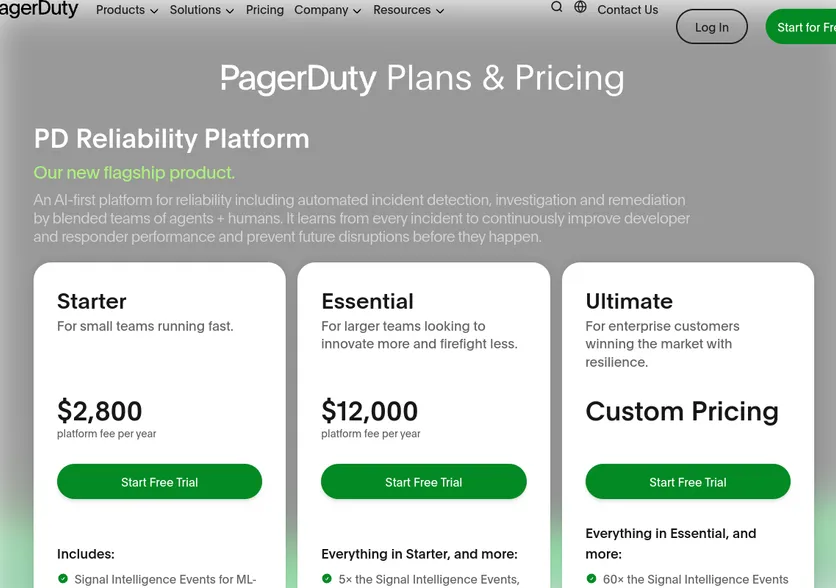
This PagerDuty platform is the incident response standard for a startup that expects to grow, with schedules, escalation policies and event routing that handle hundreds of integrations. The Professional plan costs twenty-one dollars per user a month on annual billing and includes a free plan for up to five users, so a small team can start without paying. AIOps and advanced automation sit behind a platform fee that starts at two thousand eight hundred dollars a year for ten seats.
What we like
- Deepest integration library in this comparison
- Free plan for up to five users
- Escalation policies that handle complex teams
Watch out for
- AIOps needs a separate platform fee
- Incident work lives in the web app, not Slack
How to try it
- Connect your monitoring tools to PagerDuty
- Build on-call schedules and escalation policies
- Run a test incident to check the paging flow
2. incident.io
Best for: Startups that run incidents inside Slack or Teams
Paid tool Starting price: $15/user/month · Team at fifteen dollars per user a month billed annually, or nineteen dollars a month on monthly billing; on-call adds ten dollars per user a month; Pro at twenty-five dollars a user a month billed annually; free Basic plan
Free plan: Free Basic plan for one team
This incident.io platform is the Slack-native pick for a startup, because every incident gets its own channel, roles and timeline without leaving chat. The Team plan costs fifteen dollars per user a month on annual billing, with on-call as a ten dollar add-on per user, and a free Basic plan covers one team. AI postmortems on higher plans draft the review for you, which saves the hours a small team usually spends writing one up.

What we like
- Incidents run entirely inside Slack or Teams
- Automatic timelines and AI postmortems
- Free Basic plan for a single team
Watch out for
- On-call costs extra on every paid plan
- Slack-dependent, so web-only teams get less value
How to try it
- Install incident.io in Slack or Teams
- Declare an incident from the channel
- Let the timeline and postmortem draft itself
3. Rootly
Best for: Startups that want deep workflow automation for incident response
Paid tool Starting price: $20/user/month · Incident Response at twenty dollars per user a month; On-Call is a separate module at twenty dollars per user a month; fourteen-day free trial
Free plan: No free plan; 14-day free trial
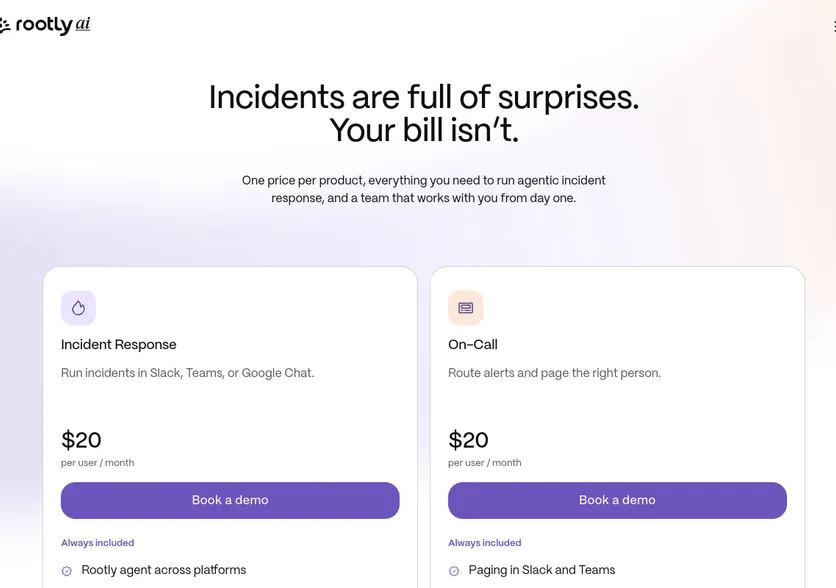
This Rootly platform is the automation pick for a startup that wants incidents to run themselves, with workflows that page the right people, open channels and run checklists from Slack or Teams. Incident Response costs twenty dollars per user a month, and On-Call is a separate module at the same price, so a team should budget for both if it needs schedules too. Shadow rotations and PTO-aware scheduling keep the on-call rota honest.
What we like
- Deep workflow automation for incidents
- Shadow rotations and PTO-aware schedules
- AI summaries that suggest likely causes
Watch out for
- On-call doubles the bill as a separate module
- No free plan, only a fourteen-day trial
How to try it
- Connect Rootly to Slack or Teams
- Build workflows for common incident types
- Set up shadow rotations and PTO handling
4. FireHydrant
Best for: Startups that want runbooks and retrospectives done properly
Paid tool Starting price: $25/responder/month · Pro at twenty-five dollars per responder a month billed annually with Signals on-call included; SMS and voice sold separately; free plan for up to ten responders
Free plan: Free plan for up to 10 responders
This FireHydrant platform is the process pick for a startup that cares about runbooks and retrospectives, with Signals on-call, automated runbooks and unlimited public status pages on the Pro plan. Pro costs twenty-five dollars per responder a month on annual billing, and a free plan covers up to ten responders. Freshworks completed its acquisition of FireHydrant in January 2026, and the product is becoming part of the Freshservice ITSM offering.
What we like
- Runbooks that automate response steps
- Unlimited public status pages on Pro
- Free plan for up to ten responders
Watch out for
- SMS and voice alerts cost extra
- AI features sit on the Enterprise plan
How to try it
- Create runbooks for your common incident types
- Set up Signals on-call schedules
- Run a retrospective after each incident
5. SolarWinds Incident Response
Best for: Startups that want simple on-call plus postmortems on a budget
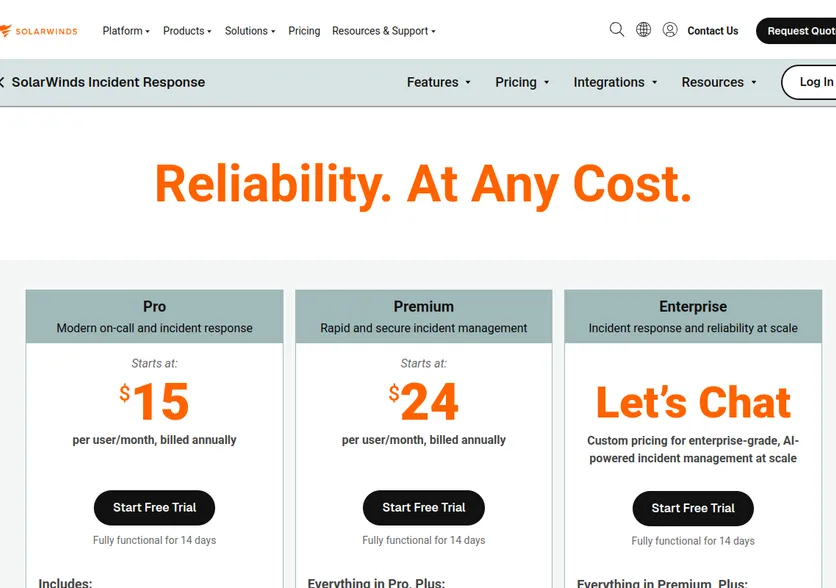
Paid tool Starting price: $15/user/month · Pro at fifteen dollars per user a month billed annually; Premium at twenty-four dollars per user a month billed annually; fourteen-day free trial
Free plan: No free plan; 14-day free trial
This SolarWinds Incident Response product, formerly Squadcast, is the budget pick for a startup that wants on-call schedules, escalations and postmortems without a big platform. The Pro plan costs fifteen dollars per user a month on annual billing and includes incident notes, response actions and postmortem templates. Premium at twenty-four dollars a user a month adds runbooks, status pages and an SLO tracker for teams that need more.
What we like
- Postmortems included on the entry plan
- Simple on-call without platform complexity
- Low entry price for a small team
Watch out for
- Now sold under the SolarWinds name, not Squadcast
- Phone and SMS alerts are capped on the entry plan
How to try it
- Set up on-call schedules and escalations
- Create incident notes and response actions
- Write postmortems from the built-in templates
6. Zenduty
Best for: Startups that want the lowest per-user price with phone paging
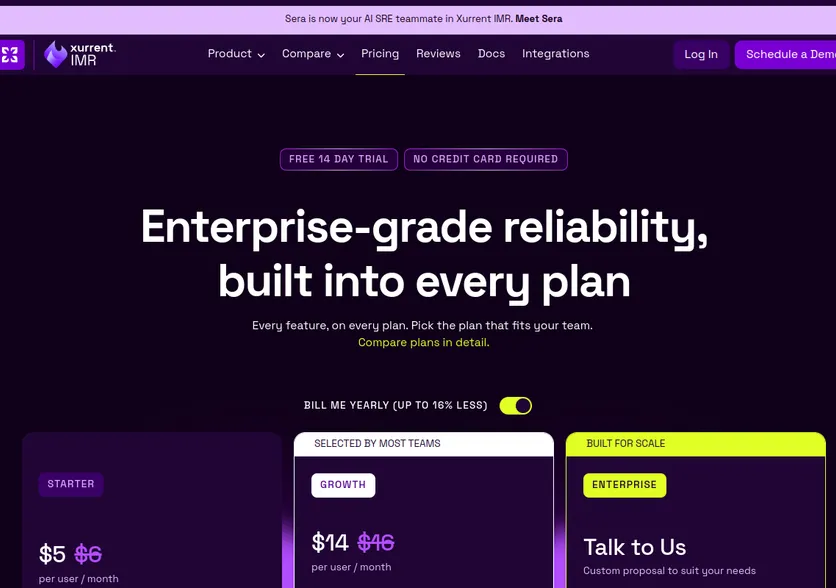
Paid tool Starting price: $6/user/month · Starter at six dollars per user a month; Growth at sixteen dollars per user a month; free plan for up to five users
Free plan: Free plan for up to 5 users
This Zenduty platform is the cheapest way for a startup to get real incident management, with a Starter plan at six dollars per user a month and a free plan for up to five users. It covers alerting, on-call scheduling and two-way Jira integration on the entry tier, which is more than most tools offer at this price. Zenduty joined the Xurrent platform in November 2025 and is now sold as Xurrent IMR, so buyers should expect the new name on quotes and contracts.
What we like
- Lowest entry price in this comparison
- Free plan for up to five users
- Two-way Jira integration on Starter
Watch out for
- Now rebranded as Xurrent IMR after the merger
- Growth plan jumps to sixteen dollars per user
How to try it
- Connect your monitoring tools to Zenduty
- Build on-call schedules for your team
- Set up Jira integration for incident tickets
7. ilert
Best for: Startups that need European hosting with clear alert limits
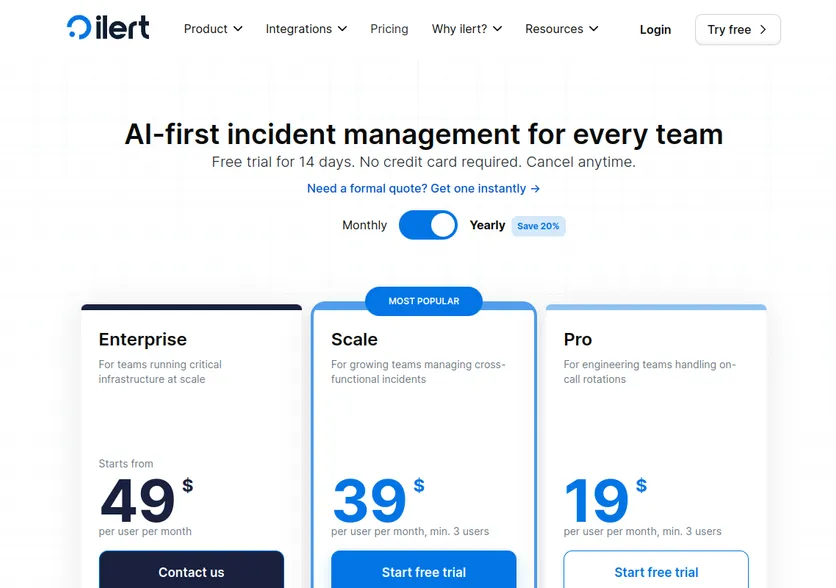
Paid tool Starting price: $19/user/month · Pro at nineteen dollars per user a month billed annually, or twenty-four dollars a month on monthly billing, with a three-user minimum; Scale at forty-nine dollars per user a month billed annually; free plan for up to five users
Free plan: Free plan for up to 5 users
This ilert platform is the European-hosted pick for a startup with data residency or GDPR needs, built in Germany with alerting, on-call management and status pages. The Pro plan costs nineteen dollars per user a month on annual billing with a three-user minimum, and it includes unlimited SMS and voice notifications plus single sign-on. A free plan covers up to five users with basic alerting, which lets a small team run real rotations before paying.
What we like
- European hosting for data residency needs
- Unlimited SMS and voice on the Pro plan
- Free plan for up to five users
Watch out for
- Three-user minimum on the Pro plan
- Fewer integrations than PagerDuty
How to try it
- Connect your monitoring tools to ilert
- Set up on-call schedules and escalation policies
- Add a status page for customer communication
8. xMatters
Best for: Startups that need wide automation and stakeholder alerts
Paid tool Starting price: $15/user/month · Starter at fifteen dollars per user a month for up to twenty-five users, with fifty SMS and ten voice calls per user each month; free plan available
Free plan: Free plan available
This xMatters platform is the communication pick for a startup that needs to alert many stakeholders fast, with automation that routes incidents to the right teams and keeps everyone updated. The Starter plan costs fifteen dollars per user a month for up to twenty-five users, with fifty SMS and ten voice calls per user each month. It suits a team where an incident touches support, engineering and management at the same time.
What we like
- Automation that alerts many stakeholders fast
- Clear per-user pricing for small teams
- Strong fit for multi-team incidents
Watch out for
- SMS and voice caps bite on a busy month
- The interface feels enterprise-heavy for a startup
How to try it
- Connect monitoring and ticketing tools to xMatters
- Build automation flows for common incidents
- Set up stakeholder groups for fast alerts
Prices above were checked on each vendor’s own website on Nov 27, 2026 and can change — the vendor’s page is the final word. Vendor links are editorial: nobody paid to be listed or ranked here. Vendors who want a featured listing can see how it works on our Get listed page.
How a startup should set up incident response
Start with one service and one on-call rotation, not the whole infrastructure at once. Pick the service that wakes people up most often, connect its alerts to the tool, and run a test incident to check that paging, escalation and the channel all work. A drill that finds a broken escalation path is worth more than a perfect setup that has never been tested.
Write the runbook before the next incident, not during it. A short checklist for the common failures, with links to dashboards and the names of the people who can help, turns a 3 a.m. page into a routine. Review every incident with a short postmortem, even the small ones, because the habit of learning is what keeps a startup from repeating the same outage.
Before you buy
- Check the on-call cost separately, because some tools charge for it twice
- Confirm the tool works where your team already lives, Slack or web
- Look for runbooks and postmortems, not just paging
- Make sure alert limits cover your real paging volume
- Test a full incident drill during the trial before trusting the tool on call
Official websites
Official websites of the products reviewed above. Features and prices were checked against these sites when this guide was written, and they can change, so confirm on the vendor site before you buy.
Frequently asked questions
What is the cheapest incident response software for a startup?
Zenduty is the cheapest at six dollars per user a month on the Starter plan, with a free plan for up to five users. incident.io and SolarWinds Incident Response both start at fifteen dollars per user a month, and xMatters matches them. PagerDuty is the most established option at twenty-one dollars a user a month, with a free plan for up to five users.
Do I have to pay extra for on-call scheduling?
Yes, and it is the main cost trap in this category. incident.io charges fifteen dollars per user for Team plus ten dollars per on-call user, and Rootly sells Incident Response and On-Call as two twenty dollar modules. PagerDuty, FireHydrant and Zenduty include on-call in the headline price, so compare the total per user before you decide.
Should a startup pick a Slack-native or web-first incident tool?
Slack-native tools like incident.io and Rootly keep the whole incident in a channel, which suits a team that already lives in chat. Web-first tools like PagerDuty and ilert work better for a team that spans many tools and needs a central console. Pick the chat-native route if your team is in Slack all day, and the web route if incidents need a neutral home.
Is Opsgenie still a good choice for incident response?
Opsgenie is not a safe pick, because Atlassian stopped selling it in June 2025 and will shut it down on April 5, 2027. Existing users should migrate to Jira Service Management or one of the tools in this list. Splunk On-Call is also retired, so avoid both and choose a vendor that is still selling and supporting its product.
What is a postmortem and which tools help with it?
A postmortem is the review a team writes after an incident, covering what broke, why it broke and what will change. incident.io drafts them with AI on the Pro plan, FireHydrant builds them into its retrospectives and SolarWinds includes templates on the entry plan. A startup that writes postmortems after every incident learns faster and repeats fewer outages.
Pick the incident tool that fits your team's chat habits and budget, then run a full incident drill during the trial before you trust it on call.
Browse Security & Privacy tools


