On this page
An invoice that sits in an inbox with no owner, no approver and no record is how finance teams lose money twice: once to the late fee and once to the duplicate payment. The tools below capture invoices, route them through approval chains, match them to purchase orders, and keep an audit trail for every decision. Bill.com leads the list because approval workflows start at $49 per user a month with accounting sync built in, and the other seven tools are ranked on the same practical test: how fast a real invoice moves from inbox to paid.
How we researched this
We checked every price on the vendor pricing page on November 28, 2026, and only included tools with a published US dollar list price. The big names in this category, including Stampli, AvidXchange, Coupa and MineralTree, publish no prices, so they are not in this list. Prices change, so confirm the current figure on the vendor site before you buy.
Compare the tools
| Name | Best for | Starting price | Free plan | |
|---|---|---|---|---|
 Bill.com | Finance teams that want approvals, bill pay and accounting sync in one place | $49/user/month | Free trial | Visit |
 Tipalti | Finance teams paying suppliers and contractors across borders | $99/month | Free demo | Visit |
 ApprovalMax | Finance teams that need multi-level approvals for bills and purchase orders | $54/month | Free trial | Visit |
| Lightyear | Finance teams that process high invoice volumes and want unlimited approvers | $199/month | Free trial | Visit |
 Precoro | Mid-size finance teams that want purchasing and invoice matching together | $499/month | Free demo | Visit |
 Plooto | Small finance teams that want approvals tied directly to payments | $32/month | Free trial | Visit |
 Ramp | Finance teams that want spend approved before it is committed | $15/user/month | Free plan for $0 per user | Visit |
| Melio | Small finance teams that want approvals and bill pay at a low flat price | $20/month | Free Go plan for one user | Visit |
The invoice approval software for finance teams, compared
1. Bill.com
Best for: Finance teams that want approvals, bill pay and accounting sync in one place
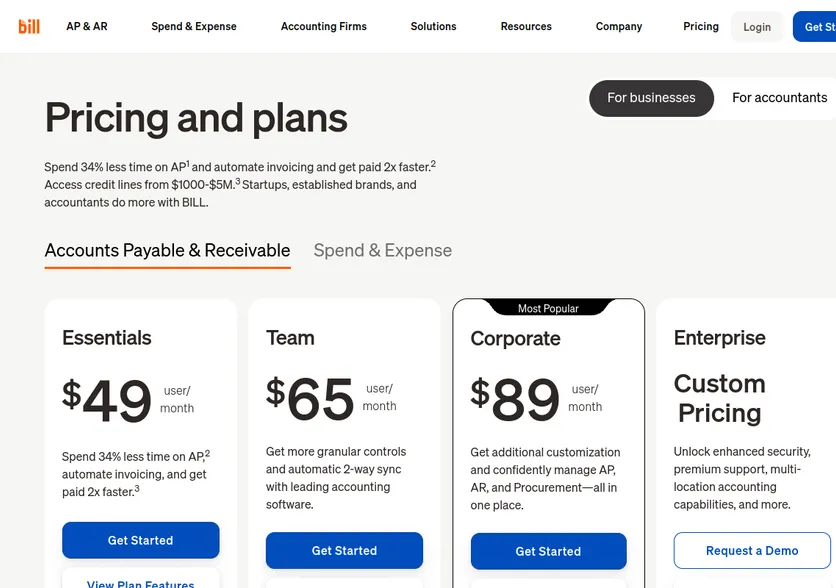
Paid tool Starting price: $49/user/month · Forty-nine dollars per user a month for the Essentials plan covering accounts payable and receivable; higher plans add more automation and controls, and payment processing fees apply per transaction on top
Free plan: Free trial
For Finance teams, this Bill.com plan costs forty-nine dollars per user a month, and it captures invoices, routes them through approval workflows, and pays them by ACH or check without leaving the system. Approvers see the invoice, the purchase order and the coding side by side, and every approval lands in an audit trail the accounting system can read. It is the most complete option here for a team that already runs QuickBooks or Xero.
What we like
- Approvals, bill pay and accounting sync in one place
- Audit trail on every invoice and payment
- Works with QuickBooks, Xero and NetSuite
Watch out for
- Priced per user, so approver seats add up
- Payment processing fees apply per transaction
How to try it
- Capture the invoice and let the system code it automatically
- Route it to the right approver by amount and department
- Pay approved invoices by ACH and sync the payment to accounting
2. Tipalti
Best for: Finance teams paying suppliers and contractors across borders
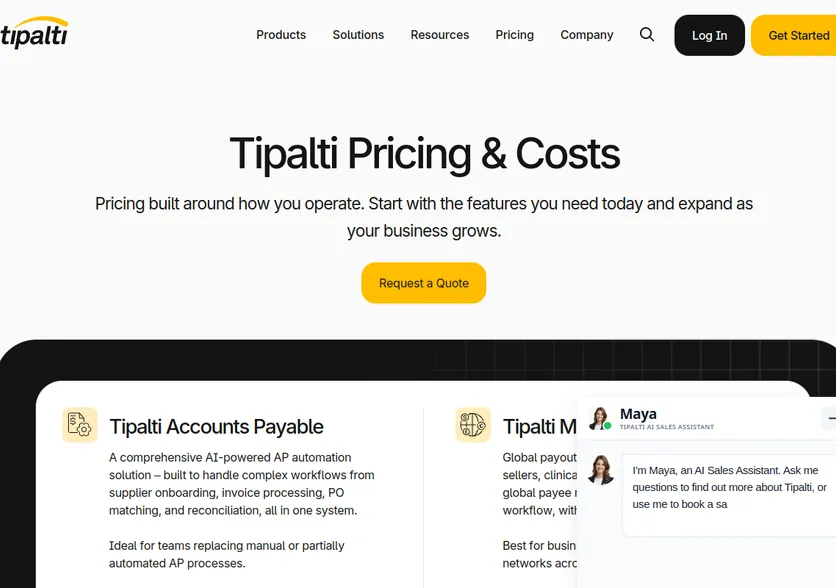
Paid tool Starting price: $99/month · Ninety-nine dollars a month for the entry plan; higher plans add more entities, tax forms and payment methods, and the price covers invoice capture, approvals and global payments in one subscription
Free plan: Free demo
For Finance teams, this Tipalti plan costs ninety-nine dollars a month, and it handles invoice capture, approvals, tax forms and global payments in one subscription. A supplier submits the invoice, the approval chain signs it off, and Tipalti pays it in the supplier's currency and method, with tax forms collected along the way. It suits teams with international suppliers better than a domestic-only tool, because the payment side is where it earns its price.
What we like
- Global payments in many currencies and methods
- Tax form collection built in
- Supplier portal keeps invoices out of inboxes
Watch out for
- Entry plan caps some advanced features
- Implementation takes longer than simpler tools
How to try it
- Invite suppliers to submit invoices through the portal
- Route each invoice through the approval chain by amount
- Pay approved invoices globally and collect tax forms automatically
3. ApprovalMax
Best for: Finance teams that need multi-level approvals for bills and purchase orders
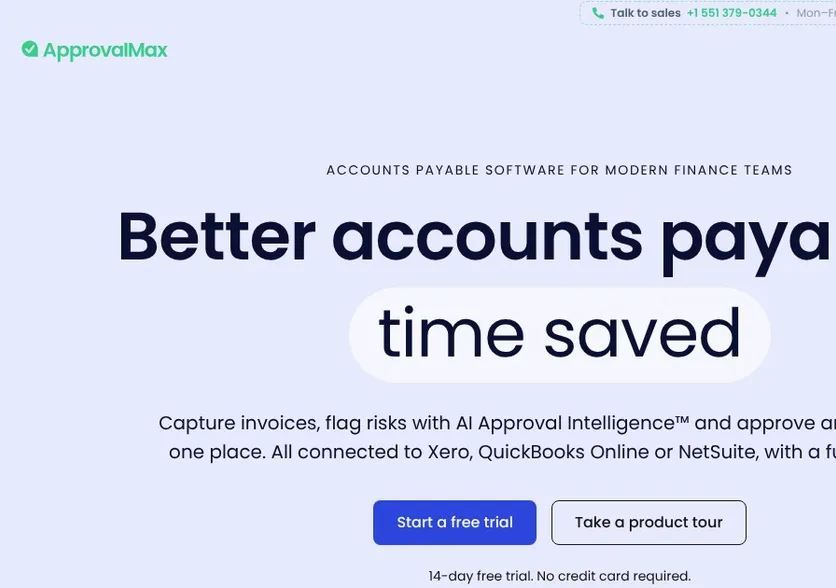
Paid tool Starting price: $54/month · Fifty-four dollars a month for the entry plan, as published by the vendor; higher plans add more approvers, entities and integrations, and the price covers multi-level approval workflows for bills and purchase orders
Free plan: Free trial
For Finance teams, this ApprovalMax plan costs fifty-four dollars a month, and it builds multi-level approval chains for bills, purchase orders and expenses that sync with QuickBooks Online and Xero. An invoice moves from approver to approver by amount and department, and nothing posts until the chain is complete, which is the control a finance team needs when one person cannot sign everything. It is an approval layer on top of accounting, not a payment tool on its own.
What we like
- Multi-level approval chains for bills and purchase orders
- Syncs with QuickBooks Online and Xero
- Audit trail shows who approved what and when
Watch out for
- No payment processing of its own
- Priced for teams, not for a solo bookkeeper
How to try it
- Build an approval chain by amount, department and role
- Send each bill through the chain and collect decisions in one place
- Sync approved bills to QuickBooks Online or Xero for payment
4. Lightyear
Best for: Finance teams that process high invoice volumes and want unlimited approvers
Paid tool Starting price: $199/month · One hundred and ninety-nine dollars a month in the US for the Essentials plan with 125 credits a month; Standard is $319 a month for 250 credits, every plan includes unlimited users, and some integrations carry an additional monthly fee
Free plan: Free trial
For Finance teams, this Lightyear plan costs one hundred and ninety-nine dollars a month in the US, and it charges by monthly document credits instead of by user, so every approver is free. Essentials covers 125 credits a month with purchase orders, expense management and approval workflows, while Standard adds three-way matching at $319 a month. It suits a team with many approvers and a steady invoice flow, because the price follows documents, not headcount.
What we like
- Unlimited users on every plan
- Credit pricing fits high invoice volumes
- Three-way matching on the Standard plan
Watch out for
- Some integrations carry an extra monthly fee
- Credit allowance caps monthly document volume
How to try it
- Capture invoices from the inbox and let the system extract the lines
- Route each invoice through approval workflows by value
- Match approved invoices to purchase orders and export them to accounting
5. Precoro
Best for: Mid-size finance teams that want purchasing and invoice matching together
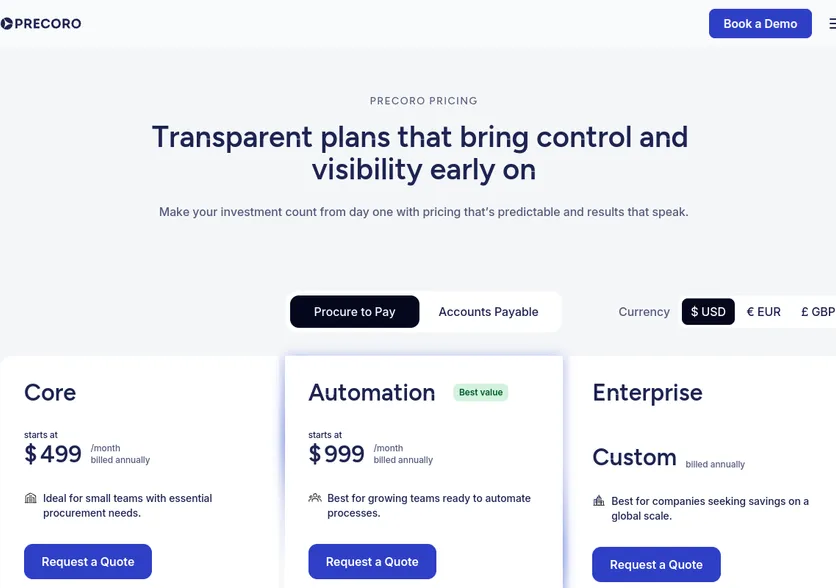
Paid tool Starting price: $499/month · Four hundred and ninety-nine dollars a month billed annually for the Core plan; Automation is $999 a month, Enterprise is custom, and the standalone AP Module is also $499 a month billed annually
Free plan: Free demo
For Finance teams, this Precoro plan costs four hundred and ninety-nine dollars a month billed annually, and it runs the full procure-to-pay loop: requests, purchase orders, receipts, invoices, two- and three-way matching, and automated approvals. An invoice that matches its order and receipt approves itself, and only the exceptions reach a human, which is how a mid-size team keeps control without hiring more approvers. The price is high for a small team, but it replaces a patchwork of tools.
What we like
- Two- and three-way matching built into the entry plan
- Automated approvals with budgets and controls
- Works with QuickBooks Online and Xero
Watch out for
- Entry price is high for a small team
- AI invoice capture needs the $999 Automation plan
How to try it
- Raise a purchase request and approve it before ordering
- Match the supplier invoice to the order and the receipt
- Let matching invoices approve themselves and review only the exceptions
6. Plooto
Best for: Small finance teams that want approvals tied directly to payments
Paid tool Starting price: $32/month · Thirty-two dollars a month for the Grow plan with unlimited domestic transactions and unlimited approval rules; Go is $9 a month but only for clients of accounting firms, and Pro is $99 a month, with per-payment fees on top
Free plan: Free trial
For Finance teams, this Plooto plan costs thirty-two dollars a month, and it pairs unlimited approval rules and approvers with accounts payable and receivable in one platform. A bill moves through custom approval workflows, then pays by ACH, EFT or check from the same screen, and everything syncs back to QuickBooks or Xero. The flat subscription does not rise with headcount, which suits a small team with many approvers.
What we like
- Unlimited approval rules and approvers on Grow
- Flat price, not priced per user
- Payable and receivable in one platform
Watch out for
- Per-payment fees apply on top of the subscription
- The $9 Go plan is only for accounting-firm clients
How to try it
- Capture the bill and set the approval rule by amount
- Collect approvals from every approver on the rule
- Pay the approved bill and sync the payment to accounting
7. Ramp
Best for: Finance teams that want spend approved before it is committed
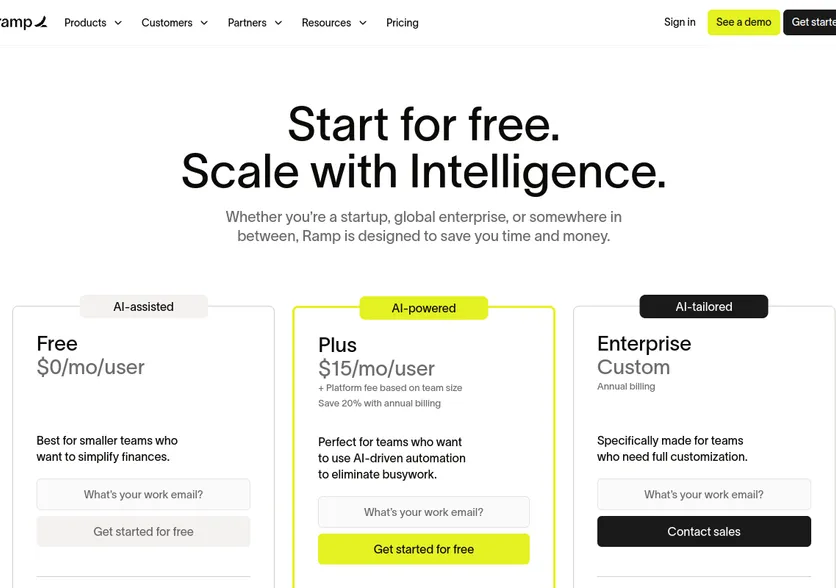
Paid tool Starting price: $15/user/month · Fifteen dollars per user a month for the Plus plan, plus a platform fee based on team size that Ramp does not publish; annual billing saves 20%, the Free plan costs $0 per user, and Enterprise is custom
Free plan: Free plan for $0 per user
For Finance teams, this Ramp plan costs fifteen dollars per user a month, and it puts approval workflows, corporate cards and bill pay on one platform with a free plan underneath. Spend is approved before it happens through custom roles and limits, then the bill pays and syncs to the accounting system, with a 30-day free trial of Plus. The catch is the platform fee, which Ramp charges by team size and does not publish, so ask for the full figure before you commit.
What we like
- Free plan covers cards and basic bill pay
- Approvals happen before spend, not after
- Multi-entity support on the Plus plan
Watch out for
- Platform fee is unpublished and charged on top
- Plus needs NetSuite or Sage Intacct to earn its price
How to try it
- Set approval rules and spend limits by role and amount
- Approve bills and card spend from one queue
- Pay approved bills and sync everything to accounting
8. Melio
Best for: Small finance teams that want approvals and bill pay at a low flat price
Paid tool Starting price: $20/month · Twenty dollars a month billed annually for the Core plan, or $25 billed monthly; Boost is $44 and Unlimited is $64 a month billed annually, extra users cost $8 a month on annual billing, and per-payment fees apply on top
Free plan: Free Go plan for one user
For Finance teams, this Melio plan costs twenty dollars a month billed annually, and it adds approval workflows, batch payments and unlimited QuickBooks Online and Xero sync to a free Go plan. A bill arrives in the inbox, the system captures it, the approval workflow signs it off, and the payment goes by ACH, check or card. Extra users cost $8 a month on annual billing, and per-payment fees apply on top of the subscription.
What we like
- Free Go plan for one user with 5 free ACH payments
- Approval workflows from the $20 Core plan
- Batch payments and unlimited accounting sync
Watch out for
- Per-payment fees apply on top of the subscription
- Extra users cost $8 a month each on annual billing
How to try it
- Capture the bill from the inbox with AI bill capture
- Send it through the approval workflow by vendor or amount
- Pay approved bills in batches and sync to accounting
Prices above were checked on each vendor’s own website on Nov 28, 2026 and can change — the vendor’s page is the final word. Vendor links are editorial: nobody paid to be listed or ranked here. Vendors who want a featured listing can see how it works on our Get listed page.
How a finance team should run invoice approvals
Start with the inbox, not the approver. Capture every invoice the moment it arrives, code it once, and route it by amount and department so the right person sees it first time. Match each invoice to its purchase order and receipt before approval, because a match catches duplicates and wrong amounts that no approver will spot by eye. Finally, keep the audit trail in the same system as the payment, so month-end close and the next audit both read from one record instead of three.
Before you buy
- Check that approval chains can route by amount, department and role, not just to one person
- Confirm whether invoice capture and matching are included in the price or only on a higher plan
- Ask how the system handles duplicate invoices and changed bank details
- Count per-user seats and any unpublished platform fee before you compare prices
- Run a trial with one real invoice, from inbox to paid, before you commit
Official websites
Official websites of the products reviewed above. Features and prices were checked against these sites when this guide was written, and they can change, so confirm on the vendor site before you buy.
Frequently asked questions
What is invoice approval software for finance teams?
It is software that captures supplier invoices, routes them through approval chains by amount and department, matches them to purchase orders, and keeps an audit trail for every decision. The tools in this list do that through approval workflows, invoice matching or spend controls. None of them replaces your accounting system, but they stop invoices sitting in inboxes and cut duplicate and late payments.
Which tool is cheapest for a finance team?
Ramp is cheapest, with a free plan at zero dollars per user and Plus at fifteen dollars per user a month, though an unpublished platform fee applies on top. Melio follows with a free Go plan and Core at twenty dollars a month billed annually. Compare the full bill, including per-payment fees and any platform fee, because the headline price is rarely the whole cost.
What does Bill.com cost for a finance team?
Bill.com costs forty-nine dollars per user a month for the Essentials plan, covering accounts payable and receivable with approval workflows and accounting sync. Higher plans add more automation and controls, and payment processing fees apply per transaction on top. A team with five approvers pays about two hundred and forty-five dollars a month before transaction fees.
Do these tools match invoices to purchase orders?
Most of them do. Precoro and Lightyear build two- and three-way matching into their plans, Bill.com and Tipalti match invoices to orders as part of approval, and Plooto and Melio cover matching through approval rules and accounting sync. ApprovalMax focuses on the approval chain itself and syncs approved bills to accounting for payment. Ask each vendor which matching type sits on the plan you would actually buy.
Can these tools stop duplicate payments?
Yes, in the practical sense: invoice capture flags duplicates before approval, matching catches an invoice already paid against the same order, and the audit trail shows every payment against its invoice. Lightyear flags duplicate invoices and changed bank details, and Precoro lets matching invoices approve themselves while exceptions go to a human. No tool replaces a month-end review, but the checks catch most duplicates before money moves.
Compare the eight tools above, then start with a free trial on the tool that routes approvals the way your finance team already works.
Browse Business Tools tools