On this page
When a server goes down at 2 a.m., the difference between a five-minute fix and a five-hour outage is who gets woken, how loudly, and whether they answer. The tools below watch your systems, route alerts to the right person on call, escalate when nobody answers, and keep a record of every incident. Zenduty leads the list because on-call alerting starts at $6 per user a month with a free plan underneath it, and the other seven tools are ranked on the same practical test: how reliably the right person gets the alert.
How we researched this
We checked every price on the vendor pricing page on November 28, 2026, and only included tools with a published US dollar list price. The enterprise names in this category publish no prices, and Opsgenie and Splunk On-Call are discontinued, so they are not in this list. Prices change, so confirm the current figure on the vendor site before you buy.
Compare the tools
| Name | Best for | Starting price | Free plan | |
|---|---|---|---|---|
 Zenduty | Small businesses that want on-call alerting at the lowest published price | $6/user/month | Free trial | Visit |
 Spike.sh | Tiny teams that need alerting and on-call without enterprise pricing | $7/user/month | Free trial | Visit |
 PagerDuty | Growing teams that need the widest integration list and proven escalation | $21/user/month | Free plan for up to 5 users | Visit |
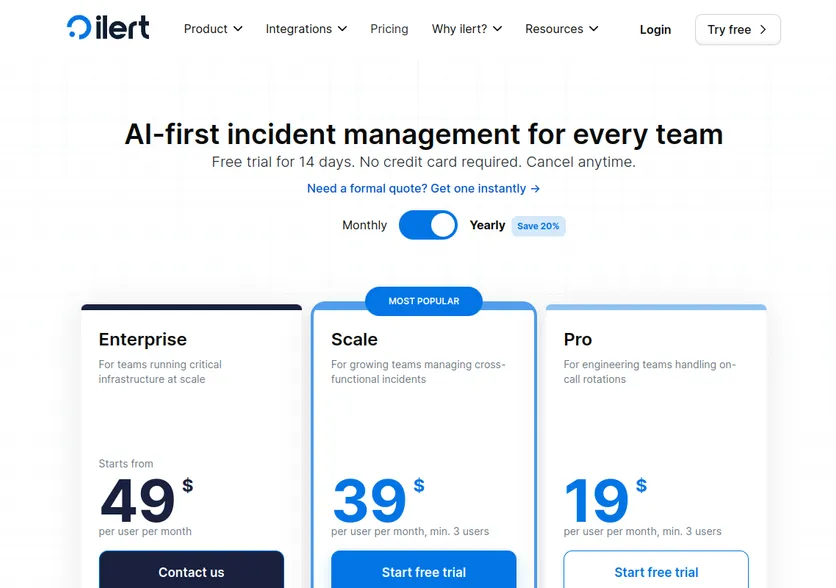
 ilert | Small teams that want alerting plus status pages and automation | $19/user/month | Free trial | Visit |
 SIGNL4 | Small teams that need loud, persistent mobile alerting | $9/user/month | Free trial | Visit |
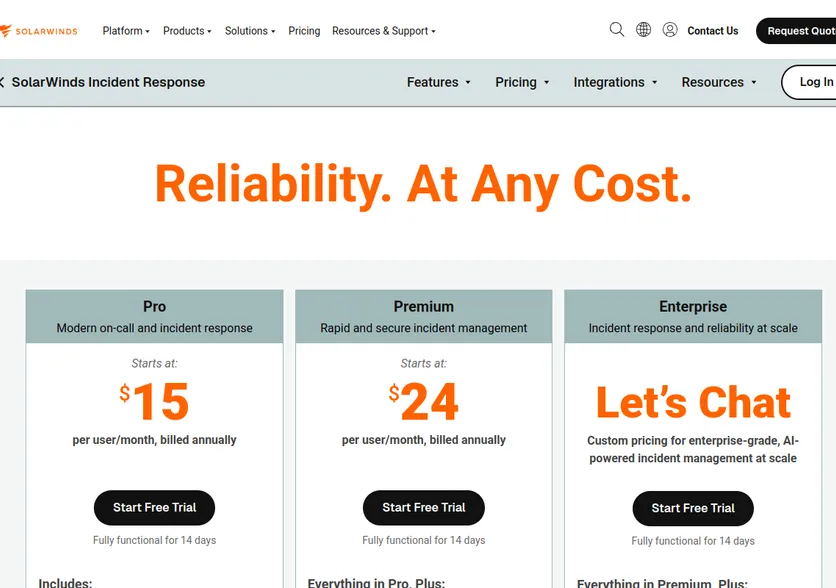
 Squadcast | Small teams that want alerting, on-call and incident response together | $15/user/month | Free trial | Visit |
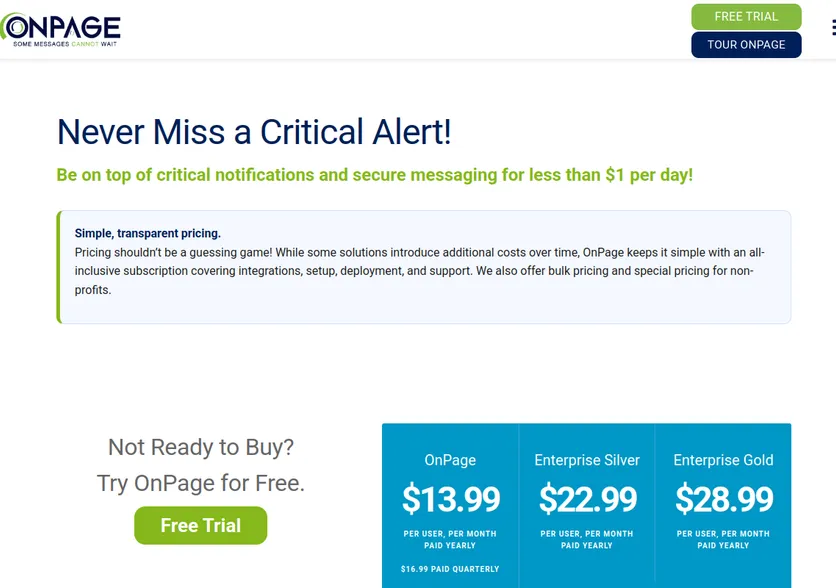
 OnPage | Teams that cannot afford a missed alert and need it to keep ringing | $13.99/user/month | Free trial | Visit |
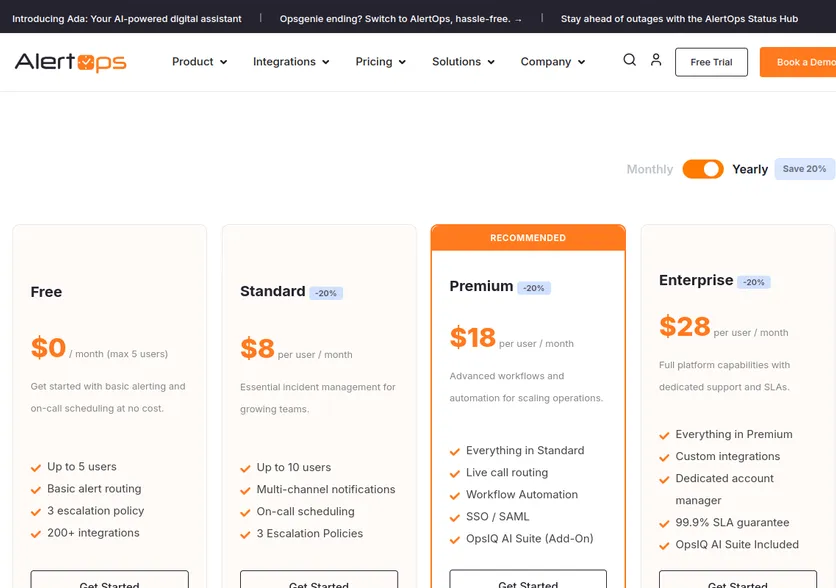
 AlertOps | Small teams that want alerting with workflow automation | $10/user/month | Free trial | Visit |
The IT alerting software for small business, compared
1. Zenduty
Best for: Small businesses that want on-call alerting at the lowest published price
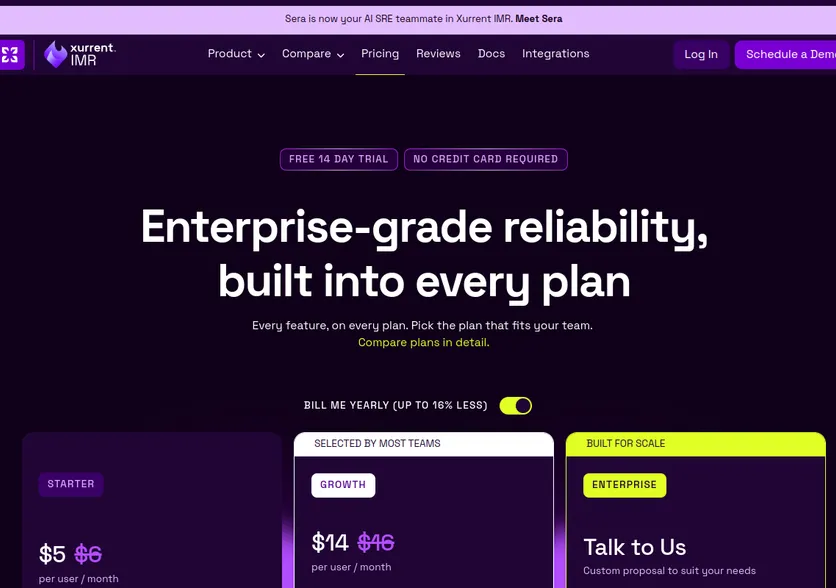
Paid tool Starting price: $6/user/month · Six dollars per user a month for the entry plan; higher plans add more on-call schedules, integrations and incident automation, and a free plan covers small teams getting started
Free plan: Free trial
For Small business, this Zenduty plan costs six dollars per user a month, and it covers alerting, on-call schedules, escalations and incident response in one subscription. Alerts from monitoring tools route to the person on call, escalate automatically when nobody answers, and land in an incident timeline the team can review. The free plan covers small teams getting started, so a business can prove the routing before paying.
What we like
- Lowest entry price on this list
- On-call schedules and escalations included
- Free plan for small teams getting started
Watch out for
- Advanced automation sits on higher plans
- Smaller integration list than PagerDuty
How to try it
- Connect your monitoring tools to Zenduty as alert sources
- Build the on-call rotation and set the escalation rule
- Review the incident timeline after each alert and fix the cause
2. Spike.sh
Best for: Tiny teams that need alerting and on-call without enterprise pricing
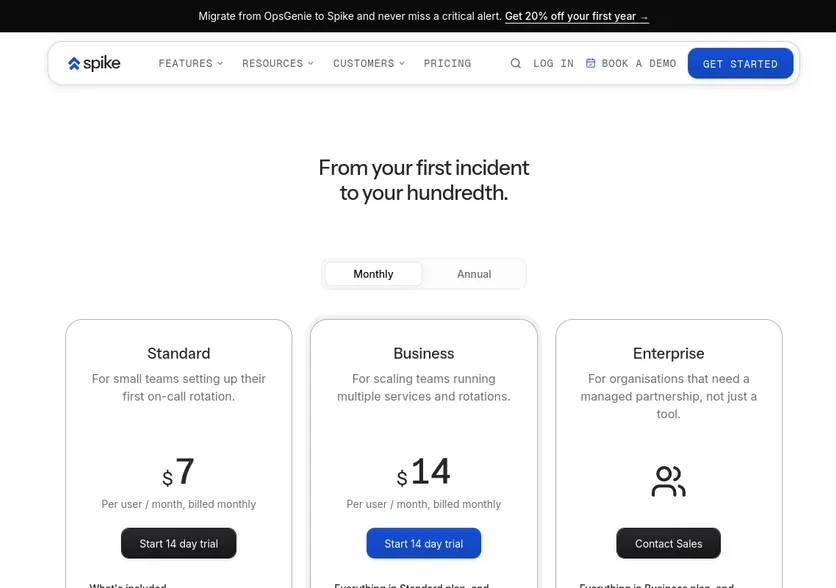
Paid tool Starting price: $7/user/month · Seven dollars per user a month for the entry plan; higher plans add more on-call schedules, integrations and incident timelines, and a free plan covers small teams getting started
Free plan: Free trial
For Small business, this Spike.sh plan costs seven dollars per user a month, and it covers alerting, on-call schedules, incident timelines and integrations with the monitoring tools a small business already runs. An alert pages the person on call by phone, SMS and push, escalates when nobody answers, and stays open until someone owns it. It is built for small teams, which is why the price stays low and the setup stays short.
What we like
- Low price with on-call schedules included
- Alerts by phone, SMS and push
- Free plan for small teams getting started
Watch out for
- Fewer enterprise integrations than PagerDuty
- Status pages sit on higher plans
How to try it
- Connect monitoring tools and set the alert rules
- Build the on-call rotation for the team
- Acknowledge alerts from the phone and close the incident when fixed
3. PagerDuty
Best for: Growing teams that need the widest integration list and proven escalation
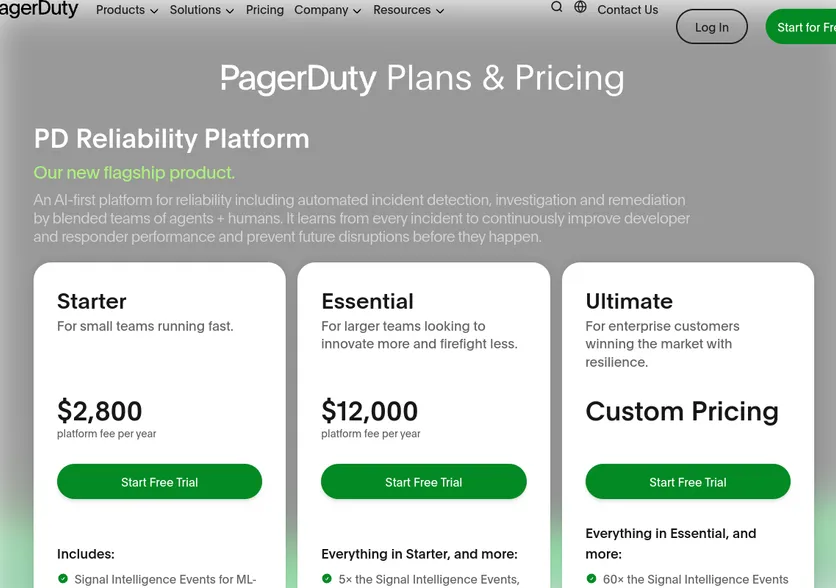
Paid tool Starting price: $21/user/month · Twenty-one dollars per user a month billed annually for the entry paid plan, with Professional at $41 and Business at $99 per user a month billed annually; the free plan covers up to 5 users with basic alerting
Free plan: Free plan for up to 5 users
For Small business, this PagerDuty plan costs twenty-one dollars per user a month billed annually, and it routes alerts from hundreds of monitoring and ticketing tools to the right person on call. Escalation policies, schedules and incident timelines are the most mature on this list, and the free plan covers up to five users with basic alerting. It is the most expensive entry price here, but it is also the tool most other tools integrate with first.
What we like
- Widest integration list on this list
- Mature escalation policies and schedules
- Free plan for up to 5 users
Watch out for
- Highest entry price on this list
- Advanced features need the $41 Professional plan
How to try it
- Connect monitoring tools and set the alert routing rules
- Build on-call schedules and escalation policies per service
- Review incidents and run post-incident analysis after each outage
4. ilert
Best for: Small teams that want alerting plus status pages and automation
Paid tool Starting price: $19/user/month · Nineteen dollars per user a month for the entry plan; higher plans add more integrations, automation and status pages, and monthly billing costs more than annual billing
Free plan: Free trial
For Small business, this ilert plan costs nineteen dollars per user a month, and it covers alerting, on-call schedules, status pages and automation in one subscription. Alerts route to the person on call, escalate on a schedule, and trigger automated actions that can restart a service before a human is even paged. It suits a team that wants the alert to fix the easy problems itself, not just wake somebody up.
What we like
- Alerting, status pages and automation in one tool
- Automated actions fix common alerts
- Works with the major monitoring tools
Watch out for
- Entry price is above the cheapest tools here
- Monthly billing costs more than annual billing
How to try it
- Connect monitoring tools and set the alert routing rules
- Build on-call schedules with automatic escalation
- Add automation actions that restart services on common alerts
5. SIGNL4
Best for: Small teams that need loud, persistent mobile alerting
Paid tool Starting price: $9/user/month · Nine dollars per user a month for the entry plan; higher plans add more users, integrations and duty scheduling, and a free plan covers one team with limited alerts
Free plan: Free trial
For Small business, this SIGNL4 plan costs nine dollars per user a month, and it turns a phone into a loud, persistent alerting device that keeps ringing until the alert is acknowledged. Alerts from monitoring tools arrive by push, SMS and voice call, escalate to the next person on call when nobody answers, and land in a team timeline. It suits a team that has missed alerts before, because the alert does not stop until someone owns it.

What we like
- Persistent alerting that keeps ringing until acknowledged
- Low price with duty scheduling included
- Free plan covers one team with limited alerts
Watch out for
- Smaller integration list than PagerDuty
- Advanced duty scheduling sits on higher plans
How to try it
- Connect monitoring tools to SIGNL4 as alert sources
- Set the alert channels and the escalation order
- Acknowledge alerts from the phone and hand over when the shift changes
6. Squadcast
Best for: Small teams that want alerting, on-call and incident response together
Paid tool Starting price: $15/user/month · Fifteen dollars per user a month for the entry plan; higher plans add more on-call schedules, automation and status pages, and the price covers alerting, on-call and incident response in one subscription
Free plan: Free trial
For Small business, this Squadcast plan costs fifteen dollars per user a month, and it covers alerting, on-call schedules, incident response and status pages in one subscription. An alert pages the person on call, the incident timeline collects every update, and the post-incident review runs in the same tool. It is a full incident platform at a small-team price, which is why it fits a business that wants one tool for the whole outage.
What we like
- Alerting, on-call and incident response in one tool
- Status pages included on higher plans
- Post-incident reviews built in
Watch out for
- Entry price is above the cheapest tools here
- Setup takes longer than a simple pager
How to try it
- Connect monitoring tools and set the alert routing rules
- Build on-call schedules and escalation policies
- Run the incident timeline and the post-incident review in one place
7. OnPage
Best for: Teams that cannot afford a missed alert and need it to keep ringing
Paid tool Starting price: $13.99/user/month · Thirteen dollars and ninety-nine cents per user a month for the entry plan; higher plans add more users, integrations and alerting channels, and the price covers persistent mobile alerting that keeps ringing until acknowledged
Free plan: Free trial
For Small business, this OnPage plan costs thirteen dollars and ninety-nine cents per user a month, and it sends persistent mobile alerts that keep ringing until acknowledged, with escalation to the next person on call. Alerts from monitoring tools arrive by push, SMS and voice, and the audit trail shows who was paged, who answered, and how long each step took. It suits a team where a missed alert costs money, because the alert does not stop until someone owns it.
What we like
- Persistent alerting until acknowledged
- Audit trail shows every page and response
- Works with the major monitoring tools
Watch out for
- Entry price is above the cheapest tools here
- Status pages are not the focus
How to try it
- Connect monitoring tools to OnPage as alert sources
- Set the escalation chain and the alert channels
- Review the audit trail after each alert to see response times
8. AlertOps
Best for: Small teams that want alerting with workflow automation
Paid tool Starting price: $10/user/month · Ten dollars per user a month for the entry plan; higher plans add more users, integrations and workflow automation, and the price covers alerting, on-call scheduling and incident workflows in one subscription
Free plan: Free trial
For Small business, this AlertOps plan costs ten dollars per user a month, and it covers alerting, on-call scheduling and incident workflows in one subscription. Alerts route by rules the team writes, escalate automatically, and trigger workflows that open tickets, notify channels and run runbooks. It suits a team that wants the alert to start the fix, not just wake somebody up, because the workflow runs while the human is still waking.
What we like
- Workflow automation triggers on alerts
- On-call scheduling included in the entry plan
- Rules-based routing fits complex setups
Watch out for
- Smaller integration list than PagerDuty
- Setup takes longer than a simple pager
How to try it
- Connect monitoring tools and write the routing rules
- Build on-call schedules and escalation policies
- Attach workflows that open tickets and notify the team automatically
Prices above were checked on each vendor’s own website on Nov 28, 2026 and can change — the vendor’s page is the final word. Vendor links are editorial: nobody paid to be listed or ranked here. Vendors who want a featured listing can see how it works on our Get listed page.
How a small business should run IT alerting
Start with the on-call rotation, not the alert. Decide who is on call, who is next if they do not answer, and how long each step waits, then write it down where the whole team can see it. Connect only the alerts that need a human at 2 a.m. and send the rest to a dashboard, because a team that gets paged for everything stops answering anything. Finally, review every incident the next morning and fix the cause, so the same alert does not wake the same person twice.
Before you buy
- Check that alerts escalate automatically when nobody answers, and how long each step waits
- Confirm whether status pages are included in the price or only on a higher plan
- Ask how many integrations are included, including your exact monitoring tools
- Count the per-user cost across the whole on-call team before you compare
- Run a trial with one real alert, from trigger to acknowledgement, before you commit
Official websites
Official websites of the products reviewed above. Features and prices were checked against these sites when this guide was written, and they can change, so confirm on the vendor site before you buy.
Frequently asked questions
What is IT alerting software for small business?
It is software that watches your systems, sends an alert to the person on call when something breaks, escalates when nobody answers, and keeps a record of every incident. The tools in this list do that through on-call schedules, escalation policies and integrations with monitoring tools. None of them replaces monitoring itself, but they make sure the right person hears about the outage while it is still small.
Which tool is cheapest for a small business?
Zenduty is cheapest at six dollars per user a month, with a free plan for small teams getting started. Spike.sh follows at seven dollars per user a month, and SIGNL4 at nine dollars per user a month. Compare the total across the whole on-call team, because a per-user price multiplies with every person on the rotation, and check which features sit on higher plans.
What does PagerDuty cost for a small business?
PagerDuty costs twenty-one dollars per user a month billed annually on the entry paid plan, with Professional at forty-one dollars and Business at ninety-nine dollars per user a month billed annually. The free plan covers up to five users with basic alerting. A team of five on the entry paid plan pays about one hundred and five dollars a month before any add-ons.
Do these tools work with the monitoring tools I already run?
Yes, all eight tools on this list integrate with the major monitoring tools, including Datadog, Grafana, Prometheus, Zabbix and UptimeRobot, plus ticketing tools such as Jira and ServiceNow. PagerDuty lists the widest integration catalog, while the smaller tools cover the common ones well. Check the integration list for your exact tools before you pay, because coverage varies by plan on some tools.
What happens if nobody answers an alert?
Every tool on this list escalates automatically: after a set wait, the alert moves to the next person on the rotation, then to a manager or the whole team, until someone acknowledges it. OnPage and SIGNL4 also keep the alert ringing on the phone until it is acknowledged, so a sleeping phone cannot swallow it. Set the escalation wait and the chain before you go live, and test it with a real alert.
Compare the eight tools above, then start with a free trial on the tool that pages the way your team already works.
Browse Business Tools tools