On this page
A university owns more IT than most companies: lab computers, library laptops, projectors in every lecture hall, and loaner devices students carry home. Keeping track of it all by spreadsheet breaks the first week of term, when hundreds of items move at once. AssetTiger leads this list because its $20-a-month Basic plan covers 500 assets with unlimited users, and the other eight tools are judged on the same practical test: how easily a campus team can check equipment in and out without losing it.
How we researched this
We checked every price on the vendor pricing page on November 28, 2026, and only included tools with a published US dollar list price and a free trial or free plan. The big names in this category, including Lansweeper and Asset Panda, publish no prices, so they are not in this list. Prices change, so confirm the current figure on the vendor site before you buy.
Compare the tools
| Name | Best for | Starting price | Free plan | |
|---|---|---|---|---|
 ManageEngine AssetExplorer | Universities that want network discovery across dorms, labs and libraries | $1,245/year | Free edition for up to 50 nodes on cloud or 25 on-premises | Visit |
 InvGate Asset Management | Universities that need discovery plus warranty and contract tracking | $1,499/year | 30-day free trial | Visit |
 AssetTiger | Universities that want a flat monthly price for the whole campus register | $20/month | 30-day free trial; no free plan | Visit |
 Reftab | Universities that lend laptops and equipment to students | $31.25/month | Free Forever plan for 50 assets | Visit |
 GoCodes | Universities that track equipment with QR codes and a phone app | $550/year | Free trial | Visit |
 Cheqroom | Universities with a central equipment room and many borrowers | $184/admin/month | 7-day free trial; no free plan | Visit |
 Sortly | Universities that want a visual inventory with photos of every item | $49/month | Free plan for 1 user and 100 items | Visit |
 UpKeep | Universities that maintain equipment as well as track it | $24/user/month | Free trial | Visit |
 Fiix | Universities with a maintenance team that services campus equipment | $45/user/month | Free plan with 25 active preventive maintenance tasks | Visit |
The IT asset management software for universities, compared
1. ManageEngine AssetExplorer
Best for: Universities that want network discovery across dorms, labs and libraries
Paid tool Starting price: $1,245/year · Cloud edition $1,245 a year for 250 assets; on-premises $955 a year for 250 assets; $115 a month on monthly billing
Free plan: Free edition for up to 50 nodes on cloud or 25 on-premises
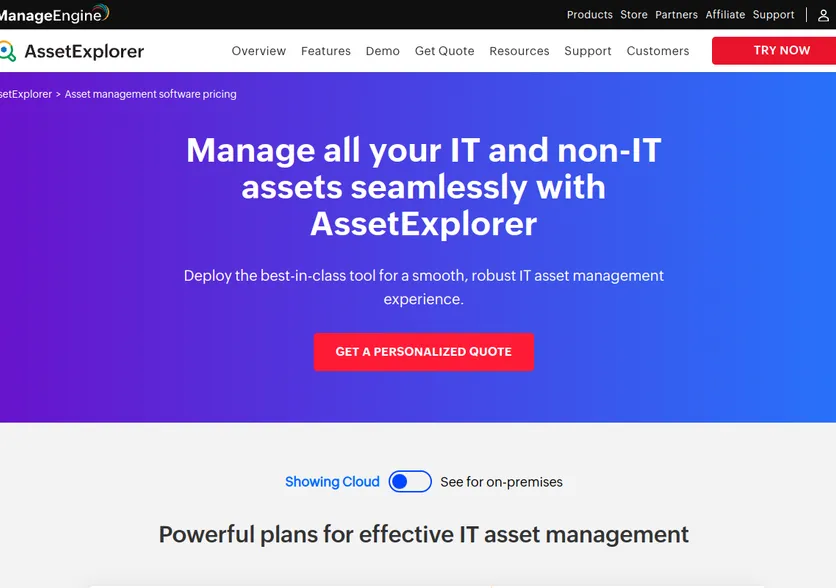
For a campus with thousands of devices spread across dorms, labs and libraries, ManageEngine AssetExplorer discovers hardware on the network and keeps warranty and license data on the same record. Its agentless scan finds switches, printers and servers without touching every machine, which matters when the fleet spans several buildings. The cloud edition costs $1,245 a year for 250 assets, and a free edition covers 50 nodes for a small department to start.
What we like
- Agentless discovery covers switches, printers and servers
- Warranty and license data sit on the same asset record
- On-premises edition suits campuses that keep data in-house
Watch out for
- The entry tier caps at 250 assets, so larger campuses pay more
- Cloud and on-premises prices differ, so compare both
How to try it
- Run a network scan across campus subnets to find every connected device
- Match discovered devices to asset records with owners and warranty dates
- Schedule regular scans so new hardware appears without manual entry
2. InvGate Asset Management
Best for: Universities that need discovery plus warranty and contract tracking
Paid tool Starting price: $1,499/year · Starter $1,499 a year for 500 IP devices; Pro $5 per IP device a year from $2,500 a year; Enterprise from $12,000 a year
Free plan: 30-day free trial
InvGate Asset Management suits a university because it discovers lab and classroom hardware while tracking warranties, contracts and depreciation in one place. Each IP device includes two non-IP devices, so the projectors, scanners and lab instruments beside the network are covered too. Starter costs $1,499 a year for 500 IP devices, with a 30-day trial for the IT team to test on a real subnet.
What we like
- Discovery, warranty and contract data share one record
- Each IP device covers two non-IP devices as well
- Depreciation tracking suits finance and audit needs
Watch out for
- Pricing is per IP device, so count the network carefully
- The entry plan stops at 500 IP devices
How to try it
- Connect InvGate to the campus network and run a discovery scan
- Review found devices and assign owners, locations and warranty dates
- Use contract alerts to renew support before coverage lapses
3. AssetTiger
Best for: Universities that want a flat monthly price for the whole campus register
Paid tool Starting price: $20/month · Basic $20 a month for 500 assets, or $220 a year; Core $40 a month for 2,500 assets; every paid plan includes unlimited users
Free plan: 30-day free trial; no free plan
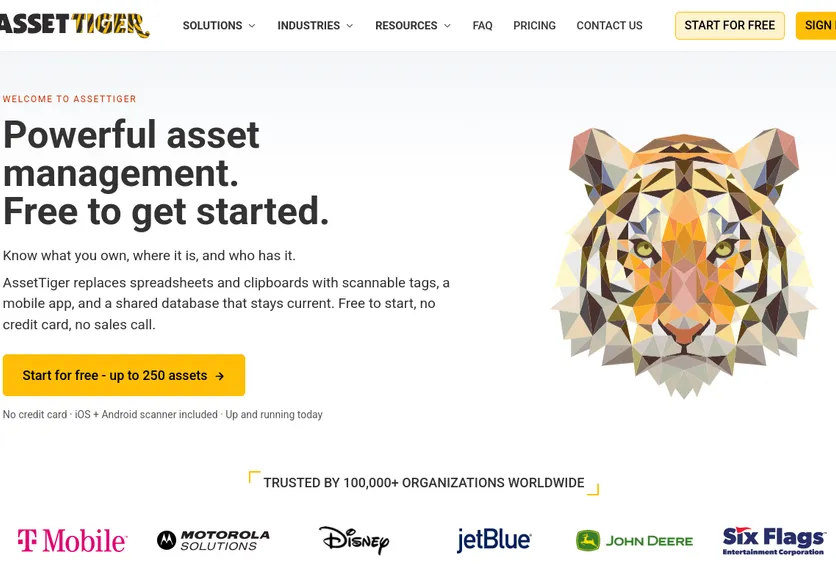
This AssetTiger plan costs $20 a month for 500 assets, and every paid plan includes unlimited users, so the whole IT team and every department can use it for one flat fee. Barcode and QR scanning, check-in and check-out, maintenance scheduling and 80-plus report types all come on the entry plan. Yearly billing gives one month free, which brings Basic to $220 a year.
What we like
- Flat $20 a month covers 500 assets with unlimited users
- Same features on every paid plan, price scales only by asset count
- Barcode and QR scanning speed up campus audits
Watch out for
- No free plan, only a 30-day trial
- Basic stops at 500 assets, so growing campuses move up a tier
How to try it
- Add assets by barcode scan or import the current list
- Check equipment out to students and staff, and log returns
- Run audits by scanning barcodes and reconciling the results
4. Reftab
Best for: Universities that lend laptops and equipment to students
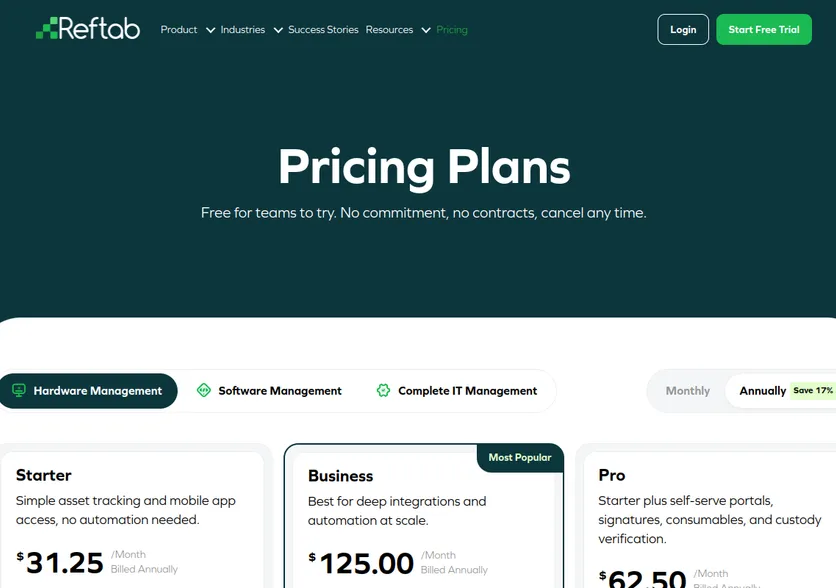
Paid tool Starting price: $31.25/month · Starter $31.25 a month billed annually for 250 assets with unlimited users; Pro $62.50; Business $125; software management add-on $0.75 per tracked user a month
Free plan: Free Forever plan for 50 assets
This Reftab plan costs about $31 a month billed annually for 250 assets, and it is built around check-outs: students reserve equipment, staff approve it, and overdue returns get flagged automatically. A free plan covers 50 assets for a single lab or department to start. The software management add-on tracks licenses per user for 75 cents a month, which helps when the same student uses several licensed apps.
What we like
- Reservations, approvals and overdue alerts are built in
- Free plan covers 50 assets for one lab
- Unlimited users on every paid plan
Watch out for
- The entry plan stops at 250 assets
- Software tracking costs extra per user
How to try it
- Set up the equipment catalog and let students reserve items online
- Approve check-outs and record returns with barcode scans
- Review the overdue list daily and send reminders automatically
5. GoCodes
Best for: Universities that track equipment with QR codes and a phone app
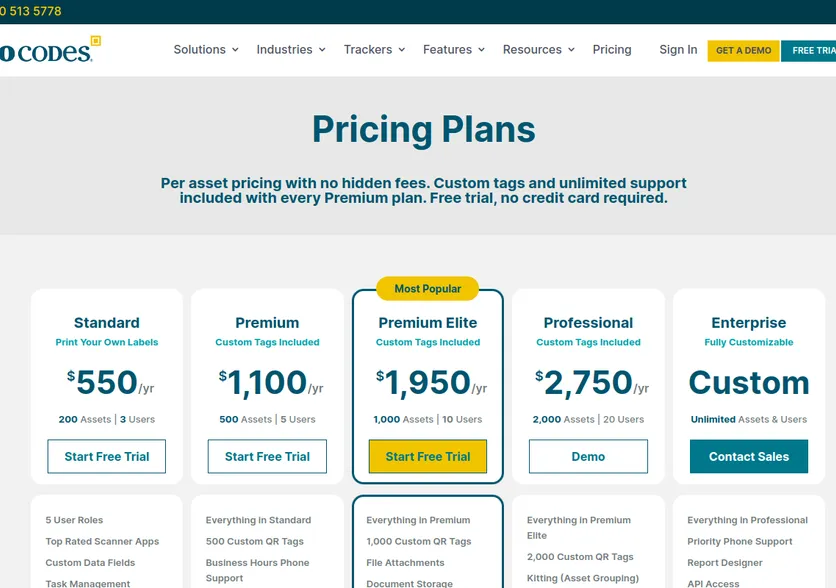
Paid tool Starting price: $550/year · Standard $550 a year for 200 assets and 3 users; Premium $1,100 a year for 500 assets; Premium Elite $1,950 a year; annual billing only
Free plan: Free trial
This GoCodes plan costs $550 a year for 200 assets and 3 users, and it tracks equipment with QR code labels scanned from a phone. Staff can check items in and out, run audits and see location history without a desktop, which suits a campus where equipment moves between buildings. Extra users cost $440 a year per five, so the whole department can share the same register.
What we like
- QR scanning works from a phone, no desktop needed
- Location history shows where each item has been
- Offline mode is available for buildings with poor signal
Watch out for
- Annual billing only, no monthly option
- API access and offline mode cost extra below the higher tiers
How to try it
- Print QR labels and attach them to every tracked item
- Scan items in and out with the phone app at each handover
- Run location audits by scanning rooms and reconciling the results
6. Cheqroom
Best for: Universities with a central equipment room and many borrowers
Paid tool Starting price: $184/admin/month · Core $184 per admin a month billed annually, with a 3-admin minimum, so the smallest bill is $552 a month; Business $275; Enterprise $367; unlimited non-admin users and items on every plan
Free plan: 7-day free trial; no free plan
This Cheqroom plan costs $184 per admin a month billed annually, and it runs a shared equipment room where students and staff reserve gear, check it out and return it on time. Unlimited non-admin users and items come on every plan, so the borrower count never drives the price. The 3-admin minimum sets the smallest bill at $552 a month, which suits a busy central store rather than a single lab.
What we like
- Unlimited borrowers and items on every plan
- Reservations and check-outs are built for shared stores
- Usage reports show which gear is actually in demand
Watch out for
- The 3-admin minimum sets a $552 a month floor
- No free plan, only a 7-day trial
How to try it
- Set up the equipment room catalog with photos and availability
- Let students reserve gear online and check it out at the desk
- Flag overdue returns and follow up before items go missing
7. Sortly
Best for: Universities that want a visual inventory with photos of every item
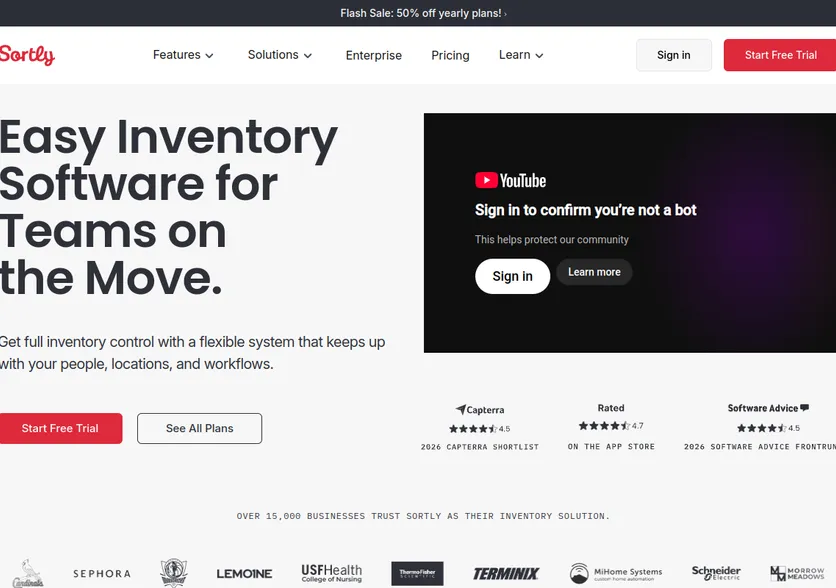
Paid tool Starting price: $49/month · Advanced $49 a month on monthly billing; the $24 a month yearly rate is a first-year discount, not the list price, and from year two yearly plans are 20% off monthly at $39.20 a month
Free plan: Free plan for 1 user and 100 items
This Sortly plan costs $49 a month, and it keeps a visual inventory where every item carries a photo, so staff can identify equipment at a glance. Barcode and QR scanning, check-in and check-out, and low-stock alerts come on the paid plans. The free plan covers one user and 100 items, which is enough for a single lab to test the workflow.
What we like
- Photos make every item easy to identify
- Visual folders match how campuses organize equipment
- Free plan covers one user and 100 items
Watch out for
- The advertised $24 yearly rate is a first-year discount only
- Advanced is a single-user plan unless you pay for more seats
How to try it
- Photograph each item and add it to the visual inventory
- Organize items into folders by building, lab or department
- Scan items in and out and check low-stock alerts weekly
8. UpKeep
Best for: Universities that maintain equipment as well as track it
Paid tool Starting price: $24/user/month · Essential $24 per user a month billed annually; Premium $55; the old Lite plan at $20 is retired
Free plan: Free trial
This UpKeep plan costs $24 per user a month billed annually, and it pairs asset records with work orders, so a broken projector becomes a repair job with a history. Preventive maintenance schedules keep lab equipment serviced on time, and the mobile app lets technicians update jobs from the building they are in. The free trial lets a campus team test it on one department before rolling it out.
What we like
- Work orders and asset records share one system
- Preventive maintenance schedules keep labs serviced
- Mobile app suits technicians moving between buildings
Watch out for
- No free plan, only a free trial
- Parts inventory and deeper reporting need Premium
How to try it
- Add campus assets and schedule preventive maintenance for each one
- Raise work orders when equipment breaks and assign them to technicians
- Track repair history per asset to spot machines that keep failing
9. Fiix
Best for: Universities with a maintenance team that services campus equipment
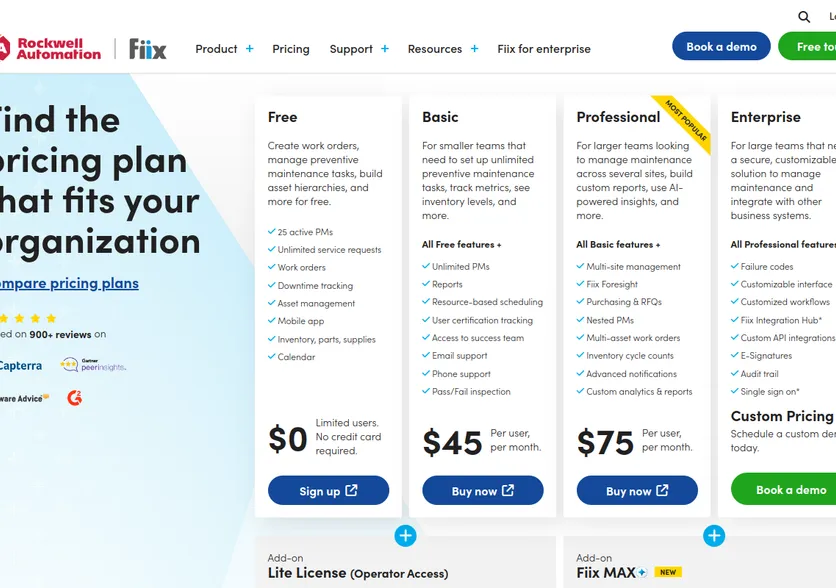
Paid tool Starting price: $45/user/month · Basic $45 per user a month; Professional $75; Enterprise by quote; a free plan covers 25 active preventive maintenance tasks
Free plan: Free plan with 25 active preventive maintenance tasks
This Fiix plan costs $45 per user a month, and it manages work orders, preventive maintenance and parts for the equipment a campus owns. A maintenance team can schedule servicing for lab machines, track parts stock and record every repair against the asset. The free plan covers 25 active preventive maintenance tasks, so a small team can start without paying.
What we like
- Work orders, maintenance and parts share one system
- Free plan covers 25 preventive maintenance tasks
- Repair history per asset supports replacement planning
Watch out for
- Single sign-on costs extra on Enterprise
- API integrations are limited below Enterprise
How to try it
- Set up preventive maintenance schedules for lab and facility equipment
- Raise work orders for breakdowns and track parts used on each job
- Review maintenance costs per asset to plan replacements
Prices above were checked on each vendor’s own website on Nov 28, 2026 and can change — the vendor’s page is the final word. Vendor links are editorial: nobody paid to be listed or ranked here. Vendors who want a featured listing can see how it works on our Get listed page.
How a university should run IT asset management
Start with check-outs, not the register. A university loses equipment at the handover, when a laptop leaves the store without a record, so make the reservation and the return the two steps nobody can skip. Keep one register for the whole campus, even if each department runs its own check-out desk, because a device that exists in two lists is a device nobody owns. Tag every item with a barcode or QR code and scan it at every move, since a scan takes seconds and a search takes hours. Finally, review the overdue list weekly, because a loan that is a week late is usually still on campus, and a loan that is a term late is usually gone.
Before you buy
- Check that check-outs, reservations and overdue alerts work without a separate system
- Confirm how many users are included, since a campus register needs the whole team
- Ask whether barcode or QR scanning works from a phone, not only a desktop
- Count the cost at your real asset count, including the minimums on per-admin plans
- Run a trial in one department and test a full loan cycle before you roll it out
Official websites
Official websites of the products reviewed above. Features and prices were checked against these sites when this guide was written, and they can change, so confirm on the vendor site before you buy.
Frequently asked questions
What is IT asset management software for universities?
It is software that records every device a university owns, from lab computers to loaner laptops, and tracks who has each item. Staff check equipment out to students, record returns, schedule maintenance and flag overdue loans from one register. Universities need it because equipment moves between buildings and borrowers constantly, and a spreadsheet cannot keep up once the count passes a few hundred items.
How much does IT asset management software cost for a university?
The tools in this list start at $20 a month for AssetTiger Basic, covering 500 assets with unlimited users, and $31.25 a month for Reftab Starter. Per-user plans run from $24 a user a month on UpKeep to $45 on Fiix, while Cheqroom starts at $184 per admin a month with a three-admin minimum. The right comparison is the total for your asset count and team size, not the headline rate.
Which tool is best for lending laptops to students?
Reftab is the best fit, since reservations, approvals and overdue alerts are its core job, and its Starter plan costs $31.25 a month for 250 assets. Cheqroom suits a busy central equipment room with many borrowers, though its three-admin minimum sets the floor at $552 a month. AssetTiger is the cheapest register for the job at $20 a month, with check-in and check-out included on every plan.
Can these tools track maintenance as well as check-outs?
Yes, UpKeep and Fiix both pair asset records with work orders and preventive maintenance schedules, so a repair is tracked against the machine it fixes. AssetTiger and Reftab include maintenance scheduling on their plans, though they are registers first and maintenance tools second. Pick a maintenance-first tool when the campus has a team servicing equipment, and a register-first tool when lending is the main job.
Do universities get discounts on asset management software?
Some vendors offer education pricing, but none of the nine tools in this list publishes a university discount on its pricing page. The practical way to save is to pick a plan priced per asset or per admin rather than per user, since a campus register often has many more users than admins. Ask each vendor directly about education terms before you sign, and get the quote in writing.
Compare the nine tools above, then start with a free trial in one department and test a full loan cycle before you roll the tool out across campus.
Browse Business Tools tools