On this page
A help desk lives or dies on its documentation. When a ticket comes in about a VPN that will not connect, the agent needs the fix in front of them, not in a colleague's head. IT Glue leads this list because it ties every password, configuration and procedure to the client it belongs to for $29 a user a month, and the other eight tools are judged on the same practical test: how fast a good answer reaches the agent handling the ticket.
How we researched this
We checked every price on the vendor pricing page on November 28, 2026, and only included tools with a published US dollar list price and a free trial or free plan. Two names in this category publish no prices any more, Document360 and Guru, so they are not in this list. Prices change, so confirm the current figure on the vendor site before you buy.
Compare the tools
| Name | Best for | Starting price | Free plan | |
|---|---|---|---|---|
 IT Glue | Help desks that document client IT environments in detail | $29/user/month | Free demo | Visit |
 Hudu | Help desks that want IT Glue-style documentation without the minimums | $27/user/month | 14-day free trial | Visit |
 Confluence | Help desks already running Jira that need a team wiki | $7.15/user/month | Free plan for up to 10 users | Visit |
 HelpDocs | Help desks that publish a public knowledge base for customers | $99/month | 14-day free trial; no free plan | Visit |
 Scribe | Help desks that turn repeated fixes into step-by-step guides | $25/seat/month | Free Basic plan | Visit |
 KnowledgeOwl | Help desks that want one author publishing to unlimited readers | $100/month | 30-day free trial; no free plan | Visit |
 Freshservice | Help desks that need documentation inside the ticketing tool | $19/agent/month | Free trial | Visit |
 Jira Service Management | Help desks that run IT service management with a built-in knowledge base | $21.50/agent/month | Free plan for up to 3 agents | Visit |
 Zendesk | Help desks that want ticketing plus a customer-facing help center | $19/agent/month | Free trial | Visit |
The IT documentation software for help desks, compared
1. IT Glue
Best for: Help desks that document client IT environments in detail
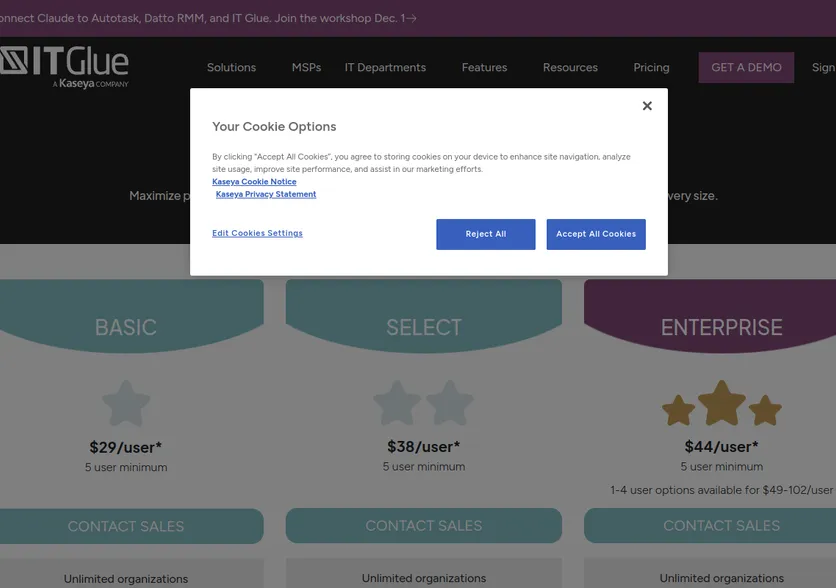
Paid tool Starting price: $29/user/month · Basic $29 per user a month on a 36-month term with a 5-user minimum; Select $38; Enterprise $44; a one-time onboarding fee applies and the amount is unpublished
Free plan: Free demo
This IT Glue plan costs $29 per user a month on a 36-month term, and it stores passwords, configurations, procedures and contacts in one structured system per client. Agents find the exact setup for the customer calling in, instead of hunting through shared drives and chat history. The 5-user minimum and the onboarding fee make it a commitment, but the payoff is a ticket handled with the facts in front of the agent.
What we like
- Passwords and procedures tie to the exact client
- Structured records beat shared drives and chat history
- Integrations pull in asset data automatically
Watch out for
- The 5-user minimum sets a $145 a month floor
- The onboarding fee amount is not published
How to try it
- Set up a client record with passwords, configurations and contacts
- Link procedures and assets to the client they belong to
- Search the client record while the ticket is open to find the fix
2. Hudu
Best for: Help desks that want IT Glue-style documentation without the minimums
Paid tool Starting price: $27/user/month · $27 per user a month billed annually, or $30 on monthly billing; no user minimum, no contract and no setup fees; cloud or self-hosted at the same price
Free plan: 14-day free trial
This Hudu plan costs $27 per user a month billed annually, and it keeps the same kind of structured client documentation as the bigger names, with no user minimum and no contract. Articles, passwords, assets and processes live together, and the same price covers cloud or self-hosted installs. A 14-day trial lets a help desk team import a few clients and test the workflow before committing.

What we like
- No user minimum, no contract and no setup fees
- Same price for cloud or self-hosted installs
- Client documentation, passwords and assets in one place
Watch out for
- The Radar add-on for network monitoring costs extra
- Fewer third-party integrations than the biggest names
How to try it
- Import client records with passwords, assets and articles
- Organize procedures by client so agents find them fast
- Use the trial to test the workflow on a few real clients
3. Confluence
Best for: Help desks already running Jira that need a team wiki
Paid tool Starting price: $7.15/user/month · Standard $7.15 per user a month on monthly billing for users 1 to 100; Premium $14.10; free for up to 10 users
Free plan: Free plan for up to 10 users
This Confluence plan costs $7.15 per user a month for teams of 1 to 100 on monthly billing, and it gives a help desk a wiki where fixes, runbooks and onboarding notes live beside the tickets they support. Pages link straight into Jira issues, so an agent can open the procedure from the ticket itself. The free plan covers up to 10 users, which suits a small desk getting its documentation in order.

What we like
- Cheapest solid start at $7.15 a user a month
- Pages link straight into Jira tickets
- Free plan covers up to 10 users
Watch out for
- No built-in password or asset management
- Structure depends on the team keeping pages tidy
How to try it
- Create a space for help desk procedures and known fixes
- Link each article to the Jira tickets it solves
- Review and update pages when a procedure changes
4. HelpDocs
Best for: Help desks that publish a public knowledge base for customers
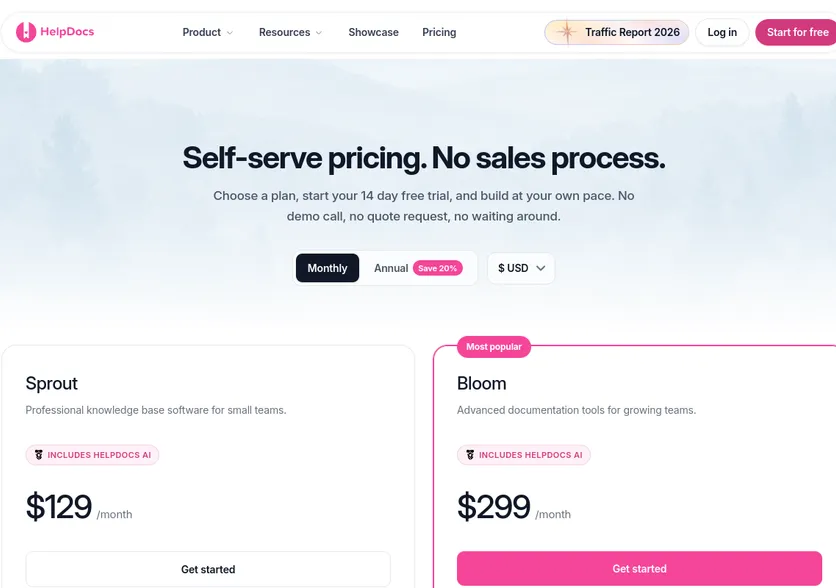
Paid tool Starting price: $99/month · Sprout $99 a month billed annually, or $129 on monthly billing, with 5 editors; Bloom $239; Harvest $399; Enterprise from $1,250 a month
Free plan: 14-day free trial; no free plan
This HelpDocs plan costs $99 a month billed annually, and it publishes a clean public knowledge base where customers find answers before they open a ticket. Articles, search and feedback live in one place, and the editor is simple enough that support agents write the docs themselves. A 14-day trial covers the whole setup, and there is no free plan once the trial ends.
What we like
- Clean public knowledge base customers actually use
- Simple editor lets agents write docs themselves
- Search feedback shows which answers are missing
Watch out for
- No free plan, only a 14-day trial
- Editor seats are capped per plan, so larger teams pay more
How to try it
- Write the ten most repeated fixes as public articles
- Organize articles into categories customers can browse
- Check search feedback weekly and fill the gaps customers hit
5. Scribe
Best for: Help desks that turn repeated fixes into step-by-step guides
Paid tool Starting price: $25/seat/month · Pro Personal $25 per seat a month billed annually, or $35 on monthly billing; Pro Team $13 per seat a month with a 5-seat minimum; Basic is free
Free plan: Free Basic plan
This Scribe plan costs $25 per seat a month billed annually, and it turns a captured fix into a step-by-step guide with screenshots automatically. An agent records the clicks once, and the guide is ready to share with the team or the customer. Pro Team drops the rate to $13 a seat for teams of five or more, which suits a help desk where several agents write guides.
What we like
- Guides generate themselves from a recorded fix
- Screenshots and steps come out ready to share
- Pro Team drops the rate to $13 a seat
Watch out for
- Pro Team needs at least five seats to get the low rate
- Desktop capture and exports need a paid plan
How to try it
- Record the fix once while you solve a real ticket
- Edit the generated guide and add notes where a step is tricky
- Share the guide with the team or publish it to customers
6. KnowledgeOwl
Best for: Help desks that want one author publishing to unlimited readers
Paid tool Starting price: $100/month · Basic $100 a month for one author and one knowledge base; Pro $250; Business $500; Enterprise $1,250; extra authors $25 a month each
Free plan: 30-day free trial; no free plan
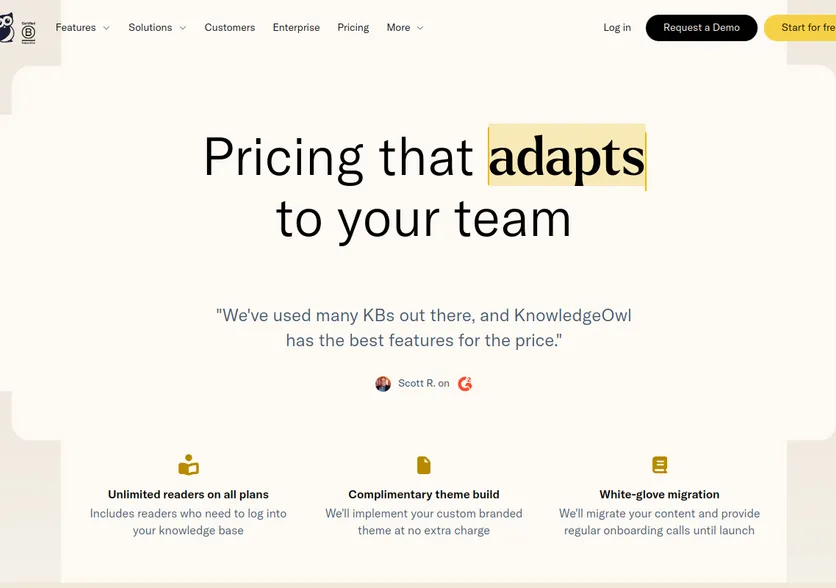
This KnowledgeOwl plan costs $100 a month, and it charges per author while readers stay free, which fits a help desk where one person writes and everyone reads. The knowledge base supports a custom domain, version control and AI search, and every plan includes unlimited readers. Extra authors cost $25 a month each, so the bill grows only when more people start writing.
What we like
- Readers are free, you pay only for authors
- Custom domain and full branding control
- Version control keeps every article edit traceable
Watch out for
- No free plan, only a 30-day trial
- Single sign-on needs the Business plan
How to try it
- Set up the knowledge base with your domain and branding
- Write articles with version control so edits are easy to track
- Publish to unlimited readers and check search analytics monthly
7. Freshservice
Best for: Help desks that need documentation inside the ticketing tool
Paid tool Starting price: $19/agent/month · Starter $19 per agent a month billed annually, or $29 on monthly billing; Growth $49; Pro $99; Enterprise by quote
Free plan: Free trial
For a help desk that needs documentation inside the ticketing tool, Freshservice pairs a knowledge base with asset discovery for $19 per agent a month billed annually. Agents write and search articles without leaving the ticket, and suggested articles appear while they work. Discovered assets link to the articles that fix them, so the same record covers the device and the procedure.

What we like
- Knowledge base lives inside the ticketing tool
- Suggested articles appear while agents work
- Assets and articles share one system
Watch out for
- Asset management is an add-on cost on some plans
- Deeper automation needs the Growth plan
How to try it
- Write knowledge articles for the most repeated ticket types
- Let agents search articles from inside the ticket view
- Link articles to the assets they fix so both stay in one place
8. Jira Service Management
Best for: Help desks that run IT service management with a built-in knowledge base
Paid tool Starting price: $21.50/agent/month · Standard $21.50 per agent a month at the 75-agent size on the pricing page; the rate is tiered, from $26.90 for 1 to 15 agents to $20.15 for 16 to 100 on monthly billing; Premium $55.28; free for up to 3 agents
Free plan: Free plan for up to 3 agents
This Jira Service Management plan costs $21.50 per agent a month at the pricing page's default 75-agent size, and it pairs ITSM ticketing with a Confluence knowledge base that suggests articles as agents type. Requests, incidents, problems and changes share one queue, and the portal lets staff find answers before they raise a ticket. The free plan covers up to three agents for a small team to start.
What we like
- Knowledge base suggestions appear as agents type
- Requests, incidents and changes share one queue
- Free plan covers up to three agents
Watch out for
- The published rate varies by team size, so check your tier
- AI features start billing separately from December 2026
How to try it
- Set up request types and link the knowledge base to the portal
- Let agents search articles from inside each ticket
- Review portal searches to find the answers customers cannot find
9. Zendesk
Best for: Help desks that want ticketing plus a customer-facing help center
Paid tool Starting price: $19/agent/month · Support Team $19 per agent a month billed annually, or $25 on monthly billing, for ticketing only; Suite Team $55; Suite Professional $115; the Employee Service Suite starts at $29
Free plan: Free trial
This Zendesk plan costs $19 per agent a month billed annually on Support Team, and it combines ticketing with a help center where customers search articles before they write in. The guide and AI features sit on the Suite plans from $55 a month, so a desk that wants self-service pays more. Copilot is a $50 per agent add-on, and AI resolutions are metered on top of the subscription.

What we like
- Ticketing and help center share one workspace
- Huge app marketplace for integrations
- Scales from a small team to an enterprise desk
Watch out for
- The $19 plan is ticketing only, no help center included
- AI features cost extra on top of the subscription
How to try it
- Set up ticket channels and the help center in one workspace
- Publish the most repeated fixes as public articles
- Move to a Suite plan when self-service and AI matter
Prices above were checked on each vendor’s own website on Nov 28, 2026 and can change — the vendor’s page is the final word. Vendor links are editorial: nobody paid to be listed or ranked here. Vendors who want a featured listing can see how it works on our Get listed page.
How a help desk should run its documentation
Start with the tickets, not a blank wiki. The ten fixes your agents repeat every week are the first ten articles to write, because each one saves a call the moment it is published. Keep every article short enough to follow while the customer waits, with the exact clicks and the exact error message, and link each article from the ticket type it solves. Review the articles every quarter and retire the ones nobody opens, since stale documentation is worse than none: it sends agents down a path that no longer works. Finally, let agents write the docs, because the person who fixed the problem knows which step is easy to miss.
Before you buy
- Check that agents can search and open articles without leaving the ticket
- Confirm whether the knowledge base is public, internal, or both, before you buy
- Ask how many editors are included, since per-editor pricing grows with the team
- Count the cost of AI features separately, as many vendors charge for them as add-ons
- Run a trial with ten real tickets and see how fast agents find the right article
Official websites
Official websites of the products reviewed above. Features and prices were checked against these sites when this guide was written, and they can change, so confirm on the vendor site before you buy.
Frequently asked questions
What is IT documentation software for help desks?
It is software that stores the fixes, procedures and client details a help desk needs, so agents answer from facts instead of memory. The tools in this list cover wikis, knowledge bases, auto-generated guides and full IT documentation systems. A good one puts the right article in front of the agent while the ticket is open, which cuts handle time and keeps answers consistent across the team.
How much does IT documentation software cost for a help desk?
The tools in this list start at $7.15 a user a month for Confluence Standard and $25 a seat a month for Scribe Pro Personal. Structured documentation runs $27 a user a month on Hudu and $29 on IT Glue, while a public knowledge base costs $99 a month on HelpDocs and $100 on KnowledgeOwl. The cheapest start is usually the wiki your team already uses, not a new system.
Which tool is best for a small help desk?
Confluence is the cheapest solid start at $7.15 a user a month, with a free plan for up to 10 users, and it links straight into Jira tickets. Scribe is the best pick when agents keep solving the same problems, since it turns a recorded fix into a guide for $25 a seat a month. Hudu suits a desk that documents many clients, with no user minimum at $27 a user a month.
Should the knowledge base be public or internal?
Both, for different articles. Public articles deflect tickets, since customers find the fix before they write in, and HelpDocs and KnowledgeOwl are built for that. Internal articles hold passwords, client configurations and procedures that customers should never see, which is where IT Glue and Hudu fit. Most help desks end up with two spaces: a public help center and a private documentation system.
Can AI write help desk documentation?
It can draft it, and several tools in this list include AI features, but the draft still needs an agent to check it. Scribe generates guides from a recorded screen capture, which is the most reliable shortcut, since the steps come from real clicks. AI search and chatbots help customers find existing articles, but a wrong AI answer in a help center costs more trust than a missing article.
Compare the nine tools above, then start with a free trial on the tool that matches how your agents already work before you pay for a full year.
Browse Business Tools tools