On this page
A trial is won in the preparation, not on the day: the chronology has to hold together, the exhibits have to be ready, and the matter file has to be complete. The tools below cover that preparation, from fact chronologies to courtroom presentation. CaseFleet leads the list because it links every fact to its evidence for thirty dollars a user a month, and the other seven tools are judged on the same test: how ready the firm is when the jury walks in.
How we researched this
We checked every price on the vendor pricing page on November 28, 2026, and only included tools with a published US dollar list price. TrialWorks, Filevine and Litify are quote-only, Actionstep publishes no prices on its own site, and Smokeball was excluded because its US pricing is unsettled, so they are not in this list. Prices change, so confirm the current figure on the vendor site before you buy.
Compare the tools
| Name | Best for | Starting price | Free plan | |
|---|---|---|---|---|
| CaseFleet | Mid-size firms that want a litigation workspace built around facts | $30/user/month | Free trial | Visit |
 Clio | Mid-size firms that want the market-leading practice platform | $49/user/month | Free trial | Visit |
 8am MyCase | Firms that want case management with AI assistants built in | $50/user/month | Free trial | Visit |
 Rocket Matter | Firms that want kanban matter management with built-in billing | $59/user/month | Free trial | Visit |
 PracticePanther | Firms that want every plan published with no sales call | $49/user/month | Free trial | Visit |
 CosmoLex | Firms that want legal accounting built into practice management | $49/user/month | Free trial | Visit |
 CARET Legal | Mid-size firms that want email, billing and accounting in one system | $79/user/month | Free trial | Visit |
| TrialPad | Trial lawyers who present exhibits from an iPad in court | $50/month | Free trial | Visit |
The jury selection software for mid-size law firms, compared
1. CaseFleet
Best for: Mid-size firms that want a litigation workspace built around facts
Paid tool Starting price: $30/user/month · Thirty dollars per user per month billed annually on the Starter plan (forty dollars monthly), with a twenty-document limit per case; Advanced AI is a hundred and forty dollars per user per month billed annually, and Enterprise is custom for twenty or more users
Free plan: Free trial
This CaseFleet Starter plan costs thirty dollars per user a month billed annually, and it is the most trial-focused tool on this list. Facts, issues, witnesses, documents and timelines live together, with every fact linked to its evidence citation. The Advanced AI plan at a hundred and forty dollars adds document intelligence, AI fact extraction and unlimited documents, while Enterprise is quoted for twenty or more users.

What we like
- Every fact links to its evidence citation
- Chronologies, witnesses and documents in one workspace
- AI plan extracts facts from documents automatically
Watch out for
- Starter caps at twenty documents per case
- The full AI tool costs a hundred and forty dollars a month
How to try it
- Build the fact chronology and link each fact to its evidence
- Organize witnesses, issues and documents on the same case
- Add the AI plan when document review becomes the bottleneck
2. Clio
Best for: Mid-size firms that want the market-leading practice platform
Paid tool Starting price: $49/user/month · Forty-nine dollars per user per month billed annually on the EasyStart plan (fifty-nine dollars monthly); Essentials is eighty-nine dollars, Advanced is a hundred and nineteen dollars and Expand is a hundred and forty-nine dollars. Older thirty-nine and seventy-nine dollar figures are stale
Free plan: Free trial
This Clio Manage EasyStart plan costs forty-nine dollars per user a month billed annually, and it is the practice management platform most law firms already know. Matters, time tracking, billing and trust accounting share one system, and Essentials at eighty-nine dollars adds document templates, the client portal and integrations. Clio Grow is a separate intake CRM, and the LawPay integration ended in August 2026, so payments now run through Clio Payments.

What we like
- The practice platform most firms already know
- Time, billing and trust accounting in one system
- Hundreds of integrations on the Essentials tier
Watch out for
- EasyStart has no third-party integrations at all
- The intake CRM is a separate product
How to try it
- Set up matters, clients and trust accounting in Clio Manage
- Track time and bill from the same matter record
- Add Clio Grow when intake becomes a bottleneck
3. 8am MyCase
Best for: Firms that want case management with AI assistants built in
Paid tool Starting price: $50/user/month · Fifty dollars per user per month billed annually on the Basic plan (sixty dollars monthly); Pro is a hundred dollars and Advanced is a hundred and thirty dollars, and MyCase Accounting is a thirty-nine dollar add-on. Prices rose in August 2026 from thirty-nine, eighty-nine and a hundred and nine dollars
Free plan: Free trial
This 8am MyCase Basic plan costs fifty dollars per user a month billed annually, and it is the practice platform now sold under the 8am name. Case and contact management, time entry, invoicing and trust accounting share one system, and Pro at a hundred dollars adds the 8am IQ writing and document assistants. Advanced at a hundred and thirty dollars adds the case assistant, discovery OCR and the open API, and prices rose in August 2026 from the older thirty-nine dollar entry point.

What we like
- AI assistants built into Pro and Advanced plans
- Unlimited document storage on every plan
- Client portal included from Basic
Watch out for
- The open API is Advanced only
- Accounting is a separate thirty-nine dollar add-on
How to try it
- Set up cases, contacts and trust accounting in MyCase
- Move to Pro for automated workflows and document generation
- Add Advanced for the AI case assistant and open API
4. Rocket Matter
Best for: Firms that want kanban matter management with built-in billing
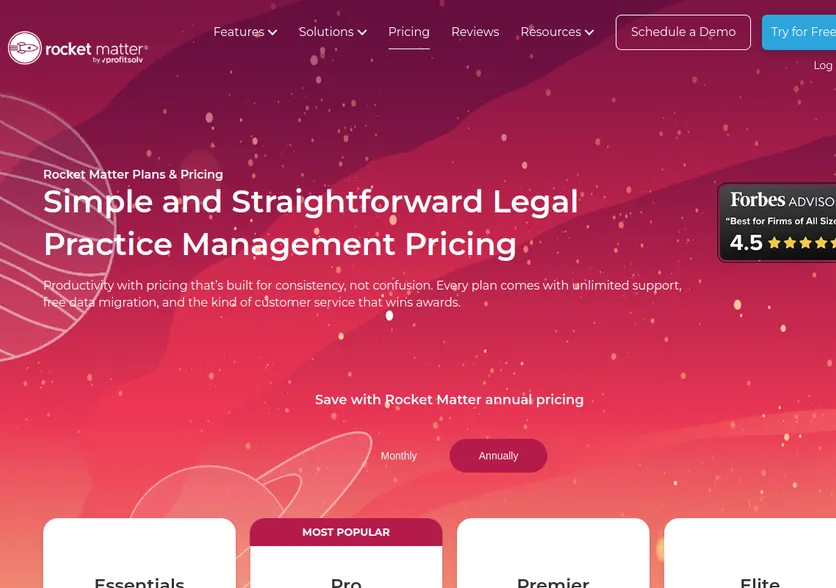
Paid tool Starting price: $59/user/month · Fifty-nine dollars per user per month billed annually on the Essentials plan; Pro is ninety-five dollars, Premier is a hundred and fifteen dollars and Elite is a hundred and forty-five dollars. Older forty-nine, seventy-nine and ninety-nine dollar figures are stale, and the vendor FAQ still says plans start at forty-nine dollars
Free plan: Free trial
This Rocket Matter Essentials plan costs fifty-nine dollars per user a month billed annually, and it is the practice platform with the clearest matter board on this list. Matters move across a kanban board, time and billing run from the same record, and Pro at ninety-five dollars adds workflow automation and LEDES billing. The vendor FAQ still says plans start at forty-nine dollars, but the plan cards list Essentials at fifty-nine.
What we like
- Kanban matter board suits visual trial prep
- Time and billing share the matter record
- Free data migration included
Watch out for
- The vendor FAQ and plan cards disagree on the entry price
- CRM and website hosting are paid add-ons
How to try it
- Set up matters on the kanban board by stage
- Track time and bill from the same matter record
- Move to Pro for workflow automation and LEDES billing
5. PracticePanther
Best for: Firms that want every plan published with no sales call
Paid tool Starting price: $49/user/month · Forty-nine dollars per user per month billed annually on the Solo plan (fifty-nine dollars monthly); Essential is sixty-nine dollars, Business is eighty-nine dollars and Business Pro is a hundred and fourteen dollars per user per month
Free plan: Free trial
This PracticePanther Solo plan costs forty-nine dollars per user a month billed annually, and it publishes all four plan prices with no sales call needed. Matters, time, client portal, workflows and trust accounting are on every plan, and Business at eighty-nine dollars adds two-way texting, intake forms and unlimited e-signature. Business Pro at a hundred and fourteen dollars adds full accounting with a general ledger and three-way reconciliation.

What we like
- All four plan prices published, no sales call needed
- Workflows and payments on every plan
- Business Pro includes full firm accounting
Watch out for
- The Solo plan has no intake forms or texting
- Annual billing saves a hundred and twenty dollars per user a year, so monthly costs more
How to try it
- Set up matters, time tracking and the client portal on Solo
- Move to Business for texting, intake forms and e-signature
- Add Business Pro when the firm needs a general ledger
6. CosmoLex
Best for: Firms that want legal accounting built into practice management
Paid tool Starting price: $49/user/month · Forty-nine dollars per user per month billed annually on the Launch plan (fifty-nine dollars monthly); Core is ninety-nine dollars and Pro is a hundred and twenty-nine dollars per user per month
Free plan: Free trial
This CosmoLex Launch plan costs forty-nine dollars per user a month billed annually, and it is the practice platform built around legal accounting first. Time tracking, invoicing, trust accounting and bank reconciliation share one system, and Core at ninety-nine dollars adds the general ledger, payables and bank feeds. Pro at a hundred and twenty-nine dollars adds advanced compliance reporting and an open API.

What we like
- Legal accounting built in, not bolted on
- Trust accounting with automatic transfers and holds
- Bank reconciliation included from Launch
Watch out for
- The general ledger needs the Core tier
- The trial excludes the CRM and some add-ons
How to try it
- Set up matters, time tracking and trust accounting in CosmoLex
- Move to Core for the general ledger and bank feeds
- Add Pro for advanced compliance reporting and the API
7. CARET Legal
Best for: Mid-size firms that want email, billing and accounting in one system
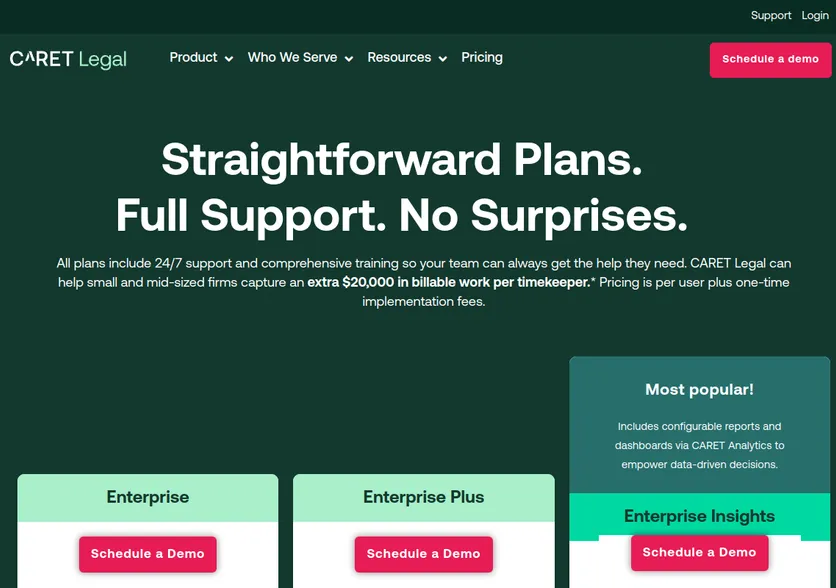
Paid tool Starting price: $79/user/month · Seventy-nine dollars per user per month billed annually on the Enterprise plan; Enterprise Plus is ninety-nine dollars and Enterprise Insights is a hundred and nineteen dollars, with one-time implementation fees on top. Zola Suite is now sold as CARET Legal, and older fifty-nine and sixty-nine dollar figures are stale
Free plan: Free trial
This CARET Legal Enterprise plan costs seventy-nine dollars per user a month billed annually, and it is the platform formerly sold as Zola Suite. Built-in email, matter management, billing, accounting and a client portal share one cloud system, so a firm stops stitching tools together. Enterprise Plus at ninety-nine dollars adds analytics and workflows, and Enterprise Insights at a hundred and nineteen dollars adds configurable analytics, with one-time implementation fees on top.
What we like
- Built-in email is rare among practice platforms
- Billing and accounting share the matter record
- Analytics and workflows on the higher tiers
Watch out for
- One-time implementation fees are not published
- A five-seat minimum applies
How to try it
- Move matters, email and billing into the one system
- Track accounting and trust ledgers beside the matter record
- Add Enterprise Plus for analytics and automated workflows
8. TrialPad
Best for: Trial lawyers who present exhibits from an iPad in court
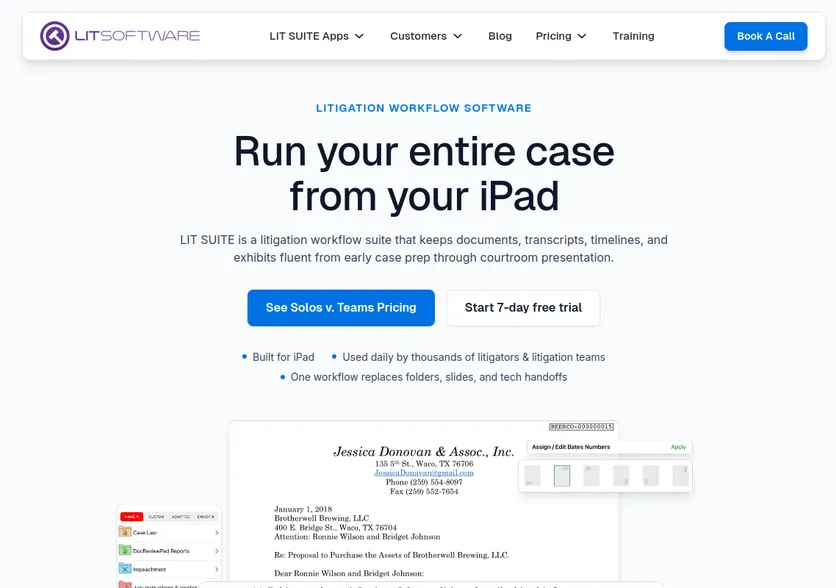
Paid tool Starting price: $50/month · Fifty dollars a month billed annually (six hundred dollars a year) via the App Store for the Solo Litigator plan, covering all five LIT SUITE apps; litigation team pricing is custom, and the apps are not sold separately
Free plan: Free trial
This TrialPad plan costs fifty dollars a month billed annually, and it is the trial presentation tool most litigators already know. It organizes exhibits, callouts, highlights and video deposition clips on an iPad, and the subscription covers all five LIT SUITE apps including TranscriptPad and DocReviewPad. The old one-time purchase price is gone: the apps are no longer sold separately, and team pricing is custom.
What we like
- The standard iPad presentation tool for trial lawyers
- All five LIT SUITE apps in one subscription
- Video clips sync to deposition transcripts
Watch out for
- iPad and Mac only, no Windows or web version
- The App Store subscription sits on one lawyer's Apple account
How to try it
- Load exhibits into TrialPad and organize them by witness
- Annotate key pages with callouts and highlights
- Present from the iPad with video deposition clips synced to transcripts
Prices above were checked on each vendor’s own website on Nov 28, 2026 and can change — the vendor’s page is the final word. Vendor links are editorial: nobody paid to be listed or ranked here. Vendors who want a featured listing can see how it works on our Get listed page.
How a mid-size firm should prepare for trial with software
Start with the chronology, not the exhibit list. A case that reads cleanly from first fact to last is easier to argue than a pile of documents, and every fact should link to the evidence that proves it. Build the witness list and the exhibit list from the same matter file, so nothing gets prepared twice. Then rehearse the presentation from the iPad before the trial date, because a tool the presenting lawyer has never driven in court is a risk, not a preparation.
Before you buy
- Check whether jury tools are included in the plan or sold as a separate module
- Confirm the per-user price covers every attorney, since some firms pay for staff too
- Ask how the tool handles exhibits, transcripts and timelines together for trial
- Test the workflow with one real matter, from intake to trial prep, before you commit
- Count the cost of accounting and payment add-ons separately, because they are rarely in the headline price
Official websites
Official websites of the products reviewed above. Features and prices were checked against these sites when this guide was written, and they can change, so confirm on the vendor site before you buy.
Frequently asked questions
What is jury selection software for mid-size law firms?
Jury selection software is the set of tools a trial firm uses to prepare for trial: case chronologies, witness lists, exhibit organization and the practice management that holds the matter together. CaseFleet builds the fact chronology, TrialPad presents the exhibits in court, and the practice platforms like Clio and 8am MyCase run the matter, billing and deadlines around them. No single tool does the whole job, so firms usually pair two.
Which jury selection tool is cheapest?
CaseFleet Starter costs thirty dollars per user a month billed annually, the cheapest entry here for trial preparation. Clio Manage, PracticePanther and CosmoLex all start at forty-nine dollars per user a month. TrialPad is fifty dollars a month for the whole LIT SUITE. The cheapest option depends on whether the firm needs case chronologies, practice management or courtroom presentation most.
How much does TrialPad cost in 2026?
TrialPad costs fifty dollars a month billed annually, or six hundred dollars a year, through the App Store for a solo litigator. The subscription covers all five LIT SUITE apps: TrialPad, TranscriptPad, DocReviewPad, TimelinePad and ExhibitsPad. Team pricing is custom. The old one-time purchase price is gone, and the apps are no longer sold separately.
What do Clio and MyCase cost?
Clio Manage EasyStart costs forty-nine dollars per user a month billed annually, and Essentials is eighty-nine dollars. 8am MyCase Basic is fifty dollars, with Pro at a hundred dollars and Advanced at a hundred and thirty dollars. Both rose in price during 2026, so guides quoting thirty-nine dollars for either tool are out of date. Compare the tier that includes the integrations and AI features the firm will actually use.
How should a mid-size firm choose jury selection software?
Start with the trial, not the feature list. Pick the matter the firm is preparing now and run it through the tool: build the chronology, organize the exhibits and prepare the witness list. Check that the plan includes the features the trial needs, because jury tools are often a separate module or a higher tier. And confirm the per-user price covers every attorney on the case, not only the partners.
Compare the eight tools above, then start with a free trial on the tool that matches how your firm already prepares for trial before you pay for a full year.
Browse Business Tools tools