On this page
Software teams live on their board: the backlog decides what gets built, the sprint board shows what is moving, and the burndown proves whether the plan held. The wrong tool turns that into admin, while the right one disappears into the work. Jira leads this list because its scrum boards, backlogs and reporting are built for developers, and Standard costs nine dollars and seventy cents per user per month. The other seven tools are ranked on the same test: how well a development team can plan, build and ship a sprint.
How we researched this
We checked every price on the vendor pricing page on November 28, 2026, and only included tools with a published US dollar list price and a free plan or free trial. Every tool here offers a kanban board built for software work, with backlog handling, sprint planning and a link to code. Prices change, so confirm the current figure on the vendor site before you buy.
Compare the tools
| Name | Best for | Starting price | Free plan | |
|---|---|---|---|---|
 Jira | Development teams that want agile boards with full reporting | $9.70/user/month | Free plan for up to 10 users | Visit |
 Linear | Software teams that want a fast, modern issue tracker | $10/user/month | Free plan for up to 250 issues | Visit |
 Shortcut | Small development teams that plan in stories and epics | $8.50/user/month | Free plan for up to 10 users | Visit |
 ClickUp | Development teams that want boards plus docs and goals | $9/user/month | Free Forever plan with unlimited tasks | Visit |
 Asana | Development teams that coordinate sprints with the wider plan | $10.99/user/month | Free Personal plan for up to 10 teammates | Visit |
 Monday | Development teams that want a visual board the whole company can read | $9/seat/month | Free plan for up to 2 seats | Visit |
 Trello | Development teams that want the simplest possible sprint board | $5/user/month | Free plan for up to 10 collaborators per workspace | Visit |
 Zoho Projects | Small development teams that need Gantt charts beside the board | $4/user/month | Free plan for up to 3 users | Visit |
The kanban software for software development teams, compared
1. Jira
Best for: Development teams that want agile boards with full reporting
Paid tool Starting price: $9.70/user/month · Nine dollars and seventy cents per user per month on the Standard plan for one to one hundred users on monthly billing (nineteen dollars and sixty cents for Premium); annual billing runs lower at about eight dollars per user per month on Standard for a one-hundred-user workspace. Atlassian raised Cloud prices on October 13, 2026
Free plan: Free plan for up to 10 users
This Jira plan costs nine dollars and seventy cents per user per month, and it remains the default board for software teams that run sprints formally. Scrum boards, backlogs and burndown charts share one data set, and roadmaps tie each sprint to the release it feeds. Automation rules move issues, assign reviewers and update statuses, so the board reflects the code rather than the other way around.

What we like
- Scrum boards, backlogs and burndown share one data set
- Roadmaps connect sprints to releases and versions
- Automation keeps issue statuses in step with the work
Watch out for
- Configuration takes time before the first sprint
- The interface can overwhelm non-developers on the team
How to try it
- Rank the product backlog and drag the top stories into the sprint
- Work the board daily and flag blocked issues for the standup
- Close the sprint, read the burndown and plan the next release
2. Linear
Best for: Software teams that want a fast, modern issue tracker
Paid tool Starting price: $10/user/month · Basic plan, $10 a user a month billed annually ($12 billed monthly); Business $16 a user a month billed annually
Free plan: Free plan for up to 250 issues
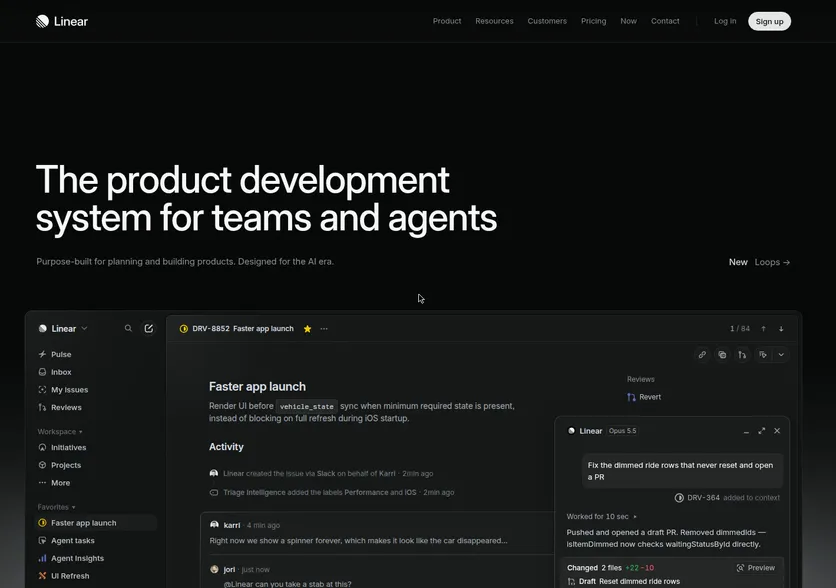
This Linear plan costs ten dollars per user per month billed annually, and it is built for teams that find older trackers slow. Issues, cycles and projects move quickly with keyboard shortcuts, and the interface stays out of the way while the team works. GitHub and GitLab integrations link branches and pull requests to issues automatically, so the board updates itself as code lands.
What we like
- The interface is fast with keyboard-first navigation
- Cycles, projects and roadmaps stay in one place
- Git integrations link code to issues without manual updates
Watch out for
- Reporting is lighter than Jira on the entry plan
- Teams used to heavy customization may miss the options
How to try it
- Import issues from your old tracker or create them in Linear
- Start a cycle and pull the top issues onto the board
- Connect GitHub so pull requests update issue status automatically
3. Shortcut
Best for: Small development teams that plan in stories and epics
Paid tool Starting price: $8.50/user/month · Eight dollars and fifty cents per user per month billed annually on the Team plan (ten dollars on monthly billing); Business is twelve dollars per user per month on annual billing
Free plan: Free plan for up to 10 users
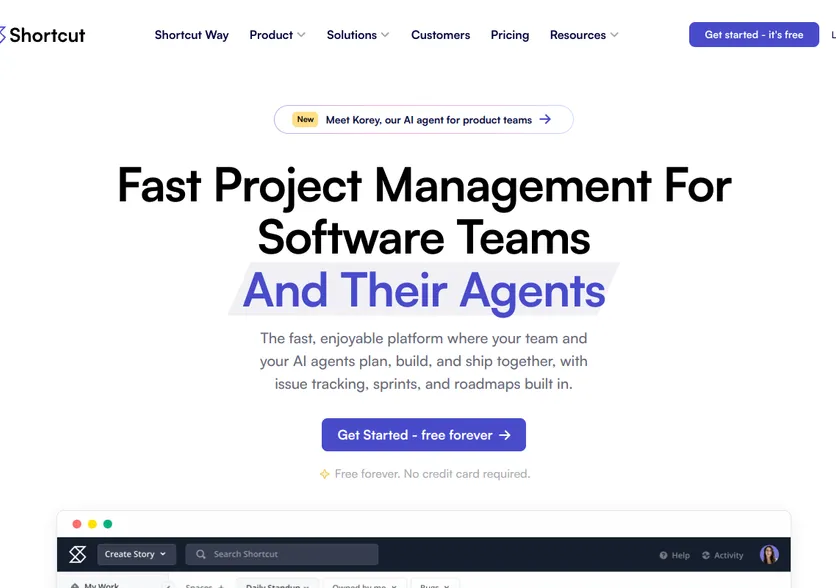
This Shortcut plan costs eight dollars and fifty cents per user per month billed annually, and it is designed around the story as the unit of work. Stories group into epics, epics roll into milestones, and the board shows the sprint in that same hierarchy, so planning reads like the product itself. Iterations, velocity charts and burndown reports come with the plan, which gives a small team the reporting of a much bigger tracker.
What we like
- Stories, epics and milestones match how teams plan
- Iterations and velocity charts are included
- The board stays readable as the backlog grows
Watch out for
- The free plan caps the team at ten users
- Fewer third-party integrations than Jira
How to try it
- Write stories, group them into epics and set the iteration
- Work the board and update estimates as stories move
- Read the velocity chart at the end of the iteration
4. ClickUp
Best for: Development teams that want boards plus docs and goals
Paid tool Starting price: $9/user/month · Nine dollars per user per month billed annually on the Core plan (twelve dollars on monthly billing); Business is seventeen dollars and Max is one hundred dollars per user per month. ClickUp rebuilt its plan ladder in October-November 2026: Unlimited became Core and Business rose from twelve dollars, and AI is now bundled in every plan
Free plan: Free Forever plan with unlimited tasks
This ClickUp plan costs nine dollars per user per month billed annually, and it lets a development team keep the sprint board, the spec and the goal in one workspace. The board view runs the sprint, the doc view holds the spec, and the AI turns standup notes into tasks without a follow-up meeting. Custom fields track story points, severity and release version on the card itself, which keeps the board useful as the sprint fills up.

What we like
- Boards, docs and goals share one workspace
- Custom fields track story points on the card
- AI is bundled in every plan with no separate add-on
Watch out for
- The feature set can overwhelm a team that only needs a board
- Existing workspaces keep older plans until ClickUp notifies them
How to try it
- Create a sprint folder with a board view and a doc for the spec
- Add custom fields for story points and release version
- Use the AI summary after standup to turn decisions into tasks
5. Asana
Best for: Development teams that coordinate sprints with the wider plan
Paid tool Starting price: $10.99/user/month · Ten dollars and ninety-nine cents per user per month billed annually on the Starter plan (thirteen dollars and forty-nine cents on monthly billing); Advanced is twenty-four dollars and ninety-nine cents per user per month
Free plan: Free Personal plan for up to 10 teammates
This Asana plan costs ten dollars and ninety-nine cents per user per month billed annually, and it suits teams whose sprints sit inside a bigger product plan. The board runs the sprint while the timeline shows how it lands against launch dates, and goals connect each sprint to the outcome it serves. Rules automate triage and handoffs, so the board stays current while developers focus on the code.

What we like
- Board, timeline and goals views share one plan
- Rules automate triage and status changes
- Templates speed up the next sprint setup
Watch out for
- Portfolios and workload need the Advanced plan
- Deep agile reporting is lighter than Jira
How to try it
- Build the sprint as a project and switch it to board view
- Link the sprint goal and add the launch date to the timeline
- Set a rule that routes new bugs to the on-call developer
6. Monday
Best for: Development teams that want a visual board the whole company can read
Paid tool Starting price: $9/seat/month · Nine dollars per seat per month billed annually on the Basic plan (twelve dollars on monthly billing); Standard is twelve dollars and Pro is nineteen dollars per seat per month, with a three-seat minimum
Free plan: Free plan for up to 2 seats
This Monday plan costs nine dollars per seat per month billed annually, and it gives a development sprint a board that non-developers can read too. Status columns, owners and dates show in colour, and the board can switch to a timeline when product managers need the release view. Automations move items and notify owners, which keeps a cross-functional sprint moving without extra meetings.

What we like
- Colour-coded boards are readable by the whole company
- Board, timeline and calendar views share the same items
- Automations cut the manual work of updating the board
Watch out for
- The three-seat minimum raises the cost for solo users
- Agile reporting is lighter than a dedicated tracker
How to try it
- Start from the sprint template and set status columns
- Assign owners and dates, then group items by sprint week
- Add an automation that notifies the owner when a status changes
7. Trello
Best for: Development teams that want the simplest possible sprint board
Paid tool Starting price: $5/user/month · Five dollars per user per month billed annually on the Standard plan (six dollars on monthly billing); Premium is ten dollars and Enterprise is seventeen dollars and fifty cents per user per month
Free plan: Free plan for up to 10 collaborators per workspace
This Trello plan costs five dollars per user per month billed annually, and it is the lightest board on this list. Cards carry checklists, owners and due dates, and Butler automation handles the routine moves, so a small team can run a sprint with almost no setup. The board is readable in seconds, which makes it a good fit for teams that want the sprint visible without learning a tracker.

What we like
- Boards are readable in seconds with no training
- Butler automation handles routine card moves and reminders
- Power-Ups add calendars, timelines and reporting when needed
Watch out for
- No built-in burndown or velocity reports
- Large backlogs can feel cramped without board filters
How to try it
- Create a board with backlog, sprint, doing and done lists
- Add a card per story with a checklist, owner and due date
- Set a Butler rule to move finished cards and remind owners of due work
8. Zoho Projects
Best for: Small development teams that need Gantt charts beside the board
Paid tool Starting price: $4/user/month · Four dollars per user per month billed annually on the Premium plan (five dollars on monthly billing); Enterprise is nine dollars per user per month
Free plan: Free plan for up to 3 users
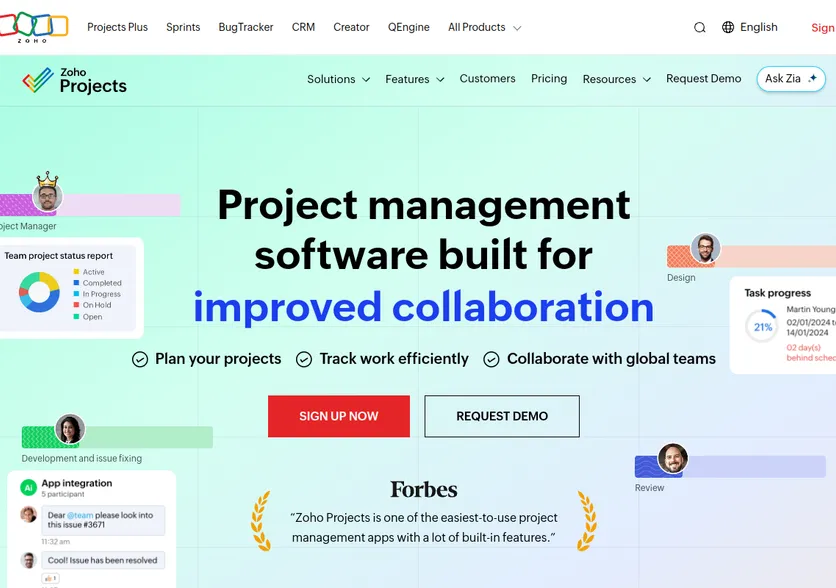
This Zoho Projects plan costs four dollars per user per month billed annually, and it is the cheapest paid board in this list. The kanban view runs the sprint while Gantt charts, milestones and timesheets cover the planning around it, and the price stays low even as the team grows. Integration with the wider Zoho suite suits teams that already use Zoho for mail, CRM or support.
What we like
- The lowest paid price in this list at four dollars
- Kanban, Gantt, milestones and timesheets in one plan
- Strong fit for teams already using Zoho apps
Watch out for
- The interface feels dated next to newer trackers
- Advanced automation needs the Enterprise plan
How to try it
- Create the project and switch the task list to kanban view
- Set milestones and link them to the sprint tasks
- Open the Gantt chart to check the sprint against the release date
Prices above were checked on each vendor’s own website on Nov 28, 2026 and can change — the vendor’s page is the final word. Vendor links are editorial: nobody paid to be listed or ranked here. Vendors who want a featured listing can see how it works on our Get listed page.
How a development team should run sprints on a Kanban board
Start with the backlog, not the board. A ranked backlog is the plan, and the sprint is just the top slice of it, so groom the backlog every week and keep the top items ready to start. Size the work with story points or a simple small-medium-large scale, because a board of unestimated cards hides the real load. Link the code to the card: branches, pull requests and deployments should update status automatically, so the board never lies about what shipped. Keep the board clean by archiving finished work at the end of each sprint, and read the burndown before the retrospective, because the chart tells the truth about the sprint even when the standup was optimistic.
Before you buy
- Check that the board supports story points or estimates on the plan you pay for
- Confirm the tool connects to your code host, so branches and pull requests link to cards
- Ask whether roadmaps and release planning need a higher tier
- Test the board with fifty or more cards, because a sprint board slows down fast when it is full
- Run one real sprint on the trial, from backlog grooming to release, before you commit
Official websites
Official websites of the products reviewed above. Features and prices were checked against these sites when this guide was written, and they can change, so confirm on the vendor site before you buy.
Frequently asked questions
What is the best kanban software for software development teams?
Jira is the best pick for most software teams because its scrum boards, backlogs and burndown reports are built for developers, at nine dollars and seventy cents per user per month. Linear is the faster, simpler alternative at ten dollars per user per month, and Shortcut suits small teams that plan in stories and epics. The right choice depends on how formal your sprints are and how much reporting you need.
How much does kanban software for software development teams cost?
Paid plans in this list start at four dollars per user per month for Zoho Projects Premium and five dollars for Trello Standard, both billed annually. Linear Basic is ten dollars, Shortcut Team is eight dollars and fifty cents, and ClickUp Core is nine dollars per user per month. Jira Standard is nine dollars and seventy cents, so a ten-person team pays under one hundred dollars a month on most of these plans.
Can a small development team run sprints on a free plan?
Yes, and most teams should. Jira is free for up to ten users, Linear is free for up to two hundred and fifty issues, and ClickUp has a free plan with unlimited tasks. The limits show up in reporting, automation and team size, so a free plan is a good trial, not a permanent home for a growing team. Move to a paid plan when the board starts hiding work instead of showing it.
What features matter most for a development team?
Story points or estimates, so the sprint has a size, not just a list. A backlog that ranks cleanly, so the next sprint is visible before the current one ends. And a link to the code host, so branches and pull requests update card status without manual work. Roadmaps and burndown reports matter once the team grows past one sprint at a time.
Is Linear or Jira better for a software team?
Linear is faster and simpler, with a clean interface, keyboard shortcuts and a ten-dollar entry price. Jira is deeper, with stronger reporting, roadmaps and integrations, and it suits teams that run formal agile with story points and release planning. A small team that ships fast usually prefers Linear, while a larger team with formal process usually needs Jira.
Start with the tool that matches your stack and your sprint style, then run one full sprint on the trial before you move the team over.
Browse Developer Tools tools