On this page
A remote sprint falls apart when the board is unclear: work hides in chat threads, nobody knows what is blocked, and the standup becomes a status hunt. A good kanban tool fixes that by making the sprint visible to everyone, wherever they sit. Trello leads this list because its boards are the simplest to read at a glance, and it costs five dollars per user per month on the Standard plan. The other seven tools are ranked on the same test: how clearly a distributed team can plan, move and finish a sprint.
How we researched this
We checked every price on the vendor pricing page on November 28, 2026, and only included tools with a published US dollar list price and a free plan or free trial. Every tool here offers a real kanban board with work-in-progress limits, sprint planning and remote-friendly collaboration. Prices change, so confirm the current figure on the vendor site before you buy.
Compare the tools
| Name | Best for | Starting price | Free plan | |
|---|---|---|---|---|
 Trello | Remote teams that want the simplest board to read at a glance | $5/user/month | Free plan for up to 10 collaborators per workspace | Visit |
 Asana | Remote teams that plan sprints alongside goals and timelines | $10.99/user/month | Free Personal plan for up to 10 teammates | Visit |
 Monday | Remote teams that want a visual board with dashboards | $9/seat/month | Free plan for up to 2 seats | Visit |
 ClickUp | Remote teams that want boards, docs and goals in one place | $9/user/month | Free Forever plan with unlimited tasks | Visit |
 Jira | Remote engineering teams running formal agile sprints | $9.70/user/month | Free plan for up to 10 users | Visit |
| Kanban Tool | Remote teams that want a pure kanban board with analytics | $6/user/month | Free plan for up to 2 boards and 2 users | Visit |
 ProofHub | Remote teams that want flat pricing no matter how many people join | $45/month | 14-day free trial; no free plan | Visit |
 Wrike | Remote teams that need board work plus approvals and reporting | $9.80/user/month | Free plan for unlimited users with basic task management | Visit |
The kanban software for remote sprint planning, compared
1. Trello
Best for: Remote teams that want the simplest board to read at a glance
Paid tool Starting price: $5/user/month · Five dollars per user per month billed annually on the Standard plan (six dollars on monthly billing); Premium is ten dollars and Enterprise is seventeen dollars and fifty cents per user per month
Free plan: Free plan for up to 10 collaborators per workspace
This Trello plan costs five dollars per user per month billed annually, and it turns sprint work into cards on a board anyone can read in seconds. Cards move from backlog to doing to done, and each one carries the checklist, the owner, the due date and the discussion, so nothing lives in a chat thread. Butler automation moves cards, sets due dates and posts reminders without anyone babysitting the board.

What we like
- Boards are readable in seconds with no training
- Butler automation handles routine card moves and reminders
- Power-Ups add calendars, timelines and reporting when needed
Watch out for
- Reporting and timelines need the Premium plan
- Large backlogs can feel cramped without board filters
How to try it
- Create a board with backlog, sprint, doing and done lists
- Add a card per story with a checklist, owner and due date
- Set a Butler rule to move finished cards and remind owners of due work
2. Asana
Best for: Remote teams that plan sprints alongside goals and timelines
Paid tool Starting price: $10.99/user/month · Ten dollars and ninety-nine cents per user per month billed annually on the Starter plan (thirteen dollars and forty-nine cents on monthly billing); Advanced is twenty-four dollars and ninety-nine cents per user per month
Free plan: Free Personal plan for up to 10 teammates
This Asana plan costs ten dollars and ninety-nine cents per user per month billed annually, and it connects the sprint board to the wider plan. The board view runs the daily work while the timeline shows how sprints stack against deadlines, and goals tie each sprint to the outcome it serves. Rules automate assignments and status changes, so the board stays current without a daily tidy-up session.

What we like
- Board, timeline and goals views share one plan
- Rules keep assignments and statuses up to date
- Templates make the next sprint faster to set up
Watch out for
- Portfolios and workload need the Advanced plan
- The interface can feel busy for very small teams
How to try it
- Build the sprint as a project and switch it to board view
- Add the timeline view to check sprint dates against deadlines
- Set a rule that assigns new cards and moves them when work starts
3. Monday
Best for: Remote teams that want a visual board with dashboards
Paid tool Starting price: $9/seat/month · Nine dollars per seat per month billed annually on the Basic plan (twelve dollars on monthly billing); Standard is twelve dollars and Pro is nineteen dollars per seat per month, with a three-seat minimum
Free plan: Free plan for up to 2 seats
This Monday plan costs nine dollars per seat per month billed annually, and it gives a remote sprint a board that looks like a dashboard. Status columns, owners and dates are visible in colour, and the board can switch to a timeline or calendar when the team needs the bigger picture. Automations move items between groups and notify owners, which keeps a distributed standup short and factual.

What we like
- Colour-coded status columns make progress obvious
- Board, timeline and calendar views share the same items
- Automations cut the manual work of updating the board
Watch out for
- The three-seat minimum raises the cost for solo users
- Time tracking and formulas need higher plans
How to try it
- Start from the sprint planning template and set status columns
- Assign owners and dates, then group items by sprint week
- Add an automation that notifies the owner when a status changes
4. ClickUp
Best for: Remote teams that want boards, docs and goals in one place
Paid tool Starting price: $9/user/month · Nine dollars per user per month billed annually on the Core plan (twelve dollars on monthly billing); Business is seventeen dollars and Max is one hundred dollars per user per month. ClickUp rebuilt its plan ladder in October-November 2026: Unlimited became Core and Business rose from twelve dollars, and AI is now bundled in every plan
Free plan: Free Forever plan with unlimited tasks
This ClickUp plan costs nine dollars per user per month billed annually, and it packs the sprint board, docs, chat and goals into a single workspace. A remote team can plan the sprint on the board, write the spec in a doc and track the goal without opening another app. The built-in AI writes summaries and turns notes into tasks, which saves the meeting time a distributed team cannot afford to waste.

What we like
- Boards, docs, chat and goals share one workspace
- AI is bundled in every plan with no separate add-on
- Views switch between board, list, calendar and Gantt
Watch out for
- The feature set can overwhelm a team that only needs a board
- Existing workspaces keep older plans until ClickUp notifies them
How to try it
- Create a sprint folder with a board view and a list view
- Link the sprint goal and attach the spec doc to the folder
- Use the AI summary after standup to capture decisions as tasks
5. Jira
Best for: Remote engineering teams running formal agile sprints
Paid tool Starting price: $9.70/user/month · Nine dollars and seventy cents per user per month on the Standard plan for one to one hundred users on monthly billing (nineteen dollars and sixty cents for Premium); annual billing runs lower at about eight dollars per user per month on Standard for a one-hundred-user workspace. Atlassian raised Cloud prices on October 13, 2026
Free plan: Free plan for up to 10 users
This Jira plan costs nine dollars and seventy cents per user per month, and it is built for teams that run sprints by the book. The backlog, the sprint board and the burndown report work as one system, so planning, daily work and the retrospective all draw on the same data. Roadmaps show how sprints roll into releases, which matters when the team is spread across time zones and cannot rely on hallway updates.

What we like
- Backlog, board and burndown share one data set
- Roadmaps connect sprints to releases
- Deep integration with Confluence, Bitbucket and GitHub
Watch out for
- Setup takes longer than a simple board tool
- Non-technical teammates may find the interface heavy
How to try it
- Rank the backlog, then drag stories into the sprint
- Run the daily standup from the board and flag blocked cards
- Close the sprint and read the burndown before the retrospective
6. Kanban Tool
Best for: Remote teams that want a pure kanban board with analytics
Paid tool Starting price: $6/user/month · Six dollars per user per month on the Team plan and eleven dollars on the Enterprise plan; annual billing is available but the vendor publishes no separate annual rate
Free plan: Free plan for up to 2 boards and 2 users
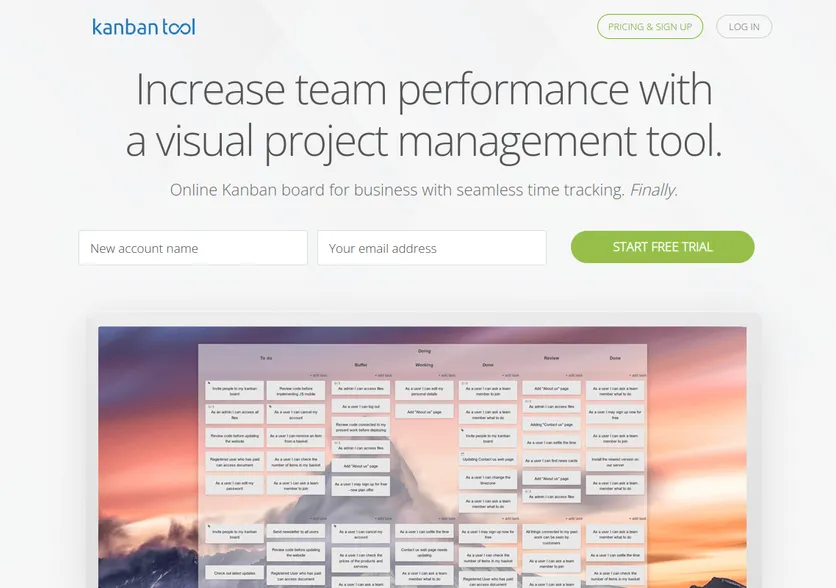
This Kanban Tool plan costs six dollars per user per month, and it is a kanban board with nothing extra bolted on. Work-in-progress limits are first-class, swimlanes separate work streams, and the analytics show cycle time and throughput so a remote team can see where work actually stalls. Time tracking and checklists live on the card, which keeps the board honest without extra apps.
What we like
- Work-in-progress limits and swimlanes are built in
- Cycle time and throughput reports show real flow
- No clutter from features a kanban team never uses
Watch out for
- No built-in docs or chat for the team
- The interface looks plain next to newer tools
How to try it
- Set work-in-progress limits on each column before the sprint starts
- Use swimlanes to separate work streams on one board
- Check the cycle time report at the end of the sprint
7. ProofHub
Best for: Remote teams that want flat pricing no matter how many people join
Paid tool Starting price: $45/month · Forty-five dollars per month flat billed annually on the Essential plan (fifty dollars on monthly billing) for unlimited users and forty projects; Ultimate Control is eighty-nine dollars per month for the first three months, then one hundred and thirty-five dollars per month billed annually
Free plan: 14-day free trial; no free plan
This ProofHub plan costs forty-five dollars per month flat billed annually, and the price never grows with headcount. Unlimited users share boards, discussions, files and time tracking, so a remote sprint can pull in contractors and clients without a new seat charge. The flat rate makes the budget predictable, which is exactly what a small distributed team needs when the team size changes every quarter.
What we like
- Flat pricing covers unlimited users and forty projects
- Boards, chat, files and time tracking share one project
- No per-seat maths when contractors join a sprint
Watch out for
- The Essential plan caps projects at forty
- No free plan, only a fourteen-day trial
How to try it
- Create a project per sprint and invite the whole team
- Use the board view for daily work and discussions for decisions
- Track time on cards to see where the sprint hours went
8. Wrike
Best for: Remote teams that need board work plus approvals and reporting
Paid tool Starting price: $9.80/user/month · Nine dollars and eighty cents per user per month billed annually on the Team plan; Business is twenty-four dollars and eighty cents per user per month
Free plan: Free plan for unlimited users with basic task management
This Wrike plan costs nine dollars and eighty cents per user per month billed annually, and it pairs the kanban board with the structure a larger remote team needs. Tasks carry custom fields, dependencies and approvals, so handoffs between time zones are explicit rather than assumed. Dashboards roll every sprint board into one view for the manager, which keeps reporting honest without a separate status meeting.

What we like
- Custom fields and dependencies make handoffs explicit
- Dashboards roll many boards into one view
- Approvals keep review steps on the board
Watch out for
- Reports and request forms need the Business plan
- Setup takes more time than a simple board tool
How to try it
- Build the sprint board and add custom fields for priority and owner
- Set dependencies so blocked work is visible before the standup
- Open the dashboard at the end of the week to review progress
Prices above were checked on each vendor’s own website on Nov 28, 2026 and can change — the vendor’s page is the final word. Vendor links are editorial: nobody paid to be listed or ranked here. Vendors who want a featured listing can see how it works on our Get listed page.
How a remote team should run sprints on a Kanban board
Keep the board as the single source of truth and put everything else around it. When a decision happens in chat, paste the outcome onto the card the same day, because a remote teammate in another time zone cannot search a conversation they were asleep for. Limit work in progress so the board shows what is actually moving, not what everyone hopes to start. Run the standup from the board, not from memory: walk the columns right to left, starting with what is closest to done, and park anything that needs a longer talk. Finally, close the sprint with the numbers the board already collected, such as cards finished and average cycle time, and let those numbers set the next sprint's scope.
Before you buy
- Check that work-in-progress limits are available on the plan you pay for, not only on the top tier
- Confirm the board stays readable on a laptop screen when the sprint holds forty or more cards
- Ask whether guests and contractors need a paid seat or can join the board for free
- Test the mobile app, because remote teammates often check the board from a phone
- Run one real sprint end to end on the trial before you move the whole team over
Official websites
Official websites of the products reviewed above. Features and prices were checked against these sites when this guide was written, and they can change, so confirm on the vendor site before you buy.
Frequently asked questions
What is the best kanban software for remote sprint planning?
Trello is the best pick for most remote teams because its boards are readable in seconds and the Standard plan costs five dollars per user per month. Asana suits teams that plan sprints alongside goals and timelines, while Jira fits engineering teams that run formal agile sprints with backlogs and burndown reports. The right choice depends on whether your sprint is a simple board or part of a bigger planning system.
How much does kanban software for remote sprint planning cost?
Paid plans in this list start at five dollars per user per month for Trello Standard and six dollars for Kanban Tool Team, both billed annually. Asana Starter is ten dollars and ninety-nine cents and ClickUp Core is nine dollars per user per month. ProofHub is different: forty-five dollars per month flat for unlimited users. Free plans cover small teams, but sprint reporting usually needs a paid tier.
Can a remote team run sprints on a free kanban plan?
Yes, for a small team. Trello is free for up to ten collaborators, ClickUp has a free plan with unlimited tasks, and Jira is free for up to ten users. The limits show up when you need timelines, workload views, advanced reporting or more than a handful of people. Start free, and move to a paid plan when the board starts hiding work instead of showing it.
What features matter most for remote sprint planning?
Work-in-progress limits matter most, because they stop a remote team from starting more than it can finish. Clear card ownership, due dates and comments keep async work moving without meetings. Time-zone friendly features help too: a board that shows the latest state at a glance, notifications that do not demand an instant reply, and a mobile app for checking the sprint away from a desk.
Is Jira or Trello better for a remote sprint?
Trello is better when the team wants a simple board that everyone understands on day one, with low setup and a five-dollar entry price. Jira is better when the sprint is part of software development, with a backlog, story points and burndown reports that managers rely on. Many teams use both: Trello for the visible board and Jira for the engineering detail behind it.
Pick the board that matches how your team already works, then run one full sprint on its free plan or trial before you pay for a year.
Browse Productivity Tools tools