On this page
A large enterprise does not need one more wiki — it needs a knowledge system that scales to thousands of users, survives an audit, and plugs into the CRM and help desk it already runs. We compared eight paid tools that fit a large organization, checking every price on the vendor's own site on November 28, 2026, and weighing permissions, security, integrations and total cost. Confluence leads because it costs $7.15 per user a month, has strong page-level permissions, and fits naturally with Jira.
How we researched this
We ranked each tool on five enterprise-specific checks: scale to thousands of users, SSO, SCIM and audit trails, permissions by department and role, integration with the CRM and help desk stack, and a dedicated success manager with an SLA. We checked every price on the vendor's own site on November 28, 2026, and we dropped any vendor that had gone quote-only or stopped publishing prices.
Compare the tools
| Name | Best for | Starting price | Free plan | |
|---|---|---|---|---|
 Confluence | Large enterprises already using Jira or other Atlassian tools. | $7.15/user/month | Free plan for up to 10 users | Visit |
 Salesforce Service Cloud | Large enterprises that need a knowledge base inside a full CRM and service platform. | $25/user/month | Free trial | Visit |
 Zendesk | Enterprises that need help center, chat and ticketing in one support system at scale. | $55/agent/month | Free trial (14 days) | Visit |
 Intercom | Enterprises that want AI-first customer service with a messenger and inbox. | $29/seat/month | Free trial (14 days) | Visit |
 HubSpot Service Hub | Enterprises that run HubSpot and need the knowledge base inside the CRM. | $100/seat/month | Free tools for up to 2 users | Visit |
 GitBook | Enterprises that publish polished public documentation, API guides and manuals. | $65/site/month + $12/user/month | Free plan for individuals | Visit |
 UserGuiding | Enterprises that need in-app guides and a knowledge base for software adoption. | $249/month | Free trial (14 days) | Visit |
 Microsoft 365 | Enterprises that need Office apps, Teams, SharePoint and storage in one bundle. | $7/user/month | Free trial | Visit |
The 8 best knowledge management tools for large enterprises
1. Confluence
Best for: Large enterprises already using Jira or other Atlassian tools.
Paid tool Starting price: $7.15/user/month · Seven dollars and fifteen cents per user per month on monthly billing for the first 100 users, after Atlassian's October 13, 2026 price rise; annual billing sells user tiers, starting at $720 a year for up to 10 users. Premium is $14.10 per user per month.
Free plan: Free plan for up to 10 users
This Confluence plan costs $7.15 per user a month on Standard, and it is the sensible pick for enterprises already running Jira or other Atlassian software. Pages, templates and page-level permissions fit company wikis, product documentation and compliance libraries, and the built-in whiteboards help teams map a new process before writing it up. The Premium tier adds analytics, unlimited storage and admin controls that large deployments need.

What we like
- Free for up to 10 users.
- Strong permissions for large organizations.
- Fits naturally with Jira and Atlassian tools.
Watch out for
- No public help center built in.
- Enterprise admin controls sit on Premium.
How to try it
- Build a space for each department and one for company-wide policies.
- Set page permissions by department, region and role.
- Link Jira issues to the pages that document them.
2. Salesforce Service Cloud
Best for: Large enterprises that need a knowledge base inside a full CRM and service platform.
Paid tool Starting price: $25/user/month · Twenty-five dollars per user per month on the Starter Suite, the only edition billed monthly; it includes cases and a knowledge base. Full service editions start at Core, $195 per user per month billed annually. Salesforce now sells Service Cloud as Agentforce Service.
Free plan: Free trial
This Salesforce Service Cloud plan costs $25 per user a month on Starter Suite, and it is the best fit when an enterprise already runs Salesforce and wants the knowledge base inside the same system. Cases, knowledge articles and customer records sit together, so a support agent can pull the right article without leaving the case, and the Starter Suite includes a knowledge base from day one. Full service editions start at Core, $195 per user a month, and Salesforce now sells Service Cloud as Agentforce Service.
What we like
- Knowledge base lives inside Salesforce.
- Cases and articles stay linked together.
- Starter Suite includes a knowledge base.
Watch out for
- No screenshot available for this tool.
- Full editions start at $195 per user a month.
How to try it
- Publish your customer-facing knowledge articles in Salesforce.
- Link articles to the cases they solve.
- Use reports to find the articles that resolve cases fastest.
3. Zendesk
Best for: Enterprises that need help center, chat and ticketing in one support system at scale.
Paid tool Starting price: $55/agent/month · Fifty-five dollars per agent per month on Suite Team billed annually; monthly billing is sixty-nine dollars. Suite Team includes the help center, messaging, live chat and AI agents. Support Team, without the help center, is $19 per agent per month billed annually.
Free plan: Free trial (14 days)
This Zendesk plan costs $55 per agent a month on Suite Team, and it is the most complete option when an enterprise wants the help center, live chat, messaging and ticketing in one place. Customers can read an article, start a chat or open a ticket without repeating themselves, and AI agents answer the routine questions while staff handle the complex ones. Higher tiers add workforce management, quality assurance and a dedicated success manager for large support teams.

What we like
- Help center, chat and tickets in one system.
- AI agents handle routine customer questions.
- Strong reporting across every channel.
Watch out for
- Priciest per-agent option in this list.
- Enterprise features sit on higher tiers.
How to try it
- Publish the help center with your top customer FAQs.
- Turn on the AI agent for routine questions.
- Route complex cases to specialist teams by product line.
4. Intercom
Best for: Enterprises that want AI-first customer service with a messenger and inbox.
Paid tool Starting price: $29/seat/month · Twenty-nine dollars per seat per month on the Essential plan billed annually; monthly billing is thirty-nine dollars. Fin, the AI agent, is billed separately at $0.99 per resolved conversation. Intercom has shown a $19 new-customer price to some visitors; the list price is $29.
Free plan: Free trial (14 days)
This Intercom plan costs $29 per seat a month on Essential, and it is the best fit when an enterprise wants AI to handle the first touch with every customer. Fin, the AI agent, answers routine questions around the clock, and anything it cannot solve lands in a shared inbox with the full conversation attached. Intercom has shown a $19 new-customer price to some visitors, but $29 is the list price, and Fin is billed separately at $0.99 per resolved conversation.

What we like
- AI agent Fin handles routine questions 24/7.
- Messenger and inbox in one system.
- Strong automation for large teams.
Watch out for
- Fin AI costs extra per resolution.
- A $19 promo price confuses the list price.
How to try it
- Train Fin on your help center and past conversations.
- Set up the inbox with teams for each product line.
- Review Fin's resolution rate weekly and fix the gaps.
5. HubSpot Service Hub
Best for: Enterprises that run HubSpot and need the knowledge base inside the CRM.
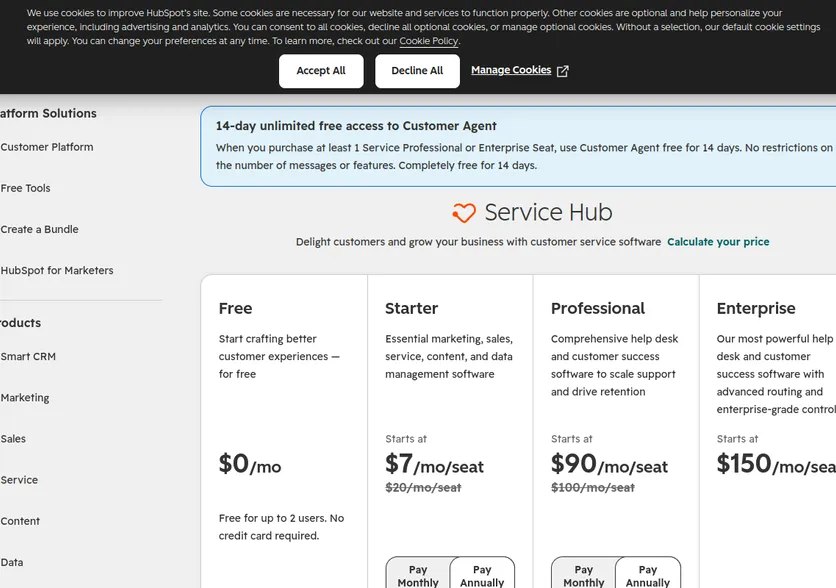
Paid tool Starting price: $100/seat/month · One hundred dollars per seat per month on the Professional plan billed annually; the knowledge base and customer portal start on Professional. Starter is $20 per seat per month at list, though HubSpot shows $7 to new customers, and Enterprise is $150 per seat per month.
Free plan: Free tools for up to 2 users
This HubSpot Service Hub plan costs $100 per seat a month on Professional, and it is the best fit when an enterprise already runs HubSpot and wants the knowledge base inside the same CRM. The knowledge base and customer portal start on Professional, so support agents see the full customer record next to every ticket, and the reporting ties service performance to revenue. Starter lists at $20 per seat a month, though HubSpot shows $7 to new customers, but it has no knowledge base, so Professional is the real entry point.
What we like
- Knowledge base lives inside HubSpot CRM.
- Agents see the full customer record per ticket.
- Reporting ties service to revenue.
Watch out for
- Knowledge base only starts on Professional.
- Onboarding costs $1,500 on Professional.
How to try it
- Publish the knowledge base on Professional.
- Connect tickets to the CRM records they belong to.
- Build reports that tie service performance to revenue.
6. GitBook
Best for: Enterprises that publish polished public documentation, API guides and manuals.
Paid tool Starting price: $65/site/month + $12/user/month · Essential is sixty-five dollars per site per month plus twelve dollars per user per month billed annually; monthly billing is seventy-nine dollars per site plus fifteen dollars per user. Readers of a published site are never charged.
Free plan: Free plan for individuals
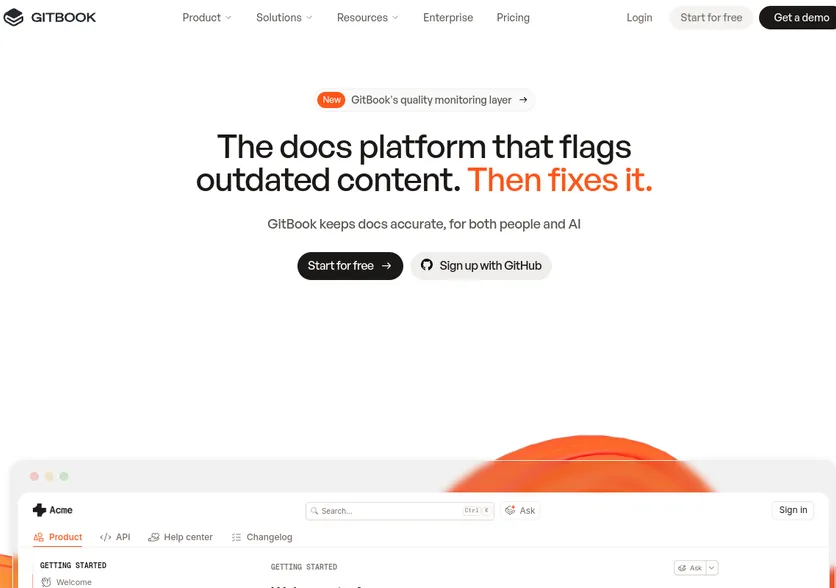
For a large enterprise whose documentation is public-facing, GitBook costs $65 per site a month plus $12 per user a month on Essential. Version-controlled docs, AI search and a clean reading experience make it ideal for API references, user manuals and compliance guides that customers actually read. Readers of a published site are never charged, so the audience can be as large as the enterprise requires.
What we like
- Polished public docs that look professional.
- Version control for every release.
- Readers are never charged.
Watch out for
- Per-site plus per-user pricing adds up fast.
- The free plan is for individuals only.
How to try it
- Import your existing docs or write them in GitBook.
- Set up versioning so each product release has its own docs.
- Publish to your own domain and share the link with customers.
7. UserGuiding
Best for: Enterprises that need in-app guides and a knowledge base for software adoption.
Paid tool Starting price: $249/month · Two hundred and forty-nine dollars a month on the Starter plan for 2,000 monthly active users. UserGuiding raised Starter from $174 on October 31, 2026, so older guides still quote the old figure. Growth is $499 a month.
Free plan: Free trial (14 days)
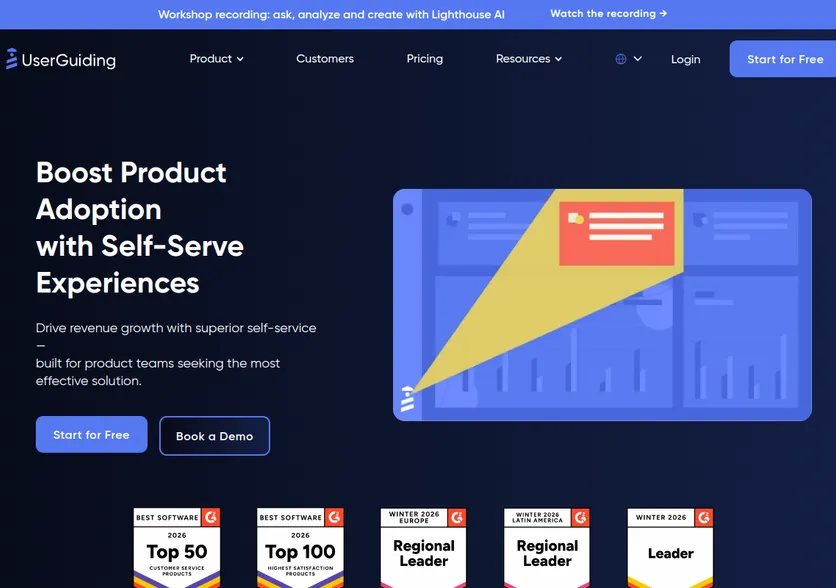
This UserGuiding plan costs $249 a month on Starter, and it is the best fit when an enterprise needs users to learn the product inside the product itself. In-app guides, onboarding checklists and a knowledge base sit together, so a new employee or customer learns by doing instead of reading a separate manual. UserGuiding raised Starter from $174 on October 31, 2026, so older guides still quote the old figure, and Growth, at $499 a month, adds more users and features.
What we like
- In-app guides teach users inside the product.
- Onboarding checklists drive adoption.
- Knowledge base sits in the help widget.
Watch out for
- Starter covers 2,000 monthly active users only.
- Price rose from $174 in October 2026.
How to try it
- Build an onboarding checklist for new users.
- Add in-app guides to the features people miss most.
- Link the knowledge base into the in-app help widget.
8. Microsoft 365
Best for: Enterprises that need Office apps, Teams, SharePoint and storage in one bundle.
Paid tool Starting price: $7/user/month · Seven dollars per user per month on the Business Basic plan with an annual commitment; Microsoft raised it from $6 in July 2026. Basic includes web Office apps, Teams, SharePoint and 1 TB of OneDrive storage per user.
Free plan: Free trial
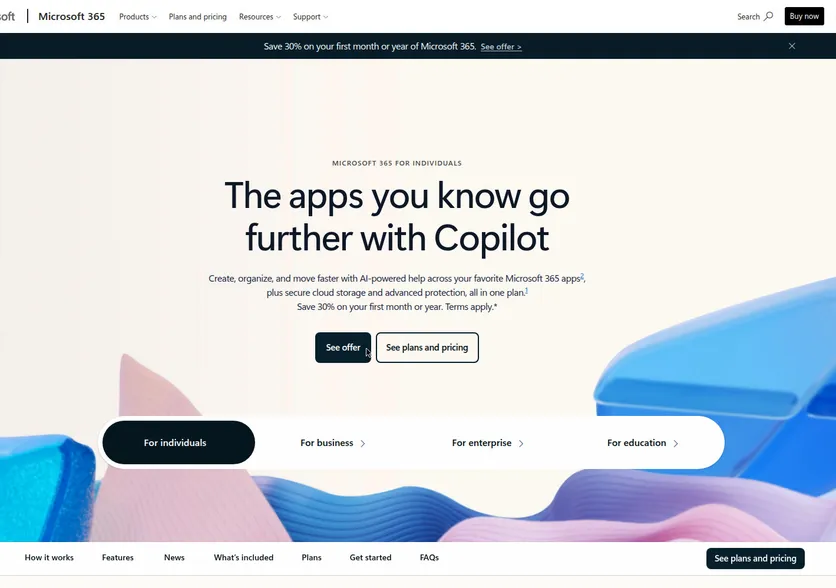
This Microsoft 365 plan costs $7 per user a month on Business Basic, and it is the cheapest way for an enterprise to get the whole Microsoft stack: web Office apps, Teams, SharePoint and 1 TB of OneDrive storage per user. SharePoint becomes the document library, Teams the collaboration hub, and OneDrive the file store, which covers most knowledge management needs without a separate wiki. Microsoft raised Basic from $6 to $7 in July 2026, so older guides still quote the old figure.
What we like
- Whole Microsoft stack for $7 per user.
- SharePoint and Teams cover most KM needs.
- 1 TB of storage per user included.
Watch out for
- Web apps only on Basic — no desktop Office.
- SharePoint needs setup to work as a wiki.
How to try it
- Set up a SharePoint site as the document library.
- Create Teams channels for each department or project.
- Store templates in OneDrive and link them from SharePoint.
Prices above were checked on each vendor’s own website on Nov 28, 2026 and can change — the vendor’s page is the final word. Vendor links are editorial: nobody paid to be listed or ranked here. Vendors who want a featured listing can see how it works on our Get listed page.
How to run an enterprise knowledge base day to day
Start by defining which system owns which content: the wiki for internal knowledge, the CRM for customer-facing articles, and the help desk for support playbooks. Give one person per department ownership of their space, and review each space quarterly so nothing goes stale. Use SSO and SCIM so access follows the org chart automatically, and check the audit trail after every compliance review. The goal is simple: any employee should find the right answer in under a minute, without asking in three different channels. Run a quarterly review of the most-searched terms and the articles nobody opens, then retire or rewrite the dead ones, so the knowledge base stays trusted instead of turning into a dumping ground.
Before you buy
- Does it scale to thousands of users without the price exploding?
- Is there SSO, SCIM provisioning and a full audit trail?
- Can you control permissions by department, region and role?
- Does it integrate with the CRM, help desk and identity tools you already run?
- Is there a dedicated success manager and an SLA on the plan you buy?
Official websites
Official websites of the products reviewed above. Features and prices were checked against these sites when this guide was written, and they can change, so confirm on the vendor site before you buy.
Frequently asked questions
What is the best knowledge management software for large enterprises?
Confluence is the best overall pick for most large enterprises: it costs $7.15 per user a month, has strong page-level permissions, and fits naturally with Jira, which many enterprises already run. Salesforce Service Cloud is the best choice if the knowledge base must live inside the CRM, and Zendesk is the best omnichannel support system. The right pick depends on whether the wiki, the CRM or the support inbox is the center of your stack.
How much does knowledge management software cost for a large enterprise?
Expect $7 to $100 per user a month, depending on the tool and the edition. Confluence starts at $7.15, Microsoft 365 at $7 and Intercom at $29, while Zendesk is $55 per agent and HubSpot Service Hub Professional is $100 per seat. Salesforce Service Cloud starts at $25 per user a month but rises to $195 for full editions, so get a quote before budgeting.
What security features do large enterprises need in a knowledge base?
Look for SSO and SCIM provisioning, a full audit trail, permissions by department and role, data residency options, and a vendor with SOC 2 or ISO 27001 certification. Check that the certification covers the specific plan you buy — lower tiers sometimes sit outside the certified scope — and ask the vendor for its security white paper and compliance letter before signing.
Can a knowledge base help a large enterprise work faster?
Yes, if it is built around the documents teams actually reuse: product documentation, support playbooks, compliance checklists and onboarding material. A good knowledge base turns a two-week onboarding into a three-day one and stops the same question being answered in ten different Slack channels. Assign one person per department to own their space, so nothing goes stale.
Should a large enterprise use one knowledge base or several?
One system is rarely enough at enterprise scale: a wiki like Confluence for internal knowledge, a CRM-based knowledge base like Salesforce or HubSpot for customer-facing articles, and a help desk like Zendesk for support. The key is to define which system owns which content, so teams never wonder where an answer lives. Integration between the systems matters more than any single feature.
Pick the tool that matches your biggest pain: Confluence for a company-wide wiki, Salesforce Service Cloud for a knowledge base inside your CRM, or Zendesk for omnichannel support at scale. Then compare the rest of the tools above before you buy.
Browse Business Tools tools