On this page
A product team loses its memory in Slack threads, scattered docs and the heads of people who leave. The tools below give that memory one home: specs, decisions, launch notes and answers that stay findable after the sprint ends. Notion leads the list because it combines docs, wikis and roadmaps in one workspace for ten dollars a user a month, and the other seven tools are ranked on the same practical test: how fast a new hire finds the right answer without asking anyone.
How we researched this
We checked every price on the vendor pricing page on November 28, 2026, and only included tools with a published US dollar list price. Several well-known names in this category publish no prices and ask for a sales call, so they are not in this list. Prices change, so confirm the current figure on the vendor site before you buy.
Compare the tools
| Name | Best for | Starting price | Free plan | |
|---|---|---|---|---|
 Notion | Product teams that want docs, wikis and roadmaps in one workspace | $10/user/month | Free plan for individuals and small teams | Visit |
 Confluence | Product teams already using Jira that want docs beside their tickets | $7.15/user/month | Free plan for up to 10 users | Visit |
 Guru | Product teams that need verified answers inside Slack and the browser | $25/seat/month | 30-day free trial; no free plan | Visit |
 Slab | Small product teams that want a fast, clean wiki without setup work | $6.67/user/month | Free plan for up to 10 users | Visit |
 GitBook | Product teams that publish docs for users and developers as well as staff | $65/site/month | Free plan for one user | Visit |
 Nuclino | Product teams that want a visual, fast wiki for specs and meeting notes | $6/user/month | Free plan for up to 50 items | Visit |
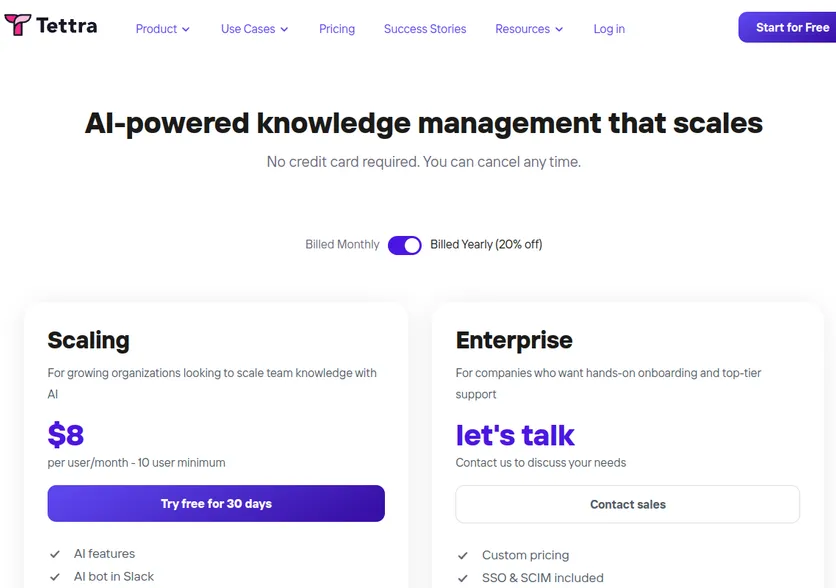
 Tettra | Product teams that answer the same questions in Slack every week | $8/user/month | Free trial available; no free plan | Visit |
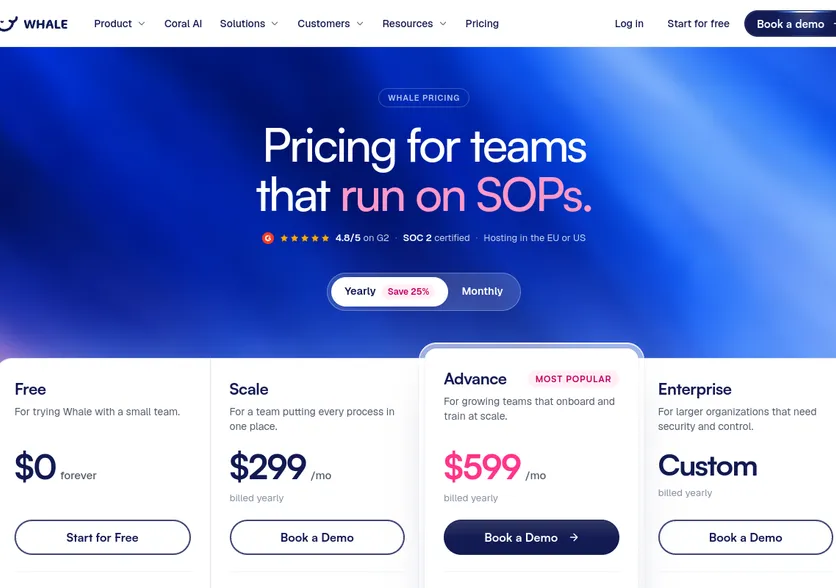
 Whale | Product teams that train staff with step-by-step processes and videos | $299/month | Free plan for one creator and up to 10 members | Visit |
The knowledge management software for product teams, compared
1. Notion
Best for: Product teams that want docs, wikis and roadmaps in one workspace
Paid tool Starting price: $10/user/month · Ten dollars per user per month billed annually on the Plus plan (twelve dollars on monthly billing); Business is twenty dollars per user per month, and a free plan is available
Free plan: Free plan for individuals and small teams
This Notion plan costs ten dollars per user per month billed annually, and it turns a product team's scattered notes into one searchable workspace. Specs, meeting notes, decision logs and roadmaps live in linked pages with databases, so a new hire can trace a feature from the first idea to the shipped release. AI search and Q&A on the Plus plan answer questions from the team's own pages instead of from the public web.

What we like
- Docs, wikis and roadmaps share one searchable workspace
- Databases link specs to owners, status and releases
- AI answers come from the team's own pages
Watch out for
- Large workspaces need a naming convention or search gets noisy
- Offline access is limited compared with desktop-first tools
How to try it
- Create a team wiki with pages for specs, decisions and launch notes
- Link each spec to its roadmap item and owner in a database
- Ask Notion AI a question and check the answer against the linked source page
2. Confluence
Best for: Product teams already using Jira that want docs beside their tickets
Paid tool Starting price: $7.15/user/month · Seven dollars and fifteen cents per user per month on the Standard plan for teams of one to one hundred users, after the price rise effective 13 October 2026; annual billing is seven hundred and twenty dollars a year for up to ten users, and Premium is higher
Free plan: Free plan for up to 10 users
This Confluence plan costs seven dollars and fifteen cents per user per month, and it keeps product documentation next to the work in Jira. A spec page can embed the live status of its Jira issues, so the doc never goes stale while the ticket moves. Page trees, templates and permissions make it the default choice for teams that already live in Atlassian, though it feels heavier than the simpler wikis in this list.

What we like
- Jira issues embed live inside spec pages
- Templates keep specs and decision logs consistent
- Permissions scale from small teams to whole companies
Watch out for
- The editor feels slower than newer wiki tools
- The price rose in October 2026, so old quotes are stale
How to try it
- Build a page tree for the product area with a spec template
- Embed the linked Jira issues so status updates appear on the page
- Set page permissions so only the product team can edit the roadmap
3. Guru
Best for: Product teams that need verified answers inside Slack and the browser
Paid tool Starting price: $25/seat/month · Twenty-five dollars per seat per month billed annually on the All-in-One plan (thirty dollars on monthly billing), with a ten-seat minimum, so the smallest bill is two hundred and fifty dollars a month
Free plan: 30-day free trial; no free plan
This Guru plan costs twenty-five dollars per seat per month billed annually, and it puts verified product knowledge where the team already works. Cards surface as answers in Slack, in the browser and inside other apps, and every card carries an owner and an expiry date so stale answers get flagged instead of repeated. The ten-seat minimum makes it a team purchase, not a solo one, but for a support-adjacent product team it replaces the repeated question entirely.

What we like
- Verified cards answer questions inside Slack and the browser
- Owners and expiry dates keep answers from going stale
- AI search finds the right card without a keyword guess
Watch out for
- The ten-seat minimum prices out very small teams
- Writing and verifying cards is real ongoing work
How to try it
- Write the ten most repeated product answers as verified cards
- Connect Slack so the cards surface when a teammate asks
- Set a verification date on each card and review the ones that expire
4. Slab
Best for: Small product teams that want a fast, clean wiki without setup work
Paid tool Starting price: $6.67/user/month · Six dollars and sixty-seven cents per user per month billed annually on the Startup plan (eight dollars on monthly billing); Business is twelve dollars and fifty cents per user per month
Free plan: Free plan for up to 10 users
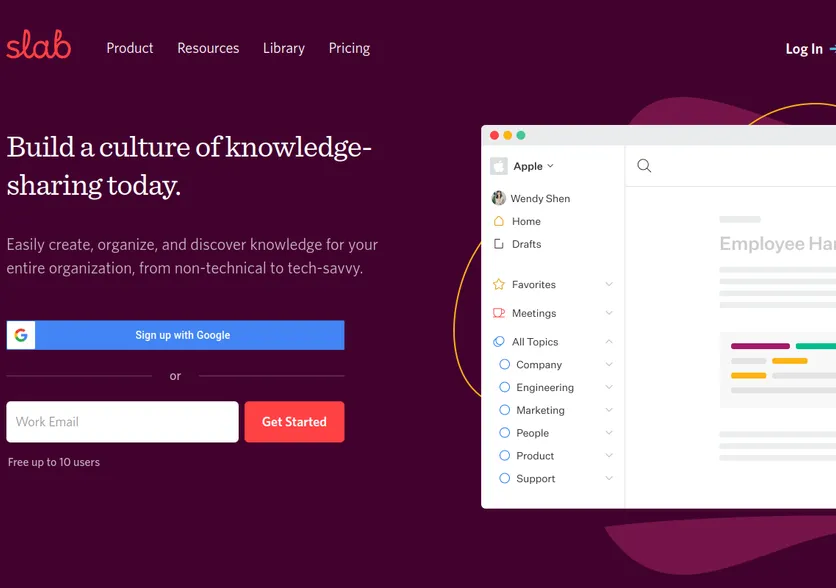
This Slab plan costs six dollars and sixty-seven cents per user per month billed annually, and it is the simplest wiki in this list to start. Pages are quick to write, topics group them into a readable handbook, and search finds answers across docs, Slack and other connected tools. It does less than Notion or Confluence on purpose, which is exactly why a small product team can adopt it in a day instead of a quarter.
What we like
- A clean wiki a team can adopt in a day
- Unified search covers docs and connected tools
- Free plan covers teams up to ten users
Watch out for
- No databases or roadmaps, so it stays a wiki only
- Fewer integrations than the bigger platforms here
How to try it
- Create topics for the product area, onboarding and decisions
- Move the current specs and meeting notes into the topics
- Connect Slack so search covers conversations as well as pages
5. GitBook
Best for: Product teams that publish docs for users and developers as well as staff
Paid tool Starting price: $65/site/month · Sixty-five dollars per site per month billed annually on the Essential plan (seventy-nine dollars on monthly billing), plus twelve dollars per user per month; Ultimate is two hundred and forty-nine dollars per site per month
Free plan: Free plan for one user
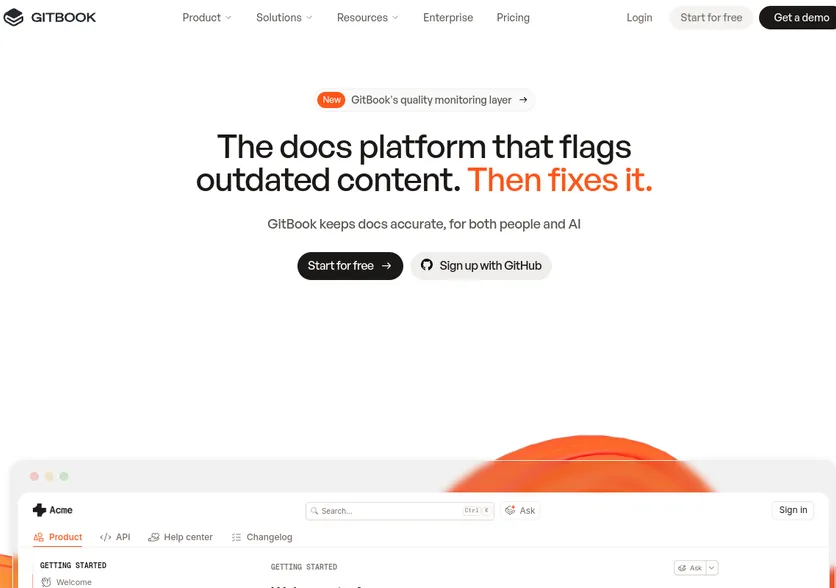
This GitBook plan costs sixty-five dollars per site per month billed annually, plus twelve dollars per user per month, and it treats documentation as a published product. Internal wikis and public docs share the same editor, so a team can keep private specs beside the public guides that explain the same feature. Git sync, AI search and a clean reading experience make it the pick for product teams whose docs are also a customer-facing asset.
What we like
- Internal and public docs share one editor
- Git sync gives docs real version control
- The reading experience is clean for customers too
Watch out for
- The per-site plus per-user price adds up fast
- Less of a general workspace than Notion or Confluence
How to try it
- Set up one space for internal specs and one for public docs
- Sync the docs to a Git repository for version control
- Publish the public space and check the search answers it gives
6. Nuclino
Best for: Product teams that want a visual, fast wiki for specs and meeting notes
Paid tool Starting price: $6/user/month · Six dollars per user per month billed annually on the Starter plan (eight dollars on monthly billing); Business is ten dollars per user per month
Free plan: Free plan for up to 50 items
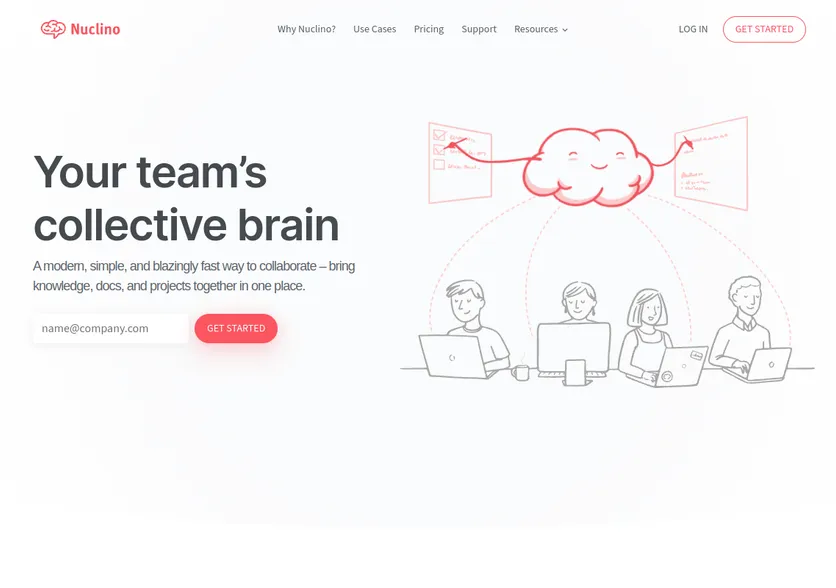
This Nuclino plan costs six dollars per user per month billed annually, and it is the fastest wiki here to navigate. A graph view shows how pages connect, every edit saves instantly, and the editor stays out of the way so writing a spec feels like typing a note. It is a good home for meeting notes, decisions and onboarding docs, though teams that need databases or roadmaps will outgrow it sooner than Notion.
What we like
- A graph view shows how pages connect
- Every edit saves instantly with no friction
- The editor is fast and stays out of the way
Watch out for
- No databases, so roadmaps need another tool
- The free plan caps at fifty items
How to try it
- Create a workspace with collections for specs, decisions and onboarding
- Write the current sprint spec and link it to the related decisions
- Open the graph view to check for orphaned or duplicated pages
7. Tettra
Best for: Product teams that answer the same questions in Slack every week
Paid tool Starting price: $8/user/month · Eight dollars per user per month billed annually on the Scaling plan (ten dollars on monthly billing), with a ten-user minimum; Enterprise is quoted
Free plan: Free trial available; no free plan
This Tettra plan costs eight dollars per user per month billed annually, and it is built around one job: stopping the same question being asked twice. Knowledge lives in verified pages that a Slack bot answers on demand, and page owners get nudged to re-verify content before it goes stale. The ten-user minimum suits a real team rather than a solo operator, and the Slack-first design fits product teams that already live in chat.
What we like
- A Slack bot answers repeated questions on the spot
- Owners are nudged to re-verify pages before they age
- Setup is quick for a team already living in Slack
Watch out for
- The ten-user minimum prices out tiny teams
- Weakest here as a general-purpose wiki or docs publisher
How to try it
- Import the answers your team repeats most into verified pages
- Connect the Slack bot so it answers questions in the channel
- Assign an owner to each page and answer the verification nudges
8. Whale
Best for: Product teams that train staff with step-by-step processes and videos
Paid tool Starting price: $299/month · Two hundred and ninety-nine dollars per month billed annually on the Scale plan (three hundred and ninety-nine dollars on monthly billing), including three creators, with extra creators at twenty-nine dollars a month; Advance is five hundred and ninety-nine dollars a month. The old per-user pricing from before May 2026 no longer applies
Free plan: Free plan for one creator and up to 10 members
This Whale plan costs two hundred and ninety-nine dollars per month billed annually, and it turns team knowledge into training people actually finish. Processes are built as step-by-step guides with screen recordings, quizzes and checklists, and viewers are free, so the whole team can read without a seat for each person. The flat price is steep for a small team, but it is the most training-shaped tool in this list, and its pricing changed completely in May 2026, so older per-user quotes are stale.
What we like
- Step-by-step guides with video and quizzes
- Viewers are free, so the whole team can read
- Built for training, not just storage
Watch out for
- The flat monthly price is steep for a small team
- Only three creators are included on the Scale plan
How to try it
- Record the three processes new hires ask about most
- Turn each recording into a step-by-step guide with a quiz
- Share the guides with the team and check who has finished them
Prices above were checked on each vendor’s own website on Nov 28, 2026 and can change — the vendor’s page is the final word. Vendor links are editorial: nobody paid to be listed or ranked here. Vendors who want a featured listing can see how it works on our Get listed page.
How a product team should run its knowledge base
Start with the ten questions new hires actually ask, not with a grand information architecture. Write those ten answers first, give each one an owner and a review date, and let the rest of the wiki grow around real use. Put decisions beside the specs they explain, because a spec without its reasoning is just a guess nobody can challenge. Review the wiki every sprint: delete what is dead, merge what is duplicated and re-verify what the team still relies on. A knowledge base that nobody maintains becomes a second graveyard, so the owner and the review date matter more than the tool you pick.
Before you buy
- Check that the search covers docs, comments and connected tools, not just page titles
- Confirm who owns each page and how stale content gets flagged for review
- Ask whether viewers and readers need paid seats or can read for free
- Count the minimum seats and the real monthly floor before you compare headline prices
- Run a trial with one real spec, from draft to published decision, before you commit
Official websites
Official websites of the products reviewed above. Features and prices were checked against these sites when this guide was written, and they can change, so confirm on the vendor site before you buy.
Frequently asked questions
What is knowledge management software for product teams?
It is software that stores a product team's specs, decisions, launch notes and answers in one searchable place. Instead of knowledge living in chat threads and people's heads, it lives in pages with owners and review dates. The tools in this list range from general wikis like Notion and Slab to answer-focused tools like Guru and Tettra, and training-shaped tools like Whale.
Which tool is best for a small product team?
Slab is the cheapest paid start at six dollars and sixty-seven cents per user per month billed annually, with a free plan for up to ten users. Nuclino follows at six dollars per user per month billed annually, also with a free plan. Notion is the strongest all-rounder at ten dollars per user per month, because it adds roadmaps and databases to the wiki instead of being a wiki alone.
How much does Notion cost for a product team?
Notion costs ten dollars per user per month billed annually on the Plus plan, or twelve dollars on monthly billing. Business is twenty dollars per user per month and adds more admin controls and security. A free plan covers individuals and small teams, and AI search and Q&A are included on the Plus plan.
Do I need a wiki, or is a shared drive enough?
A shared drive stores files, but it does not answer questions, link a spec to its decision, or flag stale content. A wiki adds search across everything, page owners, review dates and links between pages, which is what makes knowledge findable months later. If your team keeps asking the same questions in chat, a wiki will pay for itself faster than more storage.
How do we keep a knowledge base from going stale?
Give every page an owner and a review date, and review the wiki on a schedule, not when someone complains. Tools like Guru and Tettra flag content for re-verification automatically, which helps. Delete pages that are dead instead of leaving them to mislead people, and merge duplicates whenever two pages answer the same question.
Compare the eight tools above, then start with a free trial on the tool that matches how your team already writes specs before you pay for a full year.
Browse Business Tools tools