On this page
An HR team's knowledge base has to do two jobs at once: answer employees' everyday questions before they message HR, and give new hires one trusted place to learn the job. We compared eight paid tools that fit a small or mid-sized HR team, checking every price on the vendor's own site on November 28, 2026, and weighing self-service search, permissions and onboarding features. Tettra leads because it answers policy questions inside Slack, where employees already ask them.
How we researched this
We ranked each tool on five HR-specific checks: self-service answers that cut routine questions, permissions that protect sensitive HR content, onboarding paths new hires can complete before day one, sign-offs that prove policies were read, and a price a small HR team can justify. We checked every price on the vendor's own site on November 28, 2026, and we dropped any vendor that had gone quote-only or stopped publishing prices.
Compare the tools
| Name | Best for | Starting price | Free plan | |
|---|---|---|---|---|
 Tettra | HR teams that answer the same policy questions in Slack every day. | $8/user/month | Free trial (30 days) | Visit |
 Trainual | HR teams that need structured onboarding, training and policy sign-offs. | $249/month | Free trial (7 days) | Visit |
 Notion | HR teams that need one cheap wiki for policies, handbooks and onboarding checklists. | $10/user/month | Free plan for individuals | Visit |
 Confluence | HR teams that need a secure wiki for sensitive policies and compliance documents. | $7.15/user/month | Free plan for up to 10 users | Visit |
 Scribe | HR teams that need to turn expert know-how into step-by-step guides for managers. | $13/seat/month | Free Basic plan | Visit |
| Zoho Learn | HR teams that need simple training manuals and courses for employees. | $3/user/month | Free plan for up to 5 users | Visit |
 Helpjuice | HR teams that want employees to find policy answers themselves through strong AI search. | $120/month | Free trial (14 days) | Visit |
 Nuclino | HR teams that want a fast, lightweight wiki for policies and team knowledge. | $5/user/month | Free plan for up to 50 items | Visit |
The 8 best knowledge management tools for HR teams
1. Tettra
Best for: HR teams that answer the same policy questions in Slack every day.
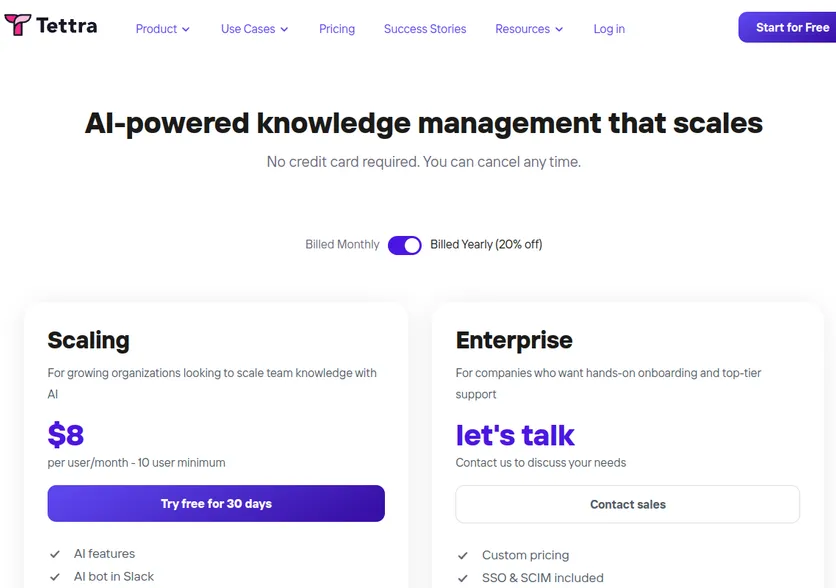
Paid tool Starting price: $8/user/month · Eight dollars per user per month on the Scaling plan billed annually, with a 10-user minimum, so the smallest bill is eighty dollars a month; monthly billing is ten dollars per user. Enterprise is custom priced.
Free plan: Free trial (30 days)
This Tettra plan costs $8 per user a month on Scaling, and it is the best fit when HR staff live in Slack and keep answering the same questions about leave, expenses and benefits. Questions asked in Slack get answered once, saved to the wiki, and served by the AI the next time anyone asks, so the policy library grows from real questions instead of sitting unread. The ten-user minimum means the smallest bill is $80 a month, which suits HR teams of ten or more.
What we like
- HR answers surface inside Slack automatically.
- AI answers repeat questions from the wiki.
- Policy library grows from real staff questions.
Watch out for
- Ten-user minimum on the Scaling plan.
- No free plan — only a 30-day trial.
How to try it
- Connect Tettra to your Slack workspace.
- Answer the policy questions staff ask most, and save them to the wiki.
- Let the AI answer repeat questions automatically.
2. Trainual
Best for: HR teams that need structured onboarding, training and policy sign-offs.
Paid tool Starting price: $249/month · Trainual no longer publishes prices on its pricing page. Two hundred and forty-nine dollars a month for Core, covering the first 10 seats billed annually, is the figure captured in Trainual's app in July 2026 and reported by multiple reviewers, so confirm your quote before buying. A one-time $1,000 implementation fee applies to every plan.
Free plan: Free trial (7 days)
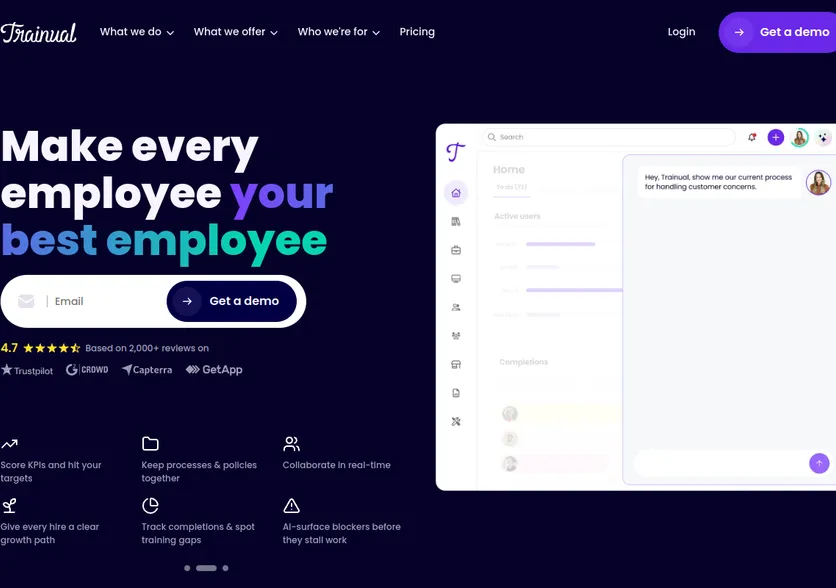
This Trainual plan costs $249 a month on Core, and it is the most structured option when HR needs every new hire trained the same way and able to prove it. Roles, learning paths, quizzes and sign-offs turn your employee handbook into training that new hires complete before their first day, and managers can see exactly who has finished what. Trainual no longer publishes prices on its pricing page, so confirm your quote before buying — the $249 figure comes from in-app pricing reported by multiple reviewers in 2026.
What we like
- Structured onboarding with quizzes and sign-offs.
- Managers see exactly who finished what.
- Fits compliance and policy requirements.
Watch out for
- Price is not published on the vendor site.
- A $1,000 implementation fee applies to every plan.
How to try it
- Map each role to its onboarding path and policies.
- Assign the path to every new hire before day one.
- Check completion reports before the first review meeting.
3. Notion
Best for: HR teams that need one cheap wiki for policies, handbooks and onboarding checklists.
Paid tool Starting price: $10/user/month · Ten dollars per user per month on the Plus plan billed annually; monthly billing is twelve dollars. Business is twenty dollars per user per month billed annually.
Free plan: Free plan for individuals
This Notion plan costs $10 per user a month on Plus, and it is the cheapest way for an HR team to keep every policy in one searchable place. The employee handbook, leave rules, benefits guides and onboarding checklists can all live in linked pages with databases that track probation dates and certification renewals. It is not built for sign-offs or completion tracking, so pair it with Trainual or Zoho Learn if HR needs proof that employees read the policies.

What we like
- Cheapest full wiki in this roundup.
- Databases track probation and certifications.
- Templates cover handbooks and onboarding.
Watch out for
- No sign-offs or completion tracking.
- Search is weaker than dedicated KB tools.
How to try it
- Create a wiki page for each core HR policy.
- Add a database to track probation and certification dates.
- Share the wiki with all staff and set edit access for HR only.
4. Confluence
Best for: HR teams that need a secure wiki for sensitive policies and compliance documents.
Paid tool Starting price: $7.15/user/month · Seven dollars and fifteen cents per user per month on monthly billing for the first 100 users, after Atlassian's October 13, 2026 price rise; annual billing sells user tiers, starting at $720 a year for up to 10 users. Premium is $14.10 per user per month.
Free plan: Free plan for up to 10 users
This Confluence plan costs $7.15 per user a month on Standard, and it is the sensible pick for HR teams already running Jira or other Atlassian software. Pages, templates and page-level permissions fit handbooks, disciplinary procedures and compliance checklists, and the built-in whiteboards help a team map a new onboarding flow before writing it up. The free tier covers up to 10 users, which is enough for a small HR team to try it properly before paying.

What we like
- Free for up to 10 users.
- Strong permissions for sensitive HR documents.
- Fits naturally with Jira and Atlassian tools.
Watch out for
- No sign-offs or completion tracking.
- Can feel heavy for a small HR team.
How to try it
- Build a space for policies and one for onboarding.
- Set page permissions so only HR edits sensitive documents.
- Link Jira tasks to the pages they document.
5. Scribe
Best for: HR teams that need to turn expert know-how into step-by-step guides for managers.
Paid tool Starting price: $13/seat/month · Thirteen dollars per seat per month on Pro Team billed annually, with a five-seat minimum, so the smallest team bill is sixty-five dollars a month; monthly billing is seventeen dollars per seat. Pro Personal for a single seat is $25 per seat per month billed annually.
Free plan: Free Basic plan
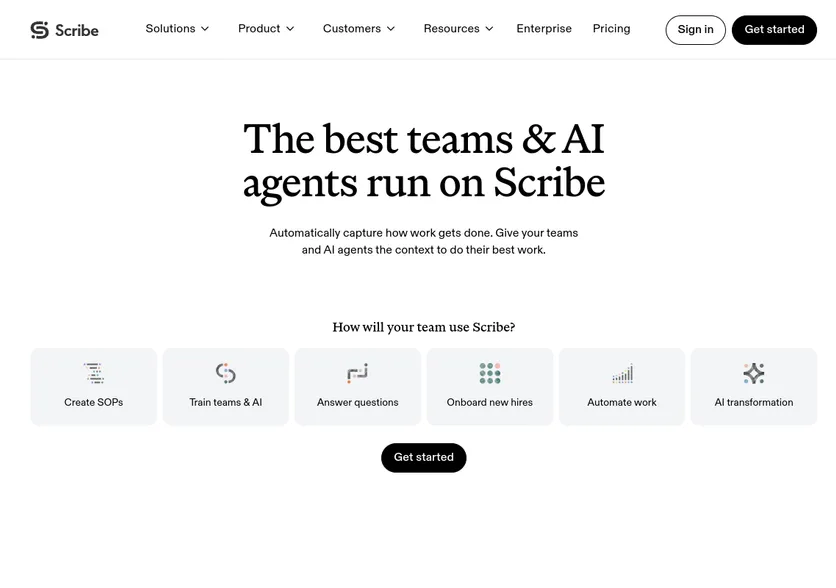
This Scribe plan costs $13 per seat a month on Pro Team, and it is the fastest way to capture how your best HR staff handle a process and share it with every manager. Record the screen once while running a payroll task or a performance review, and Scribe turns it into a written guide with screenshots, so a new manager can follow it step by step instead of asking HR. The five-seat minimum means the smallest team bill is $65 a month, which suits HR teams of five or more.
What we like
- Turns a screen recording into a written guide.
- New managers learn without asking HR.
- Guides stay current when processes change.
Watch out for
- Five-seat minimum on Pro Team.
- Not a full knowledge base — guides only.
How to try it
- Record your best HR staff doing a standard process once.
- Let Scribe generate the guide, then edit the steps.
- Share the guide library with every hiring manager.
6. Zoho Learn
Best for: HR teams that need simple training manuals and courses for employees.
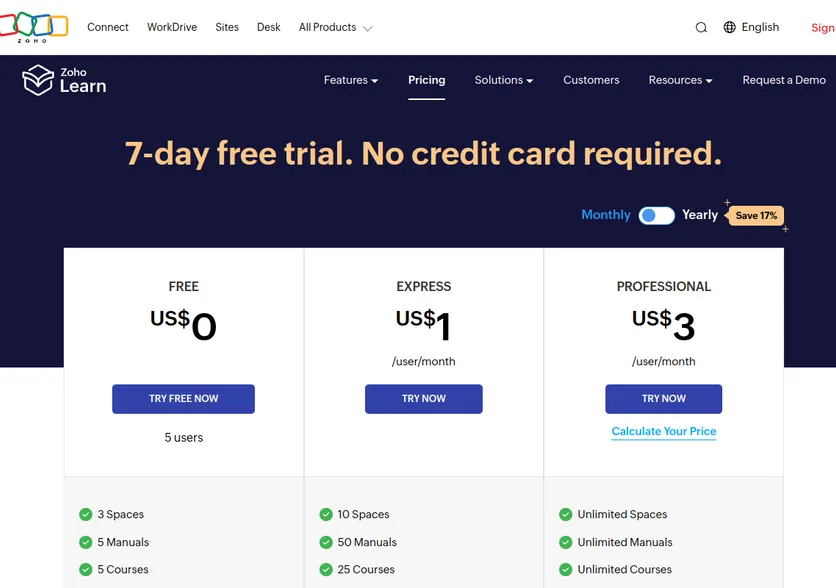
Paid tool Starting price: $3/user/month · Three dollars per user per month on the Professional plan billed monthly, or $2.50 billed annually; it adds unlimited manuals and courses, article verification and assignments. Express is $1 per user per month billed monthly.
Free plan: Free plan for up to 5 users
For an HR team that needs simple training manuals at a very low price, Zoho Learn costs $3 per user a month on Professional. Manuals, courses and assignments are built for small teams, article verification flags out-of-date policies, and the free plan covers up to 5 users, so an HR team can start without spending anything. It fits naturally with Zoho's other tools, from CRM to Desk, if the company already uses them.
What we like
- Cheapest structured training in this list.
- Free plan covers up to 5 users.
- Article verification flags stale policies.
Watch out for
- No screenshot or logo available for this tool.
- Smaller feature set than dedicated training platforms.
How to try it
- Create a manual for each core HR process.
- Add a short course and quiz for new hires.
- Turn on article verification so stale policies get flagged.
7. Helpjuice
Best for: HR teams that want employees to find policy answers themselves through strong AI search.
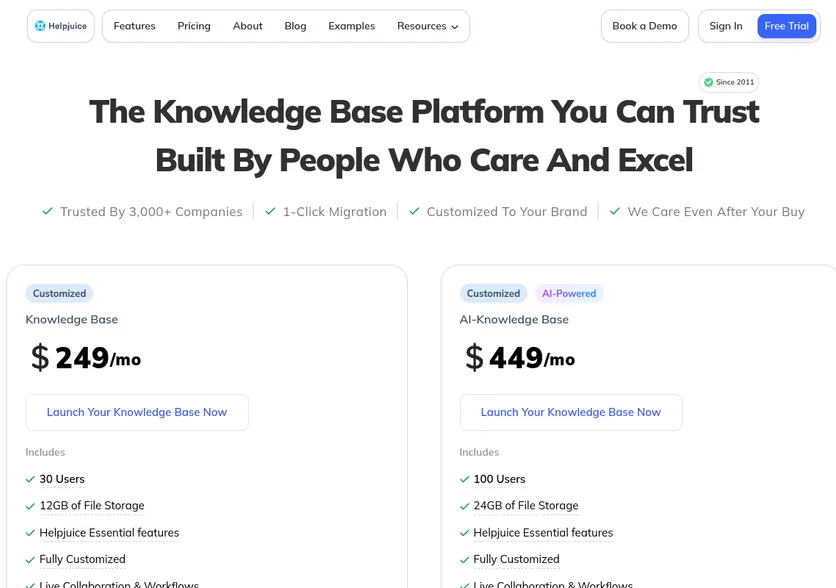
Paid tool Starting price: $120/month · One hundred and twenty dollars a month on the Starter plan, covering up to 4 users with all core features; Run-Up is $200 a month for up to 16 users.
Free plan: Free trial (14 days)
This Helpjuice plan costs $120 a month on Starter, and it is the strongest choice when employees keep asking HR the same questions about leave, expenses and benefits. Its AI search reads the intent behind a query, so an employee typing "how many days off" lands on the leave policy instead of a dead end, and the built-in analytics show which articles fail so HR can fix them. The portal is fully brandable and works well on mobile, which matters for frontline staff without a desk.
What we like
- AI search understands intent, not just keywords.
- Analytics flag articles that fail employees.
- Branded portal that works on mobile.
Watch out for
- No free plan — only a 14-day trial.
- Starter caps the team at 4 users.
How to try it
- Write the 20 questions HR hears every week.
- Let the AI draft the first versions, then have HR check them.
- Add the portal link to your intranet and onboarding emails.
8. Nuclino
Best for: HR teams that want a fast, lightweight wiki for policies and team knowledge.
Paid tool Starting price: $5/user/month · Five dollars per user per month on the Standard plan billed annually; monthly billing is six dollars. Premium, with SSO and audit logs, is $10 per user per month billed annually.
Free plan: Free plan for up to 50 items
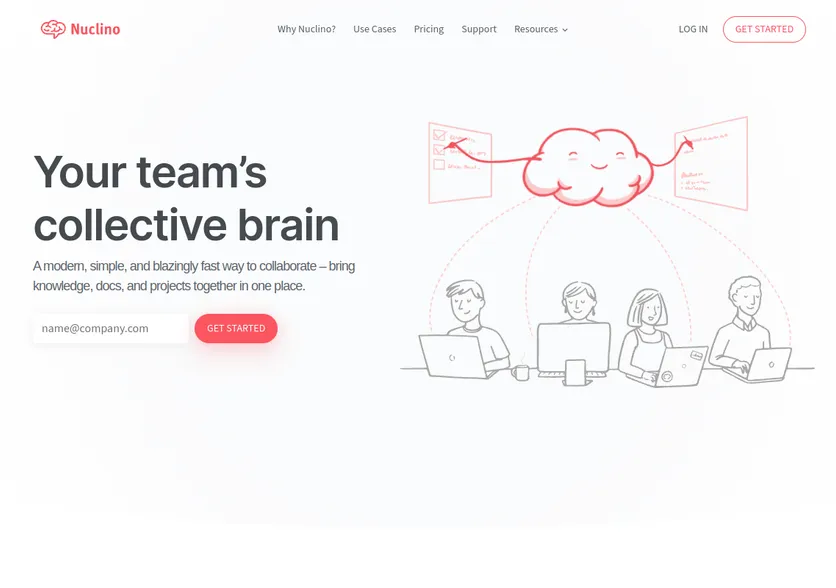
This Nuclino plan costs $5 per user a month on Standard, and it is the lightest wiki in this roundup — fast to learn, fast to search, and easy for the whole company to use. Policies, handbooks and team guides live in a visual board layout that new hires can navigate without training, and real-time editing means HR can update a policy while the team watches. The free plan covers up to 50 items, which is enough to test it with a real handbook before paying.
What we like
- Lightest and fastest wiki in this list.
- Very easy for non-technical staff.
- Real-time editing for policy updates.
Watch out for
- No sign-offs or completion tracking.
- Free plan is limited to 50 items.
How to try it
- Create a board for policies and one for onboarding.
- Write the handbook in short, searchable pages.
- Share the wiki with all staff and set edit access for HR.
Prices above were checked on each vendor’s own website on Nov 28, 2026 and can change — the vendor’s page is the final word. Vendor links are editorial: nobody paid to be listed or ranked here. Vendors who want a featured listing can see how it works on our Get listed page.
How to run an HR knowledge base day to day
Start with the questions HR answers ten times a week: leave balances, expense rules, benefits, working hours and onboarding steps. Write those first, in plain language, and keep each article short enough to read on a phone. Give one HR staff member ownership of the library and review it whenever a policy changes, not the month after. Keep sensitive content — disciplinary procedures, salary bands, individual cases — in a separate restricted space, and use sign-offs for the policies every employee must read. Make the library the first stop for every new hire, and link it from the offer letter, so day one starts with answers instead of a queue of questions for HR.
Before you buy
- Can employees find HR answers without messaging the HR team?
- Does it handle sensitive HR content with proper permissions?
- Can new hires complete onboarding before their first day?
- Does it track who has read and signed off on policies?
- Can HR update policies without waiting on IT?
Official websites
Official websites of the products reviewed above. Features and prices were checked against these sites when this guide was written, and they can change, so confirm on the vendor site before you buy.
Frequently asked questions
What is the best knowledge management software for HR teams?
Tettra is the best overall pick for most HR teams: it surfaces policy answers inside Slack, where employees already ask questions, and its AI answers repeat questions automatically. Trainual is the best choice for structured onboarding with sign-offs, and Notion is the cheapest wiki. Most HR teams end up with Tettra or Trainual plus a cheap wiki for the handbook.
How much does knowledge management software cost for HR teams?
Expect $5 to $249 a month for a small HR team, depending on the tool. Nuclino starts at $5 per user a month, Notion at $10 and Tettra at $8, while Helpjuice costs $120 a month flat and Trainual is $249 a month for Core. Zoho Learn, at $3 per user a month, is the cheapest way to add structured training and courses.
Can a knowledge base reduce questions to the HR team?
Yes, if it answers the questions employees actually ask: leave balances, expense rules, benefits and working hours. Publish those first, link the portal from your intranet and onboarding emails, and check the failed-searches report monthly. HR teams that do this see fewer routine questions and more time for the work that actually needs a human.
Which tool tracks whether employees read HR policies?
Trainual is the strongest option: it turns the handbook into role-based learning paths with quizzes and sign-offs, and managers can see exactly who has finished what. Zoho Learn also supports courses and assignments at a much lower price. Notion, Confluence and Nuclino store policies well but cannot prove anyone read them.
How do HR teams keep sensitive policies private in a knowledge base?
Keep sensitive HR content in a separate space with page-level permissions, so only HR can edit it and only the right people can read it. Confluence and Notion both support this. Never mix disciplinary procedures or salary information into the public employee portal — those belong in a restricted space with an audit trail.
Pick the tool that matches your biggest pain: Tettra for HR answers inside Slack, Trainual for structured onboarding, or Notion for a cheap internal wiki. Then compare the rest of the tools above before you buy.
Browse Business Tools tools