On this page
Every internal team has the same problem: the answer exists, but it lives in someone's head, a chat thread or a doc nobody can find. New hires ask the same questions, and the people who know the answers keep repeating them. A knowledge base ends that loop by putting answers where the team can find them. Slab leads this list because its verification reminders keep pages true for six dollars and sixty-seven cents per user per month. The other seven tools are ranked on the same test: how easily a team can write, find and trust its own knowledge.
How we researched this
We checked every price on the vendor pricing page on November 28, 2026, and only included tools with a published US dollar list price and a free plan or free trial. Every tool here fits internal use: simple writing, search the whole team can use, and pricing that works for a small team. Prices change, so confirm the current figure on the vendor site before you buy.
Compare the tools
| Name | Best for | Starting price | Free plan | |
|---|---|---|---|---|
 Slab | Internal teams that need a wiki whose pages stay verified | $6.67/user/month | Free plan for up to 10 users | Visit |
 Notion | Internal teams that want docs, wikis and notes in one workspace | $10/user/month | Free plan for individuals with limited blocks | Visit |
 Confluence | Internal teams already using Atlassian tools | $7.15/user/month | Free plan for up to 10 users | Visit |
 Tettra | Internal teams that need answers searchable from Slack | $4/user/month | Free plan for up to 10 users | Visit |
 Nuclino | Small internal teams that want a fast, simple wiki | $6/user/month | Free plan for up to 50 items | Visit |
 Slite | Remote internal teams that want verified team docs | $10/user/month | 14-day free trial; no free plan | Visit |
 HelpDocs | Internal teams that need a simple knowledge base with a clean editor | $99/month | 14-day free trial; no free plan | Visit |
 ProProfs Knowledge Base | Internal teams that need a private help center with analytics | $49/author/month | Free plan for 1 author and 25 pages | Visit |
The knowledge base software for internal teams, compared
1. Slab
Best for: Internal teams that need a wiki whose pages stay verified
Paid tool Starting price: $6.67/user/month · Six dollars and sixty-seven cents per user per month billed annually on the Startup plan (eight dollars on monthly billing); Business is twelve dollars and fifty cents per user per month
Free plan: Free plan for up to 10 users
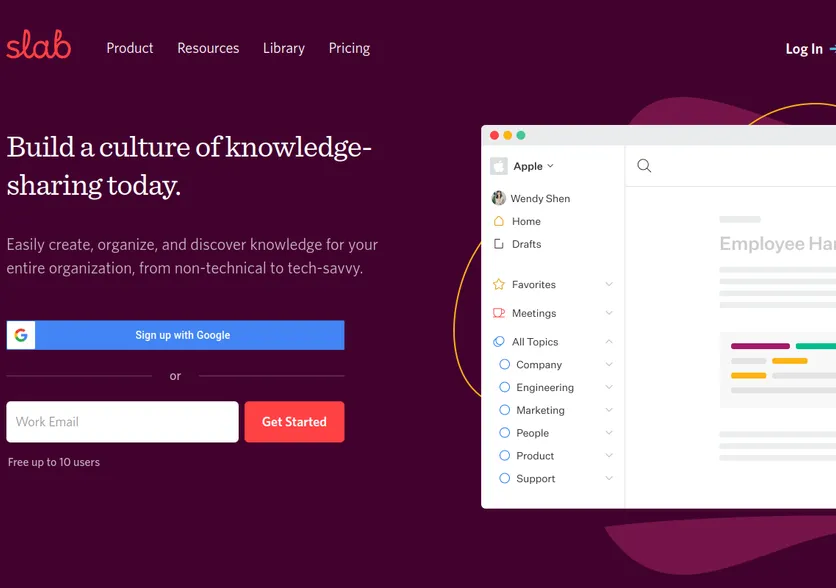
At six dollars and sixty-seven cents per user per month billed annually, this Slab plan is built around one idea: pages that stay true. Topics organize the wiki, verification reminders keep owners honest, and integrations pull content from Slack, GitHub and Google Drive into one place. That suits an internal team whose wiki goes stale because nobody owns the pages.
What we like
- Verification reminders keep pages accurate
- Topics organize the wiki cleanly
- Integrations pull content from Slack and GitHub
Watch out for
- Built for internal wikis, not public help centers
- The free plan caps the team at ten users
How to try it
- Create topics for each team and move the docs in
- Set verification reminders on the pages that change most
- Connect Slack and GitHub so content flows into the wiki
2. Notion
Best for: Internal teams that want docs, wikis and notes in one workspace
Paid tool Starting price: $10/user/month · Ten dollars per user per month billed annually on the Plus plan (twelve dollars on monthly billing); Business is twenty dollars per user per month and includes Notion AI
Free plan: Free plan for individuals with limited blocks
This Notion plan costs ten dollars per user per month billed annually, and it gives an internal team one workspace for everything it writes. Pages link to databases, so a process, its owner and its review date connect in one view, and the AI can draft and summarize inside the page. That flexibility suits a team whose knowledge mixes processes, decisions, meeting notes and plans in one place.

What we like
- Pages, databases and wikis share one workspace
- The AI drafts and summarizes inside the page
- Flexible enough for processes, decisions and plans
Watch out for
- The published docs site is weaker than dedicated tools
- Large wikis need discipline to stay organized
How to try it
- Build the team wiki with a page per process
- Link pages to a database that tracks owners and review dates
- Use the AI to draft the first version of each new page
3. Confluence
Best for: Internal teams already using Atlassian tools
Paid tool Starting price: $7.15/user/month · Seven dollars and fifteen cents per user per month on the Standard plan for one to one hundred users on monthly billing (fourteen dollars and ten cents for Premium); annual billing runs lower at about six dollars per user per month on Standard for a ten-user workspace. Atlassian raised Cloud prices on October 13, 2026
Free plan: Free plan for up to 10 users
This Confluence plan costs seven dollars and fifteen cents per user per month, and it is the wiki most internal teams already have. Pages, templates and spaces organize processes, decisions and project docs, and the link to Jira ties each doc to the work it describes. Whiteboards and databases add planning to the same space, so the wiki lives where the team already works.

What we like
- Deep integration with Jira and the Atlassian suite
- Templates keep pages consistent across teams
- Whiteboards and databases add planning in one space
Watch out for
- Search is weaker than dedicated wiki tools
- Large spaces can become hard to navigate
How to try it
- Create a space per team and add templates for key docs
- Link each doc to its Jira issues so the work stays connected
- Set page owners and review dates on the docs that change often
4. Tettra
Best for: Internal teams that need answers searchable from Slack
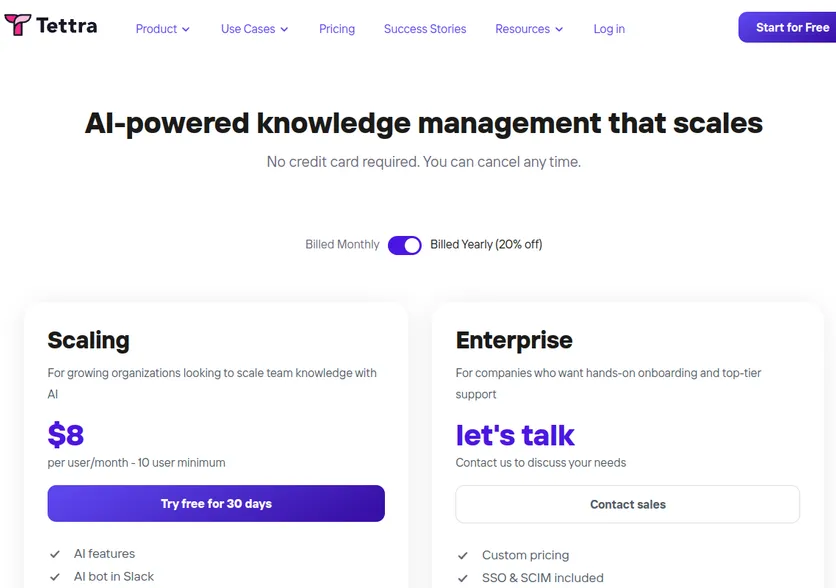
Paid tool Starting price: $4/user/month · Four dollars per user per month billed annually on the Basic plan (five dollars on monthly billing); Scaling is eight dollars per user per month and Professional is seven thousand two hundred dollars per year. Paid plans have a ten-user minimum
Free plan: Free plan for up to 10 users
This Tettra plan costs four dollars per user per month billed annually, and it keeps a team's internal knowledge in one searchable place. Process docs, scripts and answers live in a wiki that the AI bot can search from Slack, so a teammate finds the right answer mid-task instead of after it. Verification reminders keep pages fresh, which matters when processes change every quarter.
What we like
- The AI bot answers from Slack in seconds
- Verification reminders keep pages accurate
- The lowest paid price in this list
Watch out for
- Built for internal teams, not public help centers
- Paid plans need at least ten users
How to try it
- Import process docs and scripts into the wiki
- Connect Slack so the AI bot answers questions in the chat
- Set verification reminders on pages that change often
5. Nuclino
Best for: Small internal teams that want a fast, simple wiki
Paid tool Starting price: $6/user/month · Six dollars per user per month billed annually on the Starter plan (eight dollars on monthly billing); Business is ten dollars per user per month
Free plan: Free plan for up to 50 items
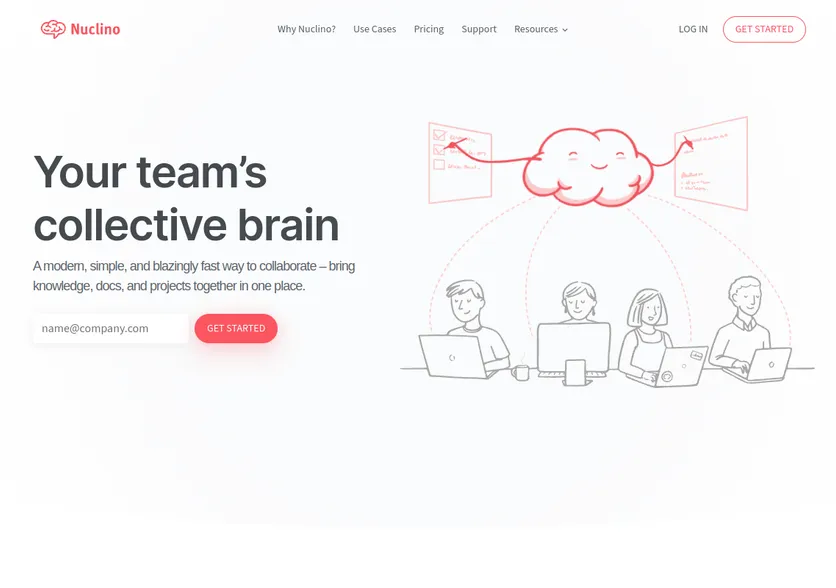
This Nuclino plan costs six dollars per user per month billed annually, and it is the simplest wiki in this list. Pages group into collections, the editor is instant, and the graph view shows how pages connect, so a new teammate can find their way around on day one. That suits a small team that wants a wiki everyone writes in, without the weight of a bigger platform.
What we like
- The editor is instant and simple to use
- The graph view shows how pages connect
- New teammates find their way around fast
Watch out for
- Lighter permissions than enterprise wikis
- The free plan caps the wiki at fifty items
How to try it
- Create collections for each team and add the core pages
- Link related pages so the graph view shows the connections
- Invite the team and ask each person to write one page
6. Slite
Best for: Remote internal teams that want verified team docs
Paid tool Starting price: $10/user/month · Ten dollars per user per month billed annually on the Basic plan; Pro is twenty dollars per user per month and Enterprise is custom. Slite removed its free plan in 2026
Free plan: 14-day free trial; no free plan
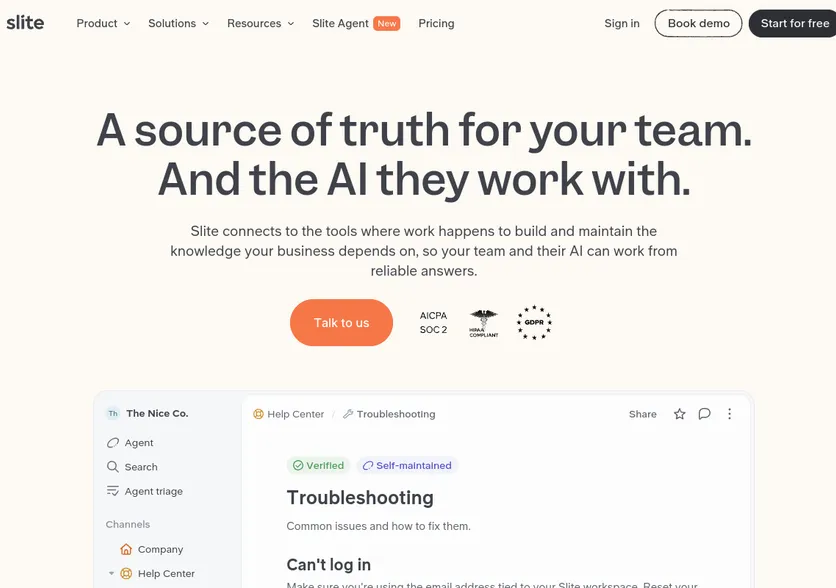
This Slite plan costs ten dollars per user per month billed annually, and it gives a remote team a docs home that stays organized without effort. Collections group pages by team, verification keeps owners honest, and the editor is simple enough that writing feels quick rather than formal. That suits a distributed team whose knowledge lives in chat threads and needs a permanent home.
What we like
- Collections keep the docs organized by team
- Verification keeps pages accurate
- The editor is fast and simple to use
Watch out for
- No free plan since the June 2026 relaunch
- Public help centers are weaker than dedicated tools
How to try it
- Create a collection per team and move the docs in
- Set verification on the pages that change most
- Use the AI to draft the first version of a new page
7. HelpDocs
Best for: Internal teams that need a simple knowledge base with a clean editor
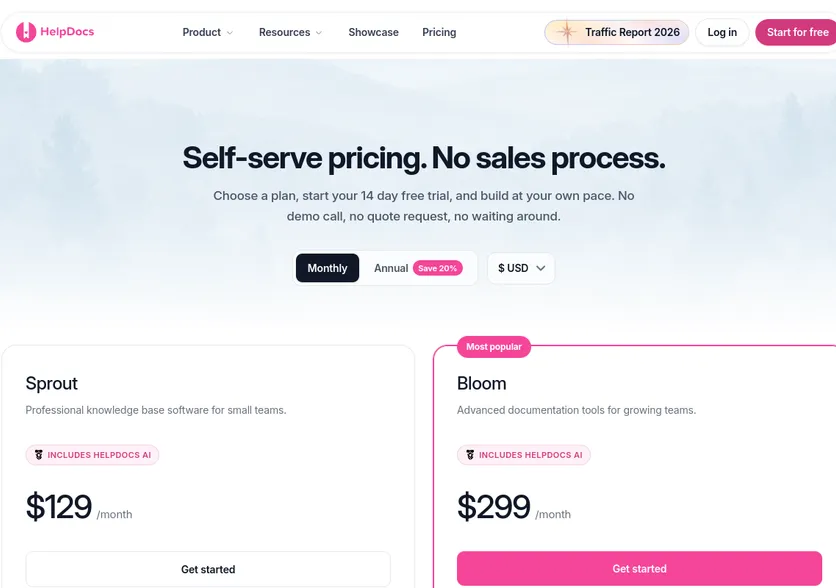
Paid tool Starting price: $99/month · Ninety-nine dollars per month billed annually on the Sprout plan (one hundred and twenty-nine dollars on monthly billing) for five editors; Bloom is two hundred and thirty-nine dollars and Harvest is three hundred and ninety-nine dollars per month
Free plan: 14-day free trial; no free plan
At ninety-nine dollars per month billed annually, this HelpDocs plan is the simplest dedicated knowledge base in this list. The editor writes clean articles fast, categories organize pages by team, and five editors can work on the Sprout plan without counting readers. That suits an internal team that wants a knowledge base employees actually read, without learning a heavy platform.
What we like
- The editor is fast and simple to use
- Five editors are included on the Sprout plan
- Categories organize pages cleanly by team
Watch out for
- No free plan, only a fourteen-day trial
- No built-in AI answers on the entry plan
How to try it
- Create categories for each team and write the core pages
- Set the five editors and their review roles
- Share the knowledge base link in Slack and the intranet
8. ProProfs Knowledge Base
Best for: Internal teams that need a private help center with analytics
Paid tool Starting price: $49/author/month · Forty-nine dollars per author per month billed annually on the Essentials plan (seventy-nine dollars on monthly billing); Business is sixty-nine dollars and Business Complete Elite is seventy-nine dollars per author per month on annual billing only
Free plan: Free plan for 1 author and 25 pages
This ProProfs Knowledge Base plan costs forty-nine dollars per author per month billed annually, and it runs a private help center for employees. Roles and permissions control who reads what, reports show which articles get used, and the editor supports videos, checklists and workflows for teams that publish often. The free plan covers one author and twenty-five pages, so a small team can start without paying.

What we like
- Roles and permissions control who reads what
- Reports show which articles employees actually use
- The free plan covers a small team to start
Watch out for
- Priced per author, so costs grow with the writing team
- Custom domain and white-label cost extra
How to try it
- Create the private knowledge base and set roles per team
- Write the core pages with the editor and add videos where needed
- Review the reports monthly and fix the pages nobody finds
Prices above were checked on each vendor’s own website on Nov 28, 2026 and can change — the vendor’s page is the final word. Vendor links are editorial: nobody paid to be listed or ranked here. Vendors who want a featured listing can see how it works on our Get listed page.
How an internal team should build a wiki people trust
Seed the wiki with real answers, not a template. Ask every teammate for the three questions they get asked most, write those answers first, and publish them before the wiki is perfect, because an empty wiki never gets used. Assign an owner and a review date to every page, and treat a missed review as a bug, since a stale page is worse than no page: it sends people the wrong way with confidence. Make writing easy: keep the editor simple, celebrate the first ten contributors, and move answers out of chat into the wiki the day they are given. Finally, measure the wiki like a product: track which pages get read, which searches fail, and ask new hires what they could not find in their first week.
Before you buy
- Check that pages have owners and review dates, because a wiki nobody owns goes stale
- Confirm the search finds answers from Slack, docs and files, not only page titles
- Ask whether new hires can read the wiki without a licence on day one
- Test the editor with a real teammate, because a slow editor kills contributions
- Seed the wiki with twenty real answers on the trial and watch the team use it before you pay
Official websites
Official websites of the products reviewed above. Features and prices were checked against these sites when this guide was written, and they can change, so confirm on the vendor site before you buy.
Frequently asked questions
What is the best knowledge base software for internal teams?
Slab is the best pick for most internal teams because Startup costs six dollars and sixty-seven cents per user per month and verification reminders keep pages accurate. Notion suits teams that want docs, wikis and notes in one workspace, while Tettra is cheapest at four dollars per user per month. The right choice depends on whether verification, flexibility or Slack answers matter most.
How much does knowledge base software for internal teams cost?
Paid plans in this list start at four dollars per user per month for Tettra Basic and six dollars for Nuclino Starter, both billed annually. Slab Startup is six dollars and sixty-seven cents, Confluence Standard is seven dollars and fifteen cents, and Notion Plus and Slite Basic are ten dollars per user per month. HelpDocs Sprout is ninety-nine dollars per month flat for five editors.
Can an internal team use a free knowledge base plan?
Yes. Slab and Confluence are free for up to ten users, Nuclino is free for up to fifty items, and ProProfs is free for one author and twenty-five pages. The limits show up in page counts, permissions and advanced features, so a free plan is a good place to seed the wiki. Move to a paid plan when the whole team relies on it daily.
What features matter most for an internal knowledge base?
Page ownership and review dates matter most, because a wiki nobody owns goes stale within months. Search that finds answers from chat, docs and files matters next, since teammates search in the words they use, not the words the author used. And a simple editor matters always, because a wiki only works when everyone writes in it, not just the person who set it up.
Is Slab or Notion better for an internal team?
Slab is better when the team needs verification reminders that keep pages honest, with topics that organize the wiki cleanly. Notion is better when the team wants one flexible workspace for docs, databases and plans, with AI that drafts inside the page. A team that struggles with stale pages usually picks Slab, while a team that wants flexibility usually picks Notion.
Pick the wiki your team will actually write in, seed it with twenty real answers on the trial, and only pay once teammates use it daily.
Browse Business Tools tools