On this page
An enterprise knowledge base is not a bigger wiki: it is a system that serves thousands of employees and customers, in many languages, with permissions, approvals and analytics behind every article. The wrong choice becomes a migration project; the right one quietly deflects tickets for years. Zendesk leads this list because its Suite Team plan covers many brands and languages for fifty-five dollars per agent per month. The other seven tools are ranked on the same test: how well a knowledge base scales without losing control.
How we researched this
We checked every price on the vendor pricing page on November 28, 2026, and only included tools with a published US dollar list price and a free plan or free trial. Every tool here fits enterprise use: permissions, scale, multi-brand support and reporting that justifies the spend. Prices change, so confirm the current figure on the vendor site before you buy.
Compare the tools
| Name | Best for | Starting price | Free plan | |
|---|---|---|---|---|
 Zendesk | Enterprises that need a proven help center at scale | $55/agent/month | Free trial | Visit |
 Salesforce Service Cloud | Enterprises already running Salesforce CRM | $195/user/month | No free plan; free trial available | Visit |
 Freshdesk | Enterprises that want helpdesk scale at a lower price | $15/agent/month | Free plan for up to 2 agents | Visit |
 Helpjuice | Enterprises that need search analytics across a large library | $120/month | 14-day free trial; no free plan | Visit |
| Document360 | Enterprises with a large public and internal knowledge base | $149/project/month | 14-day free trial; no free plan | Visit |
 KnowledgeOwl | Enterprises that need many knowledge bases with separate authors | $100/month | Free trial; no free plan | Visit |
 Confluence | Enterprises already standardized on Atlassian | $7.15/user/month | Free plan for up to 10 users | Visit |
 Intercom | Enterprises that want AI chat answers across every channel | $29/seat/month | 14-day free trial; no free plan | Visit |
The knowledge base software for enterprise, compared
1. Zendesk
Best for: Enterprises that need a proven help center at scale
Paid tool Starting price: $55/agent/month · Fifty-five dollars per agent per month billed annually on the Suite Team plan; Suite Growth is seventy-nine dollars and Suite Professional is one hundred and fifteen dollars per agent per month. Support Team is nineteen dollars per agent per month without the full Suite
Free plan: Free trial
This Zendesk plan costs fifty-five dollars per agent per month billed annually, and it is the most proven enterprise help center in this list. The knowledge base supports many brands and languages, AI answers resolve common questions, and the same system handles tickets, chat and email across departments. Analytics show deflection, article performance and the gaps that still reach agents, which is the reporting an enterprise buyer needs to justify the spend.

What we like
- The most proven enterprise help center in this list
- Many brands and languages from one system
- Deflection analytics justify the spend to management
Watch out for
- Enterprise features need higher tiers
- Implementation takes longer than smaller tools
How to try it
- Build the help center with a brand and language per region
- Turn on AI answers and connect them to the article library
- Review deflection reports monthly and fix the gaps that reach agents
2. Salesforce Service Cloud
Best for: Enterprises already running Salesforce CRM
Paid tool Starting price: $195/user/month · One hundred and ninety-five dollars per user per month billed annually on the Core plan, the first edition that includes the Knowledge base; Starter Suite is twenty-five dollars per user per month without it, and Advanced is three hundred and ninety-five dollars. Salesforce is renaming Service Cloud to Agentforce Service
Free plan: No free plan; free trial available
This Salesforce Service Cloud plan costs one hundred and ninety-five dollars per user per month billed annually, and it puts the knowledge base inside the CRM the enterprise already runs. Articles attach to cases, accounts and products, so an agent sees the answer beside the customer record, and the same platform covers sales, service and field work. That depth suits an enterprise that wants one system for the whole customer journey rather than a standalone help center.
What we like
- Knowledge attaches to cases, accounts and products
- One platform for sales, service and field work
- Deep reporting across the whole customer journey
Watch out for
- The knowledge base starts on Core, not the cheaper Starter Suite
- Implementation usually needs a Salesforce partner
How to try it
- Connect the knowledge base to cases, accounts and products
- Write articles for the top case reasons in each department
- Review case deflection and article usage each quarter
3. Freshdesk
Best for: Enterprises that want helpdesk scale at a lower price
Paid tool Starting price: $15/agent/month · Fifteen dollars per agent per month billed annually on the Growth plan (nineteen dollars on monthly billing); Pro is forty-nine dollars and Enterprise is seventy-nine dollars per agent per month
Free plan: Free plan for up to 2 agents
This Freshdesk plan costs fifteen dollars per agent per month billed annually, and it is the cheapest entry in this list for an enterprise help center. The knowledge base, tickets, chat and phone share one system, and higher tiers add AI, automations and advanced reporting as the team grows. That ladder suits an enterprise that wants to start small and scale the same system rather than migrate later.

What we like
- The lowest entry price in this list
- Tickets, chat and phone share one system
- Higher tiers add AI and reporting as you scale
Watch out for
- Enterprise features sit on the higher tiers
- Advanced AI needs the Pro plan or above
How to try it
- Build the help center with categories for each department
- Route tickets to the right team with automations
- Review the article reports quarterly and retire stale pages
4. Helpjuice
Best for: Enterprises that need search analytics across a large library
Paid tool Starting price: $120/month · One hundred and twenty dollars per month flat on the Starter plan for up to four users; Run-Up is two hundred dollars and Premium is two hundred and eighty-nine dollars per month
Free plan: 14-day free trial; no free plan
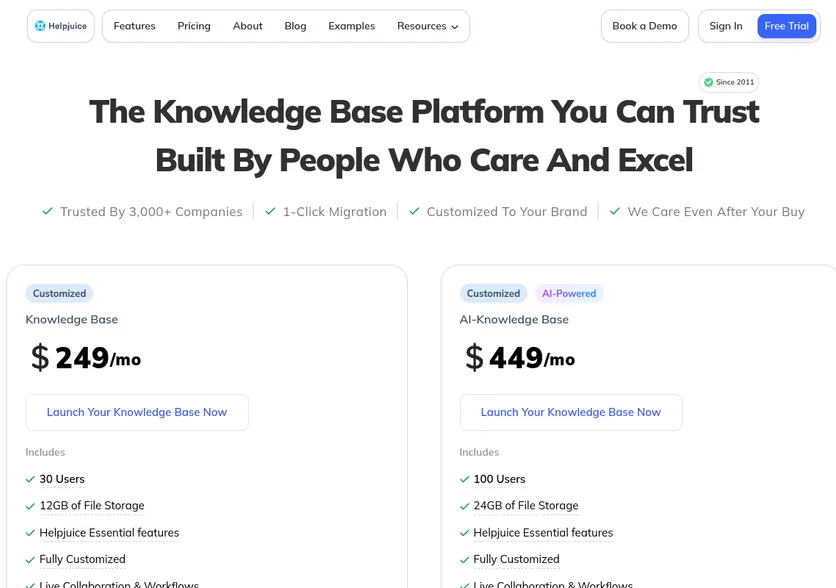
This Helpjuice plan costs one hundred and twenty dollars per month flat, and it is a knowledge base built for scale. Search analytics show what employees and customers typed, what they found and what they missed, so a large library improves from real data instead of guesses. The flat price keeps the cost predictable as the team grows, which suits an enterprise that hates per-seat surprises.
What we like
- Search analytics show exactly what users could not find
- Flat pricing stays predictable as the team grows
- Built only for knowledge bases, with no extra clutter
Watch out for
- No ticketing or chat is included
- Enterprise controls need higher tiers
How to try it
- Import the existing articles and organize them by department
- Read the search analytics to find the questions with no answer
- Rewrite the top missed articles each month
5. Document360
Best for: Enterprises with a large public and internal knowledge base
Paid tool Starting price: $149/project/month · One hundred and forty-nine dollars per project per month on the Standard plan; Professional is two hundred and ninety-nine dollars per project per month, and higher tiers add single sign-on and advanced analytics
Free plan: 14-day free trial; no free plan
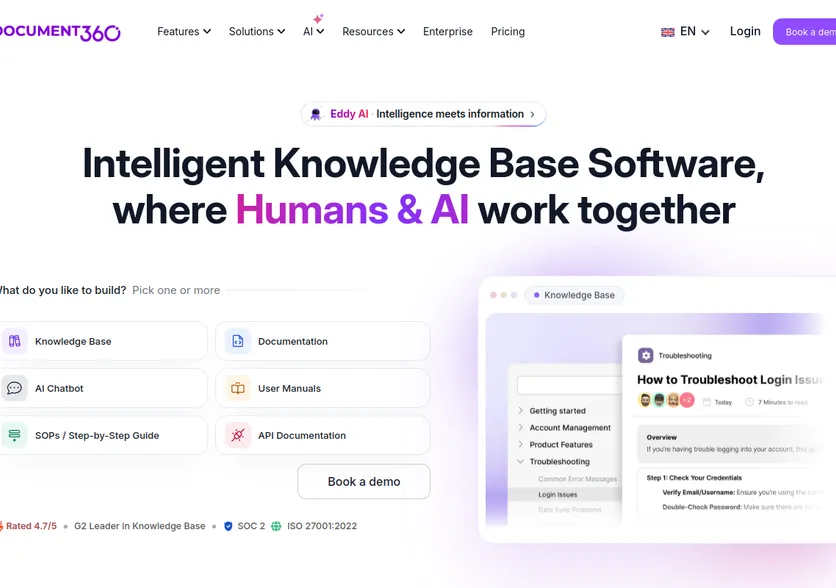
This Document360 plan costs one hundred and forty-nine dollars per project per month, and it runs a knowledge base that serves both customers and employees from one system. The AI assistant answers from the docs, categories and workflows keep a large set organized, and higher tiers add single sign-on and advanced analytics for enterprise control. That breadth suits a company whose documentation must scale across departments without splitting into many tools.
What we like
- One system serves customers and employees
- The AI assistant answers from the docs library
- Workflows add review control for enterprise publishing
Watch out for
- No free plan, only a fourteen-day trial
- Single sign-on needs a higher tier
How to try it
- Organize the docs into categories for each department
- Turn on the AI assistant and connect it to the library
- Set up workflows so drafts pass review before publishing
6. KnowledgeOwl
Best for: Enterprises that need many knowledge bases with separate authors
Paid tool Starting price: $100/month · One hundred dollars per month flat on the Basic plan for one author and one knowledge base; extra authors are twenty-five dollars and extra knowledge bases are fifty dollars per month. Pro is two hundred and fifty dollars and Business is five hundred dollars per month
Free plan: Free trial; no free plan
This KnowledgeOwl plan costs one hundred dollars per month flat, and it is built for companies that run several knowledge bases at once. Each base has its own authors, branding and permissions, and extra authors cost twenty-five dollars while extra bases cost fifty dollars per month. That structure suits an enterprise with many products or departments, each needing its own help center under one subscription.
What we like
- Many knowledge bases under one subscription
- Authors and permissions are set per base
- Flat pricing is predictable for budgeting
Watch out for
- No free plan, only a free trial
- The interface is plainer than newer tools
How to try it
- Create a knowledge base per product or department
- Assign authors and permissions for each base
- Review the analytics per base and fix the gaps
7. Confluence
Best for: Enterprises already standardized on Atlassian
Paid tool Starting price: $7.15/user/month · Seven dollars and fifteen cents per user per month on the Standard plan for one to one hundred users on monthly billing (fourteen dollars and ten cents for Premium); annual billing runs lower at about six dollars per user per month on Standard for a ten-user workspace. Atlassian raised Cloud prices on October 13, 2026
Free plan: Free plan for up to 10 users
This Confluence plan costs seven dollars and fifteen cents per user per month, and it is the wiki most large companies already run. Spaces organize docs by department, templates keep pages consistent, and the link to Jira ties each doc to the work it describes. That fits an enterprise that wants its knowledge base inside the same system as its projects, with the governance and permissions a large org expects.

What we like
- Deep integration with Jira and the Atlassian suite
- Spaces and permissions fit large organizations
- Templates keep pages consistent across departments
Watch out for
- Search is weaker than dedicated knowledge base tools
- Large spaces need governance to stay navigable
How to try it
- Create a space per department and add templates for key docs
- Link each space to its Jira projects so work stays connected
- Set page owners and review dates on the docs that matter most
8. Intercom
Best for: Enterprises that want AI chat answers across every channel
Paid tool Starting price: $29/seat/month · Twenty-nine dollars per seat per month billed annually on the Essential plan; Advanced is eighty-five dollars and Expert is one hundred and thirty-two dollars per seat per month. A nineteen-dollar new-customer introductory rate is a first-year discount, not the list price
Free plan: 14-day free trial; no free plan
This Intercom plan costs twenty-nine dollars per seat per month billed annually, and it answers customers where they already are. The knowledge base feeds an AI agent that replies in chat, email and in-product messages, and a human takes over when the question needs one. That suits an enterprise whose customers expect instant answers at any hour, with the AI handling the routine and the team handling the rest.

What we like
- The AI agent answers across chat, email and in-product
- Human handover is built in for hard questions
- Articles, chat and tickets share one inbox
Watch out for
- AI answers beyond the included volume cost extra
- No free plan, only a fourteen-day trial
How to try it
- Publish the core guides in the help center
- Turn on the AI agent and connect it to the article library
- Set the handover rule so complex questions reach a human
Prices above were checked on each vendor’s own website on Nov 28, 2026 and can change — the vendor’s page is the final word. Vendor links are editorial: nobody paid to be listed or ranked here. Vendors who want a featured listing can see how it works on our Get listed page.
How an enterprise should roll out a knowledge base
Start with one department, not the whole company. Pick the team with the most tickets and the clearest questions, publish their top fifty articles, and measure deflection for a quarter before you expand. Set the governance first: who can publish, who approves, and how often each article is reviewed, because a large library without owners goes stale fast. Build the taxonomy before the content, with categories that match how users think rather than how the org chart looks. And report the numbers that matter to management: tickets deflected, searches that failed, and the articles that save the most agent time. A knowledge base that proves its value in one department gets funded for the rest.
Before you buy
- Check that single sign-on, roles and audit logs are included, not sold as add-ons
- Confirm the knowledge base supports many brands, languages and regions from one system
- Ask how content approval works, because enterprise publishing needs a review chain
- Test the search with real support queries, not demo content, before you sign
- Run a pilot with one department and measure deflection before you roll out company-wide
Official websites
Official websites of the products reviewed above. Features and prices were checked against these sites when this guide was written, and they can change, so confirm on the vendor site before you buy.
Frequently asked questions
What is the best knowledge base software for enterprise?
Zendesk is the best pick for most enterprises because Suite Team costs fifty-five dollars per agent per month and covers many brands, languages and AI answers. Salesforce Service Cloud suits enterprises already running Salesforce CRM, while Freshdesk is the cheapest entry at fifteen dollars per agent per month. The right choice depends on your existing stack and your security requirements.
How much does enterprise knowledge base software cost?
Paid plans in this list start at seven dollars and fifteen cents per user per month for Confluence Standard and fifteen dollars per agent per month for Freshdesk Growth. Intercom Essential is twenty-nine dollars per seat per month, Zendesk Suite Team is fifty-five dollars per agent per month, and KnowledgeOwl Basic is one hundred dollars per month flat. Salesforce Service Cloud Core is one hundred and ninety-five dollars per user per month.
What features matter most for an enterprise knowledge base?
Single sign-on and role-based permissions matter most, because an enterprise cannot manage hundreds of accounts by hand. Content approval workflows matter next, since publishing needs a review chain. And multi-brand, multi-language support matters when the knowledge base serves many regions from one system. Audit logs and data residency round out the shortlist for regulated industries.
Can an enterprise pilot a knowledge base before a full rollout?
Yes, with a pilot. Run one department on the trial or a small paid plan, measure ticket deflection and search success, and only roll out when the numbers prove it. A pilot also tests the real work: permissions, approvals, migration and the editor your authors will use daily. Most enterprise failures come from skipping the pilot, not from picking the wrong tool.
Is Zendesk or Salesforce Service Cloud better for enterprise?
Zendesk is better when the priority is a proven help center with many brands, languages and deflection analytics. Salesforce Service Cloud is better when the enterprise already runs Salesforce, because knowledge attaches to cases, accounts and products in the CRM. A Salesforce shop usually picks Service Cloud, while a company without Salesforce usually picks Zendesk.
Shortlist the tools that pass your security and scale checks, run a pilot with one department, and only roll out once deflection is proven.
Browse Business Tools tools