On this page
A product launch webinar is a one-shot event: the audience shows up once, the demo either lands or it does not, and the recording becomes the replay that sells for months. The eight tools below all run that room, from the platform the audience already knows to the cheapest plan that still works. Zoom Webinars leads the list because it holds five hundred attendees on a platform everyone recognises, and the rest are ranked on the same test: how reliably a team can run a big launch and turn the audience into customers.
How we researched this
We checked every price on the vendor pricing page on November 28, 2026, and only included tools with a published US dollar list price and a free trial or free plan. BigMarker was left out because November 2026 reads of its pricing page disagree between twenty-nine and ninety-nine dollars a month, so no single list price can be verified. WebinarGeek was left out because it bills in euros with no published US dollar price, and Livestorm, Goldcast and Adobe Connect are quote-only or euro-priced, so confirm the current figure on the vendor site before you buy.
Compare the tools
| Name | Best for | Starting price | Free plan | |
|---|---|---|---|---|
| Zoom Webinars | Product launches where the audience already knows Zoom | $83.33/host/month | No free plan; no trial for webinars | Visit |
| GoTo Webinar | Product launches that need a reliable room with strong registration tools | $59/organizer/month | No free plan; 7-day free trial | Visit |
 WebinarJam | Product launches that sell during the webinar itself | $39/month | No free plan; $1 14-day trial | Visit |
 Demio | Product launches that need a clean browser room with strong engagement tools | $45/host/month | No free plan; 14-day free trial | Visit |
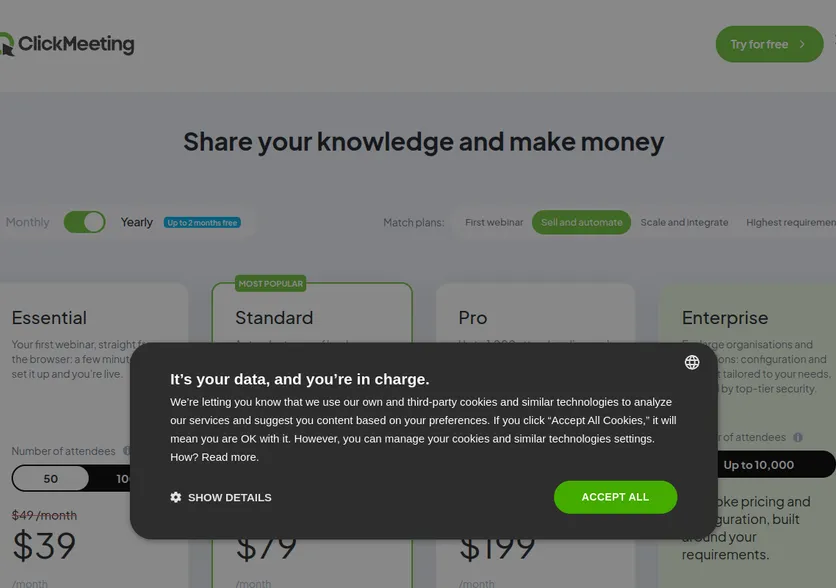
 ClickMeeting | Product launches on a tight budget with paid webinars in mind | $37/month | No free plan; 14-day free trial | Visit |
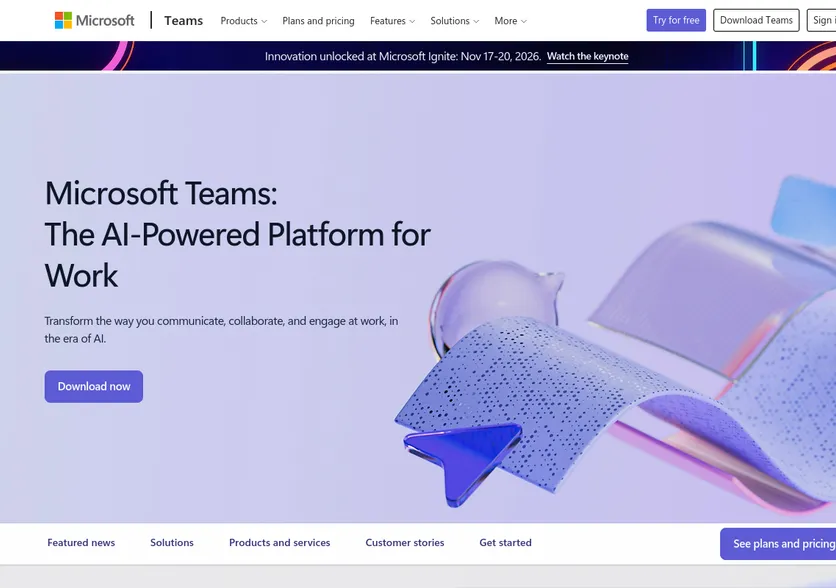
| Microsoft Teams Webinars | Product launches inside a company already on Microsoft 365 | $14/user/month | No free plan; free trial | Visit |
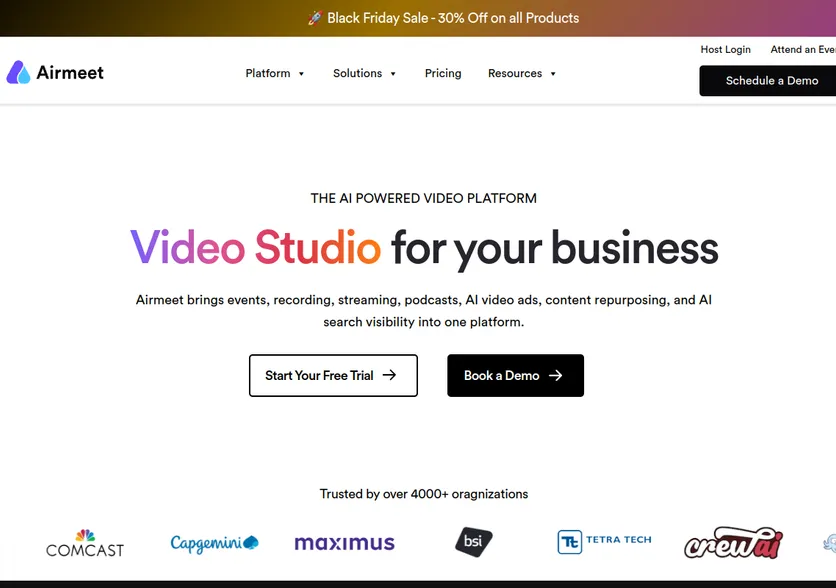
 Airmeet | Product launches built around attendee networking and interaction | $167/month | No free plan; free trial of the Events plan | Visit |
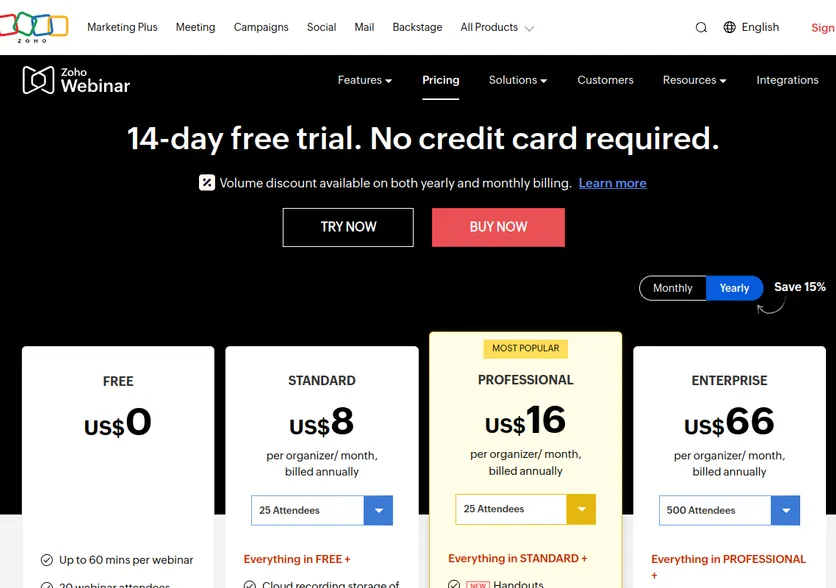
| Zoho Webinar | Product launches on the smallest budget with a real free plan | $8/host/month | Free plan for 20 attendees and 60-minute webinars | Visit |
The large webinar software for product launches, compared
1. Zoom Webinars
Best for: Product launches where the audience already knows Zoom
Paid tool Starting price: $83.33/host/month · Webinars is $83.33 per host a month billed annually ($1,000 a year) for up to 500 attendees, or $129 monthly; Webinars Plus is $290.83 and Events is $415.83 a month billed annually, and every plan requires a Zoom Workplace Pro licence at $14.16 a month billed annually
Free plan: No free plan; no trial for webinars
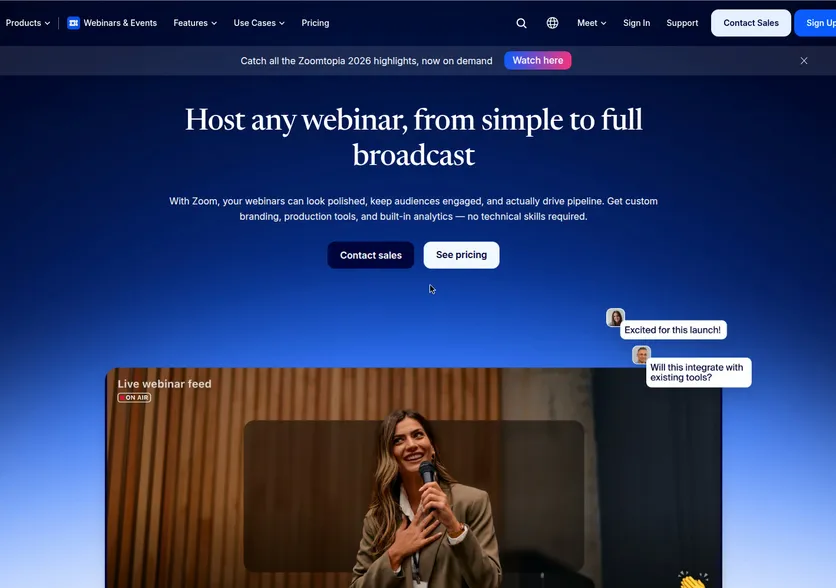
Zoom Webinars is the safe choice for a big product launch, because the audience already knows the controls and the room holds up to five hundred attendees on the standard plan. The licence costs eighty-three dollars and thirty-three cents per host a month billed annually, with registration, polls, Q&A and streaming to YouTube, LinkedIn and Facebook included. Every webinar plan also needs a Zoom Workplace Pro licence, so a team not yet on Zoom should add that seat to the budget.
What we like
- Audience already knows the Zoom controls
- Five hundred attendees on the standard plan
- Streams to YouTube, LinkedIn and Facebook
Watch out for
- Needs a separate Zoom Workplace Pro licence
- No free plan or trial for webinars
How to try it
- Set up registration with the launch page and reminder emails
- Rehearse the demo with the presenters in the same room
- Go live and stream the launch to YouTube and LinkedIn
2. GoTo Webinar
Best for: Product launches that need a reliable room with strong registration tools
Paid tool Starting price: $59/organizer/month · Reach plan, $59 per organizer a month billed annually ($69 billed monthly) for 1 organizer and 500 participants; Elevate is $103 a month billed annually ($129 monthly) for 3 organizers and 1,000 participants; Complete is quote-only. GoTo replaced the old Lite/Standard/Pro/Enterprise tiers (Lite $49) with Reach/Elevate/Complete in 2026; the old /webinar/pricing page is gone
Free plan: No free plan; 7-day free trial
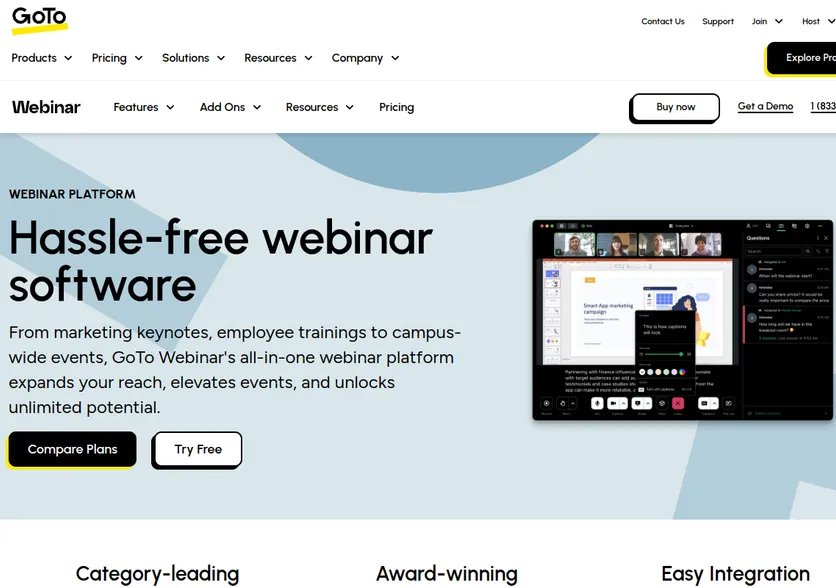
GoTo Webinar is the dependable option for a launch that cannot afford a glitch, with three plans priced per organizer and a room that scales from five hundred to one thousand participants on the published tiers. The Reach plan costs fifty-nine dollars per organizer a month billed annually ($69 month to month), with registration, recording, polls and automated follow-up emails included. Complete is quote-only for larger rooms.
What we like
- Rock-solid reliability for high-stakes launches
- Registration and follow-up emails are included
- Scales to one thousand participants on Elevate; larger rooms are quote-only on Complete
Watch out for
- Reach costs more month to month ($69) than billed annually ($59)
- Per-organizer pricing doubles with a second host
How to try it
- Build the registration page and set the reminder emails
- Rehearse the launch with the presenters and the demo
- Send the automated follow-up email to attendees and no-shows
3. WebinarJam
Best for: Product launches that sell during the webinar itself
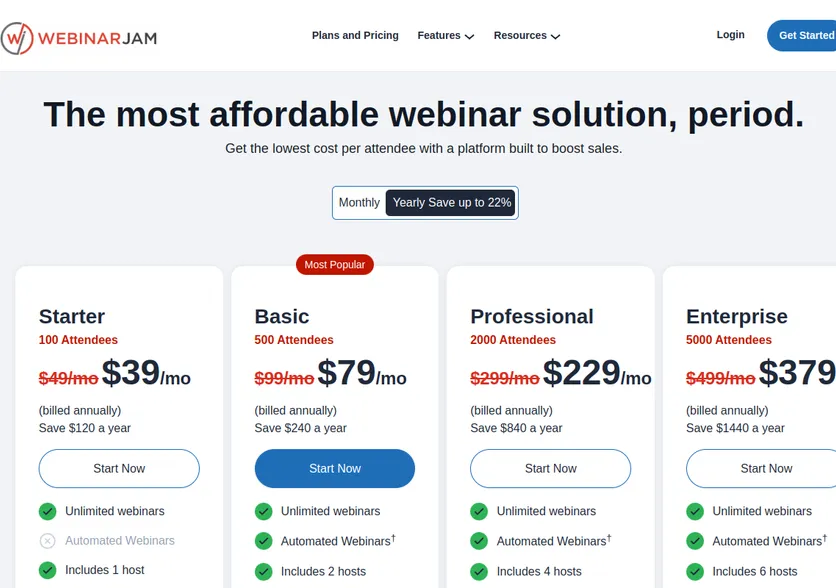
Paid tool Starting price: $39/month · Starter is $39 a month billed annually ($468 a year) for 100 attendees and one-hour sessions; Basic is $79, Professional is $229 and Enterprise is $379 a month billed annually, and EverWebinar is included from Basic up
Free plan: No free plan; $1 14-day trial
WebinarJam is built for launches that end in a sale, with live offers, calls to action and a one-dollar fourteen-day trial that lets a team test the whole flow first. The Starter plan costs thirty-nine dollars a month billed annually for one hundred attendees and one-hour sessions, and the Basic plan adds EverWebinar for automated replays at no extra cost. The one-hour cap on Starter is tight for a launch with a long demo, so most teams budget for Basic instead.
What we like
- Built-in offers and calls to action that sell
- One-dollar trial lets a team test the whole flow
- EverWebinar is included from the Basic plan up
Watch out for
- Starter caps sessions at one hour
- Automated webinars need the Basic plan or higher
How to try it
- Set up the live offer and call to action in the room
- Run the launch and pitch the offer at the right moment
- Replay the session with EverWebinar for late registrants
4. Demio
Best for: Product launches that need a clean browser room with strong engagement tools
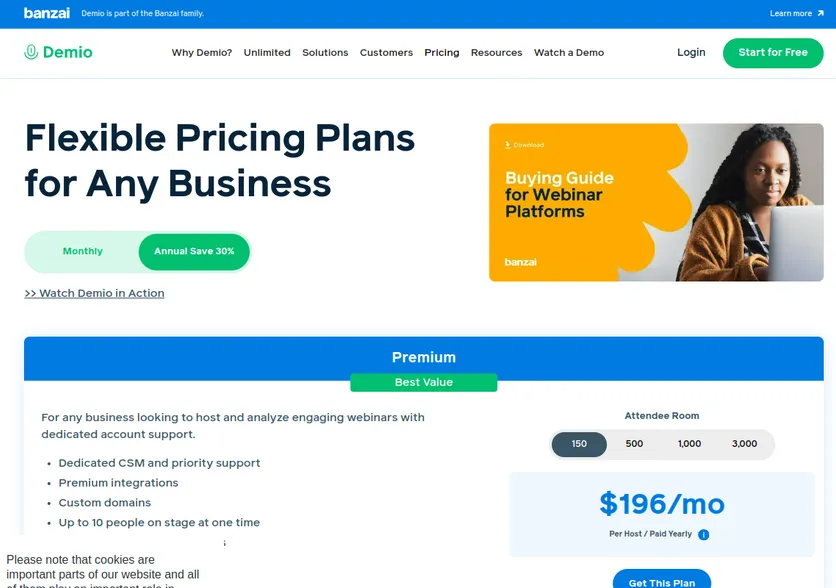
Paid tool Starting price: $45/host/month · Starter is $45 a host a month billed annually ($540 a year) for one host and 50 attendees; Growth starts at $80 and Premium at $196 a host a month billed annually, and automated webinars start on Growth
Free plan: No free plan; 14-day free trial
Demio runs entirely in the browser, so launch attendees join with one click and no download, and the Starter plan costs forty-five dollars a host a month billed annually for fifty attendees. The room includes chat, polls, featured actions and handouts, with engagement analytics that show who stayed and who left. Automated webinars start on the Growth plan, so a team that wants to replay the launch on autopilot should price that tier.
What we like
- Browser-based room with no downloads for attendees
- Chat, polls and featured actions built in
- Engagement analytics show who stayed and left
Watch out for
- Automated webinars need the Growth plan
- Starter caps the room at fifty attendees
How to try it
- Build the registration page with the launch offer
- Run the live launch in the browser room
- Check engagement analytics and follow up with no-shows
5. ClickMeeting
Best for: Product launches on a tight budget with paid webinars in mind
Paid tool Starting price: $37/month · Live is $37 a month billed annually ($48 monthly) for 50 attendees; Automated is $48 a month billed annually ($58 monthly), Enterprise is custom, and a 5% fee applies to paid webinars
Free plan: No free plan; 14-day free trial
ClickMeeting is the budget option for a launch that also needs paid webinars, and its Live plan costs thirty-seven dollars a month billed annually for fifty attendees. The plan covers live webinars, meetings and paid events in the browser, with polls, calls to action and a whiteboard for the demo. Automation needs the Automated plan at forty-eight dollars a month billed annually, and a five percent fee applies to paid webinar tickets.
What we like
- Cheapest launch-ready plan in this list
- Paid webinars with ticketing built in
- Browser-based room with polls and whiteboard
Watch out for
- Automation needs the Automated plan
- Five percent fee on paid webinar tickets
How to try it
- Set up the launch registration page and ticket price
- Run the live launch with polls and calls to action
- Send the recording and follow-up offer to registrants
6. Microsoft Teams Webinars
Best for: Product launches inside a company already on Microsoft 365
Paid tool Starting price: $14/user/month · Webinars are included in Microsoft 365 Business Standard at $14 per user a month billed annually; Teams Essentials at $4 per user a month does not include webinars, and advanced webinar features moved into Teams Enterprise in April 2026
Free plan: No free plan; free trial
Microsoft Teams Webinars is the cheapest way to run a launch when the whole company already lives in Microsoft 365, since webinars come with Microsoft 365 Business Standard at fourteen dollars per user a month billed annually. The room supports registration, presenter roles, event emails and waitlists, with up to three thousand attendees and ten thousand view-only seats. The four-dollar Teams Essentials plan does not include webinars, so a team should budget for Business Standard rather than the headline Teams price.
What we like
- Webinars included in Microsoft 365 Business Standard
- Registration, waitlists and event emails built in
- Up to three thousand attendees per event
Watch out for
- Teams Essentials at $4 a month has no webinars
- Marketing features are weaker than dedicated tools
How to try it
- Schedule the webinar with registration in Teams
- Add the presenters and set the event emails
- Go live and share the recording with registrants afterwards
7. Airmeet
Best for: Product launches built around attendee networking and interaction
Paid tool Starting price: $167/month · Premium Webinars is $167 a month billed annually ($199 monthly) for 100 to 10,000 attendees with two team members; Events and Managed Events are quote-only, and Premium Webinars takes a 4% commission on ticket sales
Free plan: No free plan; free trial of the Events plan
Airmeet is the launch platform for teams that want the audience to meet each other, not just watch a stage, and its Premium Webinars plan costs a hundred and sixty-seven dollars a month billed annually. The plan covers social lounges, speed networking and multi-track sessions for a hundred to ten thousand attendees, with two team members per organization. It is the most expensive tool here, and the full conference toolkit sits on the quote-only Events plan.
What we like
- Social lounges and speed networking built in
- Scales from a hundred to ten thousand attendees
- Engagement tools keep the audience active
Watch out for
- Most expensive tool in this list
- Full conference features need a quote-only plan
How to try it
- Set up the launch stage and the networking lounges
- Run the keynote, then open the lounges for questions
- Follow up with attendees using the event analytics
8. Zoho Webinar
Best for: Product launches on the smallest budget with a real free plan
Paid tool Starting price: $8/host/month · Standard is $8 per host a month billed annually ($9 monthly) for 25 attendees; Pro is $16 for 100 attendees and Plus is $40 for 250 attendees, and Enterprise starts at $66 a month billed annually for 500 attendees
Free plan: Free plan for 20 attendees and 60-minute webinars
Zoho Webinar is the cheapest paid webinar tool in this list, and its Standard plan costs eight dollars per host a month billed annually for twenty-five attendees. The free plan covers twenty attendees and sixty-minute webinars, which is enough to rehearse the launch before paying anything, and the Pro plan lifts the room to a hundred attendees for sixteen dollars a host a month. The top room is two hundred and fifty attendees on Plus, so a launch expecting thousands needs a bigger platform.
What we like
- Cheapest paid plan in this list
- Real free plan for rehearsals
- Registrant data flows into Zoho CRM
Watch out for
- Top room is only two hundred and fifty attendees
- On-demand webinars need the Enterprise plan
How to try it
- Rehearse the launch on the free plan first
- Upgrade to Standard and set the registration page
- Run the launch and export the registrant list to Zoho CRM
Prices above were checked on each vendor’s own website on Nov 28, 2026 and can change — the vendor’s page is the final word. Vendor links are editorial: nobody paid to be listed or ranked here. Vendors who want a featured listing can see how it works on our Get listed page.
How to run a product launch webinar that sells
Start with the rehearsal, not the registration page. Run the full launch once with the real deck, the real demo and the real presenters, and fix every glitch and test the backup connection before the audience arrives. Keep the demo short and the offer clear, because a launch that rambles loses the room before the pitch. Put the call to action on screen while the excitement is highest, and send the replay within an hour, since most purchases happen in the first day after the event.
Before you buy
- Check the maximum attendees on the entry plan, since launch audiences spike fast
- Confirm whether the webinar plan needs a separate paid base licence on top
- Ask whether registration, polls and Q&A are included or sold as add-ons
- Count the cost per host, since a second presenter doubles the bill on per-seat tools
- Run a full rehearsal with the real slide deck and demo before launch day
Official websites
Official websites of the products reviewed above. Features and prices were checked against these sites when this guide was written, and they can change, so confirm on the vendor site before you buy.
Frequently asked questions
What is the best large webinar software for product launches?
Zoom Webinars leads this list because the audience already knows the controls, the room holds five hundred attendees, and registration, polls and Q&A are included for eighty-three dollars and thirty-three cents per host a month billed annually. GoTo Webinar is the more reliable pick for a launch that cannot afford a glitch, and Demio suits teams that want a clean browser room with no downloads.
What hidden costs should a launch team watch for?
The entry price rarely covers the whole launch: Zoom Webinars needs a Workplace Pro licence on top, GoTo Webinar Reach costs sixty-nine dollars a month billed monthly against fifty-nine dollars billed annually, and Airmeet takes a four percent commission on ticket sales. WebinarJam caps Starter sessions at one hour, Demio gates automation behind Growth, and ClickMeeting charges five percent on paid tickets. Budget for the base licence, the testing tier and the ticket fees before you promise a launch cost.
Can I run a product launch webinar for free?
Yes, if the audience is small and the launch is a rehearsal rather than a public event. Zoho Webinar has a real free plan for twenty attendees and sixty-minute webinars, and Airmeet offers a free trial of its Events plan. WebinarJam sells a one-dollar fourteen-day trial, and Demio and ClickMeeting both offer fourteen-day trials. Zoom Webinars and GoTo Webinar have no free plan, so budget for those from day one.
How should a team rehearse a product launch webinar?
A launch webinar should be rehearsed at least once with the real slide deck, the real demo and the real presenters, in the same room the audience will join. Test the screen share, the audio and the backup connection, and keep a second host ready to take over if the main presenter drops. Record the rehearsal too, because the recording becomes the replay for registrants who could not attend live.
What attendee cap should a launch team plan for?
The biggest limit is the attendee cap on the entry plan: Zoho Webinar tops out at two hundred and fifty attendees, Demio Starter at fifty, and ClickMeeting Live at fifty. Zoom Webinars starts at five hundred, GoTo Webinar Reach at five hundred, and Airmeet scales to ten thousand. Check the cap against the registration list, not the expected turnout, because a launch that goes viral can hit the cap in minutes.
Compare the eight webinar tools above, then start with a free trial on the tool that matches how your team already runs launches before you pay for a full year.
Browse Marketing & Ads Calculators tools