On this page
Legal operations is the work that makes the legal team itself run: intake, triage, budgets, outside counsel and reporting to the business. The software a team picks decides whether that work is a system or a series of favours done over email. Clio Manage leads this list because it runs matters, intake and billing on one record for forty-nine dollars a user a month, and the other seven tools are ranked on the same test: how much of the team's operations run without manual chasing.
How we researched this
We checked every price on the vendor pricing page on November 28, 2026, and only included tools with a published US dollar list price and a free trial or demo. The enterprise legal operations platforms in this category, including SimpleLegal, Brightflag, CounselLink, Onit and Mitratech TeamConnect, publish no prices, so they are not in this list. Prices change, so confirm the current figure on the vendor site before you buy.
Compare the tools
| Name | Best for | Starting price | Free plan | |
|---|---|---|---|---|
 Clio Manage | In-house teams that want operations, matters and billing on one record | $49/user/month | Free trial | Visit |
| Clio Grow | In-house teams that want business requests triaged into tracked matters | $59/user/month | Free trial | Visit |
 MyCase | Small in-house teams that want operations and messaging in one place | $50/user/month | Free trial | Visit |
 PracticePanther | In-house teams that want operations automated from request to close | $49/user/month | Free trial | Visit |
 Smokeball | In-house teams that want operations documents assembled from the file | $49/user/month | Free trial | Visit |
 CosmoLex | In-house teams that need matter accounting beside operations | $49/user/month | Free trial | Visit |
 TimeSolv | In-house teams that want flexible billing across matter types | $43/user/month | Free trial | Visit |
| LeanLaw | In-house teams that run QuickBooks and want operations that sync with it | $55/user/month | Free trial | Visit |
The legal operations software for in-house legal teams, compared
1. Clio Manage
Best for: In-house teams that want operations, matters and billing on one record
Paid tool Starting price: $49/user/month · Forty-nine dollars per user per month billed annually on the EasyStart plan (fifty-nine dollars on monthly billing); higher tiers are quoted on the vendor site, and third-party reads from November 2026 put Essentials near eighty-nine dollars and Advanced near one hundred nineteen dollars, so confirm before buying
Free plan: Free trial
Legal operations starts with knowing what the team is working on, and Clio Manage answers that with a matter record for every instruction, holding documents, calendars, tasks and billing together. Intake forms turn business requests into matters, budgets track spend against plan, and reports show the business what legal costs. The system is the operations backbone for a team that needs visibility without an enterprise platform.

What we like
- Matters, intake, budgets and billing in one place
- Reports show what legal work costs the business
- Client portal doubles as an internal request portal
Watch out for
- Higher tiers are quoted on the vendor site, so confirm the full price
- Built for firms first, so some operations workflows need custom fields
How to try it
- Route business requests through an intake form into matters
- Set budgets and track spend on each matter
- Report matter status and cost to the business monthly
2. Clio Grow
Best for: In-house teams that want business requests triaged into tracked matters
Paid tool Starting price: $59/user/month · Fifty-nine dollars per user per month billed annually as an add-on to a Clio Manage plan (sixty-nine dollars on monthly billing), plus a three hundred ninety-nine dollar one-time setup fee
Free plan: Free trial
Most legal operations problems start at intake, with requests arriving by email and vanishing, and Clio Grow fixes that by turning every request into a tracked pipeline. Intake forms capture the business need, automated follow-up keeps requesters informed, and qualified requests flow into matters with e-signature where approval is needed. The pipeline shows what is waiting, what is signed and what went cold.

What we like
- Intake pipeline shows every request beside its status
- Automated follow-up keeps business requesters informed
- Works beside Clio Manage so requests flow into matters
Watch out for
- The one-time setup fee adds to the first-year cost
- Full value needs Clio Manage beside it for matter work
How to try it
- Build an intake form for internal legal requests
- Set automated updates so requesters see progress
- Move qualified requests into matters with one click
3. MyCase
Best for: Small in-house teams that want operations and messaging in one place
Paid tool Starting price: $50/user/month · Fifty dollars per user per month billed annually on the Basic plan (sixty dollars on monthly billing); Pro is one hundred dollars and Advanced is one hundred thirty dollars per user per month
Free plan: Free trial
A small in-house team needs operations that run without an administrator, and MyCase covers matters, messaging, documents and billing in one login. Each matter holds the instructions and the spend, while messaging keeps business stakeholders updated without status meetings. The price stays flat per user, which makes the operations budget easy to defend to finance.

What we like
- Matters, messaging and billing share one system
- Simple enough for a small team to run alone
- Flat per-user pricing is easy to budget
Watch out for
- Advanced reporting and automation sit on the higher tiers
- Enterprise operations features need custom work
How to try it
- Open a matter for each instruction from the business
- Message stakeholders from the matter when it moves
- Track time and spend against the matter budget
4. PracticePanther
Best for: In-house teams that want operations automated from request to close
Paid tool Starting price: $49/user/month · Forty-nine dollars per user per month billed annually on the Solo plan (fifty-nine dollars on monthly billing); Essential is sixty-nine dollars, Business is eighty-nine dollars and Business Pro is one hundred fourteen dollars
Free plan: Free trial
Operations work is mostly chasing, and PracticePanther automates the chase with workflows that assign matters, request documents and remind the team before deadlines. Intake forms turn business requests into matters, the pipeline shows every matter at a glance, and time tracking shows what each piece of work cost. The team spends its hours on legal work instead of on follow-up emails.

What we like
- Automated workflows assign and chase matter work
- Intake forms turn requests into matters
- Time tracking shows what each matter cost
Watch out for
- Trust accounting is not built in, unlike some rivals
- Enterprise reporting needs the higher plans
How to try it
- Build an intake form for internal legal requests
- Set workflows that assign each new matter automatically
- Review the operations pipeline every morning
5. Smokeball
Best for: In-house teams that want operations documents assembled from the file
Paid tool Starting price: $49/user/month · Forty-nine dollars per user per month on the Bill plan, according to the vendor pricing page and November 2026 reads; Boost is listed near eighty-nine dollars, while other November 2026 reads of the same page report different figures from twenty-nine to one hundred forty-nine dollars, so confirm the current price in writing before buying
Free plan: Free trial
Operations teams produce contracts and letters at volume, and Smokeball builds them from the matter file with automated document assembly. Email and documents stay attached to the matter, so the audit trail is complete when a contract is questioned. Automatic time tracking captures the hours the team spends, which helps the general counsel show the business what the legal function costs.
What we like
- Document assembly fills contracts from the matter file
- Email and documents stay attached to the matter
- Automatic time tracking captures team hours
Watch out for
- The published price is disputed across November 2026 reads, so confirm it in writing
- Built for firms first, so operations reporting needs setup
How to try it
- Save business requests to the matter from Outlook
- Generate contracts from templates filled with matter facts
- Check the automatic time log against each matter
6. CosmoLex
Best for: In-house teams that need matter accounting beside operations
Paid tool Starting price: $49/user/month · Forty-nine dollars per user per month billed annually on the Launch plan (fifty-nine dollars on monthly billing); Core is ninety-nine dollars and Pro is one hundred twenty-nine dollars per user per month
Free plan: Free trial
When operations involve client money or settlement funds, CosmoLex keeps the accounting beside the matter with a built-in ledger. Matters hold documents, time and billing together, and trust accounts reconcile without a separate bookkeeping tool. The flat per-user price makes the operations budget easy to defend, and the system runs without an administrator.

What we like
- Built-in accounting handles matter funds correctly
- Matters, billing and documents share one record
- Flat per-user pricing is easy to budget
Watch out for
- No free plan, only a trial, so the first month is paid
- Enterprise operations reporting needs the higher tiers
How to try it
- Open the matter with the budget and accounting set
- Record funds into the built-in ledger as they arrive
- Run the reconciliation before reporting spend
7. TimeSolv
Best for: In-house teams that want flexible billing across matter types
Paid tool Starting price: $43/user/month · Forty-three dollars per user per month on the Pro plan billed yearly, with a twenty-five percent first-year discount that drops it to thirty-three dollars and is not the list price; Legal is fifty-eight dollars, and another November 2026 read of the vendor page reports forty-nine dollars as the starting price, so confirm before buying
Free plan: Free trial
Legal operations covers many kinds of work, and TimeSolv handles the mix with flexible billing rules for hourly, flat-fee and contingency matters. Matters hold instructions, time and expenses together, and reports show which work types cost the most. The system suits a team that tracks outside counsel spend beside its own hours, because both land on the same matter record.

What we like
- Flexible billing rules handle mixed matter types
- Outside counsel spend lands on the same record
- Reports show which work types cost most
Watch out for
- Another November 2026 read of the vendor page reports forty-nine dollars as the starting price
- Operations intake is simpler than dedicated platforms
How to try it
- Open each matter with its billing rule set
- Log team time and outside counsel invoices against it
- Run the operations cost report for the business monthly
8. LeanLaw
Best for: In-house teams that run QuickBooks and want operations that sync with it
Paid tool Starting price: $55/user/month · Fifty-five dollars per user per month on the Core plan; Pro is seventy-five dollars, and Contingency and Elite are custom-quoted. The vendor page does not label rates by billing term, and annual agreements can reduce the effective monthly cost; a one-time onboarding fee may apply
Free plan: Free trial
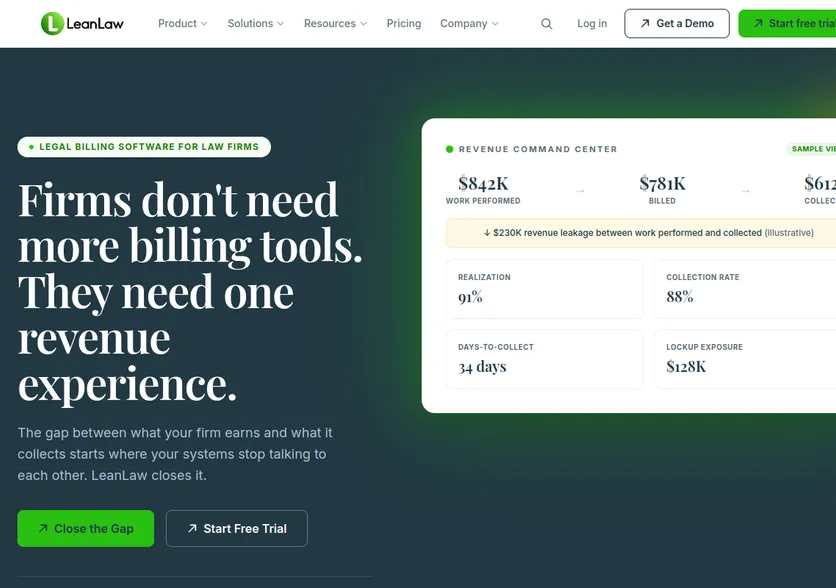
A team that already runs its accounts on QuickBooks Online does not want a second ledger, and LeanLaw syncs operations with QuickBooks instead of replacing it. Matters hold time, expenses and billing, and the sync keeps invoices and trust balances correct in QuickBooks. The Core plan at fifty-five dollars covers the essentials for a small operations team.
What we like
- Syncs with QuickBooks Online instead of replacing it
- Matter time and expenses stay accurate in both systems
- Simple setup for a small team
Watch out for
- A one-time onboarding fee may apply
- Best value only for teams already on QuickBooks
How to try it
- Open each matter with its QuickBooks client linked
- Log time and expenses against the matter as you work
- Sync invoices and trust balances to QuickBooks
Prices above were checked on each vendor’s own website on Nov 28, 2026 and can change — the vendor’s page is the final word. Vendor links are editorial: nobody paid to be listed or ranked here. Vendors who want a featured listing can see how it works on our Get listed page.
How an in-house team should run legal operations
Make the request the start of the system, not the end of an email. A team that routes every business request through one intake form, triages it the same day and assigns an owner can answer the question of what legal is working on without a meeting. Track spend against budget on every matter, and report the numbers monthly in plain language the business understands. Review the pipeline weekly, close finished matters promptly, and turn the repeated requests into templates so the next one starts faster. Report the numbers monthly in plain language the business understands, because a report nobody reads changes nothing.
Before you buy
- Check that intake, triage and matter tracking live in one pipeline
- Confirm whether the price covers every team member or only the attorneys
- Ask how outside counsel spend is tracked against each matter
- Test the monthly cost report with real matter data before you commit
- Run a trial with five real requests, from intake to close, before you commit
Official websites
Official websites of the products reviewed above. Features and prices were checked against these sites when this guide was written, and they can change, so confirm on the vendor site before you buy.
Frequently asked questions
What is legal operations software for in-house legal teams?
It is software that runs the legal function itself: intake and triage of business requests, matter tracking, budgets, outside counsel spend and reporting. The tools in this list do that through intake forms, matter records, workflows and dashboards. None of them replaces the general counsel's judgment, but a system means the team can show the business what it is working on and what it costs.
How much does legal operations software cost for an in-house team?
The tools in this list start at forty-three to fifty-nine dollars per user per month billed annually. TimeSolv is cheapest at forty-three dollars, while Clio Manage, MyCase, PracticePanther and CosmoLex start at forty-nine to fifty dollars. Clio Grow is fifty-nine dollars and LeanLaw fifty-five dollars, so compare the total for the whole team before deciding.
Why are the big enterprise legal operations platforms not in this list?
Platforms like SimpleLegal, Brightflag, CounselLink, Onit and Mitratech TeamConnect publish no prices, so they cannot be compared on verified figures. They are built for large legal departments with enterprise budgets and sales-led buying. The tools in this list are priced systems an in-house team can buy without a sales quote, and they cover most of what a small or mid-size team needs.
How should an in-house team triage legal requests?
Route every request through one intake form, then triage it the same day by urgency, business unit and risk. Assign one owner to each request and set a deadline before the work starts. The tools in this list turn requests into matters with owners and deadlines, which stops work from sitting in an inbox while the business waits. Review the triage list daily until it becomes habit.
Can these tools report legal spend to the business?
Yes, when time and invoices are logged against each matter. The tools in this list report hours, fees and outside counsel spend per matter, which makes the monthly report to the business straightforward. Tag matters by business unit when they open, so the report can show spend per department. The numbers are only as good as the time entry behind them, so log time daily.
Compare the eight tools above, then start with a free trial on the tool that matches how your team already handles requests before you pay for a full year.
Browse Business Tools tools