On this page
Smart contracts promise agreements that execute themselves, but the legal work around them — drafting, review, approval, signature and renewal — still needs proper software. The eight tools below cover that work, from e-signature and contract repositories to AI review that redlines against a playbook. DocuSign eSignature leads the list because it is the signature standard every counterparty already recognises, from twenty-five dollars per user a month, and the rest are ranked on the same test: how much of the contract lifecycle they cover for the price.
How we researched this
We checked every price on the vendor pricing page on November 28, 2026, and only included tools with a published US dollar list price. The enterprise contract platforms that sell by quote, including Ironclad, Agiloft, Evisort, LinkSquares and Malbek, publish no prices, so they are not in this list. Prices change, so confirm the current figure on the vendor site before you buy.
Compare the tools
| Name | Best for | Starting price | Free plan | |
|---|---|---|---|---|
 DocuSign eSignature | Teams that need signatures counterparties trust | $25/user/month | 30-day free trial | Visit |
 PandaDoc | Teams that draft, send and sign in one flow | $19/user/month | Free plan | Visit |
 ContractWorks | Teams that need a flat-priced contract repository | $425/month | No free plan; 14-day free trial | Visit |
 Concord | Teams that negotiate contracts in the document | $499/month | No free plan; demo available | Visit |
 ContractSafe | Legal teams serving the whole company | $450/month | No free plan; free trial available | Visit |
 Zoho Contracts | Small teams that want full lifecycle tools cheaply | $25/user/month | Free plan for 3 users and 10 contracts | Visit |
 Gavel Exec | Teams reviewing contracts against playbooks | $160/user/month | No free plan; 25 free queries per user, no card required | Visit |
| SignWell | Teams that sign occasionally and want simplicity | $10/sender/month | Free plan (3 documents a month) | Visit |
The legal software for smart contracts, compared
1. DocuSign eSignature
Best for: Teams that need signatures counterparties trust
Paid tool Starting price: $25/user/month · Twenty-five dollars per user a month billed annually upfront on Standard ($300 a user a year); $30 a user a month on an annual plan billed monthly and $45 month to month; Personal is $10 a month and Business Pro is $40 a user a month billed annually upfront; Standard and Business Pro include 100 envelopes per user a year; the $30 figure in older posts is the billed-monthly rate, not the headline
Free plan: 30-day free trial
Every smart contract still ends with a signature, and this DocuSign eSignature plan costs twenty-five dollars per user a month billed annually upfront on Standard. Shared templates, custom branding and signer attachments come with it, and the platform connects to more than a thousand other tools. It is the signature standard in this list, and the one counterparties never question.

What we like
- The e-signature standard every client already recognises
- Shared templates and branding on the Standard plan
- More than 1,100 integrations with firm software
Watch out for
- The 100-envelope annual cap per user bites on busy months
- AI agreement tools sit in the dearer IAM tiers, not eSignature
How to try it
- Upload the agreement and place the signature fields
- Send it to the signers and track who has opened it
- Download the completed agreement into the matter file
2. PandaDoc
Best for: Teams that draft, send and sign in one flow
Paid tool Starting price: $19/user/month · Nineteen dollars per user a month on Starter; Business is $49 per user a month; a free plan covers occasional documents
Free plan: Free plan
A team that drafts, sends and signs in one flow will like this tool, because this PandaDoc plan costs nineteen dollars per user a month on Starter. Proposals, contracts and e-signatures move through one document flow, templates and a content library speed up repeat agreements, and payment can be collected inside the signed document. A free plan covers occasional documents for a small team.

What we like
- Proposals, contracts and e-signatures in one document flow
- Templates and a content library speed up repeat agreements
- Payment collection inside the signed document
Watch out for
- Smart contract fields and approvals sit on Business
- The free plan is too limited for daily firm use
How to try it
- Pick a template and draft the agreement in PandaDoc
- Send it for signature and watch the status in real time
- Collect the payment and file the signed copy
3. ContractWorks
Best for: Teams that need a flat-priced contract repository
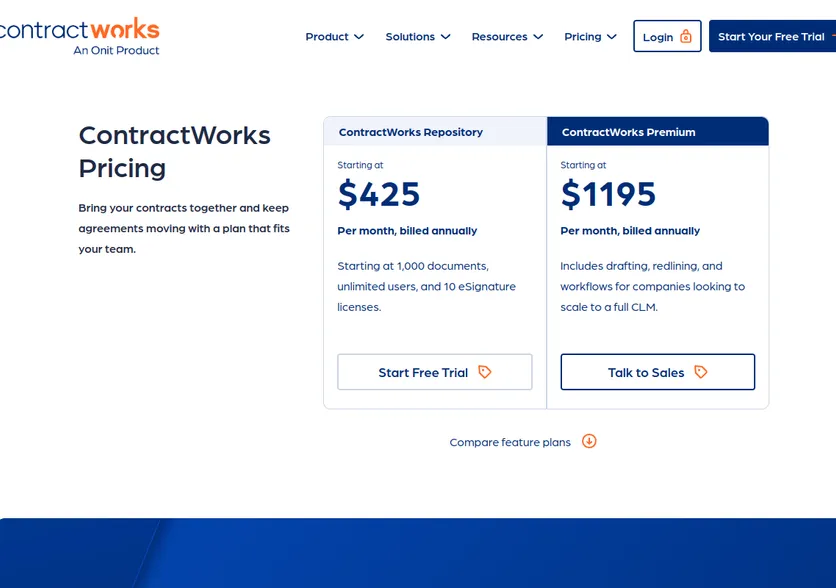
Paid tool Starting price: $425/month · Four hundred and twenty-five dollars a month on annual billing for the Repository plan; unlimited users and contracts included
Free plan: No free plan; 14-day free trial
For a team with a growing pile of signed agreements, this ContractWorks plan costs four hundred and twenty-five dollars a month on annual billing, with unlimited users and contracts. AI search finds clauses and renewal dates across the whole repository, and built-in e-signature means no second tool is needed. It is the best flat-price pick in this list.
What we like
- Unlimited users and contracts for one flat price
- AI search finds clauses and renewal dates fast
- Built-in e-signature means no second tool
Watch out for
- No per-user pricing, so a solo pays the same as a team
- Approval workflows are lighter than on Concord
How to try it
- Upload the signed agreements into the repository
- Let AI tag the key dates, parties and renewal terms
- Set renewal alerts and sign new agreements in the same place
4. Concord
Best for: Teams that negotiate contracts in the document
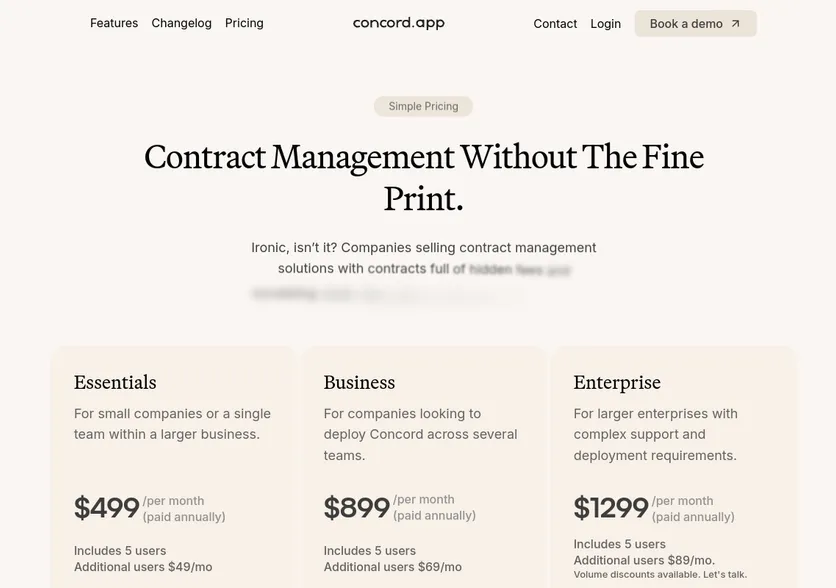
Paid tool Starting price: $499/month · Four hundred and ninety-nine dollars a month; the platform was rebuilt as Concord Horizon in November 2026 with unlimited e-signatures
Free plan: No free plan; demo available
Negotiation is where smart contracts are won or lost, and this Concord plan costs four hundred and ninety-nine dollars a month for a workspace where drafting, redlining, approval and signing happen in one document. AI Copilot extracts terms and flags risky clauses, and the platform was rebuilt as Concord Horizon in November 2026 with unlimited e-signatures. It is the most complete negotiation tool here.
What we like
- Drafting, redlining, approval and signing in one document
- AI Copilot extracts terms and flags risky clauses
- Unlimited e-signatures on the current platform
Watch out for
- The entry price is high for a small firm
- Implementation takes longer than the simpler repositories
How to try it
- Draft the agreement in Concord or upload the counterparty draft
- Route it through internal approval with tracked changes
- Sign it in Concord and set the renewal reminder
5. ContractSafe
Best for: Legal teams serving the whole company
Paid tool Starting price: $450/month · Four hundred and fifty dollars a month flat, priced by contract volume rather than seats, with unlimited users
Free plan: No free plan; free trial available
A legal team that serves the whole company needs one archive everyone can search, and this ContractSafe plan costs four hundred and fifty dollars a month flat, priced by contract volume with unlimited users. AI search answers clause questions in plain language, and renewal alerts stop auto-renewals slipping past unnoticed. It is the friendliest repository here for a non-legal audience.
What we like
- Flat price covers unlimited users and unlimited contracts
- AI search answers clause questions in plain language
- Renewal alerts stop auto-renewals slipping past
Watch out for
- Priced by contract volume, so a large archive costs more
- Drafting tools are lighter than on Concord
How to try it
- Upload the contracts and let AI index the key dates
- Search for any clause or obligation in plain language
- Set renewal alerts and review them in the weekly meeting
6. Zoho Contracts
Best for: Small teams that want full lifecycle tools cheaply
Paid tool Starting price: $25/user/month · Twenty-five dollars per user a month; a free plan covers 3 users and 10 contracts; Zoho One subscribers get it bundled
Free plan: Free plan for 3 users and 10 contracts
The cheapest full contract lifecycle tool in this list sits here, because this Zoho Contracts plan costs twenty-five dollars per user a month, with a free plan for three users and ten contracts. It covers drafting, approval, signature and renewal tracking, and it fits naturally beside Zoho CRM and Zoho Sign. AI extraction is weaker than on the premium tools, but the price is hard to beat.
What we like
- The cheapest full contract lifecycle tool in this list
- Free plan covers a small firm's first contracts
- Fits naturally beside Zoho CRM and Zoho Sign
Watch out for
- AI extraction is weaker than on ContractSafe or Concord
- The interface is plainer than the premium contract tools
How to try it
- Create the contract from a template or upload a draft
- Route it for approval and signature inside Zoho
- Track the renewal date on the contract dashboard
7. Gavel Exec
Best for: Teams reviewing contracts against playbooks
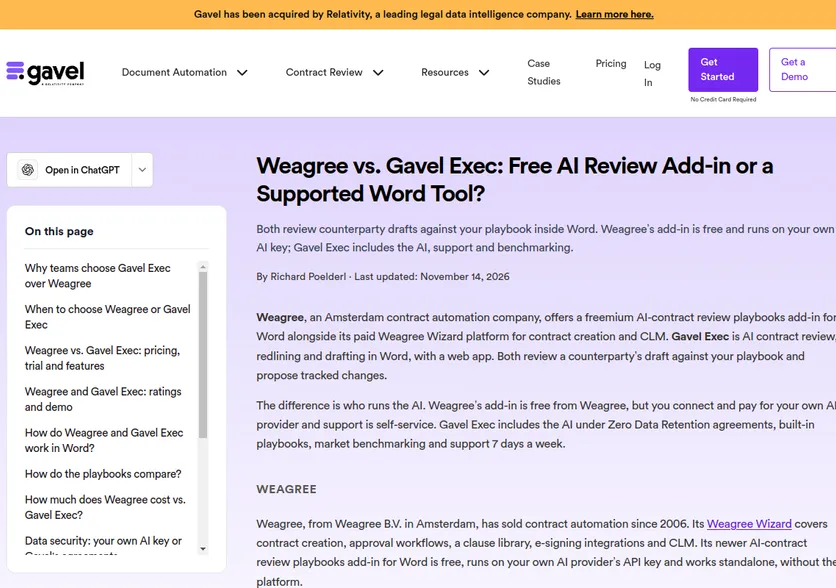
Paid tool Starting price: $160/user/month · One hundred and sixty dollars per user a month, or $1,740 per user billed annually; 1,000 queries per user a month on paid plans; team pricing for 10 or more seats; Gavel was acquired by Relativity in June 2026
Free plan: No free plan; 25 free queries per user, no card required
Reviewing a smart contract against the firm's own standards is the job here, and this Gavel Exec plan costs one hundred and sixty dollars per user a month, working as a Word add-in. Playbook redlines arrive as tracked changes with margin comments, benchmarking shows how terms compare with the market, and playbooks can be shared across the team. It is the AI review specialist in this list.
What we like
- Playbook redlines arrive as tracked changes in Word
- Contract review, drafting and benchmarking in one add-in
- Playbooks can be shared across the team
Watch out for
- Built for contracts, so case-law research is not its job
- The monthly rate has no discount without the annual plan
How to try it
- Open the contract in Word and launch the Gavel Exec add-in
- Run the playbook review and accept or reject each redline
- Save the redlined draft and log the review in the matter
8. SignWell
Best for: Teams that sign occasionally and want simplicity
Paid tool Starting price: $10/sender/month · Ten dollars per sender a month; a free plan covers 3 documents a month; paid tiers add templates, branding and team features
Free plan: Free plan (3 documents a month)
A team that signs occasionally and wants no fuss will like the simplicity here, because this SignWell plan costs ten dollars per sender a month, with a free plan for three documents a month. Clients sign without instructions, templates and audit trails come on the paid plans, and the whole flow takes minutes to learn. It has no contract lifecycle tools beyond signing, so it pairs with a repository.
What we like
- Free plan covers occasional signing with no card
- Simple enough that clients sign without instructions
- Templates and audit trails on the paid plans
Watch out for
- Priced per sender, so a team of senders adds up
- No contract lifecycle tools beyond signing
How to try it
- Upload the document and add the signature fields
- Send it to the signer and track the status
- Download the signed copy with its audit trail
Prices above were checked on each vendor’s own website on Nov 28, 2026 and can change — the vendor’s page is the final word. Vendor links are editorial: nobody paid to be listed or ranked here. Vendors who want a featured listing can see how it works on our Get listed page.
How to run smart contracts without losing the legal thread
Keep the legal agreement and the code separate in your head: the code executes, but the contract is what a court reads, so the written terms must stand alone. Draft from a template the firm has reviewed, route every agreement through approval before it is signed, and store the signed copy in a repository the whole team can search. Set renewal alerts on the day of signing, not the day before expiry, because a smart contract that auto-renews on code nobody re-read is a liability. Finally, keep an audit trail for every signature, since a self-executing agreement still needs proof of who agreed to what.
Before you buy
- Confirm the tool covers the whole lifecycle, from drafting to renewal, not just signing
- Check whether e-signatures are unlimited or capped per user per year
- Ask if the repository searches clauses and dates with AI, or only file names
- Make sure approval workflows route to the right people before anything is signed
- Test the tool on a real agreement the firm already uses before paying
Official websites
Official websites of the products reviewed above. Features and prices were checked against these sites when this guide was written, and they can change, so confirm on the vendor site before you buy.
Frequently asked questions
What is legal software for smart contracts?
It is software that handles the legal work around smart contracts: drafting agreements, reviewing them against playbooks, routing approvals, collecting signatures, storing the signed copy and tracking renewals. Some tools add AI extraction and clause search, while others focus on signing alone. The code that executes the contract is separate from the legal agreement, and the tools in this list manage the legal side.
How much does DocuSign cost for a small team?
DocuSign eSignature costs twenty-five dollars per user a month billed annually upfront on Standard, or three hundred dollars a user a year. The same plan is thirty dollars a user a month on an annual plan billed monthly, and forty-five dollars month to month. Personal is ten dollars a month for one user, and Business Pro is forty dollars a user a month billed annually upfront, with bulk send and payment collection.
Can I manage smart contracts for free?
Partly: PandaDoc offers a free plan for occasional documents, Zoho Contracts offers a free plan for three users and ten contracts, and SignWell offers a free plan for three documents a month. Those free tiers cover a team that signs a handful of agreements a month. A team with daily contract work needs a paid plan, starting at ten dollars per sender a month on SignWell or nineteen dollars per user a month on PandaDoc.
Which tool is best for reviewing contracts with AI?
Gavel Exec is the best AI review tool in this list, at one hundred and sixty dollars per user a month, because it redlines against the firm's own playbooks inside Word and returns the changes as tracked changes with margin comments. Concord at four hundred and ninety-nine dollars a month adds AI Copilot extraction and negotiation in the same document. ContractSafe at four hundred and fifty dollars a month is the best pick for AI search across a signed archive.
Do smart contracts replace lawyers?
No: the code executes the agreed terms, but a lawyer still drafts the terms, checks them against the law, negotiates the risk and proves what was agreed. The tools in this list make that legal work faster and more consistent, especially review against playbooks and renewal tracking, but they do not remove the need for legal judgement. A self-executing agreement with bad terms executes the bad terms perfectly.
Compare the eight tools above, then start with a free trial or the free PandaDoc plan on the tool that covers the firm's contract lifecycle before paying for a full year.
Browse Business Tools tools