On this page
Spring is when firms reset: new matters open, budgets refresh and the tools that carried the winter either earn their keep or get replaced. The eight tools below are the strongest all-round legal software for a firm making that call now, covering matters, billing, documents, intake and reporting in one system each. Clio leads the list because it is the practice platform most firms already compare everything else against, from forty-nine dollars per user a month, and the rest are ranked on the same test: how much of the firm they run for the price.
How we researched this
We checked every price on the vendor pricing page on November 28, 2026, and only included tools with a published US dollar list price. The enterprise platforms that sell by quote, including Filevine and Smokeball, publish no prices, so they are not in this list. Prices change, so confirm the current figure on the vendor site before you buy.
Compare the tools
| Name | Best for | Starting price | Free plan | |
|---|---|---|---|---|
 Clio | Firms that want one system for everything | $49/user/month | 7-day free trial | Visit |
 MyCase | Firms that want transparent published pricing | $50/user/month | 10-day free trial | Visit |
 PracticePanther | Firms that want workflows from day one | $49/user/month | 7-day free trial | Visit |
 CosmoLex | Firms whose books matter as much as matters | $49/user/month | 10-day free trial | Visit |
 Rocket Matter | Billing-led firms that judge tools by collections | $59/user/month | 10-day free trial | Visit |
 Lawcus | Growing firms that want a visual caseload | $49/user/month | Free trial available | Visit |
 CaseFox | Budget firms that need full practice tools | $39/user/month | Free plan available | Visit |
 CARET Legal | Firms that have outgrown a solo tool | $79/user/month | No free plan; book a demo | Visit |
The legal software for spring, compared
1. Clio
Best for: Firms that want one system for everything
Paid tool Starting price: $49/user/month · Forty-nine dollars per user a month billed annually on EasyStart ($59 billed monthly); Essentials is $89 a user a month billed annually ($99 monthly), Advanced $119, Complete $149; higher tiers are quoted; the $79 Essentials figure in older guides is stale
Free plan: 7-day free trial
Spring is the season firms switch systems, and this Clio plan costs forty-nine dollars per user a month billed annually on EasyStart, making it the safest move in this list. It covers matters, documents, calendar, tasks, time, billing and payments in one place, with the largest integration directory in legal software. It is the platform most firms standardise on when they want one system for everything.

What we like
- The largest legal app directory, with more than 250 integrations
- Trust accounting and three-way reconciliation on every plan
- Court rules calendaring built into the higher tiers
Watch out for
- Document templates and the client portal start on Essentials, not EasyStart
- Add-ons such as Clio Grow and Clio Draft cost extra per user
How to try it
- Create the matter and add the client, contacts and documents
- Log time and expenses against the matter as work happens
- Generate the invoice and send it through the client portal
2. MyCase
Best for: Firms that want transparent published pricing
Paid tool Starting price: $50/user/month · Fifty dollars per user a month billed annually on Basic ($60 billed monthly); Pro is $100 a user a month billed annually ($120 monthly) and Advanced is $130 ($150 monthly); MyCase Accounting adds $39 per user a month on Pro and Advanced; prices rose in August 2026 from $39, $89 and $109
Free plan: 10-day free trial
A firm that wants to know the price before the sales call will appreciate the transparency here, since this MyCase plan costs fifty dollars per user a month billed annually on Basic. Case management, time entry, invoicing, trust accounting and a client portal come on every tier, and Pro adds workflows, intake and unlimited e-signature. It is the clearest-priced practice platform in this comparison.

What we like
- Clear published pricing with no quote needed for any tier
- Two-way texting and a client portal on Pro
- Online payments with next-day deposits included
Watch out for
- Workflows, intake forms and the legal CRM start on Pro at twice the entry price
- Court rules calendaring needs a separate subscription
How to try it
- Open a case and add the client, documents and deadlines
- Send the engagement letter for e-signature from the case
- Track time, invoice and take payment without leaving the case
3. PracticePanther
Best for: Firms that want workflows from day one
Paid tool Starting price: $49/user/month · Forty-nine dollars per user a month billed annually on Solo ($59 billed monthly); Essential is $69 ($79 monthly), Business $89 ($99 monthly) and Business Pro $114 ($124 monthly); annual billing saves $120 per user a year
Free plan: 7-day free trial
For a firm that wants workflows running from day one, this PracticePanther plan costs forty-nine dollars per user a month billed annually on Solo, and every plan includes workflows, templates and PantherPayments. QuickBooks Online sync comes on the entry plan, and the Business tier adds texting, intake forms and unlimited e-signature. It is the most workflow-ready pick here.

What we like
- Every plan includes workflows, templates and PantherPayments
- QuickBooks Online sync on the entry plan
- Unlimited e-signature from the Business tier
Watch out for
- Trust accounting and reconciliation sit only on Business Pro
- Texting, intake forms and e-signature start on Business
How to try it
- Create the matter and set up its workflow and templates
- Assign tasks and deadlines to the team from the matter
- Bill the matter and collect payment through PantherPayments
4. CosmoLex
Best for: Firms whose books matter as much as matters
Paid tool Starting price: $49/user/month · Forty-nine dollars per user a month billed annually on Launch ($59 billed monthly); Core is $99 a user a month billed annually ($109 monthly) and Pro is $129 ($139 monthly)
Free plan: 10-day free trial
A firm tired of reconciling between practice software and QuickBooks should look here, because this CosmoLex plan costs forty-nine dollars per user a month billed annually on Launch. Legal accounting and trust reconciliation are built in, so billing, matter reports and the trust ledger all live in one login. It is the best pick for a firm whose books matter as much as its matters.

What we like
- Legal accounting and trust reconciliation built in, no QuickBooks needed
- Time, billing and matter reports in one login
- Client portal lets clients view case updates and pay online
Watch out for
- The CRM and website are separate add-ons
- The Launch tier is limited, so growing firms move up fast
How to try it
- Open the matter and record the client and fee arrangement
- Enter time and expenses as the work happens
- Run the trust reconciliation and send the invoice from the same screen
5. Rocket Matter
Best for: Billing-led firms that judge tools by collections
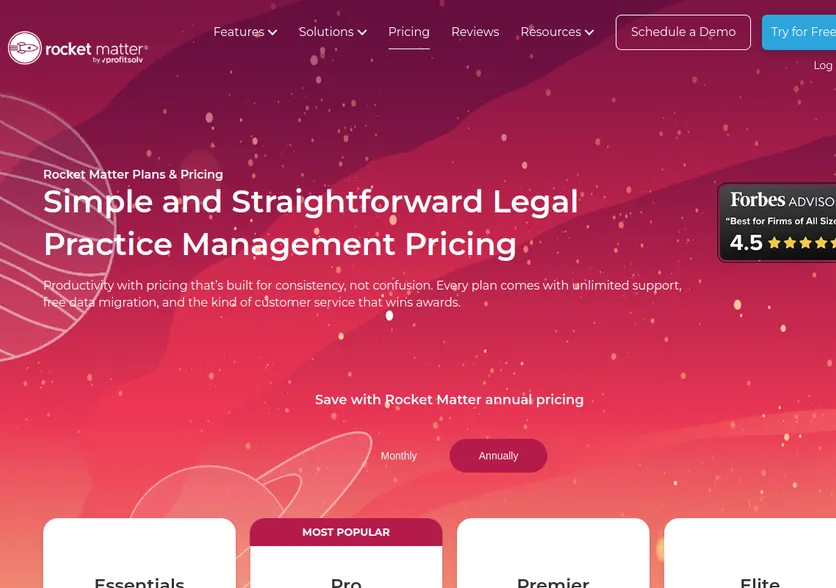
Paid tool Starting price: $59/user/month · Fifty-nine dollars per user a month billed annually on Essentials; Pro is $95, Premier $115 and Elite $145 on the same billing basis; the CRM add-on carries a $399 onboarding fee
Free plan: 10-day free trial
Billing-led firms will feel at home here, since this Rocket Matter plan costs fifty-nine dollars per user a month billed annually on Essentials. Matter-based billing with profitability reporting is its strength, visual boards show the caseload at a glance, and flat-fee and LEDES billing need no add-ons. It suits a firm that judges software by what it collects.
What we like
- Matter-level billing and profitability reports are its strength
- Visual matter boards show where every case stands
- Flat-fee and LEDES billing handled without add-ons
Watch out for
- Fewer integrations than Clio or PracticePanther
- The CRM is a separate add-on with its own onboarding fee
How to try it
- Create the matter and set the billing arrangement
- Log time from any device and attach it to the matter
- Review the matter profitability report before invoicing
6. Lawcus
Best for: Growing firms that want a visual caseload
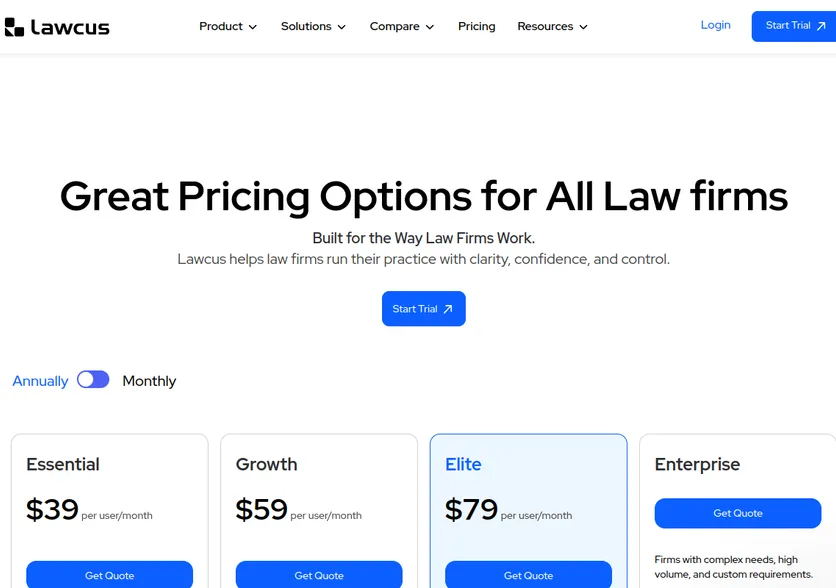
Paid tool Starting price: $49/user/month · Forty-nine dollars per user a month; older listings show $34 or $39 a user a month, but multiple November 2026 reads of the vendor pricing page agree on $49
Free plan: Free trial available
A growing firm that wants its caseload visible at a glance will like the kanban boards here, because this Lawcus plan costs forty-nine dollars per user a month. Intake forms, e-signatures, texting and document automation sit in one system, and the matter view shows instantly what needs attention. Reporting is lighter than on Clio, so it fits firms with straightforward needs.
What we like
- Kanban matter boards show the whole caseload at a glance
- Intake forms, e-signatures and texting in one system
- Document automation removes repetitive drafting
Watch out for
- Smaller integration library than the big practice platforms
- Reporting is lighter than on Clio or CosmoLex
How to try it
- Create the matter on the kanban board and assign an owner
- Send the intake form and engagement letter for signature
- Track time and bill from the matter without switching apps
7. CaseFox
Best for: Budget firms that need full practice tools
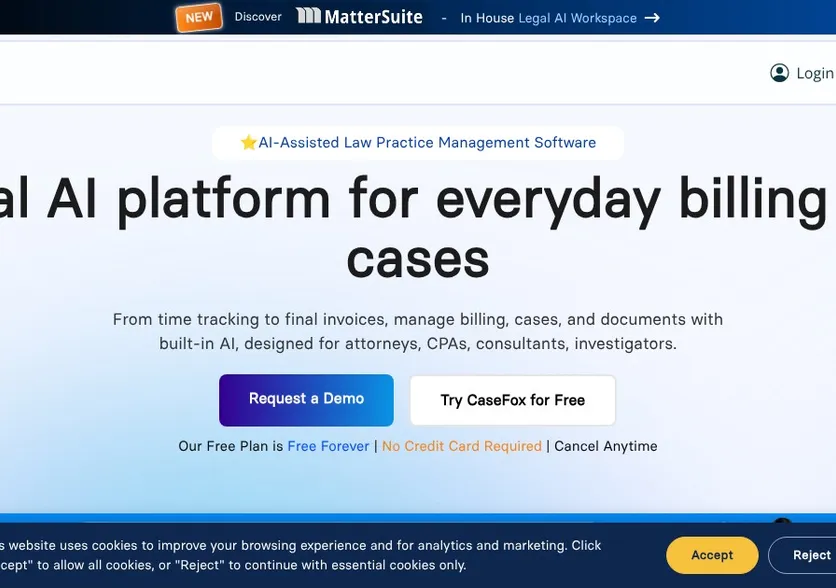
Paid tool Starting price: $39/user/month · Thirty-nine dollars per user a month billed annually ($45 billed monthly); a free Solo plan covers a single user with core billing and case tools
Free plan: Free plan available
The budget pick in this list proves a firm does not need enterprise prices to run well, since this CaseFox plan costs thirty-nine dollars per user a month billed annually, with a free Solo plan for a single user. Case management, time, billing, trust accounting and intake are all included, with integrations for LawPay, QuickBooks, Xero and Dropbox. It is the cheapest full practice suite here.
What we like
- Free plan lets a solo attorney start with no monthly bill
- Trust accounting and client intake included at the entry price
- Integrates with LawPay, QuickBooks, Xero and Dropbox
Watch out for
- Advanced reporting and AI document tools sit on higher tiers
- The interface is plainer than the premium practice platforms
How to try it
- Create the case and add the client and fee agreement
- Log time and expenses from the web or mobile app
- Invoice the client and record the payment in the trust ledger
8. CARET Legal
Best for: Firms that have outgrown a solo tool
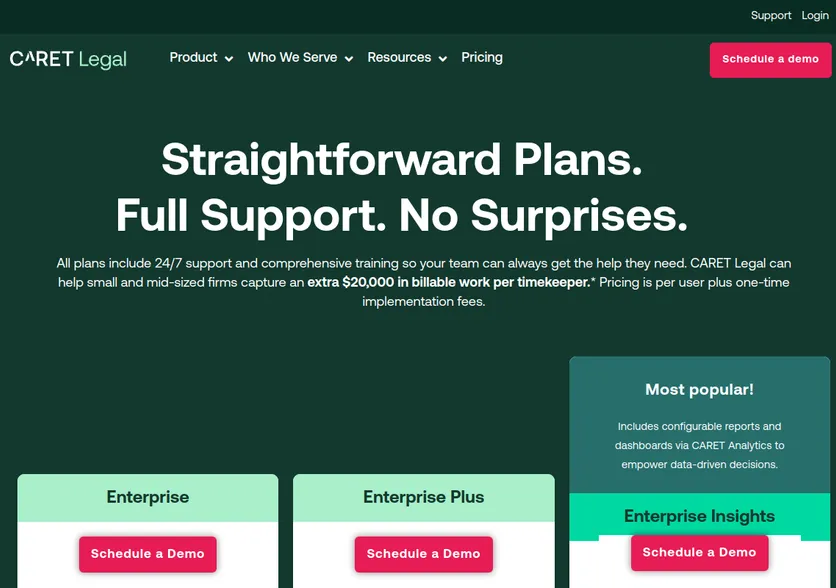
Paid tool Starting price: $79/user/month · Seventy-nine dollars per user a month billed annually on Enterprise; one-time implementation fees sit on top of the subscription
Free plan: No free plan; book a demo
For a firm that has outgrown a solo tool, this CARET Legal plan costs seventy-nine dollars per user a month billed annually on Enterprise, and it brings the whole matter under one governed roof. Built-in email files messages to matters automatically, full accounting with trust reconciliation is included, and analytics sit beside the matter record. It is the enterprise end of this list.
What we like
- Built-in email keeps client messages inside the matter
- Full accounting with trust reconciliation included
- Analytics sit beside the matter record
Watch out for
- One-time implementation fees add to the first-year cost
- No free trial, so the demo is the only way to test it
How to try it
- Migrate the matter list with the implementation team
- Connect the firm email so messages file to matters automatically
- Set up billing rules and run the first trust reconciliation
Prices above were checked on each vendor’s own website on Nov 28, 2026 and can change — the vendor’s page is the final word. Vendor links are editorial: nobody paid to be listed or ranked here. Vendors who want a featured listing can see how it works on our Get listed page.
How to pick legal software in spring and actually switch
Start with the firm's real pain, not the vendor's demo: if billing is late, buy billing; if intake leaks, buy intake. Run a two-week trial with real matters, not sample data, and make the whole team use it, since a tool one partner loves and three associates avoid is a failed purchase. Check the migration cost before signing, because moving years of matters and trust balances is where switches die. Finally, set a switch date and stick to it: a spring decision that drifts into summer is just last year's tool with a new invoice.
Before you buy
- Confirm the tool covers the firm's biggest pain first, whether billing, intake or reporting
- Check the migration cost and timeline, since moving matters and trust balances is the hard part
- Ask if the price includes the features the firm needs, or if intake and accounting are add-ons
- Make sure the whole team tries the trial, not just the partner who picked the tool
- Set a firm switch date before buying, so the decision does not drift into summer
Official websites
Official websites of the products reviewed above. Features and prices were checked against these sites when this guide was written, and they can change, so confirm on the vendor site before you buy.
Frequently asked questions
What is the best legal software for spring 2026?
Clio is the best overall pick for spring 2026, at forty-nine dollars per user a month billed annually on EasyStart, because it covers matters, documents, calendar, billing and payments in one system with the largest integration directory. MyCase at fifty dollars a month is the best pick for transparent pricing, and CaseFox at thirty-nine dollars a month is the best budget pick with a free plan for a solo attorney.
How much does MyCase cost in 2026?
MyCase costs fifty dollars per user a month billed annually on Basic, or sixty dollars billed monthly. Pro is one hundred dollars per user a month billed annually, or one hundred and twenty dollars monthly, and Advanced is one hundred and thirty dollars billed annually, or one hundred and fifty dollars monthly. MyCase Accounting adds thirty-nine dollars per user a month on Pro and Advanced, and prices rose in August 2026.
Can a small firm start with legal software for free?
Yes, with CaseFox, which offers a free Solo plan covering a single user with core billing and case tools. Every other tool in this list offers a free trial, from seven to ten days, so a firm can test two or three systems on real matters before paying. The free plan suits a solo attorney; a team of two or more will need a paid plan quickly.
Is Clio or PracticePanther better for a small firm?
Both start at forty-nine dollars per user a month billed annually, so the choice is about fit rather than price. Clio has the larger integration directory and stronger reporting, while PracticePanther puts workflows, templates and PantherPayments on every plan including the entry tier. A firm that wants the widest ecosystem picks Clio, while a firm that wants workflows from day one picks PracticePanther.
When should a firm switch legal software?
Spring is a good time because budgets refresh and the summer slowdown gives the team room to migrate and learn. The switch should be decided on a real trial with the firm's own matters, with the migration cost agreed in writing and a firm cutover date set. A switch decided in spring and finished before summer avoids running two systems through the busy autumn.
Compare the eight tools above, then run a two-week trial with real matters on the tool that fits the firm's biggest pain before paying for a full year.
Browse Business Tools tools