On this page
Selling a high-ticket product means the chat window is the sales call: one conversation can be worth thousands of dollars, so the tool has to answer fast, route the buyer to the right person and keep the whole thread visible. The eight tools below were checked on price and fit for teams that close big deals, from a flat-rate widget to a full CRM inbox. Intercom leads because its AI agent qualifies buyers before a human steps in, and every other tool is judged on the same test: how much of the sale it helps close for the price.
How we researched this
We checked every price on the vendor pricing page on November 28, 2026, and only included tools with a published US dollar list price. Drift, Podium, Kustomer, LivePerson and Gladly sell by quote, so they are not in this list. Prices change, so confirm the current figure on the vendor site before you buy.
Compare the tools
| Name | Best for | Starting price | Free plan | |
|---|---|---|---|---|
 Intercom | High-ticket teams that want AI to qualify buyers before a human steps in | $29/seat/month | 14-day free trial | Visit |
 LiveChat | Sales teams that want a dedicated chat widget and nothing else | $19/user/month | 14-day free trial | Visit |
 Zendesk | High-ticket businesses that want chat inside a full support suite | $55/agent/month | 14-day free trial | Visit |
 Freshchat | Small sales teams that want a full inbox at the lowest entry price | $15/agent/month | Free plan | Visit |
 HubSpot Service Hub | Teams that already run their sales pipeline in HubSpot | $15/seat/month | Free tools | Visit |
 Tidio | Small teams that want flat pricing by conversation, not by seat | $24.17/month | Free plan | Visit |
 Crisp | Growing teams that want one flat price no matter how many agents join | $45/month | Free plan | Visit |
 Olark | Teams that want the simplest reliable chat widget, nothing more | $29/agent/month | 14-day free trial | Visit |
The live chat software for high ticket sales, compared
1. Intercom
Best for: High-ticket teams that want AI to qualify buyers before a human steps in
Paid tool Starting price: $29/seat/month · Twenty-nine dollars per seat per month on the Essential plan billed annually ($39 billed monthly); Advanced is $85 and Expert is $132 per seat per month billed annually, and Fin AI costs from $0.99 per outcome. New customers were shown a $19 introductory price, which is a promotion, not the list price
Free plan: 14-day free trial
This Intercom plan costs twenty-nine dollars per seat a month on annual billing, and it pairs live chat with an AI agent that can qualify buyers before a human steps in. A high-ticket team can route a hot lead to the right rep in seconds, see the visitor's company and browsing history, and keep the conversation in one shared inbox. That combination matters when one chat can be worth thousands of dollars and a slow reply means a lost deal.

What we like
- AI agent qualifies buyers before a human steps in
- Visitor company and browsing history on every chat
- Shared inbox with ticketing and reporting built in
Watch out for
- Per-seat pricing grows fast as the team grows
- AI resolutions cost extra on top of seats
How to try it
- Add the Messenger widget to your pricing and checkout pages
- Set routing rules so hot leads reach a sales rep first
- Connect Fin and review its answers weekly
2. LiveChat
Best for: Sales teams that want a dedicated chat widget and nothing else
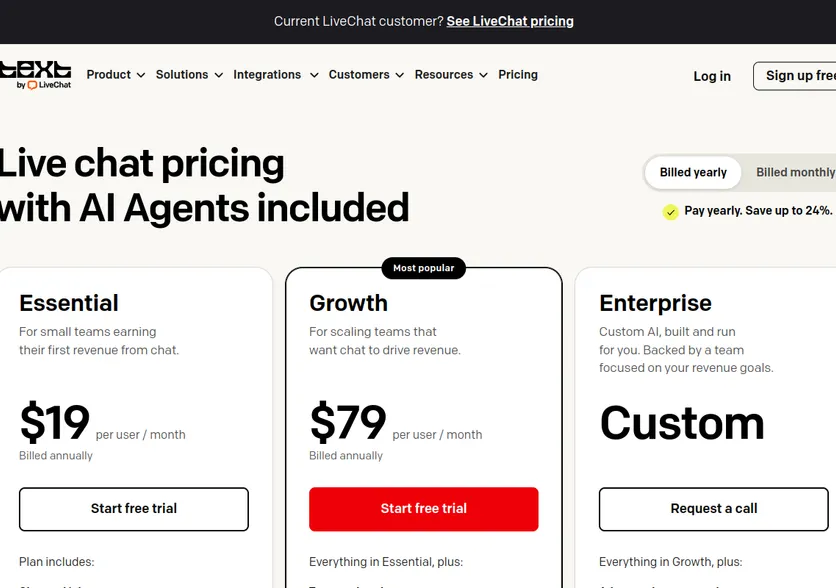
Paid tool Starting price: $19/user/month · Nineteen dollars per user per month on the Text Essential plan billed annually ($25 billed monthly); Growth is $79 per user per month billed annually ($99 monthly). Legacy LiveChat plans (Starter $20, Team $41, Business $59) remain for existing customers only; new signups get Text plans
Free plan: 14-day free trial
This LiveChat plan costs nineteen dollars per user a month on annual billing, and it is the dedicated chat widget that new signups get under the Text brand. A sales team gets a fast widget, canned responses, chat routing and a built-in AI agent that can answer the first questions and hand over to a person. For a high-ticket seller the appeal is focus: chat is the whole product, so nothing about the tool distracts from the conversation.
What we like
- A fast, focused widget with no extra modules to learn
- Canned responses and routing speed up first replies
- AI agent included on every plan for after-hours cover
Watch out for
- Legacy plan names changed to Text, which confuses comparisons
- Extra AI resolutions cost $49.50 per pack of fifty
How to try it
- Install the widget on your highest-intent pages first
- Write canned replies for pricing and delivery questions
- Set the AI agent to hand over to a human on buying signals
3. Zendesk
Best for: High-ticket businesses that want chat inside a full support suite
Paid tool Starting price: $55/agent/month · Fifty-five dollars per agent per month on the Suite Team plan billed annually ($69 billed monthly); Suite Growth is $89 and Suite Professional is $115 per agent per month billed annually. The $19 Support Team plan covers email ticketing only and does not include live chat
Free plan: 14-day free trial
This Zendesk plan costs fifty-five dollars per agent a month on annual billing, and it puts live chat inside a full support suite with ticketing, email and phone. A high-ticket business can follow a buyer from the first chat through the signed contract without losing the thread, and managers get reporting on response times and resolutions. The price is higher than the chat-only tools, but the suite earns it when support and sales share one queue.

What we like
- Chat, email, phone and ticketing in one agent workspace
- Strong reporting on response times and resolutions
- Thousands of integrations with CRM and sales tools
Watch out for
- Suite Team costs more than chat-only tools
- AI Copilot adds $50 per agent a month
How to try it
- Turn on messaging and connect it to your help center
- Build a view that separates sales chats from support tickets
- Set business hours so buyers always get a clear reply time
4. Freshchat
Best for: Small sales teams that want a full inbox at the lowest entry price
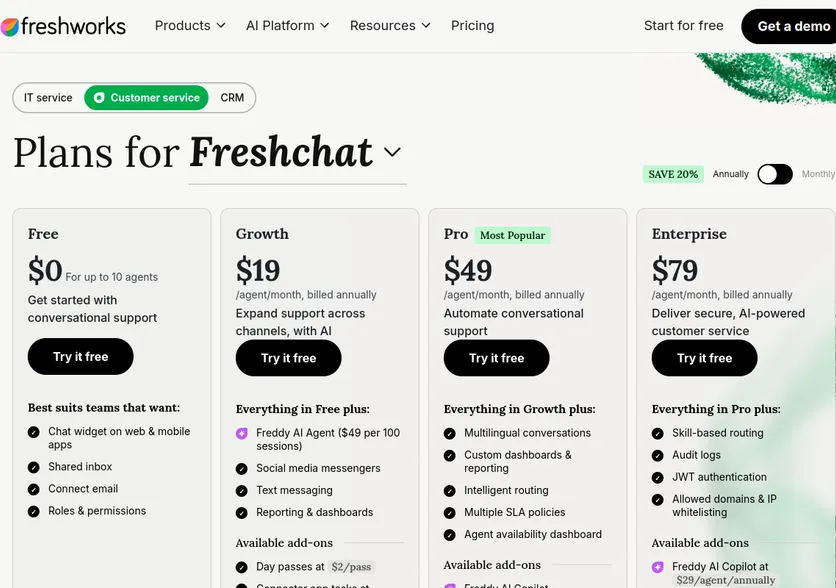
Paid tool Starting price: $15/agent/month · Fifteen dollars per agent per month on the Growth plan billed annually ($18 billed monthly); Pro is $39 and Enterprise is $69 per agent per month billed annually
Free plan: Free plan
This Freshchat plan costs fifteen dollars per agent a month on annual billing, and it covers live chat, email and messaging apps from one inbox. A small sales team can set up canned replies, assign chats by rule and run a basic bot that answers after hours. It is the cheapest way in this list to give a high-ticket buyer a human answer fast without buying a full help desk.
What we like
- Lowest entry price among the full inboxes here
- Chat, email and messaging apps in one place
- Bot sessions included for after-hours questions
Watch out for
- Advanced automation needs the Pro plan
- Reporting is lighter than on Zendesk or Intercom
How to try it
- Connect your website chat and Facebook Messenger
- Set assignment rules so sales chats skip the support queue
- Write canned replies for your five most common questions
5. HubSpot Service Hub
Best for: Teams that already run their sales pipeline in HubSpot
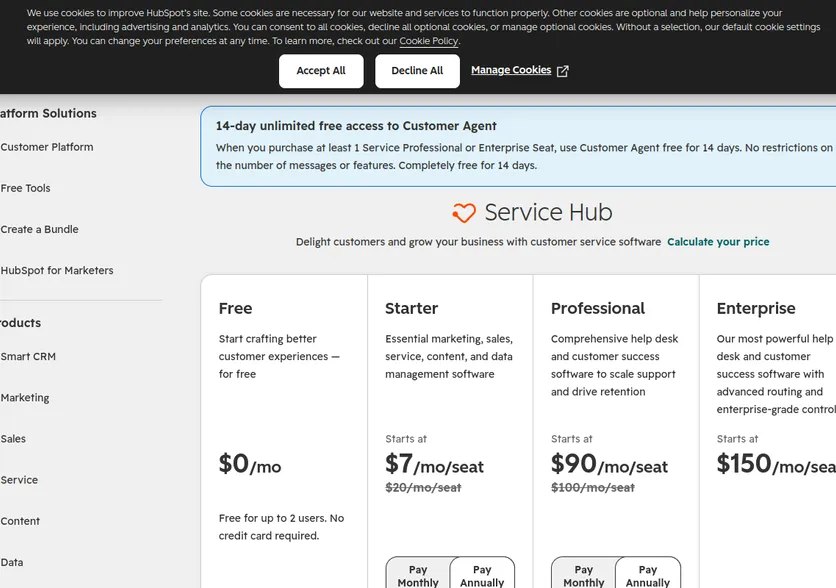
Paid tool Starting price: $15/seat/month · Fifteen dollars per seat per month on the Starter plan billed annually ($20 billed monthly); Professional is $90 per seat per month billed annually plus a $1,500 onboarding fee, and Enterprise is $150 per seat per month
Free plan: Free tools
This HubSpot Service Hub plan costs fifteen dollars per seat a month on annual billing, and it ties every chat to the contact record in the HubSpot CRM. A rep can see the deal stage, the last email and the pages a buyer visited before replying, which turns a cold chat into a warm conversation. It is the natural pick for a team that already runs its pipeline in HubSpot and wants chat to feed it directly.
What we like
- Every chat lands on the contact record in the CRM
- Conversation routing and simple automation on Starter
- Free tools cover ticketing and chat for two users
Watch out for
- Professional jumps to $90 a seat with an onboarding fee
- Knowledge base and SLAs need the Professional plan
How to try it
- Connect the chat widget to your HubSpot CRM
- Set routing rules by deal stage or contact owner
- Build a simple workflow that creates a ticket from every chat
6. Tidio
Best for: Small teams that want flat pricing by conversation, not by seat
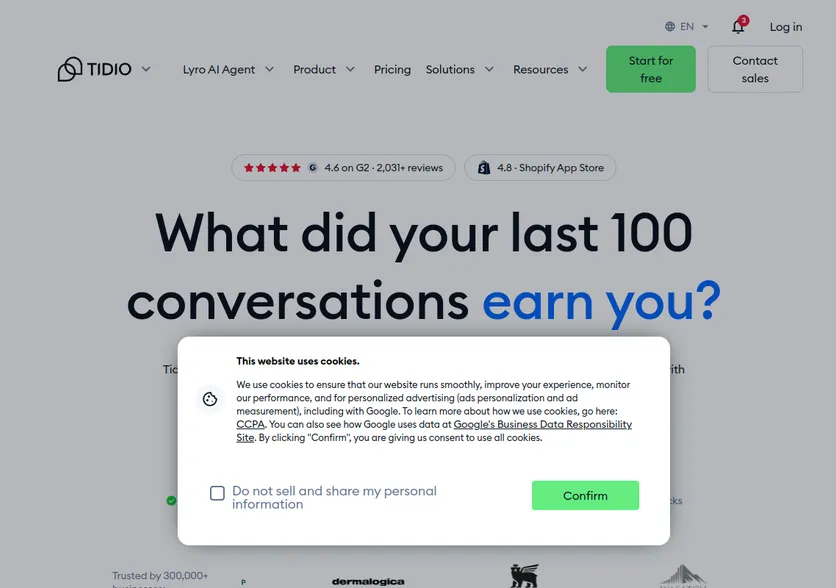
Paid tool Starting price: $24.17/month · Twenty-four dollars and seventeen cents per month on the Starter plan billed annually ($29 billed monthly), for 100 billable conversations; Growth starts at $49.17 per month billed annually. Lyro AI is sold separately from $39 per month
Free plan: Free plan
This Tidio plan costs twenty-four dollars and seventeen cents a month on annual billing, and it sells chat by conversation volume rather than by seat. A small team gets live chat, ticketing and a live visitor list for a flat monthly figure, with the Lyro AI agent available as a separate add-on. That flat pricing suits a high-ticket seller with few agents but long, valuable conversations.
What we like
- Flat pricing that does not multiply with every agent
- Free plan covers fifty conversations a month
- Lyro AI answers routine questions around the clock
Watch out for
- The Starter cap is one hundred conversations a month
- Lyro AI and Flows are separate paid meters
How to try it
- Install the widget and set your operating hours
- Create flows that greet visitors on pricing pages
- Watch the conversation count so you never hit the cap mid-month
7. Crisp
Best for: Growing teams that want one flat price no matter how many agents join
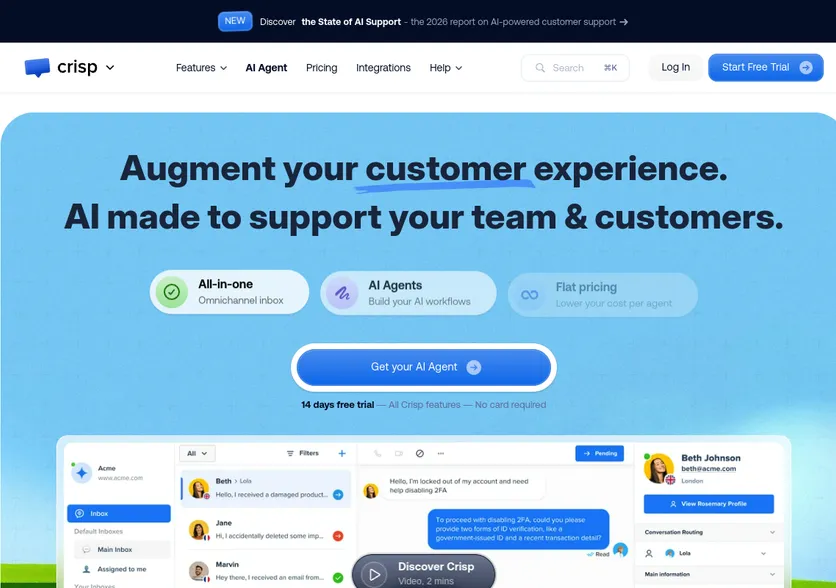
Paid tool Starting price: $45/month · Forty-five dollars per month per workspace on the Mini plan, including 4 seats; Essentials is $95 per month with 10 seats and Plus is $295 per month with 20 or more seats. The older Pro $25 plan is retired; the vendor page does not label a billing basis for the $45 figure
Free plan: Free plan
This Crisp plan costs forty-five dollars a month per workspace, and it charges one flat figure no matter how many agents answer chats. A growing sales team gets live chat, a shared inbox, a knowledge base and a chatbot builder without the per-seat bill climbing every time a rep is hired. The flat rate is the reason a high-ticket team with five or six closers can keep costs predictable.
What we like
- One flat price per workspace, not per agent
- Chat, inbox, knowledge base and chatbot in one tool
- MagicBrowse co-browsing shows the visitor's screen
Watch out for
- The Mini plan caps at four seats and five thousand contacts
- Omnichannel inbox and AI chatbot need the Essentials plan
How to try it
- Add the widget and remove Crisp branding in settings
- Build a knowledge base for your most asked questions
- Set up chat triggers on your pricing and checkout pages
8. Olark
Best for: Teams that want the simplest reliable chat widget, nothing more
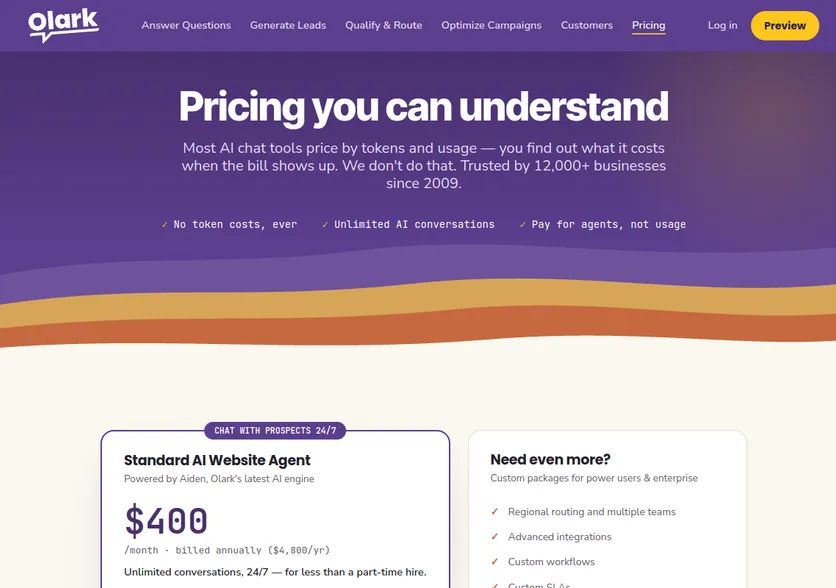
Paid tool Starting price: $29/agent/month · Twenty-nine dollars per agent per month for human-only live chat, with no billing basis stated on the vendor page; a one-year contract is $23 and a two-year contract is $19 per agent per month. The AI Website Agent is $400 per month billed annually
Free plan: 14-day free trial
This Olark plan costs twenty-nine dollars per agent a month, and it is the simplest chat widget in this list. A sales team gets a clean chat box, visitor tracking, chat surveys and automated lead forms that capture details before the conversation starts. It will not do AI routing or omnichannel tricks, but for a team that just wants reliable human chat it is hard to beat.
What we like
- The simplest setup in this list, live in minutes
- Chat surveys collect feedback after every conversation
- Accessible widget that meets WCAG standards
Watch out for
- No AI agent on the human-only plan
- PowerUps like translation and co-browsing cost extra
How to try it
- Install the chat box and set your team hours
- Add a pre-chat form to capture name and email
- Turn on chat surveys to rate every conversation
Prices above were checked on each vendor’s own website on Nov 28, 2026 and can change — the vendor’s page is the final word. Vendor links are editorial: nobody paid to be listed or ranked here. Vendors who want a featured listing can see how it works on our Get listed page.
How to turn live chat into a high-ticket sales channel
Put the widget where the money is, not everywhere. Pricing pages, checkout pages and product comparison pages are where a buyer has a question worth answering, and a chat box on the blog only creates noise. Staff those pages first and set routing so a visitor looking at enterprise pricing reaches a senior rep, not the next free agent. Write canned replies for the five questions every buyer asks, then let the AI agent handle them after hours and hand over the moment a visitor mentions budget or a deadline. Review the transcripts weekly and fix the answers that lost deals, because the chat log is the cheapest sales training a team will ever get.
Before you buy
- Confirm the tool can route a buyer to a sales rep, not just the next free agent
- Check whether AI answers are included or billed per resolution on top of seats
- Ask if chat history, transcripts and visitor details stay visible to the whole team
- Make sure the widget loads fast on pricing and checkout pages, where deals are won
- Test the mobile agent app, because high-ticket buyers often message outside office hours
Official websites
Official websites of the products reviewed above. Features and prices were checked against these sites when this guide was written, and they can change, so confirm on the vendor site before you buy.
Frequently asked questions
Why does live chat matter for high-ticket sales?
Live chat lets a buyer ask a question at the exact moment they are ready to spend, and a fast answer keeps them from leaving for a competitor. For high-ticket sales the chat is often the first sales call, so the tool should show who the visitor is, what they looked at and which rep should answer. The best tools in this list route hot leads first and keep the whole conversation on the buyer record.
How much does Intercom cost for high-ticket sales?
Intercom costs twenty-nine dollars per seat a month on the Essential plan billed annually, or thirty-nine dollars billed monthly. Advanced is eighty-five dollars and Expert is one hundred and thirty-two dollars per seat a month billed annually. Fin AI costs from ninety-nine cents per outcome on top of seats, and new customers were shown a nineteen-dollar introductory price that is a promotion, not the list price.
Can I start live chat for free?
Yes, with Tidio, which has a free plan for fifty conversations a month, and with Crisp, whose free plan covers two agents. Freshchat also has a free plan, and HubSpot Service Hub has free tools for two users. A free plan is enough to test whether buyers use chat at all, but a high-ticket team will usually outgrow the conversation caps and need a paid plan within weeks.
Which tool is best for a small high-ticket team?
LiveChat is the strongest fit if you want a dedicated widget with an AI agent included, at nineteen dollars per user a month billed annually. Intercom is better when you need AI qualification and a shared inbox with ticketing, at twenty-nine dollars a seat a month. Freshchat is the budget pick at fifteen dollars an agent a month for teams that only need the basics done well.
How do I know if live chat is actually selling?
Watch the first reply time, the share of chats that become qualified leads, and the share of qualified leads that become deals. A tool that answers in under a minute and routes buyers to the right rep will show up in those numbers within a month. If chats pile up unanswered or land with the wrong team, the routing rules are wrong, not the product itself.
Compare the eight tools above, then start with a free trial on the one that matches how your team already sells before you commit to a full year.
Browse Marketing & Ads Calculators tools