On this page
Warehouse work is a chain of handoffs: receiving hands to putaway, putaway hands to picking, picking hands to packing, and one missed handoff delays the whole order. The eight tools below keep that chain visible, with boards, timelines and owners on every job. monday.com leads the list because its visual boards turn warehouse workflows into rows anyone can read for nine dollars a seat a month, and the other seven tools are ranked on the same practical test: how well they track floor work for the price.
How we researched this
We checked every price on the vendor pricing page on November 28, 2026, and only included tools with a published US dollar list price. Procore and Buildertrend sell by quote with no public price, so they are not in this list. Prices change, so confirm the current figure on the vendor site before you buy.
Compare the tools
| Name | Best for | Starting price | Free plan | |
|---|---|---|---|---|
 monday.com | Warehouse teams that want visual boards everyone can read at a glance | $9/seat/month | Free plan | Visit |
 Asana | Warehouse teams that need structured timelines across many projects | $10.99/user/month | Free plan | Visit |
 ClickUp | Warehouse teams that want tasks, docs and goals in one workspace | $9/user/month | Free Forever plan | Visit |
 Wrike | Warehouse teams that need approvals and proofing on every job | $10/user/month | Free plan | Visit |
 Smartsheet | Operations teams that plan in spreadsheets and need Gantt charts | $9/user/month | 30-day free trial | Visit |
 Zoho Projects | Budget teams already running Zoho apps for sales and finance | $4/user/month | Free plan | Visit |
 Teamwork | Warehouse teams that bill clients for time and track profitability | $9.99/user/month | Free plan | Visit |
| nTask | Small warehouse teams that want the cheapest paid project tool | $3/user/month | Free Basic plan | Visit |
The logistics project management software for warehouse teams, compared
1. monday.com
Best for: Warehouse teams that want visual boards everyone can read at a glance
Paid tool Starting price: $9/seat/month · Nine dollars per seat a month billed annually on the Basic plan, with a three-seat minimum; Standard is twelve dollars a seat a month billed annually and adds timeline views and automations, while Pro is nineteen dollars and adds time tracking
Free plan: Free plan
This monday.com plan costs nine dollars per seat a month billed annually and turns warehouse work into color-coded boards. Receiving, picking, packing and shipping become rows with owners, dates and statuses, and dashboards pull figures from several boards into one screen. A team that has never used project software adopts it quickly because the board looks like the work itself.

What we like
- Visual boards that non-technical staff understand fast
- Dashboards that combine several workflows in one view
- Hundreds of integrations with warehouse and business tools
Watch out for
- Automations and timeline views need the Standard plan
- Costs climb fast once you move to higher tiers
How to try it
- Create a board for each warehouse workflow such as receiving and picking
- Add status columns, owners and due dates to every task
- Build a dashboard that shows open work across all boards
2. Asana
Best for: Warehouse teams that need structured timelines across many projects
Paid tool Starting price: $10.99/user/month · Ten dollars and ninety-nine cents per user a month billed annually on the Starter plan, or thirteen dollars and forty-nine cents billed monthly; Advanced is twenty-four dollars and ninety-nine cents a user a month billed annually and adds portfolios and workload views
Free plan: Free plan
This Asana plan costs ten dollars and ninety-nine cents per user a month billed annually and organizes work into projects, tasks and sections. Timeline and Gantt views show how dates line up across receiving, restocking and dispatch, and one task can live in several projects at once. A team running five or more warehouse projects in parallel keeps the whole picture in one place.

What we like
- Timeline and Gantt views across many projects at once
- Tasks that can live in several projects simultaneously
- A wide range of views from lists to calendars to boards
Watch out for
- The free plan caps at two users
- Useful features like portfolios sit on the Advanced plan
How to try it
- Create a project for each warehouse workflow and add its tasks
- Set dependencies so picking never starts before receiving finishes
- Review the timeline weekly and rebalance work across the team
3. ClickUp
Best for: Warehouse teams that want tasks, docs and goals in one workspace
Paid tool Starting price: $9/user/month · Nine dollars per user a month billed annually on the Core plan, or twelve dollars billed monthly; Business is seventeen dollars a user a month billed annually
Free plan: Free Forever plan
This ClickUp plan costs nine dollars per user a month billed annually and packs tasks, documents, goals and time tracking into one workspace. A warehouse team can run receiving checklists, shift plans and supplier docs side by side, with custom fields for bin locations and order numbers. It is the most configurable tool in this list, which suits teams that want the workspace shaped around their exact process.

What we like
- Tasks, docs, goals and time tracking in one place
- Custom fields that fit warehouse data like bin locations
- A free plan with unlimited members for small teams
Watch out for
- The depth of options can overwhelm a new team
- Performance slows on very large workspaces
How to try it
- Create a space for warehouse operations with lists per workflow
- Add custom fields for bin locations, order numbers and carriers
- Set goals for weekly throughput and track them on a dashboard
4. Wrike
Best for: Warehouse teams that need approvals and proofing on every job
Paid tool Starting price: $10/user/month · Ten dollars per user a month billed annually on the Team plan; Business is twenty-four dollars and eighty cents a user a month billed annually and adds heavier automation and reporting
Free plan: Free plan
This Wrike plan costs ten dollars per user a month billed annually and structures work with approvals, request forms and proofing. Intake requests become tasks with owners and deadlines, documents get reviewed inside the tool, and dashboards show what is stuck and where. A warehouse team that handles custom orders and client sign-offs keeps the whole chain visible instead of buried in email.

What we like
- Approval workflows and document proofing built in
- Request forms that turn intake into tracked tasks
- Dashboards that show stuck work across the team
Watch out for
- The interface takes longer to learn than simpler tools
- Real automation needs the Business plan
How to try it
- Set up request forms so warehouse jobs enter as tracked tasks
- Add approval steps for custom orders before picking starts
- Use dashboards to find stuck work and reassign it daily
5. Smartsheet
Best for: Operations teams that plan in spreadsheets and need Gantt charts
Paid tool Starting price: $9/user/month · Nine dollars per user a month billed annually on the Pro plan, capped at ten members; Business is nineteen dollars a user a month billed annually. Note the vendor page does not clearly label monthly versus yearly prices, so confirm at checkout
Free plan: 30-day free trial
This Smartsheet plan costs nine dollars per user a month billed annually and works like a spreadsheet with project powers. Warehouse plans live in familiar rows and columns, with Gantt charts, dependencies and automated alerts layered on top. A team that already thinks in sheets moves to Smartsheet without relearning how to plan.

What we like
- A spreadsheet feel that operations teams already know
- Gantt charts and dependencies on the entry plan
- Automated alerts that chase overdue work for you
Watch out for
- No permanent free plan, only a thirty-day trial
- The Pro plan caps at ten members, so growing teams must upgrade
How to try it
- Build a sheet for each warehouse project with dates and owners
- Switch to the Gantt view to check dependencies and slack
- Set alerts for overdue tasks and upcoming deliveries
6. Zoho Projects
Best for: Budget teams already running Zoho apps for sales and finance
Paid tool Starting price: $4/user/month · Four dollars per user a month on the Premium plan; Enterprise is fourteen dollars a user a month. Free covers up to five users and three projects
Free plan: Free plan
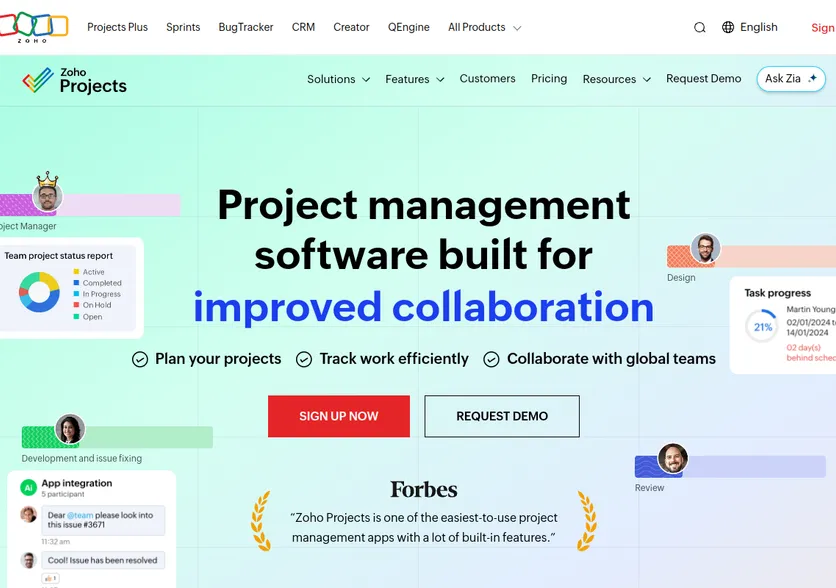
This Zoho Projects plan costs four dollars per user a month and brings Gantt charts, timers and issue tracking to warehouse projects. It hands work to Zoho CRM, Books and Analytics when a job touches sales or finance, and the free plan covers five users and three projects. A small warehouse team inside the Zoho suite gets real project tracking for less than any other tool in this list.
What we like
- The lowest entry price in this list at four dollars a user
- Gantt charts, timers and issue tracking included
- Native links to Zoho CRM, Books and Analytics
Watch out for
- The interface feels dated next to newer project tools
- Advanced reporting needs the Enterprise plan
How to try it
- Create a warehouse project and add milestones for each phase
- Assign tasks with Gantt dependencies and start timers on floor work
- Link the project to Zoho CRM when a job ties to a customer
7. Teamwork
Best for: Warehouse teams that bill clients for time and track profitability
Paid tool Starting price: $9.99/user/month · Nine dollars and ninety-nine cents per user a month billed annually on the entry paid plan, listed as Grow in November 2026 reads; higher tiers reach twenty-four dollars and ninety-nine cents a user a month billed annually. Free covers up to five users
Free plan: Free plan
This Teamwork plan costs nine dollars and ninety-nine cents per user a month billed annually and builds time tracking, budgets and client access into project work. Warehouse jobs carry billable hours, task lists and milestones together, so a manager sees both progress and margin in one view. It suits a third-party warehouse or 3PL team that charges clients by the job.

What we like
- Time tracking and budgets built into every project
- Client access views that keep customers informed
- A free plan for up to five users and five projects
Watch out for
- The interface feels busier than simpler project tools
- Entry plans require a three-user minimum
How to try it
- Create a project per client with tasks, milestones and budgets
- Log time against tasks from the floor or the office
- Share a client view so customers see progress without seeing costs
8. nTask
Best for: Small warehouse teams that want the cheapest paid project tool
Paid tool Starting price: $3/user/month · Three dollars per user a month billed annually on the Premium plan; Business is eight dollars per user a month billed annually. Free Basic covers up to five team members
Free plan: Free Basic plan
This nTask plan costs three dollars per user a month billed annually and covers tasks, Gantt charts, time tracking and risk management. It packs Kanban boards, meetings, timesheets and issue tracking into one affordable workspace, and the free Basic plan covers five team members. A small warehouse team that cannot justify ten dollars a seat gets a complete project tool for the price of a coffee.
What we like
- The cheapest paid plan in this list at three dollars a user
- Gantt charts, Kanban and time tracking in one tool
- A free Basic plan for up to five team members
Watch out for
- Fewer integrations than the big project platforms
- The interface feels basic next to monday.com and Asana
How to try it
- Create projects for each warehouse workflow and add tasks
- Switch to the Gantt view to plan dates and dependencies
- Track time on tasks and review timesheets each week
Prices above were checked on each vendor’s own website on Nov 28, 2026 and can change — the vendor’s page is the final word. Vendor links are editorial: nobody paid to be listed or ranked here. Vendors who want a featured listing can see how it works on our Get listed page.
How to run warehouse projects without losing the handoff
Start by naming the handoffs, not the tasks. A warehouse project fails when receiving finishes but nobody tells picking, so make the handoff itself a task with an owner and a deadline. Keep the board visible where the work happens, on a screen at the dock door or on phones, because a plan locked in an office is a plan nobody follows. Hold a ten-minute standup at shift change and clear yesterday's stuck tasks before adding new ones, since a growing pile of blocked work hides the real bottleneck. Finally, review one number every week, such as orders shipped per shift, and let that number decide what changes next.
Before you buy
- Confirm the tool shows warehouse work on boards or timelines that floor staff can read at a glance
- Check whether tasks link to inventory, shipments and purchase orders instead of living alone
- Ask if the mobile app works offline on the warehouse floor where signal is weak
- Make sure permissions keep contractors and temps from seeing payroll or pricing data
- Test the reporting on one real project before you move the whole team across
Official websites
Official websites of the products reviewed above. Features and prices were checked against these sites when this guide was written, and they can change, so confirm on the vendor site before you buy.
Frequently asked questions
What is logistics project management software for warehouse teams?
It plans and tracks the work a warehouse team does, from receiving and putaway to picking, packing and dispatch, with owners, dates and priorities on every task. Generic project tools work well here when they show the work visually and handle the handoffs between shifts. The tools in this list add timelines, time tracking or client billing on top of that core.
How much does monday.com cost for a warehouse team?
monday.com costs nine dollars per seat a month billed annually on the Basic plan, with a three-seat minimum. Standard is twelve dollars a seat a month billed annually and adds timeline views and automations, while Pro is nineteen dollars and adds time tracking. The free plan covers two seats, so a very small team can start without paying.
Can I manage warehouse projects for free?
Yes, with monday.com, Asana, ClickUp, Wrike, Zoho Projects, Teamwork and nTask, which all offer free plans, and with Smartsheet, which offers a thirty-day trial instead. Free plans are thin, usually capped at a few users, so treat them as a trial of the workflow rather than a permanent home for a busy warehouse.
Which project tool is cheapest for a warehouse team?
Zoho Projects is the strongest fit for a warehouse team on a tight budget, because it costs four dollars per user a month and includes Gantt charts, timers and issue tracking. nTask is even cheaper at three dollars per user a month billed annually, with a free plan for five members. monday.com is the better pick if visual boards matter most, at nine dollars a seat a month.
What should a warehouse team check before choosing a project tool?
First, check whether the tool works well on a phone on the warehouse floor, because a system nobody opens at the shelf is useless. Then confirm tasks can carry the warehouse data you actually use, like bin locations, order numbers and carriers, either as custom fields or integrations. Finally, run one real project through it end to end before migrating, because handoffs between shifts are where most tools fail.
Compare the eight tools above, then start with a free plan or trial of the one that matches how your warehouse team already works.
Browse Business Tools tools