
On this page
An enterprise logo has to survive a billboard, a favicon and a legal review, and the tool that makes it needs brand controls to match. Canva is the pick that anchors this list, with brand kits, templates and team controls that keep a thousand employees on the same mark. This guide compares eight logo design tools for enterprise teams, with live 2026 prices, free plans and trials, so a brand team can pick by governance and scale instead of by sales pitch.
How we researched this
We checked the pricing page of every vendor on this list on November 26, 2026, and kept only tools that publish a real dollar price. Each tool had to produce a usable logo, support brand kits or templates, and offer the controls an enterprise needs, such as shared assets, permissions or vector exports, and we compared entry prices, free plans and team features.
Compare the tools
| Name | Best for | Starting price | Free plan | |
|---|---|---|---|---|
 Canva | Enterprise brand teams that need brand kits, templates and team controls | $12/month | Free plan | Visit |
 Figma | Enterprise design teams that build logos as part of a design system | $16/editor/month | Free Starter plan | Visit |
 Adobe Express | Enterprise teams that want Adobe-quality templates and stock at the lowest price | $9.99/month | Free plan | Visit |
 Looka | Enterprise teams that want a one-time logo purchase plus a full brand kit | $65 one-time | Free to design; pay to download | Visit |
 Kittl | Enterprise teams that need typography-led logos and merch-ready artwork | $15/month | Free plan (personal use) | Visit |
 VistaCreate | Enterprise teams that want one flat price for up to ten seats | $13/month | Free Starter plan | Visit |
 Brandmark | Enterprise teams that want a one-time logo with unlimited revisions | $25 one-time | Free to design; pay to download | Visit |
| Designhill | Enterprise teams that want a cheap DIY logo with an upgrade path to real designers | $20 one-time | Free to design; pay to download | Visit |
The tools, compared
1. Canva
Best for: Enterprise brand teams that need brand kits, templates and team controls
Paid tool Starting price: $12/month · Pro plan, $12 a month per person billed annually ($144 a year); $18 on monthly billing
Free plan: Free plan
An enterprise brand breaks when every team makes its own version of the logo, and Canva is the tool that stops that drift. Its Pro plan costs $12 a month per person billed annually ($144 a year), and the brand kit locks colors, fonts and logos across hundreds of thousands of templates. It is the best all-round pick for an enterprise that needs a logo system, not just a logo file.

What we like
- Brand kits keep every team on the same mark
- Huge template library for every format
- Background remover and Magic Resize save time
Watch out for
- Per-person pricing adds up for large teams
- Enterprise controls need the higher tier
How to try it
- Open the Canva pricing page and start the Pro trial
- Set up the brand kit with colors, fonts and logos
- Create a logo and share the template with the team
2. Figma
Best for: Enterprise design teams that build logos as part of a design system
Paid tool Starting price: $16/editor/month · Professional full seat, $16 an editor a month billed annually; $20 on monthly billing
Free plan: Free Starter plan
A logo that lives outside the design system drifts, and Figma keeps it inside the system where it belongs. Its Professional full seat costs $16 an editor a month billed annually, and the platform combines vector drawing, shared libraries and version history in one canvas. It is the pick for a design team that treats the logo as one component of a larger brand system.

What we like
- Vector drawing with shared team libraries
- Version history tracks every change
- Viewers are free, only editors are billed
Watch out for
- Needs design skill, not a one-click generator
- Seat model confuses first-time buyers
How to try it
- Open the Figma pricing page and start the free Starter plan
- Draw the logo as vectors on a shared canvas
- Publish it to the team library so every file uses the same mark
3. Adobe Express
Best for: Enterprise teams that want Adobe-quality templates and stock at the lowest price
Paid tool Starting price: $9.99/month · Premium plan, $9.99 a month per person
Free plan: Free plan
An enterprise team that already lives in Adobe products should not pay more for a logo tool, and Adobe Express is the cheapest full-featured pick on this list. Its Premium plan costs $9.99 a month per person, and the subscription unlocks premium templates, Adobe Stock assets and brand kits. It is the pick for a team that wants Adobe quality and stock photography without the Creative Cloud bill.
What we like
- Cheapest full-featured plan on this list
- Adobe Stock assets included in Premium
- Included free with paid Creative Cloud plans
Watch out for
- Template depth is smaller than Canva
- Team features need the Teams plan
How to try it
- Open the Adobe Express pricing page and compare the plans
- Set up a brand kit with the company colors and fonts
- Design the logo and export it in every size the team needs
4. Looka
Best for: Enterprise teams that want a one-time logo purchase plus a full brand kit
Paid tool Starting price: $65 one-time · Premium logo package, $65 one-time with vector files; Basic is $20 one-time for a single PNG
Free plan: Free to design; pay to download
Some enterprises would rather buy a logo once than rent a design tool forever, and Looka is built for that model. Its Premium logo package costs $65 one-time and includes vector files, while the Brand Kit subscription adds hundreds of branded templates for $96 a year. It is the pick when the team wants a finished logo and a kit of matching assets without a monthly design subscription.
What we like
- One-time purchase, no monthly fee for the logo
- Vector files included in Premium
- Brand Kit adds hundreds of matching templates
Watch out for
- Basic package is too limited for real use
- Editor is less flexible than Canva or Figma
How to try it
- Open the Looka pricing page and compare the packages
- Design the logo with the guided wizard
- Buy the Premium package and download the vector files
5. Kittl
Best for: Enterprise teams that need typography-led logos and merch-ready artwork
Paid tool Starting price: $15/month · Pro plan, $15 a month on monthly billing; about $10 a month on annual billing
Free plan: Free plan (personal use)
A wordmark lives or dies on its lettering, and Kittl is the tool that takes typography seriously. Its Pro plan costs $15 a month on monthly billing, and the editor combines strong text effects, vector tools and a commercial license for merch and packaging. It is the pick for a brand team whose logo is mainly a wordmark, or whose logo must also work on products and packaging.
What we like
- Best-in-class typography and text effects
- Commercial license included on Pro
- Vector exports for print and merch
Watch out for
- Smaller template library than Canva
- Annual price varies by source, check at checkout
How to try it
- Open the Kittl pricing page and start the Pro trial
- Build the wordmark with the typography tools
- Export vectors and test the logo on a mockup
6. VistaCreate
Best for: Enterprise teams that want one flat price for up to ten seats
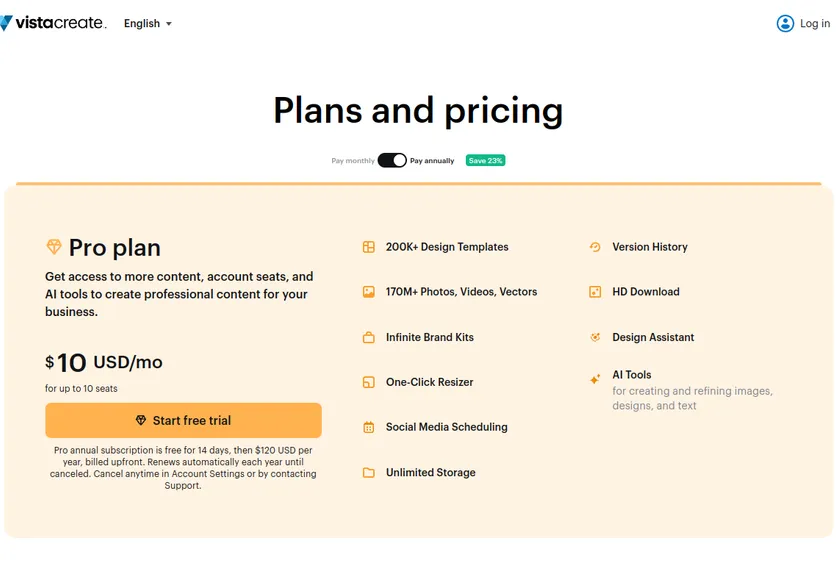
Paid tool Starting price: $13/month · Pro plan, $13 a month on monthly billing; $10 a month billed annually, covers up to 10 seats
Free plan: Free Starter plan
Per-seat pricing punishes a team that grows, and VistaCreate charges one flat price for up to ten seats instead. Its Pro plan costs $13 a month on monthly billing, and the subscription covers premium templates, brand kits and AI tools for the whole team. It is the pick for a small enterprise team that wants a predictable bill no matter how many people join.
What we like
- One flat price covers up to ten seats
- Unlimited brand kits on Pro
- Animation built into every plan
Watch out for
- Template library is smaller than Canva
- Fewer integrations than bigger platforms
How to try it
- Open the VistaCreate plans page and start the Pro trial
- Set up brand kits for each brand or department
- Invite up to ten teammates under the one subscription
7. Brandmark
Best for: Enterprise teams that want a one-time logo with unlimited revisions
Paid tool Starting price: $25 one-time · Basic package, $25 one-time; Designer is $65
Free plan: Free to design; pay to download
A logo that cannot be revised after purchase is a risk, and Brandmark removes it with unlimited revisions even after you pay. Its Basic package costs $25 one-time, and the purchase includes the logo files, a brand guide and business card designs on the higher tiers. It is the pick for a team that wants a clean, minimal logo with a pay-once model and no subscription to cancel.
What we like
- One-time payment with unlimited revisions
- Full copyright included with purchase
- Minimal, modern logo styles
Watch out for
- Basic package is PNG only, vectors cost more
- Smaller template library than Canva
How to try it
- Open the Brandmark pricing page and compare the packages
- Generate logos from the company name and keywords
- Buy the package and revise the logo as needed
8. Designhill
Best for: Enterprise teams that want a cheap DIY logo with an upgrade path to real designers
Paid tool Starting price: $20 one-time · Basic logo package, $20 one-time; Premium is $65
Free plan: Free to design; pay to download
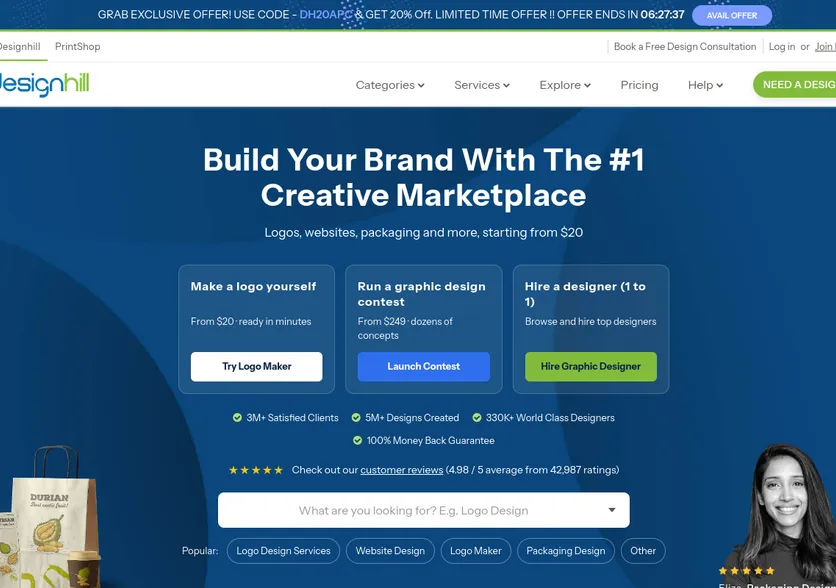
A DIY logo is a fine start, but an enterprise sometimes needs a human designer next, and Designhill offers both in one place. Its Basic logo package costs $20 one-time, and the same platform runs design contests where freelance designers compete on a custom logo. It is the pick for a team that wants to start cheap and upgrade to a designer-made mark without switching vendors.
What we like
- Cheapest one-time logo on this list
- Upgrade path to designer contests on the same platform
- Full ownership of downloaded logos
Watch out for
- Basic package is a low-resolution file only
- Vectors and brand guides cost more
How to try it
- Open the Designhill logo maker and enter the company name
- Pick a style and customize the generated logos
- Buy the package and download the files
Prices above were checked on each vendor’s own website on Nov 26, 2026 and can change — the vendor’s page is the final word. Vendor links are editorial: nobody paid to be listed or ranked here. Vendors who want a featured listing can see how it works on our Get listed page.
How to judge a logo tool for an enterprise
Start with the brand kit, not the logo generator: the generator makes one mark, but the brand kit decides whether a thousand employees use it correctly. Check vector exports first, because a logo that only ships as a small image cannot go on a sign, a truck or a trade show wall. Ask who can edit and who can only use the assets, since a shared brand without permissions becomes a mess of off-brand variations. Finally, confirm the license: the enterprise needs full commercial rights in writing, not a line in a help article.
Before you buy
- Confirm the plan includes vector exports such as SVG or EPS for large-format use.
- Check brand kit controls and who can edit shared assets.
- Ask whether the license grants full commercial rights in writing.
- Test the tool on a real brand refresh, not a demo logo.
- Count the seats the whole marketing team needs, not just the designers.
Official websites
Official websites of the products reviewed above. Features and prices were checked against these sites when this guide was written, and they can change, so confirm on the vendor site before you buy.
Frequently asked questions
What is the cheapest logo design tool for an enterprise?
Adobe Express is the cheapest here, with Premium at $9.99 a month per person. VistaCreate Pro is $13 a month and covers up to ten seats on one price, while Canva Pro is $12 a month per person. The right cheap pick depends on the team: Adobe Express suits solo creators, while VistaCreate suits a small team that shares one bill.
Can these tools produce a print-ready logo?
Yes, with the right plan. Figma exports vectors natively, Looka Premium and Brandmark include SVG and EPS files, and Canva Pro, Kittl Pro and Adobe Express Premium all export high-resolution files. Check the export formats on the plan you would buy, since free plans often limit exports to small images. For print, always download the vector version and test it at full size.
Which tool is best for brand consistency across teams?
Canva leads on brand consistency, with brand kits that lock colors, fonts and logos across every template. Adobe Express and VistaCreate offer similar brand kit features, while Figma handles consistency through shared libraries. The best brand kit is the one people actually use: publish the kit, train the team, and remove the old files so no one reaches for them.
Do I own the logo I make with these tools?
Yes, on the paid plans. Looka, Brandmark and Designhill all grant full ownership of downloaded logos, and Canva, Adobe Express, Kittl and VistaCreate grant commercial use rights on paid plans. Read the license for the exact plan before buying, since free plans sometimes restrict commercial use. For a trademark filing, keep the purchase receipt and the license terms together.
Is there a free plan for testing?
Yes. Canva, Adobe Express, Figma, Kittl and VistaCreate all have free plans, and Looka, Brandmark and Designhill are free to design with payment only at download. Start on the free plan to test the editor and the export quality, then pay when the team needs brand kits or vector files.
Need a quick image fix? Try free image tools on Toolsvine right in your browser.
Browse Image Tools tools


