
On this page
Clients judge a freelancer by the first three seconds of a video, so motion graphics software has to make polished animation possible without a studio budget. The eight tools below run from about fifteen dollars a month to fifty-eight dollars a user a month, and every price was checked on the vendor site on November 26, 2026. Most offer a free plan or trial, so you can animate a real client project before paying. Adobe After Effects is our first pick — the industry standard for professional motion graphics.
How we researched this
We started with the motion graphics tools freelancers actually buy, then read each price on the vendor pricing page on November 26, 2026 and noted the free plan or trial each one carries. We judged them for a solo operator who animates for clients and needs templates, stock assets and exports that look professional. We kept only tools with a published price, and we dropped Moovly because the company entered insolvency in 2025 and its editor is offline.
Compare the tools
| Name | Best for | Starting price | Free plan | |
|---|---|---|---|---|
 Adobe After Effects | Freelancers who want the industry standard for professional motion graphics | $22.99/month | No free tier published on the pricing page | Visit |
 Canva | Freelancers who want fast social graphics and simple animation | $12/month | Free plan available | Visit |
 Animaker | Freelancers who make explainer videos with characters and scenes | $25/month | Free plan available | Visit |
 Renderforest | Freelancers who want template-driven intros, logos and slideshows | $15/month | Free plan available | Visit |
 Vyond | Freelancers who make corporate training and explainer animation | $58/user/month | No free tier published on the pricing page | Visit |
 Powtoon | Freelancers who make quick animated presentations and ads | $15/month | Free plan available | Visit |
 Biteable | Freelancers who make short social videos from templates and stock | $15/month | No free tier published on the pricing page | Visit |
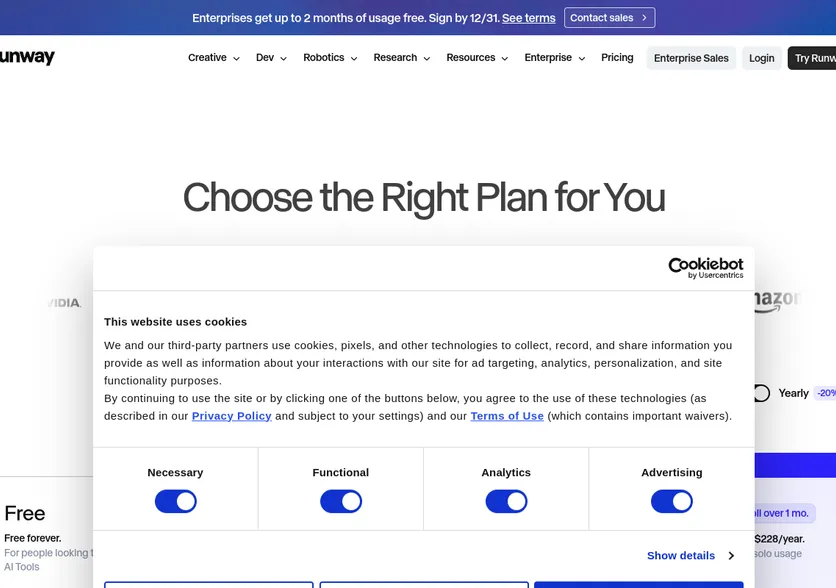
 Runway | Freelancers who want AI video generation alongside classic editing | $15/month | Free trial with 125 one-time credits | Visit |
The motion graphics software for freelancers, compared
1. Adobe After Effects
Best for: Freelancers who want the industry standard for professional motion graphics
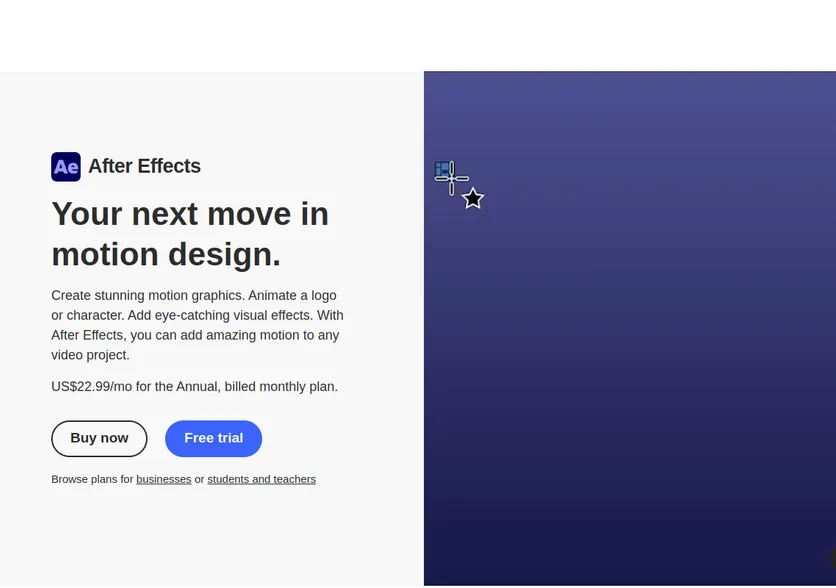
Paid tool Starting price: $22.99/month · Single app plan, $22.99 a month on the annual plan billed monthly or $34.49 month to month; includes 100 GB of cloud storage
Free plan: No free tier published on the pricing page
After Effects is the tool clients name when they ask for motion graphics, because it handles everything from simple titles to full visual effects. This Adobe After Effects single app plan adds the full editor, a hundred gigabytes of cloud storage, Adobe Express Premium and generative credits every month. A freelancer who masters it can take any animation job a client offers.
What we like
- Industry standard clients already trust
- Handles titles, animation and visual effects
- Huge library of tutorials and templates
Watch out for
- Single app costs twenty-two dollars and ninety-nine cents a month on the annual plan
- Steep learning curve for beginners
How to try it
- Open the After Effects product page and start a trial
- Follow a beginner tutorial and animate your first title
- Build a template you can reuse for every client
2. Canva
Best for: Freelancers who want fast social graphics and simple animation
Paid tool Starting price: $12/month · Pro plan, $18 a month billed monthly or $144 a year, which is $12 a month billed annually; Business is $25 a user a month
Free plan: Free plan available
Canva turns a freelancer into a one-person design studio, with templates and animation tools that make a polished social video in minutes. This Canva Pro plan adds a million premium templates, background remover, brand kits and a hundred gigabytes of storage. A solo operator can design a client post, animate it and schedule it without opening a second app.

What we like
- Fastest way to a polished social video
- Million-template library on Pro
- Free plan for basic designs
Watch out for
- Pro costs eighteen dollars a month billed monthly
- Not a full motion graphics editor
How to try it
- Open the Canva pricing page and start a trial
- Pick a template for your next client post
- Animate the design and export it as a video
3. Animaker
Best for: Freelancers who make explainer videos with characters and scenes
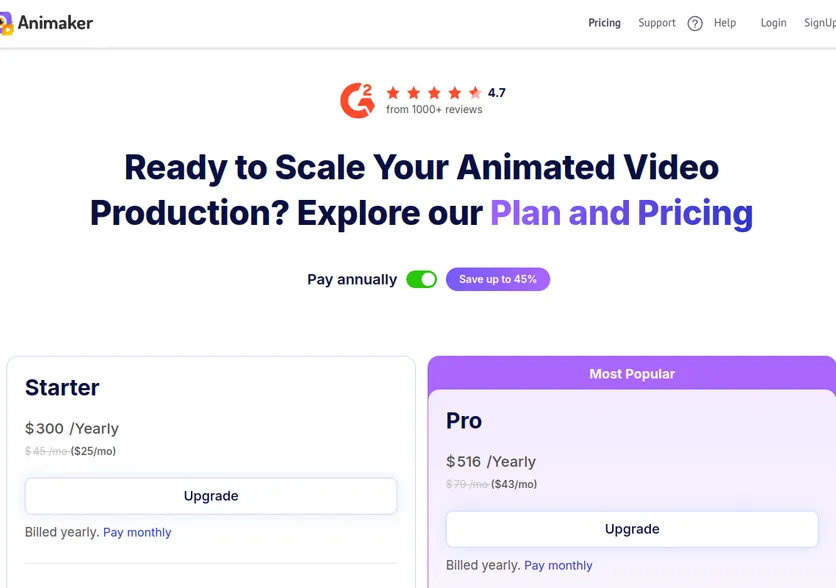
Paid tool Starting price: $25/month · Starter plan, $25 a month billed annually or $45 billed monthly; Pro is $43 billed annually and Max is $79 billed annually
Free plan: Free plan available
Animaker is built for explainer videos, with characters, scenes and voiceovers that turn a script into a finished video without a camera. This Animaker Starter plan adds five premium downloads a month, a hundred gigabytes of storage and access to the full character builder. A freelancer can script a client explainer in the morning and deliver the finished video the same day.
What we like
- Characters and scenes built for explainers
- Voiceover tools included
- Free plan to try the editor
Watch out for
- Starter costs twenty-five dollars a month billed annually
- Downloads are capped at five a month on Starter
How to try it
- Open the Animaker pricing page and start a trial
- Pick a character and build your first scene
- Add a voiceover and export the finished video
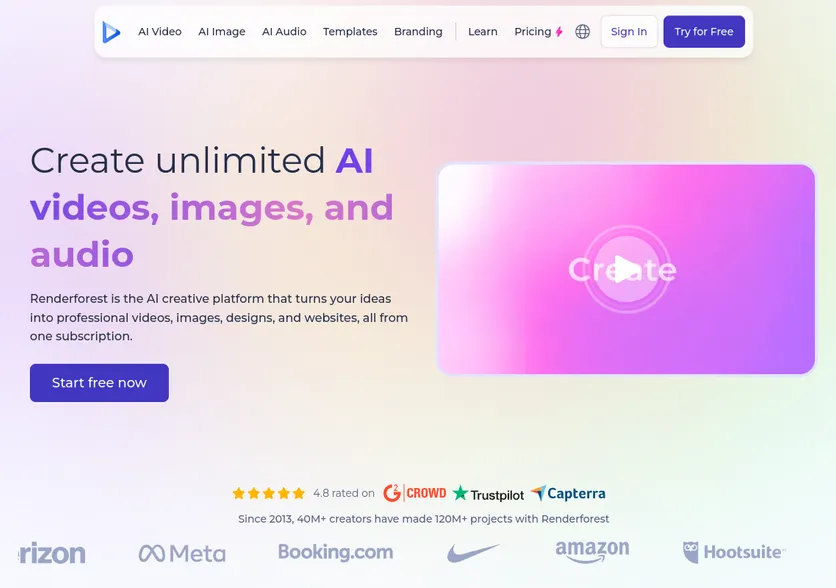
4. Renderforest
Best for: Freelancers who want template-driven intros, logos and slideshows
Paid tool Starting price: $15/month · Lite plan, $15 a month or $9 a month billed annually; Pro is $39 a month and Business is $59 a month
Free plan: Free plan available
Renderforest turns a logo or a few photos into a polished intro video in minutes, because its templates do the animation for you. This Renderforest Lite plan adds seven HD exports a month, three hundred megabytes of storage and access to the full template library. A freelancer can deliver a logo animation to a client before lunch and charge for a video that took twenty minutes.
What we like
- Templates animate your logo in minutes
- HD exports on the entry plan
- Free plan to try the templates
Watch out for
- Lite costs fifteen dollars a month
- Exports are capped at seven a month on Lite
How to try it
- Open the Renderforest pricing page and start the free plan
- Pick a template for your next logo animation
- Upload your logo and export the finished video
5. Vyond
Best for: Freelancers who make corporate training and explainer animation
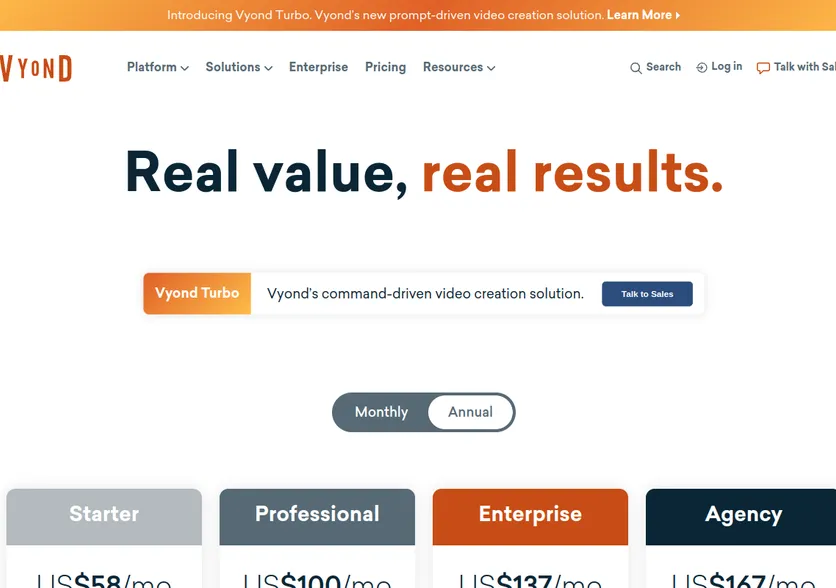
Paid tool Starting price: $58/user/month · Starter plan, $58 a user a month billed annually or $99 billed monthly; Professional is $100 a user a month billed annually
Free plan: No free tier published on the pricing page
Vyond is the animation tool corporate clients ask for by name, with business characters and scenes built for training and internal comms. This Vyond Starter plan adds one seat, seven hundred and twenty video minutes a year and the full asset library. A freelancer who sells training videos to companies can deliver exactly the style their clients already use.
What we like
- The corporate animation standard
- Business characters and scenes included
- Full asset library on Starter
Watch out for
- Starter costs fifty-eight dollars a user a month billed annually
- The most expensive tool on this list
How to try it
- Open the Vyond plans page and start a trial
- Pick a business character and build your first scene
- Add a voiceover and export the training video
6. Powtoon
Best for: Freelancers who make quick animated presentations and ads
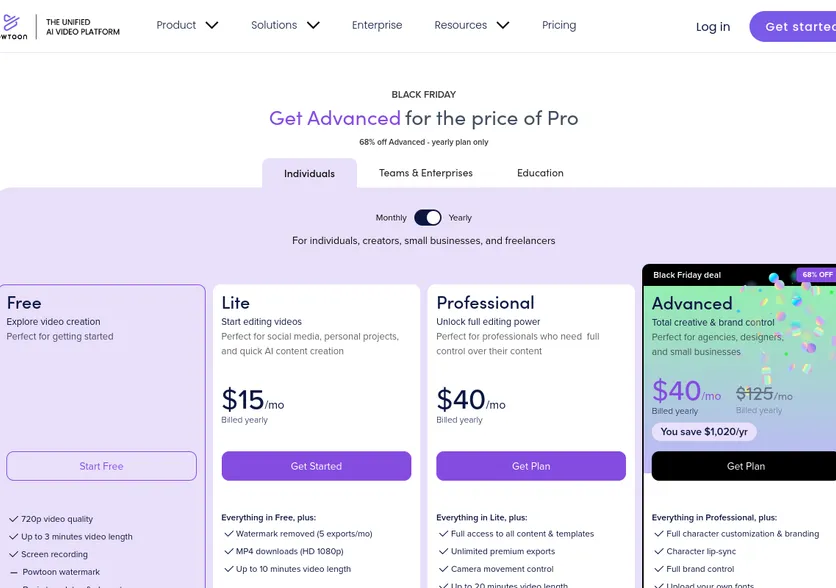
Paid tool Starting price: $15/month · Lite plan, $15 a month billed annually or $49 billed monthly; Professional is $40 billed annually and Advanced is $125 billed annually
Free plan: Free plan available
Powtoon turns a presentation into a short animated video, with scenes and characters that make a sales pitch feel alive instead of static. This Powtoon Lite plan adds HD exports, a hundred gigabytes of storage and access to the full template library. A freelancer can turn a client deck into a video ad in an afternoon and reuse the template for the next client.
What we like
- Turns decks into animated videos
- Templates for ads and presentations
- Free plan to try the editor
Watch out for
- Lite costs fifteen dollars a month billed annually
- Monthly billing costs forty-nine dollars a month
How to try it
- Open the Powtoon pricing page and start a trial
- Pick a template for your next presentation video
- Add your client branding and export the finished video
7. Biteable
Best for: Freelancers who make short social videos from templates and stock
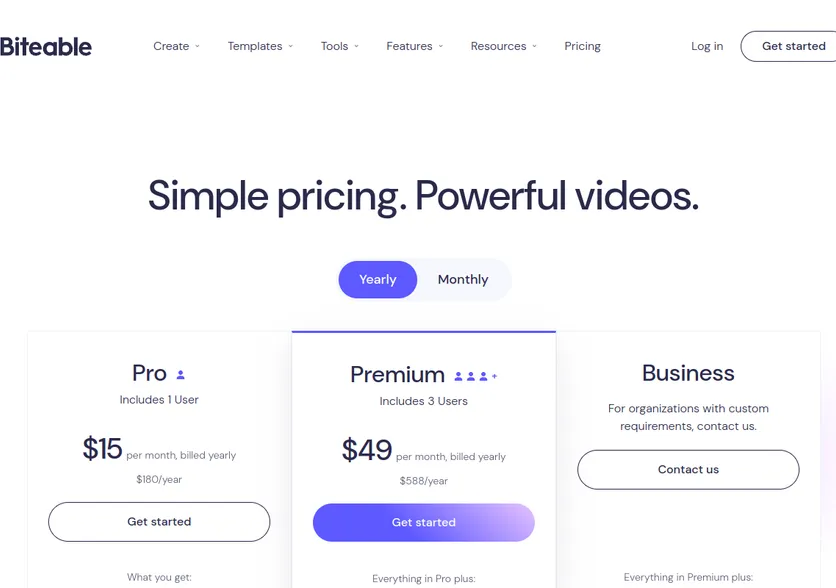
Paid tool Starting price: $15/month · Pro plan, $15 a month billed annually ($29 billed monthly) for 1 user; Premium is $49 a month billed annually ($99 billed monthly) for 3 users
Free plan: No free tier published on the pricing page
Biteable is the fastest way to a short social video, with templates and stock footage that turn a script into a finished clip in minutes. This Biteable Pro plan adds unlimited HD exports, one seat and access to the full template and stock library. A freelancer can produce a week of client social videos in a single afternoon.
What we like
- Fastest short social videos on this list
- Stock footage included
- Templates for every social format
Watch out for
- Plus costs twenty-nine dollars a month
- Exports are capped at five a month on Plus
How to try it
- Open the Biteable pricing page and start a trial
- Pick a template for your next social video
- Add your script and stock footage, then export
8. Runway
Best for: Freelancers who want AI video generation alongside classic editing
Paid tool Starting price: $15/month · Standard plan, $15 a month or $12 a month billed annually with 625 credits a month; Pro is $35 a month
Free plan: Free trial with 125 one-time credits
Runway pairs AI video generation with a real editor, so a freelancer can create footage that does not exist and cut it into a finished piece in one place. This Runway Standard plan adds six hundred and twenty-five credits a month, Gen-4 video generation and access to the full creative suite. A solo creator can generate a shot, animate it and deliver a video no stock library could provide.
What we like
- AI video generation plus a real editor
- Gen-4 creates footage that does not exist
- Free trial with a hundred and twenty-five credits
Watch out for
- Standard costs fifteen dollars a month
- Credits run out fast on long videos
How to try it
- Open the Runway pricing page and start a trial
- Generate your first clip with Gen-4
- Cut the clip into a finished video in the editor
Prices above were checked on each vendor’s own website on Nov 26, 2026 and can change — the vendor’s page is the final word. Vendor links are editorial: nobody paid to be listed or ranked here. Vendors who want a featured listing can see how it works on our Get listed page.
The motion graphics software for freelancers, compared
Motion graphics pay for themselves when a client sees the first three seconds and says yes, so the tool you can actually finish a video in beats the powerful one you never open. This list runs from about fifteen dollars a month to fifty-eight dollars a user a month, and the right pick depends on whether you animate explainers, social videos or corporate training. The headline plan each vendor shows on its own pricing page is the number in the table above, checked on November 26, 2026.
Start with the free plan or trial on two tools and animate the same thirty-second clip in each. Compare how long it takes and how professional the result looks, then pick the tool that fits the work you actually sell. A template tool that ships a video in an hour beats a professional editor that takes a week to learn.
Before you buy
- Count the exports first, because several plans here cap monthly exports and a freelancer who ships daily will hit the limit.
- Check the stock library before you commit, because a template tool without good footage forces you to buy stock elsewhere.
- Test the tool on a real client brief first, because a demo template never shows how it handles your actual work.
- Ask whether clients can review drafts easily, because a video nobody can preview never gets approved.
- Add up the videos sold, because a tool that ships one extra client video a month pays for itself many times over.
Official websites
Official websites of the products reviewed above. Features and prices were checked against these sites when this guide was written, and they can change, so confirm on the vendor site before you buy.
Frequently asked questions
What is the best motion graphics software for freelancers in 2026?
Adobe After Effects, at twenty-two dollars and ninety-nine cents a month on the annual plan, is the best default because it is the industry standard and handles any animation job a client offers. Canva Pro is better for fast social videos, with templates and animation from eighteen dollars a month. Animaker wins for explainer videos, with characters and scenes from twenty-five dollars a month.
What is the cheapest motion graphics software for freelancers?
Renderforest Lite, Powtoon Lite and Runway Standard all cost fifteen dollars a month, with free plans or trials to start. Renderforest Lite is fifteen dollars a month or nine dollars billed annually, Powtoon Lite is fifteen dollars a month billed annually, and Runway Standard is fifteen dollars a month or twelve dollars billed annually. Canva, Animaker, Renderforest and Powtoon all offer free plans.
Can I make motion graphics for free as a freelancer?
Yes, several tools on this list offer free plans. Canva has a free plan, Animaker has a free plan, Renderforest has a free plan, and Powtoon has a free plan, while Runway offers a free trial with a hundred and twenty-five one-time credits. Start free, animate a real client project, and upgrade only when a limit blocks your work.
Which motion graphics tool is best for explainer videos?
Animaker is the strongest pick for explainer videos, because its characters, scenes and voiceover tools are built for that exact job from twenty-five dollars a month. Vyond is better for corporate training, with business characters from fifty-eight dollars a user a month. Powtoon also works well for animated presentations, from fifteen dollars a month billed annually.
Do I need After Effects, or is a template tool enough for freelance work?
A template tool is enough for most freelance work, because clients usually need a logo animation, a social video or a short explainer, not a visual effects shot. After Effects pays when clients ask for custom animation that no template can deliver, or when you want to charge premium rates for work only a professional editor can do. Start with a template tool and add After Effects when a client brief demands it.
Need more everyday help? Try Toolsvine's free video tools for small teams right in your browser.
Browse Video Tools tools


