On this page
A remote team has no office perimeter to guard, so access control has to follow each person and each device instead of a building. The eight tools below do that job in different ways: mesh networks, zero trust access, cloud directories and full NAC platforms, all priced per user or per device. Tailscale leads the list because it builds a private mesh over WireGuard for eight dollars per user a month with no gateway to run, and the other seven are judged on the same practical test: how simply each one keeps the wrong device out.
How we researched this
We checked every price on vendor pricing pages and November 2026 reads of vendor pages, and only included tools with a published US dollar list price. The enterprise NAC platforms that sell by quote, including Cisco ISE, Aruba ClearPass and Forescout, publish no prices, so they are not in this list; Portnox is also excluded, since it publishes no base price and third-party listings disagree wildly. Prices change, so confirm the current figure on the vendor site before you buy.
Compare the tools
| Name | Best for | Starting price | Free plan | |
|---|---|---|---|---|
 JumpCloud | Remote teams that want identity and device access in one platform | $9/user/month | Free trial | Visit |
 Tailscale | Remote teams that want a zero-config mesh network | $8/user/month | Free plan up to 6 users | Visit |
 NordLayer | Remote teams that want simple segmentation and a business VPN | $8/user/month | Free trial | Visit |
| Cloudflare Access | Remote teams that want zero trust access free up to 50 users | $7/user/month | Free plan up to 50 users | Visit |
 Twingate | Remote teams that want true zero trust access at the lowest price | $5/user/month | Free plan up to 5 users | Visit |
 GoodAccess | Remote teams that want a simple zero trust VPN with a low floor | $7/user/month | Free trial | Visit |
| PacketFence | Teams that want full NAC control and can run it themselves | $0 | Free and open source | Visit |
 Cisco Duo | Remote teams that want MFA as the front door to the network | $3/user/month | Free up to 10 users | Visit |
The network access control software for remote teams, compared
1. JumpCloud
Best for: Remote teams that want identity and device access in one platform
Paid tool Starting price: $9/user/month · Nine dollars per user per month on Device Management billed annually, or eleven dollars billed monthly; SSO is $11 billed annually and Device Identity Management is $13 billed annually; a la carte modules run $3 to $5 per user a month
Free plan: Free trial
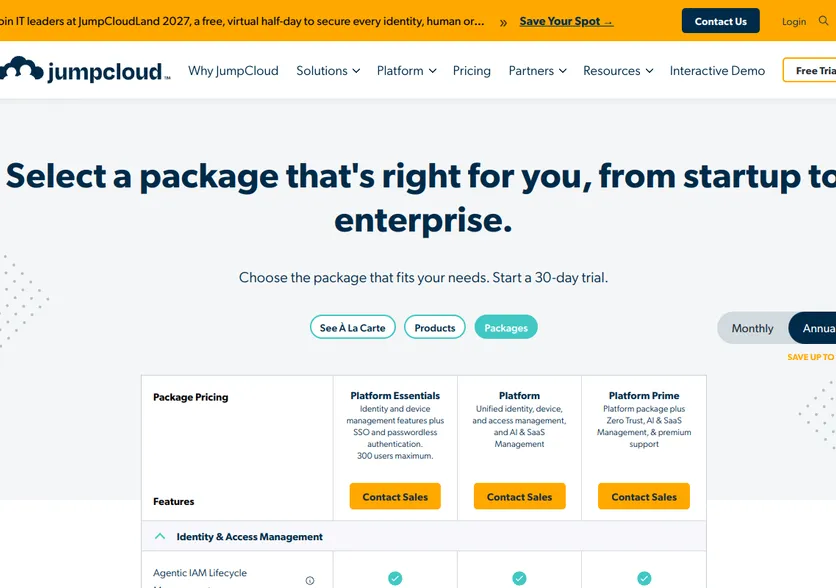
This JumpCloud plan costs nine dollars per user a month on annual billing, and it pairs a cloud directory with device management in one console. A remote team gets user accounts, device enrolment, patching and Cloud RADIUS for network logins without running a domain controller. The gap to know is SSO: the nine-dollar package does not include it, and the SSO bundle costs eleven dollars per user a month instead.
What we like
- Cloud directory plus device management in a single console
- Cloud RADIUS and PKI for network authentication without servers
- Patch management and remote access included on Device Management
Watch out for
- The entry package has no SSO, which costs two dollars more per user
- Per-user pricing climbs fast across the higher packages
How to try it
- Import users into the cloud directory and set access groups
- Enrol devices and push the management agent to each one
- Turn on Cloud RADIUS so Wi-Fi and VPN check the same directory
2. Tailscale
Best for: Remote teams that want a zero-config mesh network
Paid tool Starting price: $8/user/month · Eight dollars per user per month on Standard, with unlimited devices; Premium is $18 per user a month; the Personal plan is free for up to six users, and the Standard price rose from $6 to $8 during 2026
Free plan: Free plan up to 6 users
This Tailscale plan costs eight dollars per user a month, and it builds a private mesh network over WireGuard with no VPN gateway to run. Devices find each other directly, and access control lists decide who can reach which server, which is the whole access policy in one file. It is the simplest network in this list to run for a remote team, though it is a mesh VPN rather than a full NAC platform with guest portals and appliance checks.
What we like
- A WireGuard mesh that connects devices with no VPN gateway
- Access control lists that decide who reaches which device
- Unlimited devices per user on paid plans
Watch out for
- No built-in NAC appliance features like guest access portals
- The Standard price rose from six to eight dollars during 2026
How to try it
- Install Tailscale on every laptop and server
- Write an access control list for who can reach what
- Share devices with teammates and contractors by tag
3. NordLayer
Best for: Remote teams that want simple segmentation and a business VPN
Paid tool Starting price: $8/user/month · Eight dollars per user per month on Lite billed annually, with a five-user minimum; Core is $11 and Premium is $14 per user a month billed annually
Free plan: Free trial
This NordLayer plan costs eight dollars per user a month on annual billing, and it gives a remote team network segmentation and a business VPN behind one admin console. Users get role-based access to segments rather than the whole network, which is the access control that matters most for a distributed team. The plan gating is the thing to check: SCIM provisioning costs extra below Premium, and the eight-dollar price needs at least five users.
What we like
- Network segmentation with role-based access controls
- A dedicated IP on Premium and a straightforward admin console
- SOC 2 Type II and ISO 27001 certification for compliance teams
Watch out for
- SCIM provisioning is an add-on below Premium
- A five-user minimum, so solo buyers cannot start at eight dollars
How to try it
- Create the team and invite users with their work emails
- Set up network segments and assign users by role
- Turn on the VPN gateway and check who connects where
4. Cloudflare Access
Best for: Remote teams that want zero trust access free up to 50 users
Paid tool Starting price: $7/user/month · Seven dollars per user per month on pay-as-you-go, billed annually; the Free plan covers up to 50 users forever, and the Contract plan is custom priced
Free plan: Free plan up to 50 users
This Cloudflare Access plan costs seven dollars per user a month, and the Free plan covers up to fifty users forever. It replaces the VPN with identity-aware access: a policy decides who reaches each application, and the Cloudflare edge enforces it before traffic touches the app. For a remote team under fifty people it is effectively free production zero trust, though support on the paid tier is chat and ticket only unless a Contract plan is signed.
What we like
- Free production zero trust access for teams under fifty users
- Identity-aware access to web, SaaS and non-web apps
- A global edge network with no VPN concentrator to run
Watch out for
- Pay-as-you-go has only chat and ticket support, no phone support
- Full DLP and CASB features are add-ons or Contract-only
How to try it
- Connect your identity provider to Cloudflare Access
- Publish an application and write an access policy for it
- Install the WARP client on team devices for private apps
5. Twingate
Best for: Remote teams that want true zero trust access at the lowest price
Paid tool Starting price: $5/user/month · Five dollars per user per month on Teams billed annually, and ten dollars on Business; the Starter plan is free for up to five users, and Teams is capped at 100 seats
Free plan: Free plan up to 5 users
This Twingate plan costs five dollars per user a month on annual billing, and it is the cheapest true zero trust access in this list. Users reach individual applications, never the network itself, so a compromised laptop cannot wander sideways into servers it was never given. The price was cut by about half during 2026, which makes it the value pick, though Teams stops at one hundred seats and Business is needed beyond that.
What we like
- App-level access that never exposes the underlying network
- The cheapest credible SSO-equipped option in this list
- SAML and SCIM on Business, with Google Workspace SSO on Teams
Watch out for
- Teams is capped at one hundred seats
- No dedicated IP address for outbound traffic
How to try it
- Deploy a connector next to each private application
- Define resources and assign them to user groups
- Let users sign in once and reach only their own apps
6. GoodAccess
Best for: Remote teams that want a simple zero trust VPN with a low floor
Paid tool Starting price: $7/user/month · Seven dollars per user per month on Essential billed annually, or nine dollars billed monthly, with a five-user minimum; Premium is $11 billed annually or $14 monthly
Free plan: Free trial
This GoodAccess plan costs seven dollars per user a month on annual billing, and it sells zero trust network access with a dedicated IP on every plan. It is the straightforward pick for a small remote team: a five-user minimum, a clear two-tier price, and no enterprise sales call to get started. The trade-off is identity: SAML and SCIM need the eleven-dollar Premium plan, so a team that centralises logins pays more than the headline price.
What we like
- Zero trust network access with a dedicated IP on every plan
- SAML and SCIM on Premium for identity-managed teams
- A five-user minimum that suits small teams, not solo buyers
Watch out for
- Essential has no SAML or SCIM, which need Premium
- A smaller vendor with fewer third-party integrations than the leaders
How to try it
- Create the team and invite at least five users
- Set up a dedicated IP and the access policy
- Install the client and check connections in the dashboard
7. PacketFence
Best for: Teams that want full NAC control and can run it themselves
Paid tool Starting price: $0 · Free and open source, with no paid tier; commercial support is available separately from Inverse, and you host and maintain it yourself
Free plan: Free and open source
This PacketFence tool costs nothing, and it is the only full NAC platform in this list with no licence fee. It covers captive portals, 802.1X authentication, device profiling and guest access on hardware you already own, which is the complete access-control job for the price of your time. The cost is the skill it demands: there is no vendor cloud and no managed tier, so a team without networking experience will spend its savings on setup and upkeep.
What we like
- A complete NAC platform with no licence fee at all
- Captive portal, 802.1X, profiling and guest access included
- Runs on your own hardware, so no vendor cloud is involved
Watch out for
- You install, patch and troubleshoot it yourself
- The interface and setup assume real networking skill
How to try it
- Install PacketFence on a Linux host on your network
- Connect it to your switches and wireless controllers
- Write access policies and test them with a pilot group
8. Cisco Duo
Best for: Remote teams that want MFA as the front door to the network
Paid tool Starting price: $3/user/month · Three dollars per user per month on Essentials, free for up to ten users; Advantage is $6 and Premier is $9 per user a month, and this figure comes from a single October 2026 vendor-page read, so confirm it on the vendor pricing page
Free plan: Free up to 10 users
This Cisco Duo plan costs three dollars per user a month, and it is free for up to ten users. It is the cheapest front door in this list: every remote login passes a multi-factor check, and device health rules can block a risky machine before it connects. It is not a full network access platform on the Essentials tier, so a team that needs segmentation and private-app access still needs one of the zero trust tools above it.
What we like
- Multi-factor authentication that every remote login passes through
- Free for up to ten users, so tiny teams pay nothing
- Device health checks that block risky logins before they connect
Watch out for
- Essentials is MFA only, with no full zero trust network access
- The price comes from a single vendor-page read, so verify it
How to try it
- Create the Duo account and invite your first ten users free
- Connect Duo to your VPN, Wi-Fi or cloud apps
- Require a push approval for every remote login
Prices above were checked on each vendor’s own website on Nov 28, 2026 and can change — the vendor’s page is the final word. Vendor links are editorial: nobody paid to be listed or ranked here. Vendors who want a featured listing can see how it works on our Get listed page.
How to lock down a remote team without locking everyone out
Start with identity, not the network, because a remote team has no single network to guard. Give every person one login with multi-factor authentication, then decide which applications each role can reach, and only then worry about the network underneath. Roll the new access out to a pilot group first, since a policy that blocks the whole team on a Monday morning will be switched off by lunch. Keep the free tiers in mind: a team under fifty people can run Cloudflare Access for nothing, and a team under six can run Tailscale Personal free. Finally, review access every quarter and remove the people who left, because stale accounts are the easiest way into a remote team.
Before you buy
- Confirm whether the price is per user, per device or per seat, since the three bills differ widely
- Check the minimum user count, because several tools need five users before the headline price applies
- Ask which identity providers the tool supports, since SSO gaps force password workarounds
- Make sure guest and contractor access is covered, not just full-time staff
- Test the free tier on a pilot group before you roll the tool out to the whole team
Official websites
Official websites of the products reviewed above. Features and prices were checked against these sites when this guide was written, and they can change, so confirm on the vendor site before you buy.
Frequently asked questions
What is network access control software?
Network access control software decides which users and devices can reach which parts of a network or application. Traditional NAC checks devices as they join a wired or wireless network, while zero trust tools check identity for every application, wherever the user sits. For a remote team the zero trust model usually fits better, since there is no single office network to guard.
How much does Tailscale cost for a remote team?
Tailscale costs eight dollars per user per month on Standard, with unlimited devices per user. Premium is eighteen dollars per user a month. The Personal plan is free for up to six users, which covers a tiny team outright. The Standard price rose from six dollars to eight dollars during 2026, so older guides showing six dollars are out of date.
Can a small team get network access control for free?
Yes, Cloudflare Access is free for up to fifty users, which covers most small teams outright. Tailscale Personal is free for up to six users, Twingate Starter is free for up to five, and PacketFence is free and open source with no user limit. The free options cover real production use, not just trials, though they lack the support and features of the paid tiers.
Do I need full NAC, or is zero trust access enough?
Most remote teams need zero trust access rather than full NAC, because full NAC is built for offices with switches, Wi-Fi controllers and guest portals. Zero trust tools like Twingate and Cloudflare Access check identity per application, which matches how remote work actually happens. Full NAC only earns its keep when the team also runs a physical office network with devices to police.
Which tool is best for a team that already uses Microsoft 365?
JumpCloud is a strong fit for a Microsoft 365 team that wants a cloud directory plus device management in one console, starting at nine dollars per user a month. Cloudflare Access also works well, since it connects to most identity providers and is free under fifty users. Tailscale suits engineering-led teams that want a mesh network with access control lists rather than a directory.
Compare the eight tools above, then start with a free plan or trial on a pilot group before you roll access control out to the whole team.
Browse Security & Privacy tools