On this page
Oil and gas projects run across remote sites, offices and crews that rarely share a room, so the project tool has to keep schedules, permits and field updates visible to everyone at once. The seven tools below were compared on how well they coordinate remote work packages, approvals and reporting for field-heavy teams. Smartsheet leads because its spreadsheet-style sheets suit field teams and cost nine dollars a user a month, while Asana adds the timelines and workload views a remote programme needs.
How we researched this
We checked every price on the vendor pricing page on November 28, 2026, and only included tools with a published US dollar list price. The oil-and-gas-specific vendors, including Oracle Primavera, IFS, AVEVA, Kahua and InEight, publish no usable prices, and Procore and Autodesk Build are quote-based with conflicting third-party figures, so none of them are in this list. Prices change, so confirm the current figure on the vendor site before you buy.
Compare the tools
| Name | Best for | Starting price | Free plan | |
|---|---|---|---|---|
 Smartsheet | Remote field teams that plan in spreadsheets with structure | $9/user/month | Free plan | Visit |
 Monday.com | Remote teams that want visual boards for field work | $9/seat/month | Free plan | Visit |
 Asana | Remote teams that need tasks, timelines and goals in one place | $13.49/user/month | Free plan | Visit |
 Wrike | Remote teams that need structured workflows and approvals | $10/user/month | Free trial | Visit |
 ClickUp | Managers who want notes sitting next to tasks and goals | $9/user/month | Free plan | Visit |
 Zoho Projects | Small remote teams that want full PM tools at a low price | $5/user/month | Free plan | Visit |
 Buildertrend | Construction and energy project teams that manage field work and clients | $499/month | Free trial | Visit |
The oil and gas project management software for remote teams, compared
1. Smartsheet
Best for: Remote field teams that plan in spreadsheets with structure
Paid tool Starting price: $9/user/month · Nine dollars per user a month on the Pro plan billed annually, or twelve dollars billed monthly; Business is nineteen dollars a user a month billed annually
Free plan: Free plan
For field teams that think in spreadsheets, Smartsheet Pro plan costs nine dollars per user a month. It works like a spreadsheet with project structure, so field teams can plan work, track progress and share updates without learning a new system. Forms, automations and dashboards turn a familiar grid into a live project view that office and field staff can read together.

What we like
- Familiar spreadsheet layout with project tools
- Forms and automations for field updates
- Dashboards that office and field share
Watch out for
- Less deep on scheduling than specialist tools
- Advanced features need higher tiers
How to try it
- Build a sheet for each site or work package
- Add forms for field updates
- Share a dashboard with the remote team
2. Monday.com
Best for: Remote teams that want visual boards for field work
Paid tool Starting price: $9/seat/month · Nine dollars per seat a month on the Basic plan billed annually, or twelve dollars billed monthly; Standard is twelve dollars and Pro is nineteen dollars a seat a month billed annually
Free plan: Free plan
For remote teams that want visual boards, Monday.com Basic plan costs nine dollars per seat a month on annual billing. It organises work on visual boards, so a remote team can see every work package, its owner and its status at a glance. Automations move items between stages when field updates arrive, and the mobile app keeps crews connected from site.

What we like
- Visual boards that show status at a glance
- Automations for handoffs between teams
- Mobile app for crews on site
Watch out for
- Costs rise per seat as the team grows
- Reporting depth needs higher tiers
How to try it
- Create a board for each project phase
- Add owners, dates and status columns
- Automate handoffs between office and field
3. Asana
Best for: Remote teams that need tasks, timelines and goals in one place
Paid tool Starting price: $13.49/user/month · Thirteen dollars and forty-nine cents per user a month on the Starter plan billed annually, or sixteen dollars and ninety-nine cents billed monthly; Advanced is twenty-four dollars and ninety-nine cents a user a month billed annually
Free plan: Free plan
For remote teams that plan in tasks and timelines, Asana Starter plan costs thirteen dollars and forty-nine cents per user a month on annual billing. It brings tasks, timelines and goals together, so a remote team can plan a work package, assign it and watch it move without extra meetings. Timeline and workload views show whether a crew is overcommitted before the week starts, which matters when people work far apart.

What we like
- Tasks, timelines and goals in one place
- Workload views that spot overcommitment
- Strong integrations with common tools
Watch out for
- Higher entry price than some rivals
- Advanced reporting needs the top tier
How to try it
- Create a project for each work package
- Assign tasks with dates and owners
- Review the timeline in a weekly remote stand-up
4. Wrike
Best for: Remote teams that need structured workflows and approvals
Paid tool Starting price: $10/user/month · Ten dollars per user a month on the Team plan billed annually; Business is twenty-four dollars and eighty cents a user a month billed annually and Enterprise is quoted
Free plan: Free trial
For teams that need approvals before field work, Wrike Team plan costs ten dollars per user a month. It is built for structured work, with custom workflows, approvals and request forms that keep remote teams aligned on who does what next. Proofing and approval tools help when documents and drawings must be signed off before field work starts.

What we like
- Custom workflows with approvals
- Request forms for field and office work
- Proofing tools for drawings and documents
Watch out for
- No free plan beyond a trial
- Setup takes time for complex workflows
How to try it
- Build a workflow for each work package
- Add approval steps for drawings and permits
- Use request forms for field change requests
5. ClickUp
Best for: Managers who want notes sitting next to tasks and goals
Paid tool Starting price: $9/user/month · Nine dollars per user a month on the Core plan billed annually, or twelve dollars billed monthly; Business is seventeen dollars a user a month billed annually
Free plan: Free plan
When the note and the task belong together, ClickUp Core plan costs nine dollars per user a month on annual billing. It puts docs, tasks, goals and chat in one app, so a meeting note can sit beside the tasks it creates instead of in a separate tool. Docs support tables, checklists and embedded views, which makes status reporting and decision logs easy to keep current.

What we like
- Docs, tasks, goals and chat in one place
- Flexible views for status and planning
- AI features for summaries and drafting
Watch out for
- Feature breadth can overwhelm new teams
- Setup takes deliberate planning
How to try it
- Create a doc for each project with linked tasks
- Turn meeting action items into assigned tasks
- Review the docs dashboard in the weekly status meeting
6. Zoho Projects
Best for: Small remote teams that want full PM tools at a low price
Paid tool Starting price: $5/user/month · Five dollars per user a month on the Premium plan billed annually, or six dollars billed monthly; Enterprise is ten dollars a user a month billed annually
Free plan: Free plan
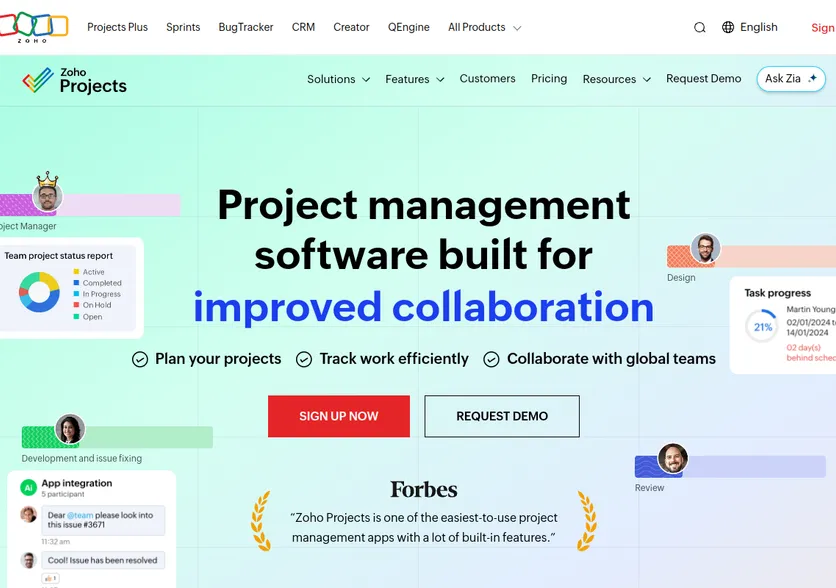
For small teams that want full tools cheaply, Zoho Projects Premium plan costs five dollars per user a month on annual billing. It covers tasks, Gantt charts, timesheets and issue tracking at a low price, so a small remote team gets full project tools without a big budget. The free plan covers three users, and the Zoho suite links projects to CRM, mail and documents when a team already uses Zoho.
What we like
- Full PM tools at a low price
- Gantt charts, timesheets and issue tracking
- Links into the wider Zoho suite
Watch out for
- Interface feels dated next to newer tools
- Advanced features need Enterprise
How to try it
- Create a project with milestones and tasks
- Set up the Gantt chart for the schedule
- Track time against each work package
7. Buildertrend
Best for: Construction and energy project teams that manage field work and clients
Paid tool Starting price: $499/month · Four hundred and ninety-nine dollars a month on the Core plan; Pro is seven hundred and ninety-nine dollars a month with no per-user fees
Free plan: Free trial
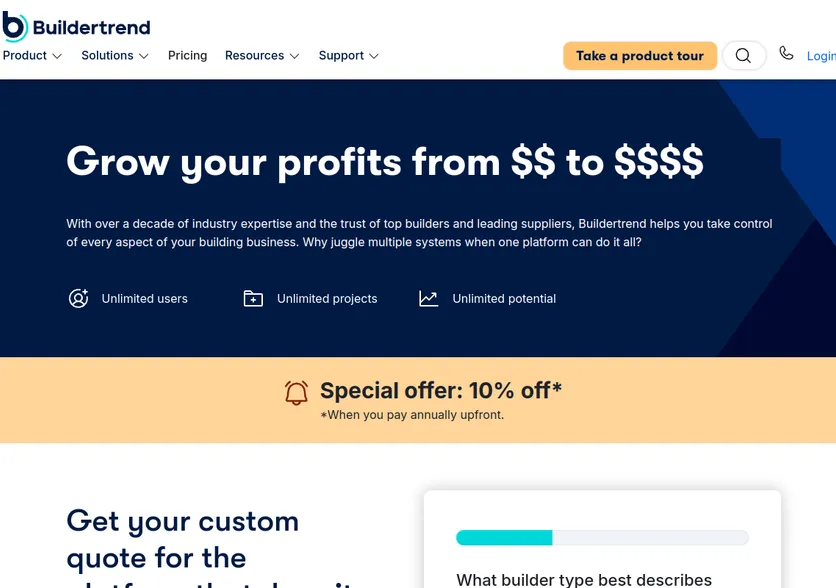
For construction teams managing field work, Buildertrend Core plan costs four hundred and ninety-nine dollars a month. It is built for construction project teams, with scheduling, daily logs, client portals and financials that cover a job from pre-construction to closeout. No per-user fees mean a whole remote team can join, and the client portal keeps owners and stakeholders updated without extra meetings.
What we like
- Scheduling, daily logs and client portals
- No per-user fees for the whole team
- Financials from pre-construction to closeout
Watch out for
- High flat price for small teams
- Built for construction, not general PM
How to try it
- Set up your project schedule and budget
- Add daily logs from the field
- Share progress through the client portal
Prices above were checked on each vendor’s own website on Nov 28, 2026 and can change — the vendor’s page is the final word. Vendor links are editorial: nobody paid to be listed or ranked here. Vendors who want a featured listing can see how it works on our Get listed page.
How to run remote oil and gas projects from one plan
Give every work package one owner, one date and one status, because a remote team cannot chase updates across chats and email. Use forms for field updates so crews report progress in a structured way instead of free text that nobody can summarise. Build approvals for permits, drawings and change requests into the workflow, since field work that starts without sign-off creates rework. Share one dashboard with office, site and client so everyone reads the same numbers, and review it in a weekly remote stand-up. Finally, check mobile and offline access, because field work happens where the signal is weakest.
Before you buy
- Confirm mobile and offline access works for crews on remote sites
- Check whether approvals for permits and drawings fit your workflow
- Verify scheduling, Gantt charts and workload views show real capacity
- Review how field updates flow in through forms rather than free text
- Test reporting so office, site and client all read the same numbers
Official websites
Official websites of the products reviewed above. Features and prices were checked against these sites when this guide was written, and they can change, so confirm on the vendor site before you buy.
Frequently asked questions
What is the best project management software for remote oil and gas teams?
Smartsheet is the strongest pick here, with spreadsheet-style sheets that field teams already understand at nine dollars a user a month. Asana is best for timelines and workload views at thirteen dollars and forty-nine cents a user a month billed annually. Monday is the best visual option at nine dollars a seat a month billed annually.
How much does Smartsheet cost for remote teams?
Smartsheet Pro costs nine dollars per user a month billed annually, or twelve dollars billed monthly, and Business is nineteen dollars a user a month billed annually. The free plan covers basic sheets for individuals. For that price a remote team gets sheets, forms, automations and dashboards that office and field share.
Is there a free project management tool for remote teams?
Yes. Smartsheet, Monday, Asana, ClickUp and Zoho Projects all offer free plans, and Zoho Projects covers three users free. Free plans cap users, features or storage, so check the limits against your crew size. A free plan is a fair way to test whether field teams will actually use the tool.
Which tool is best for field teams on remote sites?
Smartsheet is the best fit for field teams, since forms and mobile access let crews report progress from site in a structured way. Monday is a close second with its mobile app and visual boards. Buildertrend adds daily logs and a client portal for construction-style field work, though it costs four hundred and ninety-nine dollars a month.
Why are oil-and-gas-specific tools not in this list?
The oil-and-gas-specific vendors, including Oracle Primavera, IFS, AVEVA, Kahua and InEight, publish no usable prices and sell by quote, so they cannot be compared on price. Procore and Autodesk Build are also quote-based, with conflicting third-party figures. The seven tools here all publish prices and are used by remote field teams.
Compare the seven tools above, then start with a free plan or trial on the tool your field teams will actually use before you pay for a full year.
Browse Business Tools tools