On this page
Remote onboarding has no office tour, no desk and no first-day lunch: a new hire meets the team through a screen and learns the job from documents and video calls. The seven tools below handle that reality, with prices you can check before you commit and workflows that work across time zones. Learn:Up leads the list because it turns onboarding into structured learning paths from nine dollars per user a month, and the rest are ranked on the same test: how much of the remote onboarding job they cover for the price.
How we researched this
We checked every price on the vendor pricing page on November 28, 2026, and only included tools with a published US dollar list price. The big remote-onboarding names that sell by quote, including Enboarder, publish no prices, so they are not in this list, while Trainual is included at its last-published price with disclosure since the vendor no longer publishes prices on its own website. Prices change, so confirm the current figure on the vendor site before you buy.
Compare the tools
| Name | Best for | Starting price | Free plan | |
|---|---|---|---|---|
 Learn:Up | Remote teams that train across time zones | $9/user/month | Free demo | Visit |
 BambooHR | Remote teams that want a proper onboarding packet | $10/employee/month | Free trial | Visit |
 Rippling | Remote teams that want onboarding automated end to end | $8/employee/month | No free plan; free demo | Visit |
| Donut | Remote teams that want new hires to actually meet each other | $74/month | Free plan | Visit |
 TalentLMS | Remote teams that train new hires asynchronously | $119/month | Free plan | Visit |
 Trainual | Remote teams that need a playbook nobody has to explain twice | $249/month | Free trial | Visit |
 Gusto | Remote teams spread across states that need payroll done right | $49/month | Free demo | Visit |
The onboarding software for remote teams, compared
1. Learn:Up
Best for: Remote teams that train across time zones
Paid tool Starting price: $9/user/month · Nine dollars per user a month billed annually on the Learn:Up plan, based on a two-hundred-person company; Practice is four dollars per user a month as a separate add-on and Perform is eight dollars. WorkRamp products are now sold by Confirm after Learning Pool rebranded in August 2026.
Free plan: Free demo
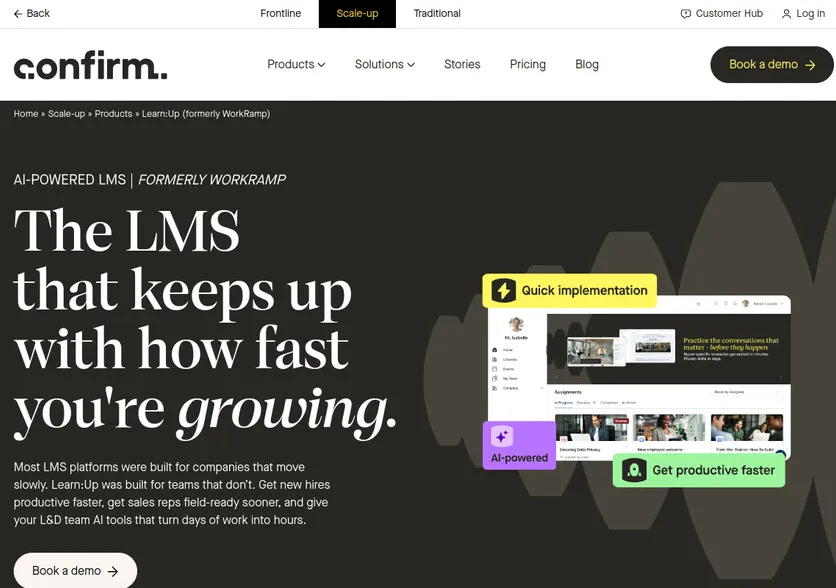
Nine dollars per user a month on annual billing buys Learn:Up, the employee learning platform formerly known as WorkRamp, and it is built for remote teams that train across time zones. Learn:Up turns onboarding into structured learning paths with practice sessions and progress tracking, so a new hire in another time zone learns on their own schedule. The nine-dollar figure is based on a two-hundred-person company, and the products are now sold by Confirm after Learning Pool rebranded in August 2026. Practice, the AI-simulation add-on, is four dollars per user a month.
What we like
- Learning paths built for distributed teams
- Practice sessions that build real skills
- Progress tracking managers can read at a glance
Watch out for
- Learn:Up price is based on a two-hundred-person company
- Monthly billing price is not published
How to try it
- Build a learning path for the new-hire role
- Assign practice sessions and track completion
- Review progress and coach the hires who fall behind
2. BambooHR
Best for: Remote teams that want a proper onboarding packet
Paid tool Starting price: $10/employee/month · Ten dollars per employee a month on the Core plan for teams of twenty-six or more employees, or two hundred and fifty dollars a month flat for teams of twenty-five or fewer; Pro is seventeen dollars per employee a month and Elite is twenty-five dollars, with payroll and benefits as add-ons
Free plan: Free trial
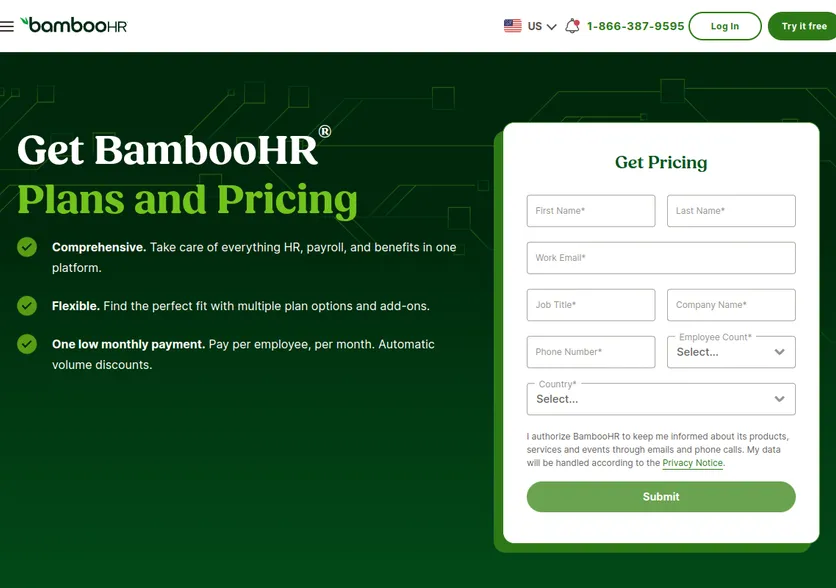
Remote teams still need paperwork done right, and BambooHR Core at ten dollars per employee a month gives distributed hires a proper onboarding packet. BambooHR pairs offer-letter e-signatures with new-hire packets, automated task lists and a self-service portal that answers the questions every new starter asks. The platform stays simple enough for a small remote team to run, although payroll and the deepest reporting cost extra.
What we like
- Onboarding packets that repeat for every new hire
- Offer letters and e-signatures built in
- Self-service portal that cuts HR inbox traffic
Watch out for
- Advanced reporting needs the Pro or Elite tier
- Payroll and benefits cost extra on top of Core
How to try it
- Build a new-hire packet with tasks, forms and documents
- Send the offer letter and collect e-signatures before day one
- Track completion in the dashboard and chase missing items
3. Rippling
Best for: Remote teams that want onboarding automated end to end
Paid tool Starting price: $8/employee/month · Eight dollars per employee a month for the Unity base platform, plus a thirty-five to forty dollar monthly base fee; payroll adds about eight dollars per employee a month billed annually, or ten dollars month to month, and each extra module adds roughly four to twelve dollars per employee a month. Rippling publishes no dollar figures on its own pricing page, so these figures are the widely reported buyer and analyst consensus for 2026, and the final total always comes from a sales quote
Free plan: No free plan; free demo
Rippling's eight dollars per employee a month buys a Unity base that handles remote onboarding end to end, from offer letter to laptop provisioning. Rippling automates device shipping, app access and paperwork from a single workflow, so a remote hire starts work with everything ready. The catch is the modular bill: every useful add-on costs extra, and the final total always comes from a sales quote.

What we like
- One employee record drives HR, IT and payroll together
- Device shipping and app provisioning built in
- Workflows that repeat cleanly for every remote hire
Watch out for
- Every module beyond Unity is priced separately
- No dollar figures on the vendor pricing page itself
How to try it
- Create the Unity employee record and define the onboarding workflow
- Add the payroll, benefits or IT modules your hires need
- Ship devices and provision apps before day one
4. Donut
Best for: Remote teams that want new hires to actually meet each other
Paid tool Starting price: $74/month · Seventy-four dollars a month billed annually on the Standard plan for one to twenty-four participants, or eighty-nine dollars month to month; Premium is one hundred and nineteen dollars a month billed annually or one hundred and forty-nine dollars month to month. The price rises to one hundred and forty-nine dollars a month at twenty-five participants on annual billing, the older fifty-nine dollar figure is stale, and the free plan covers up to twenty-four users
Free plan: Free plan
Seventy-four dollars a month on annual billing buys Donut Standard for up to twenty-four participants, and the tool turns remote onboarding into real human connection. Donut pairs new hires with teammates for coffee chats and onboarding introductions inside Slack, so a remote starter meets people instead of reading a handbook. The price jumps to one hundred and forty-nine dollars a month at twenty-five participants, and the older fifty-nine dollar figure is stale.
What we like
- Turns remote onboarding into real introductions
- Runs inside Slack where the team already works
- Free plan for up to twenty-four users
Watch out for
- Price jumps at twenty-five participants
- Runs inside Slack, so non-Slack teams cannot use it
How to try it
- Connect Donut to your Slack workspace
- Set up onboarding introductions for new hires
- Pair new starters with teammates for coffee chats
5. TalentLMS
Best for: Remote teams that train new hires asynchronously
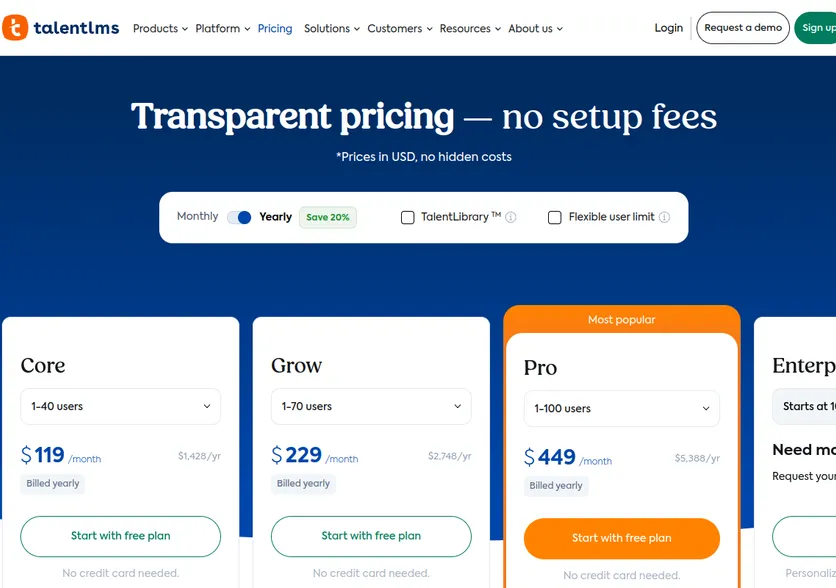
Paid tool Starting price: $119/month · One hundred and nineteen dollars a month billed annually on the Core plan for up to forty users, or one hundred and forty-nine dollars month to month; Grow is two hundred and twenty-nine dollars a month billed annually and Pro is four hundred and forty-nine dollars. A free plan covers five users and ten courses, and Enterprise above one thousand users is quoted
Free plan: Free plan
TalentLMS Core costs one hundred and nineteen dollars a month for up to forty users, and the learning paths suit a remote team that trains new hires asynchronously. TalentLMS turns courses, videos and quizzes into learning paths that new hires complete on their own schedule, with progress visible to managers. The interface stays simple enough for non-technical trainers, although advanced automation and single sign-on need the higher Grow and Pro tiers.
What we like
- Learning paths that run on the hire's schedule
- Progress reporting managers can read at a glance
- Simple enough for trainers with no technical background
Watch out for
- Single sign-on needs the higher Grow or Pro tier
- User-count pricing rises steeply past forty seats
How to try it
- Create a learning path for each remote role
- Enrol new hires automatically when they join
- Review completion reports and chase unfinished training
6. Trainual
Best for: Remote teams that need a playbook nobody has to explain twice
Paid tool Starting price: $249/month · Two hundred and forty-nine dollars a month on the Core plan for ten seats, billed annually; Pro is three hundred and nineteen dollars a month and Premium is three hundred and ninety-nine dollars, plus a one-thousand-dollar one-time implementation fee. Trainual no longer publishes prices on its own website, so these are the last-published figures from July 2026 and the current rate comes from a demo quote
Free plan: Free trial
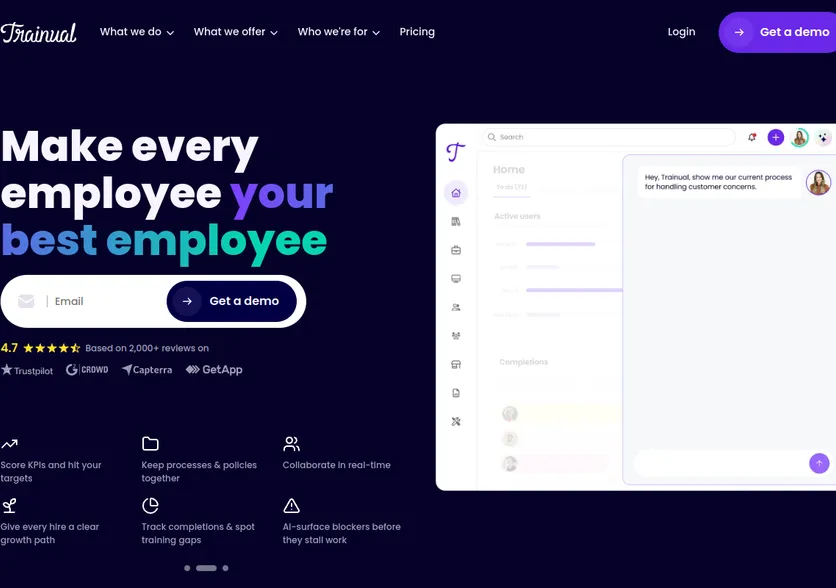
Trainual's last-published Core price of two hundred and forty-nine dollars a month buys a playbook that a remote team can follow without ever meeting in person. Trainual lets a company record every repeatable task once, assign it by role, and test new hires on the material before they touch live work. The documented structure survives staff changes across time zones, although a one-thousand-dollar one-time implementation fee sits on top of the subscription.
What we like
- Turns tribal knowledge into documented playbooks
- Role-based assignments work across time zones
- Quizzes confirm new hires actually learned the material
Watch out for
- Implementation fee adds one thousand dollars up front
- Current prices come from a demo quote, not the website
How to try it
- Document each role's processes, policies and tasks
- Assign the playbook to new hires by role or location
- Test completion and track who still needs training
7. Gusto
Best for: Remote teams spread across states that need payroll done right
Paid tool Starting price: $49/month · Forty-nine dollars a month plus six dollars per person on the Simple plan; Plus is eighty dollars a month plus twelve dollars per person and Premium is one hundred and eighty dollars a month plus twenty-two dollars per person. The Contractor Only plan closed to new signups on October 1, 2026
Free plan: Free demo
Gusto Simple at forty-nine dollars a month plus six dollars per person keeps payroll and onboarding together for a remote team spread across states. Gusto runs offer letters, tax forms, direct deposit and benefits enrolment from a single new-hire flow, and it files payroll taxes in every state automatically. The trade-off is depth: Gusto suits teams that want payroll done well, while companies needing heavy HR workflows will outgrow it.

What we like
- Payroll, tax filing and onboarding in one flow
- Automatic payroll tax filing in every state
- Simple setup with no implementation project
Watch out for
- HR depth is lighter than on the big enterprise suites
- Per-person fees add up fast across many states
How to try it
- Set up the company profile and payroll tax details
- Invite the new hire to complete forms and direct deposit
- Enrol them in benefits and run the first pay cycle
Prices above were checked on each vendor’s own website on Nov 28, 2026 and can change — the vendor’s page is the final word. Vendor links are editorial: nobody paid to be listed or ranked here. Vendors who want a featured listing can see how it works on our Get listed page.
How to onboard a remote hire you will never meet in person
Ship the equipment before day one, not after it. A remote hire who starts work with a laptop, accounts and access ready feels part of the team immediately, while one who waits a week for credentials feels forgotten. Pair them with a buddy in a nearby time zone, because questions arrive at odd hours and a named person answers faster than a channel. Then check in daily for the first week with short video calls, since a remote hire who goes quiet is usually stuck, not settled.
Before you buy
- Confirm the tool works across time zones, because live training rarely suits a distributed team
- Check whether new hires can finish paperwork on a phone without a laptop
- Ask if the price covers every country you hire in, or only US employees
- Make sure training and connection tools work together instead of living in separate apps
- Test the whole flow with one remote hire before you roll it out to the team
Official websites
Official websites of the products reviewed above. Features and prices were checked against these sites when this guide was written, and they can change, so confirm on the vendor site before you buy.
Frequently asked questions
What is the best onboarding software for remote teams?
Learn:Up leads for most remote teams because it turns onboarding into structured learning paths with practice sessions, from nine dollars per user a month billed annually, and it is built for training across time zones. Rippling fits a team that wants HR, IT and payroll on one record from eight dollars per employee a month. Donut is the pick for human connection, pairing new hires with teammates inside Slack from seventy-four dollars a month.
How much does Learn:Up cost for a remote team?
Learn:Up costs nine dollars per user a month billed annually, based on a two-hundred-person company, with monthly billing not published. Practice is four dollars per user a month as a separate add-on and Perform is eight dollars. Learn:Up was formerly WorkRamp, and the products are now sold by Confirm after Learning Pool rebranded in August 2026, so confirm the rate for your team size before budgeting.
Why is Enboarder not in this list?
Enboarder sells by quote and publishes no prices on its website, so it cannot be compared on price in a list like this one. Trainual is included at its last-published price of two hundred and forty-nine dollars a month, with the disclosure that the vendor no longer publishes prices. This list only includes tools with a published or last-published US dollar list price you can check before booking a demo.
How much does Donut cost for remote onboarding?
Donut Standard costs seventy-four dollars a month billed annually for one to twenty-four participants, or eighty-nine dollars month to month. Premium is one hundred and nineteen dollars a month billed annually. The price rises to one hundred and forty-nine dollars a month at twenty-five participants on annual billing, and the older fifty-nine dollar figure is stale. A free plan covers up to twenty-four users.
Is there a free way to start remote onboarding?
Yes, and Donut offers a free plan for up to twenty-four users, covering onboarding introductions and coffee chats inside Slack. TalentLMS offers a free plan for five users and ten courses, which covers a small pilot of remote training. BambooHR, Trainual and Learn:Up all offer free trials or demos, so you can test the workflow with a real remote hire before paying.
Compare the seven tools above, then start with a free plan or trial on the tool that fits your remote team before you pay for a year.
Browse Business Tools tools