On this page
A remote team that cannot see where the hours go cannot bill them, plan them or protect them. The nine tools below track time for distributed teams, from a one-click timer to automatic monitoring with screenshots, and each one is judged on what it costs per person. Toggl Track leads because its timer is the easiest to use for nine dollars per user a month.
How we researched this
We checked every price on the vendor pricing page on November 28, 2026, and only included tools with a published US dollar list price. The quote-only workforce platforms that sell by sales call, including ActivTrak Enterprise and Teramind, publish no flat prices, so they are not in this list. Prices change, so confirm the current figure on the vendor site before you buy.
Compare the tools
| Name | Best for | Starting price | Free plan | |
|---|---|---|---|---|
 Toggl Track | Remote teams that want a timer that just works | $9/user/month | Free plan (up to 5 users) | Visit |
 Clockify | Remote teams that want the lowest paid seat | $3.99/seat/month | Free plan (up to 5 users) | Visit |
 Harvest | Remote teams that bill clients from tracked hours | $11/seat/month | Free plan (1 seat, 2 projects) | Visit |
 Hubstaff | Remote teams that need proof of work | $4.99/seat/month | No free plan; 14-day free trial | Visit |
 Time Doctor | Remote teams that need productivity proof | $7/user/month | No free plan; 14-day free trial | Visit |
 Everhour | Teams that track time inside Asana or Jira | $8.50/user/month | Free plan (up to 5 seats) | Visit |
 Timely | Remote teams that forget to start timers | $9/user/month | No free plan; 14-day free trial | Visit |
 DeskTime | Remote teams that want automatic tracking | $6.42/user/month | Free plan (Lite, 1 user) | Visit |
| Insightful | Remote teams that need workforce analytics | $6.40/user/month | No free plan; 7-day free trial | Visit |
The online time tracking software for remote teams, compared
1. Toggl Track
Best for: Remote teams that want a timer that just works
Paid tool Starting price: $9/user/month · Nine dollars per user a month billed annually; ten dollars billed monthly; Premium is eighteen dollars a user a month billed annually
Free plan: Free plan (up to 5 users)
A remote team that wants people to start a timer and get on with work will find the simplest tracker here, since this Toggl Track plan costs nine dollars per user a month billed annually on Starter, and it turns a one-click timer into billable rates, project estimates and clean reports. The free plan covers five users, so a small remote team can start without paying. It is the best overall pick for a team that wants tracking without surveillance.

What we like
- One-click timer that works on any device
- Billable rates and project estimates on Starter
- Free plan covers five users for real work
Watch out for
- No screenshots or activity monitoring
- Premium doubles the price for approvals
How to try it
- Create projects and invite the remote team
- Ask each person to start the timer when work begins
- Review the weekly report for billable hours by project
2. Clockify
Best for: Remote teams that want the lowest paid seat
Paid tool Starting price: $3.99/seat/month · Three dollars and ninety-nine cents per seat a month billed annually; four dollars and ninety-nine cents billed monthly; Standard is five dollars and forty-nine cents and Pro is seven dollars and ninety-nine cents a seat a month billed annually
Free plan: Free plan (up to 5 users)
A remote team that needs to track time on the smallest budget will find the cheapest paid seat here, since this Clockify plan costs three dollars and ninety-nine cents per seat a month billed annually on Basic, and it covers timers, timesheets, reports and billable rates for less than four dollars. The free plan covers five users with unlimited tracking, and Standard adds invoicing at five dollars and forty-nine cents. It is the best value here for a team that bills clients by the hour.

What we like
- Lowest paid seat in this list at three dollars and ninety-nine cents
- Free plan covers five users with unlimited tracking
- Invoicing starts on Standard at five dollars and forty-nine cents
Watch out for
- Invoicing needs the Standard plan
- The interface is plainer than Toggl Track
How to try it
- Create a workspace and invite the remote team
- Add projects and set billable rates per project
- Run the weekly report and export it for invoicing
3. Harvest
Best for: Remote teams that bill clients from tracked hours
Paid tool Starting price: $11/seat/month · Eleven dollars per seat a month billed annually on Pro; thirteen dollars and seventy-five cents billed monthly; Premium is fourteen dollars a seat a month billed annually; some November 2026 reads show a Teams variant at nine dollars a seat with usage-based fees, so confirm the variant at checkout; Harvest was acquired by Bending Spoons in July 2025
Free plan: Free plan (1 seat, 2 projects)
A remote team that turns hours into invoices will like the way this tracker ends in a bill, since this Harvest plan costs eleven dollars per seat a month billed annually on Pro, and it pairs simple timers with invoicing, expenses and budget alerts. A project manager can see at a glance whether a job is on budget before the money runs out. It is the best pick for a team that needs tracking to pay for itself through invoices.

What we like
- Timers flow straight into invoices
- Budget alerts warn before a project overruns
- Simple interface the whole team learns fast
Watch out for
- Some November 2026 reads show a Teams variant at nine dollars
- The free plan covers only one seat and two projects
How to try it
- Create projects with budgets and hourly rates
- Ask the team to track time against each project
- Send invoices straight from the tracked hours
4. Hubstaff
Best for: Remote teams that need proof of work
Paid tool Starting price: $4.99/seat/month · Four dollars and ninety-nine cents per seat a month billed annually; seven dollars billed monthly; Grow is seven dollars and fifty cents and Team is ten dollars a seat a month billed annually; two-seat minimum
Free plan: No free plan; 14-day free trial
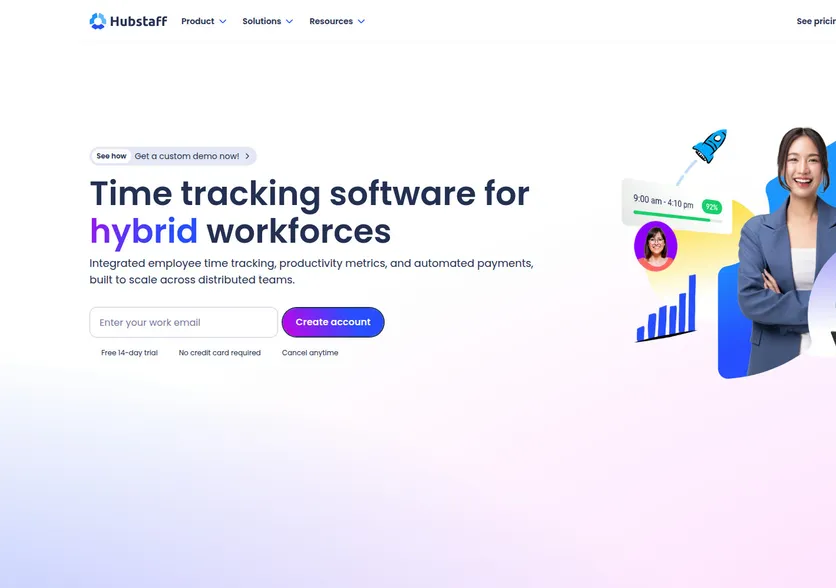
A remote team that needs to show clients how hours were spent will find the proof here, since this Hubstaff plan costs four dollars and ninety-nine cents per seat a month billed annually on Starter, and it pairs timers with screenshots, activity levels and timesheets. Managers can see what the team worked on without asking for status updates, and the invoices go out from the same app. It is the best monitoring pick here for a team that answers to clients.
What we like
- Screenshots and activity levels prove the work
- Timesheets and invoices in the same app
- Low price for a monitoring tracker
Watch out for
- Two-seat minimum, so a solo buyer pays for two
- Screenshots can feel like surveillance to staff
How to try it
- Invite the team and set the screenshot frequency
- Ask each person to track time on their projects
- Review activity levels and approve timesheets weekly
5. Time Doctor
Best for: Remote teams that need productivity proof
Paid tool Starting price: $7/user/month · Seven dollars per user a month billed annually on Basic, per November 2026 vendor-page reads; ten dollars billed monthly; Standard is eleven dollars and Premium is twenty dollars a user a month billed annually; older reads showed six dollars and sixty-seven cents billed annually
Free plan: No free plan; 14-day free trial
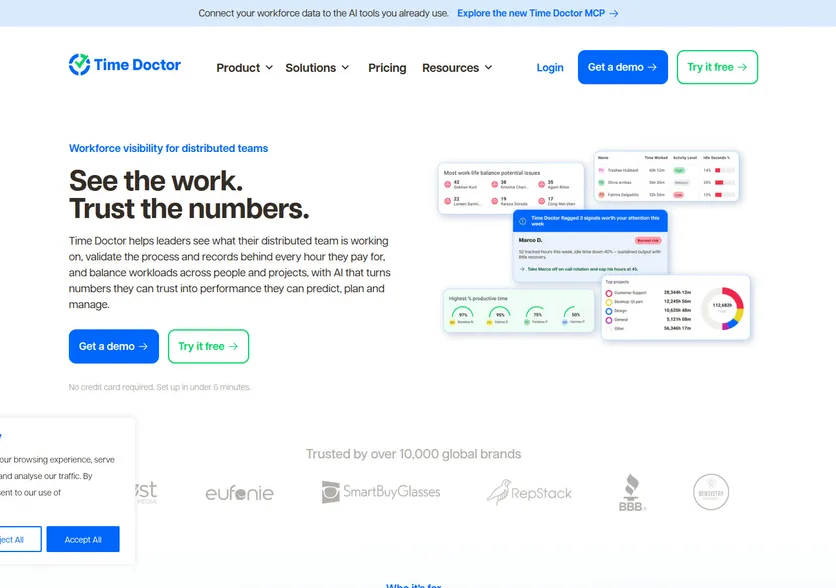
A remote team that manages people it has never met in person will want the visibility here, since this Time Doctor plan costs seven dollars per user a month billed annually on Basic, and it records time automatically with screenshots, app usage and productivity ratings. Managers can see which apps help the work and which distract from it, and the payroll tool pays people from the tracked hours. It is the most thorough monitoring tool in this list for a distributed team.
What we like
- Automatic tracking with screenshots and app usage
- Productivity ratings show where time really goes
- Payroll runs from the tracked hours
Watch out for
- No free plan, only a fourteen-day trial
- Older reads showed six dollars and sixty-seven cents
How to try it
- Invite the team and install the desktop app
- Set the screenshot interval and productivity ratings
- Review the weekly report and run payroll from tracked hours
6. Everhour
Best for: Teams that track time inside Asana or Jira
Paid tool Starting price: $8.50/user/month · Eight dollars and fifty cents per user a month billed annually on Team; ten dollars billed monthly; five-seat minimum, so the lowest bill is forty-two dollars and fifty cents a month; Custom is quoted for fifty seats and up
Free plan: Free plan (up to 5 seats)
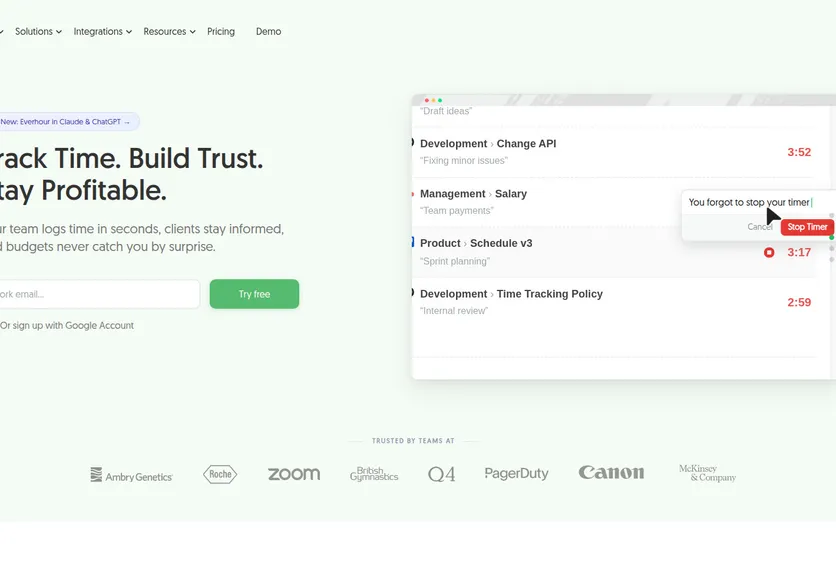
A remote team that already lives in Asana, Jira or Trello will like the way this tracker sits inside those apps, since this Everhour plan costs eight dollars and fifty cents per user a month billed annually on Team, and it adds timers, budgets and invoices to the project tool the team already opens. There is no second app to learn, and the reports show project profitability at a glance. It is the best pick for a team that wants tracking inside its project tool.
What we like
- Timers sit inside Asana, Jira and Trello
- Budgets and invoices without a second app
- Reports show project profitability at a glance
Watch out for
- Five-seat minimum, so small teams pay for five
- No standalone project management of its own
How to try it
- Connect Everhour to Asana, Jira or Trello
- Set budgets on the projects the team already uses
- Review the profitability report at the end of the month
7. Timely
Best for: Remote teams that forget to start timers
Paid tool Starting price: $9/user/month · Nine dollars per user a month billed annually on Starter; eleven dollars billed monthly; Premium is sixteen dollars and Unlimited is twenty-two dollars a user a month billed annually; Starter is capped at five users and twenty projects
Free plan: No free plan; 14-day free trial
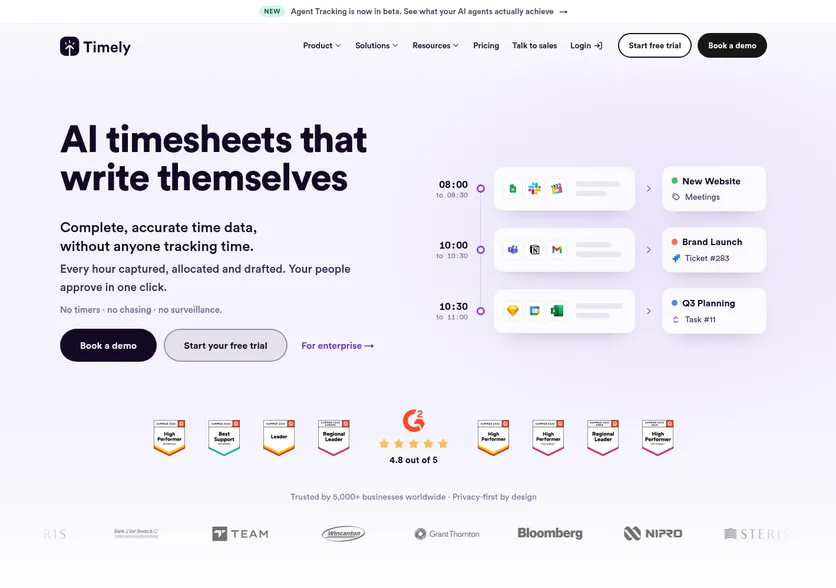
A remote team that forgets to start timers will love the automation here, since this Timely plan costs nine dollars per user a month billed annually on Starter, and its Memory tracker records apps, documents and meetings in the background, then drafts the timesheet for review. Nobody has to remember a timer, and the AI suggests where each hour belongs. It is the best pick for a team that wants accurate hours without logging.
What we like
- Memory tracker records work automatically
- AI drafts the timesheet for review
- No manual timer for anyone to forget
Watch out for
- Starter is capped at five users and twenty projects
- No free plan, only a fourteen-day trial
How to try it
- Install the Memory tracker on each computer
- Let it record apps, documents and meetings
- Review the drafted timesheet and approve the entries
8. DeskTime
Best for: Remote teams that want automatic tracking
Paid tool Starting price: $6.42/user/month · Six dollars and forty-two cents per user a month billed annually on Pro, excluding VAT; seven dollars billed monthly; Premium is nine dollars and seventeen cents a user a month billed annually and adds screenshots and scheduling
Free plan: Free plan (Lite, 1 user)
A remote team that wants tracking to happen on its own will find it here, since this DeskTime plan costs six dollars and forty-two cents per user a month billed annually on Pro, and its desktop app records apps and websites automatically and scores the day into productive and unproductive time. Staff can switch on private time for breaks, and the reports show where the week went. It is the best automatic tracker here for a team that dislikes manual timers.
What we like
- Automatic tracking with no timer to start
- Productivity scoring shows where the week went
- Private time lets staff pause tracking for breaks
Watch out for
- Screenshots need the Premium plan
- Prices exclude VAT, so the bill is higher in Europe
How to try it
- Install the desktop app on each computer
- Let it record apps and websites automatically
- Review the productivity report at the end of the week
9. Insightful
Best for: Remote teams that need workforce analytics
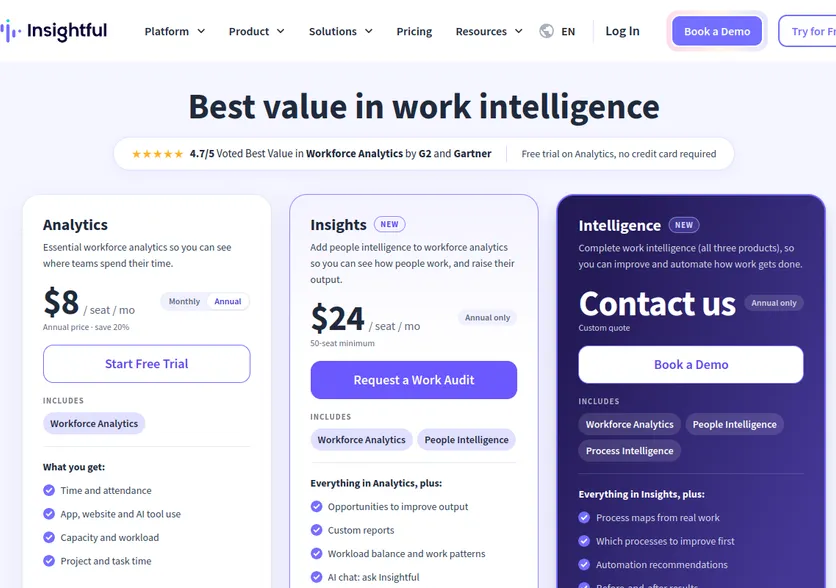
Paid tool Starting price: $6.40/user/month · Six dollars and forty cents per user a month billed annually on Productivity Management; eight dollars billed monthly; Time Tracking is eight dollars and Process Improvement is twelve dollars a user a month billed annually
Free plan: No free plan; 7-day free trial
A remote team that wants to understand how work actually happens will find the analytics here, since this Insightful plan costs six dollars and forty cents per user a month billed annually on Productivity Management, and it maps time to tasks automatically and scores productivity in real time. Managers can see attendance, app usage and work patterns without asking for reports, and the stealth mode suits teams that need discreet monitoring. It is the best analytics pick here for a team that manages by data.
What we like
- Automatic time mapping links hours to tasks
- Real-time productivity scores for the whole team
- Attendance and app usage in one dashboard
Watch out for
- No free plan, only a seven-day trial
- Stealth mode needs a careful privacy policy
How to try it
- Invite the team and install the agent
- Turn on automatic time mapping for tasks
- Review the productivity dashboard each week
Prices above were checked on each vendor’s own website on Nov 28, 2026 and can change — the vendor’s page is the final word. Vendor links are editorial: nobody paid to be listed or ranked here. Vendors who want a featured listing can see how it works on our Get listed page.
How a remote team tracks time without killing trust
Tell the team what is tracked and why before switching anything on, because surprise monitoring destroys trust across the whole team faster than any report rebuilds it. Pick the lightest tool that answers the real question, which is usually how many hours went to each project, not which apps each person opened. Agree on one rule: the timer runs during work and stops during breaks, and nobody is judged on a single slow day. Finally, review the hours together each week, so the report becomes a planning tool instead of a policing tool.
Before you buy
- Check whether the tracker works offline, since remote people lose connection
- Make sure timesheets need approval before they reach payroll
- Ask if the free plan covers the whole team or only five people
- Confirm the tool integrates with the project app the team already uses
- Test the timer on a phone and a desktop before paying for a year
Official websites
Official websites of the products reviewed above. Features and prices were checked against these sites when this guide was written, and they can change, so confirm on the vendor site before you buy.
Frequently asked questions
What is the best online time tracking software for remote teams?
Toggl Track is the best overall pick for remote teams, at nine dollars per user a month billed annually, because its one-click timer is the easiest to use and the free plan covers five users. Clockify is the best value at three dollars and ninety-nine cents per seat a month billed annually. Hubstaff is the best for proof of work at four dollars and ninety-nine cents per seat a month billed annually, adding screenshots and activity levels.
How much does Toggl Track cost for a remote team?
Toggl Track Starter costs nine dollars per user a month billed annually, or ten dollars billed monthly, and it unlocks billable rates, project estimates and time rounding. Premium, at eighteen dollars a user a month billed annually, adds profitability tracking, project forecasts and timesheet approvals. The free plan covers up to five users with no time limit, so a small remote team can start there.
Can a remote team track time for free?
Yes, with Toggl Track, Clockify and Everhour, which all offer free plans for up to five users or seats, and with Harvest, which offers a free plan for one seat and two projects. DeskTime offers a free Lite plan for one user. Hubstaff, Time Doctor, Timely and Insightful offer only free trials of seven to fourteen days, so a team that wants a free plan should pick from the first group.
Which time tracker works automatically for remote teams?
Timely is the best automatic tracker here, because its Memory feature records apps, documents and meetings in the background and drafts the timesheet for review, so nobody has to start a timer. DeskTime also tracks automatically from the moment the computer is on, scoring apps and websites into productive and unproductive time. Both suit remote teams that forget manual timers and want accurate hours without nagging.
Which time tracker takes screenshots for remote teams?
Hubstaff and Time Doctor both take screenshots and record activity levels, which suits teams that bill clients by the hour and need proof of work. Insightful adds automatic time mapping and real-time productivity scores. Toggl Track and Clockify deliberately do not monitor staff, which suits teams that trust their people and only need hours. Tell the team what is tracked before switching it on, since surprise monitoring destroys trust.
Compare the nine tools above, then start with a free plan or trial on the one that matches how the remote team already tracks its hours before paying for a full year.
Browse Productivity Tools tools