
On this page
Remote teams cannot see each other work, so the time tracker becomes the proof, the payroll source and sometimes the argument. The nine tools below run from about four dollars a user a month to ten dollars a user a month, and every price was checked on the vendor site on November 27, 2026. Some track hours only, while others add screenshots, activity scores and productivity analytics, so agree the rules before you pick. Toggl Track is our first pick — hours without surveillance.
How we researched this
We started with the time trackers remote teams actually buy, then read each price on the vendor pricing page on November 27, 2026 and noted the free plan or trial each one carries. We judged them for a team spread across time zones that needs hours, activity proof and payroll exports without surveillance fights, and we kept only tools with a published price. We dropped RescueTime because its Solo plans suit individuals rather than teams, and we dropped Timely because the Starter plan caps at five users and twenty projects.
Compare the tools
| Name | Best for | Starting price | Free plan | |
|---|---|---|---|---|
 Toggl Track | Remote teams that want hours tracked without surveillance or screenshots | $9/user/month | Free plan for up to three users | Visit |
 Clockify | Remote teams that need the cheapest paid tracker with a free plan | $3.99/user/month | Free plan for up to five users | Visit |
 Hubstaff | Remote managers who need screenshots and activity proof from a distributed team | $4.99/user/month | No free plan on the pricing page; 14-day free trial | Visit |
 Time Doctor | Remote managers who want idle-time alerts and distraction reports per person | $6.67/user/month | No free plan; 14-day free trial | Visit |
 Harvest | Remote agencies that bill clients for tracked hours and expenses | $9/user/month | Free plan, one seat and two projects | Visit |
 DeskTime | Remote teams that want automatic tracking of apps, websites and documents | $6.42/user/month | No permanent free plan; 14-day free trial | Visit |
| Insightful | Remote managers who want workforce analytics and productivity patterns across the team | $8/seat/month | No free plan; 7-day free trial | Visit |
| ActivTrak | Remote teams that want productivity patterns instead of a simple hour count | $10/user/month | Free plan for up to three users | Visit |
 Everhour | Remote teams already using Asana or Trello that want timers inside those tools | $5/user/month | Free plan for up to five users | Visit |
The time tracking software for remote teams, compared
1. Toggl Track
Best for: Remote teams that want hours tracked without surveillance or screenshots
Paid tool Starting price: $9/user/month · Starter plan, nine dollars a user a month billed yearly, twelve dollars on monthly billing; Premium costs sixteen dollars a user a month billed yearly
Free plan: Free plan for up to three users
Toggl Track is the low-trust, low-friction pick for remote teams that want hours without surveillance. This Toggl Track Starter plan costs nine dollars a user a month billed yearly, with the free plan covering up to three users. The timer starts in one click and the reporting covers project budgets, billable rates and team summaries without watching anyone's screen.

What we like
- One-click timer that works in the browser and on mobile
- Clear project budgets and billable rate reports
- No screenshots or monitoring, so teams trust it
Watch out for
- No invoicing built in, so billing needs a separate tool
- No activity monitoring for managers who need proof of work
How to try it
- Open the Toggl Track pricing page and claim the free plan
- Create one project per client and invite your remote team
- Run a full week and check the project budget report
2. Clockify
Best for: Remote teams that need the cheapest paid tracker with a free plan
Paid tool Starting price: $3.99/user/month · Basic plan, three dollars and ninety-nine cents a user a month billed yearly, four dollars and ninety-nine cents on monthly billing
Free plan: Free plan for up to five users
Clockify is the cheapest remote tracker here, with unlimited projects and a free plan for five users. This Clockify Basic plan costs three dollars and ninety-nine cents a user a month billed yearly, and the free plan now covers up to five users. The timer is manual and the interface is plain, but the price leaves budget for the rest of the remote stack.

What we like
- Cheapest paid plan in this comparison
- Free plan covers five users with no card required
- Unlimited projects and clients on every plan
Watch out for
- No automatic tracking, every entry is manual
- Invoicing and forecasting need the Standard or Pro plan
How to try it
- Open the Clockify pricing page and claim the free plan
- Set up one project per client or product area
- Track a week and export the timesheet for billing
3. Hubstaff
Best for: Remote managers who need screenshots and activity proof from a distributed team
Paid tool Starting price: $4.99/user/month · Starter plan, four dollars and ninety-nine cents a user a month billed yearly, seven dollars on monthly billing; a two-seat minimum applies
Free plan: No free plan on the pricing page; 14-day free trial
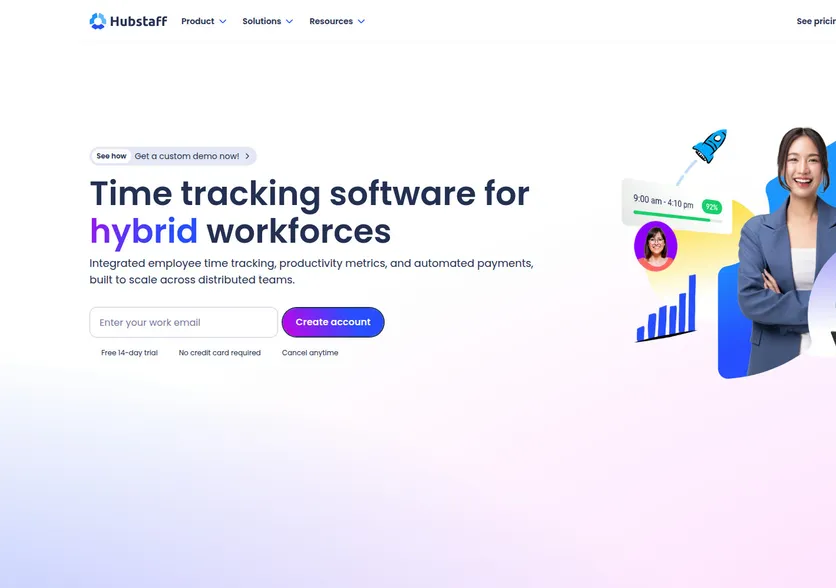
Remote teams pick Hubstaff when they need screenshots and activity proof that distributed staff are actually working. This Hubstaff Starter plan costs four dollars and ninety-nine cents a user a month billed yearly, with a two-seat minimum on every plan. The monitoring is the point, so a team that values trust over surveillance should pick a lighter tracker instead.
What we like
- Screenshots and activity levels prove the work happened
- GPS tracking and payroll integrations included
- Strong reporting for remote and distributed teams
Watch out for
- Screenshots and monitoring need clear team consent
- No free plan on the pricing page, trial only
How to try it
- Open the Hubstaff pricing page and start the trial
- Set screenshot and activity rules your team agrees to
- Run one remote week and review the activity reports
4. Time Doctor
Best for: Remote managers who want idle-time alerts and distraction reports per person
Paid tool Starting price: $6.67/user/month · Basic plan, six dollars and sixty-seven cents a user a month billed yearly, eight dollars on monthly billing; Standard costs eleven dollars and sixty-seven cents billed yearly
Free plan: No free plan; 14-day free trial
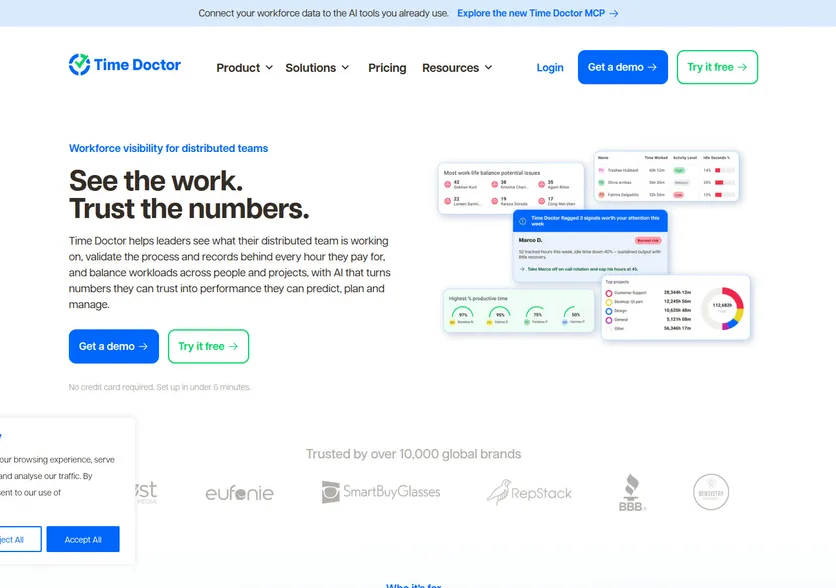
Time Doctor gives a remote manager idle-time alerts and distraction reports for every person on the team. This Time Doctor Basic plan costs six dollars and sixty-seven cents a user a month billed yearly, with higher plans adding screenshots and payroll. The monitoring is thorough, so a team should agree the rules openly before switching it on.
What we like
- Idle-time and distraction tracking built in
- Payroll and project budgeting on higher plans
- Detailed productivity reports per person and project
Watch out for
- Monitoring this thorough needs open team agreement
- No free plan, so the trial is the only test drive
How to try it
- Open the Time Doctor pricing page and start the trial
- Set work hours and idle-time rules for your team
- Review one week of productivity reports with the team
5. Harvest
Best for: Remote agencies that bill clients for tracked hours and expenses
Paid tool Starting price: $9/user/month · Teams plan, nine dollars a user a month billed yearly, eleven dollars on monthly billing; Flex usage charges for active projects, clients, tasks and invoices stack on top of the seat rate
Free plan: Free plan, one seat and two projects
Harvest suits a remote agency that bills clients, since tracked hours become invoices and expense reports in one place. This Harvest Teams plan costs nine dollars a user a month billed yearly, with a free plan for one seat and two projects. The catch is Flex usage billing, which adds extra charges for active projects, clients, tasks and invoices on top of the seat rate.

What we like
- Time tracking and invoicing in one product
- Expense tracking and project budgets included
- Clean reports clients can understand at a glance
Watch out for
- Flex usage charges can push the bill well past the seat rate
- The free plan covers only one seat and two projects
How to try it
- Open the Harvest pricing page and start with the free plan
- Set hourly rates per project and track a client sprint
- Send your first invoice from the tracked hours
6. DeskTime
Best for: Remote teams that want automatic tracking of apps, websites and documents
Paid tool Starting price: $6.42/user/month · Pro plan, six dollars and forty-two cents a user a month billed yearly, seven dollars on monthly billing; Premium costs nine dollars and seventeen cents billed yearly
Free plan: No permanent free plan; 14-day free trial
DeskTime tracks remote work automatically, logging apps, websites and documents without anyone starting a timer. This DeskTime Pro plan costs six dollars and forty-two cents a user a month billed yearly, with Premium at nine dollars and seventeen cents for screenshots and scheduling. There is no permanent free plan, so the fourteen-day trial is the only way to test it.
What we like
- Fully automatic tracking with no manual timer
- App and website monitoring with productivity scores
- Shift scheduling and absence calendar on Premium
Watch out for
- No permanent free plan, trial only
- Screenshots and shift scheduling need the Premium plan
How to try it
- Open the DeskTime pricing page and start the trial
- Install the desktop app on each team member's computer
- Review one week of automatic app and website reports
7. Insightful
Best for: Remote managers who want workforce analytics and productivity patterns across the team
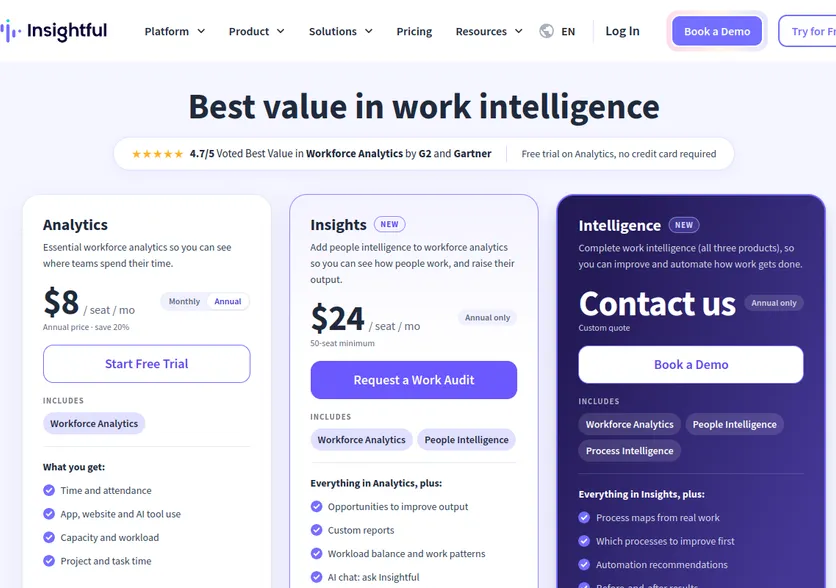
Paid tool Starting price: $8/seat/month · Analytics plan, eight dollars a seat a month billed yearly, ten dollars on monthly billing; renamed from Workforce Analytics in November 2026; Insights costs twenty-four dollars a seat a month with a fifty-seat minimum
Free plan: No free plan; 7-day free trial
Insightful, formerly Workpuls, shows a remote manager where the team's time goes, with screenshots and productivity analytics. This Insightful Analytics plan costs eight dollars a seat a month billed yearly, with the plan renamed from Workforce Analytics in November 2026. There is no free plan, and the higher Insights tier needs fifty seats, so small teams stay on Analytics.
What we like
- Workforce analytics show where team time actually goes
- Screenshots and app usage reports included
- Capacity analysis spots overworked and underused staff
Watch out for
- No free plan, and the trial runs only seven days
- The Insights tier needs fifty seats, so small teams cannot buy it
How to try it
- Open the Insightful pricing page and start the trial
- Install the agent on team computers with their consent
- Review the workforce analytics dashboard after one week
8. ActivTrak
Best for: Remote teams that want productivity patterns instead of a simple hour count
Paid tool Starting price: $10/user/month · Work Activity Tracking plan, ten dollars a user a month billed yearly; annual billing only; Workforce Management costs fifteen dollars and Productivity Optimization seventeen dollars a user a month billed yearly
Free plan: Free plan for up to three users
ActivTrak focuses on productivity patterns rather than hours, showing which apps and websites help or hurt the remote workday. This ActivTrak Work Activity Tracking plan costs ten dollars a user a month billed yearly, with annual billing only and a free plan for up to three users. The renamed plans date from July 2026, so older guides that quote the Essentials name describe a plan that no longer exists.
What we like
- Productivity patterns, not just an hour count
- Free plan for up to three users
- Goals and coaching insights for the whole team
Watch out for
- Annual billing only, with no monthly option
- Productivity scoring needs clear team agreement
How to try it
- Open the ActivTrak pricing page and claim the free plan
- Install the agent and let it log one remote week
- Review the productivity patterns and set app rules
9. Everhour
Best for: Remote teams already using Asana or Trello that want timers inside those tools
Paid tool Starting price: $5/user/month · Lite plan, five dollars a user a month billed yearly; Team costs eight dollars and fifty cents a user a month billed yearly; Lite caps at ten users
Free plan: Free plan for up to five users
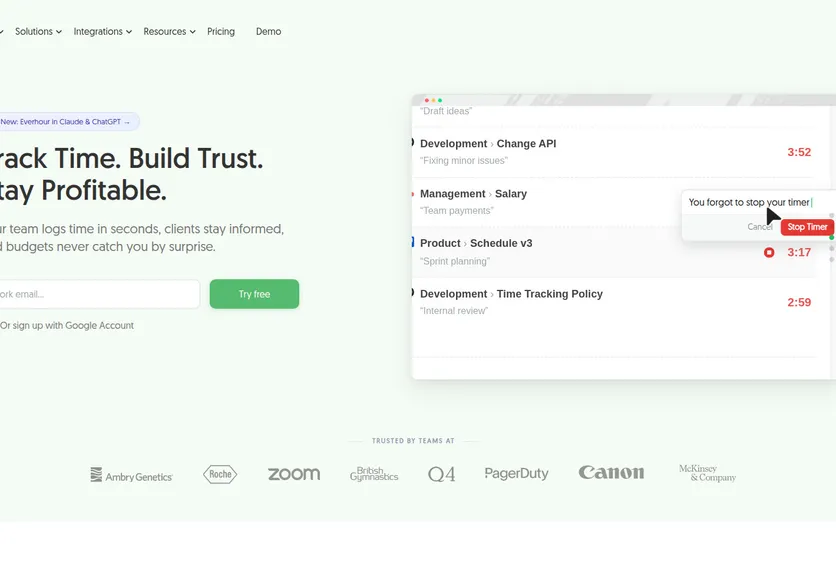
Everhour adds timers and budgets to the remote team's project board, so time logging happens inside Asana or Trello. This Everhour Lite plan costs five dollars a user a month billed yearly, with the Team plan at eight dollars and fifty cents for invoicing and scheduling. The Lite plan caps at ten users, so a growing remote team moves to Team sooner than the price suggests.
What we like
- Timers appear inside Asana, Trello and ClickUp tasks
- Project budgets with alerts before they run out
- Invoicing and scheduling on the Team plan
Watch out for
- Lite caps at ten users, so growth forces the Team plan
- No standalone project management, it rides on other tools
How to try it
- Open the Everhour pricing page and claim the free plan
- Connect your project tool and add timers to live tasks
- Set a sprint budget and watch the burn-down report
Prices above were checked on each vendor’s own website on Nov 27, 2026 and can change — the vendor’s page is the final word. Vendor links are editorial: nobody paid to be listed or ranked here. Vendors who want a featured listing can see how it works on our Get listed page.
What time tracking costs a remote team in 2026
Remote time tracking splits into two philosophies, and the price does not tell you which one you are buying. Trust-first tools like Toggl Track at nine dollars a user a month and Clockify at three dollars and ninety-nine cents record hours only, while oversight tools like Hubstaff at four dollars and ninety-nine cents, Time Doctor at six dollars and sixty-seven cents and Insightful at eight dollars a seat add screenshots, activity scores and app monitoring.
Agree the monitoring rules in writing before you install anything, because a screenshot tool switched on without consent costs more in trust than it saves in hours. Start with the free tier on two tools, run one real remote week on each, and let the team vote on the tracker they will actually keep running.
Before you buy
- Agree the monitoring rules first, because Hubstaff, Time Doctor and Insightful all take screenshots and track activity.
- Count the free plan limits, because Clockify caps free at five users and ActivTrak caps free at three.
- Check the billing model, because ActivTrak bills yearly only and Insightful charges per seat, not per user.
- Confirm the privacy rules before you buy, because screenshots and activity monitoring need clear team consent.
- Test the tool on a real remote week, because a tracker your team will not run produces no useful data.
Official websites
Official websites of the products reviewed above. Features and prices were checked against these sites when this guide was written, and they can change, so confirm on the vendor site before you buy.
Frequently asked questions
Which time tracking software is best for remote teams in 2026?
Toggl Track is the best overall pick for most remote teams, with a one-click timer, clean reports and no screenshots or surveillance. Clockify is the cheapest paid option at three dollars and ninety-nine cents a user a month, with a free plan for five users. Hubstaff is the best pick when a manager needs screenshots and activity proof from a distributed team.
How much does time tracking software cost for remote teams?
Seat prices in this list run from three dollars and ninety-nine cents a user a month on Clockify to ten dollars on ActivTrak, with most tools landing between five and nine dollars. Insightful charges eight dollars a seat a month, and ActivTrak bills yearly only. Screenshots and monitoring add no extra charge, but they cost trust if the team is not told first.
Do these tools take screenshots of remote workers?
Screenshots are common here, and they need open agreement before you switch them on. Hubstaff, Time Doctor, DeskTime on Premium and Insightful all take screenshots or log app and website use, while Toggl Track and Clockify track hours only. Tell the team what is recorded, why it is recorded and who can see it, and put it in writing before the first install.
Is there a free time tracking tool for remote teams?
Yes, several tools cost nothing to start. Clockify is free for up to five users, Toggl Track is free for up to three users, Everhour is free for up to five users, and ActivTrak is free for up to three users. Harvest is free for one seat and two projects. Hubstaff, Time Doctor, DeskTime and Insightful offer trials of seven to fourteen days instead of a free plan.
Need everyday productivity help too? Try Toolsvine's free productivity tools right in your browser.
Browse Productivity Tools tools


