On this page
Enterprise teams pick a platform as a service for the same reason they pick anything: to stop managing servers and start shipping features. The eight platforms below cover that job at very different prices, from a two-dollar machine to a twenty-dollar seat, and the honest comparison is the total monthly bill, not the headline. Render leads because it pairs fixed per-service pricing with managed databases and preview environments, and the rest are ranked on predictability and scale.
How we researched this
We checked every price on the vendor pricing page on November 28, 2026, and only included platforms with a published US dollar list price. Upsun prices in euros, so it is not in this list, and the hyperscaler platforms bill purely by usage with no flat entry price. Prices change, so confirm the current figure on the vendor site before you buy.
Compare the tools
| Name | Best for | Starting price | Free plan | |
|---|---|---|---|---|
| Heroku | Classic PaaS with the biggest add-on marketplace | $5/month | No free plan | Visit |
| Render | Fixed-price full-stack apps with managed Postgres | $7/month | Free plan (web service sleeps) | Visit |
| Railway | Usage-metered full-stack apps and databases | $5/month | Free plan ($1 usage credit a month) | Visit |
| Fly.io | Low-cost machines in many regions | $2.19/month | 7-day free trial | Visit |
| Vercel | Next.js and frontend teams | $20/user/month | Free plan (Hobby, personal projects) | Visit |
| Netlify | Static sites and Jamstack teams | $19/member/month | Free plan (100 GB bandwidth) | Visit |
| DigitalOcean App Platform | Predictable small-team bills on DigitalOcean | $5/month | Free plan (3 static sites) | Visit |
| Back4app | Backend and web apps on a fixed plan | $5/month | Free plan (1 container) | Visit |
The PaaS software for enterprise, compared
1. Heroku
Best for: Classic PaaS with the biggest add-on marketplace
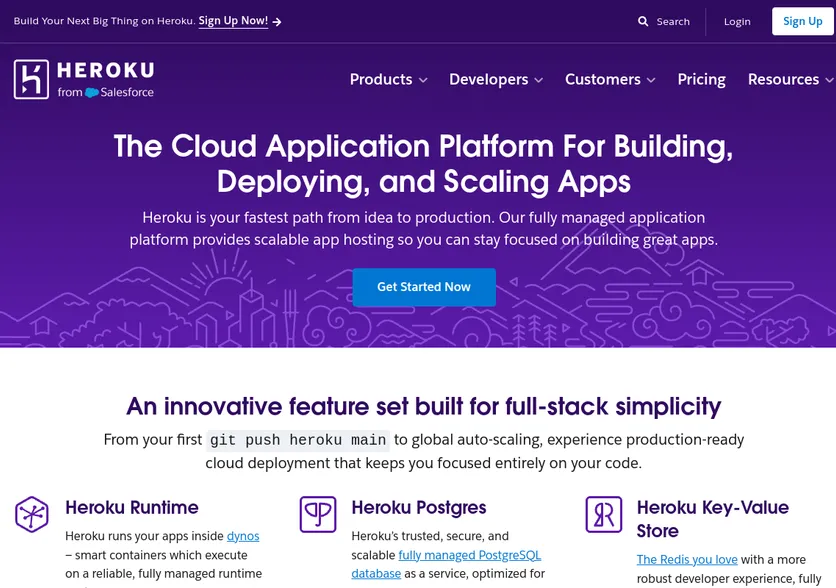
Paid tool Starting price: $5/month · Five dollars a month on Eco for a shared pool of 1,000 dyno hours; Basic is $7 a month per dyno and Standard-1X is $25 a month; Heroku Postgres starts at $5 a month
Free plan: No free plan
Enterprises that want the original platform as a service with a huge add-on marketplace start here, since this Heroku plan costs five dollars a month on Eco for a shared pool of one thousand dyno hours. Git push deploys, review apps and managed Postgres keep the workflow simple, and the add-on marketplace covers logging, monitoring and databases without leaving the platform. Eco dynos sleep after thirty minutes idle, so always-on work needs Basic at seven dollars a month per dyno.
What we like
- Git push deploys with review apps
- Managed Postgres and Key-Value Store add-ons
- Huge add-on marketplace for logging and monitoring
Watch out for
- No free plan since November 2022
- Eco dynos sleep after 30 minutes idle
How to try it
- Create the app and connect the Git repository
- Push to deploy and set the dyno type
- Add Postgres or another add-on from the marketplace
2. Render
Best for: Fixed-price full-stack apps with managed Postgres
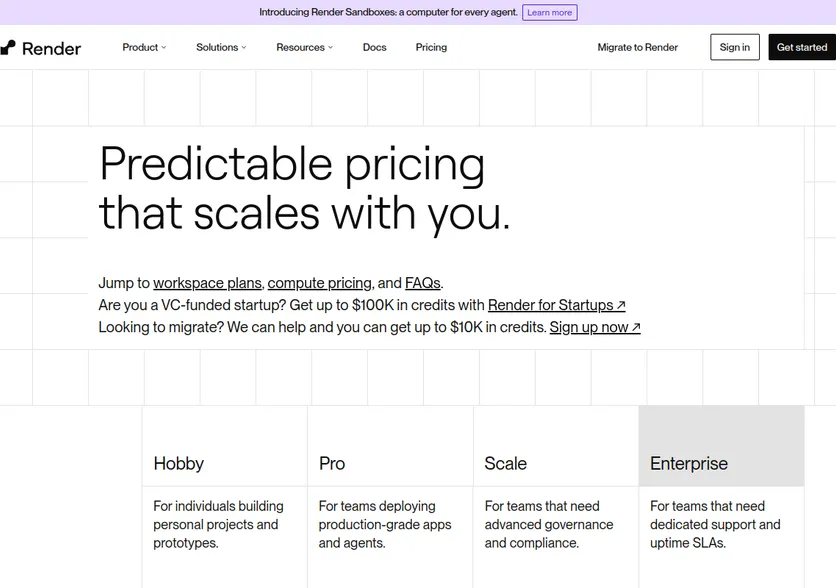
Paid tool Starting price: $7/month · Seven dollars a month for a Starter web service; Standard is $25 and Pro is $85 a month; managed PostgreSQL starts at $6 a month and a Pro workspace is $25 a month
Free plan: Free plan (web service sleeps)
An enterprise team that wants a fixed monthly bill for each service will like the predictability here, since this Render plan costs seven dollars a month for a Starter web service. Web services, workers, cron jobs and managed PostgreSQL live in one dashboard with preview environments for every pull request. The Pro workspace adds twenty-five dollars a month on top of compute, so model the total before comparing with usage-priced rivals.
What we like
- Fixed monthly price per service
- Managed PostgreSQL and Key Value included
- Preview environments for every pull request
Watch out for
- Free web services spin down after 15 idle minutes
- Pro workspace adds $25 a month on top of compute
How to try it
- Connect the GitHub or GitLab repository
- Pick the web service size and region
- Add managed PostgreSQL and deploy the app
3. Railway
Best for: Usage-metered full-stack apps and databases
Paid tool Starting price: $5/month · Five dollars a month on Hobby, which is a $5 usage credit rather than a fixed box; Pro is $20 a month per workspace with $20 of usage credit; compute is metered at $20 per vCPU and $10 per GB of RAM a month
Free plan: Free plan ($1 usage credit a month)
Enterprises with spiky traffic get a fairer bill here, since this Railway plan costs five dollars a month on Hobby, which is a five-dollar usage credit rather than a fixed box. Services, databases and workers share one usage pool metered by the second, so an idle app costs almost nothing and a busy one scales without re-provisioning. Pro adds twenty dollars a month per workspace with twenty dollars of usage credit and unlimited seats.
What we like
- Billing follows actual use by the second
- Postgres, Redis and workers in one project
- Preview environments for every pull request
Watch out for
- Hobby is a usage credit, not a fixed box
- A busy service costs more than $5 once the credit is used
How to try it
- Create a project from a template or Git repository
- Add the database and worker services
- Set the usage alerts before the app goes live
4. Fly.io
Best for: Low-cost machines in many regions
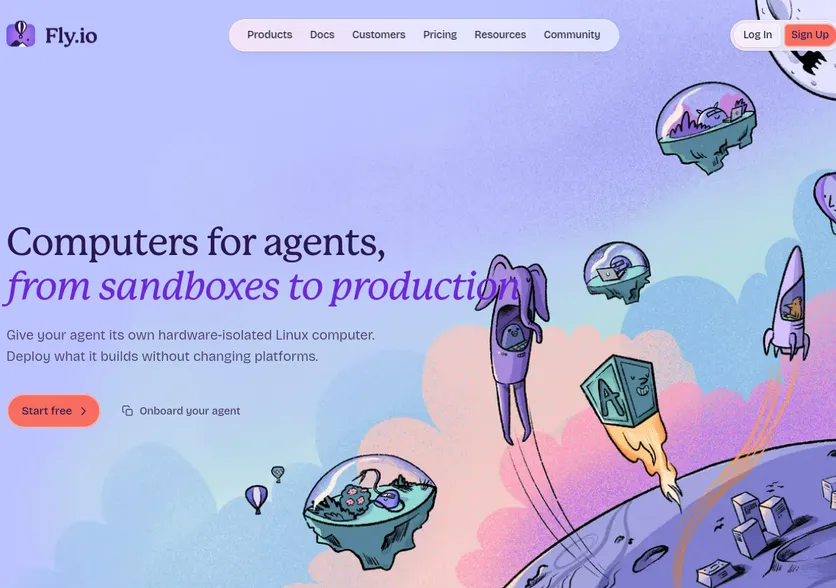
Paid tool Starting price: $2.19/month · Two dollars and nineteen cents per 30 days for a shared-cpu-1x machine with 256 MB in Ashburn; larger machines and volumes are metered by the second; one November 2026 read shows $1.94 a month for the same machine, so confirm the region price at checkout
Free plan: 7-day free trial
Enterprises that need machines close to users in many regions get the cheapest entry here, since this Fly.io plan costs two dollars and nineteen cents per thirty days for a shared-cpu machine with two hundred and fifty-six megabytes. Machines bill by the second while they run, volumes are local to each host, and there is no monthly platform fee. It demands more operational skill than the managed options, so budget engineering time alongside the low bill.
What we like
- Cheapest always-on entry in this list
- Machines in many regions close to users
- No monthly platform fee, billing by the second
Watch out for
- Free allowances ended in October 2024
- Needs more operational skill than managed hosts
How to try it
- Install the Fly command line tool and sign in
- Launch the app in the region closest to users
- Scale machines up or down as traffic changes
5. Vercel
Best for: Next.js and frontend teams
Paid tool Starting price: $20/user/month · Twenty dollars per user a month on Pro billed annually; Hobby is free for personal, non-commercial projects, so a commercial site needs Pro; Enterprise is quoted
Free plan: Free plan (Hobby, personal projects)
Enterprise frontend teams on Next.js have an obvious home here, since this Vercel plan costs twenty dollars per user a month on Pro billed annually. Git push deploys with preview links for every change, edge functions and server rendering work in one workflow, and viewer seats are free and unlimited. Hobby is free only for personal, non-commercial projects, so a client or company site needs Pro.
What we like
- Preview links for every Git push
- Server rendering and edge functions included
- Viewer seats are free and unlimited
Watch out for
- Hobby is free only for personal projects
- Pro charges per deploying seat
How to try it
- Import the Git repository into Vercel
- Set the framework preset and environment variables
- Deploy and share the preview link with the team
6. Netlify
Best for: Static sites and Jamstack teams
Paid tool Starting price: $19/member/month · Nineteen dollars per member a month on Pro; the free Starter plan allows commercial use with 100 GB of bandwidth a month; Business and Enterprise are quoted
Free plan: Free plan (100 GB bandwidth)
Enterprise marketing and Jamstack teams that need commercial use on the free tier start here, since this Netlify plan costs nineteen dollars per member a month on Pro. Deploy previews, forms and serverless functions come from Git, and the free plan allows commercial use with one hundred gigabytes of bandwidth a month. Every member on Pro costs nineteen dollars a month, so a team of ten pays one hundred and ninety dollars before overages.
What we like
- Free plan allows commercial use
- Deploy previews for every change
- Forms and serverless functions included
Watch out for
- Every member on Pro costs $19 a month
- Newer accounts moved to credit-based billing
How to try it
- Connect the Git repository to Netlify
- Set the build command and publish directory
- Deploy and check the preview link
7. DigitalOcean App Platform
Best for: Predictable small-team bills on DigitalOcean
Paid tool Starting price: $5/month · Five dollars a month for a web service with 1 shared vCPU and 512 MB; static sites are free up to 3 apps; databases are separate products
Free plan: Free plan (3 static sites)
Enterprises already on DigitalOcean get the simplest PaaS path here, since this DigitalOcean App Platform plan costs five dollars a month for a web service with one shared virtual CPU and five hundred and twelve megabytes. Prices are fixed per service with monthly caps, static sites are free up to three apps, and databases are separate products. It suits teams that want predictable bills without leaving the DigitalOcean console.
What we like
- Fixed prices with monthly caps
- Three static sites free
- Deploys from Git with managed databases nearby
Watch out for
- Databases are separate products
- No free container, only static sites
How to try it
- Create an app from the Git repository
- Pick the service size and region
- Add a managed database if the app needs one
8. Back4app
Best for: Backend and web apps on a fixed plan
Paid tool Starting price: $5/month · Five dollars a month on the Shared container plan; the free container runs 60 minutes per deploy; dedicated plans for production are quoted on the vendor page
Free plan: Free plan (1 container)
Enterprises with backend-heavy apps get a low fixed entry here, since this Back4app plan costs five dollars a month on the Shared container plan. It runs backend and web deployments with a free container for prototyping and dedicated plans for production apps. The free container lives only sixty minutes per deploy, so anything that must stay up needs the paid plan.
What we like
- Fixed five-dollar entry for containers
- Backend, database and API in one platform
- Free container for prototyping
Watch out for
- Free container lives only 60 minutes per deploy
- Production plans are quoted, not listed
How to try it
- Create the app and pick the container size
- Connect the database and set the environment variables
- Deploy and check the live endpoint
Prices above were checked on each vendor’s own website on Nov 28, 2026 and can change — the vendor’s page is the final word. Vendor links are editorial: nobody paid to be listed or ranked here. Vendors who want a featured listing can see how it works on our Get listed page.
How to pick a PaaS without a billing surprise
Model the real app before comparing prices, because the headline covers one service and the real bill covers the service, the database, the worker and the bandwidth. Add the database cost first: a seven-dollar web service plus a six-dollar database is thirteen dollars a month, not seven. Check what sleeps: free tiers and Eco dynos spin down when idle, so a service that must always answer needs a paid plan. Test the deploy flow with a real pull request, and set a billing alert on day one so the first traffic spike is a notification, not a shock.
Before you buy
- Add the database, worker and bandwidth costs to the headline before comparing two platforms
- Check whether free or entry tiers sleep when idle, since an always-on service needs a paid plan
- Ask how preview environments are billed, since a busy team can run dozens of them at once
- Confirm the platform runs in the regions the users are in, not just the region the team is in
- Test a rollback before launch, since a bad deploy needs a one-click way back
Official websites
Official websites of the products reviewed above. Features and prices were checked against these sites when this guide was written, and they can change, so confirm on the vendor site before you buy.
Frequently asked questions
What is PaaS software for enterprise?
Platform as a service is cloud hosting where the vendor runs the servers, the runtime and the database, and the team only deploys code. Enterprise teams use it to ship web apps, APIs and background jobs without managing infrastructure, with preview environments, scaling and monitoring built in, and the bill is usually a fixed price per service plus usage.
How much does Render cost for enterprise teams?
Render costs seven dollars a month for a Starter web service, with Standard at twenty-five dollars and Pro at eighty-five dollars a month. Managed PostgreSQL starts at six dollars a month, and a Pro workspace adds twenty-five dollars a month on top of compute, so a small live app with a database starts at thirteen dollars a month.
Is there a free PaaS for enterprise use?
Not a real one, since the free tiers here are trials in practice: Render free web services sleep after fifteen idle minutes, Railway free credit is one dollar a month, and Vercel Hobby is free only for personal, non-commercial projects. Netlify free allows commercial use with one hundred gigabytes of bandwidth, which covers small marketing sites.
Which PaaS is cheapest for a small always-on app?
Fly.io is the cheapest always-on entry here, at two dollars and nineteen cents per thirty days for a shared-cpu machine with two hundred and fifty-six megabytes. Heroku Eco and Railway Hobby both start at five dollars a month, and DigitalOcean App Platform starts at five dollars a month for a fixed-price web service.
Which PaaS is best for Next.js apps?
Vercel is the best pick for Next.js, because it is built by the same company behind Next.js and handles server rendering, edge functions and preview links in one workflow. Pro costs twenty dollars per user a month billed annually, with viewer seats free and unlimited, while Netlify is the better pick for framework-agnostic static sites.
Compare the eight platforms above, then deploy a real app on a free tier or trial and watch the first month bill before moving production traffic.
Browse Developer Tools tools