On this page
Parallel dialing rings several prospects at once and connects the rep to the first live answer, so a team stops burning hours on ringing phones and voicemail. The seven tools below cover that job at very different prices, from a fifteen-dollar phone system to a one-hundred-and-forty-dollar power dialer. PhoneBurner leads because its dialer is built for volume first, with unlimited power dialing and a built-in CRM at one hundred and forty dollars per user a month, and the rest are ranked on how much dialing you get for the seat price.
How we researched this
We checked every price on the vendor pricing page on November 28, 2026, and only included tools with a published US dollar list price. The parallel dialing specialists that sell by quote, including Orum, Nooks, Koncert, Salesloft, Outreach, ConnectAndSell and Five9, publish no prices, and Kixie lists plan names with no dollar figures, so they are not in this list. Prices change, so confirm the current figure on the vendor site before you buy.
Compare the tools
| Name | Best for | Starting price | Free plan | |
|---|---|---|---|---|
 PhoneBurner | High-volume teams that want pure dialling speed | $140/user/month | No free plan; free trial | Visit |
 JustCall | Small teams that want calls, SMS and transcription together | $29/user/month | No free plan; 14-day free trial | Visit |
 CloudTalk | Teams that dial internationally and want parallel lines | $25/user/month | No free plan; 14-day free trial | Visit |
 Aircall | Teams that want a shared phone workspace with a dialer | $30/user/month | No free plan; 7-day free trial | Visit |
 Dialpad | Teams that want AI summaries on every call | $15/user/month | No free plan; 14-day free trial | Visit |
 Aloware | CRM-first teams that dial from HubSpot or Salesforce | $60/user/month | No free plan; 7-day free trial | Visit |
| VanillaSoft | Phone-heavy teams that work a lead queue | $110/user/month | No free plan; 30-day free trial | Visit |
The parallel dialing software for sales teams, compared
1. PhoneBurner
Best for: High-volume teams that want pure dialling speed
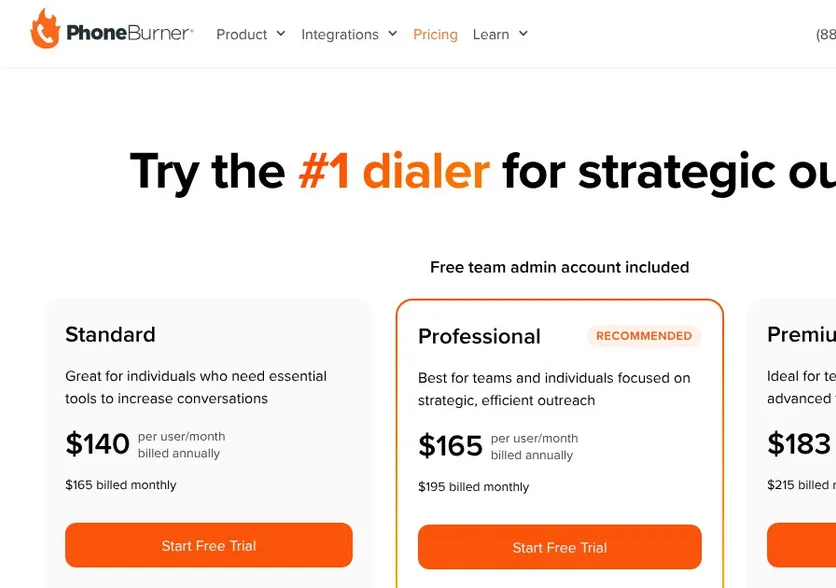
Paid tool Starting price: $140/user/month · One hundred and forty dollars per user a month billed annually on Standard (one hundred and sixty-five dollars billed monthly); Professional is one hundred and sixty-five dollars and Premium is one hundred and eighty-three dollars billed annually; number reputation add-ons are quoted
Free plan: No free plan; free trial
A sales team that lives on the phone and needs every call logged will get the most from this tool, since this PhoneBurner plan costs one hundred and forty dollars per user a month billed annually. The power dialer moves through a list without pause, drops voicemail with one click and logs every outcome to the built-in CRM. It is the dearest seat in this list, but it is also the most single-minded about dialling volume.
What we like
- Power dialer built for up to eighty dials an hour
- Built-in CRM logs every call outcome automatically
- One-click voicemail drop keeps reps talking, not recording
Watch out for
- The dearest seat in this list by a wide margin
- Number reputation protection is a quoted add-on, not included
How to try it
- Import the call list and set dispositions for every outcome
- Start a dial session and work the list without pausing between calls
- Review the call report at day end and rebuild tomorrow's list from it
2. JustCall
Best for: Small teams that want calls, SMS and transcription together
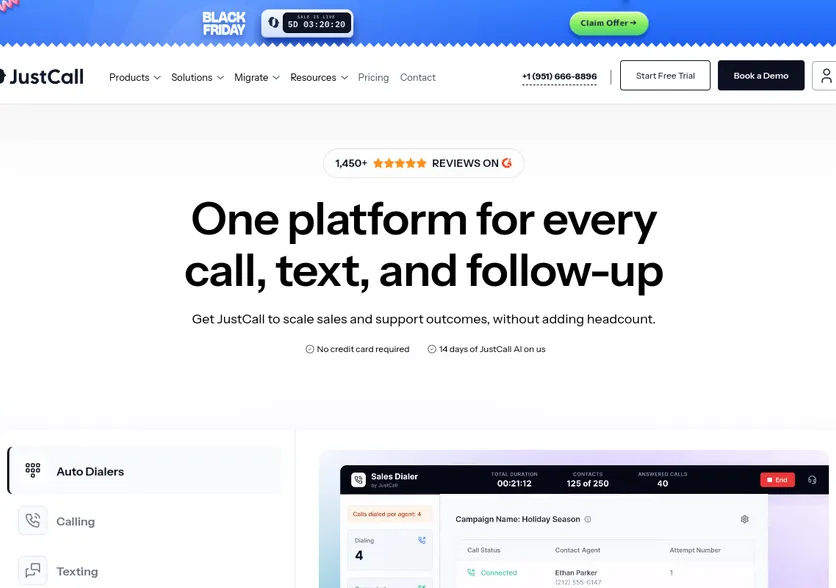
Paid tool Starting price: $29/user/month · Twenty-nine dollars per user a month billed annually on Team (thirty-nine dollars billed monthly); Pro is forty-nine dollars and Pro Plus is eighty-nine dollars billed annually; the power dialer sits on Pro; every plan has a two-licence minimum
Free plan: No free plan; 14-day free trial
For a small team that wants calling, texting and AI transcription in one subscription, this JustCall plan costs twenty-nine dollars per user a month billed annually. Unlimited calling in the US and Canada sits under a fair-use policy, and every call is transcribed automatically so managers can coach from real conversations. The power dialer itself needs the Pro plan, so teams buying for dialling should budget for that step up.
What we like
- Unlimited US and Canada calling under a fair-use policy
- Every call transcribed automatically for coaching
- More than one hundred CRM and data integrations on Pro
Watch out for
- The power dialer needs Pro at forty-nine dollars, not the entry plan
- Every plan carries a two-licence minimum, so a solo rep pays for two seats
How to try it
- Connect the CRM and import the prospect list
- Set up the power dialer on Pro and build a call queue
- Review transcriptions weekly and coach from the real calls
3. CloudTalk
Best for: Teams that dial internationally and want parallel lines
Paid tool Starting price: $25/user/month · Twenty-five dollars per user a month billed annually on Starter (thirty-four dollars billed monthly); Essential is twenty-nine dollars and Expert is forty-nine dollars; parallel dialling on up to ten lines is an add-on that brings Essential to sixty-eight dollars a month
Free plan: No free plan; 14-day free trial
A team that dials across several countries will appreciate the way this tool prices, because this CloudTalk plan costs twenty-five dollars per user a month billed annually. The power dialer is a fifteen-dollar add-on on Starter and Essential and is included on Expert, while parallel dialling on up to ten lines starts at sixty-eight dollars a month on Essential. Unlimited domestic calling is included on the higher plans, which keeps the bill predictable as volume grows.
What we like
- Parallel dialling on up to ten lines at once
- Unlimited domestic calling on Essential and Expert
- Smart dialer and CRM integrations from the Essential plan
Watch out for
- Parallel dialling is a paid add-on, not part of the entry price
- US and Canadian customers pay an extra eleven percent compliance fee
How to try it
- Pick the calling region and add local numbers for it
- Turn on the power dialer add-on or move to Expert
- Build the call queue from the CRM and start dialling
4. Aircall
Best for: Teams that want a shared phone workspace with a dialer
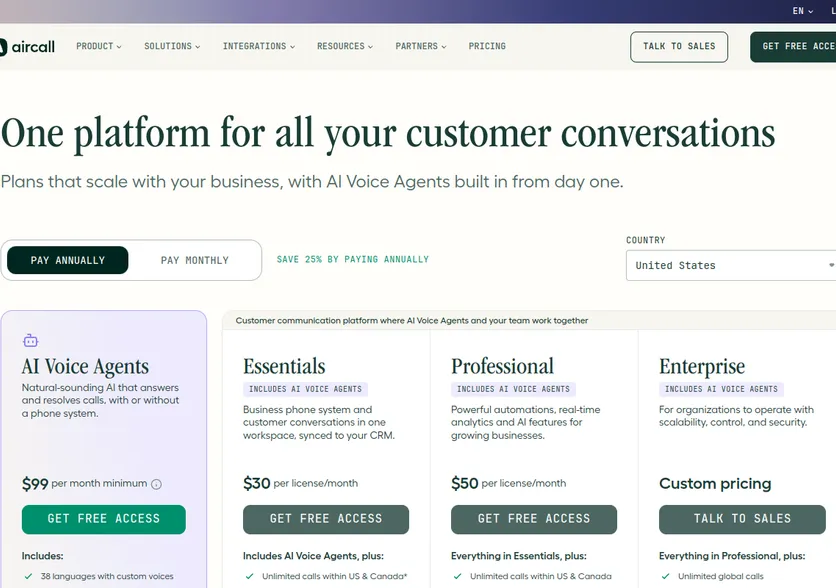
Paid tool Starting price: $30/user/month · Thirty dollars per licence a month billed annually on Essentials (forty dollars billed monthly); Professional is fifty dollars and includes the power dialer; both plans carry a three-licence minimum
Free plan: No free plan; 7-day free trial
Support and sales teams that share one business number will find this tool easy to run, since this Aircall plan costs thirty dollars per licence a month billed annually. Calls, SMS and a shared inbox sit in one workspace, and the Professional plan adds the power dialer with voicemail drop, call whispering and live monitoring. The three-licence minimum means the smallest real bill is ninety dollars a month.
What we like
- Shared inbox and one workspace for calls and SMS
- Power dialer with voicemail drop on Professional
- More than two hundred and fifty integrations
Watch out for
- The power dialer needs Professional at fifty dollars a licence
- A three-licence minimum makes it poor value for a solo rep
How to try it
- Set up the shared number and add the team
- Move to Professional to unlock the power dialer
- Build outbound campaigns and monitor live calls from the dashboard
5. Dialpad
Best for: Teams that want AI summaries on every call
Paid tool Starting price: $15/user/month · Fifteen dollars per user a month billed annually on Connect Standard (twenty-seven dollars billed monthly); Pro is twenty-five dollars; the outbound-focused Sell product starts at thirty-nine dollars per user a month billed annually
Free plan: No free plan; 14-day free trial
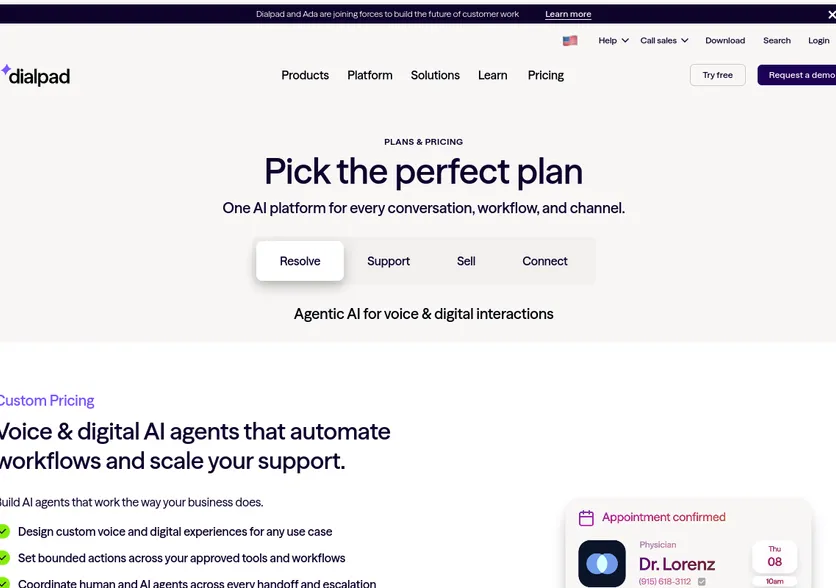
A team that wants AI call summaries on every call without paying for a separate transcription tool will like this one, because this Dialpad plan costs fifteen dollars per user a month billed annually. Unlimited calling, messaging and AI meetings come in the base plan, and real-time transcription turns every conversation into searchable notes. Outbound-heavy teams should look at the Sell product instead, since the Connect dialling features are lighter.
What we like
- Real-time transcription and AI recaps on every call
- Unlimited calling, messaging and meetings in the base plan
- CRM integrations from the Pro plan
Watch out for
- Connect is a phone system first, not a dedicated dialer
- Outbound dialling depth needs the Sell product at thirty-nine dollars
How to try it
- Set up the business number and add the team
- Turn on AI recaps and connect the CRM on Pro
- Review call summaries daily and follow up from the notes
6. Aloware
Best for: CRM-first teams that dial from HubSpot or Salesforce
Paid tool Starting price: $60/user/month · Sixty dollars per user a month on uPro plus AI on the quarterly plan (seventy dollars billed monthly); xPro plus AI is eighty-five dollars and adds Salesforce; the entry iPro plan at thirty dollars has no power dialer; five-seat minimum
Free plan: No free plan; 7-day free trial
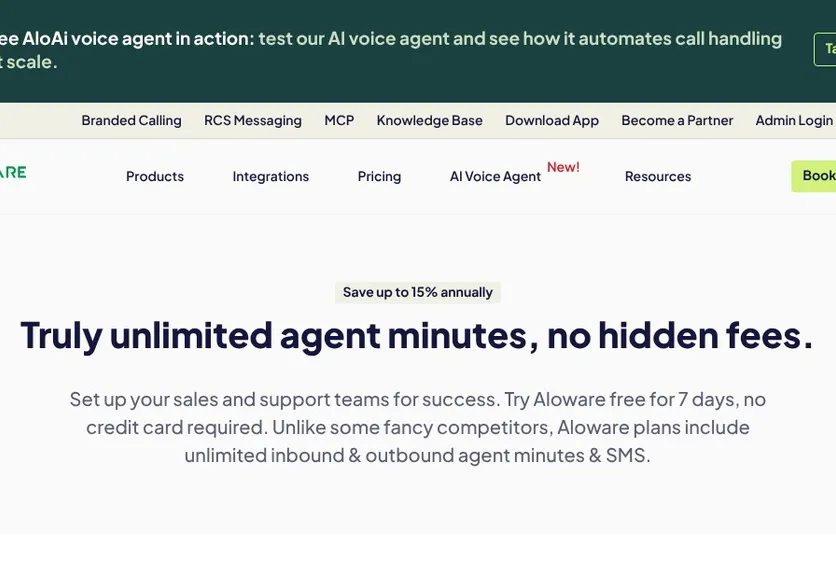
A team that dials from inside HubSpot or Salesforce will get the most from this tool, because this Aloware plan costs sixty dollars per user a month on the quarterly plan. The power dialer runs from the CRM record, every call and text logs back automatically, and the Pickup Stack add-ons protect number reputation so more calls get answered. Salesforce needs the dearer xPro plan, so HubSpot teams get the better deal here.
What we like
- Power dialer embedded in the CRM record
- Every call and text logs back to the contact automatically
- Number reputation tools lift answer rates
Watch out for
- The power dialer needs uPro at sixty dollars, not the thirty-dollar entry plan
- The number reputation Pickup Stack is priced separately
How to try it
- Connect HubSpot or Salesforce and sync the contact list
- Build a call queue from a CRM list and start the power dialer
- Turn on number reputation monitoring before the first campaign
7. VanillaSoft
Best for: Phone-heavy teams that work a lead queue
Paid tool Starting price: $110/user/month · One hundred and ten dollars per user a month on the vendor pricing page, checked October 2026; some directories still list eighty dollars a month, which appears stale against the vendor figure; annual bundles include the first five seats
Free plan: No free plan; 30-day free trial
A phone-heavy team that works a queue rather than cherry-picking leads will recognise this tool at once, because this VanillaSoft plan costs one hundred and ten dollars per user a month. The lead prioritisation engine serves each rep the next best lead, and the dialler, email and SMS automation sit in the same queue. Annual bundles include the first five seats, setup and support, which suits a team buying as a unit.
What we like
- Queue-based dialling serves reps the next best lead
- Lead prioritisation engine ranks who to call next
- Email and SMS automation in the same queue
Watch out for
- Directory listings disagree on the price, so confirm the quote in writing
- No mobile app, which hurts teams that dial on the move
How to try it
- Import leads and let the engine rank the queue
- Set the dialling rules and voicemail drops for the team
- Review the queue results weekly and retune the ranking
Prices above were checked on each vendor’s own website on Nov 28, 2026 and can change — the vendor’s page is the final word. Vendor links are editorial: nobody paid to be listed or ranked here. Vendors who want a featured listing can see how it works on our Get listed page.
How to run parallel dialing without burning your numbers
Parallel dialing only works when the list is clean, because ringing four bad numbers at once just wastes four lines instead of one. Scrub the list for disconnected numbers and do-not-call entries before the first session, and keep the list fresh every week. Watch the answer rate daily: if it falls, the numbers are probably flagged as spam, and the fix is reputation monitoring or a rest, not more lines. Give reps a script for the first ten seconds, because the first live answer arrives with no warning and a hesitant opening loses the call.
Before you buy
- Confirm how many lines the plan dials at once and whether that costs extra
- Check whether the dialer includes number reputation tools or sells them as add-ons
- Ask if call recordings and transcriptions are included or metered separately
- Make sure the dialer logs every outcome to the CRM the team already uses
- Test the tool on one real list before paying, including a voicemail drop and a live answer
Official websites
Official websites of the products reviewed above. Features and prices were checked against these sites when this guide was written, and they can change, so confirm on the vendor site before you buy.
Frequently asked questions
What is parallel dialing software for sales teams?
Parallel dialing software rings several prospects at the same time and connects the sales rep to whichever one answers first, dropping the other lines automatically. It cuts the dead time spent listening to ringing and voicemail, so a rep talks to far more live prospects in the same hour than with one-line dialing.
How much does PhoneBurner cost?
PhoneBurner costs one hundred and forty dollars per user a month billed annually on Standard, or one hundred and sixty-five dollars billed monthly. Professional is one hundred and sixty-five dollars billed annually and Premium is one hundred and eighty-three dollars, adding a softphone, live coaching, transcription and SMS. Number reputation protection is a quoted add-on on every plan.
Which parallel dialing tool is cheapest?
Dialpad Connect is the cheapest entry at fifteen dollars per user a month billed annually, but it is a phone system first and its dedicated outbound product, Sell, starts at thirty-nine dollars. For true parallel dialing, CloudTalk is the cheapest route at sixty-eight dollars per user a month on Essential with the parallel dialer add-on, while JustCall starts at twenty-nine dollars with a power dialer on Pro.
Can I try parallel dialing software for free?
Most tools here offer a free trial rather than a free plan: PhoneBurner, JustCall, CloudTalk, Aircall, Dialpad, Aloware and VanillaSoft all run trials of seven to thirty days. None of the seven has a permanent free plan, so plan to use the trial on a real call list and check the dialing features on the tier you would actually buy.
Does parallel dialing hurt answer rates?
It can, if the numbers get flagged as spam from high-volume dialing. Tools such as Aloware sell number reputation monitoring and branded calling to protect answer rates, and PhoneBurner sells its ARMOR reputation layer as an add-on. Keep lists clean, watch the answer rate daily, and rest numbers that start getting flagged.
Compare the seven tools above, then start with a free trial on the tool that matches how the team already dials before paying for a full year of seats.
Browse Business Tools tools