On this page
Photo editing looks hard until you open the right tool, and the best beginner editors hide their power behind simple buttons and templates. The eight tools below run from about four dollars a month to a one-time licence, and every price was checked on the vendor site on November 26, 2026. Three include a free plan, and the rest offer trials, so you can edit real photos before paying. Canva is our first pick — the easiest editor here, from twelve dollars a month billed annually.
How we researched this
We started with the photo editors beginners actually buy, then read each price on the vendor pricing page on November 26, 2026 and noted the free plan or trial each one carries. We judged them for someone editing photos for the first time, not for a working professional. We kept only tools with a published dollar price, and we dropped any tool whose price we could not verify on the vendor site.
Compare the tools
| Name | Best for | Starting price | Free plan | |
|---|---|---|---|---|
 Adobe Photoshop | Beginners who want the most powerful editor and a huge tutorial library | $22.99/month | No free plan; 7-day free trial | Visit |
 Adobe Lightroom | Beginners who want to organize and edit photo libraries | $11.99/month | No free plan; 7-day free trial | Visit |
 Canva | Beginners who want templates and one-click design for social media | $12/month | Free plan with 600,000 templates and 5GB storage | Visit |
 DxO PhotoLab 9 | Beginners who shoot RAW and want a one-time licence | $149.99 one-time | No free plan; 31-day free trial | Visit |
 Capture One Pro | Beginners who want professional RAW editing with tethered shooting | $18/month | No free plan; 30-day free trial | Visit |
 Pixlr Premium | Beginners who want a browser editor with AI tools | $7.99/month | Free plan with ads and basic tools | Visit |
 Fotor Pro | Beginners who want a cheap browser editor with templates | $3.99/month | Free plan with ads and basic editing | Visit |
 ON1 Photo RAW 2027 | Beginners who want a one-time licence with AI editing | $99.99 one-time | No free plan; 30-day free trial | Visit |
The photo editing software for beginners, compared
1. Adobe Photoshop
Best for: Beginners who want the most powerful editor and a huge tutorial library
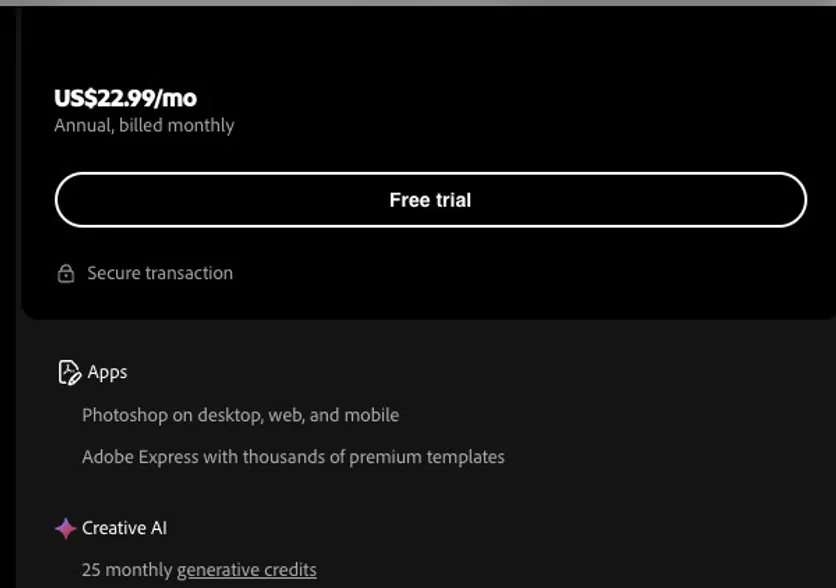
Paid tool Starting price: $22.99/month · Single App plan, $22.99 a month billed annually or $34.49 billed monthly
Free plan: No free plan; 7-day free trial
Photoshop is the most powerful editor on this list, and it is also the one with the most tutorials, presets and plugins for a beginner to lean on. This Photoshop Single App plan includes the full editor, cloud documents and a hundred gigabytes of storage, so a beginner can follow any tutorial they find. A new editor can remove a background, retouch a portrait and build a poster in the same afternoon.
What we like
- Largest tutorial library of any editor
- AI tools for removing and filling objects
- Works on desktop, web and iPad
Watch out for
- Single App costs about twenty three dollars a month billed annually
- No free plan, only a trial
How to try it
- Open the Adobe pricing page and start the 7-day trial
- Follow a beginner tutorial to edit your first photo
- Subscribe to the Single App plan when the trial ends
2. Adobe Lightroom
Best for: Beginners who want to organize and edit photo libraries
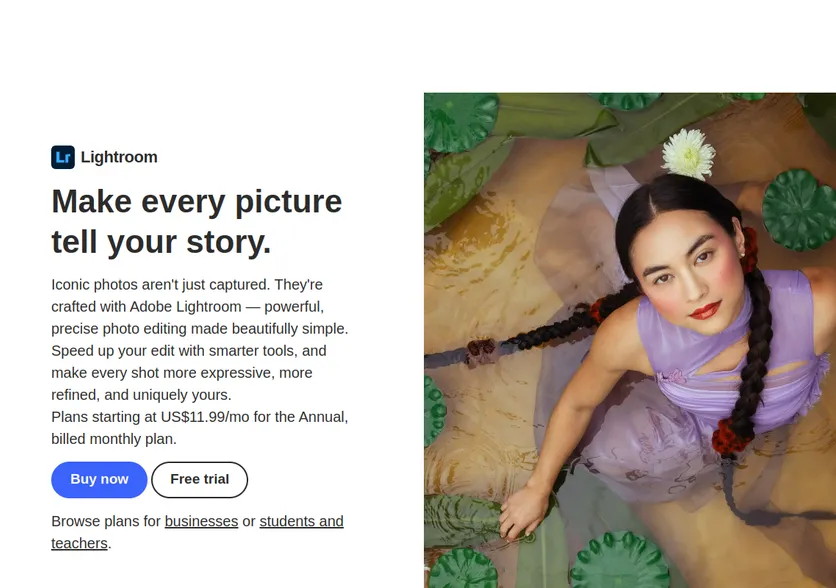
Paid tool Starting price: $11.99/month · Lightroom plan, $11.99 a month billed annually with 1TB cloud storage; Photography plan bundles Lightroom and Photoshop from $9.99 a month
Free plan: No free plan; 7-day free trial
Lightroom is the library manager of this list, built for people who take hundreds of photos and need to find and edit them fast. This Lightroom plan includes a terabyte of cloud storage, so photos sync between phone and computer without thinking about files. A beginner can fix exposure, straighten a horizon and apply one look to a whole shoot in minutes.
What we like
- Best photo organization of any editor
- Syncs edits between phone and computer
- Presets make consistent looks easy
Watch out for
- Lightroom plan costs about twelve dollars a month billed annually
- No free plan, only a trial
How to try it
- Open the Adobe pricing page and start the 7-day trial
- Import a photo shoot and try the auto adjustments
- Subscribe to the Lightroom plan when the trial ends
3. Canva
Best for: Beginners who want templates and one-click design for social media
Paid tool Starting price: $12/month · Pro plan, $12 a month billed annually ($144 a year) or $18 a month billed monthly
Free plan: Free plan with 600,000 templates and 5GB storage
Canva is the easiest editor on this list, with templates for almost everything a beginner wants to make. This Canva Pro plan unlocks the full template library, background remover and brand kit, so a social post or invitation takes minutes instead of hours. A beginner who has never edited a photo can produce a polished design on the first try.

What we like
- Easiest tool to learn on this list
- Templates for almost every design
- Works fully in the browser
Watch out for
- Pro costs twelve dollars a month billed annually, or eighteen dollars billed monthly
- Free plan has no background remover
How to try it
- Open the Canva pricing page and create a free account
- Pick a template and edit it with your own photos
- Upgrade to Pro for the background remover and brand kit
4. DxO PhotoLab 9
Best for: Beginners who shoot RAW and want a one-time licence
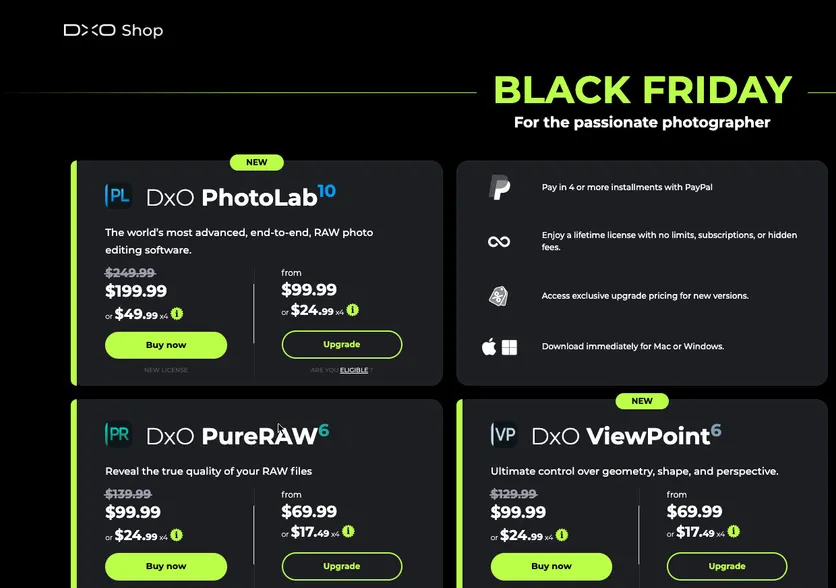
Paid tool Starting price: $149.99 one-time · Essential edition, $149.99 paid once; Elite is $239.99 paid once
Free plan: No free plan; 31-day free trial
DxO PhotoLab is the RAW specialist of this list, with automatic lens corrections and noise reduction that suit beginners who shoot in RAW. This DxO PhotoLab Essential edition is a one-time purchase, so a beginner pays once and owns the editor instead of renting it. A photographer with a new camera gets clean RAW processing and a clear path to the Elite edition later.
What we like
- One-time licence with no subscription
- Best automatic lens corrections here
- 31-day trial to test with real photos
Watch out for
- Essential costs about one hundred and fifty dollars paid once
- No free plan, only a trial
How to try it
- Open the DxO pricing page and download the 31-day trial
- Import RAW files and try the automatic corrections
- Buy the Essential edition when the trial proves the fit
5. Capture One Pro
Best for: Beginners who want professional RAW editing with tethered shooting
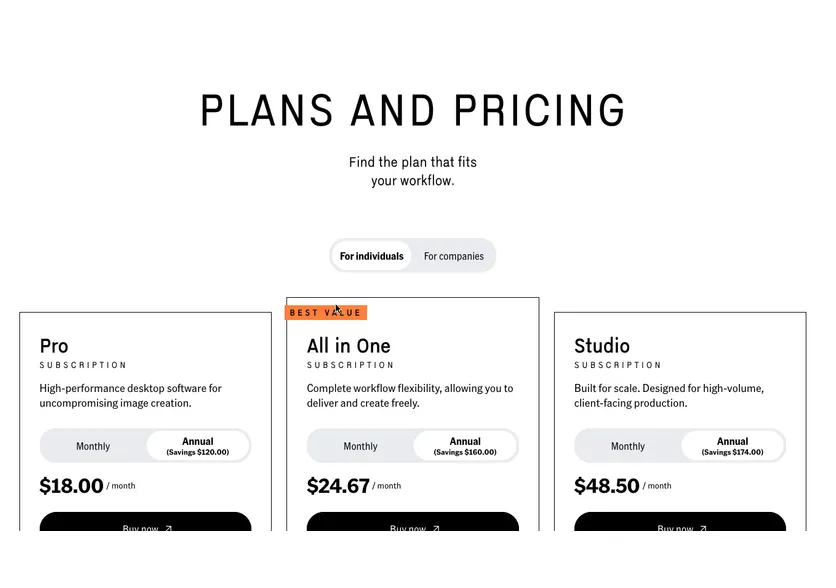
Paid tool Starting price: $18/month · Pro plan, $18 a month billed annually or $28 billed monthly; perpetual licence is $349 paid once
Free plan: No free plan; 30-day free trial
Capture One is the professional RAW editor of this list, trusted by studio photographers for colour and tethered shooting. This Capture One Pro plan includes the full editor with layers, tethering and live view, so a beginner can grow into professional workflows without switching tools. A photographer who shoots portraits gets precise colour control and a session workflow built for client shoots.
What we like
- Best colour editing on this list
- Tethered shooting built in
- Perpetual licence option available
Watch out for
- Pro costs about eighteen dollars a month billed annually
- No free plan, only a trial
How to try it
- Open the Capture One pricing page and start the 30-day trial
- Import a RAW shoot and try the colour tools
- Subscribe to Pro or buy the perpetual licence
6. Pixlr Premium
Best for: Beginners who want a browser editor with AI tools
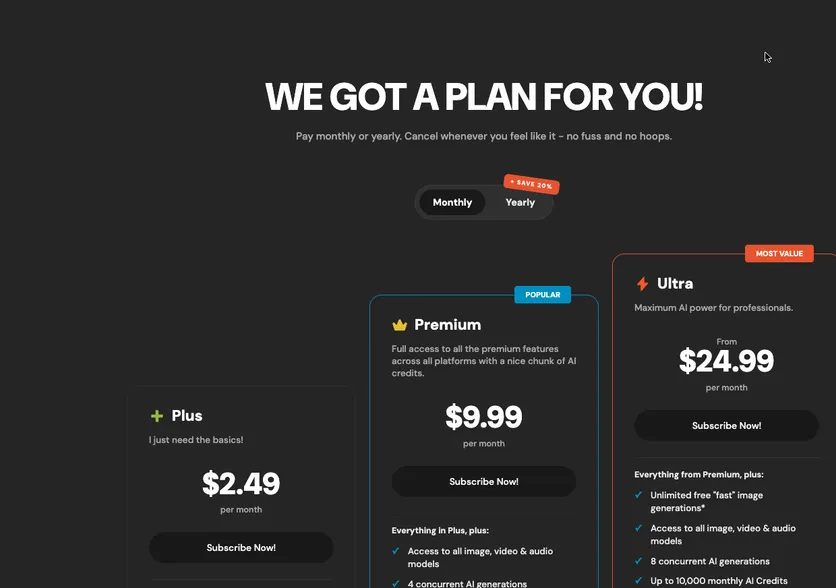
Paid tool Starting price: $7.99/month · Premium plan, $7.99 a month billed annually or $9.99 billed monthly
Free plan: Free plan with ads and basic tools
Pixlr is the browser editor of this list, running fully online with AI tools that remove backgrounds and clean up photos in one click. This Pixlr Premium plan unlocks the full editor, AI tools and larger exports, so a beginner can edit anywhere without installing anything. A student on a shared computer can open a browser, edit a photo and save it without touching the machine.
What we like
- Runs fully in the browser
- AI background remover built in
- Cheap Premium plan for beginners
Watch out for
- Premium costs about eight dollars a month billed annually
- Free plan shows ads and limits exports
How to try it
- Open the Pixlr pricing page and try the free editor
- Edit a photo with the AI background remover
- Upgrade to Premium for the full editor and larger exports
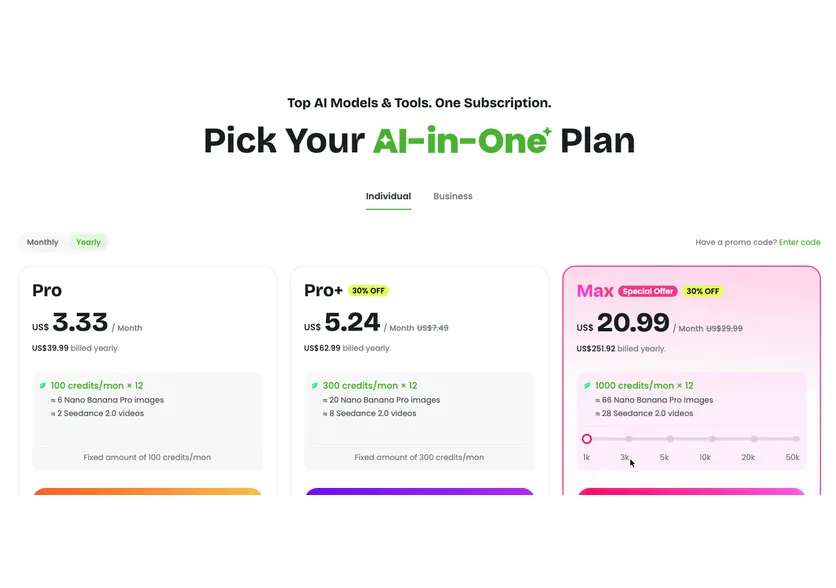
7. Fotor Pro
Best for: Beginners who want a cheap browser editor with templates
Paid tool Starting price: $3.99/month · Pro plan, $3.99 a month billed annually or $10.99 billed monthly; price rose from $3.33 in November 2026
Free plan: Free plan with ads and basic editing
Fotor is the budget browser editor of this list, combining photo editing with design templates for social posts and invitations. This Fotor Pro plan unlocks the full editor, AI tools and high-resolution exports, so a beginner can edit and design in one place. A hobbyist can fix a photo, add text and export a print-ready file without learning a desktop app.
What we like
- Cheapest paid plan on this list
- Templates included with editing
- Runs fully in the browser
Watch out for
- Pro costs about four dollars a month billed annually
- Free plan shows ads and limits exports
How to try it
- Open the Fotor pricing page and try the free editor
- Edit a photo and add a design template
- Upgrade to Pro for AI tools and high-resolution exports
8. ON1 Photo RAW 2027
Best for: Beginners who want a one-time licence with AI editing
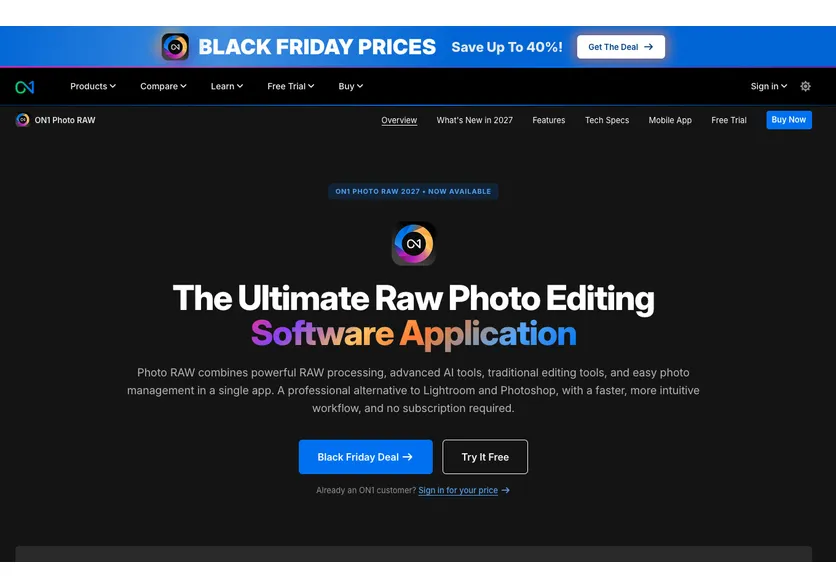
Paid tool Starting price: $99.99 one-time · Photo RAW 2027 perpetual licence, $99.99 paid once
Free plan: No free plan; 30-day free trial
ON1 Photo RAW is the one-time licence alternative for beginners who want AI editing without a monthly bill. This ON1 Photo RAW perpetual licence includes the full editor with AI masking, effects and a library, so a beginner pays once and keeps the software. A photographer who hates subscriptions gets a modern editor with no recurring cost.
What we like
- One-time licence with no subscription
- AI masking built into the editor
- Library and effects in one app
Watch out for
- Perpetual licence costs about one hundred dollars paid once
- No free plan, only a trial
How to try it
- Open the ON1 pricing page and start the 30-day trial
- Import a photo shoot and try the AI masking
- Buy the perpetual licence when the trial proves the fit
Prices above were checked on each vendor’s own website on Nov 26, 2026 and can change — the vendor’s page is the final word. Vendor links are editorial: nobody paid to be listed or ranked here. Vendors who want a featured listing can see how it works on our Get listed page.
What photo editing software costs in 2026
Beginner editors split into two kinds: subscriptions that charge monthly, and one-time licences that cost once. This list runs from about four dollars a month for Fotor Pro to about twenty six dollars a month for Capture One Pro, with one-time licences near one hundred and one hundred and fifty dollars in between. The headline plan each vendor shows on its own pricing page is the number in the table above, checked on November 26, 2026.
Try the free plan or trial on two editors and edit the same ten photos in both. Watch which one you reach for twice, then pay for that one. The best editor is the one you actually open, not the one with the longest feature list.
Before you buy
- Start with a free trial before paying, because every editor here feels different in the hand.
- Check whether the plan is a subscription or a one-time licence, because the total cost over two years differs a lot.
- Match the editor to your photos: Lightroom and Capture One manage libraries, Photoshop and Canva make graphics.
- Test the mobile app too, because beginners edit on phones as often as on laptops.
- Compare the monthly and annual prices, because annual billing cuts most plans here by about a fifth.
Official websites
Official websites of the products reviewed above. Features and prices were checked against these sites when this guide was written, and they can change, so confirm on the vendor site before you buy.
Frequently asked questions
What is the best photo editing software for beginners in 2026?
Canva Pro, at twelve dollars a month billed annually, is the easiest pick for a complete beginner because templates and one-click tools do most of the work. Lightroom, at about twelve dollars a month billed annually, is the best pick when you want to organize and edit real photo shoots. Photoshop, at about twenty three dollars a month, is the pick for anyone who wants the deepest editor.
What is the cheapest photo editing software for beginners?
Fotor Pro, at about four dollars a month billed annually, is the cheapest paid plan here. Pixlr Premium follows at about eight dollars a month billed annually. Canva, Pixlr and Fotor all have free plans, so a beginner can edit real photos before spending anything.
Can I edit photos for free?
Yes, Canva has a free plan with six hundred thousand templates and five gigabytes of storage. Pixlr and Fotor both have free plans with basic editing, although they show ads and limit exports. Photoshop, Lightroom, DxO PhotoLab, Capture One and ON1 Photo RAW offer free trials instead of free plans.
Should I buy a subscription or a one-time licence?
A subscription like Photoshop or Lightroom gives you updates and cloud storage for a monthly fee, and it costs more over two years. A one-time licence like DxO PhotoLab Essential or ON1 Photo RAW costs about one hundred to one hundred and fifty dollars once, and you keep the software. Beginners who hate monthly bills should pick a one-time licence.
Should I choose Lightroom or Photoshop?
Lightroom is the better pick for organizing and editing large photo shoots, because its library and presets handle hundreds of photos at once. Photoshop is the better pick for deep editing of single images, like removing objects or building a poster. Many photographers use both: Lightroom for the shoot, Photoshop for the hero shot.
Want more image help? Try Toolsvine's free image tools right in your browser.
Browse Image Tools tools