On this page
Running several restaurants from one point of sale system is a different job from running one. Menus drift between sites, stock counts disagree, and the owner ends up opening five dashboards to answer one question. The seven systems below were picked because they handle more than one location properly, with prices checked on the vendor sites on November 28, 2026. Toast leads because it was built for restaurants first, with multi-location reporting and a free Starter Kit, at sixty-nine dollars a month on the Point of Sale plan.
How we researched this
We checked every price on the vendor pricing page on November 28, 2026, and only included systems with a published US dollar list price. Lavu and Aloha POS publish no clear public price, so they are not in this list. Prices change, so confirm the current figure on the vendor site before you buy.
Compare the tools
| Name | Best for | Starting price | Free plan | |
|---|---|---|---|---|
 Toast | Multi-location restaurants that want one system for every site | $69/month | Free plan (Starter Kit, $0/month) | Visit |
| Square for Restaurants | Small restaurant groups that want a low-cost start | $60/month | Free plan | Visit |
| Lightspeed Restaurant | Restaurant groups that need deep inventory and reporting | $69/month | 14-day free trial | Visit |
 Clover | Full-service restaurants that want counter and table in one box | $89.95/month | Free plan (Payments Only, $0/month) | Visit |
 TouchBistro | Full-service restaurants that want an iPad-based system | $69/month | No free plan; demo available | Visit |
| SpotOn POS | Restaurant groups watching the monthly bill per station | $55/month | Free plan (All-In, $0/station) | Visit |
| Revel | Larger restaurant groups that want an enterprise-grade system | $99/month | No free plan; demo only | Visit |
The POS software for multi location restaurants, compared
1. Toast
Best for: Multi-location restaurants that want one system for every site
Paid tool Starting price: $69/month · Sixty-nine dollars a month for the Point of Sale plan; the Starter Kit costs zero dollars a month and the Build Your Own bundle is priced by quote; hardware and payment processing are extra
Free plan: Free plan (Starter Kit, $0/month)
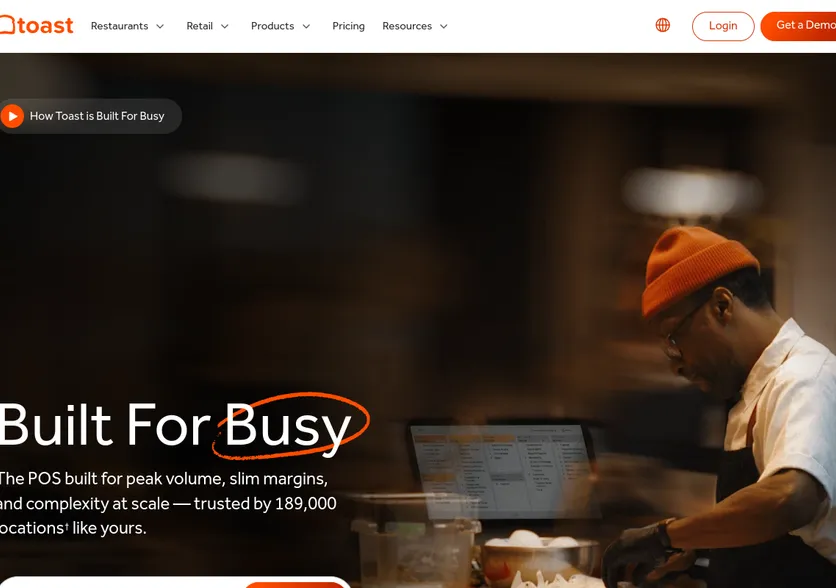
For a restaurant group that runs several sites from one menu, this Toast plan costs sixty-nine dollars a month, and it brings menus, kitchen display and multi-location reporting into one system. Its kitchen display, handheld ordering and table management were built for busy dining rooms rather than adapted from a retail register. The reporting roll-up shows sales, labour and menu performance across every location in one view, so an owner can spot a weak site without opening five separate dashboards.
What we like
- Built for restaurants, with menus, modifiers and coursing included
- Multi-location reporting shows every site in one dashboard
- Online ordering, gift cards and loyalty sit in the same platform
Watch out for
- The entry plan is a per-location charge, so the bill grows with each site
- Hardware is sold separately and adds a real upfront cost
How to try it
- Set up the menu, modifiers and tax rules for the first location
- Connect the payment terminal and test a full order from entry to kitchen
- Clone the menu to the next location and turn on multi-location reporting
2. Square for Restaurants
Best for: Small restaurant groups that want a low-cost start
Paid tool Starting price: $60/month · Sixty dollars a month per location on the Plus plan billed annually; the Free plan costs zero dollars a month; Premium is quoted; the free plan includes floor plans and menu management with payment processing charged per transaction
Free plan: Free plan
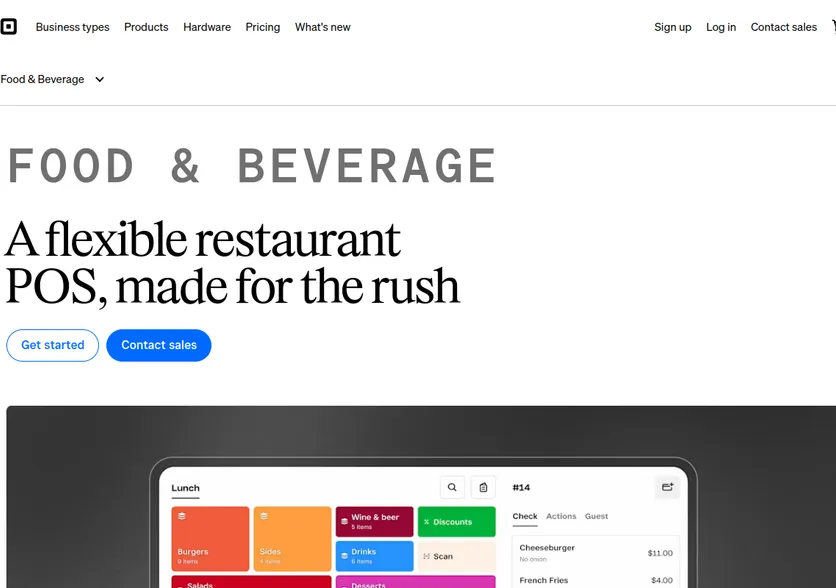
For a small restaurant group that wants to start free and pay only as it grows, this Square for Restaurants plan costs sixty dollars a month per location on the Plus plan, with a free plan underneath it. It starts free, which makes it the easiest way for a small restaurant group to put a real system in every site without a big upfront bill. The Plus plan adds the reporting, team management and advanced menu controls that a growing group needs, and the hardware costs far less than a traditional register setup.
What we like
- Free plan covers floor plans, menus and order management
- Kiosk, online ordering and QR tables all run from one account
- Hardware is cheap and arrives ready to plug in
Watch out for
- The Plus plan is charged per location, which adds up across many sites
- Advanced reporting and labour tools sit on the quoted Premium tier
How to try it
- Create the account and import the menu with modifiers and prices
- Lay out the floor plan and assign tables to servers
- Take a test order end to end, then add the next location from the same dashboard
3. Lightspeed Restaurant
Best for: Restaurant groups that need deep inventory and reporting
Paid tool Starting price: $69/month · Sixty-nine dollars a month for the Starter plan; Essential is one hundred and eighty-nine dollars a month and Premium is three hundred and ninety-nine dollars a month; the Kitchen Display System costs thirty dollars a month per screen
Free plan: 14-day free trial
For a restaurant group that manages food cost across many kitchens, this Lightspeed Restaurant plan costs sixty-nine dollars a month, and its ingredient-level inventory is the reason groups pick it. Its ingredient-level inventory is the reason a multi-location group picks it, because stock, waste and food cost stay visible across every kitchen. The analytics compare locations, shifts and menu items in one place, and the system handles table service, bars and quick service without a different app per format.
What we like
- Ingredient-level inventory tracks stock across every location
- Strong analytics compare sites, shifts and menu items side by side
- Works with the Lightspeed retail and payments stack for mixed businesses
Watch out for
- No free plan, only a fourteen-day trial before paying
- The Kitchen Display System is an extra thirty dollars a month per screen
How to try it
- Import menus, recipes and stock levels for the first restaurant
- Set ingredient-level inventory so waste shows up in the reports
- Roll the same menu and inventory rules out to the remaining sites
4. Clover
Best for: Full-service restaurants that want counter and table in one box
Paid tool Starting price: $89.95/month · Eighty-nine dollars and ninety-five cents a month for the Full-Service Dining Starter plan; the Payments Only plan costs zero dollars a month; higher dining tiers and hardware are extra
Free plan: Free plan (Payments Only, $0/month)
For a full-service restaurant group that needs counter and table service in the same box, this Clover plan costs eighty-nine dollars and ninety-five cents a month for the Full-Service Dining Starter plan. It covers the whole floor, from the host stand to the bar to the patio, with counter service and table service in the same box. The app marketplace adds reservations, loyalty, payroll and accounting without replacing the register, and the system keeps taking card payments offline when the internet drops.
What we like
- Counter, table service and online ordering in a single system
- Large app marketplace adds reservations, loyalty and accounting
- Offline mode keeps taking payments when the internet drops
Watch out for
- The dining plan is charged per station, so large floors cost more
- Hardware is sold separately and the better terminals are not cheap
How to try it
- Pick the dining plan and order the counter and handheld hardware
- Build the menu with coursing, modifiers and table sections
- Turn on the app marketplace add-ons the group actually uses, then train staff
5. TouchBistro
Best for: Full-service restaurants that want an iPad-based system
Paid tool Starting price: $69/month · Sixty-nine dollars a month for the base plan; the Essentials Bundle is one hundred and nineteen dollars a month and adds reservations, loyalty and gift cards; hardware is extra
Free plan: No free plan; demo available
For a full-service restaurant group that prefers iPads to fixed registers, this TouchBistro plan costs sixty-nine dollars a month, and it runs tableside ordering from the same system. It runs on iPads, which makes a new terminal cheap enough to put one at every table or bar section. Tableside ordering and payment speed up the dining room, and the menu engineering reports show which dishes earn their place and which ones quietly lose money.
What we like
- Runs on iPads, so a new terminal costs far less than a fixed register
- Tableside ordering and payments speed up the dining room
- Menu engineering reports show which dishes actually make money
Watch out for
- No free plan, only a demo before you commit
- The base plan is a single-location price, so groups pay per site
How to try it
- Install the app on iPads and pair the card readers
- Build the menu with modifiers, coursing and floor plan tables
- Train servers on tableside ordering, then add reservations from the bundle
6. SpotOn POS
Best for: Restaurant groups watching the monthly bill per station
Paid tool Starting price: $55/month · Fifty-five dollars a month per station on the POS Essentials plan; the All-In plan costs zero dollars a month per station on a two-year term with processing minimums; the Point of Sale plan is quoted
Free plan: Free plan (All-In, $0/station)
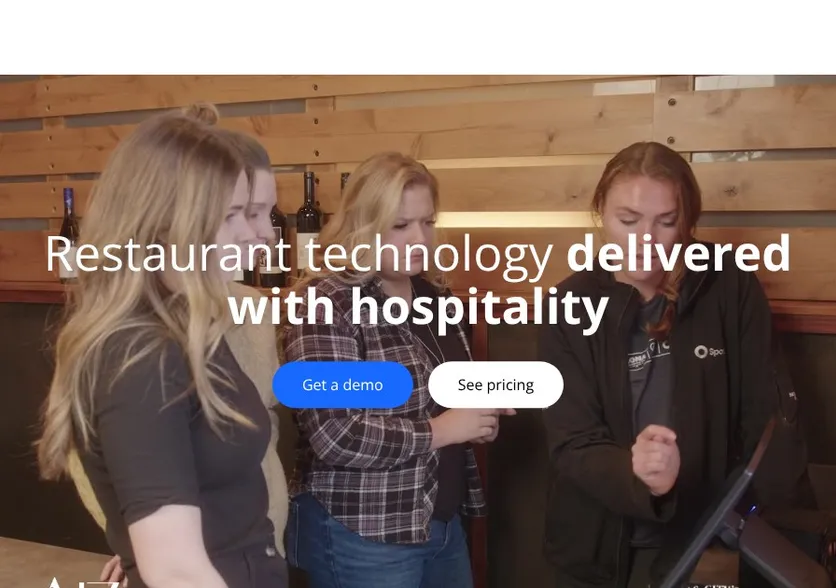
For a restaurant group watching the monthly bill at every station, this SpotOn POS plan costs fifty-five dollars a month per station on the Essentials plan, with a free station plan on a two-year term. Its pitch is value: the All-In plan costs nothing per station on a two-year term, which keeps the bill low as a group adds locations. Marketing, loyalty and reservations are built into the same account instead of being separate subscriptions, and the handhelds run tableside ordering from the same system.
What we like
- The All-In plan is free per station on a two-year term
- Marketing, loyalty and reservations are built in rather than bolted on
- Handhelds and kitchen display run from the same account
Watch out for
- The free station plan needs a two-year term with processing minimums
- The entry Essentials plan is still charged per station, not per location
How to try it
- Choose between the Essentials plan and the free All-In station plan
- Load the menu and set up loyalty and marketing for the first site
- Add handhelds for tableside ordering and connect the kitchen display
7. Revel
Best for: Larger restaurant groups that want an enterprise-grade system
Paid tool Starting price: $99/month · Ninety-nine dollars a month per terminal billed annually; the Revel Advantage plan needs a three-year contract with a two-terminal minimum and onboarding starts at six hundred and seventy-four dollars; the vendor site now redirects to Shift4, so confirm the price before buying
Free plan: No free plan; demo only
For a larger restaurant group that wants an enterprise-grade system across many terminals, this Revel plan costs ninety-nine dollars a month per terminal billed annually, on a three-year contract. It is the enterprise option in this list, built for restaurant groups that run many terminals and need the system to stay up through the dinner rush. The open API connects payroll, accounting and delivery platforms, and the inventory and reporting depth suits a group that manages food cost centrally.
What we like
- Enterprise-grade reliability with a long track record in restaurants
- Open API connects to payroll, accounting and delivery platforms
- Strong inventory and reporting for groups with many terminals
Watch out for
- The contract runs three years with a two-terminal minimum
- Onboarding starts at six hundred and seventy-four dollars and is extra
How to try it
- Book a demo and confirm the per-terminal price and contract term in writing
- Map the menu, inventory and reporting needs of every location
- Plan the onboarding window before the first terminal goes live
Prices above were checked on each vendor’s own website on Nov 28, 2026 and can change — the vendor’s page is the final word. Vendor links are editorial: nobody paid to be listed or ranked here. Vendors who want a featured listing can see how it works on our Get listed page.
How to roll one POS system out across every restaurant
Start with the busiest location and get it right there before you touch the others. Build the master menu once, with modifiers, coursing and tax rules, then clone it to each site and change only what that kitchen actually needs. Train the managers on the multi-location reports, because the point of one system is seeing every site in one view. Run both the old and new systems for a week at the first site, then roll out one location at a time so a bad day stays local.
Before you buy
- Check whether the price is per location, per station or per terminal, because the same headline can mean very different bills
- Ask if the menu, modifiers and tax rules copy cleanly from one site to the next
- Confirm the system works offline, so a dead internet connection does not stop service
- Make sure the reporting rolls every location into one view without extra software
- Test the kitchen display and handheld ordering at the busiest site before rolling out
Official websites
Official websites of the products reviewed above. Features and prices were checked against these sites when this guide was written, and they can change, so confirm on the vendor site before you buy.
Frequently asked questions
What is the best POS software for multi location restaurants?
Toast is the best overall pick for most restaurant groups, because it was built for restaurants first and its multi-location reporting shows every site in one dashboard. Square for Restaurants is the best value start, with a free plan for the first site and Plus at sixty dollars a month per location. Lightspeed Restaurant suits groups that need ingredient-level inventory across many kitchens.
How much does Toast cost for multiple locations?
Toast Point of Sale costs sixty-nine dollars a month per location, and the Starter Kit is free at zero dollars a month. The Build Your Own bundle is priced by quote, and hardware and payment processing are extra. A group with three sites should budget about two hundred and seven dollars a month for the Point of Sale plan alone, before hardware.
Is there a free POS system for restaurants?
Yes, Square for Restaurants has a free plan that covers floor plans, menus and order management at zero dollars a month, and Toast has a free Starter Kit. SpotOn POS also offers a free All-In plan per station on a two-year term. Free plans are real, but the reporting and team tools that a multi-location group needs usually sit on the paid tiers.
Does Lightspeed Restaurant work for multi location groups?
Yes, Lightspeed Restaurant is built for groups that manage food cost across many kitchens, with ingredient-level inventory and analytics that compare locations, shifts and menu items. The Starter plan costs sixty-nine dollars a month, and the Kitchen Display System is an extra thirty dollars a month per screen.
Which POS is cheapest for a small restaurant group?
Square for Restaurants is the cheapest way to start, because the free plan costs nothing and the Plus plan is sixty dollars a month per location. SpotOn POS is the cheapest at scale, because the All-In plan is free per station on a two-year term. Toast and Lightspeed both start at sixty-nine dollars a month per location.
Compare the seven systems above, then start with a free plan or a trial at the busiest location before rolling the chosen system out to the rest of the group.
Browse Business Tools tools