On this page
An engineering team does not need another to-do list. It needs a backlog that stays honest, sprints that start on time and a roadmap the whole company can read. The eight tools below were picked for teams that ship software: issue tracking, sprint planning and release views that developers actually open. Jira leads because its boards, backlogs and roadmaps are the standard the industry hires for, at nine dollars and seventy cents per user a month, and the rest are ranked on how fast they keep a sprint moving.
How we researched this
We checked every price on the vendor pricing page on November 28, 2026, and only included tools with a published US dollar list price. Quote-only platforms such as Planview and Targetprocess publish no prices, so they are not in this list. Prices change, so confirm the current figure on the vendor site before you buy.
Compare the tools
| Name | Best for | Starting price | Free plan | |
|---|---|---|---|---|
 Jira | Software teams running sprints and releases | $9.70/user/month | Free plan (up to 10 users) | Visit |
 Linear | Product teams that live in issues and want speed | $8/user/month | Free plan (up to 250 issues) | Visit |
 Asana | Teams that want structure without a long setup | $10.99/user/month | Free plan (up to 2 users) | Visit |
 monday.com | Teams that think in boards and want visual status | $9/seat/month | Free plan (up to 2 seats) | Visit |
 ClickUp | Teams that want one app instead of five | $9/user/month | Free plan (unlimited members) | Visit |
 Shortcut | Small engineering teams that want agile structure | $8.50/user/month | Free plan (up to 10 users) | Visit |
 Wrike | Teams that outgrew simple boards and need workload planning | $9.80/user/month | Free plan (unlimited users, 200 tasks) | Visit |
 Smartsheet | Operations-led teams that already think in grids | $9/member/month | No free plan; 30-day free trial | Visit |
The project management software for engineering teams, compared
1. Jira
Best for: Software teams running sprints and releases
Paid tool Starting price: $9.70/user/month · Nine dollars and seventy cents per user a month on Standard for one to one hundred users at the monthly list rate; Premium is $19.60; annual billing runs in fixed tiers, $950 a year for up to ten users and $9,700 a year for up to one hundred on Standard
Free plan: Free plan (up to 10 users)
For an engineering team shipping in sprints, this Jira plan costs nine dollars and seventy cents per user a month, and its backlogs and sprints match how software teams actually work. Scrum and Kanban boards, backlogs, roadmaps and release tracking cover the full delivery cycle, with deep links to Confluence and Bitbucket. It is the standard choice when sprints and releases are the work itself.

What we like
- Boards, backlogs and sprints built for software delivery
- Roadmaps and release tracking across teams
- Deep Jira Service Management and Confluence links
Watch out for
- Setup and administration take real effort for non-technical teams
- The interface can feel dense for simple task tracking
How to try it
- Create a project and choose a Scrum or Kanban template
- Add issues to the backlog and plan them into sprints
- Track the sprint board and burndown each day
2. Linear
Best for: Product teams that live in issues and want speed
Paid tool Starting price: $8/user/month · Eight dollars per user a month billed annually ($10 billed monthly) on Standard; Plus is $14 a user a month billed annually ($16 monthly); Enterprise is quoted; a November 2026 read showed a renamed Basic tier at $10, so confirm the current plan names at checkout
Free plan: Free plan (up to 250 issues)
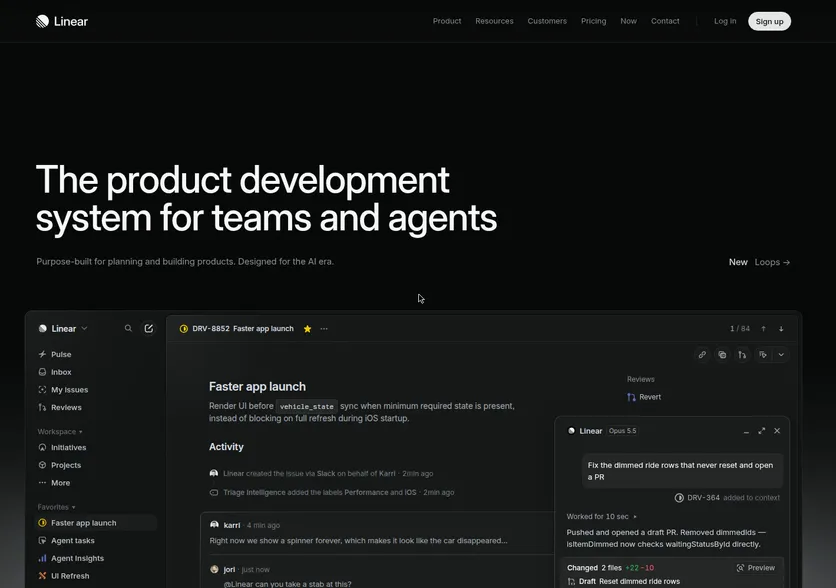
For an engineering team shipping in sprints, this Linear plan costs eight dollars per user a month billed annually, and its fast issue tracking keeps sprint work moving. Issues, cycles, roadmaps and project updates run at a speed other trackers cannot match, with GitHub and Slack integrations built in. It suits product teams that live in issues and want speed above all.
What we like
- Keyboard-first issue tracking that feels instant
- Cycles, roadmaps and project updates for sprints
- GitHub, GitLab and Slack integrations that just work
Watch out for
- Built for software teams, so non-technical work fits awkwardly
- The free plan caps at two hundred and fifty issues
How to try it
- Create a team and set up cycles for sprints
- Add issues with priorities and link them to projects
- Review the roadmap and triage inbox each week
3. Asana
Best for: Teams that want structure without a long setup
Paid tool Starting price: $10.99/user/month · Ten dollars and ninety-nine cents per user a month billed annually ($13.49 billed monthly); Advanced is $24.99 a user a month billed annually ($30.49 monthly); Enterprise is quoted
Free plan: Free plan (up to 2 users)
For an engineering team shipping in sprints, this Asana plan costs ten dollars and ninety-nine cents per user a month billed annually, and it keeps every deadline visible on one shared timeline. Starter adds timeline and Gantt views, dashboards, forms, custom fields and unlimited automations, with free guests for clients and contractors. It is the safest default for a team that wants structure without a long setup.

What we like
- Timeline and Gantt views with dependencies
- Unlimited automations and custom fields on Starter
- Free guests and a generous template library
Watch out for
- Seats are sold in blocks above five users, so the bill jumps in steps
- Portfolios, goals and workload need the Advanced tier
How to try it
- Create a project from a template and set its timeline
- Assign tasks with owners and due dates
- Track progress on the dashboard and adjust dates as work slips
4. monday.com
Best for: Teams that think in boards and want visual status
Paid tool Starting price: $9/seat/month · Nine dollars per seat a month billed annually ($12 billed monthly); Standard is $12 a seat a month billed annually ($14 monthly); Pro is $19 ($24 monthly); paid plans start at three seats
Free plan: Free plan (up to 2 seats)
For an engineering team shipping in sprints, this monday.com plan costs nine dollars per seat a month billed annually, and its colour-coded boards show status at a glance. Boards, automations and more than two hundred integrations cover most workflows, and the mobile app keeps field and remote staff in the loop. It suits teams that think in boards and want colour and status to do the talking.

What we like
- Colourful boards that non-technical teams read at a glance
- Timeline, Gantt and calendar views from Standard
- No-code automations and 200 plus integrations
Watch out for
- Basic has no timeline view and almost no automations
- Seat bundles mean a small team still pays for three seats
How to try it
- Pick a board template and add the columns the work needs
- Invite the team and assign owners to each item
- Turn on automations for status changes and due-date reminders
5. ClickUp
Best for: Teams that want one app instead of five
Paid tool Starting price: $9/user/month · Nine dollars per user a month billed annually ($12 billed monthly); Business is $17 a user a month billed annually ($25 monthly); Enterprise and Max are quoted
Free plan: Free plan (unlimited members)
For an engineering team shipping in sprints, this ClickUp plan costs nine dollars per user a month billed annually, and it folds docs, goals and time tracking into one workspace. Fifteen views, from list and board to Gantt and calendar, sit beside docs, whiteboards, goals and native time tracking. It is the best value in this list for a team that wants one app instead of five.

What we like
- Fifteen plus views including list, board, Gantt and calendar
- Docs, goals, time tracking and chat in one workspace
- Generous free plan with unlimited members
Watch out for
- The sheer number of settings can overwhelm new teams
- Some views and automations need the Business tier
How to try it
- Build a space for the team and add lists for each workstream
- Switch on the views each project needs, such as board or Gantt
- Set goals and dashboards to watch progress in one place
6. Shortcut
Best for: Small engineering teams that want agile structure
Paid tool Starting price: $8.50/user/month · Eight dollars and fifty cents per user a month billed annually on Team (about $10 billed monthly); Business is $12 a user a month billed annually ($16 monthly); Enterprise is quoted
Free plan: Free plan (up to 10 users)
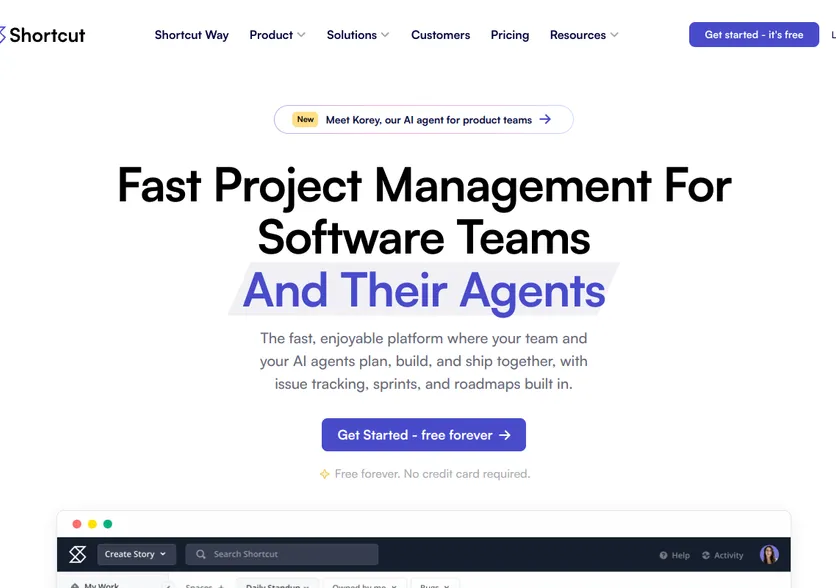
For an engineering team shipping in sprints, this Shortcut plan costs eight dollars and fifty cents per user a month billed annually, and its stories and iterations fit agile teams without the clutter. Stories, epics, iterations and roadmaps give agile teams structure without ceremony, and the free tier covers up to ten users. It fits small engineering teams that want agile structure without Jira's weight.
What we like
- Stories, epics and iterations built for agile teams
- Fast search and a clean, uncluttered board
- GitHub and GitLab links tie code to stories
Watch out for
- Reporting is lighter than Jira for large programmes
- No built-in docs or chat, so teams pair it with other apps
How to try it
- Create a team and set up workflows for stories
- Plan iterations and assign stories to the sprint
- Track progress on the roadmap and burndown views
7. Wrike
Best for: Teams that outgrew simple boards and need workload planning
Paid tool Starting price: $9.80/user/month · Nine dollars and eighty cents per user a month billed annually on Team, shown as ten dollars on the vendor page, for two to twenty-five users; Business is twenty-four dollars and eighty cents a user a month billed annually (shown as twenty-five dollars), for five to two hundred users; Enterprise and Pinnacle are quoted
Free plan: Free plan (unlimited users, 200 tasks)
For an engineering team shipping in sprints, this Wrike plan costs nine dollars and eighty cents per user a month billed annually, and its Gantt charts and workload views keep capacity honest. Folders, spaces, dashboards and interactive Gantt charts organise large portfolios, and request forms bring new work in through one door. It fits teams that outgrow simple boards and need real workload planning.

What we like
- Interactive Gantt charts and workload views built in
- Request forms and approvals route work in cleanly
- Strong reporting across folders and spaces
Watch out for
- Passing fifteen users forces the whole team onto Business at $25
- The interface packs in so much that small teams can find it heavy
How to try it
- Set up a space and folders for each project
- Build the plan on a Gantt chart with dependencies
- Use request forms to take in new work
8. Smartsheet
Best for: Operations-led teams that already think in grids
Paid tool Starting price: $9/member/month · Nine dollars per member a month billed annually ($12 billed monthly) on Pro, which caps at ten members; Business is $19 a member a month billed annually ($24 monthly) with a three-member minimum; Enterprise is quoted
Free plan: No free plan; 30-day free trial
For an engineering team shipping in sprints, this Smartsheet plan costs nine dollars per member a month billed annually, and its spreadsheet grid turns plans into reports without extra tools. Sheets, forms, dashboards and automated alerts handle intake, approvals and reporting, with card, Gantt and calendar views on the same data. It suits operations-led teams that already think in rows and columns.

What we like
- Spreadsheet grid that finance and operations teams already understand
- Gantt, card and calendar views on the same data
- Automation, forms and dashboards without code
Watch out for
- Pro stops at ten members, so growth forces a jump to Business
- No free plan for new signups, only a thirty-day trial
How to try it
- Start from a project sheet template and add columns
- Switch to Gantt view and link task dependencies
- Set up automated alerts for due dates and approvals
Prices above were checked on each vendor’s own website on Nov 28, 2026 and can change — the vendor’s page is the final word. Vendor links are editorial: nobody paid to be listed or ranked here. Vendors who want a featured listing can see how it works on our Get listed page.
How to run sprints that actually finish on time
Keep the backlog groomed every week, so sprint planning starts with sized, ready work instead of a debate about what a ticket means. Cap work in progress, because a sprint with forty open issues is a sprint that finishes nothing. Hold the daily standup on the board, not in a meeting room, and let the board show what moved since yesterday. Review the burndown mid-sprint, not on the last day, and cut scope early when the chart says the team is behind. Close each sprint with a retro inside the tool, and turn the one fix the team agrees on into a ticket for the next sprint. The tool cannot make a team disciplined, but a good board makes sloppy planning visible before it costs a release.
Before you buy
- Check that the tool handles backlogs, sprints and releases, not just task lists
- Confirm the GitHub or GitLab integration links code to issues automatically
- Ask whether the free plan covers the whole team or caps at ten users
- Make sure roadmaps can be shared with product and leadership without extra seats
- Test the board with a real sprint, including planning, standup and retro
Official websites
Official websites of the products reviewed above. Features and prices were checked against these sites when this guide was written, and they can change, so confirm on the vendor site before you buy.
Frequently asked questions
What is project management software for engineering teams?
It is software that plans and tracks software delivery, from the backlog and sprint planning to releases and roadmaps. The best tools give developers boards, issue tracking and cycle planning in one place, with links to code repositories and chat. They also give product managers and leadership a roadmap view, so the whole company can see what ships next without asking the team.
How much does Jira cost for an engineering team?
Jira Standard costs nine dollars and seventy cents per user a month at the monthly list rate for one to one hundred users. Premium is nineteen dollars and sixty cents, and annual billing runs in fixed tiers, at nine hundred and fifty dollars a year for up to ten users. The free plan covers up to ten users, which suits a small team starting out.
Is Linear or Jira better for a small engineering team?
Linear is usually the better pick for a small team, because it is faster, simpler and starts at eight dollars per user a month on Standard. Jira is the better pick when the team needs deep configuration, large-scale roadmaps or Atlassian integrations. Shortcut sits between the two at eight dollars and fifty cents, with agile structure and less setup than Jira.
Do these tools integrate with GitHub?
Yes, all of the engineering-focused tools here integrate with GitHub, GitLab or Bitbucket. Jira, Linear and Shortcut link pull requests to issues automatically, so a commit can move a ticket without manual updates. Asana, monday.com and ClickUp connect too, though some links need a paid integration or a third-party automation tool. Check the exact integration before buying.
Which tool is best for an engineering team?
Jira is the best overall pick for an engineering team, because its boards, backlogs and roadmaps are the industry standard. Linear is the best pick for a small team that values speed, at eight dollars per user a month. Shortcut is the best value for a mid-stage team that wants agile structure without Jira's weight, at eight dollars and fifty cents.
Compare the eight tools above, then start a free trial on the one that matches how the team ships before paying for a full year.
Browse Business Tools tools