On this page
A merger or acquisition runs on diligence checklists, document requests and closing tasks spread across two companies, and a missed item can stall the whole deal. The eight tools below give the deal team one shared tracker, so buyers, sellers and advisers see the same status and nothing hides in an inbox. Smartsheet leads because its sheet-based layout suits long diligence lists, it costs nine dollars a member a month, and its reports show the deal status at a glance.
How we researched this
We checked every price on the vendor pricing page on November 28, 2026, and only included tools with a published US dollar list price. The quote-only platforms, including Kantata, LiquidPlanner, Accelo and DealRoom (quote-only), publish no prices, so they are not in this list. Prices change, so confirm the current figure on the vendor site before you buy.
Compare the tools
| Name | Best for | Starting price | Free plan | |
|---|---|---|---|---|
 monday.com | Teams that want a visual, colour-coded workspace | $9/seat/month | Free plan (up to 2 seats) | Visit |
 ClickUp | Teams that want every view in one cheap seat | $9/user/month | Free plan | Visit |
 Smartsheet | Teams that already think in spreadsheets | $9/user/month | No free plan; 30-day free trial | Visit |
 Wrike | Teams running complex work with approvals | $9.80/user/month | Free plan | Visit |
 Asana | Teams that want a shared view of every deadline | $10.99/user/month | Free plan (up to 2 users) | Visit |
 Basecamp | Teams that want one flat bill for everyone | $29/month | Free plan | Visit |
 Airtable | Teams that track projects in linked tables | $20/user/month | Free plan | Visit |
 Scoro | Billable teams that need quote-to-cash | $29/user/month | No free plan; 14-day free trial | Visit |
The project management software for mergers and acquisitions teams, compared
1. monday.com
Best for: Teams that want a visual, colour-coded workspace
Paid tool Starting price: $9/seat/month · Nine dollars per seat a month billed annually ($12 billed monthly) with a three-seat minimum; Standard is $12 a seat a month billed annually ($14 monthly) and Pro is $19 ($24 monthly)
Free plan: Free plan (up to 2 seats)
For a deal team tracking diligence, documents and closing tasks across two companies, this monday.com plan costs nine dollars a seat a month billed annually, and it puts the whole workload on one visual board. Colour-coded boards, timeline and Gantt views, automations and integrations sit on one visual workspace, and the Standard tier adds calendar views and guest access. It suits a deal team that want a visual board the whole team can read at a glance.

What we like
- Visual boards that anyone can read without training
- Automations and integrations from the Standard plan
- Timeline, Gantt and calendar views for planning
Watch out for
- Paid plans start at three seats, so a solo user overpays
- Time tracking and private boards need the Pro plan
How to try it
- Pick a board template and add the columns the work needs
- Add items, owners and due dates, then switch on automations
- Share the board with guests and watch the timeline view
2. ClickUp
Best for: Teams that want every view in one cheap seat
Paid tool Starting price: $9/user/month · Nine dollars per user a month billed annually ($12 billed monthly) on Core; Business is $17 a user a month billed annually; the ladder was rebuilt in October and November 2026
Free plan: Free plan
For a deal team tracking diligence, documents and closing tasks across two companies, this ClickUp plan costs nine dollars a user a month billed annually, and it packs tasks, docs and goals into a single workspace. Tasks, docs, whiteboards, goals and time tracking share one workspace, with unlimited storage and custom views from the Core plan. It suits a deal team that want every kind of work view in one cheap seat.

What we like
- Fifteen-plus views including Gantt, board and calendar
- Docs, whiteboards and goals in the same workspace
- Core is nine dollars, among the cheapest paid seats here
Watch out for
- So many features that new users can feel lost
- Some views and automations need the Business plan
How to try it
- Create a space and add lists for each project
- Switch views to see the same work as a board or Gantt chart
- Set a goal and link tasks to it for progress tracking
3. Smartsheet
Best for: Teams that already think in spreadsheets
Paid tool Starting price: $9/user/month · Nine dollars per member a month billed annually ($12 billed monthly) on Pro, capped at ten members; Business is $19 a member a month billed annually ($24 monthly) with a three-member minimum; the free plan was discontinued in 2025
Free plan: No free plan; 30-day free trial
For a deal team tracking diligence, documents and closing tasks across two companies, this Smartsheet plan costs nine dollars a member a month billed annually, and it turns familiar spreadsheet rows into tracked work. Grid, Gantt, card and calendar views share one sheet-based workspace, with forms, reports and automations built in rather than bolted on. It suits a deal team that already think in spreadsheets and want structure on top.

What we like
- Familiar grid layout with Gantt, card and calendar views
- Forms and reports built into the same workspace
- Unlimited sheets and viewers on the Pro plan
Watch out for
- No free plan, only a thirty-day trial of Business
- Pro caps at ten members, so growing teams must move up
How to try it
- Start a sheet from a template and add columns for owners and dates
- Switch to the Gantt view to see the schedule as a timeline
- Add a form so new requests land straight in the sheet
4. Wrike
Best for: Teams running complex work with approvals
Paid tool Starting price: $9.80/user/month · Nine dollars and eighty cents per user a month billed annually, shown as $10 on the vendor page; Business is $24.80 a user a month billed annually; Team covers two to fifteen users, so larger teams move to Business
Free plan: Free plan
For a deal team tracking diligence, documents and closing tasks across two companies, this Wrike plan costs nine dollars and eighty cents a user a month billed annually, and it brings Gantt charts and dashboards to the whole team. Gantt charts, shared dashboards, custom fields and request forms come with Team, while Business adds workload views, native time tracking and approvals. It suits a deal team that run complex work with approvals and dependencies.

What we like
- Gantt charts and dashboards from the Team plan
- Request forms turn intake into tracked tasks
- Business adds workload views and native time tracking
Watch out for
- Team stops at fifteen users, then the price jumps to Business
- The interface has a steeper learning curve than Trello
How to try it
- Create a space for the team and add its first projects
- Build a Gantt chart and link dependent tasks together
- Set up a request form so new work arrives as a task
5. Asana
Best for: Teams that want a shared view of every deadline
Paid tool Starting price: $10.99/user/month · Ten dollars and ninety-nine cents per user a month billed annually ($13.49 billed monthly); Advanced is $24.99 a user a month billed annually ($30.49 monthly); Personal is free for up to two users
Free plan: Free plan (up to 2 users)
For a deal team tracking diligence, documents and closing tasks across two companies, this Asana plan costs ten dollars and ninety-nine cents a user a month billed annually, and it keeps every deadline visible in one shared workspace. Timeline and Gantt views, unlimited automations, custom fields and dashboards come with the Starter plan, and unlimited free guests keep outside collaborators off the paid seat count. It suits a deal team that need one shared view of every project without a long setup.

What we like
- Timeline and Gantt views included from the first paid plan
- Unlimited free guests keep clients off the paid seat count
- Unlimited automations and custom fields on Starter
Watch out for
- Seats are sold in blocks, so the bill can jump at thresholds
- Workload and portfolios need the pricier Advanced plan
How to try it
- Create a project and add its tasks with owners and due dates
- Switch to the Timeline view and set dependencies between tasks
- Invite guests free and track progress on the project dashboard
6. Basecamp
Best for: Teams that want one flat bill for everyone
Paid tool Starting price: $29/month · Twenty-nine dollars a month flat for Freelancer; Pro is $79 a month flat, Pro Plus is $99 a month flat and Pro Unlimited is $199 a month billed annually ($329 billed monthly); only Pro Unlimited has annual billing; the old $15 per user Plus tier was retired around October 2026
Free plan: Free plan
For a deal team tracking diligence, documents and closing tasks across two companies, this Basecamp plan costs twenty-nine dollars a month flat, and it covers the whole team for one flat monthly fee. Message boards, to-do lists, schedules, documents and group chat live in one flat-priced workspace, with no per-seat maths at all. It suits a deal team that want one flat bill whatever the headcount.

What we like
- One flat monthly fee, no matter how many people join
- Message boards, to-dos, schedules and chat in one place
- Simple enough that the whole team actually uses it
Watch out for
- No Gantt chart or native time tracking
- Reporting is lighter than Asana or Smartsheet
How to try it
- Create a project and add its to-do lists and owners
- Post updates on the message board instead of email
- Check the schedule view for upcoming milestones
7. Airtable
Best for: Teams that track projects in linked tables
Paid tool Starting price: $20/user/month · Twenty dollars per user a month billed annually on Team; Business and Enterprise are quoted; the free plan covers up to five creators
Free plan: Free plan
For a deal team tracking diligence, documents and closing tasks across two companies, this Airtable plan costs twenty dollars a user a month billed annually, and it links projects, people and records in one database. Grid, calendar, Kanban and Gantt views sit on a flexible database, so a team can track projects, people and inventory in linked tables. It suits a deal team that track projects alongside people, stock or records in linked tables.

What we like
- Linked tables connect projects, people and records
- Grid, Kanban, calendar and Gantt views on one base
- Automations and interfaces included on the Team plan
Watch out for
- No free trial of the Team plan beyond the free tier
- Business and Enterprise pricing is quote-only
How to try it
- Start from a project template and add linked tables
- Switch between grid, Kanban and Gantt views
- Add an automation to alert owners when dates slip
8. Scoro
Best for: Billable teams that need quote-to-cash
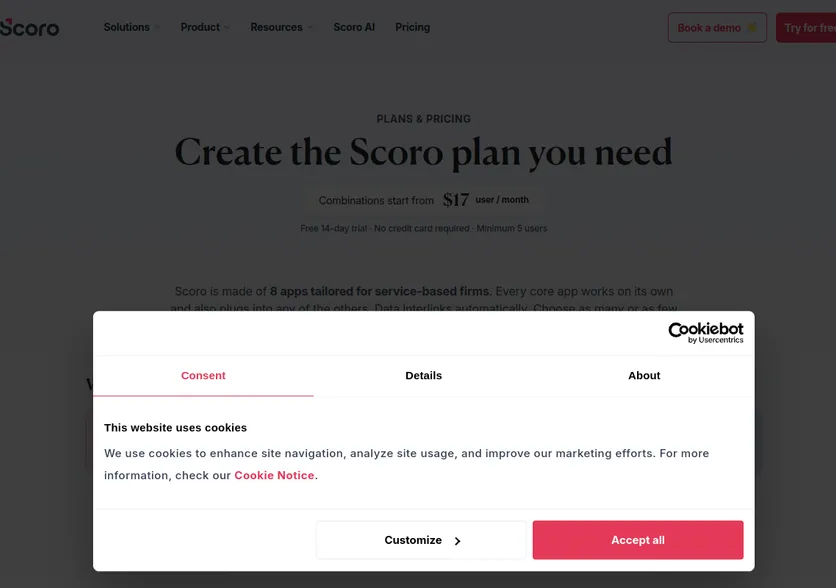
Paid tool Starting price: $29/user/month · Twenty-nine dollars per user a month billed annually on the Projects and Resources bundle; Time-billing is seventeen dollars, Quote to Cash is twenty-nine dollars and End-to-end is fifty-seven dollars; five-user minimum on every plan, so the real floor on Projects and Resources is one hundred and forty-five dollars a month. The older Essential, Standard and Pro tiers were retired on November 1, 2026.
Free plan: No free plan; 14-day free trial
For a deal team tracking diligence, documents and closing tasks across two companies, this Scoro plan costs twenty-nine dollars a user a month billed annually on the Projects and Resources bundle, and it carries a job from quote to invoice in one system. Quotes, projects, time entries, utilisation reports and invoices share one record, so billable work is tracked from first quote to final payment. It suits a deal team that sell billable hours and need quote-to-cash in one system.
What we like
- Quotes, time, utilisation and invoicing in one record
- Resource planning and project budgets from Standard
- Detailed financial reports on every project
Watch out for
- Five-user minimum makes the real entry cost $130 a month
- The most expensive starting price in this list
How to try it
- Create a quote and turn it into a project when it is won
- Log time against tasks with billable rates
- Check utilisation and send the invoice from the project
Prices above were checked on each vendor’s own website on Nov 28, 2026 and can change — the vendor’s page is the final word. Vendor links are editorial: nobody paid to be listed or ranked here. Vendors who want a featured listing can see how it works on our Get listed page.
How a deal team runs diligence without losing a document
Open one tracker for the deal and list every diligence item with an owner, a due date and a status, so the whole team sees what is requested, received or still missing. Keep a separate sheet for documents, with a link to each file and a note on who supplied it, and lock completed items so nobody edits history. Hold a short daily stand-up on the overdue list only, and share a read-only view with the other side so they see progress without touching the tracker. Close the tracker only when the deal closes, and keep the final version for the file.
Before you buy
- Check that the tool handles long diligence lists with owners, dates and statuses in one view
- Confirm documents can be linked to tasks so nothing hides in an inbox
- Make sure completed items can be locked so the deal history stays intact
- Ask whether guest access lets the other side view progress without editing it
- Test the tool on a real diligence checklist before the deal timetable starts
Official websites
Official websites of the products reviewed above. Features and prices were checked against these sites when this guide was written, and they can change, so confirm on the vendor site before you buy.
Frequently asked questions
What is the best project management software for mergers and acquisitions?
Smartsheet leads this list for mergers and acquisitions teams because it is the easiest of the eight to roll out. It costs nine dollars a member a month billed annually, and Business is nineteen dollars a member a month billed annually, so a team can start cheap and move up only when it needs to. There is no free plan, only a thirty-day free trial, so test it on real work during the trial.
How much does Smartsheet cost?
Smartsheet costs nine dollars a member a month billed annually. Business is nineteen dollars a member a month billed annually. There is no free plan, only a thirty-day free trial, so test it on real work during the trial. Prices are list prices checked on November 28, 2026, so confirm the current figure on the vendor site before you buy, since vendors change prices without notice.
Is there a free project management tool for mergers and acquisitions teams?
Yes. monday.com, ClickUp, Wrike, Asana, Basecamp and Airtable all offer free plans, so a deal team can start without paying. The free tiers cap projects or users, so a growing team will outgrow them, but they are genuine free plans rather than trials. The cheapest paid plan in this list is monday.com at nine dollars a seat a month billed annually, which is the next step when the free tier runs out.
Can project software track a diligence checklist?
Yes, and that is its main job on a deal. Smartsheet and monday.com both handle long item lists with owners, due dates and statuses, and both can link each item to its document. Build one tracker per deal, lock items once they are complete, and share a read-only view with the other side. Keep the tracker to status and links only; the documents themselves stay in the data room.
Which tool is best for a small deal team?
monday.com is the best value for a small deal team, at nine dollars a seat a month billed annually, with visual boards and automations. Smartsheet is the better pick if the team wants sheet-based planning and reports, since it grows further without a switch. Start on the free plan or trial of either, and move up only when the free limits start to bite.
Compare the eight tools above, then start with a free trial or the free plan on the tool that matches how the deal team already runs its projects before paying for a full year.
Browse Business Tools tools