On this page
Small teams need a tool that shows who is doing what, what is due next and what is stuck, without adding heavy admin. The nine tools below cover that core job in different ways, from simple boards to structured client work. Asana leads because it balances ease of use with timelines and automation for ten dollars and ninety-nine cents per user a month, and the rest are ranked on what a small firm actually gets for the money.
How we researched this
We checked every price on the vendor pricing page on November 28, 2026, and only included tools with a published US dollar list price. ClickUp Core is nine dollars a user a month on annual billing, and Zoho Projects Premium is four dollars. Prices change, so confirm the current figure on the vendor site before you buy.
Compare the tools
| Name | Best for | Starting price | Free plan | |
|---|---|---|---|---|
 Asana | Small teams wanting clear task ownership and timelines | $10.99/user/month | Free plan (Personal, up to 2 users) | Visit |
 Trello | Small teams wanting simple kanban boards | $5/user/month | Free plan (up to 10 collaborators) | Visit |
| monday.com | Visual planners running repeat processes | $9/seat/month | Free plan (up to 2 seats) | Visit |
 ClickUp | Small firms wanting the most features per dollar | $9/user/month | Free plan | Visit |
 Notion | Small firms keeping docs and tasks in one place | $10/member/month | Free plan | Visit |
 Basecamp | Teams wanting calm collaboration without per-seat math | $79/month | Free plan | Visit |
 Smartsheet | Teams planning in spreadsheets with Gantt views | $9/member/month | No free plan; 30-day free trial | Visit |
 Zoho Projects | Budget-conscious firms, especially Zoho users | $4/user/month | Free plan | Visit |
 Teamwork | Agencies and service firms managing client work | $9.99/user/month | Free plan (up to 5 users) | Visit |
The project management software for small businesses, compared
1. Asana
Best for: Small teams wanting clear task ownership and timelines
Paid tool Starting price: $10.99/user/month · Ten dollars and ninety-nine cents per user a month billed annually ($13.49 billed monthly); Advanced is $24.99 a user a month billed annually ($30.49 monthly); Enterprise is quoted
Free plan: Free plan (Personal, up to 2 users)
A small business that needs everyone to see who owns each task and when it is due will find the clearest start here, since this Asana plan costs ten dollars and ninety-nine cents per user a month billed annually on Starter. Tasks, projects, timelines and calendars sit in one view that most people learn quickly, and automation rules move tasks, set due dates and alert owners. It fits small teams that want timelines and dashboards without a dedicated administrator.

What we like
- Timeline and Gantt views keep deadlines visible
- Automation rules move routine work without manual chasing
- Unlimited free guests on paid plans for outside collaborators
Watch out for
- Portfolios and workload views need the Advanced tier
- Per-user pricing climbs quickly as the team grows
How to try it
- Create a project from a template that matches the work
- Assign every task an owner and a due date
- Turn on a rule that moves completed work automatically
2. Trello
Best for: Small teams wanting simple kanban boards
Paid tool Starting price: $5/user/month · Five dollars per user a month billed annually on Standard ($6 billed monthly); Premium is $10 a user a month billed annually ($12.50 monthly); Enterprise is $17.50 a user a month billed annually
Free plan: Free plan (up to 10 collaborators)
A small firm that wants the simplest possible system will find its main strength here, since this Trello plan costs five dollars per user a month billed annually on Standard. Boards, lists and cards map neatly to real work such as leads, orders or content, and a new hire can move a card without training. It fits teams that want clarity first and can accept simpler planning tools.

What we like
- Boards, lists and cards take minutes to learn
- Butler automation handles routine card moves without code
- Mobile apps keep the board in hand away from the desk
Watch out for
- Reporting stays light next to full project platforms
- Heavy dependencies and layered planning outgrow boards fast
How to try it
- Make a board with one list per stage of the work
- Add a card for each job with an owner and due date
- Drag cards across lists as the work moves forward
3. monday.com
Best for: Visual planners running repeat processes
Paid tool Starting price: $9/seat/month · Nine dollars per seat a month billed annually on Basic ($12 billed monthly); Standard is $12 a seat a month billed annually ($14 monthly); Pro is $19 ($24 monthly); paid plans start at 3 seats and seats are sold in blocks
Free plan: Free plan (up to 2 seats)
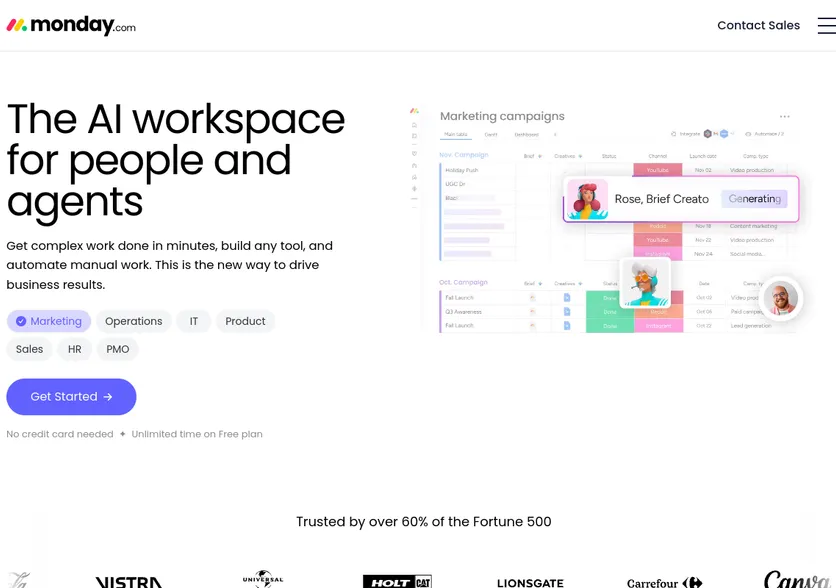
A small team that thinks in boards and colour will find the visual option here, because this Monday plan costs nine dollars per seat a month billed annually on Basic. Custom columns, status labels and timelines turn a project into a visual plan, and templates for marketing, sales and operations shorten setup. It fits firms that run repeat processes and want less manual tracking.
What we like
- Boards turn any workflow into a visual plan in minutes
- Hundreds of templates shorten setup for common processes
- Automations and integrations cut repetitive admin work
Watch out for
- The 3-seat minimum means a solo user still pays for three seats
- Basic has no timeline view and almost no automations
How to try it
- Pick a template that matches the process to track
- Add status, owner and date columns to the board
- Set one automation that updates status when work moves
4. ClickUp
Best for: Small firms wanting the most features per dollar
Paid tool Starting price: $9/user/month · Nine dollars per user a month billed annually on Core ($12 billed monthly); Business is $17 a user a month billed annually; Enterprise is quoted; the old $7 Unlimited tier is gone
Free plan: Free plan
A small business that wants to replace several tools will find the most features per dollar here, since this ClickUp plan costs nine dollars per user a month billed annually on Core. Tasks, docs, goals, time tracking and dashboards pack into one workspace, and the free plan covers unlimited members with core task features. It fits firms that want breadth and are willing to pick one workflow and hide the rest.

What we like
- Tasks, docs, goals and chat live in one workspace
- List, board, calendar and Gantt views share the same data
- The free plan covers unlimited members with core task features
Watch out for
- Feature breadth can overwhelm a team that wants a simple tracker
- Workspaces drift without regular housekeeping and conventions
How to try it
- Create a Space for the team and add one List per workstream
- Switch the List to the view each role prefers
- Set a goal and link the tasks that feed into it
5. Notion
Best for: Small firms keeping docs and tasks in one place
Paid tool Starting price: $10/member/month · Ten dollars per member a month billed annually on Plus ($12 billed monthly); Business is $20 a member a month billed annually ($24 monthly) and adds full Notion AI; Enterprise is quoted
Free plan: Free plan
A small firm where notes, docs and tasks belong together will find its home here, because this Notion plan costs ten dollars per member a month billed annually on Plus. A project page can hold the brief, the task list, the meeting notes and the files, so context does not scatter across apps. It fits teams that value shared knowledge as much as task status.

What we like
- Docs, wikis and task databases live in one workspace
- Templates and linked pages build trackers without code
- Guests are not billed, so clients can view pages free
Watch out for
- Task tracking is lighter than on dedicated project platforms
- Without shared conventions, pages and databases multiply fast
How to try it
- Start from a template for the project or tracker needed
- Link the brief, the task list and the meeting notes on one page
- Set a database view that shows what is due this week
6. Basecamp
Best for: Teams wanting calm collaboration without per-seat math
Paid tool Starting price: $79/month · Seventy-nine dollars a month flat on Pro for unlimited users and projects; Freelancer is twenty-nine dollars a month flat; Pro Plus is ninety-nine dollars a month flat; Pro Unlimited is one hundred and ninety-nine dollars a month on annual billing (three hundred and twenty-nine dollars month to month); only Pro Unlimited has annual billing
Free plan: Free plan
A small firm that dislikes heavy setup and constant notifications will find the calmer option here, since this Basecamp plan costs seventy-nine dollars a month flat on Pro. Message boards, to-dos, schedules, docs and group chat sit in one project space, and the flat price never grows with headcount. It fits teams that prize clarity and a predictable bill over deep planning.

What we like
- Flat pricing means the bill never grows with headcount
- Message boards, to-dos, schedules and chat in one project space
- Calm design keeps notifications and setup light
Watch out for
- Gantt charts and workload views are thinner than rivals offer
- Complex dependencies are harder to model than in Asana or Wrike
How to try it
- Create a project and invite the team without counting seats
- Post the brief on the message board and add the to-dos
- Set the schedule and let the team check in async
7. Smartsheet
Best for: Teams planning in spreadsheets with Gantt views
Paid tool Starting price: $9/member/month · Nine dollars per member a month billed annually on Pro ($12 billed monthly) for 1 to 10 members; Business is $19 a member a month billed annually ($24 monthly) for 3 or more members; Enterprise and Advanced Work Management are quoted
Free plan: No free plan; 30-day free trial
A small team that already lives in spreadsheets will find the familiar option here, because this Smartsheet plan costs nine dollars per member a month billed annually on Pro. The grid view feels familiar, while Gantt, card and calendar views let managers present the same plan in different ways. It fits operations teams that track orders, events or projects row by row.

What we like
- Grid sheets feel familiar to anyone who plans in spreadsheets
- Gantt, card and calendar views show the same plan differently
- Forms, reports and dashboards turn sheets into a working system
Watch out for
- There is no permanent free plan, only a 30-day trial
- Pro stops at 10 members, so growing teams must move to Business
How to try it
- Build a sheet with one row per job and columns for owner and date
- Switch the sheet to Gantt view to check dependencies
- Add a report that rolls up status across sheets
8. Zoho Projects
Best for: Budget-conscious firms, especially Zoho users
Paid tool Starting price: $4/user/month · Four dollars per user a month billed annually on Premium ($5 billed monthly) for up to 50 users; Enterprise is $9 a user a month billed annually ($10 monthly) for unlimited users; Projects Plus is quoted
Free plan: Free plan
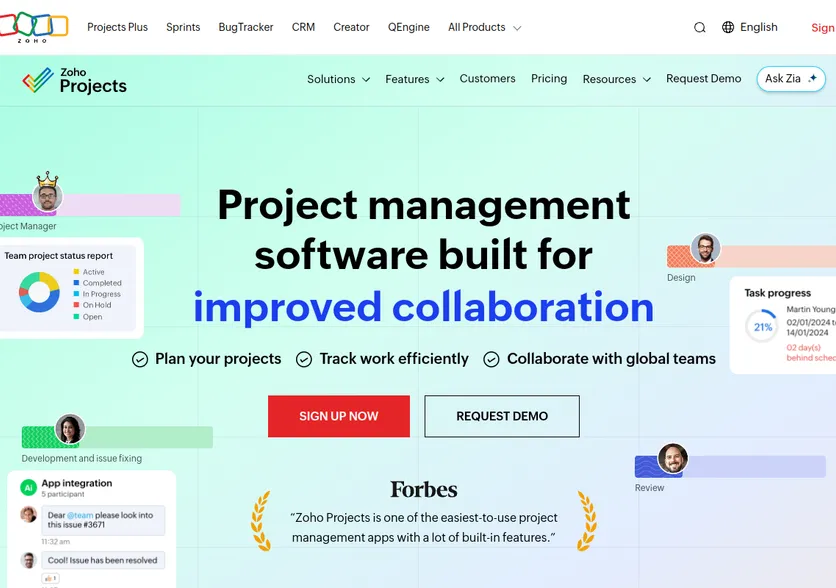
A price-sensitive small firm, especially one already using Zoho apps, will find the budget pick here, since this Zoho Projects plan costs four dollars per user a month billed annually on Premium. Tasks, milestones, Gantt charts and timesheets cover the core of small business project work, and integration with Zoho CRM, Books and Mail links sales, billing and project work. It fits firms that want the lowest paid entry point in this list.
What we like
- Lowest paid entry point in this list for core project work
- Tasks, milestones, Gantt charts and timesheets in one app
- Zoho CRM, Books and Mail integrations link sales and billing
Watch out for
- The interface feels dated next to Asana or monday.com
- Advanced reporting sits on the Enterprise tier
How to try it
- Create a project and add milestones for the phases
- Break each milestone into tasks with owners and dates
- Open the Gantt view to check dependencies and slippage
9. Teamwork
Best for: Agencies and service firms managing client work
Paid tool Starting price: $9.99/user/month · Nine dollars and ninety-nine cents per user a month billed annually on Basics with a 3-seat minimum; Accelerate is $24.99 a user a month billed annually with a 5-seat minimum; Optimize and Enterprise are quoted; note the vendor pricing page also shows legacy Deliver at $10.99 and Grow at $19.99 in its structured data during a plan rename, so confirm the plan name in writing
Free plan: Free plan (up to 5 users)
A small agency or service firm that manages client work will find the client-focused option here, because this Teamwork plan costs nine dollars and ninety-nine cents per user a month billed annually on Basics. Projects group tasks, files, time and messages by client, and time tracking and workload views show profitability and progress in one place. It fits agencies best, and general teams may prefer a simpler tool.

What we like
- Built around client work, with projects grouped by client
- Time tracking, budgets and workload views show profitability
- Client users see progress without seeing internal work
Watch out for
- The plan rename means two different prices circulate for Basics
- General teams may prefer a simpler tool than a client PSA
How to try it
- Create a project under the client it belongs to
- Add tasks, set time budgets and assign the team
- Track time against the project and review profitability
Prices above were checked on each vendor’s own website on Nov 28, 2026 and can change — the vendor’s page is the final word. Vendor links are editorial: nobody paid to be listed or ranked here. Vendors who want a featured listing can see how it works on our Get listed page.
How to pick a small business tool without paying for seats you do not need
Start with the work, not the feature list, and write down the three repeat workflows the firm runs, such as client onboarding, content production or order delivery. Test each tool on one of them for two weeks, and count every person who needs to edit, comment or only view, since that count drives the real price. If the team is under five people, a free plan may be enough for months, and if the firm manages clients, weigh time tracking and client permissions more heavily than extra views.
Before you buy
- Count every editor, commenter and viewer, since that count drives the real price
- Test the tool on one real repeat workflow for two weeks before committing
- Check seat minimums and blocks, since the headline rate is not always the monthly total
- Pick one owner for setup, templates and permissions so the workspace stays tidy
- If the firm manages clients, weigh time tracking and client permissions over extra views
Official websites
Official websites of the products reviewed above. Features and prices were checked against these sites when this guide was written, and they can change, so confirm on the vendor site before you buy.
Frequently asked questions
What is the best small business project management software?
There is no single winner for every firm. Asana is the pick for most small teams because it balances ease of use with timelines and automation at ten dollars and ninety-nine cents per user a month. Trello suits teams that want the simplest board, and ClickUp suits teams that want the most features for the price.
Is there a free option for small businesses?
Yes. Trello, ClickUp, Notion, Asana and Zoho Projects all offer free plans, with limits on users, projects or features. Free plans work well for testing and for very small teams, but timelines, advanced reporting and larger storage usually need a paid plan. Smartsheet offers only a thirty-day trial.
How much should a small business budget?
Entry paid plans here range from four dollars to about eleven dollars per user per month on annual billing, plus any seat minimums. Basecamp is the flat exception at seventy-nine dollars a month for unlimited users. Multiply the rate by the real editor count, add any add-ons, and compare the annual total rather than the monthly headline.
Should we pick a board tool or a full project tool?
Pick a board tool if work moves through clear stages and needs little planning. Pick a full project tool if you need timelines, dependencies, workload views or client reporting. Many teams start with a board such as Trello and move up when planning gaps appear, rather than buying depth they do not yet need.
What about client work and billing?
Teamwork and Zoho Projects handle client projects and time tracking more directly than simple board tools. Teamwork Basics is nine dollars and ninety-nine cents per user a month and Zoho Projects Premium is four dollars. If billing matters, check time tracking, invoicing links and client permissions on the plan you will actually buy, not just on the top tier.
Compare the nine tools above, then start with a free plan on the tool that matches how the small team already works before paying for a full year.
Browse Business Tools tools