On this page
Startups need project software that also captures billable and non-billable hours without adding a second app or a heavy process. The eight tools below range from a dedicated tracker that turns hours into invoices to an all-in-one workspace with native timers. ClickUp leads because it combines tasks, docs, goals and time tracking for nine dollars per user a month, and the rest are ranked on how cleanly hours flow into billing.
How we researched this
We checked every price on the vendor pricing page on November 28, 2026, and only included tools with a published US dollar list price. Wrike publishes no prices and sells by quote, so it is not in this list. Prices change, so confirm the current figure on the vendor site before you buy.
Compare the tools
| Name | Best for | Starting price | Free plan | |
|---|---|---|---|---|
 ClickUp | Teams that want one app for tasks, docs and chat | $9/user/month | Free plan (Free Forever) | Visit |
 Asana | Teams that need shared timelines and automation | $10.99/user/month | Free plan (Personal, up to 10 users) | Visit |
| Monday.com | Teams that want visual boards and fast adoption | $9/seat/month | Free plan (up to 2 seats) | Visit |
 Teamwork | Client teams that bill from tracked time | $9.99/user/month | Free plan (5 users, 5 projects) | Visit |
 Smartsheet | Teams that think in spreadsheets and need governance | $9/member/month | No free plan; 30-day free trial | Visit |
 Harvest | Consultants who bill by the hour | $11/seat/month | Free plan (1 seat, 2 projects) | Visit |
 Toggl Track | Teams that want fast timers and clear reports | $9/user/month | Free plan (up to 3 users) | Visit |
 Clockify | Budget teams that need simple time tracking | $3.99/seat/month | Free plan (up to 5 users) | Visit |
The project management software with time tracking for startups, compared
1. ClickUp
Best for: Teams that want one app for tasks, docs and chat
Paid tool Starting price: $9/user/month · Nine dollars per user a month billed annually on Core ($12 billed monthly); Business is $17 a user a month billed annually ($25 monthly); the old Unlimited tier was replaced by Core in November 2026
Free plan: Free plan (Free Forever)
For a startup that wants project work and billable hours in one workspace, this ClickUp plan costs nine dollars per user a month billed annually, and it tracks tasks, docs and time without a second app. Tasks, docs, goals and chat live in one workspace, so a team can stop stitching several apps together. Core adds unlimited storage, Gantt charts and goals, while Business adds timesheets, workload views and advanced dashboards.

What we like
- Tasks, docs, goals and chat in a single app
- Free Forever plan covers small teams
- Dozens of views, from lists to Gantt charts
Watch out for
- The breadth of features can overwhelm new users
- Timesheets and workload views need Business
How to try it
- Set up a Space for the team and add lists for each workstream
- Turn on time tracking and goals for the projects that need them
- Build a dashboard that shows workload and upcoming deadlines
2. Asana
Best for: Teams that need shared timelines and automation
Paid tool Starting price: $10.99/user/month · Ten dollars and ninety-nine cents per user a month billed annually on Starter ($13.49 billed monthly); Advanced is $24.99 a user a month billed annually; Personal is free for up to 10 users
Free plan: Free plan (Personal, up to 10 users)
For a startup that values clear ownership and automated handoffs above native timers, this Asana plan costs ten dollars and ninety-nine cents per user a month billed annually, and it runs workflows across the whole team. Its timeline and board views keep owners and due dates visible, and automation moves routine handoffs along without manual chasing. The free Personal plan covers small groups, while paid plans add reporting dashboards, custom fields and unlimited automation.

What we like
- Timeline, board and calendar views in one workspace
- Automation handles routine handoffs and approvals
- Unlimited free guests on paid plans
Watch out for
- Portfolios and goals need the Advanced plan
- Native time tracking sits on Advanced, not Starter
How to try it
- Create a project from a template and add every task with an owner and a due date
- Switch to the timeline view to spot overlaps and dependencies
- Set an automation rule for handoffs, then review the dashboard weekly
3. Monday.com
Best for: Teams that want visual boards and fast adoption
Paid tool Starting price: $9/seat/month · Nine dollars per seat a month billed annually on Basic ($12 billed monthly); Standard is $12 a seat a month billed annually and Pro is $19; a three-seat minimum applies to paid plans
Free plan: Free plan (up to 2 seats)
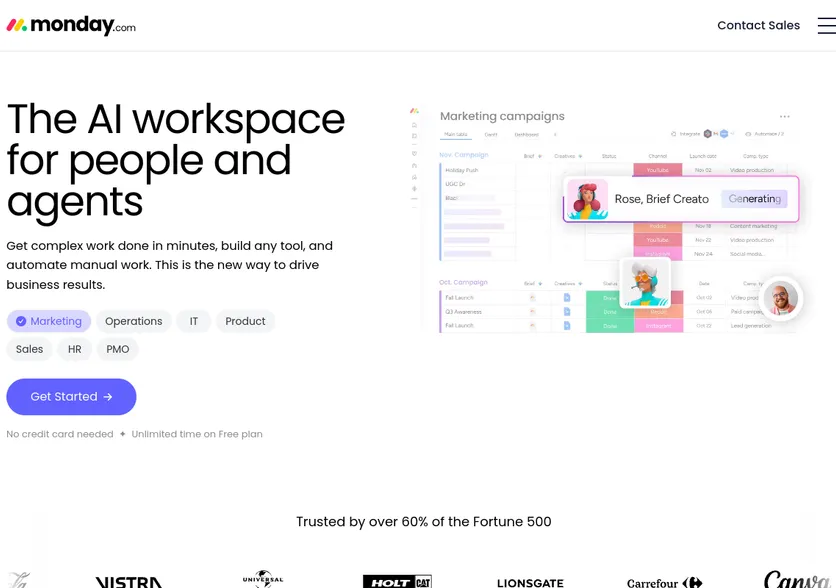
For a startup that likes visual boards and wants hours logged on each item, this Monday.com plan costs nine dollars per seat a month billed annually, and it pairs project tracking with a time tracking column. Boards, timelines and dashboards are easy to shape around a team's own process, and the free plan covers two seats for a trial run. Standard adds timeline and Gantt views with guest access, while Pro adds time tracking, private boards and far higher automation limits.
What we like
- Visual boards that non-technical teams adopt fast
- Two free seats and unlimited free viewers
- Automation and integration actions scale with the plan
Watch out for
- A three-seat minimum applies to paid plans
- Basic has no automation or integration actions
How to try it
- Build a board with status, owner and date columns for the work
- Add an automation that moves items when a status changes
- Share a dashboard so stakeholders see progress without asking
4. Teamwork
Best for: Client teams that bill from tracked time
Paid tool Starting price: $9.99/user/month · Nine dollars and ninety-nine cents per user a month billed annually on Basics, with a three-seat minimum; Accelerate is $24.99 a user a month billed annually with a five-seat minimum; the older Deliver tier is gone
Free plan: Free plan (5 users, 5 projects)
For a startup that serves clients and bills by the hour, this Teamwork plan costs nine dollars and ninety-nine cents per user a month billed annually, and it turns logged time into invoices and margin reports. Projects, time tracking, billing and profitability sit in one PSA platform, so client work flows from plan to invoice. Accelerate adds budgeting, forecasting and advanced reporting, while the free plan covers five users and five projects.

What we like
- Time, billing and profitability in one platform
- Free plan covers five users and five projects
- Resource planning shows who is free
Watch out for
- Paid plans carry a minimum seat count
- Profitability insights need the dearer plan
How to try it
- Create a project and add tasks with time estimates
- Log time against tasks as the work happens
- Check the profitability report before invoicing the client
5. Smartsheet
Best for: Teams that think in spreadsheets and need governance
Paid tool Starting price: $9/member/month · Nine dollars per member a month billed annually on Pro ($12 billed monthly, one to ten members); Business is $19 a member a month billed annually ($24 monthly) with a three-member minimum; there is no free plan for new sign-ups
Free plan: No free plan; 30-day free trial
For a startup that plans in rows and columns and wants time tracked through templates, this Smartsheet plan costs nine dollars per member a month billed annually, and it brings governance to a growing team. Grid, Gantt, board and calendar views sit on the same data, and forms collect new work straight into a sheet. Business removes the ten-member cap, adds timeline view and workload tracking, and lifts automation limits.

What we like
- Spreadsheet-style views that need almost no training
- Forms, reports and dashboards in the same app
- Unlimited free contributors on paid plans
Watch out for
- Pro stops at ten members, so growing teams must move up
- No free plan, only a thirty-day trial
How to try it
- Build a sheet with columns for owner, status and due date
- Add a form so new requests land in the sheet automatically
- Create a report that rolls progress up for managers
6. Harvest
Best for: Consultants who bill by the hour
Paid tool Starting price: $11/seat/month · Eleven dollars per seat a month billed annually on Pro ($13.75 billed monthly); Premium is $14 a seat a month billed annually ($17.50 monthly); some November 2026 reads show a Teams tier at $9 instead of Pro at $11, so confirm the tier name at checkout
Free plan: Free plan (1 seat, 2 projects)
For a startup that needs tracked hours to become invoices with no retyping, this Harvest plan costs eleven dollars per seat a month billed annually, and it pairs simple timers with reporting and expenses. Timers, timesheets and expenses turn tracked hours into invoices without retyping, and reports show where every hour went. Premium adds profitability reporting, timesheet approvals and single sign-on, while the free plan covers one seat and two projects.

What we like
- Tracked hours become invoices in a few clicks
- Simple timers on web, desktop and mobile
- Expense tracking sits beside time tracking
Watch out for
- No native capacity planning on Pro
- Two-project cap pushes solo users to Pro fast
How to try it
- Create a project and add the tasks you bill for
- Start the timer when work begins and stop it at the end
- Turn approved hours into an invoice at month end
7. Toggl Track
Best for: Teams that want fast timers and clear reports
Paid tool Starting price: $9/user/month · Nine dollars per user a month billed annually on Starter ($12 billed monthly); Premium is $16 a user a month billed annually ($24 monthly)
Free plan: Free plan (up to 3 users)
For a startup that wants one-click timers and clear billable-hour reports, this Toggl Track plan costs nine dollars per user a month billed annually, and it tracks time without slowing the team down. One-click timers run on web, desktop and mobile, and reports show billable hours, projects and profitability at a glance. Premium adds profitability reports, fixed-fee projects and timesheet approvals, while the free plan covers three users.

What we like
- One-click timers everywhere, including browser extensions
- Billable rates and team reports on Starter
- Free plan covers up to three users
Watch out for
- No native invoicing, so billing needs another app
- Capacity planning costs extra as an add-on
How to try it
- Create projects and add billable rates for each client
- Start the timer from the browser extension or app
- Review the weekly report before sending hours to billing
8. Clockify
Best for: Budget teams that need simple time tracking
Paid tool Starting price: $3.99/seat/month · Three dollars and ninety-nine cents per seat a month billed annually on Basic ($4.99 billed monthly); Standard is $5.49 a seat a month billed annually ($6.99 monthly) and adds invoicing; Pro is $7.99 ($9.99 monthly)
Free plan: Free plan (up to 5 users)
For a startup watching every dollar, this Clockify plan costs three dollars and ninety-nine cents per seat a month billed annually, and it covers timers, timesheets and invoicing from Standard. A simple timer and timesheet app tracks hours across projects, with invoicing from Standard and expenses on Pro. Pro adds scheduling, forecasting and profitability analysis, while the free plan covers five users with unlimited tracking.

What we like
- Free plan covers five users with unlimited tracking
- Invoicing from tracked time on Standard
- Simple timesheets anyone can use
Watch out for
- Invoicing needs Standard, not Basic
- Capacity planning sits on the dearer Pro plan
How to try it
- Create a project and invite the team to track time
- Start the timer or fill the timesheet at day end
- Turn tracked hours into an invoice from Standard
Prices above were checked on each vendor’s own website on Nov 28, 2026 and can change — the vendor’s page is the final word. Vendor links are editorial: nobody paid to be listed or ranked here. Vendors who want a featured listing can see how it works on our Get listed page.
How a startup should set up time tracking without slowing down
Decide what an hour is for before you track it, because billable, internal and admin hours need different treatment in reports and invoices. Start with one project and one rate, then add clients and rates once the team actually logs time every day. Keep the timer where the work happens, on the web, the desktop or the phone, so logging takes one click instead of an end-of-week memory exercise. Review hours weekly, not monthly, since a missing day is easy to fix and a missing month is not. Agree who approves timesheets before the first invoice goes out, or billing stalls on a single unapproved week.
Before you buy
- Confirm whether time tracking is native or needs an integration that costs extra
- Check if tracked hours can turn into invoices without retyping or exporting files
- Ask whether the tool supports the project views the team uses, such as board or Gantt
- Verify reporting covers billable hours, budgets and profitability for each client
- Test the timer on mobile and desktop before committing the whole team to it
Official websites
Official websites of the products reviewed above. Features and prices were checked against these sites when this guide was written, and they can change, so confirm on the vendor site before you buy.
Frequently asked questions
Which project management tools include native time tracking?
ClickUp, Monday.com, Teamwork and Smartsheet offer native time tracking to varying degrees, while Harvest, Toggl Track and Clockify are dedicated trackers that pair with project tools. Asana usually relies on integrations for time tracking, so teams that bill by the hour should plan for that gap before choosing it.
How much does ClickUp cost for a startup?
ClickUp Core costs $9 per user a month billed annually, or $12 billed monthly, and includes time tracking, goals, Gantt charts and unlimited storage. Business costs $17 a user a month billed annually and adds timesheets, workload views and advanced dashboards. The Free Forever plan covers small teams that want to try it first.
Is Harvest a full project management tool?
No, Harvest focuses on time tracking, reporting and invoicing, and it is best used alongside a project management tool or for teams that mainly need to track billable hours. Startups that need task dependencies, Gantt charts or resource planning should pair it with a platform such as ClickUp or Asana.
What is the cheapest time tracking tool for startups?
Clockify is the cheapest paid option here at $3.99 per seat a month billed annually on Basic, and its free plan covers up to 5 users with unlimited tracking. Toggl Track and Harvest both start at $9 a seat a month, while ClickUp bundles tracking into its $9 project plan for teams that want one app.
Can I use these tools for client billing?
Yes, Teamwork and Harvest are the strongest for client billing, with tracked hours flowing into invoices and profitability reports. Clockify adds invoicing on Standard, while ClickUp and Monday.com support time tracking that feeds billing workflows. Check each vendor's documentation for how invoicing is set up before you buy.
Compare the eight tools above, then start with a free plan or trial on the tool that matches how the startup bills its hours before paying for a full year.
Browse Business Tools tools