On this page
Engineering teams need planning tools that handle dependencies, technical detail and cross-team visibility without adding clutter. The eight tools below range from a dedicated agile tracker to a flexible database the team shapes itself. Jira leads because it centres on planning and tracking technical work at scale for nine dollars and seventy cents per user a month, and the rest are ranked on how well they fit engineering delivery.
How we researched this
We checked every price on the vendor pricing page on November 28, 2026, and only included tools with a published US dollar list price. Wrike publishes no prices and sells by quote, so it is not in this list. Prices change, so confirm the current figure on the vendor site before you buy.
Compare the tools
| Name | Best for | Starting price | Free plan | |
|---|---|---|---|---|
 Jira | Technical teams running agile delivery | $9.70/user/month | Free plan (up to 10 users) | Visit |
 Asana | Teams that need shared timelines and automation | $10.99/user/month | Free plan (Personal, up to 10 users) | Visit |
| Monday.com | Teams that want visual boards and fast adoption | $9/seat/month | Free plan (up to 2 seats) | Visit |
 ClickUp | Teams that want one app for tasks, docs and chat | $9/user/month | Free plan (Free Forever) | Visit |
 Smartsheet | Teams that think in spreadsheets and need governance | $9/member/month | No free plan; 30-day free trial | Visit |
 Airtable | Teams that track structured data and approvals | $20/user/month | Free plan | Visit |
 Linear | Product teams that ship in short cycles | $10/user/month | Free plan | Visit |
 Notion | Teams that want docs and tracking in one place | $10/member/month | Free plan | Visit |
The project planning software for engineering teams, compared
1. Jira
Best for: Technical teams running agile delivery
Paid tool Starting price: $9.70/user/month · Nine dollars and seventy cents per user a month on Standard for one to one hundred users (monthly list price); Premium is $19.60; annual billing comes in fixed tiers, $950 a year for up to ten users and $9,700 a year for up to one hundred on Standard
Free plan: Free plan (up to 10 users)
For an engineering team that plans in sprints and tracks technical work at scale, this Jira plan costs nine dollars and seventy cents per user a month, and it organises backlogs, sprints and delivery in one structured system. Backlogs, sprints and boards organise technical work, and roadmaps show how team delivery rolls up to bigger goals. Premium adds advanced roadmaps, capacity planning and stronger admin controls, while the free plan covers ten users.

What we like
- Backlogs, sprints and boards built for agile teams
- Roadmaps connect team work to bigger goals
- Free plan covers up to ten users
Watch out for
- Setup and terminology can confuse non-technical staff
- Annual pricing comes in fixed seat tiers
How to try it
- Create a project and add issues to the backlog
- Plan a sprint by dragging the top issues into it
- Review the board daily and update the roadmap each week
2. Asana
Best for: Teams that need shared timelines and automation
Paid tool Starting price: $10.99/user/month · Ten dollars and ninety-nine cents per user a month billed annually on Starter ($13.49 billed monthly); Advanced is $24.99 a user a month billed annually; Personal is free for up to 10 users
Free plan: Free plan (Personal, up to 10 users)
For an engineering group that coordinates with product, design and operations, this Asana plan costs ten dollars and ninety-nine cents per user a month billed annually, and it keeps cross-functional plans visible to everyone. Its timeline and board views keep owners and due dates visible, and automation moves routine handoffs along without manual chasing. The free Personal plan covers small groups, while paid plans add reporting dashboards, custom fields and unlimited automation.

What we like
- Timeline, board and calendar views in one workspace
- Automation handles routine handoffs and approvals
- Unlimited free guests on paid plans
Watch out for
- Portfolios and goals need the Advanced plan
- Native time tracking sits on Advanced, not Starter
How to try it
- Create a project from a template and add every task with an owner and a due date
- Switch to the timeline view to spot overlaps and dependencies
- Set an automation rule for handoffs, then review the dashboard weekly
3. Monday.com
Best for: Teams that want visual boards and fast adoption
Paid tool Starting price: $9/seat/month · Nine dollars per seat a month billed annually on Basic ($12 billed monthly); Standard is $12 a seat a month billed annually and Pro is $19; a three-seat minimum applies to paid plans
Free plan: Free plan (up to 2 seats)
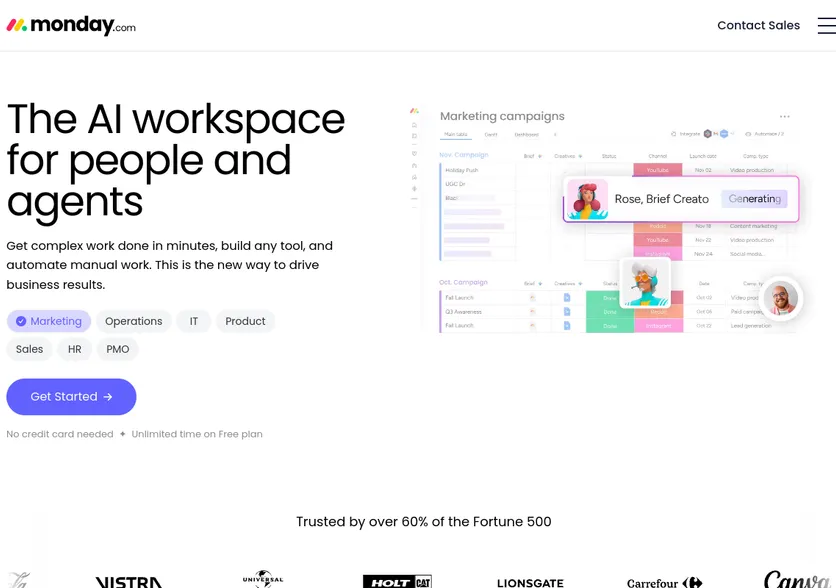
For an engineering team that wants flexible boards and timelines for mixed stakeholders, this Monday.com plan costs nine dollars per seat a month billed annually, and it tracks projects without heavy setup. Boards, timelines and dashboards are easy to shape around a team's own process, and the free plan covers two seats for a trial run. Standard adds timeline and Gantt views with guest access, while Pro adds time tracking, private boards and far higher automation limits.
What we like
- Visual boards that non-technical teams adopt fast
- Two free seats and unlimited free viewers
- Automation and integration actions scale with the plan
Watch out for
- A three-seat minimum applies to paid plans
- Basic has no automation or integration actions
How to try it
- Build a board with status, owner and date columns for the work
- Add an automation that moves items when a status changes
- Share a dashboard so stakeholders see progress without asking
4. ClickUp
Best for: Teams that want one app for tasks, docs and chat
Paid tool Starting price: $9/user/month · Nine dollars per user a month billed annually on Core ($12 billed monthly); Business is $17 a user a month billed annually ($25 monthly); the old Unlimited tier was replaced by Core in November 2026
Free plan: Free plan (Free Forever)
For an engineering team that wants planning, docs and chat in one app, this ClickUp plan costs nine dollars per user a month billed annually, and it cuts the tool sprawl around delivery. Tasks, docs, goals and chat live in one workspace, so a team can stop stitching several apps together. Core adds unlimited storage, Gantt charts and goals, while Business adds timesheets, workload views and advanced dashboards.

What we like
- Tasks, docs, goals and chat in a single app
- Free Forever plan covers small teams
- Dozens of views, from lists to Gantt charts
Watch out for
- The breadth of features can overwhelm new users
- Timesheets and workload views need Business
How to try it
- Set up a Space for the team and add lists for each workstream
- Turn on time tracking and goals for the projects that need them
- Build a dashboard that shows workload and upcoming deadlines
5. Smartsheet
Best for: Teams that think in spreadsheets and need governance
Paid tool Starting price: $9/member/month · Nine dollars per member a month billed annually on Pro ($12 billed monthly, one to ten members); Business is $19 a member a month billed annually ($24 monthly) with a three-member minimum; there is no free plan for new sign-ups
Free plan: No free plan; 30-day free trial
For an engineering organisation that plans through structured sheets and dependencies, this Smartsheet plan costs nine dollars per member a month billed annually, and it gives managers governance and visibility. Grid, Gantt, board and calendar views sit on the same data, and forms collect new work straight into a sheet. Business removes the ten-member cap, adds timeline view and workload tracking, and lifts automation limits.

What we like
- Spreadsheet-style views that need almost no training
- Forms, reports and dashboards in the same app
- Unlimited free contributors on paid plans
Watch out for
- Pro stops at ten members, so growing teams must move up
- No free plan, only a thirty-day trial
How to try it
- Build a sheet with columns for owner, status and due date
- Add a form so new requests land in the sheet automatically
- Create a report that rolls progress up for managers
6. Airtable
Best for: Teams that track structured data and approvals
Paid tool Starting price: $20/user/month · Twenty dollars per user a month billed annually on Team ($24 billed monthly); Business is $45 a user a month billed annually ($54 monthly); only users with edit rights are billed
Free plan: Free plan
For an engineering team that needs project data in a flexible database shape, this Airtable plan costs twenty dollars per user a month billed annually, and it links specs, tasks and approvals in connected tables. Records link across tables, so a project, its assets and its approvals stay connected instead of scattered across files. Business raises record and automation limits and adds stronger admin controls, while read-only collaborators stay free.

What we like
- Linked records keep projects, assets and approvals connected
- Views switch between grid, calendar, kanban and gallery
- Automations handle repetitive updates
Watch out for
- Fifty thousand records per base forces a move to Business
- Teams must design their own structure first
How to try it
- Build a base with tables for projects, tasks and assets
- Link records so one update flows across views
- Add an automation that alerts owners when a status changes
7. Linear
Best for: Product teams that ship in short cycles
Paid tool Starting price: $10/user/month · Ten dollars per user a month billed annually on Basic; Business is sixteen dollars a user a month billed annually; monthly billing costs more, so confirm the monthly figure at checkout
Free plan: Free plan
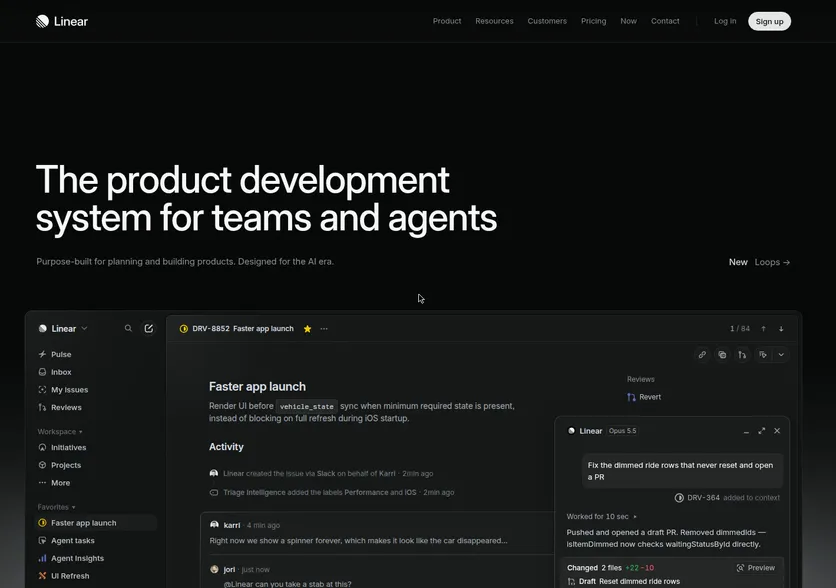
For a product engineering team that ships in short cycles and hates admin overhead, this Linear plan costs ten dollars per user a month billed annually, and it tracks issues, cycles and roadmaps at speed. Issues, cycles and roadmaps are built for product and engineering teams that ship in short, focused bursts. Business adds stronger permissions, higher limits and advanced integrations, while the free plan covers small teams.
What we like
- Fast keyboard-first issue tracking
- Cycles and roadmaps built for shipping teams
- Clean interface with little setup
Watch out for
- Fewer views for non-technical or marketing work
- Advanced permissions need Business
How to try it
- Create a team and add issues with priorities and labels
- Plan a cycle and move the top issues into it
- Review the roadmap each week to keep delivery on track
8. Notion
Best for: Teams that want docs and tracking in one place
Paid tool Starting price: $10/member/month · Ten dollars per member a month billed annually on Plus ($12 billed monthly); Business is $20 a member a month billed annually ($24 monthly) and adds full Notion AI, private teamspaces and single sign-on
Free plan: Free plan
For an engineering team that wants specs, notes and project tracking in one workspace, this Notion plan costs ten dollars per member a month billed annually, and it builds the tracker around the team's own pages. Pages, databases and docs combine in one workspace, so plans, notes and tracking live beside each other. Business adds full Notion AI, private teamspaces and single sign-on, while guests stay free on every plan.

What we like
- Pages and databases in one flexible workspace
- Guests collaborate free on every plan
- Templates cover almost any project shape
Watch out for
- Teams must design their own tracking structure
- Full AI features need the Business plan
How to try it
- Create a database for projects with status and owner fields
- Add linked views for boards, timelines and calendars
- Share the workspace with guests for free collaboration
Prices above were checked on each vendor’s own website on Nov 28, 2026 and can change — the vendor’s page is the final word. Vendor links are editorial: nobody paid to be listed or ranked here. Vendors who want a featured listing can see how it works on our Get listed page.
How an engineering team should pick a planning tool
Start from the delivery method, not the feature list, because a team that runs sprints needs backlogs and boards, while a team that plans by quarter needs roadmaps and dependencies. Check how the tool handles cross-team work, since engineering rarely ships alone and product, design and operations all need a view. Test the integration with the code and release tools the team already uses, because a planner that cannot see pull requests stays a side system. Agree who administers the workspace before rollout, or every team builds its own conventions and reporting breaks. Run one sprint end to end in the new tool before migrating the backlog.
Before you buy
- Confirm the tool supports the planning method the team uses, such as sprints or kanban
- Check how dependencies and cross-team visibility are handled in real projects
- Verify integrations with the code, release and chat tools already in use
- Ask how much administration the tool needs at the team's size
- Test reporting and roadmaps with a real sprint before migrating the backlog
Official websites
Official websites of the products reviewed above. Features and prices were checked against these sites when this guide was written, and they can change, so confirm on the vendor site before you buy.
Frequently asked questions
Which tool is best for agile engineering teams?
Jira is the most specialised option here for agile planning and tracking, organising backlogs, sprints and delivery in a structured way for $9.70 a user a month. Linear suits product teams that ship in short cycles and want speed, while Asana and Monday.com cover lighter agile needs without deep technical configuration.
How much does Jira cost for an engineering team?
Jira Standard costs $9.70 per user a month on the monthly list price for 1 to 100 users, while Premium costs $19.60. Annual billing comes in fixed tiers, at $950 a year for up to 10 users and $9,700 a year for up to 100 on Standard. The free plan covers up to 10 users.
Can these tools work alongside development platforms?
Yes, most of the tools listed connect with code and release systems, and vendors document their integration options on their sites. Jira and Linear have the deepest development integrations, while Asana, Monday.com and ClickUp connect through their integration marketplaces. Confirm the specific integrations your team depends on before committing.
What should small engineering teams consider?
Small teams benefit from simple setup and low administration overhead, so Asana, Monday.com or ClickUp can cover shared planning without heavy configuration. Jira remains an option when technical tracking depth matters from the start, and Linear fits product teams that want speed. Avoid tools that need a dedicated administrator.
How do spreadsheet-style tools compare with agile tools?
Smartsheet and Airtable offer flexible, structured views that suit governed planning and custom workflows, while Jira and Linear are more prescriptive about agile delivery. The right choice depends on whether the team prioritises governance or agile method, and many teams pair a governed tracker with an agile one.
Compare the eight tools above, then start with a free plan or trial on the tool that matches how the engineering team actually plans and ships before paying for a full year.
Browse Business Tools tools