On this page
Investment banks juggle regulatory programmes, technology builds and client initiatives at once, so portfolio tools must balance governance with delivery speed. The eight tools below range from a spreadsheet-style execution hub to a full scheduling suite inside Microsoft 365. Smartsheet leads because it gives a governed portfolio view for nine dollars per member a month, and the rest are ranked on how well they serve bank programme offices.
How we researched this
We checked every price on the vendor pricing page on November 28, 2026, and only included tools with a published US dollar list price. ServiceNow Strategic Portfolio Management, Jira Align and Wrike publish no prices and sell by quote, so they are not in this list. Prices change, so confirm the current figure on the vendor site before you buy.
Compare the tools
| Name | Best for | Starting price | Free plan | |
|---|---|---|---|---|
 Smartsheet | Teams that think in spreadsheets and need governance | $9/member/month | No free plan; 30-day free trial | Visit |
| Monday.com | Teams that want visual boards and fast adoption | $9/seat/month | Free plan (up to 2 seats) | Visit |
 Asana | Teams that need shared timelines and automation | $10.99/user/month | Free plan (Personal, up to 10 users) | Visit |
 Microsoft Project | Microsoft shops that need serious scheduling | $10/user/month | No free plan; 30-day free trial | Visit |
 ClickUp | Teams that want one app for tasks, docs and chat | $9/user/month | Free plan (Free Forever) | Visit |
 Jira | Technical teams running agile delivery | $9.70/user/month | Free plan (up to 10 users) | Visit |
 Airtable | Teams that track structured data and approvals | $20/user/month | Free plan | Visit |
 Zoho Projects | Budget teams that want Gantt charts and timesheets | $4/user/month | Free plan (3 users, 2 projects) | Visit |
The project portfolio software for investment banks, compared
1. Smartsheet
Best for: Teams that think in spreadsheets and need governance
Paid tool Starting price: $9/member/month · Nine dollars per member a month billed annually on Pro ($12 billed monthly, one to ten members); Business is $19 a member a month billed annually ($24 monthly) with a three-member minimum; there is no free plan for new sign-ups
Free plan: No free plan; 30-day free trial
For a bank programme office that needs governed tracking across regulatory, technology and client work, this Smartsheet plan costs nine dollars per member a month billed annually, and it builds portfolio trackers, intake forms and dashboards on familiar grids. Grid, Gantt, board and calendar views sit on the same data, and forms collect new work straight into a sheet. Business removes the ten-member cap, adds timeline view and workload tracking, and lifts automation limits.

What we like
- Spreadsheet-style views that need almost no training
- Forms, reports and dashboards in the same app
- Unlimited free contributors on paid plans
Watch out for
- Pro stops at ten members, so growing teams must move up
- No free plan, only a thirty-day trial
How to try it
- Build a sheet with columns for owner, status and due date
- Add a form so new requests land in the sheet automatically
- Create a report that rolls progress up for managers
2. Monday.com
Best for: Teams that want visual boards and fast adoption
Paid tool Starting price: $9/seat/month · Nine dollars per seat a month billed annually on Basic ($12 billed monthly); Standard is $12 a seat a month billed annually and Pro is $19; a three-seat minimum applies to paid plans
Free plan: Free plan (up to 2 seats)
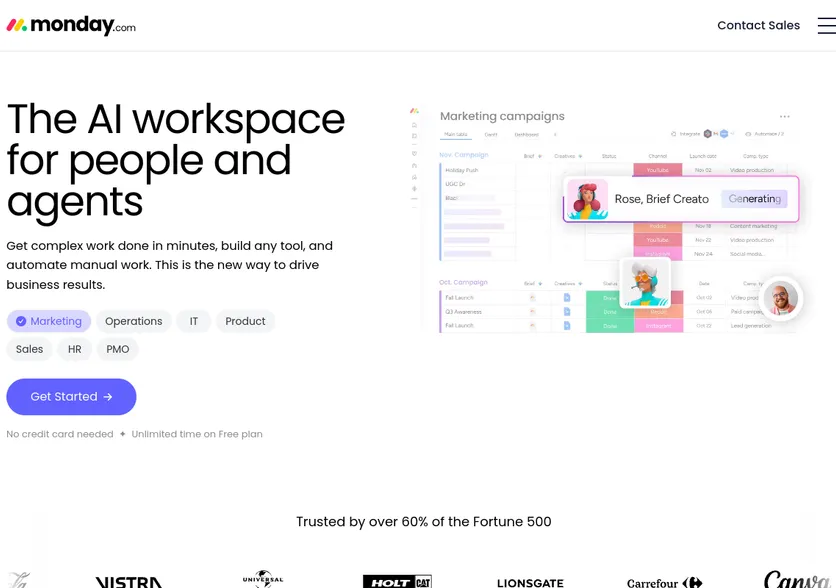
For a bank team that wants portfolio tracking non-technical stakeholders can follow, this Monday.com plan costs nine dollars per seat a month billed annually, and it gives change and operations teams one visual workspace. Boards, timelines and dashboards are easy to shape around a team's own process, and the free plan covers two seats for a trial run. Standard adds timeline and Gantt views with guest access, while Pro adds time tracking, private boards and far higher automation limits.
What we like
- Visual boards that non-technical teams adopt fast
- Two free seats and unlimited free viewers
- Automation and integration actions scale with the plan
Watch out for
- A three-seat minimum applies to paid plans
- Basic has no automation or integration actions
How to try it
- Build a board with status, owner and date columns for the work
- Add an automation that moves items when a status changes
- Share a dashboard so stakeholders see progress without asking
3. Asana
Best for: Teams that need shared timelines and automation
Paid tool Starting price: $10.99/user/month · Ten dollars and ninety-nine cents per user a month billed annually on Starter ($13.49 billed monthly); Advanced is $24.99 a user a month billed annually; Personal is free for up to 10 users
Free plan: Free plan (Personal, up to 10 users)
For a bank team that needs clear ownership and repeatable processes across initiatives, this Asana plan costs ten dollars and ninety-nine cents per user a month billed annually, and it automates the coordination between programmes. Its timeline and board views keep owners and due dates visible, and automation moves routine handoffs along without manual chasing. The free Personal plan covers small groups, while paid plans add reporting dashboards, custom fields and unlimited automation.

What we like
- Timeline, board and calendar views in one workspace
- Automation handles routine handoffs and approvals
- Unlimited free guests on paid plans
Watch out for
- Portfolios and goals need the Advanced plan
- Native time tracking sits on Advanced, not Starter
How to try it
- Create a project from a template and add every task with an owner and a due date
- Switch to the timeline view to spot overlaps and dependencies
- Set an automation rule for handoffs, then review the dashboard weekly
4. Microsoft Project
Best for: Microsoft shops that need serious scheduling
Paid tool Starting price: $10/user/month · Ten dollars per user a month on Plan 1; Plan 3 is $30 a user a month; Plan 5 was withdrawn on May 1, 2026, so do not expect it at checkout
Free plan: No free plan; 30-day free trial
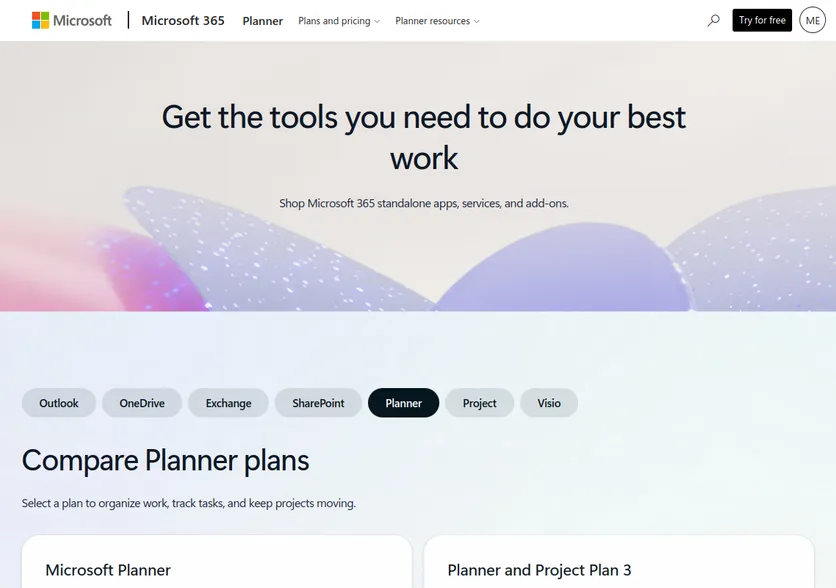
For a bank programme office that already standardises on Microsoft tools, this Microsoft Project plan costs ten dollars per user a month, and it brings portfolio scheduling and resource tracking into a familiar ecosystem. Plans, schedules and resource tracking sit inside the Microsoft 365 tools most offices already use every day. Higher plans add portfolio management, demand management and enterprise resource planning, while Plan 1 covers core scheduling.
What we like
- Deep scheduling with dependencies and baselines
- Fits naturally inside Microsoft 365
- Resource tracking across projects
Watch out for
- No free plan, and portfolio features cost more
- Heavier than modern board-based tools
How to try it
- Create a plan and add tasks with durations and dependencies
- Assign resources and set a baseline for the schedule
- Track progress against the baseline each week
5. ClickUp
Best for: Teams that want one app for tasks, docs and chat
Paid tool Starting price: $9/user/month · Nine dollars per user a month billed annually on Core ($12 billed monthly); Business is $17 a user a month billed annually ($25 monthly); the old Unlimited tier was replaced by Core in November 2026
Free plan: Free plan (Free Forever)
For a bank team that wants portfolio plans, docs and goals in one app, this ClickUp plan costs nine dollars per user a month billed annually, and it consolidates tracking without extra tools. Tasks, docs, goals and chat live in one workspace, so a team can stop stitching several apps together. Core adds unlimited storage, Gantt charts and goals, while Business adds timesheets, workload views and advanced dashboards.

What we like
- Tasks, docs, goals and chat in a single app
- Free Forever plan covers small teams
- Dozens of views, from lists to Gantt charts
Watch out for
- The breadth of features can overwhelm new users
- Timesheets and workload views need Business
How to try it
- Set up a Space for the team and add lists for each workstream
- Turn on time tracking and goals for the projects that need them
- Build a dashboard that shows workload and upcoming deadlines
6. Jira
Best for: Technical teams running agile delivery
Paid tool Starting price: $9.70/user/month · Nine dollars and seventy cents per user a month on Standard for one to one hundred users (monthly list price); Premium is $19.60; annual billing comes in fixed tiers, $950 a year for up to ten users and $9,700 a year for up to one hundred on Standard
Free plan: Free plan (up to 10 users)
For a bank technology team connecting delivery work to enterprise strategy, this Jira plan costs nine dollars and seventy cents per user a month, and it tracks backlogs and sprints that roll up to programme goals. Backlogs, sprints and boards organise technical work, and roadmaps show how team delivery rolls up to bigger goals. Premium adds advanced roadmaps, capacity planning and stronger admin controls, while the free plan covers ten users.

What we like
- Backlogs, sprints and boards built for agile teams
- Roadmaps connect team work to bigger goals
- Free plan covers up to ten users
Watch out for
- Setup and terminology can confuse non-technical staff
- Annual pricing comes in fixed seat tiers
How to try it
- Create a project and add issues to the backlog
- Plan a sprint by dragging the top issues into it
- Review the board daily and update the roadmap each week
7. Airtable
Best for: Teams that track structured data and approvals
Paid tool Starting price: $20/user/month · Twenty dollars per user a month billed annually on Team ($24 billed monthly); Business is $45 a user a month billed annually ($54 monthly); only users with edit rights are billed
Free plan: Free plan
For a bank team tracking deals, programmes and approvals as structured records, this Airtable plan costs twenty dollars per user a month billed annually, and it links every record into one portfolio view. Records link across tables, so a project, its assets and its approvals stay connected instead of scattered across files. Business raises record and automation limits and adds stronger admin controls, while read-only collaborators stay free.

What we like
- Linked records keep projects, assets and approvals connected
- Views switch between grid, calendar, kanban and gallery
- Automations handle repetitive updates
Watch out for
- Fifty thousand records per base forces a move to Business
- Teams must design their own structure first
How to try it
- Build a base with tables for projects, tasks and assets
- Link records so one update flows across views
- Add an automation that alerts owners when a status changes
8. Zoho Projects
Best for: Budget teams that want Gantt charts and timesheets
Paid tool Starting price: $4/user/month · Four dollars per user a month billed annually on Premium ($5 billed monthly); Enterprise is $9 a user a month billed annually ($10 monthly) and Ultimate is $14 ($15 monthly); the free plan covers three users and two projects
Free plan: Free plan (3 users, 2 projects)
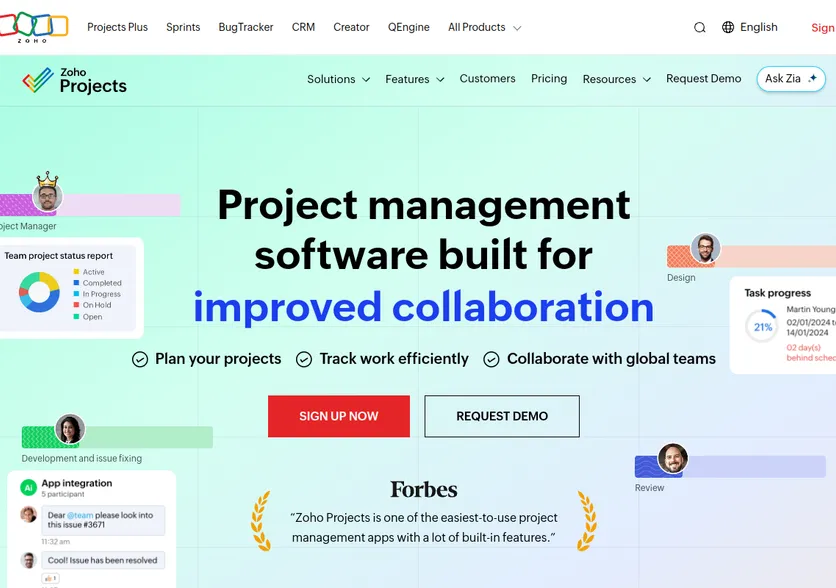
For a bank team that wants portfolio dashboards and Gantt charts on a small budget, this Zoho Projects plan costs four dollars per user a month billed annually, and it covers plans, timesheets and critical path work. Task lists, Gantt charts, kanban boards and timesheets cover the whole project, and blueprints automate routine steps. Enterprise adds custom fields, critical path analysis and portfolio dashboards, while the free plan covers three users and two projects.
What we like
- Gantt, kanban and timesheets in one low-cost app
- Blueprints automate routine project steps
- Portfolio dashboards on Enterprise
Watch out for
- Free plan caps at three users and two projects
- Interface feels dated next to newer rivals
How to try it
- Create a project from a template and add task lists
- Switch to the Gantt view to set dependencies
- Turn on timesheets so hours feed project reports
Prices above were checked on each vendor’s own website on Nov 28, 2026 and can change — the vendor’s page is the final word. Vendor links are editorial: nobody paid to be listed or ranked here. Vendors who want a featured listing can see how it works on our Get listed page.
How a bank should evaluate portfolio software
Start with the governance model, because permissions, audit trails and reporting must satisfy internal and regulatory review before any feature list matters. Map the systems the portfolio must connect to, from finance and risk to delivery tools, and confirm each integration on the vendor site rather than in a sales deck. Check resource and capacity tracking against the real programme structure, since a tool that cannot model shared teams will mislead every forecast. Ask the vendor to demonstrate a realistic portfolio workflow with the bank's own data shape, not a canned demo. Confirm which edition carries the portfolio features, because several vendors reserve them for dearer plans.
Before you buy
- Verify portfolio reporting and governance controls match the bank's regulatory obligations
- Check integration with existing finance, risk and delivery systems before buying
- Confirm resource and capacity tracking supports the bank's programme structure
- Review permission and audit capabilities for sensitive deal and change data
- Ask vendors to demonstrate a specific portfolio workflow before committing
Official websites
Official websites of the products reviewed above. Features and prices were checked against these sites when this guide was written, and they can change, so confirm on the vendor site before you buy.
Frequently asked questions
What should an investment bank prioritise in portfolio software?
Governance and auditability come first, followed by strategy alignment, resource visibility and integration with existing finance and delivery systems. Banks should confirm that permissions and reporting can satisfy internal and regulatory review before selecting a platform, and that the edition they buy actually carries the portfolio features.
How much does Smartsheet cost for a bank programme office?
Smartsheet Pro costs $9 per member a month billed annually, or $12 billed monthly, for 1 to 10 members. Business costs $19 a member a month billed annually and adds timeline view, workload tracking, admin controls and unlimited automations. Enterprise and Advanced Work Management are sold by quote.
Can general work management tools handle portfolio oversight?
Yes, tools such as Smartsheet, Monday.com, Asana and ClickUp can support portfolio tracking with configuration, and several emphasise governance, visibility or controlled delivery. Deep financial portfolio management may still need integration with dedicated systems, so confirm the required reporting can be modelled before rollout.
Why are ServiceNow SPM and Jira Align not in this list?
Both publish no prices and sell by quote, so no verifiable US dollar list price could be checked on November 28, 2026. This list only includes tools with a published price, which is why Smartsheet, Microsoft Project and the work management platforms lead it. Ask either vendor for a quote if enterprise portfolio governance is the core need.
How should a bank evaluate these platforms?
Start with the governance model, reporting requirements and system landscape, then ask each vendor to demonstrate a realistic portfolio workflow. Confirm edition-specific capabilities and integration support directly with the vendor before deciding, and check that resource tracking matches the programme structure.
Compare the eight tools above, then start with a free plan or trial on the tool that matches how the bank already runs programmes before paying for a full year.
Browse Business Tools tools